
The SMTP 550 5.7.1 error means the receiving server has rejected your email.
You may see this error for different reasons, such as policy blocks, SMTP relay mismatches, missing or incorrect headers, IPv6 or PTR issues, rate limits, or very low domain or IP reputation.
It’s important to fix this because as long as 550 5.7.1 keeps appearing, your emails will not be delivered at all. Every message you send will fail until the issue behind this error is corrected.
In this guide, you will learn the different types of SMTP 550 5.7.1 error messages, and understand what each one means and what needs to be fixed in your setup.
Key Takeaways:
Get InfraForge! and keep your setup clean, steady, and free from 5.7.1 errors.
The SMTP 550 5.7.1 error tells you the server rejected your email.
It happens when something in your email setup does not match the server’s rules.
This SMTP error shows up in different types. Some types say a policy is blocking your email. Some point to the wrong SMTP relay details. Others mention missing or incorrect headers, IPv6 or PTR issues, rate limits, or very low domain or IP reputation.
In simple terms, 550 5.7.1 means one part of your setup failed the server checks, so the email was not accepted.
There are many types of 550 5.7.1 errors, and each one points to a specific reason why the se
To fix this error, look closely at the exact message you received. Each message points to what you need to adjust in your setup. Here is what you should do for each type, in simple steps:
Ask the domain owner or admin to check the policy that is blocking your message. The server is not allowing your email because of that policy, so they need to review or update it.
Make sure the IP you are using is the same one registered in your Workspace SMTP Relay.
Use the sending domain that matches that registration.
Turn on SMTP AUTH if the server requires it.
And make sure your server sends one of your domain names in the HELO or EHLO command.
The server thinks your email looks unsolicited.
Review your message content and make sure it does not appear like unwanted or unexpected email.
Update your setup to follow the IPv6 rules the server expects.
This includes matching what the message says about PTR records and authentication.
Look into your sending IP, because the server sees it as having very low reputation.
You may need to address whatever is lowering the trust of that IP.
Review your sending domain, because the server treats it as having very low reputation.
You need to resolve what is affecting the domain’s trust.
Add a proper From header with a valid email address.
The server will not accept the email without it.
Add a Message-ID header to the email.
The server expects this header to be present.
Use only one email address in the From header.
Remove any extra addresses you added there.
Remove the unicode character that appears in the header.
The server blocks headers that include disallowed unicode.
Delete any repeated headers.
The message should have only one copy of each header name.
Add the missing From header so the email follows the expected format.
Keep only a single From header.
Remove any additional ones.
Update the domain in the From header so it follows the correct format expected by the server.
Pause your sending or reduce your rate. You need to wait until the server allows sending again.
Send your email through the correct SMTP relay because the IP you used is not allowed to send directly.
Wait until the daily SMTP relay limit resets.
You can send again when the limit refreshes.
Remove the encoded-word syntax from the header the server flagged.
Use plain, accepted header formatting.
Delete the duplicate header so only one version of that header remains.
Fix the header structure so it is formatted correctly.
The server will only accept it when it follows the proper header format.
When you look at these fixes together, many of them depend on how your email setup is structured, your IP, domain, relay, headers, and overall configuration.
If you're managing several domains or mailboxes, keeping everything aligned can take effort. InfraForge can help you organize this infrastructure so these issues don’t keep repeating.
When you look at all the different 550 5.7.1 messages together, it becomes clear that they are not random at all.
Each message looks different on the surface, but the server is really checking just a few key parts of your setup before deciding whether to accept your email.
All these errors fall into two main groups.
These appear when the server can’t match who you are with how you are sending the email.
From your messages, this includes:
These show up when the structure or format of your email doesn’t follow what the server expects.
This includes:
550 5.7.1 errors appear when parts of your email setup don’t match the server’s check.
It may be your identity, relay details, reputation, or message format; the server blocks anything that doesn’t pass its checks.
When you look at all the patterns together, it becomes clear that these errors all point to the same thing: your email infrastructure needs to stay clean, aligned, and consistent.
When you break down all the 550 5.7.1 errors, they usually come from the same places: the server can’t match your identity, the relay details don’t line up, the message structure isn’t clean, or the domain/IP reputation drops.
Fixing them one at a time works, but it doesn’t stop them from coming back if the overall setup isn’t steady.

Infraforge helps by keeping that setup in order. Instead of managing everything across different places, it brings the core parts together and keeps them consistent.
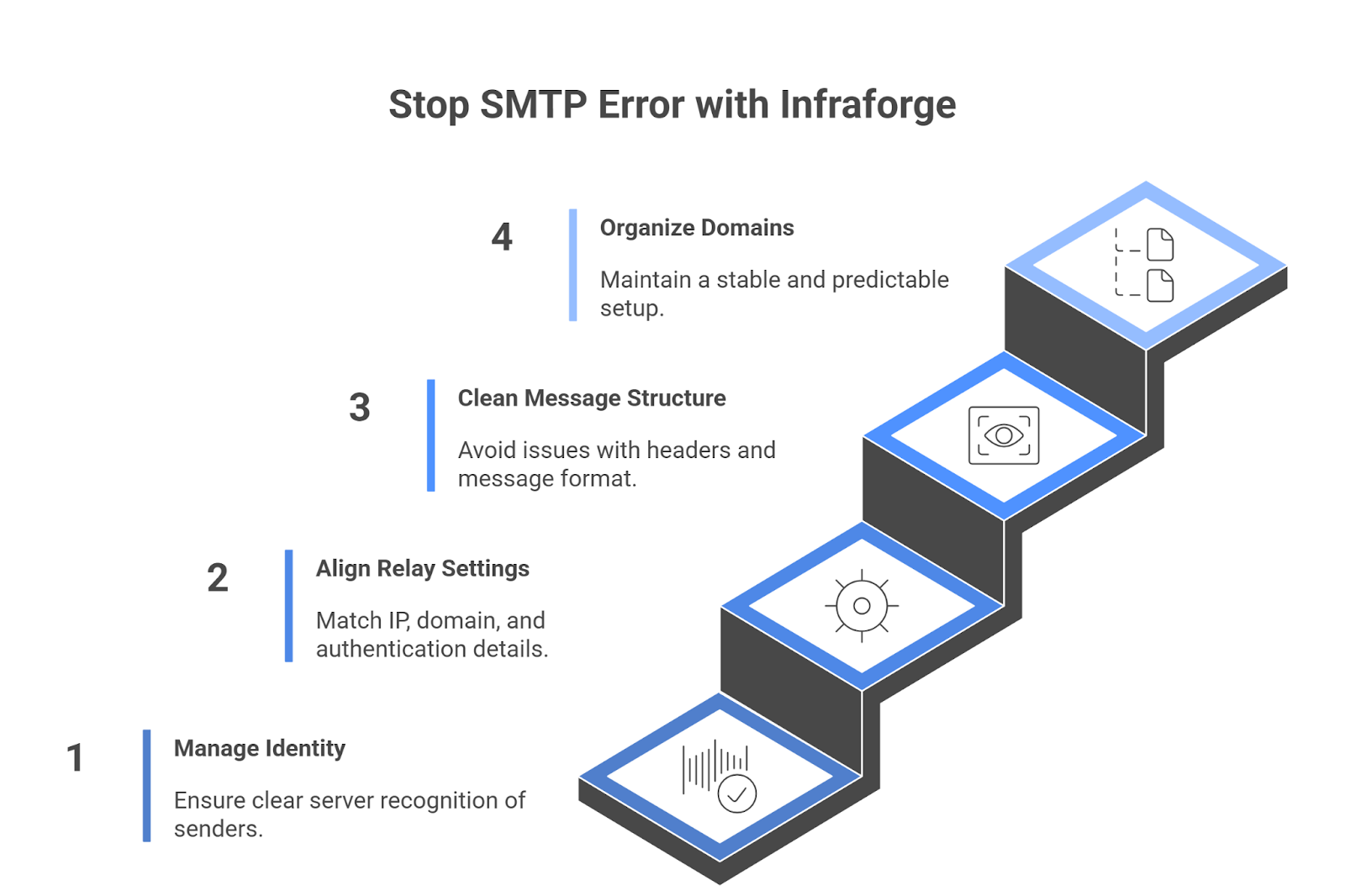
Here’s what it actually does in this context:
By keeping these pieces in a clean structure, the common triggers behind 550 5.7.1 errors become much easier to avoid. Instead of fighting the same problems again and again, the setup stays predictable.
Every 550 5.7.1 error is the server pointing to a gap in your setup, whether it’s identity, relay alignment, headers, or reputation. As long as these pieces aren’t fully in sync, the server will keep blocking your messages.
You can fix each error as it appears, but the long-term solution is a setup that stays consistent. When the foundation is steady, these errors stop repeating.
Infraforge helps you keep that structure organized, especially when you’re handling multiple domains or mailboxes. A cleaner setup means fewer interruptions and fewer 5.7.1 errors.
Get a cleaner, more consistent email setup with InfraForge and stop 5.7.1 errors before they appear.
