When managing large-scale email campaigns, proper DNS configuration is non-negotiable. Without correctly setting up SPF, DKIM, and DMARC records, your emails risk being flagged as spam or outright rejected. Starting February 2024, Google and Yahoo will enforce DMARC for all U.S. domains, making compliance even more critical. Misconfigured DNS can cost businesses thousands of dollars in downtime and cause email deliverability rates to plummet.
Here’s what you need to know:
Managing DNS for multiple domains manually is error-prone and time-consuming. Automation tools like Infraforge simplify bulk updates, ensuring compliance and high deliverability. Infraforge configures records in minutes, handles the SPF 10-lookup limit, and offers bulk updates across domains.
Key Takeaways:
If you’re handling multiple domains or large email volumes, automation ensures smoother operations and compliance with upcoming regulations.
When preparing for bulk DNS updates, careful planning is essential to prevent authentication problems, email bounces, and long-term deliverability issues. Following these steps will help ensure the process goes smoothly, as outlined in the sections below.
Start by compiling a domain inventory that includes every domain requiring DNS updates. For each domain, document its DNS provider, registrar, and email sending details. Be thorough - record sending IPs, mail server endpoints, and authentication settings, regardless of the email service you use.
Next, create a comprehensive list of all current email-sending sources. This includes dedicated IPs, shared IP pools, and third-party services that send emails on your behalf. To streamline troubleshooting and maintain consistency, establish a unified authentication setup. This should include details like SPF includes, DKIM selectors, and DMARC policies.
Finally, maintain clear documentation. Note which provider uses which DNS records, such as DKIM selectors or SPF includes, and any custom configurations. This will save time when troubleshooting issues and make onboarding new team members much easier.
Choosing the right method for updating DNS records depends on your operational needs and technical capabilities. There are three primary options: manual updates, API-based automation, and managed platforms like Infraforge. Each has its own advantages and drawbacks in terms of setup time, error risk, and scalability.
Here’s a comparison of these methods:
| Method | Setup Time | Error Risk | Scalability | Best For |
|---|---|---|---|---|
| Manual Updates | < 1 hour initially; 10–15 hours for 50 domains | High (human error) | Very Low | Small organizations sending fewer than 1,000 emails/month |
| API Automation | 4–8 hours initial development | Moderate (script errors) | High | Teams with development resources |
| Infraforge | 30 minutes–2 hours; ~5 minutes for the first domain | Low (automated validation) | Very High | Large-scale operations managing multiple domains |
For smaller businesses, manual updates may suffice. However, larger organizations will benefit from automated solutions, which reduce errors and lower ongoing maintenance costs.
For U.S.-based email operations, efficiency and compliance are key. When planning bulk DNS updates, take into account factors like DNS propagation delays, maintenance windows, and infrastructure costs. DNS changes can take up to 48 hours to propagate, so schedule updates during off-peak hours to minimize any disruptions.
Cost is another critical factor. Manual updates can cost between $50 and $150 per hour, while API automation and managed platforms offer more scalable options. For example, managing 200 mailboxes with Infraforge costs about $651 per month - far less than Google Workspace ($1,680 per month) or Microsoft 365 ($1,200 per month).
Additionally, for cold email campaigns, using mailboxes on dedicated U.S. IP addresses is considered the standard for ensuring reliable routing and deliverability. When selecting a DNS update method, ensure the platform you choose supports dedicated U.S. IPs and can handle the demands of cold outreach campaigns effectively.
When managing email authentication across numerous domains, especially for activities like cold email outreach, consistency is key. Misconfiguring even a single record can harm your email deliverability and undo months of effort spent warming up domains. Below, we’ll walk through practical steps to configure SPF, DKIM, and DMARC records effectively.
SPF (Sender Policy Framework) helps verify that specific IP addresses are allowed to send emails on behalf of your domain. The challenge is to design SPF records that accommodate multiple sending services without exceeding the strict 10 DNS lookup limit. Exceeding this limit causes SPF validation to fail, which is a common pitfall for many organizations.
Start by listing all your sending sources, including dedicated IPs, shared IP pools, and third-party tools like marketing platforms. Each source requires either direct IP addresses or include statements in your SPF record. However, since each include counts as one DNS lookup, it’s better to replace them with direct IP addresses whenever possible.
For example, instead of including multiple third-party services, work with your providers to obtain their IP ranges and add those directly to the SPF record. Here’s a simple template for a cold outreach domain:
v=spf1 ip4:192.0.2.0/24 ip4:198.51.100.0/24 include:_spf.infraforge.ai ~all
This template uses two IP ranges and one include statement, consuming only three DNS lookups. The ~all mechanism signals a soft fail for emails from unauthorized sources, which is ideal during the initial setup phase.
For organizations managing a large number of domains, tools like Infraforge can automate SPF record creation. These platforms ensure all domains follow standard configurations, reducing manual work and minimizing errors. Regularly review your SPF records - at least once a month - to ensure they reflect all active sending sources and remove outdated entries.
Once your SPF records are in place, the next step is securing email content with DKIM (DomainKeys Identified Mail). DKIM adds a cryptographic signature to your emails, ensuring they haven’t been altered during transit. The complexity arises when you need to generate, deploy, and rotate keys across multiple domains.
Each domain requires its own public-private key pair. The private key stays on your mail server to sign outgoing emails, while the public key is added to your DNS records so receiving servers can verify the signature. Most organizations opt for 2048-bit RSA keys, which strike a balance between security and performance.
Selectors are critical for managing DKIM keys. A selector is essentially a label that tells receiving servers which key to use for verification. A common practice is to use date-based selectors, like s202412 for December 2024. This approach simplifies key rotation: when it’s time to rotate, generate a new key pair, publish the new public key in DNS, and gradually switch your mail server to use the updated private key.
Rotating DKIM keys every 6-12 months is a best practice. However, doing this manually across hundreds of domains can be tedious and error-prone. Automation tools like Infraforge can streamline the process by generating and deploying DKIM records automatically for each domain.
If you’re building your own automation, maintain a detailed record of active selectors for each domain. Store this data in a central database, and use scripts to update DNS records programmatically. While this requires some upfront effort, it scales well and reduces the risk of misconfigurations.
One crucial point: ensure your DKIM signatures align with the domain in the "From" header. For example, if your email is sent from [email protected], the DKIM signature must correspond to example.com or a subdomain. This alignment is a requirement for DMARC compliance.
DMARC (Domain-based Message Authentication, Reporting, and Conformance) ties SPF and DKIM together, instructing receiving servers on how to handle emails that fail authentication. Configuring DMARC starts with a monitoring policy and gradually moves toward stricter enforcement.
Begin with a "p=none" policy, which accepts all emails but provides reports on authentication failures. This allows you to identify any legitimate sources missing from your SPF or DKIM configuration. Here’s an example of a basic DMARC record in monitoring mode:
v=DMARC1; p=none; rua=mailto:[email protected]; pct=100
This record instructs servers to send aggregate reports to the specified email address. Monitor these reports for 2-4 weeks to identify and fix any issues. Once confident in your setup, you can increase enforcement by moving to "p=quarantine" (marking failed emails as spam) and eventually to "p=reject" (blocking failed emails outright).
Consistency is critical when managing DMARC for multiple domains. All domains should follow the same progression from monitoring to enforcement and use the same reporting email addresses. This uniformity simplifies troubleshooting and helps you spot patterns across your domain infrastructure.
Automation platforms like Infraforge can simplify DMARC setup and management. These tools allow you to configure and update DMARC policies across all your domains in just a few steps, saving time and ensuring accuracy.
Here’s a quick reference for common components you’ll use across all domains:
| Component | Purpose | Example Value | Notes |
|---|---|---|---|
| SPF IP4 | Authorize IPv4 addresses | ip4:192.0.2.0/24 |
Direct IPs reduce DNS lookups |
| SPF Include | Reference another SPF record | include:_spf.provider.com |
Each counts toward the 10-lookup limit |
| DKIM Selector | Identify which key to use | s202412._domainkey |
Use date-based selectors for rotation |
| DKIM Key Length | Cryptographic strength | 2048-bit RSA |
Balances security and performance |
| DMARC Policy | Action on auth failure | p=none, p=quarantine, p=reject |
Start with none, progress to reject |
| DMARC RUA | Aggregate report destination | rua=mailto:[email protected] |
Essential for monitoring |
| DMARC PCT | Percentage of emails to filter | pct=100 |
Start at 100 for full visibility |
Finally, remember that the "From" domain must align with either the SPF or DKIM domain for authentication to pass. For multi-provider setups, make sure all sending sources are included in your SPF record, keeping the 10 DNS lookup limit in mind. Regular reviews and automation tools can help maintain a secure and efficient email infrastructure.
Once you've set up your SPF, DKIM, and DMARC configurations correctly, the next step is executing bulk DNS updates efficiently. The method you choose will depend on your technical expertise, how many domains you manage, and how often updates are required. Each approach comes with its own balance of speed, accuracy, and manual effort.
Keep in mind that DNS changes can take up to 48 hours to fully propagate worldwide, though many updates are visible within a few hours. During this time, email authentication may be inconsistent - some emails might pass while others fail, depending on the DNS server being queried.
For smaller-scale updates or one-time changes, using CSV files is a straightforward option that doesn’t require coding skills. This method is ideal if you're not familiar with APIs or scripting tools.
Start by exporting your current DNS records from your registrar or DNS provider. Make sure your CSV file includes the essential fields - Type, Name, Content, TTL, and Priority - and follows your provider’s formatting guidelines. Open the file in a spreadsheet tool like Excel or Google Sheets, then add new rows for your email authentication records. Pay attention to formatting details: SPF records should be enclosed in quotes if they contain spaces, and DKIM keys must be copied exactly as provided.
If you're managing multiple domains, create a template row with your standard SPF configuration. Duplicate this row and customize it for each domain. Before importing the CSV back into your DNS provider, validate it against their template to avoid errors. It’s a good idea to test your updates on a single domain first. Use tools like dig or nslookup to verify that the changes have propagated correctly.
Common mistakes include using incorrect DKIM selector names or accidentally overwriting critical records like NS or MX entries. Always back up your original CSV file before making any changes to safeguard against unexpected issues.
For larger-scale operations, manual updates can quickly become impractical. In these cases, automation is a game-changer. Using APIs and scripts allows you to streamline the process, reduce errors, and save time - especially if you're managing dozens or even hundreds of domains.
Most major DNS providers, such as Cloudflare and Amazon Route 53, offer REST APIs that let you programmatically create, update, and delete DNS records. Tools like Terraform can take this a step further by enabling you to manage DNS configurations as version-controlled files.
Here’s how an automated workflow might look:
Before making changes, always perform a "dry run" to validate the updates. Backups are essential - having a rollback plan ensures you can quickly revert changes if something goes wrong. Tools like Terraform also help by managing dependencies, ensuring that related updates (like modifying an A record and its corresponding CNAME) happen in the correct order.
To monitor propagation, query major DNS resolvers such as Google (8.8.8.8) and Cloudflare (1.1.1.1). For U.S. businesses, DNS misconfigurations can be costly - IT downtime from DNS issues averages $5,600 per minute. This makes thorough testing and robust rollback procedures critical, especially when email functionality is at stake.
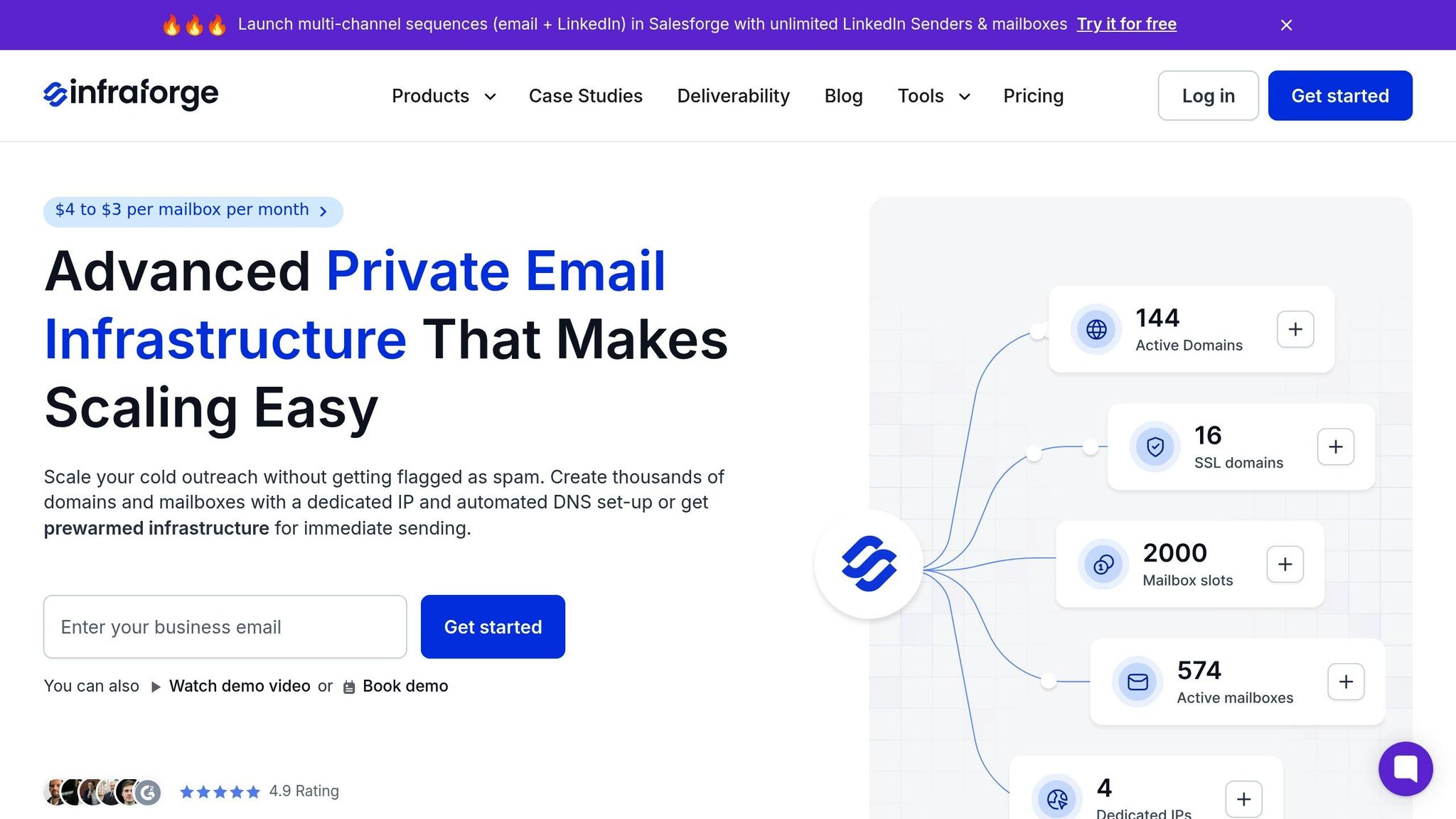
Automation simplifies bulk DNS updates significantly, and Infraforge is a great example of a platform designed to handle this with minimal manual effort. For businesses focused on cold email outreach or large-scale email campaigns, Infraforge takes the complexity out of DNS management.
When you add a domain to Infraforge, the platform automatically configures SPF, DKIM, and DMARC records. It handles everything from key generation to SPF optimization and policy setup in just minutes, sparing you the need to dive into the technical details.
Infraforge also offers a bulk update feature that allows you to modify records across multiple domains at once. Instead of logging into each registrar or creating custom scripts, you can manage everything through Infraforge's interface. This is particularly useful for tasks like adding new sending sources to SPF records, rotating DKIM keys, or adjusting DMARC policies across your entire domain portfolio.
For even more flexibility, Infraforge provides an API for seamless integration into your existing workflows. The platform also includes real-time deliverability monitoring, so you can quickly spot any issues caused by DNS changes and address them before they escalate.
One standout feature is Infraforge's ability to provision new domains with preconfigured authentication records. These domains are ready to send emails almost immediately, thanks to a built-in warming process. This can cut down the time it takes to go from purchasing a domain to sending emails to as little as 5 minutes.
While Infraforge takes care of much of the heavy lifting, it’s still important to periodically review your DNS records. If you add a new email service provider or make changes to your IP infrastructure, ensure your DNS configuration reflects these updates to maintain optimal performance.
When you update DNS records in bulk, it's crucial to verify them right away. Skipping this step can lead to weeks of email delivery issues, especially with today’s strict spam filters blocking most emails. Ensuring your DNS records are correctly configured is a key factor in maintaining successful email deliverability.
Start by using command-line tools like dig and nslookup to inspect your DNS records directly. For SPF, DKIM, and DMARC records, you can use the following commands:
dig TXT yourdomain.com – Look for an output starting with v=spf1 that lists all authorized sending sources.dig TXT selector._domainkey.yourdomain.com – This should display your public key.dig TXT _dmarc.yourdomain.com – This reveals your policy settings.For a more user-friendly experience, online tools like MXToolbox, Google Admin Toolbox, and DMARC Analyzer can help validate record syntax, check for issues like exceeding the SPF 10 DNS lookup limit, or flag malformed DKIM keys.
When managing multiple domains, query major DNS resolvers such as Google (8.8.8.8) or Cloudflare (1.1.1.1) to ensure consistency across servers. Keep in mind that DNS propagation can take up to 48 hours, though most changes take effect within a few hours. During this time, email authentication may be inconsistent depending on which DNS server is queried.
For large-scale updates, consider scripting the process. A script can query each domain and log the results, making it easier to spot domains that haven’t fully propagated. Additionally, confirm that A and MX records for each mail server point to the correct IP addresses, as incorrect configurations can disrupt email delivery.
After verifying your records, make it a habit to maintain them regularly to avoid future problems.
To keep your email deliverability on track, consistent monitoring of DNS records is essential. Over time, infrastructure updates from email providers may render existing records outdated, leading to delivery failures if left unchecked. Monthly reviews can help ensure:
For added security, rotate your DKIM keys every 6–12 months. This involves generating a new key pair, updating the DNS with the new public key, and allowing a transition period where both old and new keys are active. Keep your SPF record within the 10 DNS lookup limit by removing unnecessary entries and replacing include mechanisms with direct IP addresses where possible.
DMARC reports are another valuable tool. These daily XML reports from major providers like Google and Yahoo show which emails pass or fail SPF and DKIM checks. Since February 2024, stricter standards from these providers have made proactive DMARC monitoring even more critical for maintaining inbox placement.
Avoid these common pitfalls:
Document your DNS setup for troubleshooting, keep credentials secure, and update records promptly when making infrastructure changes.
For managing DNS records efficiently over time, automation is key. Infraforge offers a streamlined solution for handling DNS updates and email infrastructure at scale. While manual updates might suffice for small setups, Infraforge simplifies the process for larger operations.
Infraforge handles DMARC, SPF, and DKIM configurations automatically, eliminating the need to manually create or update records across multiple domains. Its bulk update feature allows you to modify records for many domains at once, saving time and effort. Whether you need to adjust SPF records, rotate DKIM keys, or update DMARC policies, Infraforge makes it easy - all without custom scripts or logging into multiple registrars.
Real-time monitoring and alerts are another advantage. Infraforge tracks authentication results and flags issues like failed DKIM signatures or SPF misalignments immediately. This prevents undetected errors from escalating into costly downtime, which can reach up to $5,600 per minute.
Additionally, Infraforge provides dedicated IPs and pre-warmed domains, ensuring strong sender reputations from the start. Automated warmup processes gradually increase sending volumes, building trust with receiving servers. Features like sender rotation and smart sending limits help maintain high deliverability over time.
For teams managing email infrastructure programmatically, Infraforge’s API integrates seamlessly into existing workflows. From provisioning new domains to updating DNS records and monitoring deliverability, everything can be handled through automation. At $651 per month for 200 mailboxes, Infraforge offers a cost-effective alternative to platforms like Google Workspace ($1,680 per month) or MS365 ($1,200 per month), especially for businesses focused on cold email campaigns.
| Feature | Infraforge | Generic DNS Tools (Cloudflare, Route 53) |
|---|---|---|
| Automated DNS Setup | Yes, including SPF, DKIM, and DMARC | Manual configuration required |
| Bulk DNS Updates | Yes, across all domains | Requires custom scripts or manual updates |
| Real-Time Monitoring | Yes, with deliverability alerts | Basic DNS monitoring only |
| Pre-Warmed Domains | Yes, ready to send within minutes | Not applicable |
| Dedicated IPs | Yes, included | Separate service required |
| Email-Specific Features | Built-in sender rotation and limits | Not applicable |
| Cost for 200 Mailboxes | $651/month | DNS hosting (~$20–$50/month) + separate email infrastructure |
While generic DNS tools are adequate for basic record management, they lack features specific to email authentication, deliverability monitoring, and sender reputation. Infraforge combines robust DNS management with comprehensive email infrastructure, making it an ideal choice for large-scale campaigns.
As Rahul Lakhaney, former VP at Gartner and current CEO of Enrich.so, puts it:
"During my time at a Fortune 500 company and now across all our products, Infraforge has been my go-to solution for Email Infrastructure. Its deliverability and impact are unmatched. If you're serious about outreach and want the best tool in the market, Infraforge is the only choice."
Managing DNS records for large-scale email systems boils down to three key principles: thoughtful planning, leveraging automation, and consistent maintenance. These practices are essential for improving email deliverability, safeguarding revenue, and ensuring compliance with major inbox providers like Google and Yahoo.
Careful planning helps you avoid costly errors. Proper DNS configuration - such as consolidating SPF mechanisms to stay within the 10-lookup limit and developing a clear authentication strategy - minimizes risks like downtime and deliverability issues. A single misstep in DNS setup can disrupt entire campaigns, making precision non-negotiable.
Automation transforms DNS management into a time-saving and error-reducing process. For example, a U.S.-based outbound team launching 20 new domains can use automation to configure all necessary DNS records in under an hour. Compare that to the days it would take with manual processes, and the benefits become clear.
Tools like Infraforge simplify this process even further. It automates critical DNS updates, ensuring DMARC, SPF, and DKIM configurations follow best practices for every new domain. With features like bulk updates across multiple domains and real-time monitoring to detect issues before they escalate, Infraforge minimizes manual effort. As part of The Forge Stack, it integrates seamlessly with tools like Salesforge for outreach and Warmforge for deliverability, creating a streamlined ecosystem for scaling cold email campaigns.
For teams managing multiple domains or high email volumes, auditing your DNS setup is a must. While smaller senders with only a few domains can rely on manual management if they have the expertise, larger operations benefit greatly from automated solutions that reduce risks and simplify processes .
Ongoing DNS maintenance is critical. Regular checks ensure MX records are active, SPF records match current sending sources, and DKIM keys remain valid. Automated monitoring tools, like Infraforge, can handle these tasks efficiently, providing peace of mind and ensuring smooth operations without constant manual oversight.
Infraforge takes the hassle out of email security by automatically setting up DMARC, SPF, and DKIM records based on established best practices. These records are critical for verifying your email systems, ensuring your messages are both secure and reliably delivered.
By automating this setup, Infraforge enables businesses to keep up with changing email security requirements. This not only minimizes the risk of compliance issues but also boosts email deliverability, especially for high-volume campaigns.
Infraforge takes the hassle out of bulk DNS updates by automating essential tasks such as configuring SPF, DKIM, and DMARC records for new domains. This means no more tedious manual setups, saving you time and minimizing the risk of errors.
By offering automated DNS configurations and pre-set email authentication, Infraforge streamlines the entire process. It’s perfect for managing large-scale email systems, helping improve deliverability and simplify operations in ways that traditional methods or other tools can’t match.
To make sure your DNS records are set up correctly and fully propagated, tools like MXToolbox or DNSChecker can be incredibly helpful. These tools allow you to verify that your SPF, DKIM, and DMARC records align with your intended configurations. It's a good idea to check multiple DNS servers to ensure consistency across different regions.
On top of that, keep an eye on your email deliverability and domain reputation in real time with tools like Infraforge’s monitoring dashboard. This platform offers immediate updates on propagation status and flags any potential configuration issues. Using such tools ensures your email systems are running smoothly and remain compliant.