
Every year someone publishes a list of "200 cold email subject lines that get 80% open rates." Every year teams copy them, test twenty variations, and stare at the same flat numbers.
I have been on both sides of that. What I have learned is that a good subject line matters, but it matters less than people think, and it only works once the email actually reaches the primary inbox. In this guide, I share the subject lines I would actually send, the data behind them, the ones I avoid, how I test them on reply rate instead of opens, and the infrastructure that decides whether any of them get seen.
Yes, but not in the way most guides suggest.
One of the most honest takes I have read on this comes from Katie Thies, who runs cold email for clients like Clay and Instantly. After testing subject lines across 150+ client campaigns, she wrote on LinkedIn that subject lines barely matter, and that the thing most influencing open rates "is really their deliverability not their subject line."
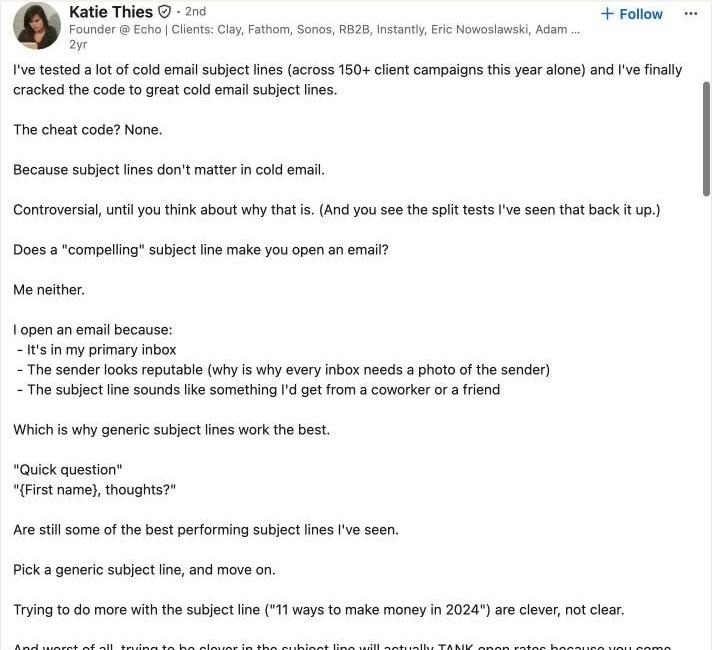
Katie Thies on LinkedIn: after 150+ client campaigns, generic subject lines like "Quick question" still perform best
Her reasoning matches how I open email myself. I open a message because it landed in my primary inbox, the sender looks like a real person, and the subject line sounds like something a coworker would send. Clever wording is rarely the reason.
The same pattern shows up on Reddit. One widely shared r/b2bmarketing story describes a rep who tested 20+ subject lines across three warmed domains at a careful 25 sends per day and still sat at a 2% open rate. No rewrite was going to fix that. The emails were not being seen.
So my order of operations is simple: inbox placement first, then a subject line that sounds human, then the offer inside the email. The rest of this guide follows that order.
The largest recent public dataset points to short, personal, and plain.
Belkins analyzed 5.5 million B2B cold emails sent across 2024, with additional data from Reply.io.
These are the findings I actually use:
Two findings surprised me. Numbers did not help on average, which contradicts a lot of popular advice. And casing barely mattered: the study measured differences of a few points between lowercase, title case, and even all caps. I still avoid all caps because it reads as shouting to a human, but casing is not where wins come from.
Apple's Mail Privacy Protection prevents senders from seeing whether a message was opened, and on Mac it downloads remote content privately in the background when an email arrives rather than when someone reads it. Tracking pixels fire for emails nobody looked at, so open rates on any list with Apple Mail users run inflated.
That is why I treat the open rates above as directional and judge my own subject lines on positive reply rate. If you want a benchmark for that number, I keep updated figures on average cold email response rates.
Five traits show up in almost every subject line I have seen work.
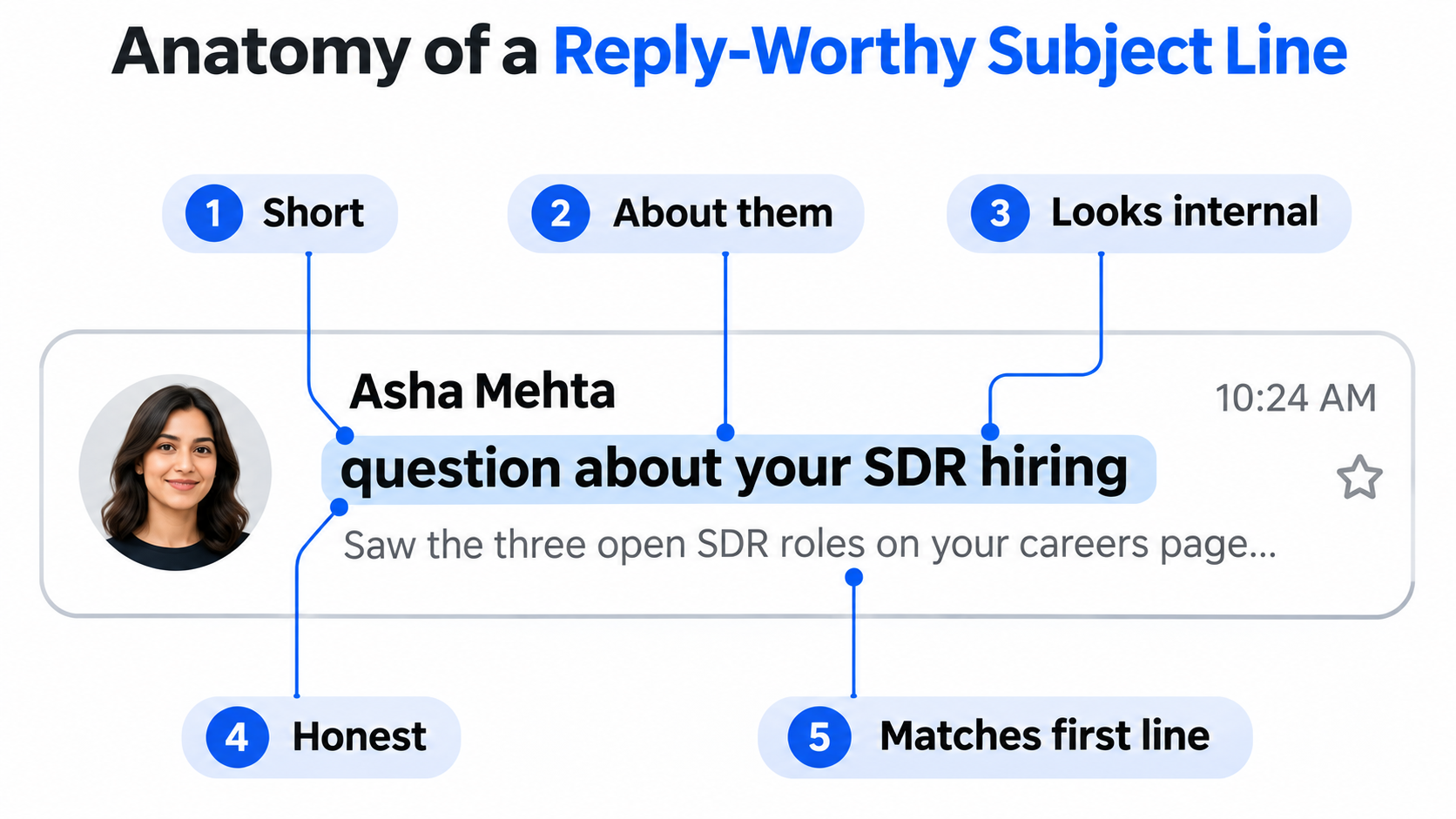
Pick the situation first, then the line. Swap every placeholder for something true.
These are written the way I would actually send them, mostly lowercase and short. Use them as patterns, not scripts. A subject line copied word for word from a public list is one that thousands of other senders are using this week.
These work best because they prove you are writing to one person for one reason.
The trick is having a real trigger for every contact on the list, which is why I build trigger lists in Leadsforge with Signals.
I choose a signal type, filter it, and get companies or people with evidence showing why each one matched.
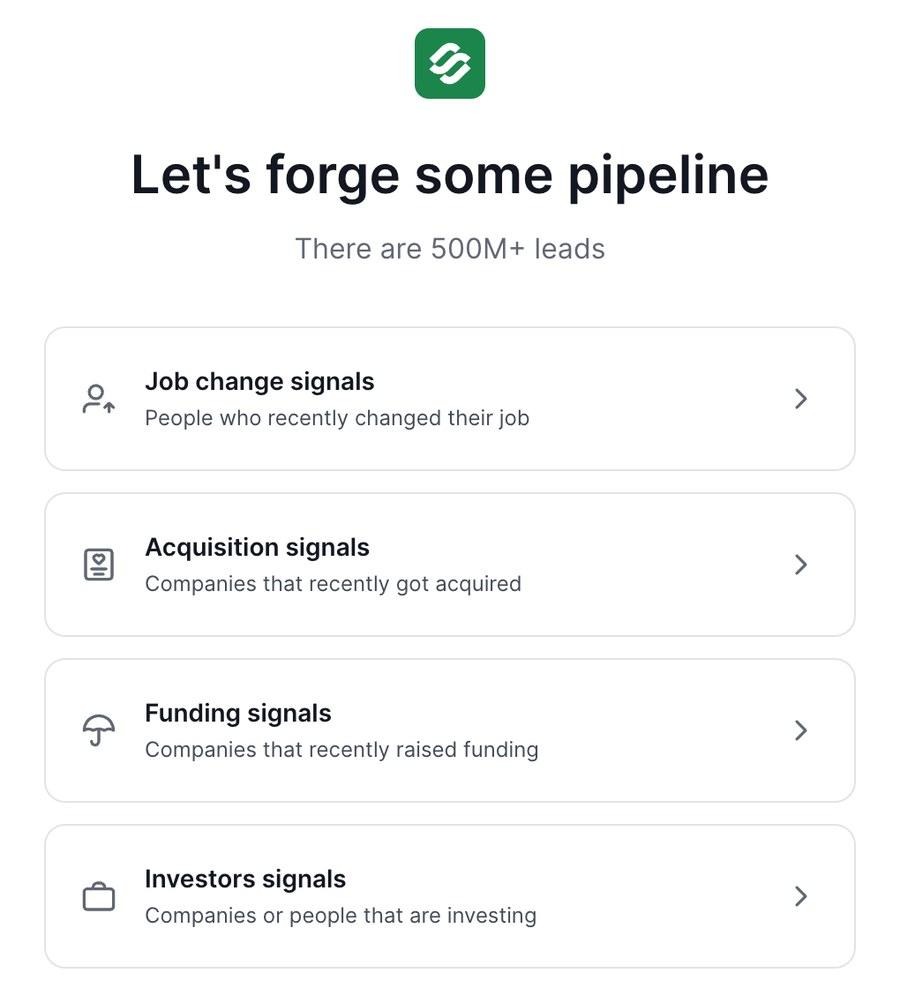
Leadsforge Signals: job change, acquisition, funding, and investor signals for trigger-based subject lines
Job change signals cover people who recently moved roles, filtered by period, location, position, seniority, and department. Funding signals cover companies that recently raised, filtered by round, amount, industry, employee count, and founding year. Acquisition and investor signals round it out. For company signals, Leadsforge finds the companies first, then surfaces relevant employees from its 500M+ contact database.
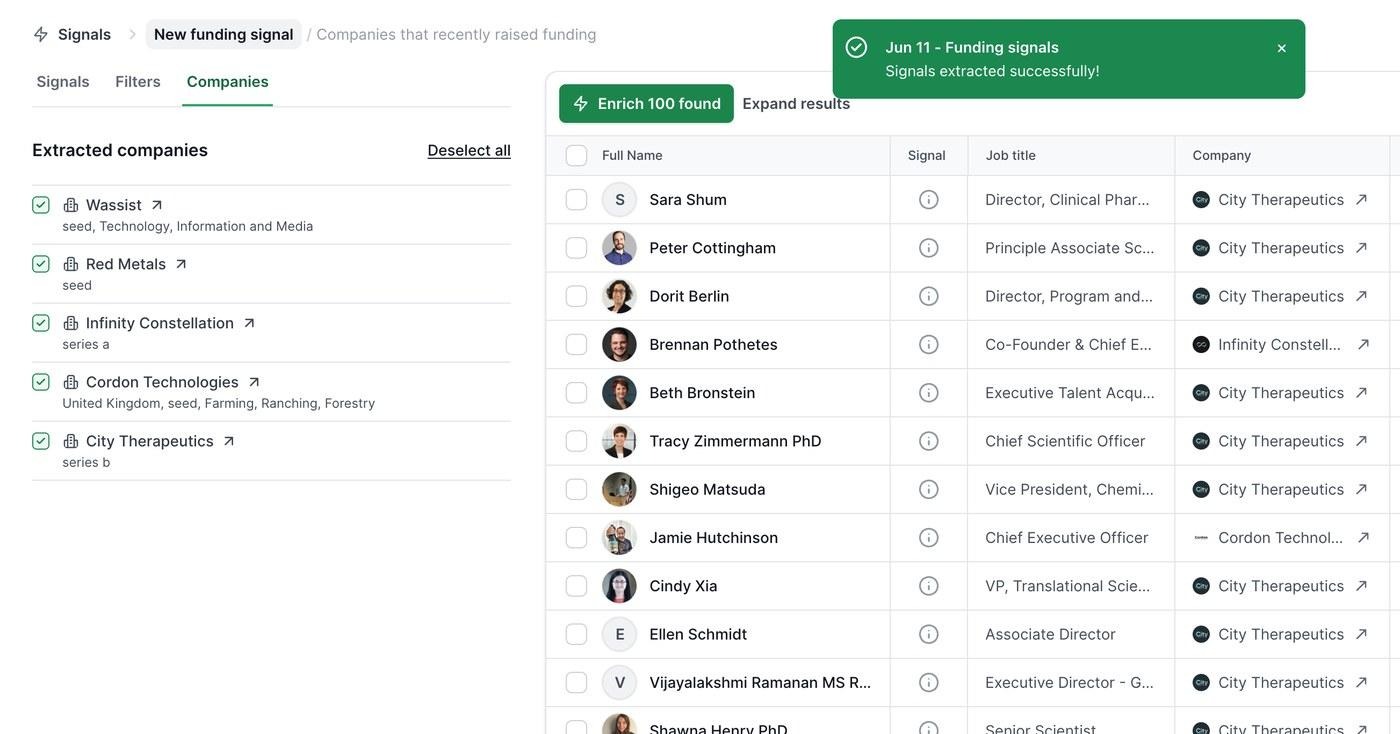
A Leadsforge funding signal: extracted companies on the left, matched contacts with signal evidence on the right
The original poster in one r/b2bmarketing thread on subject lines that got replies reported a 20 to 25% response rate with the plain "{their company} and {your company}" format. Self-reported, but it matches what I see: it implies a reason without overselling.
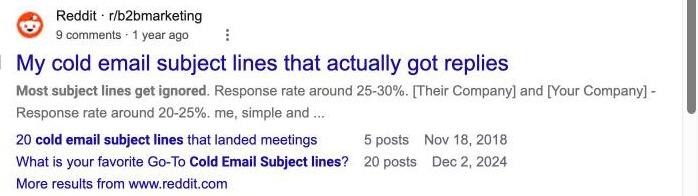
An r/b2bmarketing thread on subject lines that got replies, as it appears in Google
For follow-ups I usually keep the same thread, which keeps context in one place. When I do write a new subject line, it should add something new rather than nag.
Timing matters as much as wording for follow-ups. I covered the windows I use in the best times to send cold emails.
Practitioners genuinely disagree on this one, so here is my honest verdict.
"Quick question" is the most argued-about subject line in cold email. Katie Thies says her split tests still show it near the top. Plenty of operators on LinkedIn and Reddit now list it under what not to send, because so many tools shipped it as a default template.
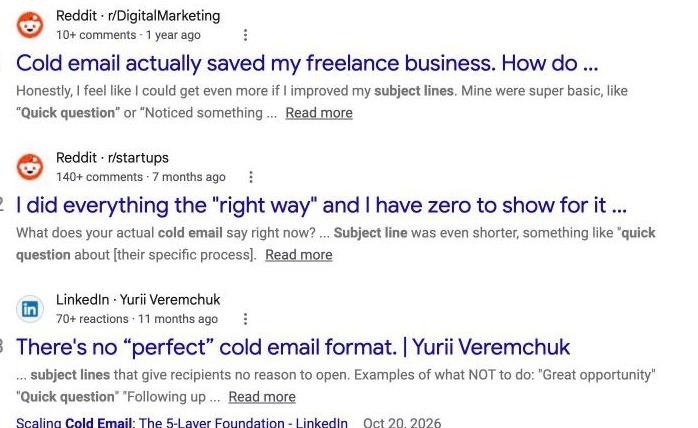
Practitioners split on "Quick question": one Reddit user uses it, a LinkedIn post lists it as a line to avoid
Here is where I land. Bare "quick question" works when the audience does not get much cold email and the email body actually asks one real question. For heavily prospected buyers, such as senior leaders at large companies, I add two or three words that make it specific: "quick question about your APAC hiring" names something real, so it cannot be mistaken for a template. Katie makes a similar point in her own replies: she adapts the approach for executives who are flooded with cold email.
Most weak subject lines fail for one of three reasons: too long, about the sender, or vague.
Some subject lines hurt the open rate. A few can hurt your domain or break the law.
The FTC's CAN-SPAM compliance guide is direct: do not use deceptive subject lines, and the subject must accurately reflect the content of the message. Penalties apply per email. Fake "RE:" or "FW:" prefixes, fake invoices, and "your account" lines on a sales pitch all fall into risky territory.
Gmail's email sender guidelines say the same thing from a deliverability angle: message headers and content should be accurate, not misleading or deceptive. Google also asks senders to keep reported spam rates below 0.10% and never reach 0.30%. A tricked reader is the person most likely to hit "Report spam."
Single words rarely send an email to spam on their own anymore, but they make the email look like marketing to the reader, which pushes complaints up. My full list is in this guide to spam trigger words.
"Partnership opportunity," "Checking in," "Touching base," and "Hope you are well" all signal a mass send before the email is even opened. If a line could be sent to anyone, it will be treated like it was.
The subject line is judged after the mailbox provider has already decided where the email goes.
Gmail and Outlook decide inbox or spam based mostly on sender reputation, authentication, and how recipients react to your past email. The subject line is only a small part of that decision.
So when a campaign underperforms, I check these before I touch the copy:
If those are not healthy, A/B testing subject lines is measuring noise. That is the point where I move testing onto infrastructure I control.
Dedicated IPs mean your test results reflect your copy, not somebody else's sending habits.
Infraforge is private email infrastructure for cold outreach. Every mailbox runs on dedicated servers with its own IP address, so sender reputation is yours alone. I use it when I want clean, controlled conditions for testing and scaling, especially for agencies or high-volume teams where one bad campaign cannot be allowed to drag down the others.
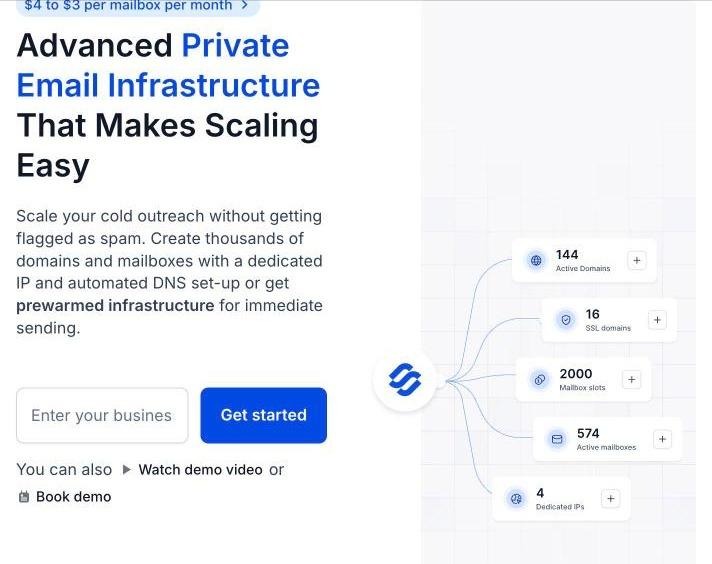
Infraforge: private email infrastructure with dedicated IPs, from $4 to $3 per mailbox per month
I can assign multiple dedicated IPs to one account, each with its own independent reputation. For subject line testing, that is the real advantage: I can run each test segment, client, or campaign on a separate IP, so a variant that draws complaints does not affect placement for everything else.
If you are deciding between models, I compared dedicated IP vs shared IP in detail.
Fresh domains normally need a two to four week warmup before they can carry real volume.
Infraforge sells pre-warmed mailboxes separately, so a test can start on day one instead of waiting a month. Without them, plan for the standard warmup period.
I can set up unlimited domains and mailboxes, with SPF, DKIM, and DMARC configured automatically on each one. The bulk domain generator creates multiple domains in one click, and the mailbox auto-generator builds inboxes in batches. Bulk DNS updates across the whole setup take a few clicks.
Built-in sender rotation spreads volume across mailboxes, and smart sending limits keep each one inside a safe daily range. Real-time deliverability monitoring sends alerts the moment a mailbox starts slipping, so I can pause it before it burns a domain.
You can see Infraforge's published deliverability results for reference.
Masterbox shows every email across every account in a workspace in one view, which is how I read replies by subject line variant without opening dozens of inboxes. Workspaces keep clients or projects apart, with domains and mailboxes movable between them. Domain forwarding sends secondary domains to my main site or a landing page, handled inside the platform with no external registrar.
SSL and domain masking protect the primary brand domain with secure redirects. Agencies and resellers can run the whole platform under their own brand with the white-label option.
The Infraforge API gives full programmatic control over mailboxes, domains, and IPs, and the Forge MCP CLI lets AI agents in Claude or Cursor provision infrastructure with scripted commands. Infraforge connects natively to Salesforge and works with any other sending tool.
You can calculate your own setup on the Infraforge pricing page.
Most subject line tests produce a winner that is really just noise.
I go deeper on sample sizes and test design in my guide to A/B testing cold emails.
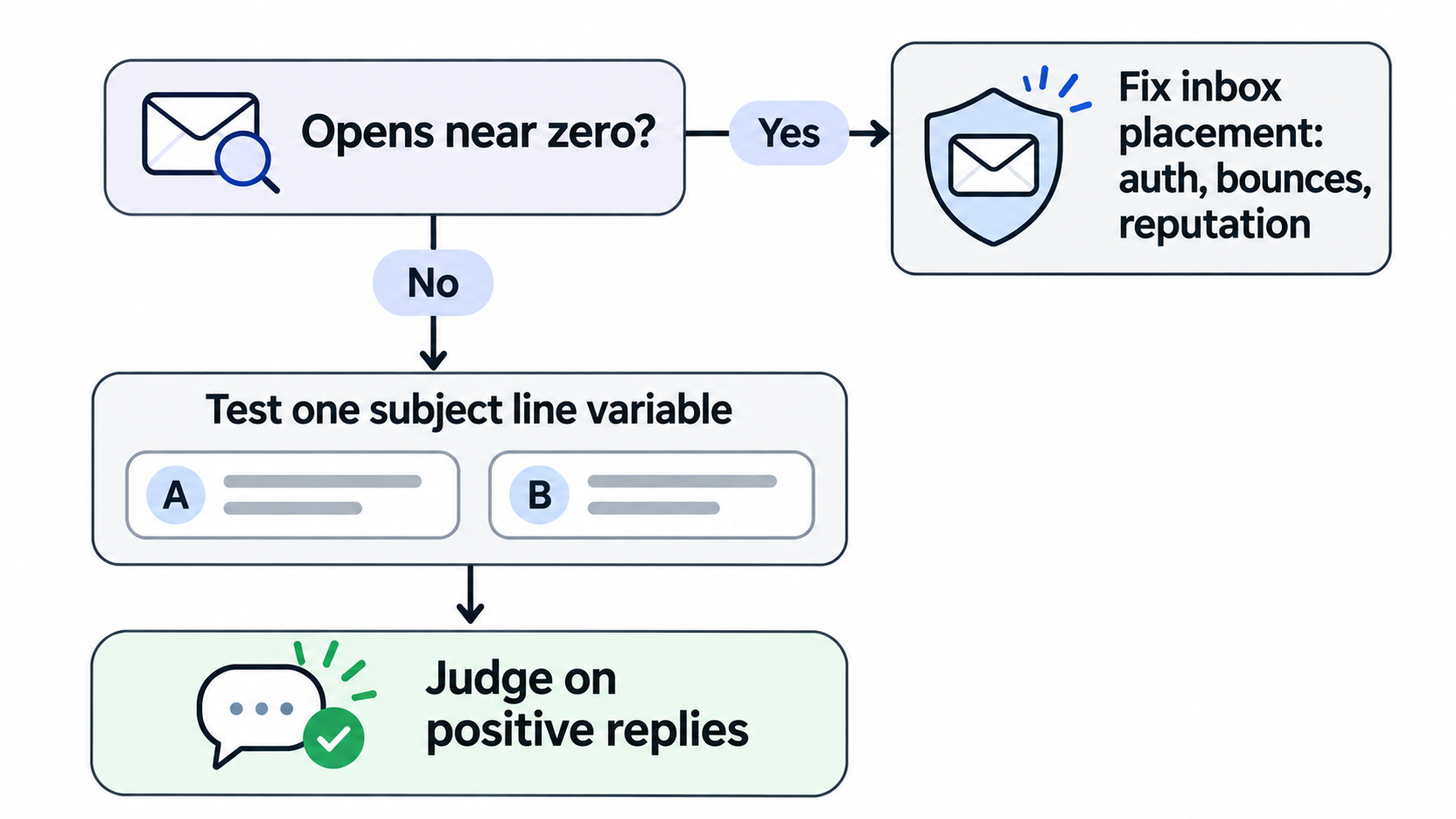
AI is useful for drafting variants, as long as a real trigger sits behind each one.
When I need a batch of options to test, Salesforge has a free AI email subject line generator.
I paste in the email body and get five subject lines to choose from. I always edit them so they sound like me and reference something specific.
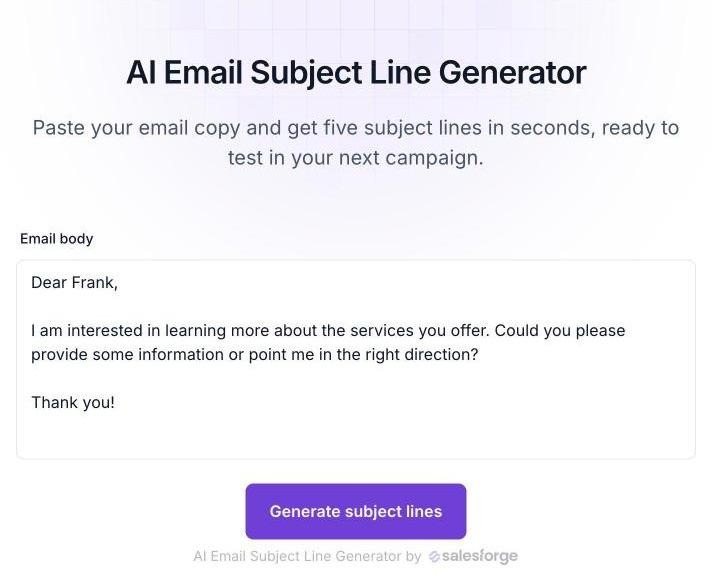
Salesforge's free AI email subject line generator: paste the email body, get five subject lines
Inside campaigns, Salesforge handles subject line personalization with AI variables that pull company news, LinkedIn activity, and industry context, with AI personalization across 21+ languages for localized campaigns. A/B testing on the Growth plan splits subject line variants, and Primebox™ collects every reply so I can see which variant actually started conversations. Warmup for every connected mailbox runs free through Warmforge.
If you would rather not run the workflow yourself, Agent Frank is an autonomous AI SDR who prospects from the Leadsforge database, writes personalized email and LinkedIn messages, handles replies, and books meetings. So the stack can be run by your own team, by Agent Frank, or by a Forge Expert agency.
The right infrastructure depends on volume, budget, and how much control you need.
The Forge Stack is the only ecosystem I know that offers all three infrastructure models under one login:
All three plug into Salesforge, with Warmforge warming every mailbox and tracking Heat Score™, and Leadsforge feeding lists straight into sequences without a CSV. I can start on Mailforge, move a demanding client to Infraforge, and add Primeforge for ESP matching without changing tools.
Keeping reputation healthy as you grow is its own discipline; I covered it in my guide to domain reputation.
Write subject lines like a colleague, and make sure they reach the inbox first.
The best cold email subject lines are short, specific to the prospect, honest about what is inside, and paired with a first line that continues the thought. Trigger events, real questions, and company references outperform anything clever. Deceptive lines are not worth the legal or reputation risk.
But no subject line can fix an email that never reaches the primary inbox. I get placement right first, then test subject lines on reply rate, on infrastructure where the results reflect my copy. For that, I use Infraforge's dedicated IPs and pre-warmed mailboxes.
A good cold email subject line is two to five words, written in sentence case or lowercase, and about something specific to the prospect, such as their company, a recent event, or a problem they likely have. Examples include "question about {company}'s hiring" or "{their company} + {your company}."
Two to four words performed best in a Belkins study of 5.5 million B2B cold emails, at a 46% average open rate, while ten-word subject lines dropped to 34%. Keep it short enough to show in full on a phone.
Yes. In the same Belkins study, personalized subject lines averaged a 46% open rate versus 35% without, and reply rates rose from 3% to 7%. Personalization means a real detail, such as a trigger event or company, not just a first name.
It can be, if the email body asks one genuine question and the audience does not receive much cold email. For heavily prospected executives, add a few words that make it specific, such as "quick question about your APAC hiring."
It can contribute, mainly by drawing spam complaints when it looks like marketing or misleads the reader. Inbox placement depends far more on authentication, sender reputation, and bounce rates, which is why low opens across every variant usually point to a deliverability problem.
Using a fake reply prefix on a first-touch sales email risks being a deceptive subject line. The FTC's CAN-SPAM guidance says subject lines must accurately reflect the content of the message, and penalties apply per email.