Hypertide is great for getting started, quick setup, automated DNS, and instant Google/Microsoft integrations. It’s great for getting started.
But as your sending grows, you may want more control, things like hands-on domain management, real-time deliverability insights, and the ability to scale to hundreds of inboxes without hitting limits.
That’s why I compared the top Hypertide alternatives: Infraforge, Primeforge, and Zapmail, to see which one actually gives you stronger control, deeper visibility, and smoother scalability for serious cold email infrastructure.
That’s why we compared the best Hypertide alternatives:Infraforge, Primeforge, and Zapmail, to show which platform truly gives you better control, visibility, and scalability for serious cold email infrastructure.
Key Takeaways
Infraforge → Gives you full control with private IPs, strong reputation management, and infrastructure built to scale safely.
Primeforge → Uses trusted Google and Microsoft mailboxes with ESP matching for higher inbox placement and smooth setup.
Zapmail → Ideal if you need ready-to-send mailboxes fast, with optional pre-warmed accounts and quick integrations.
Hypertide is a cold email infrastructure platform that automates domain setup, DNS records, and warmup so you can start sending campaigns fast with Google Workspace, Microsoft 365 mailboxes, and Entra.
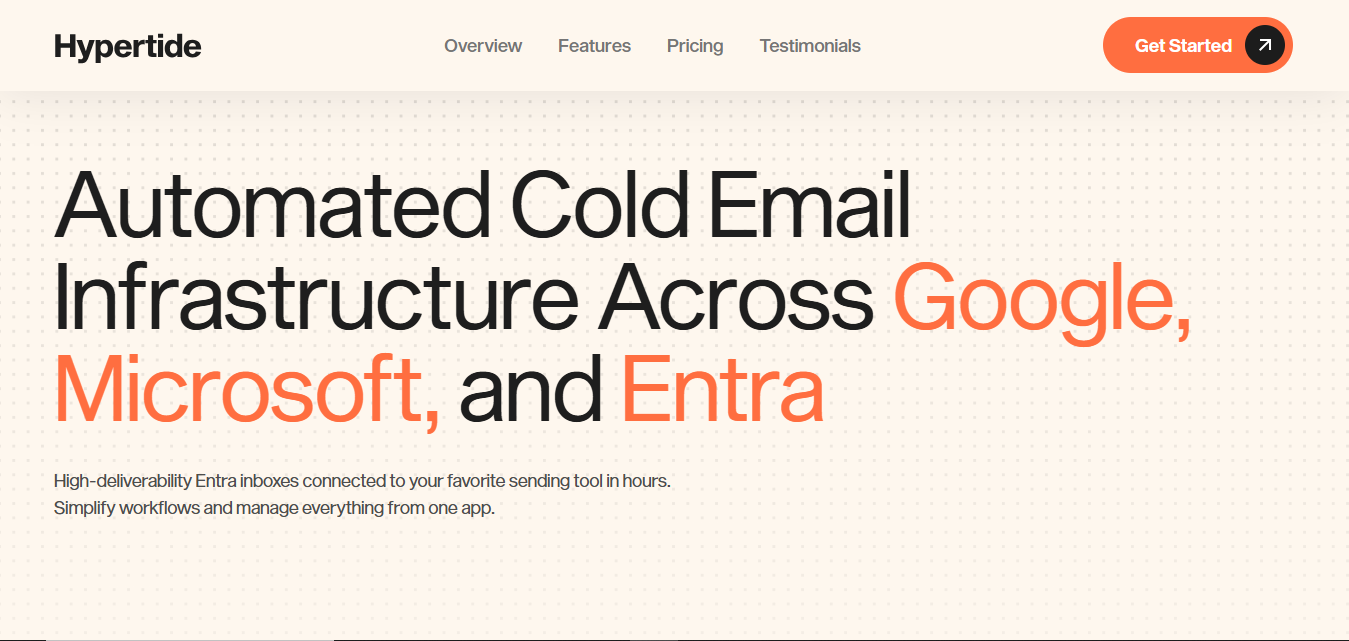
This image shows the Hypertide Google Workspace and Microsoft mailbox infrastructure provider
It’s designed to help you launch outreach campaigns faster, without touching DNS records or hiring virtual assistants.
Here’s how it actually works:
Everything sets up automatically: Once you place an order, Hypertide creates and verifies domains, sets up mailboxes, and connects them to your sending tool - all within 4–6 hours.
You don’t need to do DNS records: SPF, DKIM, and DMARC are automatically added, ensuring your emails are verified and ready for inbox placement.
You get your own dedicated setup: Each order runs in its own tenant with unique domains, IPs, and users, protecting your reputation from others.
Pre-warmed and ready to send mailboxes: Hypertide includes built-in warmup tools and optimized sending processes that let you send up to 5,000 emails per month safely.
Works with your favorite tools: Once setup is complete, you can directly connect to outreach platforms like SmartLead, Instantly, or Bison and start sending right away.
What Are the Limitations of Hypertide?
Here’s where it falls short:
Limited control after setup
Hypertide handles everything automatically, which saves time, but it doesn’t let users manually adjust DNS, IPs, or routing once accounts are active. You depend fully on its automation for updates or fixes.
Not ideal for high-volume senders
The platform is optimized for small to mid-sized sending (roughly 3000–5000 emails per month per mailbox). Large outreach teams needing higher daily volume often outgrow this limit.
No built-in deliverability insights
It doesn’t include an inbox placement or a reputation dashboard. If performance drops, users must rely on external tools to check deliverability.
Shared infrastructure limits isolation
Hypertide runs on shared IP pools and server environments. That means you can’t isolate your reputation or customize IPs, which advanced users prefer for scaling safely.
How We Evaluated Hypertide Alternatives
Here’s what we checked:
Strong inbox performance and long-term protection of sender reputation.
Automated warm-up and engagement that helps maintain deliverability over time.
Easy scaling to hundreds of domains and mailboxes without system lag or limits.
Full infrastructure control with private or reputation-managed IPs, plus automatic DNS, SPF, DKIM, DMARC, and SSL setup.
Consistent inbox placement across Gmail, Outlook, and other business domains.
Transparent, predictable pricing that scales fairly as your outreach grows.
Hypertide Alternatives Quick Comparison (2025)
Comparison of infrastructure features across four providers using accent color #0049e5.
Factor
Infraforge
Primeforge
Zapmail
Infrastructure Type
Private, isolated setup with full control
Managed Google & Microsoft Workspace infrastructure
Shared US/EU-hosted Google & Microsoft setup
Setup Time
~5 minutes (fully automated)
~30 minutes (automated)
~10 minutes (instant, pre-configured)
Dedicated IPs
✅ Yes (one per workspace)
❌ No
❌ No
Domain Control
Full control. Create or transfer domains, manage DNS, bulk DNS updates.
Limited. Automated DNS setup, but not full freedom to transfer or fully manage outside Google/MS rules.
Flexible. Bring your own domain or buy within the platform.
Authentication Setup (SPF, DKIM, DMARC)
Fully automated on domain creation
Automatically configured
Fully automated and verified instantly
Pre-warmed Infrastructure
Optional (available)
Gradual warm-up
Optional pre-warmed add-on
Deliverability Strength
Excellent. Isolated IPs and private setup.
Strong. Uses Google and Microsoft trusted networks for improved placement.
Good. US/EU IPs and optional pre-warm help, depends on warm-up quality and domain age.
Scalability
Supports unlimited domains and mailboxes with full control
Scales with number of Google or Microsoft licenses you buy
Quick provisioning of multiple mailboxes; depends on workspace and plan limits
Workspace Management
Multi-workspace dashboard for clients
Multi-workspace for teams or campaigns
Workspace-level isolation per domain
API & Automation
Full API access for custom integration
Basic API for setup and management
Full API plus AI-powered automation for naming and domains
Integrations
Works with any SMTP or outreach tool
Works with Salesforge and major sequencers
50+ tools: Instantly, Smartlead, Lemlist, Reply, and more
Pricing Model
From $4 per mailbox, drops to $3 with scale
$19 per month yearly or $23 per month monthly
From $39 per month, 10 mailboxes included
Best Suited For
Agencies and teams needing private, scalable infrastructure
Businesses relying on Google or Microsoft inboxes for outreach
Agencies or teams needing a fast, pre-warmed sending setup
1. Infraforge – Best for Pre-warmed Private, Scalable Cold Email Infrastructure
Infraforge is a private email infrastructure platform built to help teams scale cold outreach safely and reliably.
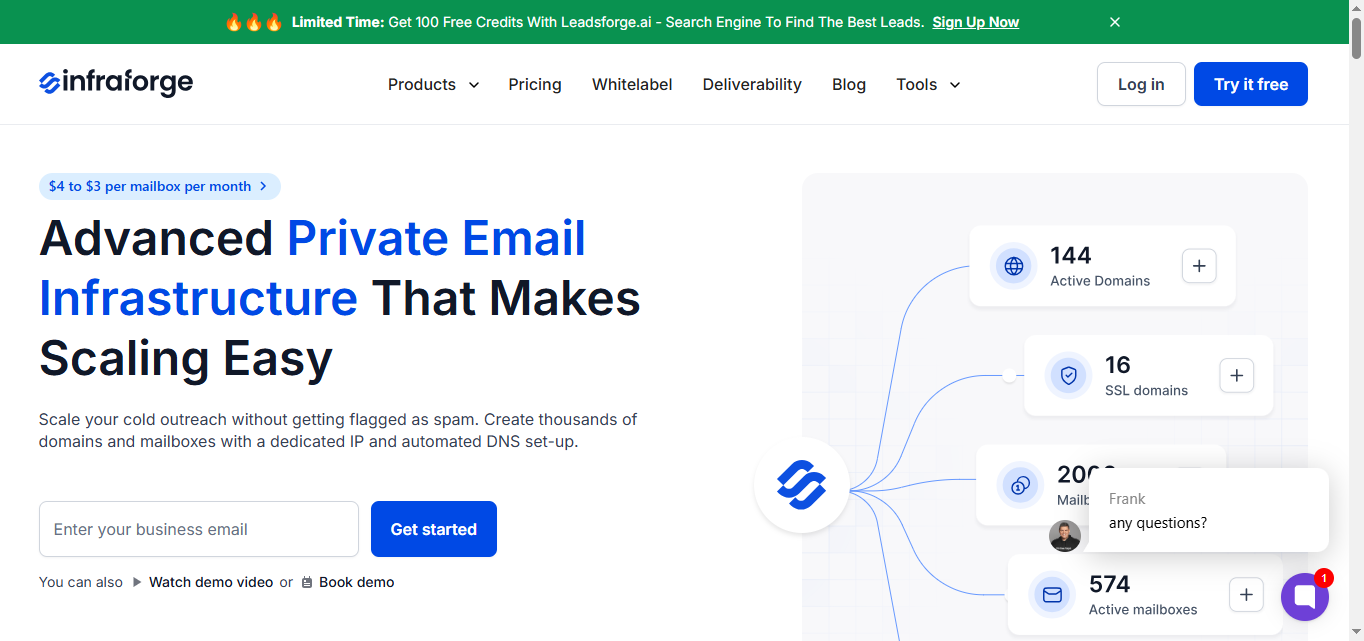
This image shows the Infraforge- Best Hypertide alternative for pre-warmed private infrastructure
It lets you create thousands of domains and mailboxes with dedicated IPs, automated DNS setup, and pre-warmed infrastructure, so you can start sending within minutes without getting flagged as spam.
Unlike standard providers like Google Workspace or Microsoft 365, Infraforge is made specifically for cold outreach.
Dedicated IPs and domain isolation: Keeps your sending reputation clean and prevents one bad domain from affecting others.
Automated setup: SPF, DKIM, and DMARC are configured automatically
Pre-warmed mailboxes: Available as an optional add-on so you can start sending right away
Real-time monitoring and alerts: Track deliverability, domain health, and sender reputation to catch issues early.
Bulk DNS updates: Add or edit hundreds of domains in one go, perfect for agencies.
Multiple workspaces: Manage different projects or clients separately.
Infraforge API: Connect easily with Salesforge or any sending tool for smooth automation.
SSL and domain masking: Secure your setup while keeping your sending domains private.
Infraforge Pricing:
Infraforge keeps pricing transparent and easy to scale - you only pay for what you actually use, whether it’s mailboxes, domains, or optional add-ons.
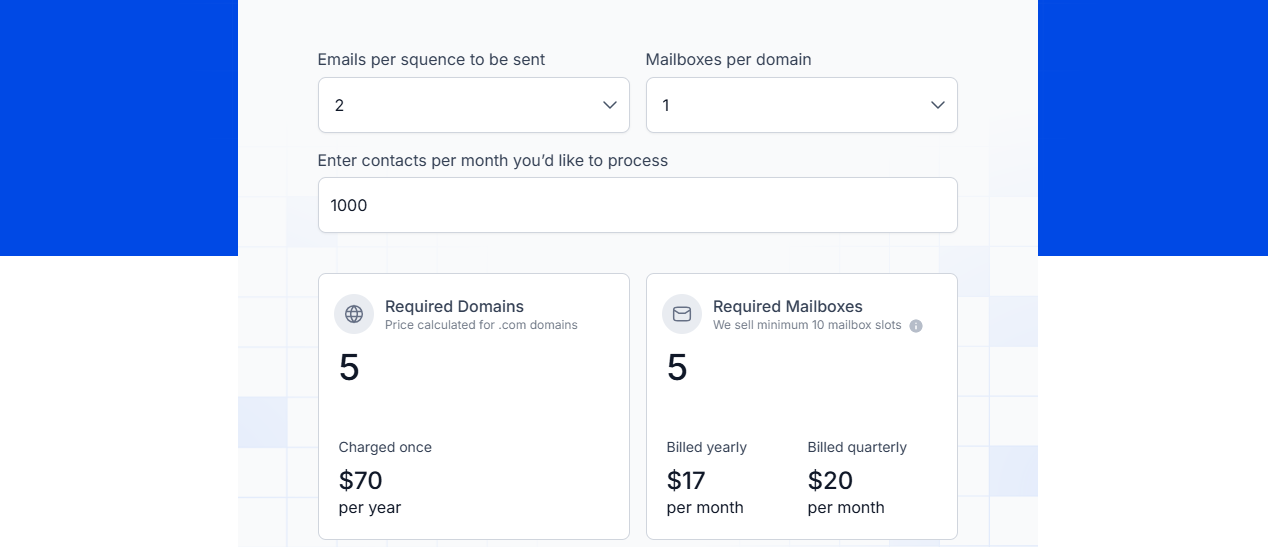
This image shows the Infraforge pricing
Mailbox cost: Starts at $4 per mailbox per month, dropping to $3 with higher volumes.
Mailbox slots: Minimum 10 slots per purchase. You can delete or replace mailboxes anytime without extra cost.
Billing options:
$17/month (billed yearly) for 10 slots
$20/month (billed quarterly)
Dedicated IPs: $99 per IP per month (optional add-on).
SSL & Domain Masking: $2 per domain per month.
Masterbox (workspace inbox view): $7/month per workspace (annual) or $9/month (quarterly).
Domains: You can bring your own or buy .com domains for around $14/year.
Pros:
You get full control of your setup, so if something breaks or needs tweaking, you can fix it yourself right away.
Keeps your sender reputation clean and stable, even when you’re running lots of domains at once.
Deliverability stays strong because your setup is private, no shared servers messing with your results.
Scales easily, whether you’re sending from 10 or 1,000 inboxes, performance stays smooth.
Gives you visibility into domain health and sender stats, so you can catch issues early.
Offers pre-warmed mailbox options to help you start sending faster without a long warm-up period.
Cons:
It doesn’t include Google or Microsoft mailboxes, so if you want those branded inboxes, you’ll need another tool.
Doesn’t show the exact inbox or spam placement inside the platform; you’ll need another tool for that.
Add-ons like IPs or SSL can increase costs as your sending volume grows.
Infraforge is perfect if you want full control of your cold email setup instead of depending on third-party systems.
It’s simple, fast, and built for scale, making it a great choice for agencies, lead-gen teams, and growing sales operations that send from multiple domains every day.
2. Primeforge – Best for Google & Microsoft Mailboxes Built for Cold Outreach
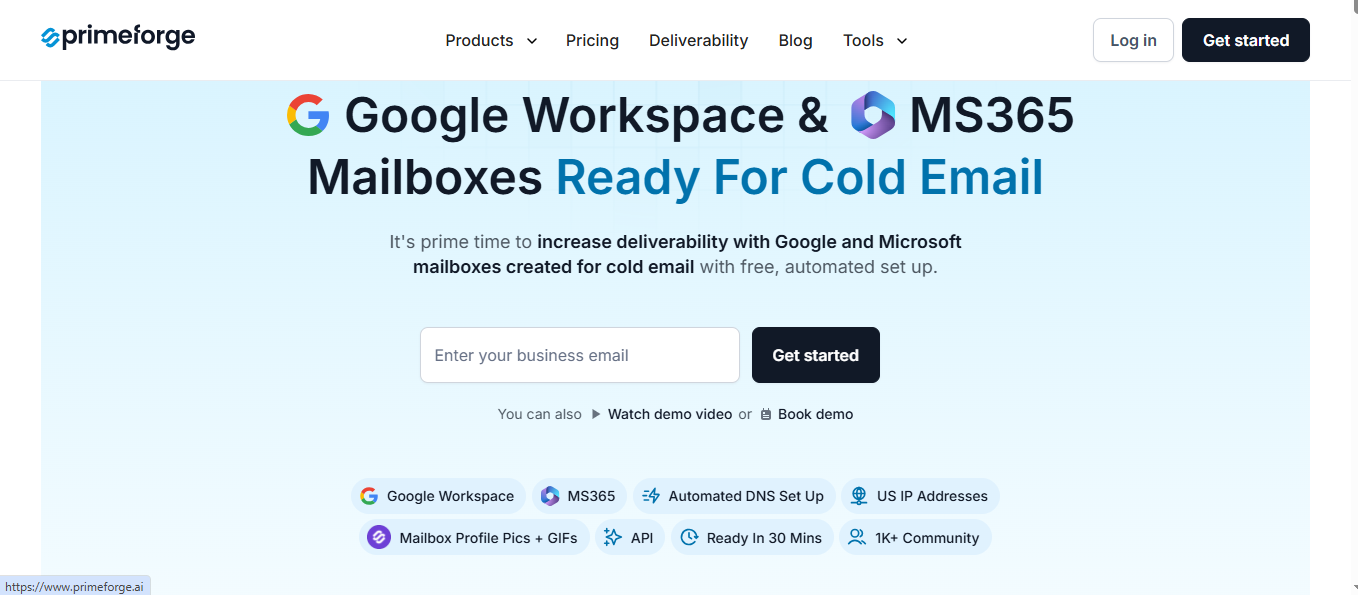
This image shows the Primeforge- Best Hypertide alternative for Ready Google Workspace and MS 365 mailboxes
It’s made for teams that want to use trusted email providers but don’t want to deal with manual setup, DNS records, or complicated authentication steps.
Instead of doing manual configurations like SPF, DKIM, or DMARC, Primeforge does it automatically.
Within about 30 minutes, your mailboxes are verified, running on US-based IPs, and ready to send.
Primeforge Key features
Google & Microsoft mailboxes ready for cold outreach: Use trusted ESPs that match your recipients’ providers for higher inbox placement.
Automatic setup: Handles DNS, SPF, DKIM, and DMARC automatically
Profile pictures & GIFs: Add visuals to boost reply rates and make your emails stand out.
Primeforge API: Connect easily with Salesforge or your own sending tool.
US IP addresses: Improve trust and reduce the chance of hitting spam filters.
Primeforge Pricing
Primeforge keeps pricing simple; you only pay for the mailboxes and services you need.
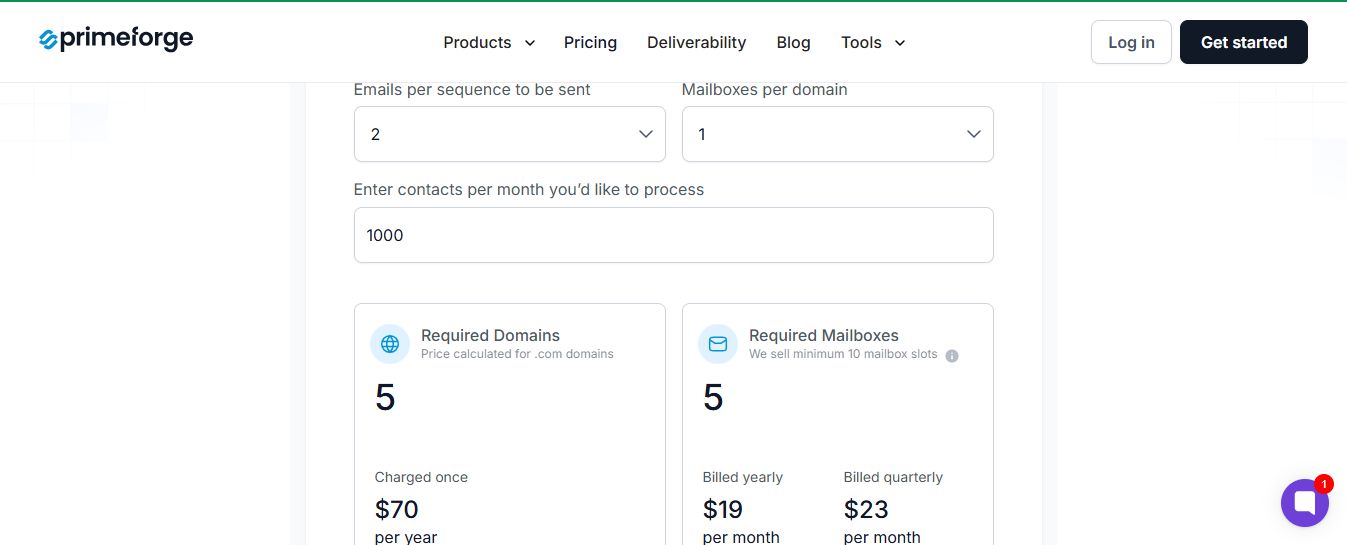
This image shows the Primeforge pricing
Mailbox cost: $19/month (billed yearly) or $23/month (billed monthly).
Mailbox slots: Minimum 10 per order - you can replace or reuse mailboxes anytime.
Domains: Bring your own or buy .com domains for around $14/year.
Included: Automated DNS setup, inbox hosting, API access, and customer support.
Add-ons: Expert 1-on-1 consulting for $500 (two sessions).
Pros
Uses trusted Google and Microsoft mailboxes, so emails reach the inbox more often.
ESP matching improves visibility by landing emails in the main inbox.
Ideal for teams running multiple client accounts who want predictable results.
You get strong deliverability without worrying about IPs or DNS setup.
Cons
Limited control over setup, you’re bound to Google and Microsoft rules
A shared ecosystem means your reputation can be slightly affected by others.
Not meant for teams that want private IPs or custom infrastructure control.
Primeforge is great if you want Google or Microsoft mailboxes ready for cold email without any manual setup.
It’s fast, reliable, and built for strong deliverability, perfect for agencies, sales teams, or growing businesses that want to start sending right away.
3. Zapmail – Best for Fast Google & Microsoft Mailboxes
Zapmail is a cold email infrastructure platform that lets you create and manage Google and Microsoft mailboxes hosted on US and EU servers.
This image shows the Zapmail- Best Hypertide alternative for pre-warmed Google and Microsoft mailboxes
You can buy or connect domains, create mailboxes instantly, and plug them into tools like ReachInbox, Instantly, Smartlead, or Lemlist without extra setup.
Zapmail also adds AI tools to help you name mailboxes and auto-generate SEO-friendly domains, all managed inside one dashboard.
Zapmail Key features
Pre-warmed mailboxes: Provides as an optional add-on so you can skip the warm-up
Workspace-level isolation: Each domain gets its own workspace to protect sender reputation.
Automated DNS configuration: SPF, DKIM, DMARC, and tracking domains set up automatically.
Flexible domain options: Bring your own or buy new ones inside the platform.
Multi-workspace management: Manage different clients or campaigns easily.
50+ outreach integrations: Works smoothly with tools like Instantly, Smartlead, and Reply.
AI tools: Auto-generate mailbox names, domain ideas, and professional profile pictures.
Zapmail API: Full programmatic access for SaaS or AI SDR use cases.
Zapmail Pricing
Zapmail offers flexible plans depending on your team size and volume:
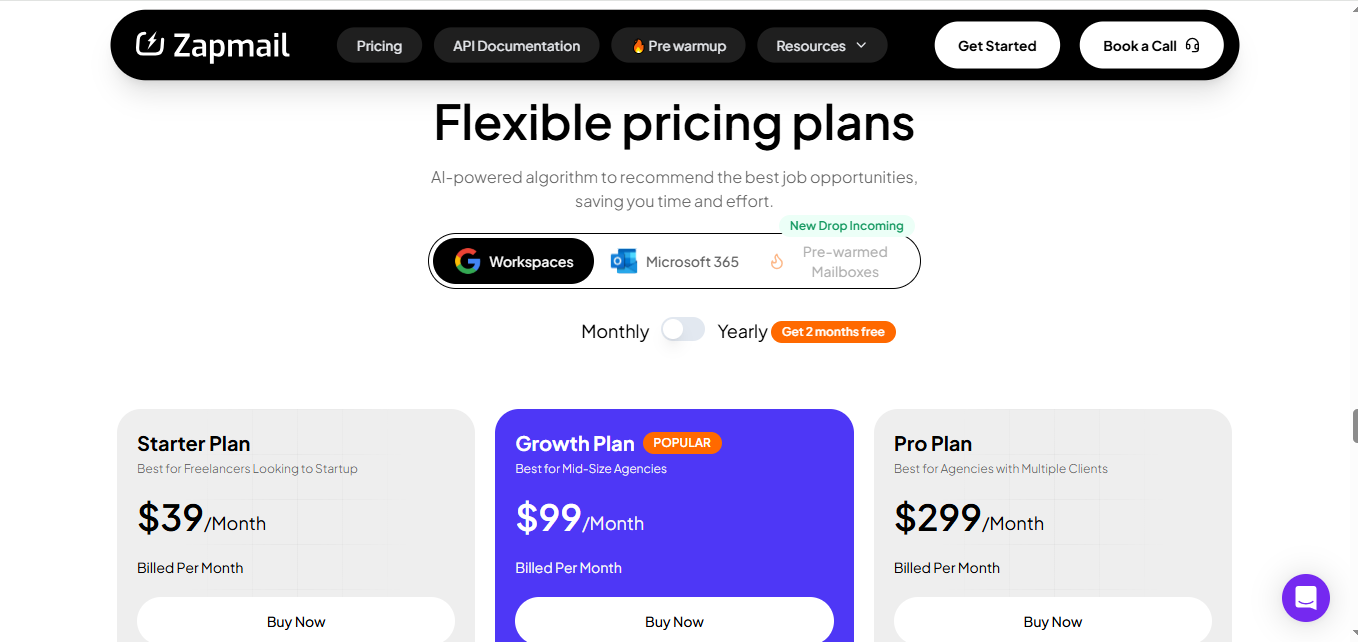
This image shows the Zapmail pricing
Starter Plan ($39/month): 10 Google mailboxes included; extra mailboxes at $3.50 each.
Growth Plan ($99/month): 30 Google mailboxes; additional at $3.25 each.
Pro Plan ($299/month): 100 Google mailboxes; additional at $3.00 each, plus API access and priority support.
All plans include pre-warmed mailboxes, DNS setup, and integrations with major outreach tools.
Pros
Get started fast; mailbox setup takes just a few minutes.
Offers pre-warmed mailboxes as an option, so you don’t have to wait weeks to start sending.
Strong deliverability thanks to US/EU-based IPs and clean domains.
Works smoothly with tools like Instantly, Smartlead, and ReachInbox, no manual setup needed.
Flexible domain control, you can bring your own or buy directly inside the dashboard.
Great for agencies that need to manage multiple workspaces and client setups easily.
Cons
Pre-warmed mailboxes cost extra, so it’s not fully plug-and-play by default.
No dedicated IPs or deep infrastructure control; you share resources with others.
Email reputation still depends on shared pools, which may impact consistency.
Pricing quickly gets high for higher-volume users with large domain setups.
Get pre-warmed mailboxes with full control, with a private cold email infrastructure with Infraforge
Conclusion
All three tools make cold email infrastructure easier, but each fits a different need:
Infraforge is best if you want full control, private IPs, and a setup that scales safely.
Primeforge fits teams who rely on Google or Microsoft mailboxes and prefer an automated setup.
Zapmail works well if you want pre-warmed inboxes and need to launch campaigns fast.
If your goal is to build a reliable, scalable infrastructure that keeps your domains healthy, Infraforge is the best place to start.
It gives you the flexibility, control, and deliverability that shared systems can’t match.
👉 Start building your private cold email infrastructure with Infraforge today.