
If you are searching for a Mailforge review, you probably want one thing. A straight answer on whether it actually works for cold email infrastructure.
Mailforge promises bulk domains, automated DNS, and mailboxes ready in minutes. That part checks out. I tested it, and the setup speed is real.
But the part nobody talks about until it is too late is the shared IP model. Your deliverability lives or dies on the same pool as every other sender on that infrastructure. And that is a trade-off worth understanding before you pay.
In this review, I will break down how Mailforge works, what features matter, how pricing actually shakes out, what real users say, and who should use it versus who should look elsewhere.
Let's get into it.
Mailforge is a cold email infrastructure tool built for one job. It gives you the sending setup for outreach: domains, mailboxes, and the DNS records that keep your mail authenticated.
It belongs to the Forge ecosystem alongside Primeforge, Infraforge, Warmforge, Leadsforge, and Salesforge. Each product handles a different piece of the outbound stack.
Here is the part that explains almost every review you will read about this tool.
Mailforge runs on shared IP infrastructure. Your mailboxes send from a pool of IPs shared with other businesses. That is what makes it cheap and fast to start. It is also what makes deliverability unpredictable.
On a shared pool, your reputation is not fully yours. If other senders on your IPs burn through bad lists or trigger spam filters, inbox providers start distrusting that IP. Your clean campaign pays for their mess.
That single fact drives every praise and every complaint about Mailforge. It is not a bug. It is just how shared infrastructure works.
One more thing to set straight. Mailforge is not a sequencer. It is not a CRM. You still need a sending tool on top, which is why most users connect it to Salesforge or any other col emailing tool.
I did not write this Mailforge review from screenshots and a pricing page.
I purchased domains and mailboxes, connected them to a sequencer, and ran real outreach at a controlled volume for multiple weeks. I tracked inbox placement, watched for blocks, and monitored DNS health throughout.
Then I went through G2 reviews, Trustpilot feedback, and community discussions to see how my experience compared against the wider user base.
The goal was simple. Figure out where Mailforge delivers on its promise and where the shared IP model creates real risk.
Here is what you get, with my honest take on each piece.
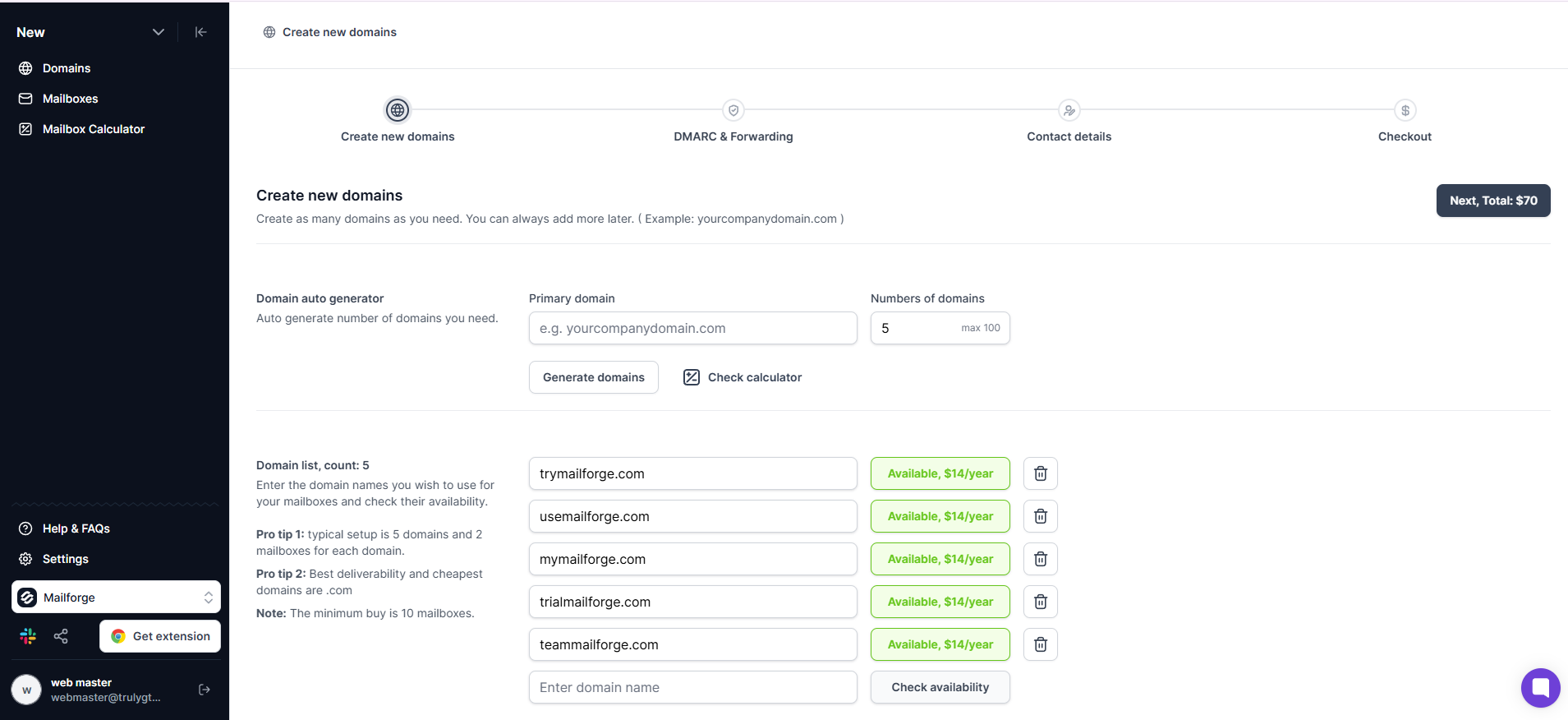
You buy domains and spin up mailboxes in bulk. Mailforge even includes a domain name suggestion tool that generates options based on your main website.
This is the headline feature, and it earns the billing. What normally takes half a day by hand takes minutes here. I had my domains and mailboxes live before I finished my coffee.
My take: this is the single best reason to use Mailforge. The speed is genuine.
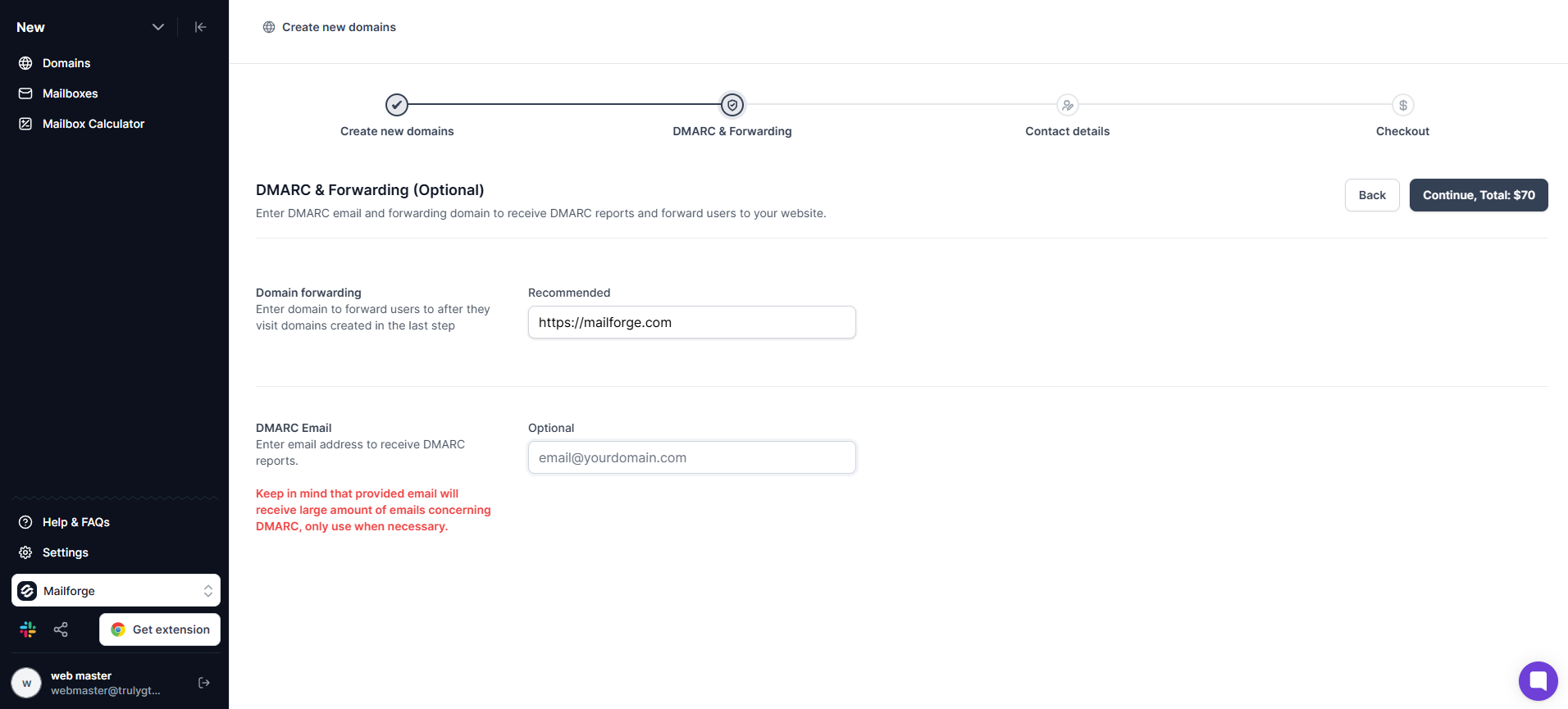
For every domain you add, Mailforge sets up SPF, DKIM, DMARC, and custom tracking automatically. Those records tell inbox providers your mail is authenticated.
My take: if you have ever hand-edited DNS records across twenty domains, this alone is worth a look. I expected the usual DNS headaches. They never showed up.
Mailforge spreads your mailboxes across a shared IP pool rather than giving you dedicated IPs. New senders get a head start because they inherit an established pool instead of warming a cold IP from scratch.
My take: this feature gives with one hand and takes with the other. It drops your cost and speeds up your start. It also chains your deliverability to strangers.
My own testing went fine. Mail landed, replies came in, nothing got blocked. But I sent clean lists at low volume per mailbox. My good run and somebody else's disaster can both be true on the same IPs at the same time.
For lower-stakes volume, it works. For outreach where reaching a specific inbox actually matters, it is a gamble.
You can group domains and mailboxes into separate workspaces and move them between projects.
My take: quietly great if you run multiple clients. One clean workspace per client beats a chaotic single dashboard.
If you are on Salesforge, warmup through Warmforge kicks in automatically. The handoff from infrastructure to sequences is smooth.
My take: the deeper you sit inside the Forge ecosystem, the better this feels. Wire it to outside tools and you handle more of the integration work yourself.
Mailforge plugs into any sending software. You are not locked into sending through Salesforge.
My take: a welcome bit of openness. The stack I see most often in reviews is Mailforge for infrastructure plus Smartlead or Instantly for the sending.
Worth calling out what the base product does not include.
You need Warmforge, a Salesforge subscription, or a third-party warmup tool. Skipping warmup on shared IPs is the fastest path to spam folders.
Mailforge is infrastructure only. You need a separate platform to run campaigns.
You will not find open rates, reply tracking, or A/Z testing here.
This is the big one. Mailforge gives you shared SMTP mailboxes. They are not the same as sending from the providers your prospects actually use. I will come back to this later.
Mailforge keeps the sticker price low. But the real cost has moving parts that the headline number does not show.
The per-mailbox price looks great on the surface. Just remember the 10-slot minimum and the add-ons that quietly build on top.
There is no free trial either. You cannot test with real sending until you have paid.
Setup is the part Mailforge is built for, and it delivers. Here is the process step by step.
Sign up on Mailforge. You can explore the dashboard immediately, but you need to buy domains and mailboxes before sending.
Add domains inside the dashboard. Keep these separate from your primary company domain. You never want your main brand carrying cold email risk. If you are not sure how many domains you need for cold email, a common rule is one domain per 50 to 100 daily sends.
Mailforge handles SPF, DKIM, DMARC, and custom tracking for every domain. Give records time to propagate, which can take a few minutes to a day or two.
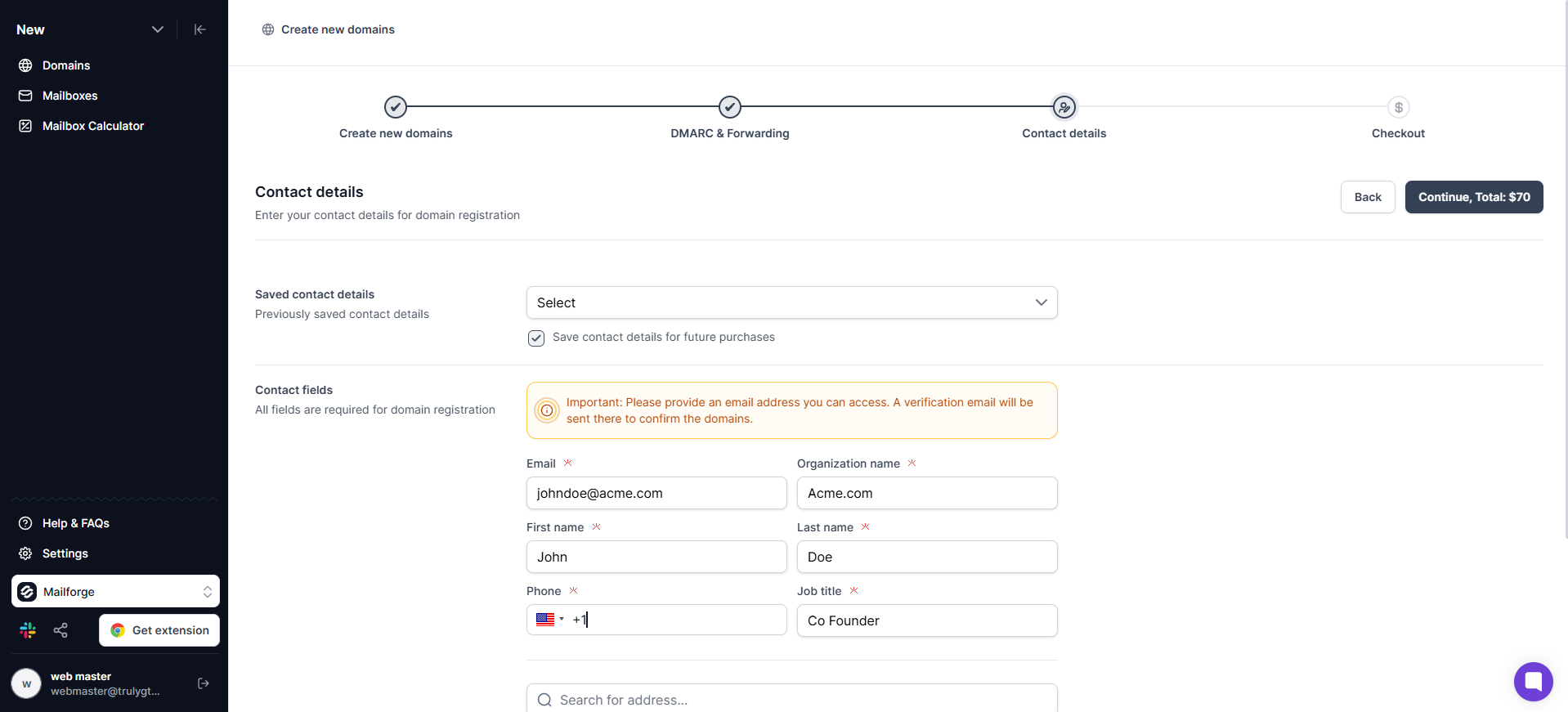
The next step is to fill in the contact details like full name, phone number, and job title.
Mailboxes are sold in blocks of 10 slots.
A common setup is three to five mailboxes per domain. Name them like real people, not generic addresses like info@ or sales@.
This step is critical. Connect Warmforge or a third-party warmup tool and run it for two to three weeks before real outreach. Following best practices for warming up domains is the difference between inbox placement and spam folders.
Plug the mailboxes into your sequencer of choice. Start at 20 to 30 emails per mailbox per day and ramp up gradually.
Buying and setup took me minutes. The discipline lives in the warmup and volume control that come after.
This is where it gets interesting, because the two big review platforms tell very different stories about the same tool.
On G2, Mailforge sits around 4.7 out of 5 across roughly 85 reviews. The mood is overwhelmingly positive. On Trustpilot, it drops to about 3.5 out of 5 with a brutal split. Most reviews are either five-star or one-star. Almost nothing in between.
That gap is the most honest signal about this product.
Setup speed is the loudest praise by a mile.
"The initial setup was too easy." — Brooks C., 5★ on G2
Consolidation is next, with agencies loving having domains, mailboxes, forwarding, and warm-up in one place. Support gets praised a lot too, with replies that land fast.
"Support has been great: replies usually come within minutes." — Colin Graham, 5★ on Trustpilot
And people like the value for the sheer number of mailboxes.
"Works perfectly alongside Salesforge and other sequencers." — Andra Pavel, 5★ on Trustpilot
Here is what I make of it. These positives are real, and my own setup experience backs every word about the speed.
But look closely at what they are praising. Almost all of it is the first hour, the setup moment, the rush of going from zero to a hundred mailboxes before lunch.
That is a real strength. It is also a completely different thing from inbox placement holding up over a sixty-day campaign, and three good weeks on my end does not settle that either.
Loving the onboarding is not the same as trusting the deliverability, and most of these reviews never separate the two.
Shared IP deliverability is the loudest complaint by far, and on the mechanics, I am with the critics. One reviewer watched nearly their whole IP rotation get blacklisted on Spamhaus while every email face-planted into spam.
"Shared IP pool was 85% blacklisted, 100% of my mail went to spam." — LDW, 1★ on Trustpilot
A blacklisted IP got swapped out, supposedly. The next day's test failed again anyway, and the ticket sat for five days.
Their one-liner is the whole thesis of shared infrastructure. On a shared pool, you inherit whatever reputation the worst senders leave behind. That is not drama. That is just how it works.
Next up, mailboxes getting blocked. Several reviewers describe inboxes dropping offline with no warning, sometimes at a scale that ends a campaign overnight.
"My mailboxes get disconnected almost daily." — Eugene B, 1★ on Trustpilot
This one made me wince.
"All our 45 mailbox got blocked in 1 day." — Peter Frank, 1★ on Trustpilot
I cannot prove the cause from the outside. But a complaint this specific, showing up this often, is not nothing.
Then there is cancellation, which is the most avoidable mess on this list and the one that annoys me most. There is no cancel button in the app. You cancel through chat, and you have to do it at least seven days before renewal. Several people got charged after they thought they had cancelled, a few ended up in card disputes, and there are no refunds on prepaid spend.
"They continued to charge me after I cancelled." — Austin Moore, 1★ on Trustpilot
A good product does not need to make the exit this hard.
Locked DNS and nameservers is the complaint that sits awkwardly next to the marketing. Despite all the talk of control, plenty of users say they cannot edit their own MX, SPF, or DKIM records, or change nameservers themselves.
"Can't even change my nameserver myself." — Bruno De Lafontaine, 1★ on Trustpilot
One reviewer went back to a plain registrar purely to get real ownership of their domains, and honestly, I get it.
The last theme is that these are not Google or Microsoft mailboxes. Some senders see shared SMTP as weaker for inbox placement out of the gate, and a few jumped to the sibling product Primeforge for that exact reason.
"I switched to their Primeforge instead." — Marc, 4★ on Trustpilot
That quiet switch tells you which infrastructure people trust more when it counts.
For fairness, the rare middle-ground review nails both truths at once.
"The infra do get to the primary inbox." — Alejandro Chávez, 3★ on Trustpilot
He still flagged that bulk edits could crawl for days, which matches the slightly mixed feeling I came away with.
Pros
Cons
Mailforge works well for agencies, consultants, and operators who need a pile of infrastructure stood up fast. If you send at low volume per mailbox, you are fine trading IP ownership for speed, and you already live in the Salesforge or Smartlead world, it drops right in.
It is a strong pick for high-volume, lower-stakes sending where any individual email missing the inbox is not a crisis.
Walk away from Mailforge if inbox placement to high-value prospects is non-negotiable. If you want to send from the same providers your prospects use, Google Workspace and Microsoft 365, Mailforge does not offer that.
Skip it if you need real control over your DNS and IP reputation. Or if one bad week of deliverability from strangers on your IP pool would dent your pipeline.
If every email has to reach an important inbox, a shared pool is a bet I would not make.
Here is where the Mailforge review leads to an honest comparison.
Mailforge gives you shared SMTP mailboxes on a pool you do not control. Primeforge gives you real Google Workspace and Microsoft 365 mailboxes built specifically for cold outreach.
That difference is not cosmetic. It changes how inbox providers treat your mail from the first send.
When you send through Primeforge, your emails come from the same providers your prospects use daily. Google and Microsoft trust their own infrastructure more than third-party SMTP. Google Workspace email deliverability starts higher because the sending source is already familiar to the receiving server.
Here is what Primeforge gives you that Mailforge does not.
The price difference is roughly $1 to $1.50 per mailbox per month. For that, you get mailboxes that inbox providers already trust instead of shared SMTP where your reputation depends on strangers.
If Mailforge is the volume lane, Primeforge is the lane where every email actually needs to land.
Get started with Primeforge. Real Google and Microsoft mailboxes ready in 30 minutes.
Yes. Mailforge is a real product inside the established Forge ecosystem with a strong G2 rating and thousands of active users. The criticism is about shared IP deliverability and billing, not legitimacy.
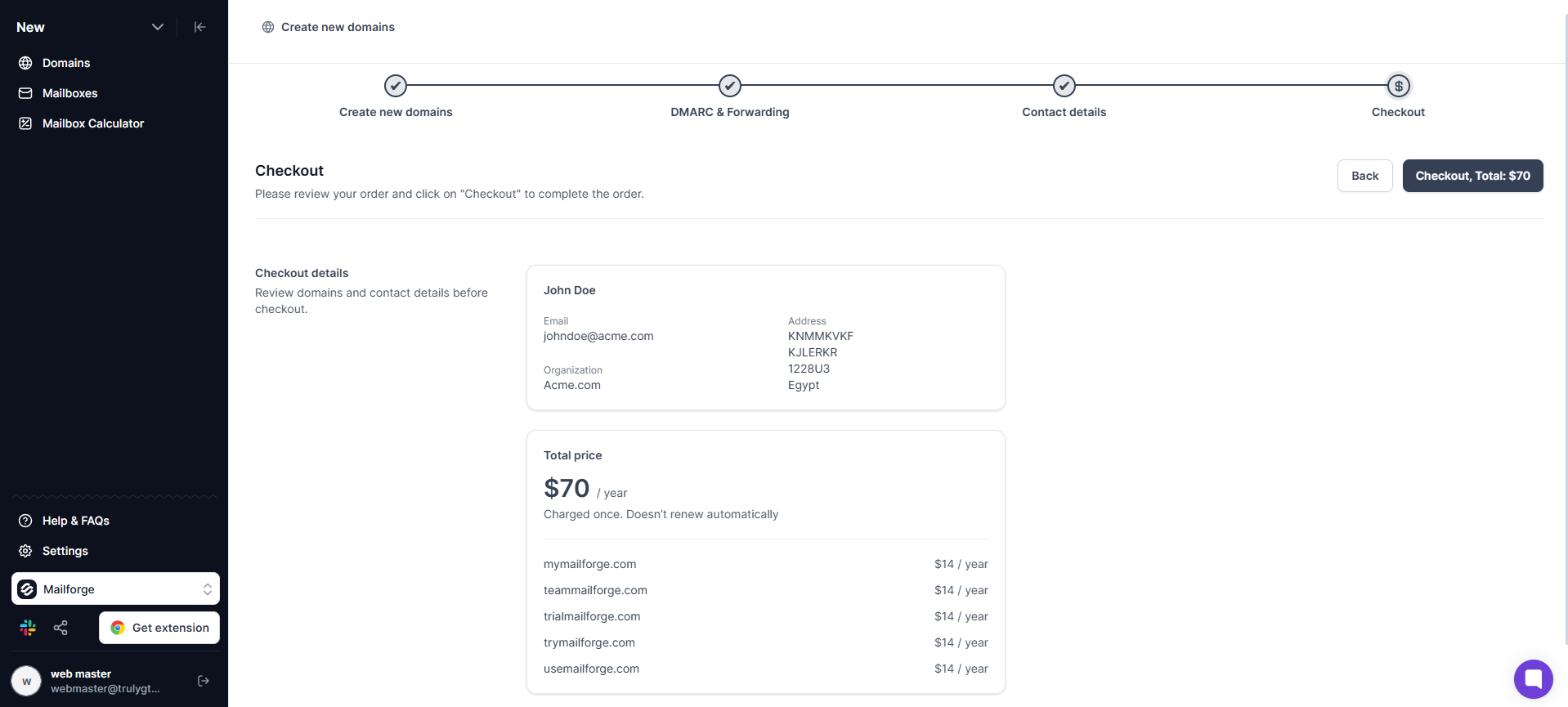
Domains run about $14/year each. Mailboxes start in a minimum block of 10 slots, putting the floor near $30/month. The best per-mailbox rates come on annual billing. SSL and domain masking are paid add-ons.
No. Warmup is not included in the base price. You need Warmforge, a Salesforge subscription, or a third-party warmup tool to warm mailboxes before sending.
Mailforge gives you shared SMTP mailboxes that are cheap and fast to set up. Primeforge gives you real Google Workspace and Microsoft 365 mailboxes that cost slightly more but carry stronger inbox trust from day one. Both handle automated DNS setup.
Yes. Mailforge integrates directly with Salesforge. Warmup through Warmforge kicks in automatically when connected to Salesforge.
No. You need to purchase domains and mailboxes to use the platform for real sending.
It can be, for high-volume, lower-stakes sending. For outreach where reaching important inboxes is critical, the shared IP model carries real risk. If inbox placement is the priority, Primeforge is a better fit because you send from real Google and Microsoft mailboxes.
