What if you could start a cold email campaign without waiting weeks for warmup?
Email warmup takes time. You need to set up your domains and mailboxes. You also need to build a sending history before you can send at scale.
For agencies and sales teams, this can be a headache. A new campaign can take weeks to get ready.
Pre-warmed email accounts can help you get started sooner. These mailboxes already have a sending history. You do not have to build their reputation from scratch.
But not every “pre-warmed” account is ready for cold email. A mailbox may have very little sending history, even when the provider calls it pre-warmed.
I compared seven pre-warmed email account providers. I looked at pricing, reviews, features, and account setup.
If you only want to know where to buy pre-warmed email accounts, here are the top picks.
Best for pre-warmed Google and Microsoft mailboxes:Primeforge, which offers real Google Workspace and Microsoft 365 mailboxes, ready to send in about 30 minutes.
Best for the affordable price per mailbox:Mailforge, which offers mailboxes on a shared IP pool, priced the same pre-warmed as fresh.
Best for dedicated IPs and white-label:Infraforge, which offers mailboxes on private dedicated servers, with white-label for agencies running client campaigns.
Best for mailboxes that come with domains:Zapmail, which offers Google and Microsoft mailboxes on generic domains it picks, with a stated 12+ week history.
Best for Azure alongside Google and Microsoft:InboxKit, which offers pre-warmed mailboxes across all three providers, with ongoing warmup sold separately.
Best for outbound managed for you:Mailscale, which offers pre-warmed domains inside its own platform, with pricing quoted only on a call.
Best for a small first batch:LiteMail, which offers pre-warmed Google and Microsoft mailboxes, with sending domains and blacklist replacement in the plan.
7 Pre-Warmed Email Account Providers Compared
Comparison of seven pre-warmed email account providers. Scroll sideways to see every column.
GTM teams and agencies targeting Gmail or Outlook users
GTM teams scaling mailboxes at a low cost
GTM teams and agencies that need dedicated IPs and isolated sending infrastructure
Teams that need fast mailbox setup
Operators spreading sending across Google, Microsoft and Azure
Short campaigns and quick inbox testing
Small teams looking for pre-warmed mailboxes with domains included
Starting price
$4.50/mailbox/mo fresh, $9 pre-warmed
$3/mailbox/mo, same rate pre-warmed
$4/mailbox/mo, pre-warmed costs extra
$39 first month, then $24/mo for 3 mailboxes
$2.50/mailbox/mo annual, pre-warmed $6 to $9
Not mentioned on their site
$39/mo for 5 pre-warmed mailboxes
Pre-warmed option
Yes, on a separate plan
Yes, domains and mailboxes at the same rate
Yes, domains and mailboxes
Yes, on their own plans
Yes, through the Prewarm Inventory
Yes, on its own outreach domains
Yes
Mailbox type
Google Workspace and Microsoft 365
Shared SMTP pool
Private SMTP on dedicated servers
Google and Microsoft
Google, Microsoft 365 and Azure
Inside the Mailscale platform
Google Workspace and Microsoft 365
IP type
US IPs
Shared pool
Dedicated, with multi-IP support
US and EU
US IPs
Not mentioned on their site
Dedicated US and EU
Setup time
About 30 minutes
About 5 minutes
About 5 minutes
About 5 minutes
Under 10 minutes
Not mentioned on their site
About 5 minutes
Ownership
Full domain and mailbox
Full, transfer in or out
Full, plus white-label
Full
Full, with 2FA per domain
Confirm before buying
Full
Domains
Buy in-app at $14 a year, or bring your own
Buy in-app at $14 a year, or bring your own
Buy in-app at $14 a year, or bring your own
1 to 10 included by plan, extras $15 a year
Bring your own, or take the domain with a pre-warmed mailbox
Supplied by Mailscale
1 to 12 included by plan, extras $15 a year
Ongoing warmup
Not included, free with a Salesforge plan
Not included, free with a Salesforge plan
Not included, free with a Salesforge plan
Costs extra
$3 per mailbox per month add-on
Included in the service
In every pre-warmed plan
API, MCP and CLI
Yes
Yes
Yes
API on Pro plan
API and webhooks
Not mentioned on their site
API on Pro and Scale
Integrations
Any sending tool, native Salesforge
Any sending tool, native Salesforge
Any sending tool, native Salesforge
Instantly, Smartlead, Lemlist, Reply, and more
24+ tools including Instantly, Smartlead and Apollo
Not on their site
One-click OAuth to Instantly, Smartlead and Lemlist
Before I get to each provider, here is how I evaluated them.
How I Evaluated These Pre-Warmed Email Account Providers
I compared each provider across six criteria to understand what you get, how much control you have, and what you pay.
Warmup Process: Does the provider explain how mailboxes are warmed up and provide evidence of their warmup history?
Domain History and Reputation: Are the domains aged or newly registered, and can you check their reputation before buying?
Ownership and Transfer Rights: Do you get admin access and domain ownership, and can you move your setup to another provider?
IP Type: Does the provider offer dedicated IPs, shared IPs, or control the infrastructure itself?
Replacement Policy: What happens if Google or Microsoft flags a mailbox after purchase? Are the replacement terms clearly documented?
Cost per Mailbox: What is the total monthly cost, including the plan, domains, and any warmup add-ons?
I checked every price against the provider's own pricing page.
7 Best Pre-Warmed Email Account Providers in 2026 (A Detailed Breakdown)
Here is how each provider performed, starting with my top pick.
1. Primeforge: Best for Pre-Warmed Google Workspace and Microsoft 365 Mailboxes
Best for: Cold email teams, agencies, and AI SDRs that need ready-to-use Google and Microsoft mailboxes.
Choose it if: You want pre-warmed Google Workspace or Microsoft 365 mailboxes with the setup and mailbox monitoring handled for you.
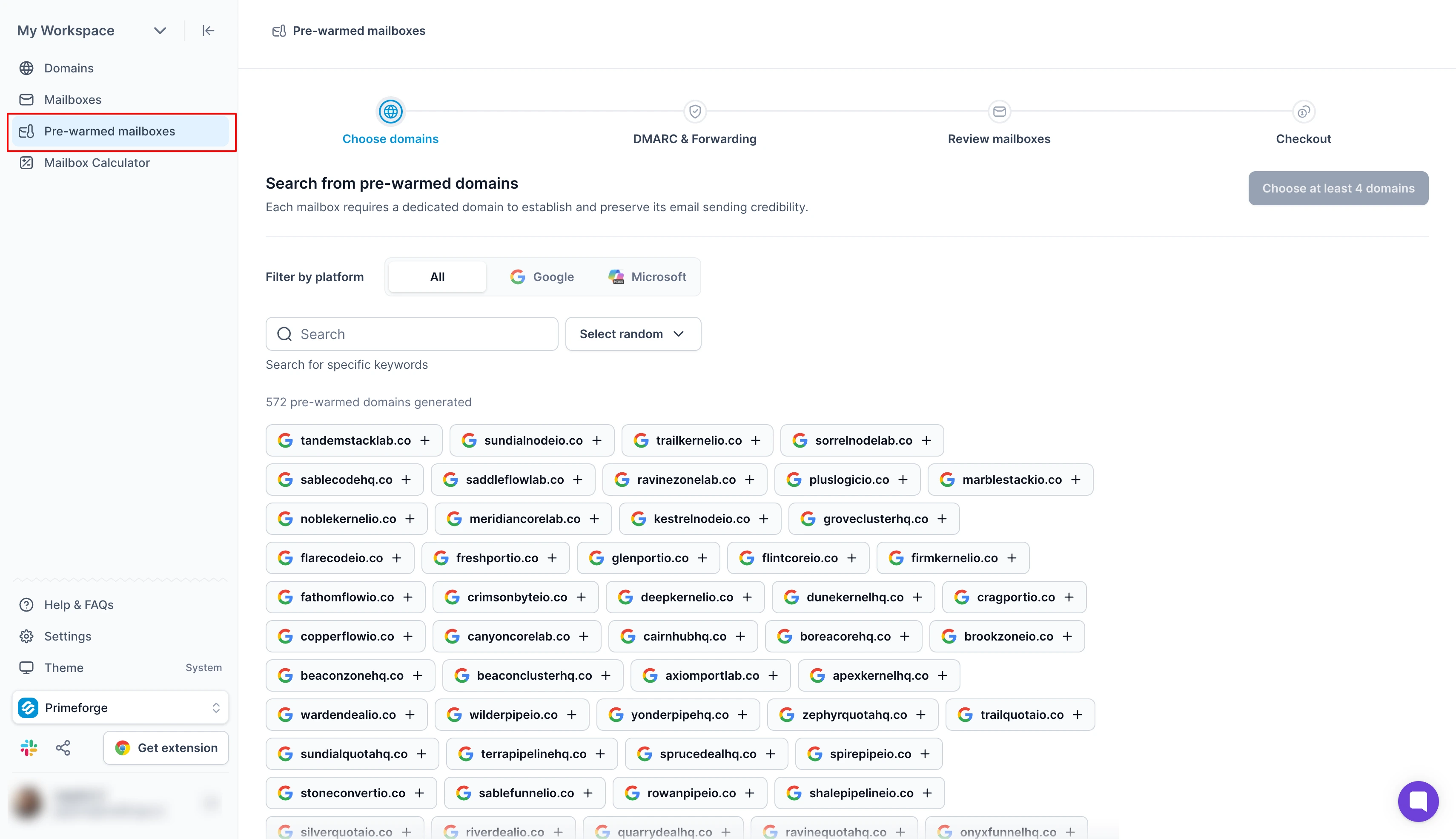
This image shows Primeforge offers pre-warmed mailboxes and domains
Primeforge provides Google Workspace and Microsoft 365 mailboxes for cold email. You can buy pre-warmed mailboxes and start sending without waiting weeks to build a sending history.
These are real accounts on the two providers most of your prospects already use. That matters, because sending from Google to Google and Microsoft to Microsoft helps you land in the primary inbox rather than promotions.
Primeforge also handles the technical setup, including DNS records, mailbox creation, and profile setup. You keep ownership of your domains and mailboxes, and you can connect them to any sending tool.
Mailbox Analytics gives you a view of mailbox health and sending activity. You can track sent and received emails, reply rates, bounces, warmup activity, sending IPs, and recipient data from one place.
Read our Primeforge review to explore its pre-warmed Google Workspace and Microsoft 365 mailboxes, pricing, and features for cold email outreach.
Why Primeforge Ranks #1
Primeforge removes most of the setup work involved in getting Google and Microsoft mailboxes ready for cold email.
Real Google and Microsoft mailboxes: Send from the same provider your prospects use, rather than a shared SMTP pool.
Pre-warmed mailboxes: Start from mailboxes that already carry a warmup history, instead of waiting two to four weeks.
Automated DNS setup: Primeforge configures SPF, DKIM, and DMARC on every domain, so you skip the manual DNS work.
Your own domains: You pick the domain and keep it. Zapmail supplies generic domains it chooses on its pre-warmed plans.
Quick setup: Your first mailbox can be live in about 30 minutes.
Mailbox profile branding: Profile pictures and GIFs are set up out of the box, which adds legitimacy to the sender.
Mailbox Analytics: Track sending activity, reply rates, bounces, warmup activity, and recipient data per mailbox.
Agent-friendly access: Use the API, MCP server, and CLI to create and manage mailboxes through code or AI agents.
Key Features
Pre-warmed Google Workspace and Microsoft 365 mailboxes
Automated SPF, DKIM, and DMARC setup
Mailbox profile setup with pictures and GIFs
Multiple workspaces for clients and projects
Mailbox Analytics for sending and mailbox health
Sending IP and blacklist status tracking
Recipient and reply-rate breakdowns by email provider
Detailed hard and soft bounce reporting
API, MCP server, and CLI access
Support for different sending tools
Pricing
$9 per mailbox per month billed monthly for pre-warmed mailboxes
$4.50 per mailbox per month billed monthly for fresh mailboxes you warm yourself
Annual billing brings it to roughly $7.50 per pre-warmed mailbox and $3.75 per fresh one
Minimum 12 mailbox slots on the pre-warmed plan, and 10 on the fresh plan
Domains priced separately, at $18 a year for a .com on pre-warmed, or $14 on fresh
First mailbox can be live in about 30 minutes
No free trial, but you can explore the platform before purchasing
My Verdict
Primeforge is a strong option if you want to avoid the usual mailbox setup and warmup work. Pre-warmed Google and Microsoft mailboxes, automated DNS setup, quick provisioning, and mailbox analytics give you most of what you need to get cold email running.
2. Mailforge: Best for Pre-Warmed Domains and Mailboxes on Shared Infrastructure
Best for: Teams that want a high mailbox count at the lowest cost per mailbox.
Choose it if: You want the highest mailbox count per dollar and shared infrastructure suits your volume.
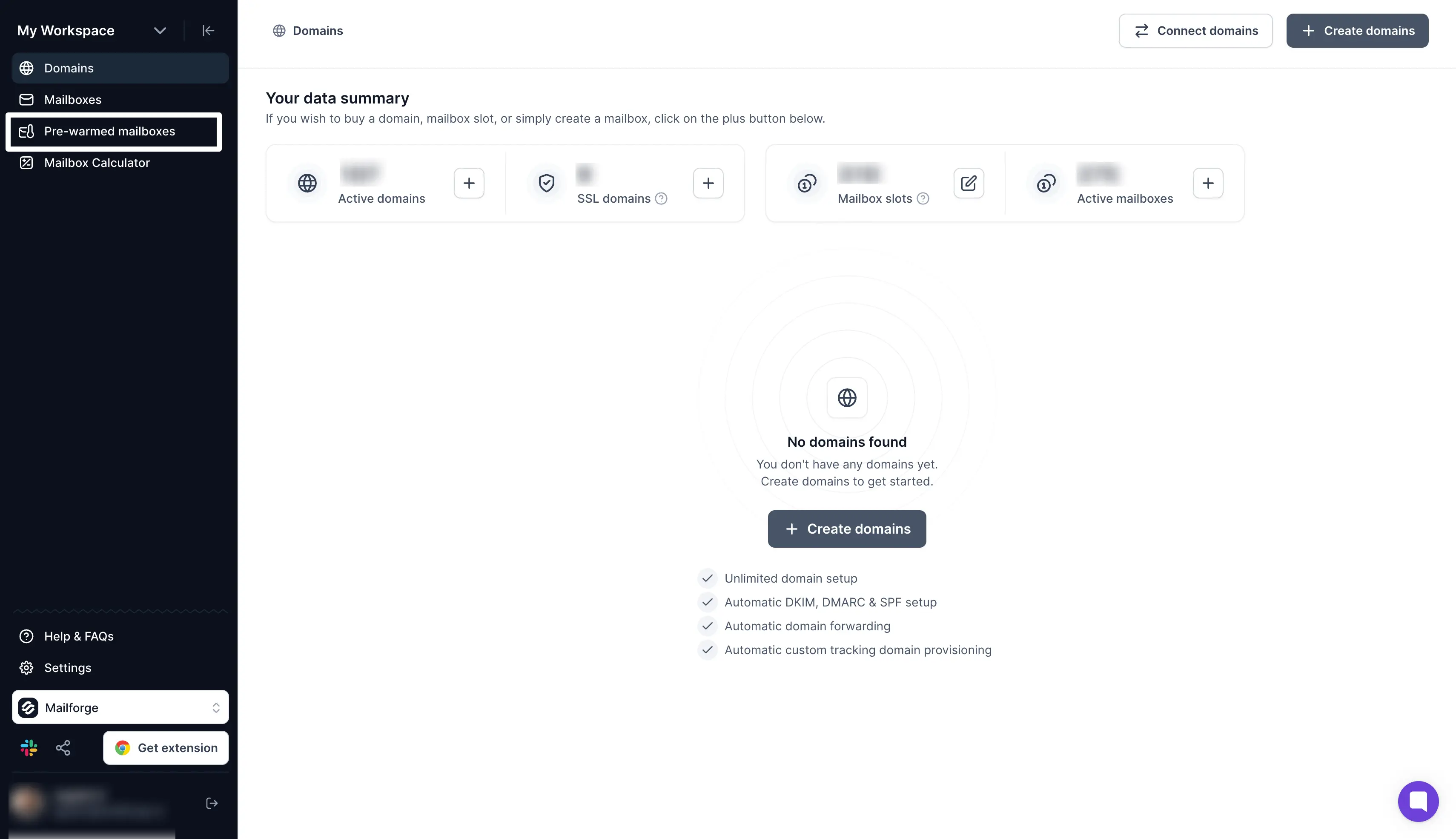
This image shows Mailforge prewarmed mailboxes and domains
If you need to create a large number of mailboxes without spending too much, Mailforge is worth considering. It provides shared mailbox infrastructure for cold email campaigns and lets you create hundreds of domains and mailboxes within minutes. It is also the closest thing here to a pre-warmed SMTP server.
You can buy pre-warmed domains and mailboxes directly in Mailforge, or through the Mailforge public API. That means you can start sequences without running the warmup yourself, which puts Mailforge in line with Infraforge and Primeforge on speed.
Mailforge stands out for its price per mailbox, bulk setup, and domain flexibility. It also gives you MCP server and CLI access for provisioning from Claude, Cursor, and other AI clients.
Read our Mailforge review to explore its pricing, features, and email infrastructure for cold outreach.
Why Mailforge Ranks #2
Mailforge is the cheapest way to build a large sending setup, and the pre-warmed option removes the usual wait.
Lowest cost per mailbox: $3 per mailbox monthly, or roughly $2.40 on annual billing, with a 10-slot minimum.
Pre-warmed domains and mailboxes: Buy them in the app or through the Mailforge public API and start sequences right away.
No pre-warmed premium: Pre-warmed mailboxes cost the same per mailbox as fresh ones, so the warmup adds nothing to your bill.
Free unlimited warmup: Pair it with Salesforge and Warmforge warms every connected mailbox at no extra cost.
Bulk setup: A guided flow works out how many mailboxes and domains you need, then builds them with DNS records in place.
Domain flexibility: Bring your existing domains, or move them in and out later, with no platform lock-in.
Agent-friendly access: Use the Forge MCP server and CLI to provision from Claude, Cursor, and other AI clients.
Key Features
Shared IP pool made for cold outreach rather than office email
Pre-warmed domains and mailboxes, in the app or through the public API
Bulk domain and mailbox creation in minutes
Automated DNS setup with SPF, DKIM, DMARC properly configured on every domain
Custom tracking domains for each sending domain
Domain transfers in and out, with no platform lock-in
Multiple workspaces for clients and projects
SSL and domain masking available as an add-on
Forge MCP server and CLI access
Free unlimited Warmforge warmup across all connected mailboxes with Salesforge
Pricing
$3 per mailbox per month billed monthly
Annual billing brings it to roughly $2.40 per mailbox
Minimum 10 mailbox slots, with automated DNS setup and ongoing support included
Domains priced separately, at $14 a year for a .com
SSL and domain masking at $2 per domain per month, or $6 per domain per year
No free trial, but you can explore the platform before purchasing
My Verdict
Mailforge is a good choice if you want the most mailboxes per dollar. The pre-warmed option gets you sending quickly, and the free Warmforge slots keep the running cost down once campaigns are live.
3. Infraforge: Best for Private Cold Email Infrastructure and Dedicated IPs
Best for: GTM teams, cold email agencies, and high-volume senders that need dedicated IPs and isolated sending infrastructure.
Choose it if: Your outbound strategy runs 50 or more mailboxes or several clients and needs reputation isolation between accounts.
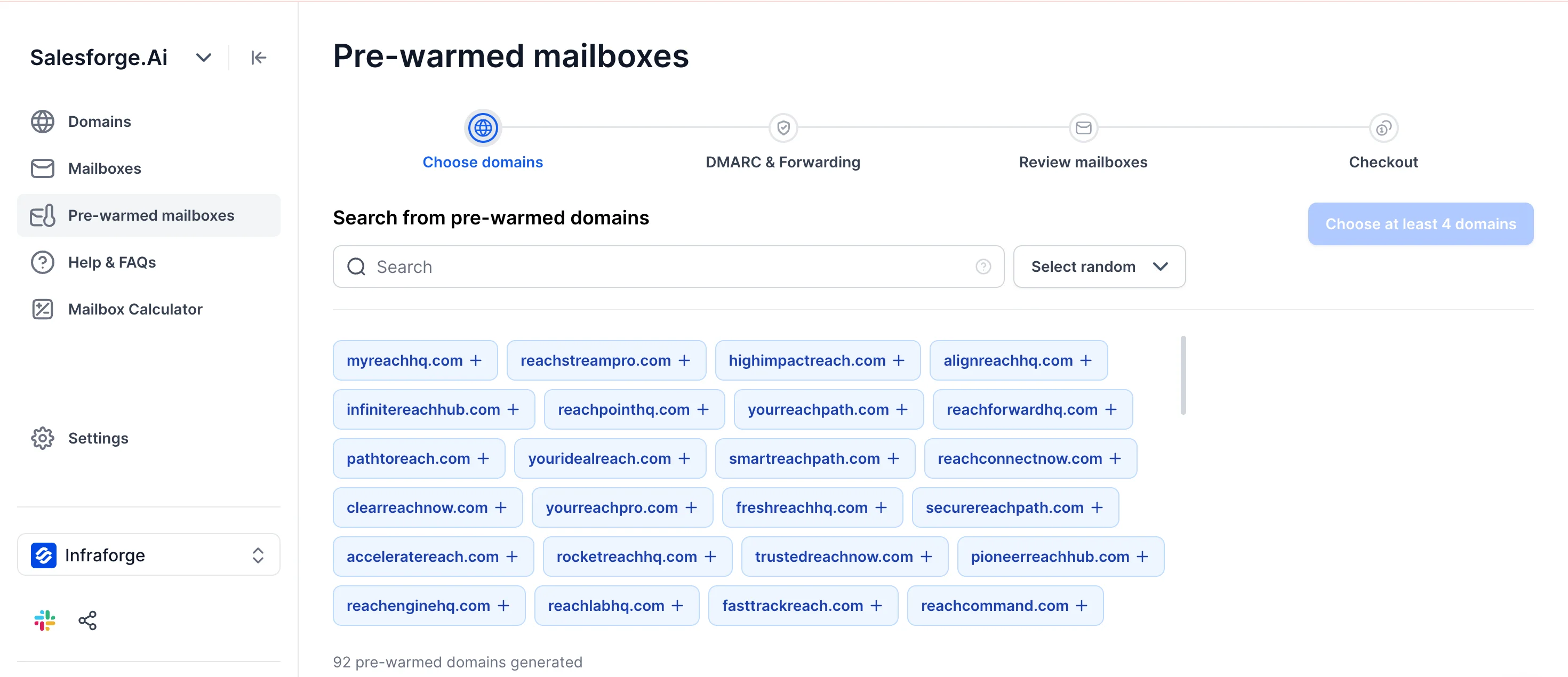
Infraforge offers prewarmed dedicated domains and pre-warmed mailboxes
Infraforge provides private email infrastructure for cold email outreach. Every mailbox runs on dedicated IP infrastructure, so your sender reputation depends on your activity alone.
You can buy pre-warmed infrastructure to start sending right away, or set up fresh inboxes and warm inboxes yourself. Infraforge handles automated DNS setup across every domain and gives you bulk generators for domain management at scale.
Infraforge stands out for its dedicated IPs, multi-IP provisioning, and white-label option for agencies. It also gives you API, MCP server, and CLI access if you want to manage infrastructure through code or AI agents.
Why Infraforge Ranks #3
Infraforge gives you control over the parts of deliverability that shared infrastructure keeps out of your hands.
Dedicated IPs: Every mailbox runs on its own IP, so other senders cannot affect your reputation.
Pre-warmed domains and mailboxes: Buy pre-warmed infrastructure and send from day one, or set up fresh domains and warm them yourself.
No pre-warmed premium: Pre-warmed mailboxes cost the same per mailbox as fresh ones. Zapmail and LiteMail charge roughly two to three times more for the warmed version.
Multi-IP provisioning: Assign several dedicated IPs to one account and split clients or campaigns across them.
Automated DNS setup: Infraforge configures DMARC, SPF, and DKIM across every domain you add.
Masterbox: See every email across all accounts in a workspace in one place, instead of opening mailboxes one by one.
Agency features: White-label the platform under your own brand, run multiple clients in separate workspaces, and earn a 20% revenue share as a reseller.
Key Features
Dedicated IP infrastructure, with its own IP for every mailbox
Pre-warmed domains and mailboxes for day-one sending
Multi-IP provisioning with a separate reputation per IP
Unlimited domains and mailboxes with automated DNS setup
Bulk generators and bulk DNS updates across your entire email infrastructure
Real-time deliverability monitoring with alerts per mailbox
Masterbox for a single view of every email in a workspace
SSL, domain masking, and domain forwarding for brand protection
White-label option for agencies and resellers
API, MCP server, and CLI access
Pricing
$4 per mailbox per month billed quarterly
Annual billing brings it to roughly $3.32 per mailbox
Minimum 10 mailbox slots, with domains at $14 a year for a .com
Dedicated IP addresses at $99 per IP per month
SSL and domain masking at $2 per domain per month, or $6 per domain per year
Masterbox at $7 per workspace per month on annual billing
First domain and mailbox live in about 5 minutes, and no free trial
My Verdict
Infraforge is a good choice for outbound teams that run high volume or manage multiple clients and want their sender reputation kept separate. Dedicated IPs, multi-IP provisioning, and the white-label option make it a fit for agencies.
4. Zapmail: Best for the Longest Claimed Pre-Warm Window
Best for: Teams who want Google or Microsoft mailboxes quickly and can send from generic domains.
Choose it if: You want fast provisioning at scale and can send from generic domains.
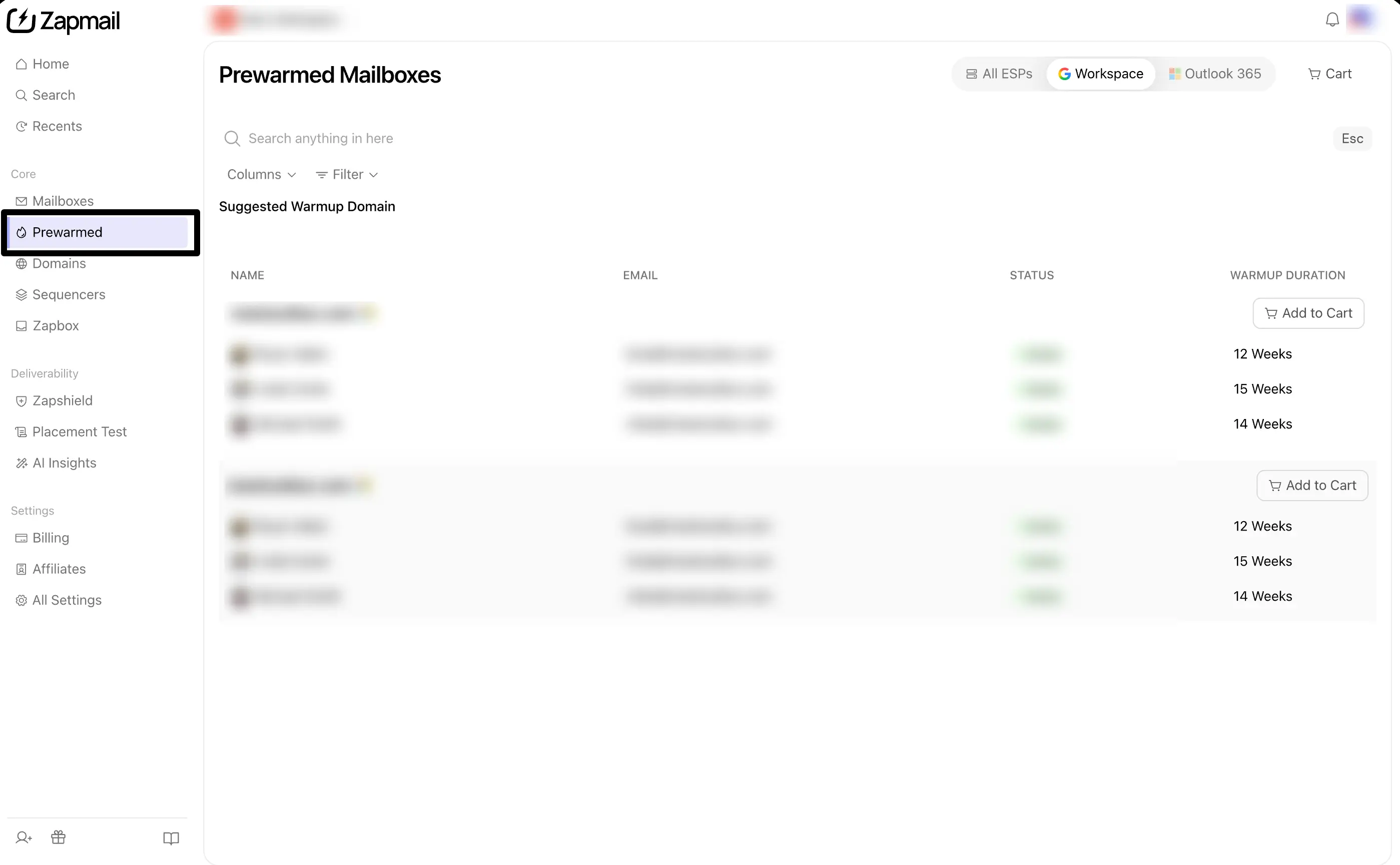
Zapmail offers prewarmed mailboxes and domains
Zapmail brings mailbox setup, domains, and DNS configuration under one roof. It offers Google Workspace and Outlook mailboxes and claims to have created over 1 million mailboxes and managed 330,000+ domains. The company also reports an average setup time of five minutes.
Its pre-warmed mailbox plans cost $39 for the first month and $24 per month after that. Zapmail also claims to provide more than 12 weeks of warmup history, though it doesn't explain how it measures or verifies that history.
The main advantage is the quick setup and support for major sending tools. However, Zapmail assigns generic domains to its pre-warmed mailboxes. If you want to send emails from your own branded domain, check this limitation before choosing a plan.
Zapmail handles provisioning well, and its pre-warmed offer comes with conditions worth checking first.
Pre-warmed plans: Zapmail states 12+ weeks of warmup history, starting at 3 mailboxes and 1 domain.
Generic domains: Zapmail picks the domains, and they arrive as names that look like real companies.
Fast setup: Its site reports an average setup time of 5 minutes.
US and EU hosting: Zapmail hosts mailboxes in both regions.
Wide tool support: OAuth setup connects multiple inboxes to major cold email tools in a few clicks.
Key Features
Google Workspace and Microsoft 365 mailboxes
Pre-warmed plans with a stated 12+ weeks of warmup history
Automated SPF, DKIM, and DMARC configuration
Custom tracking domains on every sending domain
Generic domains supplied with pre-warmed inventory
US and EU IP hosting
One domain per workspace for client separation
OAuth connection to major sending tools
Aged domains, ZapShield, and AI Insights as separate purchases
Pricing
Starter: $39 for the first month, then $24 per month, with 3 pre-warmed mailboxes and 1 domain
Growth: $149 for the first month, then $84 per month, with 12 pre-warmed mailboxes and 4 domains
Pro: $339 for the first month, then $180 per month, with 30 pre-warmed mailboxes and 10 domains
Additional mailboxes at $8, $7, and $6 per month by tier
Extra domains at $15 per domain per year
US and EU IP accounts only, with deliverability test and AI Insights credits on every plan
My Verdict
Zapmail is a good choice if you need mailboxes quickly and generic domains suit your campaigns. Provisioning is fast, the scale is real, and the export options cover most sending tools.
5. InboxKit: Best for Google, Microsoft and Azure Accounts in One Dashboard
Best for: Operators who want to spread risk across several mailbox providers.
Choose it if: You want provider variety with monitoring included and no minimum order.
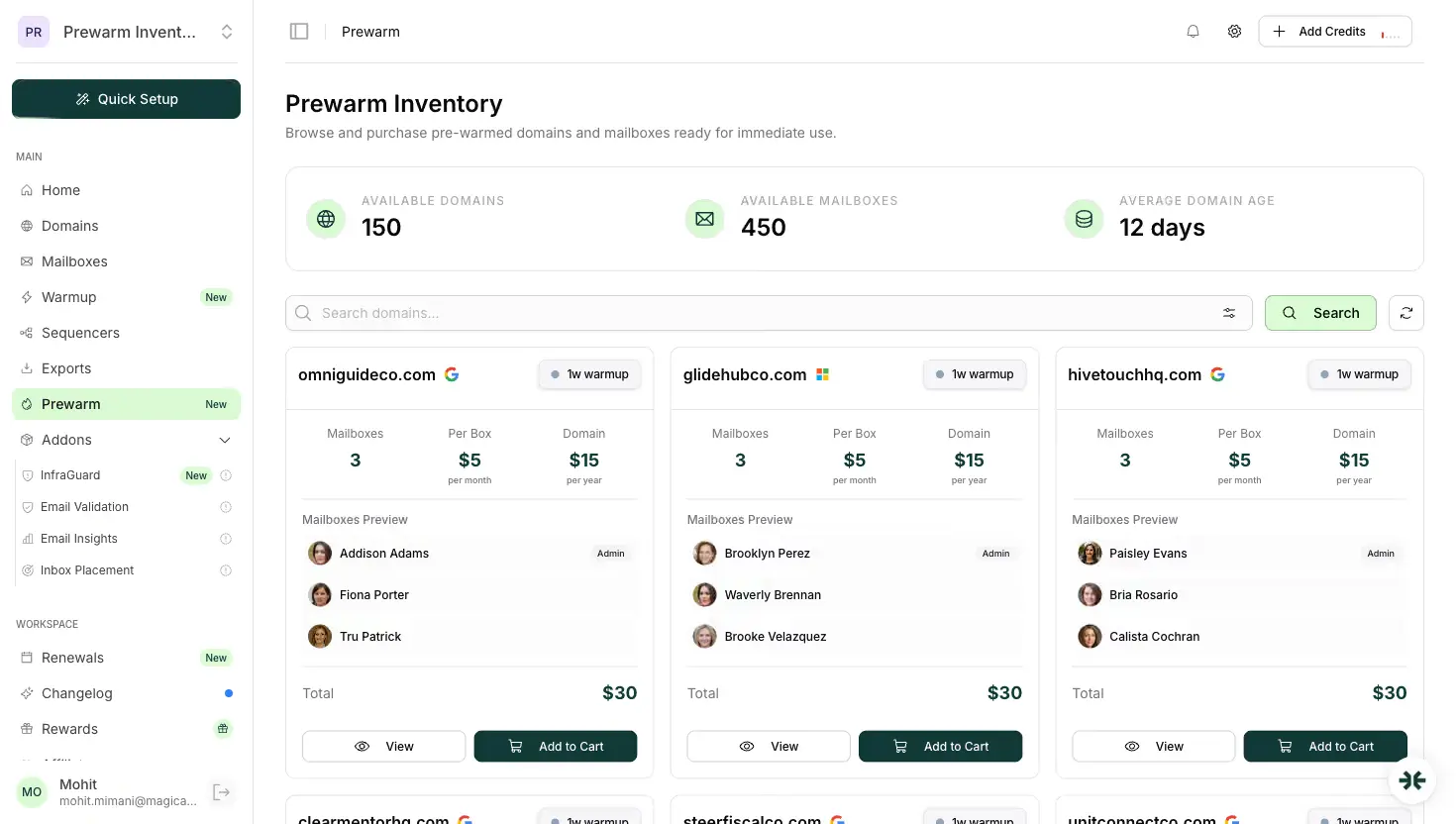
This image shows pre-warmed mailboxes and domains
If you need Google Workspace, Microsoft 365, and Azure mailboxes in one place, InboxKit is a good option. Its Azure support gives you a wider choice of multiple providers than most tools on this list.
Warmup is a separate $3 per mailbox add-on rather than part of the mailbox price. That makes the cost of warmup visible before you buy, which most of this category hides inside a plan.
InboxKit stands out for provider variety and its InfraGuard monitoring, which covers blacklist checks, DNS monitoring, and inbox placement tests. Pricing runs from a wallet with no plans, slots, or minimums.
Read our InboxKit review to learn more about its features, pricing, and suitability for cold email outreach.
Why InboxKit Ranks #5
InboxKit prices warmup as its own line item, which tells you exactly what you are paying for.
Three providers in one place: Google Workspace, Microsoft 365, and Azure tenants at $30 per tenant.
No plans or minimums: You top up a wallet and pay one price per mailbox, so you can start with a handful.
Admin panel with 2FA: Administrator access to one isolated admin account per domain, plus app passwords for SMTP sending tools.
InfraGuard monitoring: Blacklist, DNS, and inbox placement checks, free for the first month.
Warmup as an add-on: $3 per mailbox per month on top of the mailbox price.
Key Features
Google Workspace, Microsoft 365, and Azure mailboxes in one dashboard
Wallet billing with no plans, slots, or minimum order
Automated DNS setup with SPF, DKIM, and DMARC on every domain
Admin panel with 2FA and full admin access per domain
InfraGuard monitoring for blacklists, DNS, and inbox placement
24+ sending tool integrations with one-click export
API access with webhooks on every plan
Unlimited team members and workspaces
US IP addresses on Google and Microsoft accounts
Pricing
$2.50 per Google Workspace mailbox per month on annual billing
$2.50 per Microsoft 365 mailbox per month on annual billing
Azure tenants: $30 per tenant per month, up to 100 mailboxes per tenant
Email Warmup: $3 per mailbox per month, as an add-on
InfraGuard monitoring: first month free
My Verdict
InboxKit is a good choice for outbound operators who want Azure alongside Google and Microsoft, and who like knowing exactly what the warmup costs. Its monitoring covers the inbox placement and spam filters checks that most providers leave to you. InboxKit also prices the warm up process separately, so you can see what it costs.
6. Mailscale: Best for Low-Cost Rented Inboxes for Campaign Testing
Best for: Bulk inboxes for short campaign tests you plan to throw away.
Choose it if: You are testing offers and plan to replace the inboxes afterwards.
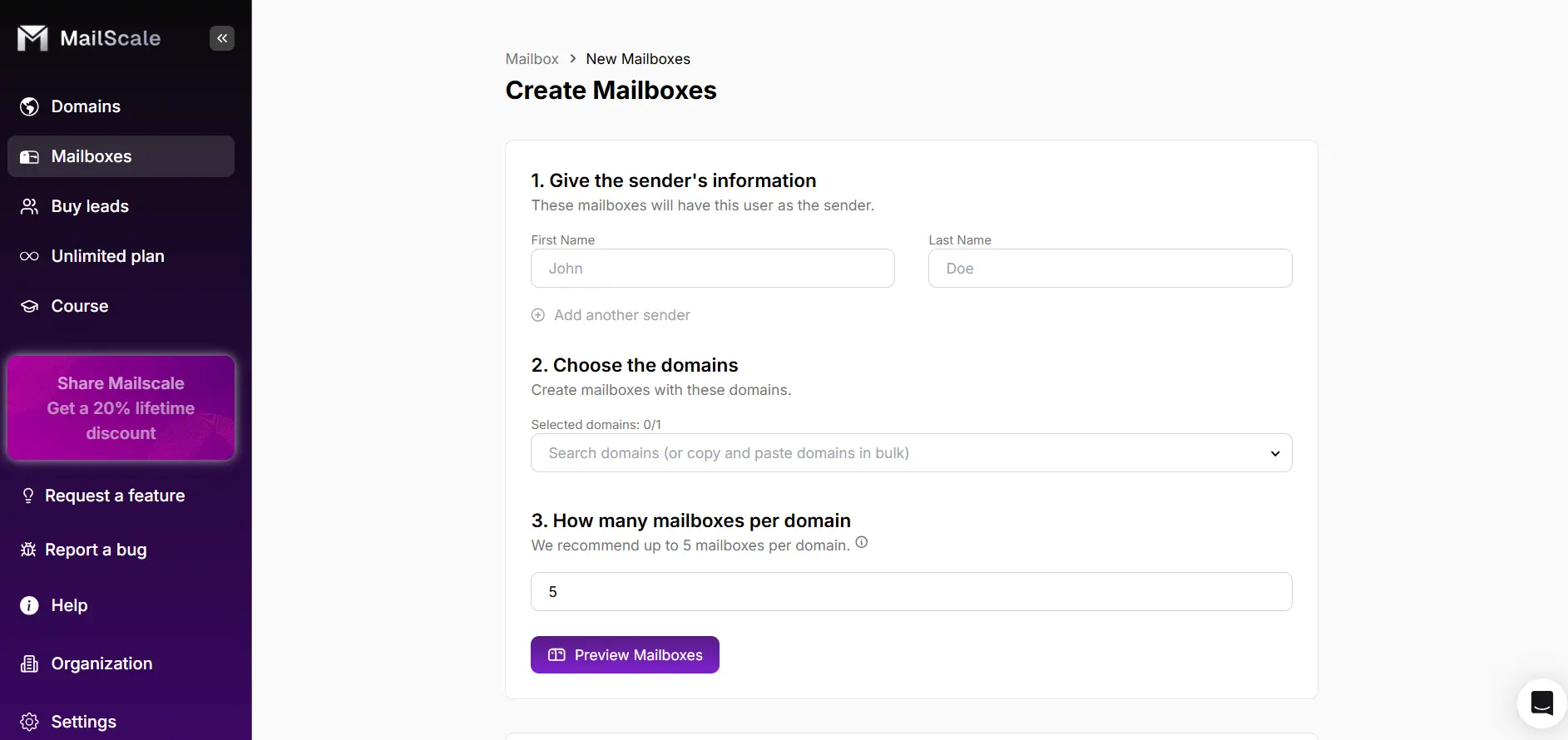
This image shows prewarmed mailboxes and domains
If you only need inboxes for a couple of weeks, Mailscale is a budget-friendly option. It focuses on B2B cold email prospecting and sending rather than pre-warmed mailbox inventory. Its own site describes it as an autonomous agentic platform, and makes no pre-warmed inventory claim anywhere.
There is no public rate card either. Pricing appears inside the app, and the figures circulating online come from third-party blogs, so I only quote numbers I can source from the provider.
Mailscale stands out on bulk inbox generation for large outbound programmes. Check the address before you buy, because mailscale.ai is the company here and mailscale.io belongs to a different business.
You can also read our Mailscale review to learn more about its cold email infrastructure, pricing, and mailbox management features.
Why Mailscale Ranks #6
Mailscale covers the budget tier, and its own site limits what you can verify before buying.
Bulk inbox generation: Mailscale targets high inbox counts across large outbound campaigns.
Agentic prospecting: Mailscale now positions itself around prospecting, sending, and campaign management.
No pre-warmed claim: Nothing on the site states warmup history on delivery.
Quoted pricing: You get numbers through signup or a call.
Name check: mailscale.ai is the company, and mailscale.io is a different business.
Key Features
Bulk inbox creation for high-volume outbound
Agentic prospecting and sending in one platform
Automation aimed at large cold email programmes
Custom quotes instead of public plan tiers
No advertised pre-warmed inventory
No published terms on ownership or admin access
Pricing
Mailscale does not publish pricing on its website. Ask for a written quote covering the per-inbox cost, domain cost, and the renewal rate after year one.
My Verdict
Mailscale is a reasonable option if you treat inboxes as consumable and want volume for short outreach campaigns. Agencies running very large inbox counts do use it.
7. LiteMail: Best Budget Pre-Warmed Google and Microsoft Inboxes
Best for: Small teams that want a pre-warmed batch without a large commitment.
Choose it if: You want a small pre-warmed batch, with the domains and replacement in the price.
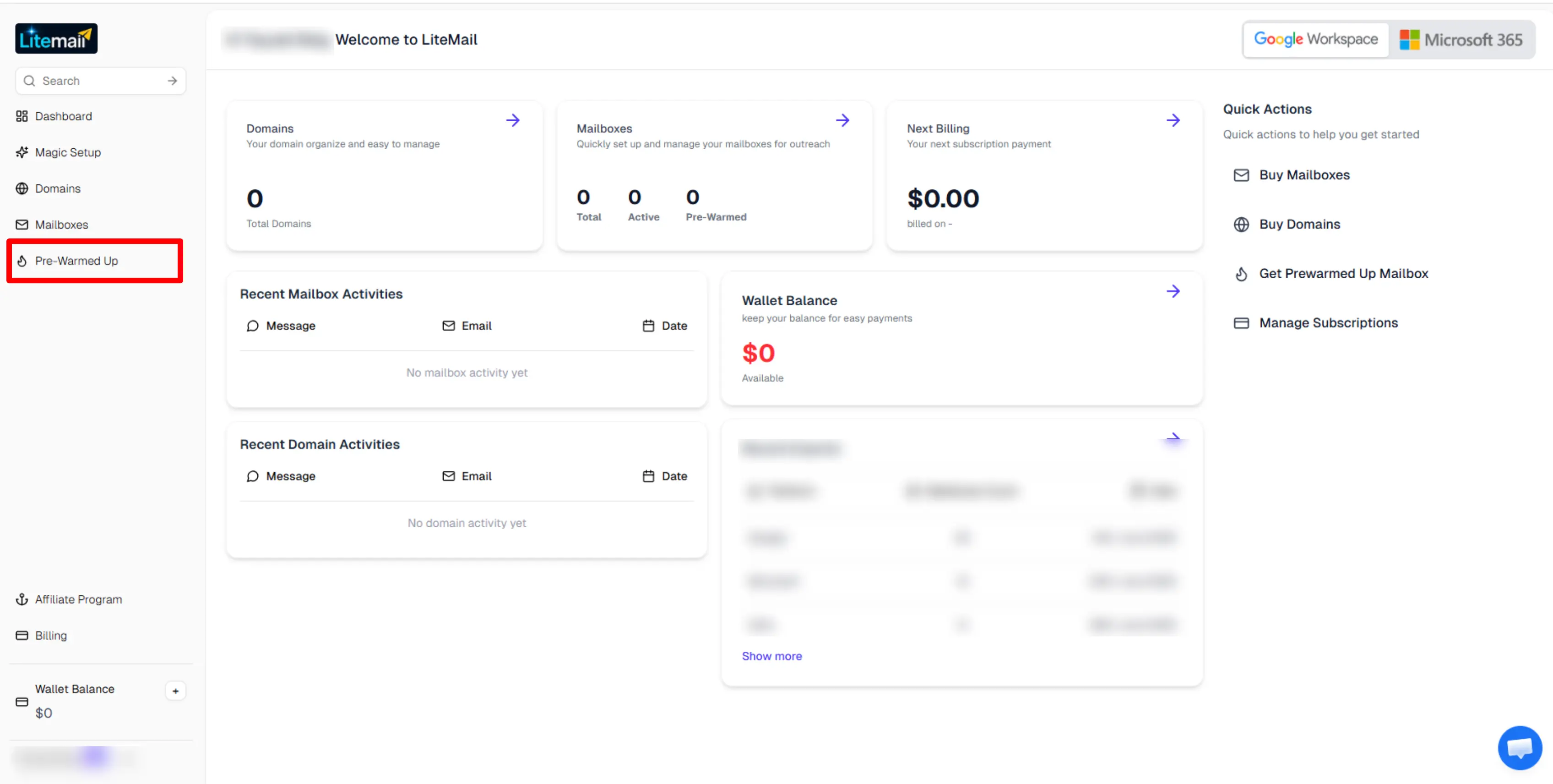
This image shows LiteMail offers preewarmed and domains
LiteMail provides fresh inboxes and pre-warmed mailboxes on Google Workspace / Microsoft 365. Every mailbox comes with automated DNS, dedicated US or EU IPs, and full admin access.
The pre-warmed plans include sending domains in the price, from 1 domain on Starter up to 12 on Scale. LiteMail also replaces any included domain that lands on a blacklist at no extra cost.
LiteMail stands out for bundling domains and replacements into small plans. Its warmup claims are inconsistent though. The pre-warmed page shows a 4 to 6 week badge at the top, while the FAQ further down says 12 weeks.
If you're considering pre-warmed inboxes for cold outreach, read our LiteMail review to compare its pricing, features, warmup history, and limitations.
Why LiteMail Ranks #7
LiteMail works well for small batches, and the pricing needs a closer look than the headline suggests.
Domains in every plan: You get 1 to 12 sending domains depending on the tier, and extras cost $15 a year.
Free domain replacement: LiteMail replaces any included domain that lands on a blacklist.
Pre-warmed and fresh options: Both run on Google Workspace and Microsoft 365.
Full admin access: You get administrator access through the Google Admin or Microsoft 365 console.
Small minimums: Starter covers 5 pre-warmed mailboxes at $39 a month.
Key Features
Pre-warmed and fresh mailboxes on Google Workspace and Microsoft 365
Sending domains included in every pre-warmed plan, from 1 to 12 by tier
Free replacement for any included domain that lands on a blacklist
Automated SPF, DKIM, and DMARC configuration before mailbox delivery
Dedicated US and EU IPs
Full Google Admin or Microsoft 365 admin access
One-click OAuth export to major sending tools
No minimum order, starting at 5 pre-warmed mailboxes
Pricing
Pre-warmed plans, per month:
Starter: $39, 5 mailboxes, 1 domain, extra mailboxes $8
Growth: $99, 15 mailboxes, 3 domains, extra mailboxes $7
Pro: $179, 30 mailboxes, 6 domains, extra mailboxes $6, API access
Scale: $299, 60 mailboxes, 12 domains, extra mailboxes $4.99, API access
Fresh mailbox plans run $37 for 10, $97 for 30, $297 for 100, and $849 for 300. Extra domains cost $15 per year on both.
My Verdict
LiteMail is a good choice if you want a small pre-warmed batch and like having the domains and replacements covered in one price. For a single client or a first outbound campaign, that bundling saves real technical setup work.
How Providers Warm Mailboxes Before They Sell Them
A proper warmup follows a gradual increase in sending. The mailbox starts with a small number of emails each day and gradually builds sending activity over two to four weeks.
A poor warmup can look very different. Accounts may exchange emails within a closed network for a few days, creating activity without building a meaningful sending history.
The problem is that you cannot always tell how a mailbox was warmed just by looking at it. That is why it is worth asking providers how they warm their accounts and whether they can show evidence of the sending history.
Two to four weeks is a reasonable warmup period. If a provider claims a much longer period, ask how the process works and what sending history you will actually receive.
The domain matters too. A warmed mailbox on a poor-reputation domain can still have deliverability problems. A clean domain with a good reputation can be more valuable than mailbox history alone.
Before buying, check the domain age and blacklist status along with the mailbox's warmup history.
Verify a Pre-Warmed Mailbox Before Your First Campaign
Six checks before you pay:
SPF, DKIM, and DMARC records are all properly configured and passing
The provider shows you the domain registration date, and it matches the claimed history
Domain reputation is clean on the major blacklists
Admin access works and you can create a new alias yourself
The provider shows you the warmup history, beyond a stated duration
The provider gives you the replacement terms in writing
Then ramp anyway. Infraforge recommends 30 emails per mailbox per day, with 100 as the ceiling, and 2 to 3 mailboxes per domain.
I start a new batch below that and build up across the first two weeks. Watch where your emails land with Google Postmaster Tools and Microsoft SNDS from day one. That is how you catch spam placement before the primary inbox turns into the spam folder. Pre-warmed gives you a head start, and you still have to send carefully.
Which Pre-Warmed Email Account Provider Should You Choose?
If you are here, you are probably looking for a better way to build and manage your cold email infrastructure.
Tools like Primeforge, Mailforge, Zapmail, and LiteMail can help with different parts of cold email. But your results also depend on the infrastructure behind your mailboxes, domains, and sending setup.
For teams and agencies that want more control over their cold email infrastructure, Infraforge is a strong option. Here is why:
Dedicated IPs and private infrastructure for better control over sending
Pre-warmed domains and mailboxes to get campaigns running faster
Automated DNS setup for SPF, DKIM, and DMARC
Multiple domains and mailboxes managed from one place
White-label infrastructure for agencies managing campaigns for clients
If you need private cold email infrastructure with dedicated IPs and more control over your sending setup, Infraforge is worth considering.
Here are quick answers to the questions people ask most about buying pre-warmed mailboxes.
1. Where Can I Buy Pre-Warmed Email Accounts?
You can buy pre-warmed email accounts from any pre-warmed inbox provider on this list, including Primeforge, Infraforge, Mailforge, Zapmail, InboxKit, and LiteMail. Primeforge and Infraforge sell mailboxes you own with full admin access, and you can buy pre-warmed domains alongside them. Sending platforms like Instantly and Smartlead also rent pre-warmed inboxes, but those stay inside their own tool.
2. Are Pre-Warmed Email Accounts Safe and Legal for Cold Outreach?
Yes, buying a pre-warmed mailbox is legal, and cold email is legal in most markets when you follow local rules. In the US that means CAN-SPAM: accurate headers, a real postal address, and a working opt-out. The EU and UK apply stricter consent rules under GDPR and PECR, so check your target region before you send.
3. Do Pre-Warmed Email Accounts Violate Google Workspace or Microsoft 365 Terms?
It depends on how the provider created the account. Google Workspace and Microsoft 365 mailboxes that come through official licensing stay within terms. Accounts that rely on EDU workarounds or resold consumer loopholes carry the risk. They tend to disappear when Google or Microsoft updates a policy. Ask any seller how they obtained the licence.
4. Can I Transfer Ownership of a Pre-Warmed Mailbox After Buying?
It depends on the provider. Primeforge, Infraforge, Mailforge, and Zapmail give full admin access on standard plans, so you are not tied to the same platform later. Instantly pre-warmed accounts work differently. Instantly retains domain ownership and admin access inside the Instantly platform and does not transfer them, per its published policy. Smartlead delivers its pre-warmed mailboxes on generic pre-configured domains. Both are rentals inside a sending tool, so confirm transfer rights in writing before you buy.
5. How Many Emails per Day Can I Send From a Pre-Warmed Inbox?
Infraforge recommends 30 emails per mailbox per day, with a maximum of 100, and 2 to 3 mailboxes per domain. Start below that on a new batch and build up. Five mailboxes sending 30 a day is safer than one mailbox sending 150, and you keep sending if one mailbox goes down.