We are past the point where using AI for sales outreach means asking ChatGPT to write a cold email. Sales teams now have AI agents that can research prospects, personalize outreach, run follow-ups, handle replies, and in some cases move a conversation all the way to a booked meeting.
The problem is that AI email agent has become a loose label. One tool might generate personalized emails but leave sending and replies to your SDR. Another might find prospects, contact them, follow up, understand responses, and only bring a rep in when someone is ready to talk.
That is a big difference if your goal is to reduce the manual work behind outbound, not just write emails faster. So I compared 5 of the best AI email agents for sales outreach: Agent Frank, Regie.ai, Artisan Ava, 11x Alice, Jason AI, and AiSDR.
Below, I break down what each agent actually handles, where your reps still need to step in, what it costs, and which one makes sense for your sales workflow.
Agent Frank: Best overall for autonomous email prospecting and outreach.
Regie.ai: Ideal for sales teams that want AI agents working alongside human reps.
Artisan Ava: Best for end-to-end autonomous outbound.
11x Alice: Ideal for enterprise teams running outbound at scale.
Jason AI: Best for multichannel sales outreach across email and other channels.
How I Evaluated the Best AI Email Agents
An AI email agent is only useful if it removes work from your sales team. So I evaluated these tools around a typical outbound workflow, starting with finding a prospect and ending with getting an interested prospect on a call. For each tool, I checked:
Whether the agent can find or research prospects before outreach.
How well it can use prospect and account data to create relevant emails.
Whether it can send emails and run outreach without a rep managing every step.
Whether the agent can automatically continue outreach when a prospect does not respond.
Whether it can help turn positive replies into booked sales meetings.
How well it connects with CRMs, email accounts, and other tools already used by sales teams.
How much visibility and control reps have over what the agent sends and does.
I used these criteria to separate tools that mainly assist reps with outreach from agents that can take ownership of a larger part of the outbound workflow.
5 Best AI Email Agents For Sales Outreach: Quick Comparison
AI Email Agent
Prospecting & Research
Email Personalization
Automated Follow-Ups
Reply Handling
Meeting Booking
Agent Frank
Prospecting + buying signals
Yes
Yes
Yes
Yes
Regie.ai
Prospecting + enrichment + account signals
Yes
Yes
Rep-managed
Not specified
Artisan Ava
250M+ database + web research
Yes
Yes
Yes
Yes
11x Alice
Prospecting + buying signals
Yes
Yes
Yes
Yes
Jason AI SDR
Lead sourcing + prospect research
Yes
Yes
Auto or approval-based
Yes
1. Agent Frank - Best Overall AI Email Agent for Sales Outreach
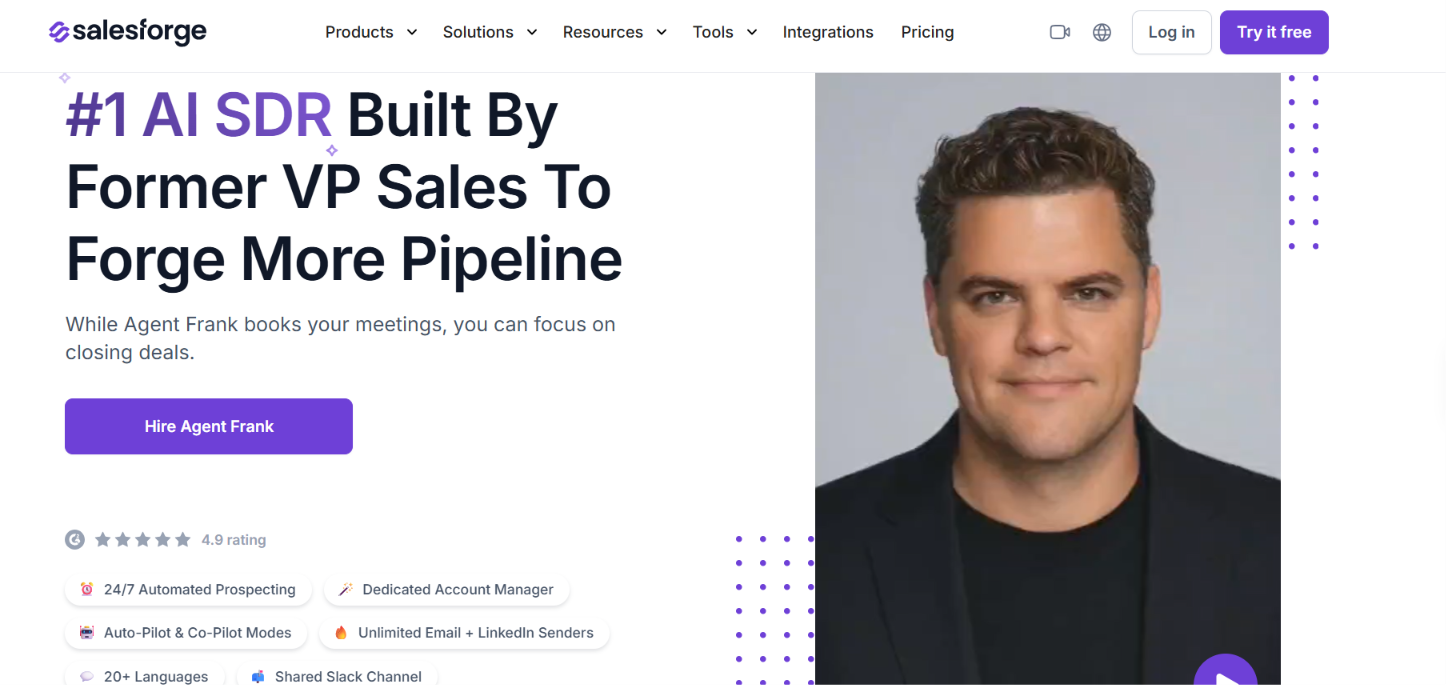
This image shows the Agent Frank homepage
Agent Frank is an AI email agent for sales outreach that can manage the conversation beyond the first cold email. It researches each prospect before reaching out, uses that context to create personalized messages, follows up when needed, monitors replies, and can continue the conversation toward a meeting.
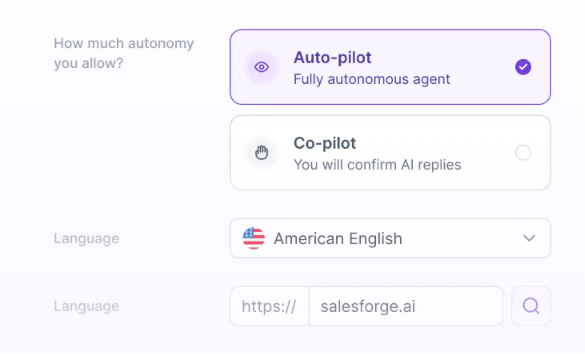
You can let it work independently in Auto-Pilot or review its work through Co-Pilot.
This image shows the Agent Frank runs in different modes
How Agent Frank Works as an AI Email Agent for Sales Outreach
Agent Frank can cover the email outreach process from finding the right prospect to moving a positive conversation toward a meeting. Here is what that looks like in practice:
Start with your ICP. Define the type of companies and people you want to reach. Frank can continuously find matching prospects, or you can upload your own contact list.
Research happens before the first email. For each prospect, Frank looks at the company, buying signals, timing, likely pain points, and possible objections. That information gives it context for the message.
Each prospect gets personalized outreach. Rather than sending one fixed email to the entire list, Frank creates messages tailored to individual leads.
Follow-ups continue automatically. If there is no response, Frank can keep the sequence moving without your SDR having to track and send every follow-up manually.
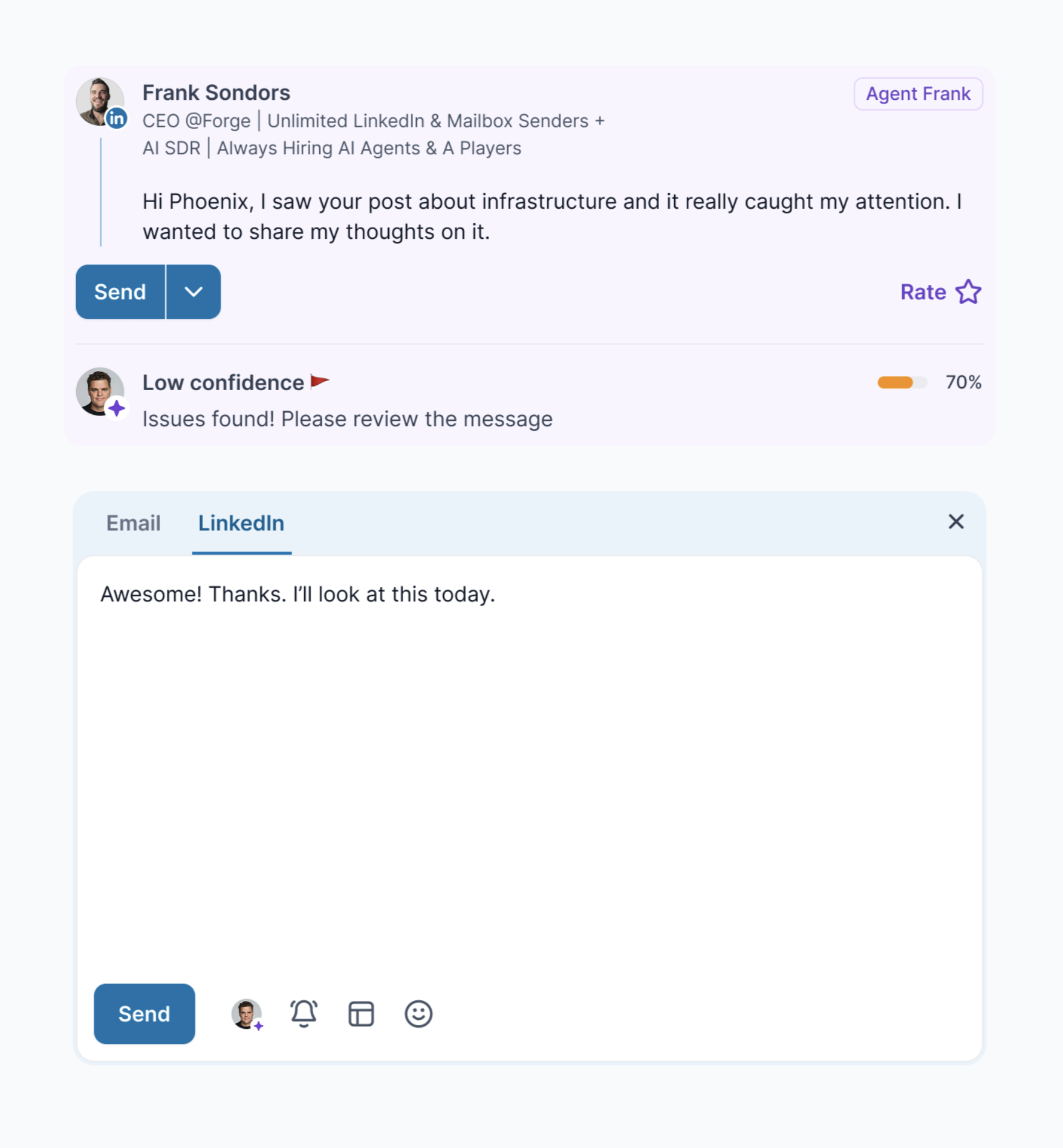
A reply does not end the automation. Frank can monitor and respond to emails, allowing the conversation to continue without handing every response straight to a sales rep.
This image shows the Agent Frank can respond to emails
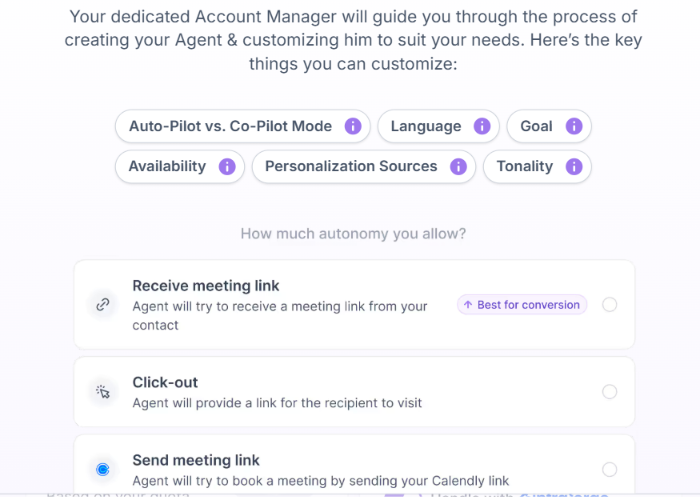
Interested prospects can move toward a meeting. Frank can share your calendar link, ask for the prospect's calendar link, or direct them to a specific booking page.
This image shows the Agent Frank customization options
You can also control how independently Frank works. Auto-Pilot is designed for autonomous outreach, while Co-Pilot lets you review and edit its work before it moves forward.
Pros of Agent Frank:
Handles prospecting, email writing, follow-ups, replies, and meeting booking in one workflow.
Researches each prospect before creating the email.
Reduces the amount of manual work your SDRs need to do.
Lets you choose between full automation and human review.
Can keep finding new prospects instead of relying only on uploaded lead lists.
Cons of Agent Frank
There is no free trial. You need to book a demo first.
Email infrastructure is not included in the base price.
If you set up new email infrastructure, you need to allow about two weeks for warm-up before Frank starts sending.
It may be too much if you only need AI to help write emails and do not want an agent running the rest of your outreach.
Agent Frank Pricing
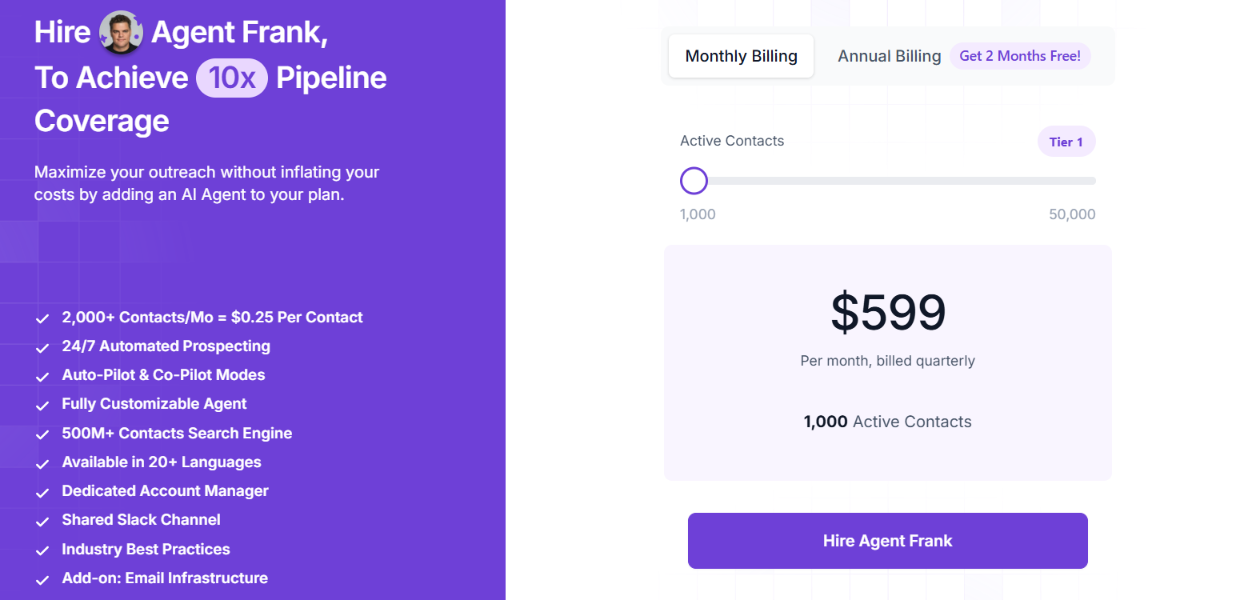
This image shows the Agent Frank pricing
Agent Frank starts at $599/month, billed monthly, for 1,000 active contacts. Active contacts are leads Frank is currently processing, not the total number of people contacted during the month.
At this tier, Salesforge says Frank can reach around 2,000–2,500 new leads and send 6,000–7,500 personalized emails per month. Annual billing includes two months free.
Email infrastructure is not included in that price. You can connect your own mailboxes or add infrastructure separately.
Personalized Outbound Strategy
Get The Right Outbound Strategy In Minutes
Enter your email to get a custom plan & stack recommendation for your
business
It's being carefully crafted by AI
Please check your mailbox in 5 minutes
2. Regie.ai - Ideal for AI-Powered Prospecting and Email Outreach
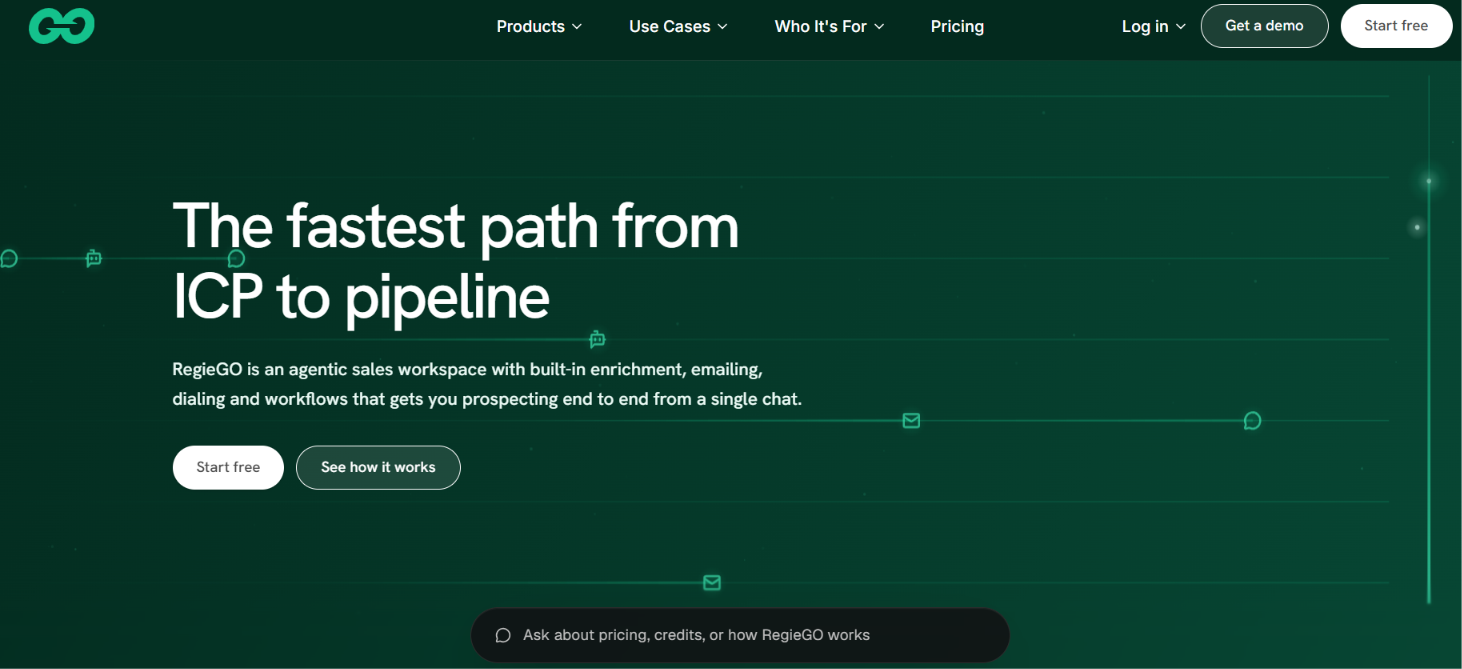
This image shows the Regie.ai homepage
Regie.ai is an AI sales platform built to help reps move from targeting to outreach without piecing together separate research, enrichment, and email tools.
For email outreach, RegieGO helps you build prospect lists, enrich and verify contacts, research accounts, draft personalized emails, and plan follow-ups. Since it sends through your connected Gmail or Outlook account, you can keep working from your own mailbox instead of relying on a vendor-owned sending address.
What really stands out is the research behind each message. Regie looks for a timely reason to reach out, like a recent funding round, a new executive hire, or signs that a company is actively hiring, then uses that context to make the email feel more relevant and personalized.
How Regie.ai Works as an AI Email Agent for Sales Outreach
RegieGO is designed to take a prospect from ICP selection to a researched email sequence. Here is how the email workflow works:
Start with the type of buyer you want. Regie can read your website, understand what you sell, and suggest job titles and company sizes to target. You can also work from contacts you already have.
Prospects are found and enriched. Regie searches for matching people, fills in contact information, and verifies email addresses before outreach.
Research gives each email a reason to exist. Instead of writing from basic contact fields alone, Regie looks for current signals around the prospect or company and shows the source behind the claims it uses.
Emails are written in your voice. Regie can learn from your sent emails and your company's pitch, then use that style when drafting outreach for each prospect.
The outreach does not stop at the first message. Regie can prepare follow-ups and adapt them based on what is currently happening with the prospect rather than repeating the same fixed sequence.
Emails go out from your own inbox. You can connect Gmail or Outlook, and replies return to the mailbox you already use.
Regie can also combine email with calls and LinkedIn tasks if you want a wider sales sequence, but its email workflow can be used as part of the same prospecting process.
Pros of Regie.ai
Combines prospect research, enrichment, email drafting, and follow-up planning in one workspace.
Uses current account signals to make emails more relevant.
Can learn your writing style from your existing sent emails.
Sends through your own Gmail or Outlook account.
Cons of Regie.ai
Credits are used for research, message drafting, enrichment, and dialing, so heavy usage can increase the number of credits you need.
Pro credits do not roll over to the next billing period.
The product covers dialing and LinkedIn as well as email, so it may be broader than needed if you only want a dedicated email agent.
Enterprise features such as team workspaces, shared agents, custom CRM sync, and advanced analytics require custom pricing.
Regie.ai Pricing
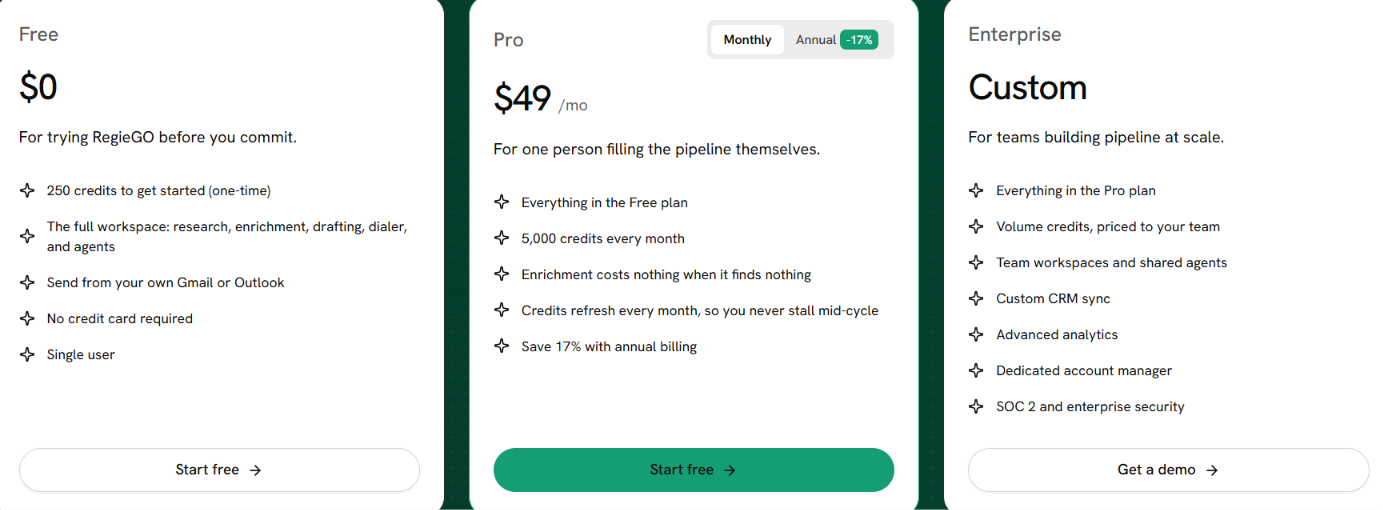
This image shows the Regie.ai pricing
Regie.ai has three plans:
Free: $0 with 250 one-time credits, one user, the full workspace, and sending through your own Gmail or Outlook.
Pro: $49/month with 5,000 credits per month. Annual billing saves 17%.
Enterprise: Custom pricing with volume credits, team workspaces, shared agents, custom CRM sync, advanced analytics, a dedicated account manager, and enterprise security.
Credits are used for tasks such as account research, drafting messages, enriching contacts, and dialing. If enrichment does not return any data, Regie says you are not charged for that lookup.
3. Artisan Ava - Ideal for Autonomous Email Prospecting and Follow-Ups
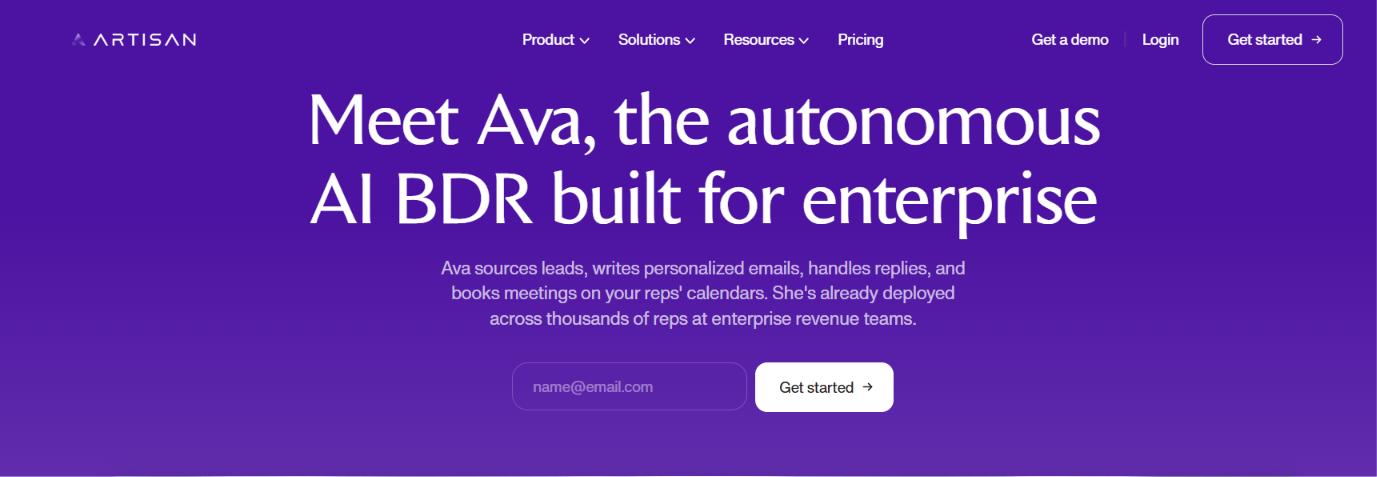
This image shows the Ava by Artisan homepage
Artisan's Ava goes further than most AI email writing tools. It can find prospects, research them, personalize emails, run follow-ups, handle replies, and book meetings. You connect your own Google or Microsoft mailbox, and Ava sends from that account.
You can set daily sending limits and keep approval turned on if you do not want emails going out automatically.
The bigger reason to consider Ava is automation. Instead of giving it a list and asking it to write emails, you can give it your targeting rules, company context, proof points, and messaging guidelines. Ava can then research prospects, decide who qualifies, personalize the outreach, and keep the conversation moving when someone replies.
That makes it a better fit for teams looking to automate more of outbound, not teams that simply need help writing emails.
How Artisan Ava Works as an AI Email Agent
Ava can handle most of the email workflow from finding a prospect to following up after they reply.
Start with the right prospects. Search Artisan's database of 250M+ professionals, use an existing list, import CRM contacts, upload a CSV, or bring leads in through a webhook.
Let Ava research and qualify them. Ava can research websites, profiles, articles, announcements, podcasts, events, and other public sources. You can write your qualification rules in plain English, and prospects need to pass every rule before Ava contacts them.
Personalize the message. Give Ava your company information, proof points, tone, personalization rules, and CTA. It uses that context to draft the email and choose an angle relevant to each prospect.
Send from your own mailbox. Connect a Google or Microsoft mailbox and set your daily sending limit. Ava uses that mailbox for email steps instead of giving you a separate Artisan-owned sending address.
Keep follow-ups running. Add multiple email steps and delays to a sequence so prospects continue receiving follow-ups when they do not respond to the first email.
Let Ava work the reply. Ava can reply autonomously, handle objections, answer questions, and book meetings. You can build a knowledge base with company information, case studies, customer examples, and objection responses to give it more context.
Artisan also includes a Dialer for human sales calls. Ava can queue call tasks alongside the email workflow, but the rep makes the call rather than Ava.
Pros of Artisan Ava
Uses AI web research to find public signals and qualify prospects before outreach.
Supports autonomous email replies and meeting scheduling.
Sends emails through connected mailboxes rather than requiring a separate vendor-owned sending address.
Supports HubSpot integration from the Intern plan, with Salesforce integration listed for Enterprise.
Includes deliverability monitoring and domain and mailbox purchasing on paid outbound plans.
Cons of Artisan Ava
The Free plan is mainly for lead discovery and enrichment and does not include autonomous campaigns.
The Intern plan starts at $280 per month, which may be expensive if you only need AI email writing.
Ava uses credits across activities such as enrichment, research, outreach, and replies, so usage depends on the work you ask it to perform.
Cross-sell and upsell campaigns require the Employee plan or higher.
Salesforce integration is limited to the Enterprise plan in the provided pricing table.
Full self-driving Ava is marked as "Soon," so I would not describe that feature as currently available.
Artisan Ava Pricing
This image shows the Artisan Ava pricing
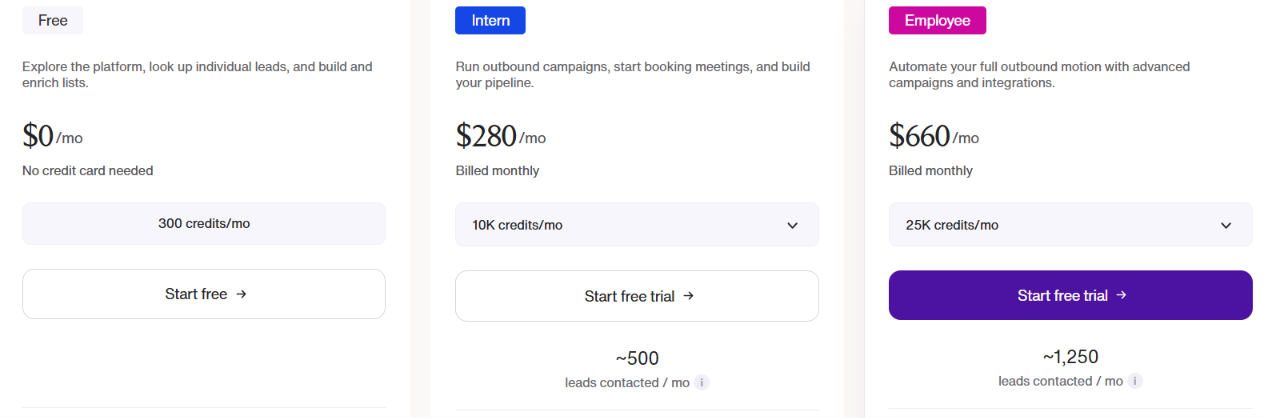
Artisan currently shows three self-serve plans, plus Enterprise:
Free: $0/month with 300 credits per month. It includes lead discovery, lists and enrichment, agent swarm research, and CSV import/export.
Intern: $280/month with 10,000 credits per month, estimated for around 500 leads contacted per month. It adds autonomous campaigns and replies, HubSpot CRM sync, deliverability monitoring, and Slack integration.
Employee: $660/month with 25,000 credits per month, estimated for around 1,250 leads contacted per month. It adds advanced campaign types, webhooks as a data source, and priority support.
Enterprise: Custom pricing with additional enterprise functionality, including Salesforce integration, onboarding services, a dedicated CSM and Slack channel, SSO/SAML, advanced security controls, and audit logs.
Artisan also offers 10% off with annual billing. Credits depend on the task. Based on Artisan's pricing data, email enrichment costs 2 credits, phone enrichment costs 10 credits, identifying a website visitor costs 4 credits, and autonomous replies cost 2 credits. Artisan estimates an end-to-end campaign at around 20 credits per person contacted.
One pricing detail worth separating from the Free plan is the new-account trial. New accounts receive 10,000 trial credits with 30 days to use them, while the ongoing Free plan includes 300 credits per month.
4. Alice by 11x AI - Ideal for Autonomous Multi-Channel Prospecting
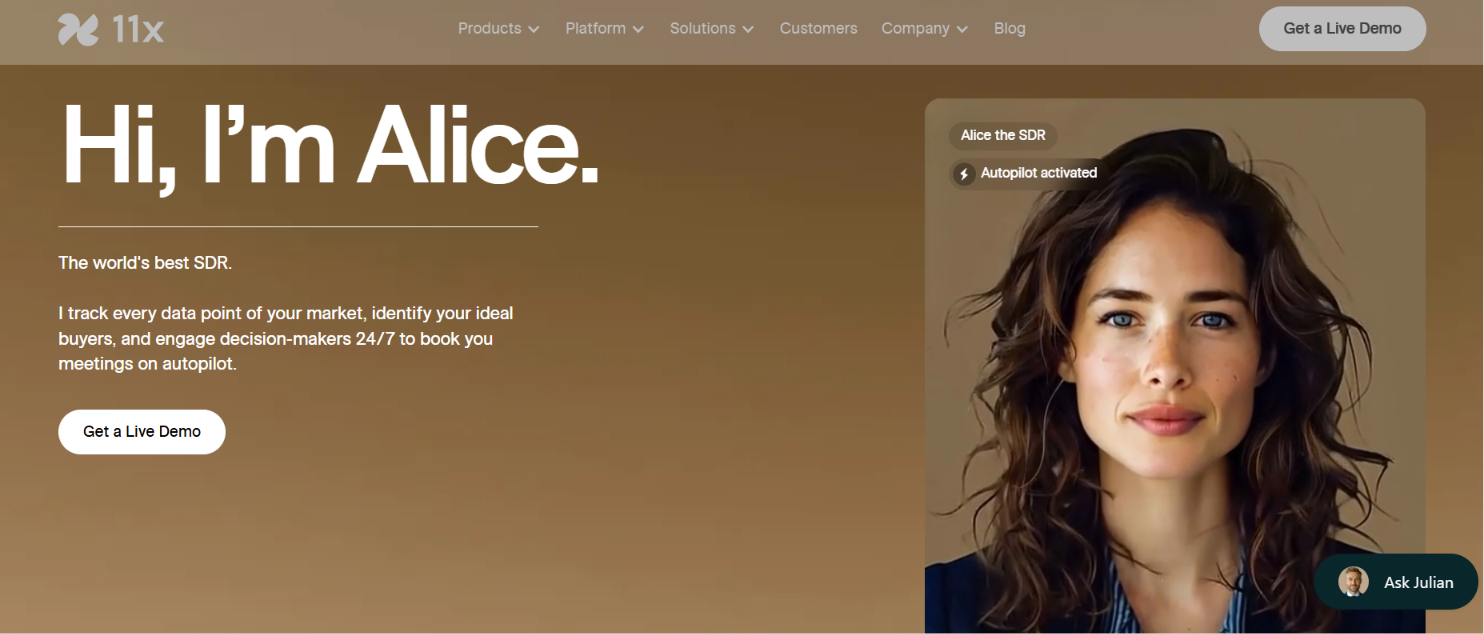
This image shows the Alice by 11x ai
Alice by 11x AI is an AI SDR built to automate outbound from prospect research to booked meetings. For email outreach, Alice can identify prospects, research buying signals, personalize messages, run multi-touch campaigns, handle replies, and schedule meetings.
Unlike tools that simply help a rep write an email, Alice is designed to keep prospecting and following up without someone manually running each step.
What stands out is how heavily the workflow uses signals. Alice can monitor changes around prospects and accounts, including website activity and other buying signals, then use that information to decide who to engage and how to personalize the outreach. It can also re-engage older leads already sitting in your CRM.
How Alice Works as an AI Email Agent
Alice is designed to move from finding the right prospect to running the outreach and booking a meeting.
Find prospects worth contacting. Alice tracks market data, researches buyers, and uses a lead-scoring engine to surface higher-intent prospects rather than working only from a static contact list.
Research what is happening around the prospect. Alice uses social, public, engagement, and behavioral data to understand the prospect and identify useful signals before outreach.
Personalize the message. It combines prospect research with adaptive messaging and can adjust the tone and message around the individual prospect.
Run outreach across channels. Alice can execute coordinated sequences across email, calls, and other channels instead of limiting the workflow to email alone.
Keep prospecting and following up. Alice continues running outreach rather than stopping after the first message, with campaigns designed to work across multiple touches.
Handle replies and schedule meetings. 11x specifically says Alice continuously prospects, handles replies, and schedules meetings, allowing the workflow to continue after a prospect responds.
Alice can also nurture leads, reactivate old prospects, engage high-intent website visitors, and run campaigns in more than 105 languages.
Uses behavioral and market signals to prioritize higher-intent prospects.
Runs multi-touch campaigns instead of only generating one-off emails.
Can re-engage old and inactive leads from your CRM.
Includes bi-directional CRM sync across its paid plans.
Includes 11x-managed Gmail mailboxes with domain setup, warm-up, inbox rotation, and monitoring.
Supports outreach in 105+ languages on Pro and Enterprise.
Cons of Alice by 11x AI
The Growth plan starts at $3,750 per month billed annually, so it is much more expensive than a basic AI email-writing tool.
Growth is limited to 2,000 new prospects per month and up to five end users.
Multi-language outreach is not included on the Growth plan.
API and webhooks are available on Pro and Enterprise, while custom integrations are reserved for Enterprise.
Enterprise features such as SSO, a custom DPA, custom SLA, and a Forward Deployed Engineer require the highest plan.
Alice by 11x AI Pricing
This image shows the Alice by 11x ai pricing
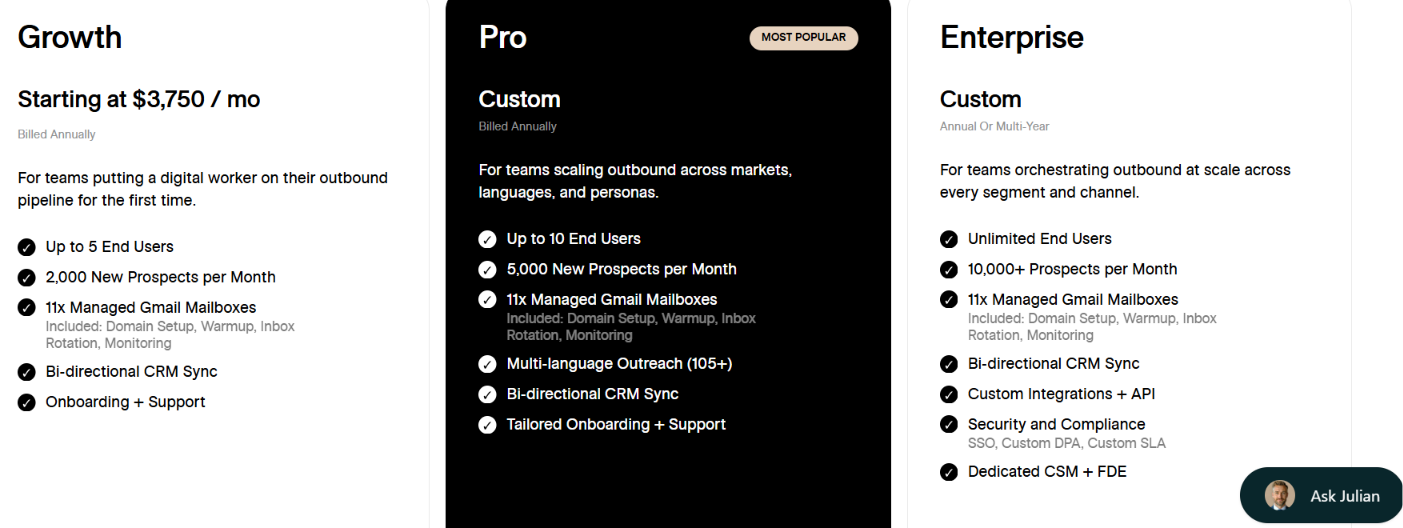
11x offers three Alice plans:
Growth: Starts at $3,750/month, billed annually. It includes up to 5 end users, 2,000 new prospects per month, 11x-managed Gmail mailboxes, bi-directional CRM sync, and onboarding and support.
Pro:Custom pricing, billed annually. It includes up to 10 end users, 5,000 new prospects per month, 11x-managed Gmail mailboxes, outreach in 105+ languages, bi-directional CRM sync, and tailored onboarding and support.
Enterprise: Custom pricing on an annual or multi-year agreement. It includes unlimited end users, 10,000+ prospects per month, 11x-managed Gmail mailboxes, custom integrations and API access, SSO, custom DPA and SLA options, and dedicated support.
11x charges per lead rather than per send, so the number of outreach touches Alice runs does not change the pricing model.
5. Jason AI SDR - Best for Automated Multichannel Sales Outreach
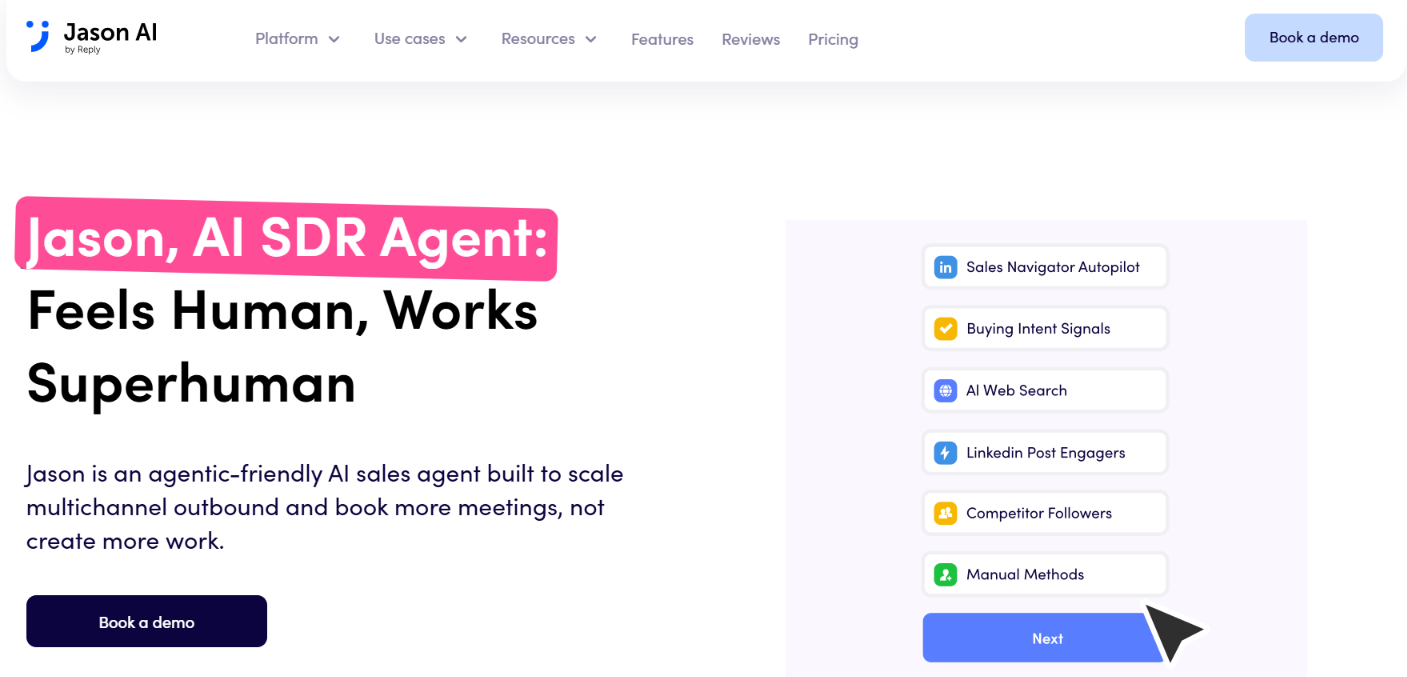
This image shows the Jason AI SDR homepage
Jason AI SDR by Reply.io is an AI sales agent built to help teams find prospects, personalize outreach, handle replies, and book meetings without managing each step manually.
For email outreach, Jason can find people who match your ICP, research each prospect, write personalized emails, build the sequence, and keep adding new contacts through Autopilot. You can also choose whether Jason sends messages automatically or waits for you to approve them first.
What stands out is how much of the sales process it can handle after you define who you want to reach. Jason can find prospects from several sources, research prospects before personalizing outreach, run the outreach, and continue the conversation when someone replies.
How Jason AI Works as an AI Email Agent for Sales Outreach
Jason AI SDR is designed to take a prospect from targeting to an ongoing sales conversation. Here is how the email workflow works:
Tell Jason what you sell and who you want to reach. Add your website or product information, and Jason can suggest your ICP, pain points, value propositions, proof points, case studies, and CTAs. You can review and edit these before using them in outreach.
Jason finds people who match that audience. You can use Sales Navigator Autopilot, AI web search, website visitors, your own contact lists, or signals such as technologies used, hiring activity, LinkedIn post engagement, and competitor followers.
It researches each prospect before writing. You can tell Jason what to research about the person, company, role, achievements, or industry so the email has more context than basic contact fields.
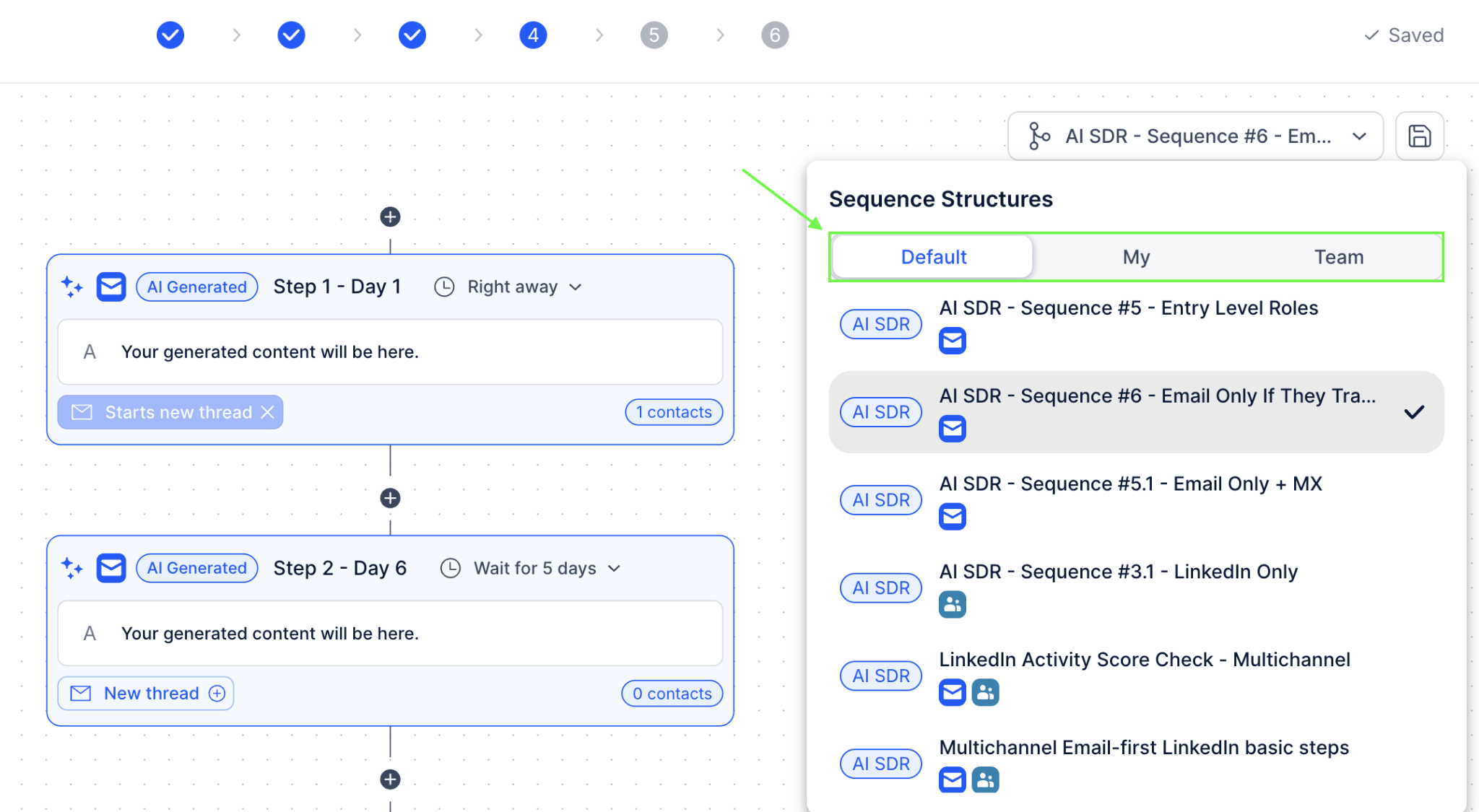
Jason builds the outreach sequence. It creates the sequence from your setup, and you can change, remove, or add steps before launching it. Each message is personalized for the individual contact when it is scheduled to go out.
This image shows the Jason AI outreach sequence example
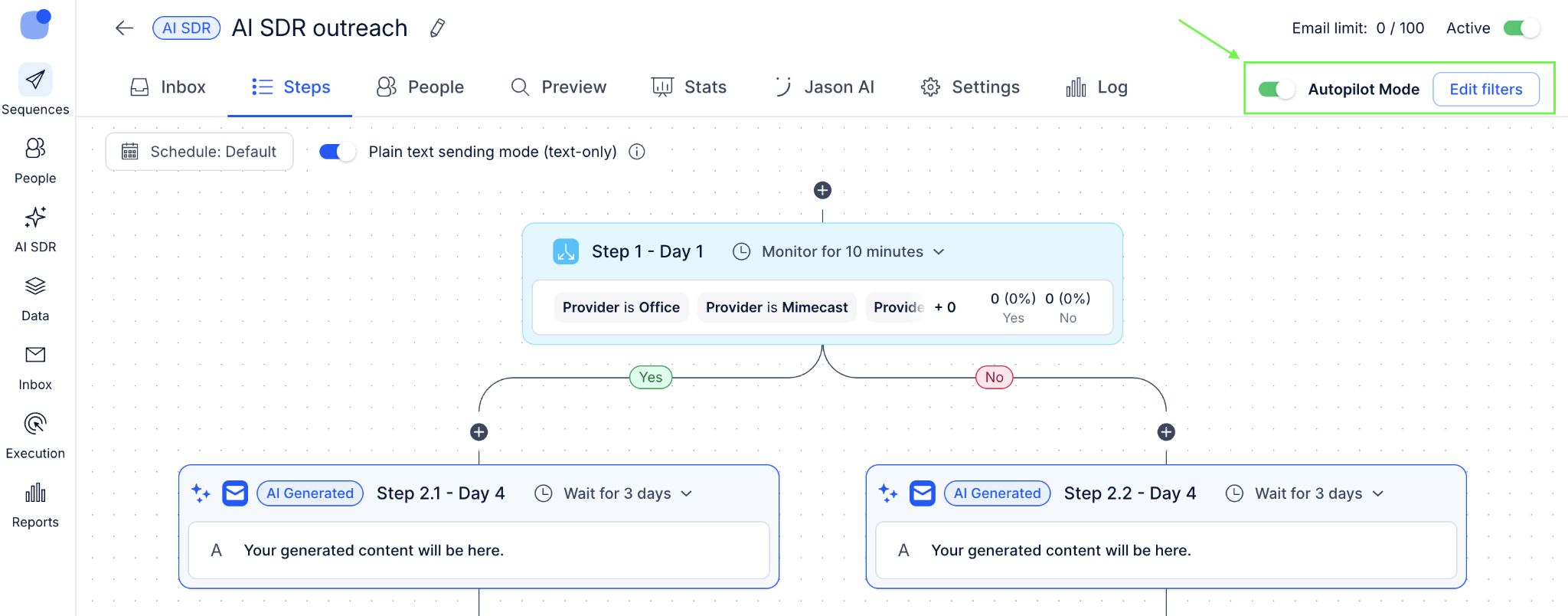
You decide how much control to keep. In Approval mode, Jason holds generated messages until you review them. In Automatic mode, it can send them without waiting for manual approval.
This image shows the Jason AI autopilot mode
Jason can keep the conversation moving. It can handle incoming replies automatically or save drafts for you to review. If you use Reply for scheduling, Jason can also check your availability, suggest meeting times, and respond to meeting-related replies.
Jason can also combine email with LinkedIn, calls, WhatsApp, SMS, and manual tasks if you want to run a wider multichannel sequence.
Pros of Jason AI SDR
Can keep finding and adding matching prospects through Autopilot.
Supports several lead sources instead of limiting you to one prospect database.
Lets you choose what Jason should research before personalizing a message.
Gives you the choice between automatic sending and reviewing messages before they go out.
Can combine email with LinkedIn and other outreach channels.
Cons of Jason AI SDR
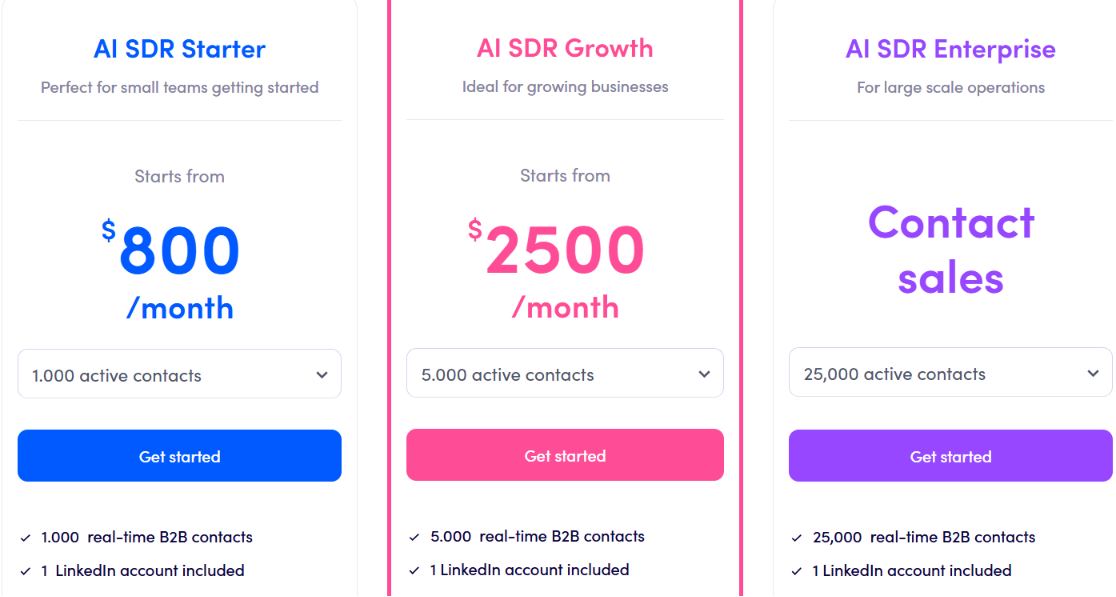
Monthly pricing starts at $800 for 1,000 active contacts, which may be expensive for smaller teams.
Pricing increases as you need more active contacts.
It covers much more than email, so it may be more than you need if you only want an AI agent for writing and managing emails.
Enterprise pricing is not publicly listed.
Jason AI SDR Pricing
This image shows the Jason AI SDR pricing
Jason AI SDR has three plans:
AI SDR Starter: Starts at $800/month for 1,000 active contacts on monthly billing. Annual billing starts at $500/month.
AI SDR Growth: Starts at $2,500/month for 5,000 active contacts on monthly billing. Annual billing starts at $1,500/month.
AI SDR Enterprise: Custom pricing for large-scale operations, starting from 25,000 active contacts.
Starter includes unlimited users, AI personalization, intent signals, multichannel automation, unlimited mailboxes and warm-ups subject to Reply's Fair Usage Policy, and deliverability support. Growth adds white-glove onboarding, a Slack channel, and custom playbooks.
Enterprise adds custom playbooks and prompt engineering and CEO strategy calls.
Which AI Email Agent Should You Choose for Sales Outreach?
The right AI email agent depends on how much of the sales outreach process you want to automate. Some tools can run prospecting and outreach with little rep involvement, while others work better alongside your sales team. Here is a simple way to choose:
Choose
If You Need
Agent Frank
An AI SDR that handles prospecting, personalized outreach, follow-ups, replies, and meeting booking
Regie.ai
AI-assisted prospect research, enrichment, email writing, and follow-ups while reps stay involved
Artisan Ava
Automated prospecting and personalized email campaigns with reply handling
11x Alice
Autonomous, signal-based outreach across email and multiple sales channels
Jason AI SDR
Flexible AI outreach with control over research, sending, and reply automation
Personalized Outbound Strategy
Get The Right Outbound Strategy In Minutes
Enter your email to get a custom plan & stack recommendation for your
business
It's being carefully crafted by AI
Please check your mailbox in 5 minutes
Conclusion
AI email agents can now handle much more than writing emails. The right tool can help with prospect research, personalization, follow-ups, reply handling, and even meeting booking.
The best choice depends on how much control you want to keep. Regie.ai works well when reps want AI support, while Ava, Alice, and Jason can automate larger parts of the outreach process.
If you want an AI SDR that can handle the workflow from finding prospects to starting conversations and booking meetings, Agent Frank is worth considering. It can research prospects, write personalized outreach, manage follow-ups, handle replies, and move interested leads toward a meeting.