
Personalized Outbound Strategy
Get The Right Outbound Strategy In Minutes
Enter your email to get a custom plan & stack recommendation for your business
It's being carefully crafted by AI
Please check your mailbox in 5 minutes

Scaling cold email gets expensive fast when you need dozens of inboxes across multiple domains. CheapInboxes tries to solve that with lower-cost Google and Microsoft inboxes built for cold outreach. But saving money on inboxes is only useful if they stay stable and your emails still reach the inbox.
That is the main concern buyers have. CheapInboxes has a 4.5/5 TrustScore from 27 reviews, and most users praise the fast support, simple setup, and inbox quality.
At the same time, the feedback is not perfect. One recent reviewer complained about poor email reputation, and a Reddit user who tested four providers reported a lower reply rate with CheapInboxes than with the other options they tested.
So the real question is whether the lower price still gives you reliable inboxes, good deliverability, and enough support when something goes wrong.
In this CheapInboxes review, I’ll look at the real user feedback, pricing, setup, deliverability, and whether it is worth using in 2026.
CheapInboxes gives you Google and Microsoft inboxes for cold email at a low price. It also handles much of the setup, including DNS, OAuth connections, and mailbox connections to sending tools.
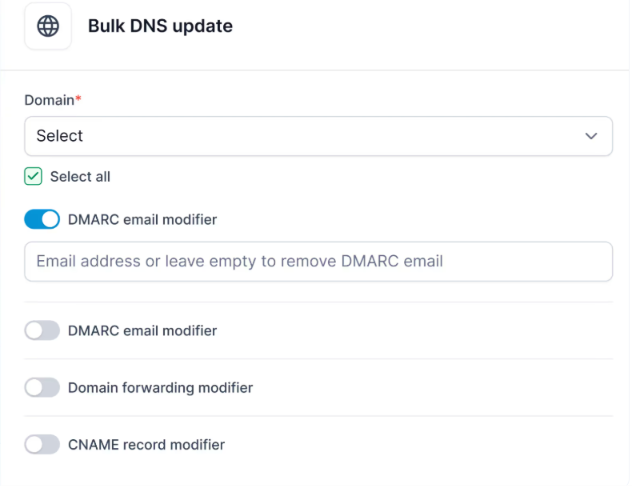
But the lower price comes with fewer tools for tracking what happens after your inboxes start sending. Primeforge costs more, but adds mailbox analytics, sending IP visibility, blacklist checks, bounce details, and bulk DNS management. It also provides Google Workspace and Microsoft 365 mailboxes with US-based IPs.
The comparison below shows where CheapInboxes and Primeforge differ for teams building cold email infrastructure.
So, CheapInboxes wins on starting price. Primeforge costs more, but gives you more tools to see how your mailboxes are performing and spot deliverability problems as you scale.
CheapInboxes has strong customer feedback overall, but there is an important difference between what customers praise and what one independent test found.
CheapInboxes has a 4.5/5 TrustScore from 27 reviews.
Most positive reviews focus on fast customer support, quick setup, inbox quality, and deliverability. Some customers say they have used CheapInboxes for months or more than a year, while one reviewer spending over $2,000 per month praised both its inbox quality and customer service.
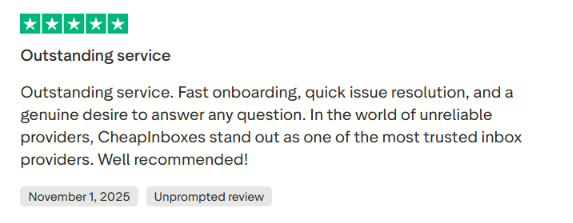
However, the feedback is not completely positive. One recent 1-star reviewer complained about being added to a WhatsApp group without permission and said they experienced poor email reputation and deliverability. These are the reviewer’s claims, rather than independently verified results.
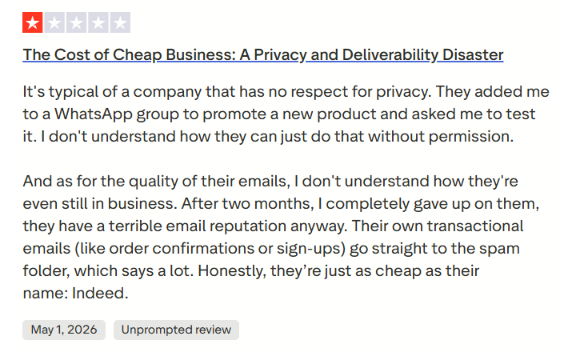
Overall, customer support stands out as CheapInboxes’ clearest strength on Trustpilot, but the negative review is worth considering if deliverability and privacy are major concerns.
A Reddit user took a more data-driven approach by testing CheapInboxes against InboxKit, Mailpool, and Zapmail. The user says all four used Google Workspace, targeted the same market, and sent the same copy at the same time.
CheapInboxes finished with a 2.22% reply rate, compared with 6.15% for InboxKit, 5.30% for Zapmail, and 4.79% for Mailpool. The tester concluded that InboxKit significantly outperformed CheapInboxes in their experiment and decided not to continue using CheapInboxes.
That does not prove CheapInboxes has poor deliverability. Reply rates can depend on many factors, and this was one user's test. But it does give buyers a reason to start with a smaller batch and compare performance before moving their entire email infrastructure over.
Trustpilot users strongly praise CheapInboxes for its support and overall service, while the Reddit test raises a question about how its inboxes perform against competing providers. For a cold email team, both sides matter.
I tested CheapInboxes to see how easy it is to set up inboxes, connect them to sending tools, and manage the infrastructure once everything is running.
The first step is choosing how many Google or Microsoft inboxes you need. CheapInboxes handles the inbox creation and DNS setup, so you do not have to configure everything manually. This makes the initial setup much easier if you are provisioning dozens or hundreds of inboxes.
CheapInboxes supports connections with cold email platforms such as Instantly, Smartlead, Reply, and Lemlist. The OAuth setup makes connecting the inboxes straightforward. Automatic reconnects are also useful because disconnected mailboxes can otherwise become a recurring problem when you manage infrastructure at scale.
CheapInboxes uses one domain per workspace and provides admin access to the accounts. This gives you more control over individual domains and makes it easier to keep different parts of your cold email infrastructure separate.
This is where CheapInboxes makes the most sense. Instead of manually creating accounts, configuring DNS, and connecting every mailbox yourself, much of that work is handled for you.
For agencies or teams managing a large number of inboxes, that can remove a lot of repetitive setup work.
CheapInboxes makes mailbox provisioning and setup easier, especially when you need many Google or Microsoft inboxes. The main thing to remember is that it handles the email infrastructure, not the outreach itself. You still need a sending platform to create campaigns, manage sequences, and send your cold emails.
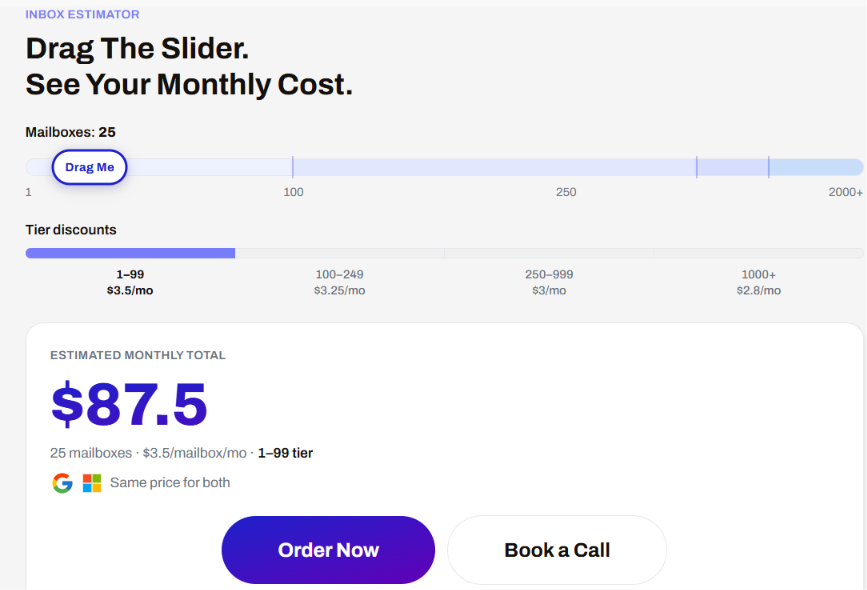
CheapInboxes uses simple per-mailbox pricing. The more inboxes you buy, the lower the monthly price per inbox. Google and Microsoft inboxes cost the same.
For example, 25 inboxes cost $87.50 per month at $3.50 per inbox. There are no setup fees or long-term contracts, and the mailbox price includes pre-warmed inboxes, OAuth integration, workspace isolation, and 24/7 support.
Domains are not included in the mailbox price. They are sold separately and start at $2.50 per year. CheapInboxes also lists bundle pricing such as $3/year for .pro, $9.99/year for .com, and $2.49/year for .shop domains.
The pricing gets more attractive at scale. If you only need a few inboxes, you pay $3.50 each. Once you reach 250 inboxes, that falls to $3, and at 1,000+ inboxes, it drops to $2.80 per mailbox per month.
CheapInboxes makes the most sense when you need Google or Microsoft inboxes for cold outreach without handling the setup yourself. Its pricing also gets cheaper as you add more inboxes, making it useful for agencies and teams running outreach at scale.
CheapInboxes shines when you want to set up and manage a large number of Google or Microsoft inboxes without doing all the technical work yourself. But if you want dedicated private infrastructure or a platform that also runs your outreach campaigns, another option may fit better.
If you like the idea behind CheapInboxes but want more visibility and control over your mailbox setup, Primeforge is the better alternative. Both platforms provide Google and Microsoft inboxes for cold outreach. CheapInboxes starts cheaper, but Primeforge adds more tools around setup, management, and deliverability.
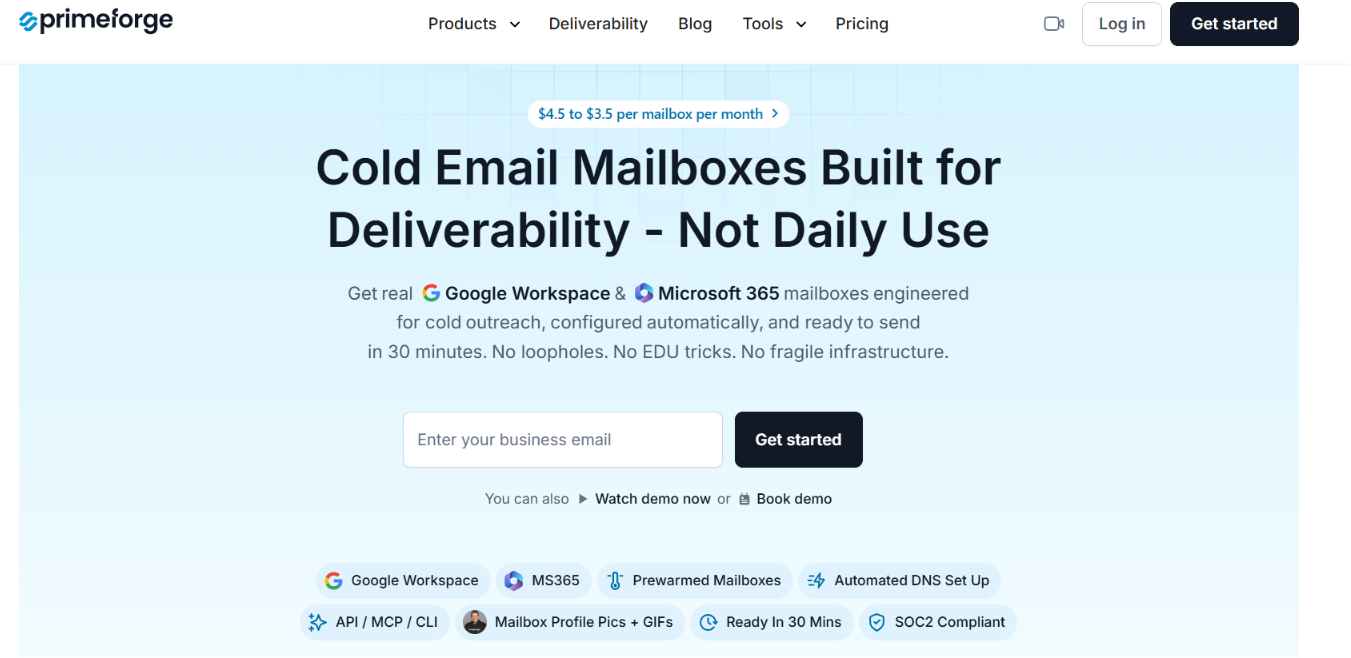
Primeforge offers Google Workspace and Microsoft 365 mailboxes with US-based IPs, plus automated SPF, DKIM, DMARC, and custom tracking setup.
What makes Primeforge stand out is the extra control you get after setup:
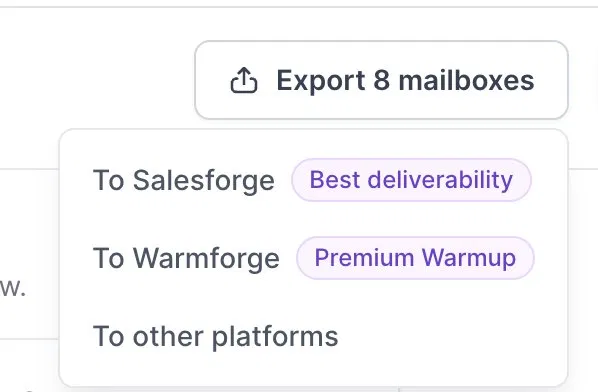
Primeforge also offers pre-warmed mailboxes, and its pre-warmed domains and mailboxes are warmed for at least 3 months before purchase.
The trade-off is price. Primeforge pricing starts at $4.50 per mailbox per month, while CheapInboxes starts at $3.50 and drops further at higher volumes.
CheapInboxes is better if keeping mailbox costs low is your main priority. Primeforge is better if you want Google or Microsoft inboxes with more built-in control, analytics, and deliverability visibility.
Enter your email to get a custom plan & stack recommendation for your business
Please check your mailbox in 5 minutes

CheapInboxes is worth considering if you need Google or Microsoft inboxes for cold outreach at a low cost. It handles inbox creation and DNS setup, offers pre-warmed inboxes, and lets you connect your mailboxes to popular sending tools.
The main reason to choose it is price. Mailboxes start at $3.50 per month and get cheaper as you buy more. However, the Reddit test we covered earlier also shows why price should not be the only factor when choosing email infrastructure. Deliverability can vary, so you still need to watch how your inboxes perform.
If you want Google Workspace or Microsoft 365 mailboxes with more visibility into deliverability, Primeforge is a strong alternative. You get automated DNS setup, mailbox analytics, sending IP and blacklist visibility, bounce details, and integrations with popular sending platforms.
Get started with Primeforge and see if it is a better fit for your cold email setup.