

Personalized Outbound Strategy
Get The Right Outbound Strategy In Minutes
Enter your email to get a custom plan & stack recommendation for your business
It's being carefully crafted by AI
Please check your mailbox in 5 minutes
Every cold email user who looks beyond Inframail has their own reason. Here are the ones I hear most:
So I looked at 7 Inframail alternatives to see what actually changes when you switch to a different infrastructure provider.
I focused on the things I would check before moving my own cold email setup: mailbox providers, IPs, domains, DNS setup, pricing, and how much control you actually get. Some options give you private infrastructure.
Some give you more flexibility with the inboxes you buy. And others are better suited to teams that would rather pay per mailbox than commit to Inframail's flat monthly plans.
In this post, I will show you where each option makes sense. I will also cover what you give up and which one I would choose for different cold email setups.
Let's start with the short version.
Inframail has a 4.5/5 rating from 35 Trustpilot reviews, with 94% giving it five stars. So the reason to compare alternatives is not that the platform fails across the board.
Still, the reviews point to a few issues worth considering before you commit your cold email infrastructure to it.
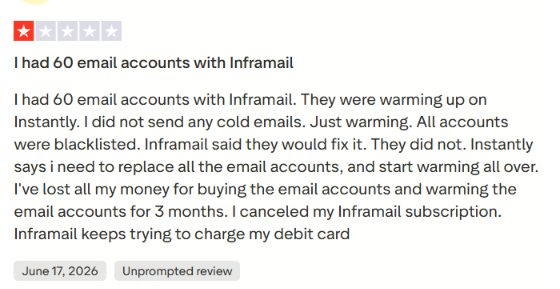
One user said all 60 accounts they had warming through Instantly were blacklisted before they sent any cold emails. Inframail acknowledged the experience and offered replacement domains plus a free month.
Another reviewer reported that their domains struggled during warm-up and landed in spam. These are individual experiences, but they matter when deliverability is the reason you are paying for dedicated cold email infrastructure in the first place.
Inframail describes its infrastructure as Microsoft-backed. It handles SPF, DKIM and DMARC while hosting unlimited inboxes for a flat fee. That works if Microsoft-backed inboxes fit your setup. But if you want Google Workspace or several mailbox types, alternatives such as Zapmail and Icemail give you other options.
One otherwise positive reviewer called the domain overview “a bit convoluted.” Inframail replied that it was working on making domains easier to view in one place.
That may be a small issue with a few domains. It matters more when you are managing dozens or hundreds of domains across outbound campaigns.
Best for: Teams that want private cold email infrastructure with more control over domains and IPs.
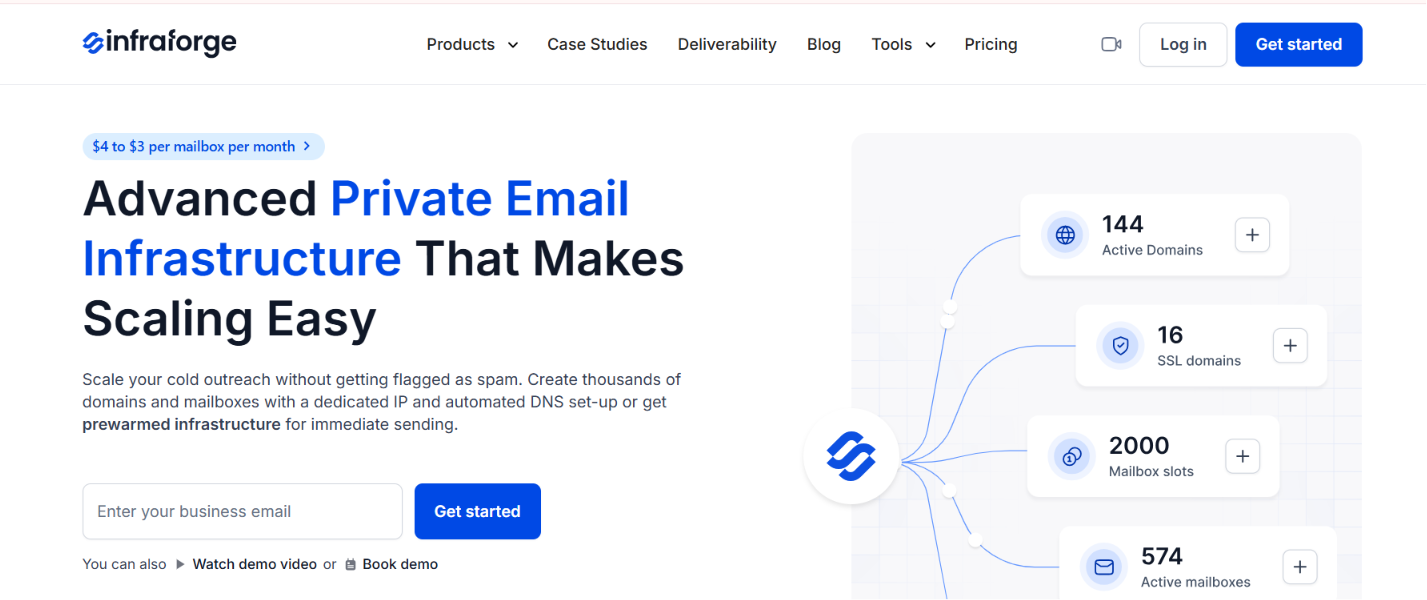
Infraforge takes a private infrastructure approach to cold email. You can create domains and mailboxes on dedicated infrastructure while SPF, DKIM and DMARC are handled during setup. It also supports domain transfers, multiple workspaces and pre-warmed mailboxes.
This is quite different from buying a large pool of Microsoft-backed inboxes. With Infraforge, the focus is on controlling the infrastructure behind those inboxes.
I’d look at Infraforge if I wanted more control over where and how my sending infrastructure runs.
You pay for the infrastructure you provision. That gives you more control, but it is a different cost model from Inframail's $129 unlimited-inbox plan.
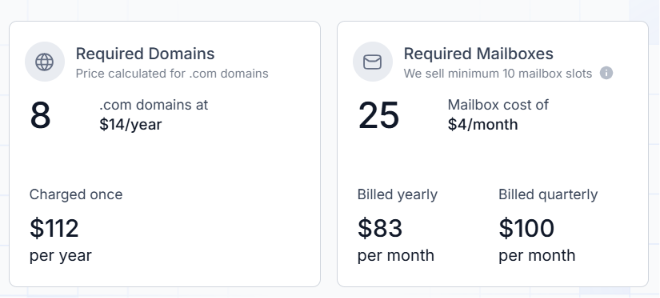
Infraforge charges separately for mailboxes, domains, and optional IPs. Mailbox pricing starts at $4 per month and can drop to $3, depending on your billing term and volume. There’s a minimum purchase of 10 mailbox slots.
There’s no free trial because the infrastructure has to be provisioned first. You can still create an account and explore the app before you buy.
The private setup comes at a price. Dedicated IPs cost extra, and mailbox plans start at 10 slots. You will also be charged for any purchased slots, even if you do not use them all.
Infraforge is the one I would consider when infrastructure ownership matters more than getting the largest possible number of inboxes for a fixed price. The dedicated server setup and IP controls give you more say over how the sending environment is built.
Enter your email to get a custom plan & stack recommendation for your business
Please check your mailbox in 5 minutes

Best for: Teams that want their own mail server and a dedicated sending IP
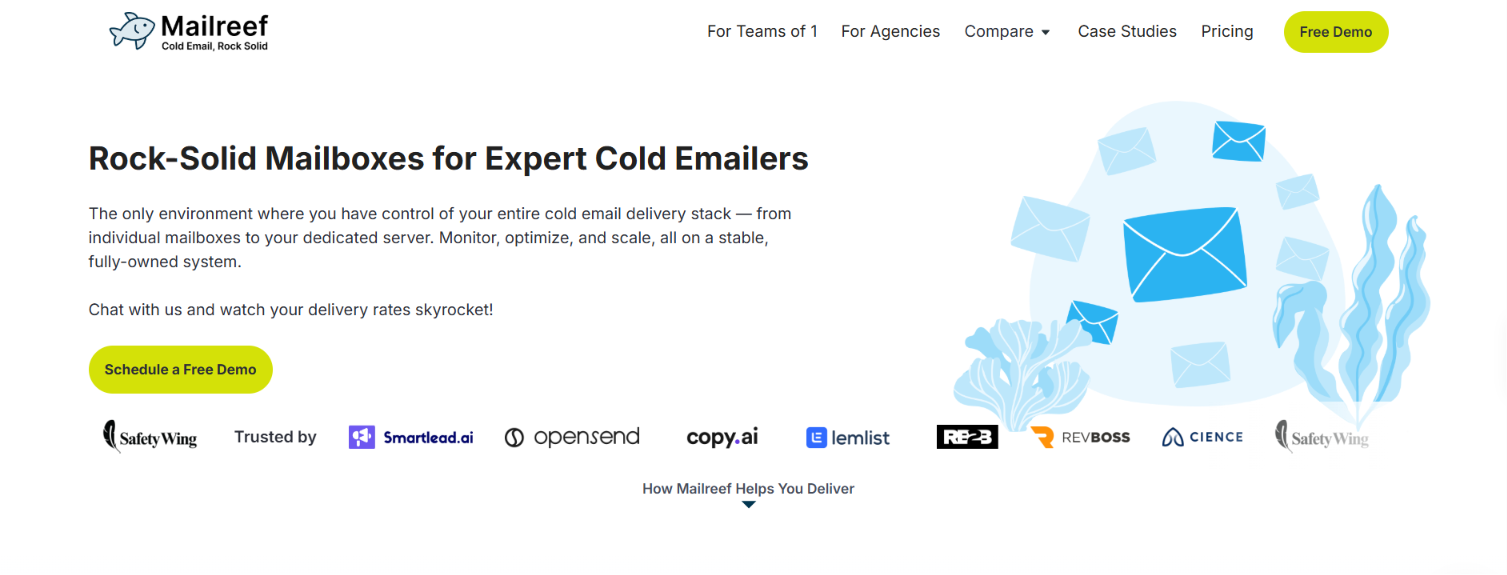
Mailreef uses a server-first approach. Each setup gets its own dedicated mail server and IP instead of shared resources or rotating IPs. You can use your own domains or buy them through Mailreef, and SPF, DKIM, and DMARC are set up automatically.
You also get SMTP and IMAP credentials, so the mailboxes can connect to the cold email software you already use.
The main reason to consider Mailreef is that your mailboxes run on dedicated server resources.
And if you run into delivery issues, Mailreef gives you access to specialists who can help investigate them. In short, Mailreef is less about picking a mailbox provider and more about having dedicated infrastructure behind your sending operation.
Mailreef has two standard plans plus a custom Enterprise option:
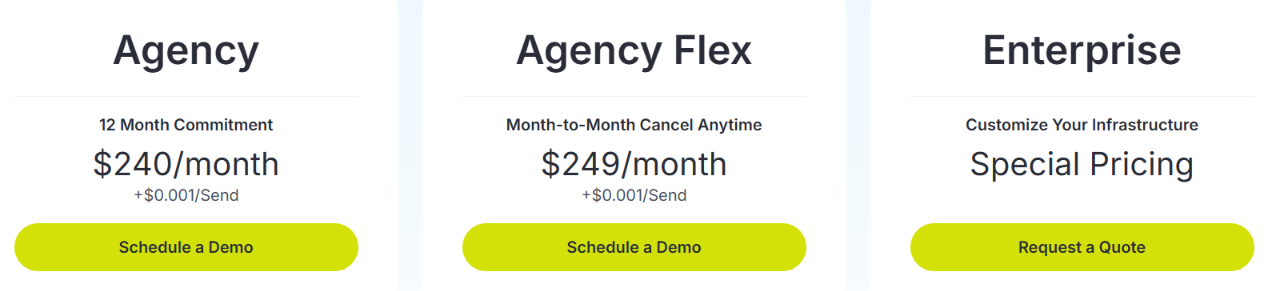
The standard plans include a dedicated mail server, dedicated IP and more than 150 mailboxes per server. There is also a $0.001 charge for each email sent.
The $240 monthly starting point is harder to justify if you do not need a dedicated server. Your cost also increases as sending volume increases due to the per-send charge. New mailboxes are not necessarily ready for cold outreach right away either. Mailreef's Smartlead guidance recommends warming them for at least 14 days.
I would consider Mailreef if having my own mail server and IP were important enough to justify the higher upfront cost. For a smaller setup that does not need server-level isolation, I would find the price harder to justify.
Best for: Teams that want SMTP infrastructure with IP rotation and mailbox health checks.
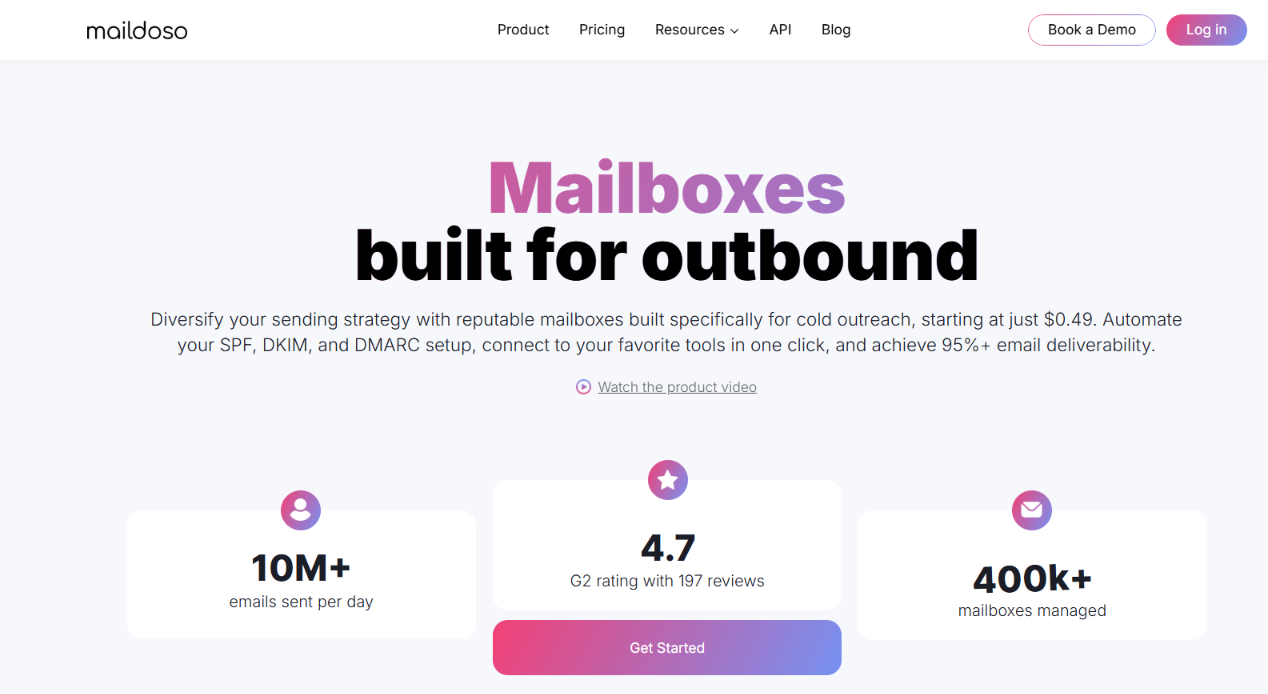
Maildoso combines SMTP infrastructure with Google Workspace mailboxes. You can buy domains directly on the platform or connect ones you already own. SPF, DKIM, and DMARC are handled automatically, and Maildoso says new mailboxes can be ready in about 10 minutes.
The SMTP setup is where things get interesting. Maildoso does more than just provision accounts, it also checks how those accounts perform after setup.
Maildoso is worth considering when you want the platform to keep an eye on SMTP mailbox health instead of only supplying the accounts.
That health-monitoring layer is the part that separates Maildoso most clearly from Inframail.
The supplied SMTP pricing starts at:
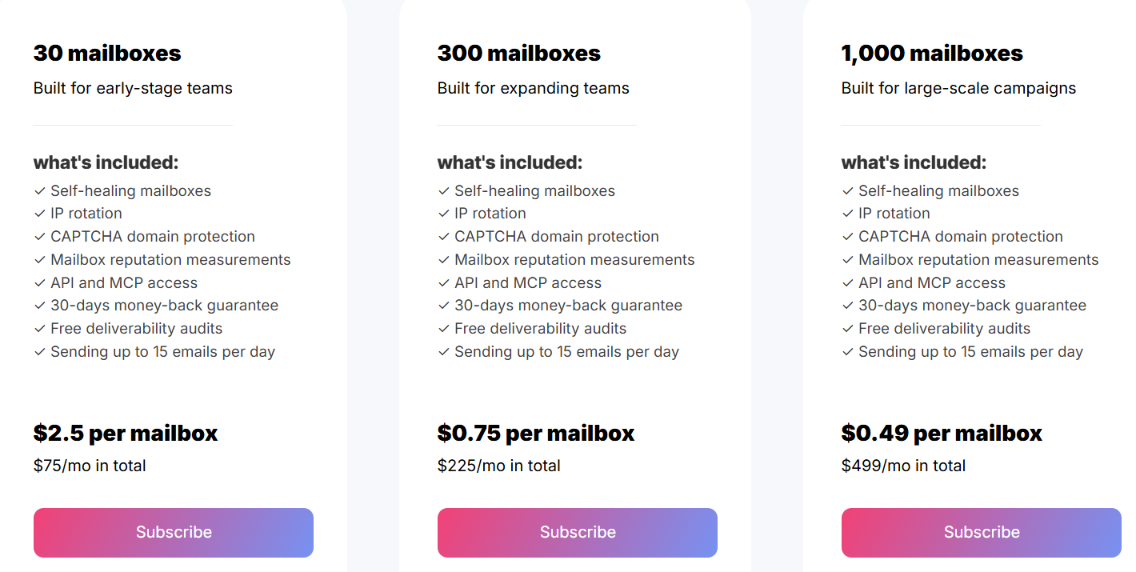
There are also mixed plans. One example gives you 15 Google Workspace and 15 SMTP mailboxes for $90 per month with six domains. Domains cost $8 for the first year and $12 per year when renewed.
Maildoso does not offer Microsoft 365 mailboxes. That matters if Microsoft infrastructure is the reason you are considering Inframail in the first place. Some of Maildoso's health features also apply specifically to its SMTP accounts. Google Workspace mailboxes still need warm-up and you need separate software to run the actual outreach campaigns.
The reason I would choose Maildoso is because of its SMTP management. Features like IP rotation, regular placement testing, and automatic recovery give you useful tools for handling mailbox issues after the accounts have been created. If Microsoft inboxes are a must, I would rule it out.
Best for: Teams that want Google or Microsoft mailboxes with automated setup and pre-warmed options.

Zapmail lets you provision Google Workspace and Microsoft 365 mailboxes for cold email. It handles SPF, DKIM, DMARC and MX records during setup. Domains can also be purchased through Zapmail or connected from elsewhere.
One reason it stands out is the option to buy mailboxes that already have warm-up history. That can matter when you do not want every new batch of accounts to begin from zero.
I would consider Zapmail when I need both Google and Microsoft accounts or want to buy pre-warmed mailboxes.
The pre-warmed option is the bigger reason I would put Zapmail on this list. Inframail is more attractive when mailbox quantity under one monthly price is the priority.
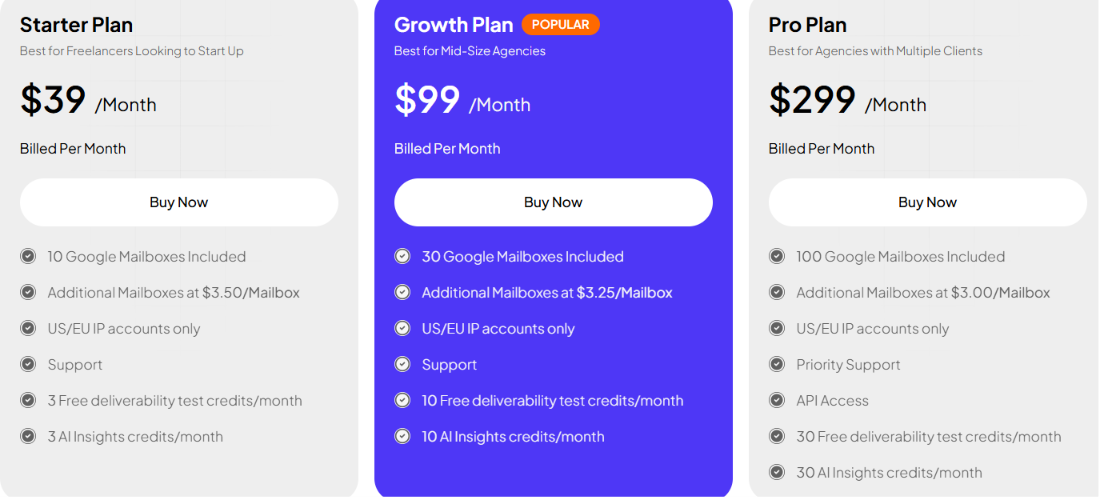
Standard Google Workspace and Microsoft 365 plans start at $39 per month:
Extra mailboxes cost between $3 and $3.50 each based on the plan. The supplied pricing lists .com domains at $13. Pre-warmed mailboxes are sold separately and come with domains. Zapmail does not require a long-term contract according to the supplied information. It also has a no-refund policy.
Mailbox allowances are tied to your plan. Once you exceed that allowance, additional accounts cost extra. Pre-warmed mailboxes also cost more than the standard options. The no-refund policy is another point I would check before committing to a larger order.
Zapmail is a good fit when I want provider flexibility without making mailbox setup a hassle. I would especially consider it if pre-warmed Google or Microsoft accounts are part of the requirement. If those factors do not matter, its per-mailbox pricing is less appealing than an unlimited-inbox plan.
Best for: Teams that want to work with multiple mailbox providers without having to manage separate infrastructure.
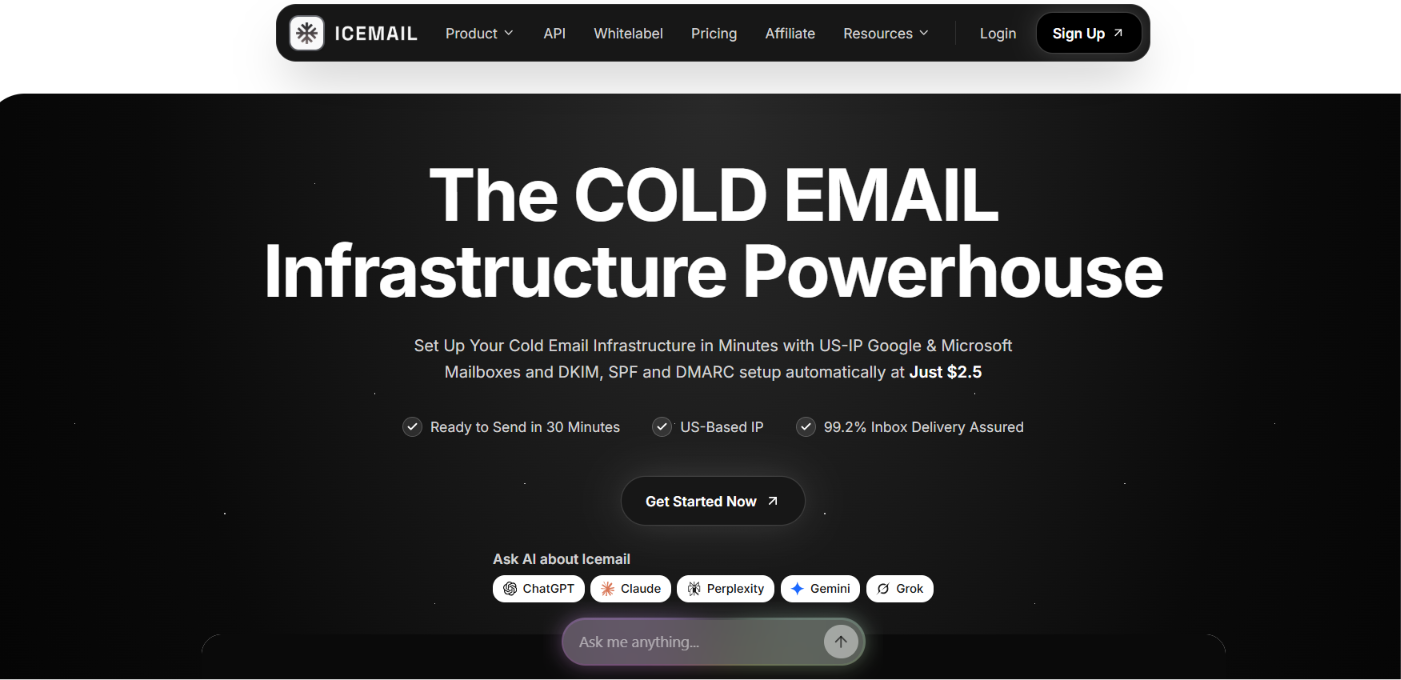
Icemail offers cold email mailboxes for Google Workspace, Microsoft 365, Azure and IMAP/SMTP. You can buy new domains or connect ones you already own. Icemail also handles SPF, DKIM and DMARC setup during provisioning.
Unlike Inframail’s Microsoft-focused setup, Icemail lets you build your infrastructure across several providers. You can use Google or Microsoft mailboxes, choose Azure for higher mailbox counts per domain or use IMAP/SMTP with an isolated IP.
Icemail gives you more choice over the type of mailbox infrastructure you use.
Inframail suits teams that mainly want Microsoft-backed inboxes under its flat monthly model. Icemail gives you more provider options and lets you choose the infrastructure based on your sending setup.
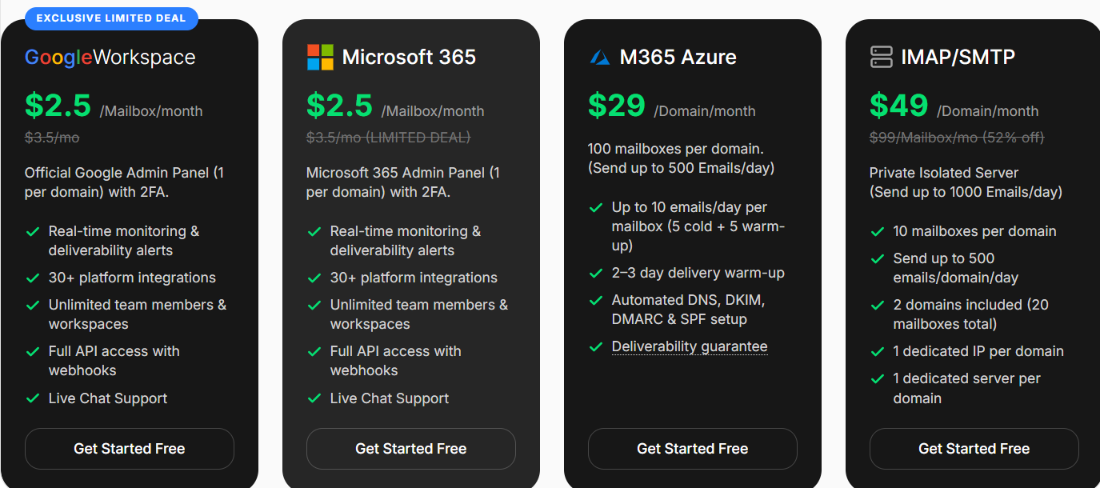
Icemail prices each infrastructure option differently:
Google and Microsoft have a stated sending limit of 15 emails per mailbox each day. Azure allows 5 emails per mailbox each day. IMAP/SMTP allows 25 emails per mailbox each day.
Icemail does not offer unlimited mailboxes at a single fixed monthly price. Your cost depends on the infrastructure you choose and the number of mailboxes or domains you need.
The sending limits also vary by provider. Google and Microsoft allow 15 emails per mailbox each day, while Azure allows 5. This means higher sending volumes can require more mailboxes.
I would choose Icemail if I wanted to spread my sending across different providers. Google, Microsoft, Azure, and isolated IMAP/SMTP give me several ways to build the infrastructure based on the campaign. I would stick with Inframail if unlimited Microsoft-backed inboxes under its flat monthly plan were my main priority.
Best for: B2B teams that want prospect data, email copy and cold email infrastructure handled in the same platform.

Mailscale has moved beyond its earlier inbox-only product. Its current platform combines cold email infrastructure with a database of 400M+ B2B contacts and an AI copywriter that creates 125 email versions for an offer. It also handles incoming replies through an AI reply agent.
Mailscale provides pre-warmed outreach domains and watches inbox placement while campaigns run. Inframail is more focused on Microsoft-backed email infrastructure where you create unlimited inboxes under one plan.
The reason to consider Mailscale goes beyond mailbox setup.
That makes Mailscale a different kind of Inframail alternative. Inframail is mainly an infrastructure provider and still requires a separate sending platform such as Instantly or Smartlead. Mailscale is built for teams that want infrastructure and campaign execution in one product.
Mailscale does not show a fixed public price. It asks users to book a demo and says that pricing is determined during the call based on the business.
The biggest issue is pricing transparency. You cannot see a clear plan price before speaking with the Mailscale team. It may also be more than you need if you already have prospecting, sending, and reply tools in place. In that case, Inframail's infrastructure-focused setup may fit your existing stack better.
I’d go with Mailscale if I wanted to keep more of my cold email workflow in one place. The contact database, AI email writing, and reply agent mean I would not need as many separate tools.
Best for: Teams that need a large number of cold email mailboxes but do not specifically need Google or Microsoft accounts.
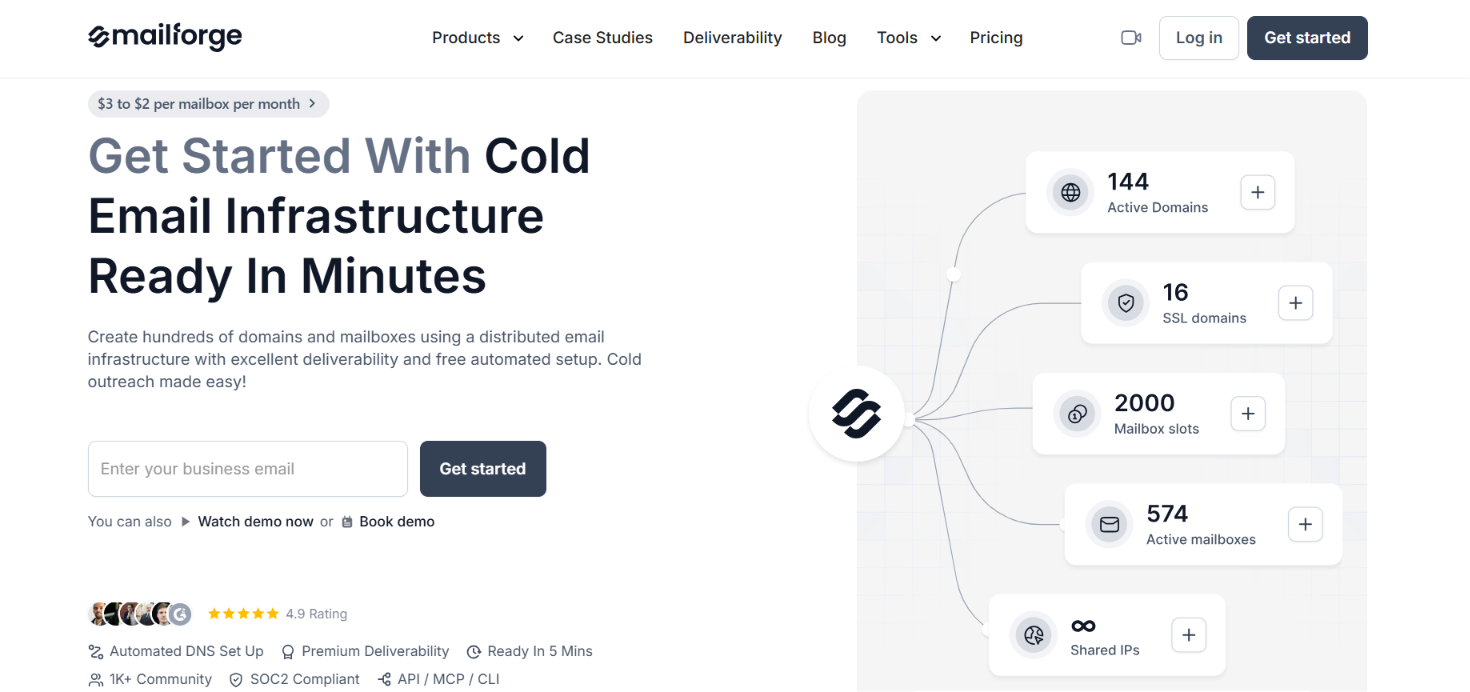
Mailforge gives you domains and mailboxes on its own distributed email infrastructure. The mailboxes run across a shared IP pool rather than dedicated Microsoft infrastructure. Mailforge also takes care of SPF, DKIM and DMARC when you add a domain.
This puts it in a different spot from Inframail. Inframail sells dedicated Microsoft-backed infrastructure through a flat monthly plan. Mailforge charges for mailbox slots and lets you increase or reduce the number you pay for as your setup changes.
The reason to pick Mailforge is not simply that it has automated DNS. The bigger difference is how you buy and manage the infrastructure.
For example, a team needing 25 mailboxes would pay $60 per month with annual billing based on Mailforge's calculator. That is a different buying case from paying $129 per month for Inframail's unlimited Microsoft-backed model.
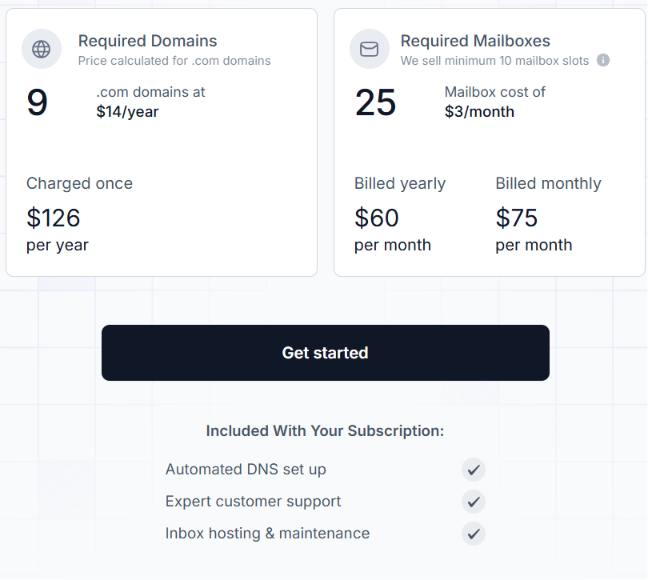
Mailforge charges for mailbox slots rather than active mailboxes. In its 25-mailbox example calculator, the cost is $60/month on annual billing or $75/month on monthly billing.
.com domains cost $14/year, and the minimum order is 10 mailbox slots. SSL and domain masking cost $2 per domain per month on monthly billing.
Mailforge advertises mailbox pricing at $3 to $2 per mailbox per month. The slot model also gives you some flexibility to replace accounts: if one of your 25 mailboxes is no longer needed, you can delete it and create another mailbox in that slot.
Mailforge's biggest tradeoff is the same thing that separates it from Inframail: the infrastructure is shared.
Your mailboxes sit on Mailforge's distributed shared IP pool. You do not get dedicated Microsoft-backed infrastructure. There is also a 10-slot minimum. Buying 10 slots and using only six still means paying for all 10. SSL and domain masking cost extra too.
I would choose Mailforge when I need a specific number of cold email mailboxes and do not care whether they are Microsoft accounts. At 25 mailboxes, its annual pricing example comes to $60 per month and I can reuse those slots when accounts need replacing.
Your choice depends on what you need that Inframail does not offer. If you want private infrastructure, more mailbox options, or a different pricing model, this table can help you narrow down your choice.
Enter your email to get a custom plan & stack recommendation for your business
Please check your mailbox in 5 minutes
Inframail keeps cold email infrastructure simple with unlimited Microsoft-backed inboxes under one monthly plan, but that approach will not suit every outbound setup. The seven alternatives in this list each solve the problem a little differently.
You will find shared infrastructure, private servers, Google and Microsoft mailboxes, pre-warmed accounts and provider-specific setups.
If you are leaving Inframail for more control over your infrastructure, Infraforge is the strongest alternative. It gives you private email infrastructure with dedicated IPs and servers, rather than a shared setup. SPF, DKIM, and DMARC are handled for you, and you also get API access if you need to manage a larger setup.
So if you have outgrown Inframail and want more control over the infrastructure behind your cold email campaigns, Infraforge is the first place I would look.