
Personalized Outbound Strategy
Get The Right Outbound Strategy In Minutes
Enter your email to get a custom plan & stack recommendation for your business
It's being carefully crafted by AI
Please check your mailbox in 5 minutes

You've probably come across Inframail because unlimited cold email inboxes for $147 a month sounds like an easy way to cut infrastructure costs. But before moving hundreds of inboxes to one provider, there is a bigger question of how reliable is the deliverability?
Inframail claims 98%+ deliverability and gives you Microsoft-backed inboxes with automatic SPF, DKIM, and DMARC setup. However, one Trustpilot reviewer said all 60 of their accounts were blacklisted during warm-up, before they had sent any cold emails.
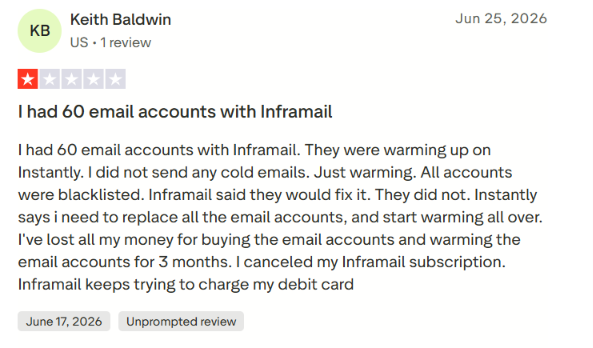
Inframail responded that blacklist issues can happen with cold email and offered compensation.
So, while the $147 unlimited-inbox plan looks attractive, it deserves a closer look.
In this Inframail review, I’ll break down its deliverability, pricing, features, user reviews, and limitations to see whether it is a good choice for cold email infrastructure in 2026.
Inframail makes it easy to create a large number of Microsoft-backed inboxes without paying for each mailbox separately.
The $147/month Unlimited plan gives you unlimited inboxes, one dedicated US IP, automated SPF, DKIM, and DMARC setup, and API access. Inframail recommends up to 400 mailboxes on this plan.
But there are trade-offs. Inframail does not send your cold emails itself. You still need a separate sending tool such as Instantly or Smartlead to run campaigns. And while Inframail claims 98%+ deliverability, user-reported results are not consistent.
The comparison below puts Inframail against Infraforge, a private cold email infrastructure option, on the features that matter when choosing between the two.
The main difference comes down to pricing and scale. Inframail offers unlimited inboxes for a flat monthly fee, while Infraforge charges per mailbox. Inframail may be the better fit if you need inboxes at scale, while Infraforge gives you private infrastructure and more control over your setup.
Inframail has limited independent feedback, but the reviews available give a mostly positive picture with a few serious complaints worth knowing about.
Inframail currently has a 4.5/5 TrustScore from 36 reviews on Trustpilot. Most feedback is positive, with users often mentioning quick setup, an easy-to-use platform, and helpful support.
One user said the team was helpful and the service was reasonably priced, while another praised the support they received while dealing with the technical side of cold email infrastructure.
But the negative reviews raise some concerns.
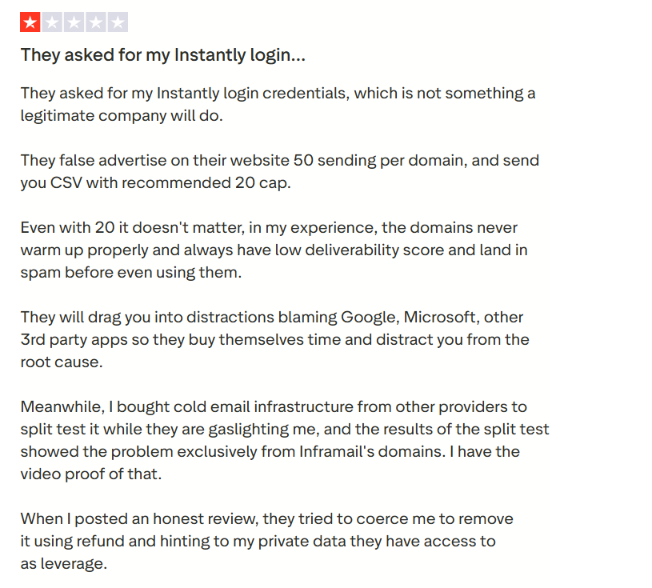
One reviewer said their Inframail domains had low deliverability scores and landed in spam during warm-up. They also said a split test with other providers performed better.
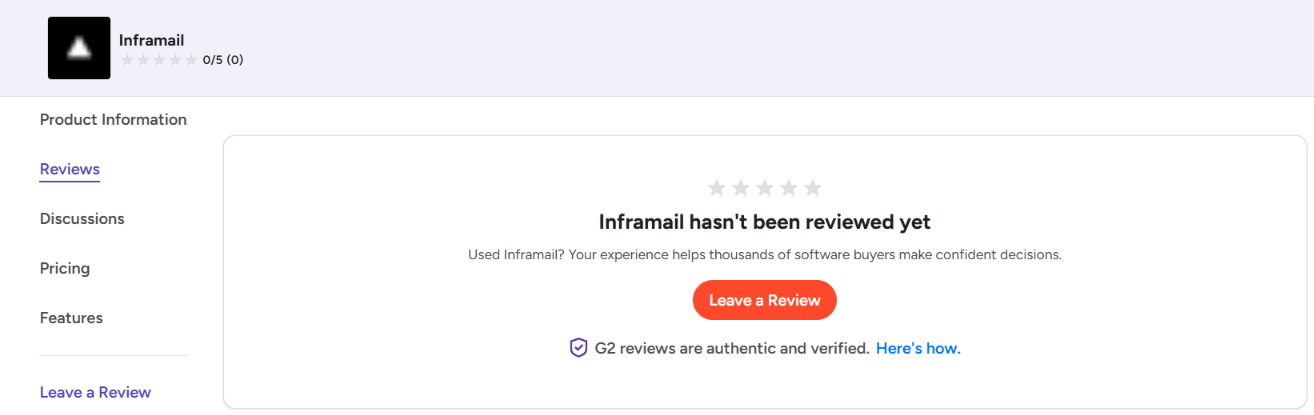
Inframail currently has zero reviews on G2, so there is no G2 customer feedback to assess yet. Overall, users seem to like Inframail for its simple setup, pricing, and support, but the reports around inbox placement and blacklisting are worth taking seriously.
With a relatively small pool of independent reviews, testing a smaller batch of inboxes before moving your full setup makes sense.
Inframail handles the infrastructure behind your cold email campaigns. It sets up the domains, inboxes, and email authentication, then you connect those inboxes to a sending tool to run your campaigns.
Here is how the process works.
You can buy domains directly inside Inframail or bring domains you already own. If you bring your own domains, Inframail charges a one-time $5 fee per domain.
Once your domains are added, Inframail lets you create Microsoft-backed inboxes across those domains. Inframail includes unlimited inboxes in its plans, so there is no separate charge for each mailbox you create.
Inframail automatically configures SPF, DKIM, and DMARC, removing much of the manual DNS work that normally comes with setting up multiple cold email domains. You can also set up domain redirects, email forwarders, and custom tracking domains.
The inboxes are not automatically ready for full-volume cold outreach. Inframail recommends warming up new inboxes before you start sending, just as you would with other cold email infrastructure.
This is an important part of how Inframail works. You cannot run cold email campaigns directly from Inframail.
Instead, you export or connect your inboxes to a sending platform such as Instantly or Smartlead. Inframail manages the infrastructure underneath, while your sending tool handles campaigns, sequences, and sending.
Once you start using the inboxes, Inframail provides real-time monitoring for your IP and domain health. Its dashboard can show which domains are blacklisted and can automatically submit delisting requests.
So the workflow is fairly simple. You set up your domains and inboxes in Inframail, warm them up, connect them to your preferred sending tool, and manage the health of the infrastructure from Inframail.
Inframail keeps most of its features focused on one job: making cold email infrastructure easier to set up and manage at scale. Beyond the unlimited inbox model already covered, these are the features that stand out.
Most of these features are useful for teams managing a large number of cold email inboxes. The real question, however, is whether this infrastructure translates into consistently good inbox placement.
Inframail claims 98%+ deliverability, but the user feedback shows that results can vary.
On the positive side, Inframail gives you Microsoft-backed inboxes, automatic SPF, DKIM, and DMARC setup, dedicated IPs, and tools to check your domain and IP health. These are all useful for keeping your sending setup healthy.
But independent reviews are mixed. One Reddit user reported inbox placement in the mid-70s during their test. There are positive reports too, so this does not mean Inframail has poor deliverability. It simply means the 98%+ figure should not be taken as a guaranteed result.
Your results will also depend on your domains, warm-up, sending volume, email list, and how you manage your inboxes. Inframail itself recommends warming new inboxes before outreach.
So, Inframail can provide a solid setup for cold email, but I would test a small number of inboxes first before moving your full outreach setup to it.
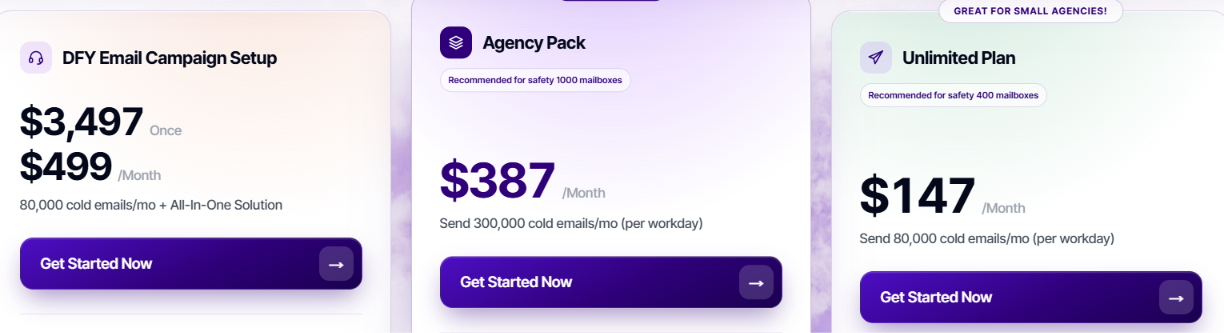
Inframail starts at $147 per month and does not charge separately for each inbox. There are two infrastructure plans, plus a done-for-you option for teams that want help running the wider cold email setup.
For $147/month, you get:
For $387/month, you get:
This is a separate done-for-you service costing $3,497 upfront plus $499 per month. It includes account setup, inbox warm-up, an automated sending platform, the first 10,000 contacts, a dedicated cold email coach, support, and deliverability monitoring.
Inframail also offers 30% off with yearly billing.
The pricing advantage here is that you are not paying for every inbox you add. That can make Inframail attractive when you need hundreds of inboxes. Just remember that the standard Unlimited and Agency plans provide the email infrastructure. You still need a separate sending tool such as Instantly or Smartlead to run your campaigns.
Inframail makes cold email infrastructure easier to manage, but it does not replace your full outreach stack. Here are the main limitations to consider.
Inframail provides the domains, inboxes, and email infrastructure, but you cannot run cold email campaigns directly from Inframail. You need to connect your inboxes to a sending tool such as Instantly or Smartlead.
That means the cost of your sending platform sits on top of your Inframail subscription.
New inboxes are not automatically ready for cold outreach. Inframail recommends warming them before you start sending.
Warm-up is included in its separate DFY service, but it is not listed as an included feature of the standard Unlimited or Agency plans.
The Unlimited plan includes one dedicated US IP and is recommended for up to 400 mailboxes. If you want three dedicated IPs, you need the $387/month Agency Pack.
This is worth considering if you want to spread a larger sending setup across multiple IPs.
You can buy domains through Inframail, but bringing domains you already own costs a one-time $5 fee per domain.
That may not matter for a few domains, but the extra cost can add up if you are moving a large existing domain portfolio.
Overall, these are not necessarily deal-breakers. But you should budget for the sending tool, warm-up, and any extra domain costs when working out what Inframail will actually cost for your setup.
Inframail is mainly built for teams that need hundreds of cold email inboxes and want to avoid paying for each mailbox separately.
Overall, Inframail makes the most sense for agencies and outbound teams that need a large number of inboxes at a flat monthly price
If you want more control over your cold email infrastructure, Infraforge is a strong alternative to Inframail.
Unlike Inframail’s Microsoft-backed setup, Infraforge gives you private email infrastructure with dedicated servers and IPs. This means your IP reputation is based on your own sending rather than other users on the same infrastructure.
Here is where Infraforge stands out:
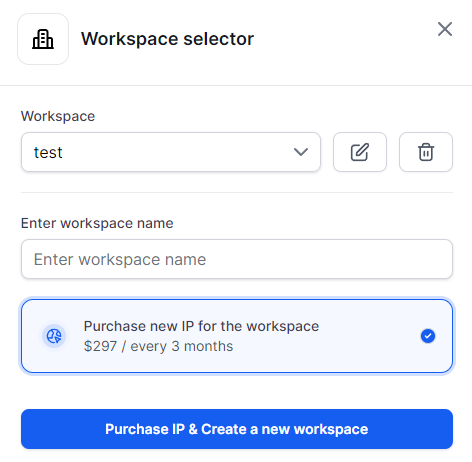
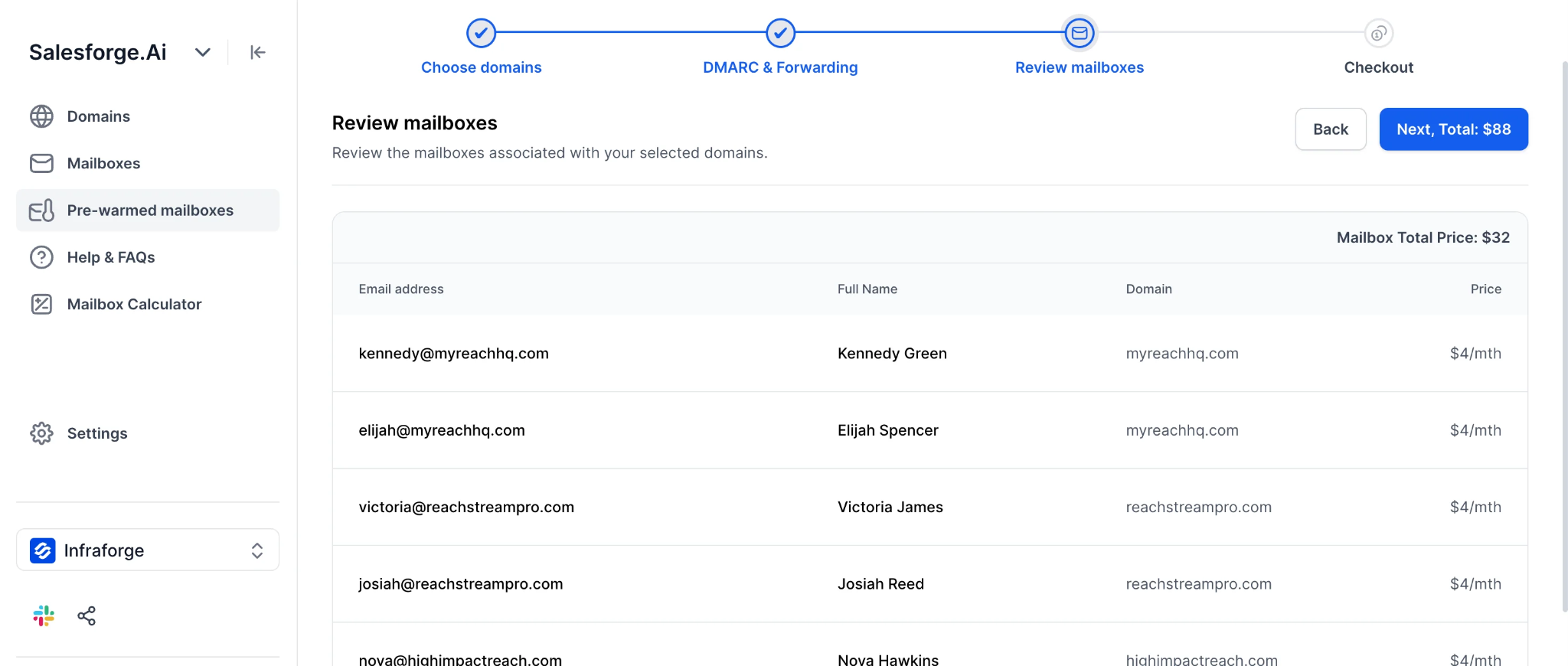
Inframail is the stronger fit when your priority is getting as many inboxes as possible for one flat price. Infraforge is the better alternative when you prioritize private infrastructure, dedicated IP control, and scaling the setup to your actual mailbox needs.
Enter your email to get a custom plan & stack recommendation for your business
Please check your mailbox in 5 minutes

Inframail is a practical option if you need hundreds of cold email inboxes without paying for each mailbox separately. The $147 Unlimited plan, Microsoft-backed infrastructure, and automated setup make it especially appealing for agencies scaling outbound.
The main question is how much control you want over the infrastructure. Inframail focuses on giving you a large number of inboxes for a flat price, while you still handle sending and warm-up through other tools.
If you would rather have private cold email infrastructure with dedicated IPs and more control over how your setup scales, Infraforge is worth considering. It starts at $4 per mailbox per month when billed yearly and supports automated DNS setup, additional IPs, multiple workspaces, and pre-warmed mailboxes.
Try Infraforge if you want to build your cold email infrastructure around control rather than simply maximizing the number of inboxes.