Buying cold email inboxes at $4 each sounds like a good deal, especially when you need 50 or 100 inboxes for your campaigns.
That's what Instantly AirMail offers. You get email inboxes hosted on Instantly's own infrastructure, with automatic authentication and warmup included.
But there's more to consider before buying.
Each AirMail inbox can send only 20 campaign emails per day. You also need to pay for domains and maintain an active Instantly Outbound subscription.
And if you want to use those inboxes outside Instantly, that's another limitation.
So, is Instantly AirMail actually worth it for cold email, or would another mailbox provider make more sense?
In this Instantly AirMail review, I'll look at its features, actual costs, sending limits, deliverability claims, and user feedback to help you decide.
Instantly AirMail provides cold email inboxes hosted on Instantly's own SMTP infrastructure rather than Google Workspace or Microsoft 365.
Pricing starts at $4 per inbox per month, plus $15 per domain annually. A separate Instantly Outbound subscription starts at $47/month.
Each inbox has a strict limit of 20 campaign emails per day, and you can create up to five inboxes per domain.
SPF, DKIM, and DMARC are configured automatically, and AirMail inboxes are enrolled in Instantly's premium warmup pool.
Instantly recommends warming up inboxes for three weeks before starting cold email campaigns.
AirMail supports B2B outreach only. Emails to personal addresses such as Gmail, Yahoo, and Outlook.com are automatically dropped.
All AirMail accounts are managed inside Instantly, with no separate inbox login or standalone interface.
AirMail is worth considering for existing Instantly users, but the daily sending cap, additional costs, and platform restrictions may be limiting.
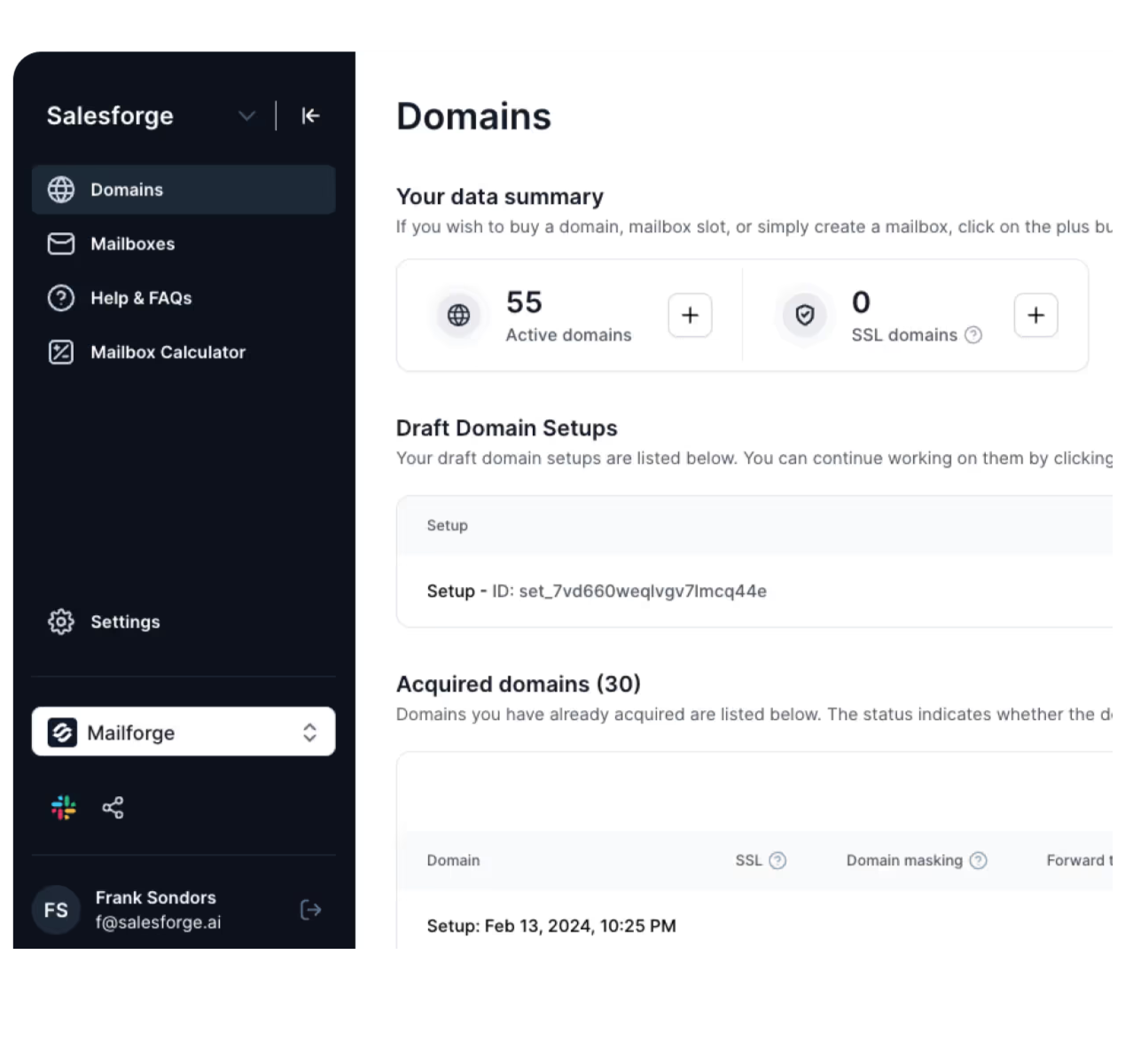
Mailforge is an alternative to consider if you want shared cold email infrastructure that works with multiple sending platforms, including Instantly, Smartlead, and Salesforge.
What Do You Actually Get With Instantly AirMail (And What You Don't)
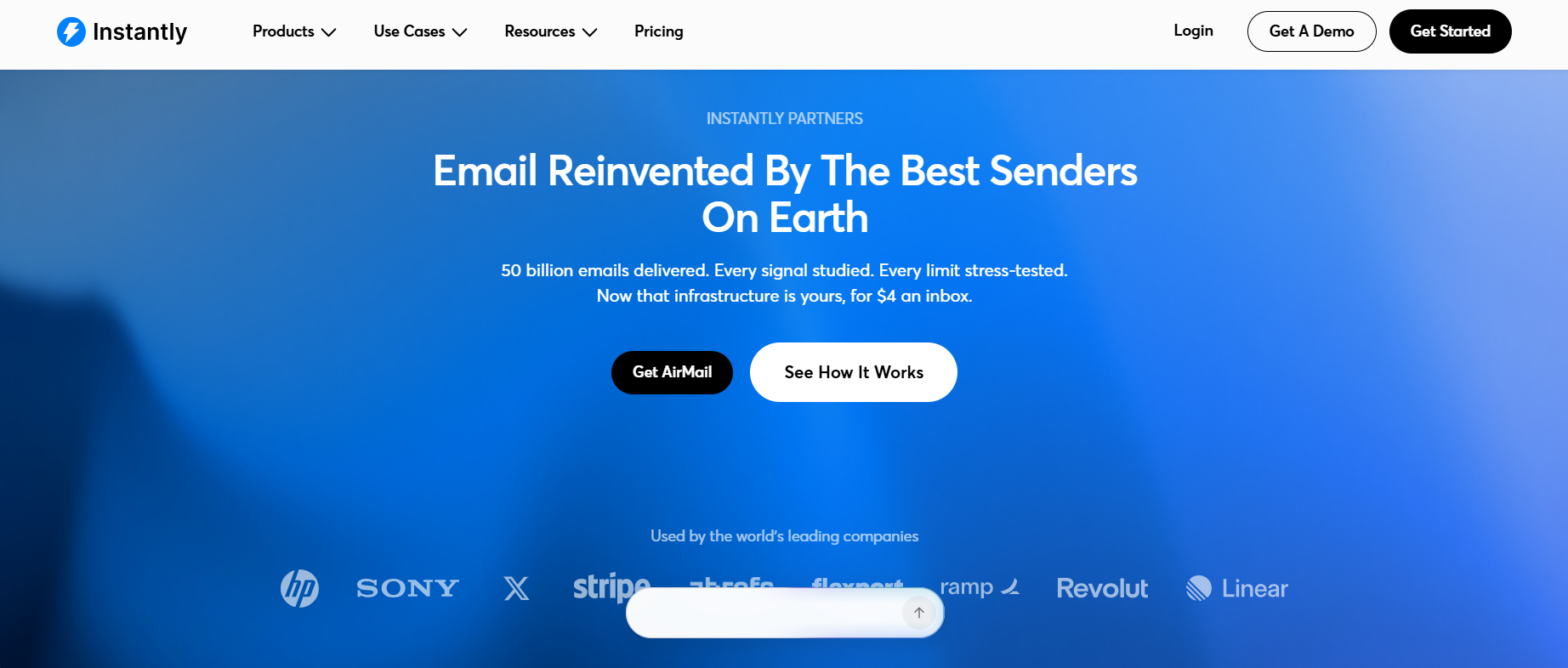
This image shows the Instantly AirMail
Instantly AirMail gives you cold email inboxes hosted on Instantly's own servers and IP infrastructure, without buying Google Workspace or Microsoft 365 accounts.
You get automatic SPF, DKIM, and DMARC setup, premium warmup, and mailbox management directly inside Instantly. But the $4 monthly mailbox fee doesn't cover everything. You still pay for domains and need a separate Instantly Outbound subscription to run campaigns.
AirMail also limits each inbox to 20 campaign emails daily, supports only B2B recipients, and doesn't offer a standalone inbox outside Instantly. Here's how it compares with Mailforge.
Feature
Instantly AirMail
Mailforge
Infrastructure
Instantly-hosted private SMTP infrastructure with owned, aged IPs
Distributed infrastructure using shared IPs
Mailbox pricing
$4/mailbox/month
$3/mailbox/month with monthly billing, or $2/month with annual billing
Domain pricing
$15/domain/year
From $14/.com domain/year
DNS authentication
Automatic SPF, DKIM, and DMARC
Automatic SPF, DKIM, and DMARC
Daily sending limit
Maximum 20 campaign emails per inbox
No fixed daily sending limit specified
Sending software
Instantly only
Works with Instantly, Smartlead, Salesforge, and other sending tools
Mailbox access
No standalone inbox login
SMTP/IMAP mailbox credentials available
Additional subscription
Instantly Outbound plan required, starting at $47/month
Separate sending software required for campaigns
With AirMail, 100 inboxes cost $400/month and can send up to 2,000 campaign emails daily. That’s before domain charges and the Instantly Outbound subscription.
Mailforge charges less per mailbox and lets you connect those inboxes to different sending tools. The difference becomes more important when you're buying hundreds of inboxes or running campaigns for multiple clients.
What Are Instantly AirMail Users Saying?
Instantly AirMail has limited independent reviews, and the feedback is mixed.
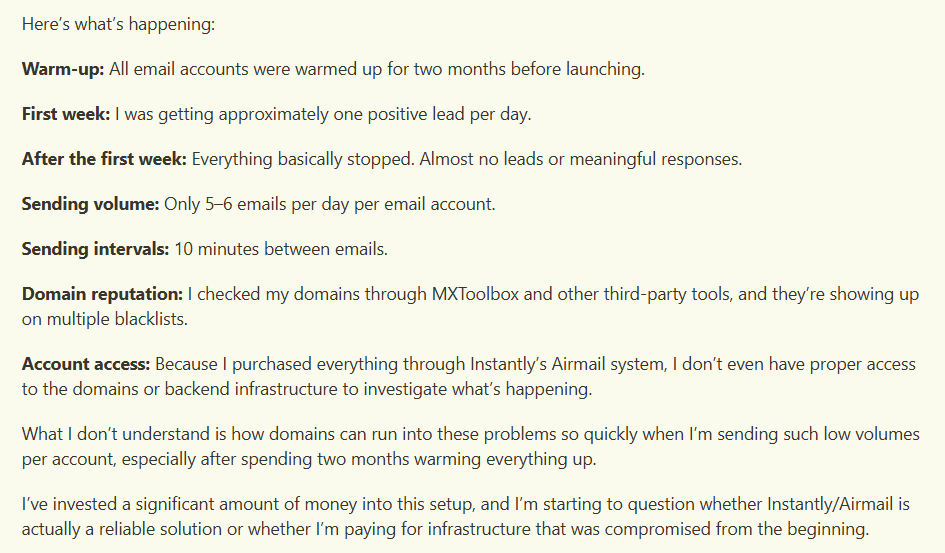
This image shows the Reddit post by Instantly AirMail user
In a recent Reddit post, one user reported that several AirMail domains appeared on blacklists despite two months of warmup and sending only 5-6 emails daily.
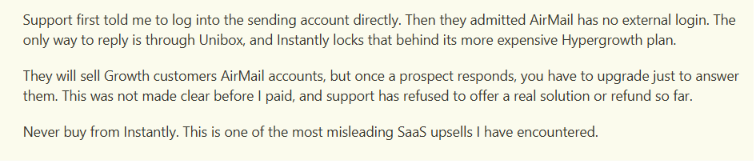
Another Reddit user complained that they couldn't reply directly through Unibox on the Growth plan after purchasing five AirMail accounts.
This image shows the Reddit post about using Unibox on the Growth plan
On Trustpilot, a reviewer praised Instantly's support but wanted a shorter AirMail warmup period and more control over sending limits.
Overall, the main concerns are domain reputation, reply access, and sending restrictions. These are individual experiences, though, and there aren't enough AirMail-specific reviews to judge its overall performance reliably.
How Does Instantly AirMail Work?
Instantly AirMail lets you buy domains, create sending inboxes, and run cold email campaigns from your Instantly account. The mailboxes run on Instantly's own SMTP servers instead of Google Workspace or Microsoft 365. Here's how the setup works.
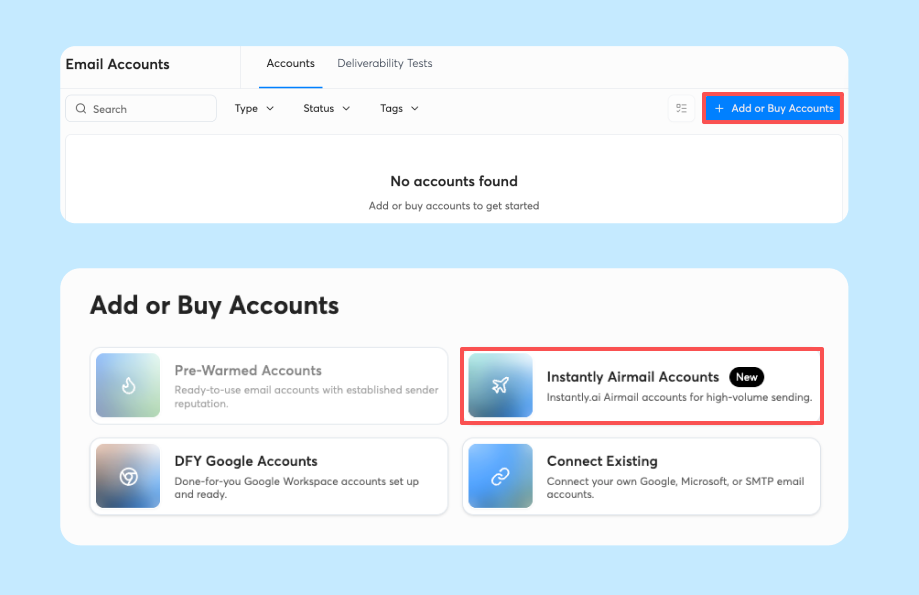
Open AirMail in Instantly. Go to the Email Accounts dashboard, click Add or Buy Accounts, and select Instantly AirMail Accounts.
This image shows the Open AirMail in Instantly
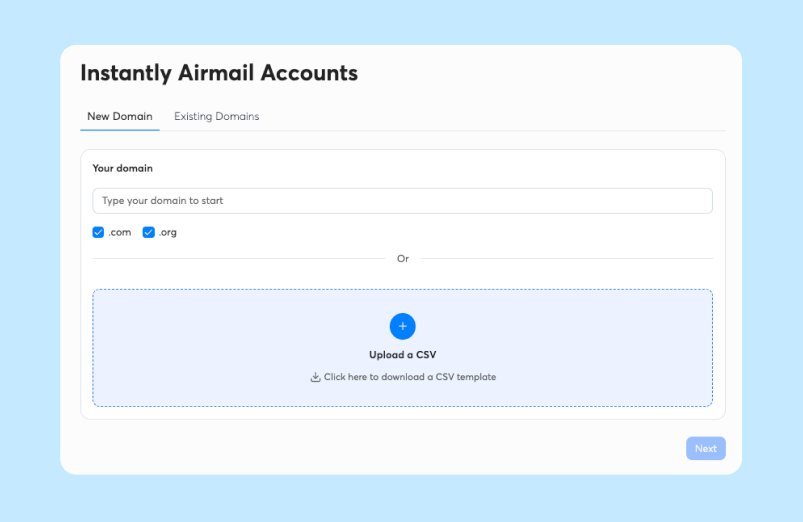
Enter your primary domain. Instantly suggests secondary domains based on your business domain. You can select from these suggestions or upload a CSV to add domains in bulk. AirMail currently supports .com and .org domains.
This image shows Enter Your Primary Domain
Choose your domains and email addresses. Instantly initially generates five email addresses per domain. You can edit or remove them, with a maximum of five inboxes per domain.
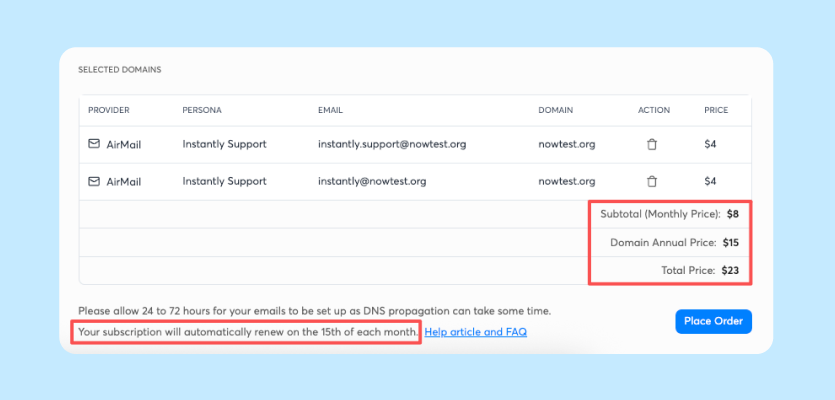
Review the cost and purchase. Each domain costs $15 annually, and each inbox costs $4 monthly. You can also set up optional domain forwarding to redirect visitors to your main website.
This image shows the Review the cost and purchase
Let Instantly configure the inboxes. AirMail automatically sets up SPF, DKIM, and DMARC. Your new inboxes appear in the Instantly dashboard without a separate SMTP connection or API setup.
Warm up your inboxes. Every AirMail inbox joins Instantly's premium warmup pool automatically. Instantly recommends waiting three weeks before using these inboxes for cold email campaigns.
Start sending campaigns. Create a campaign in Instantly, upload your B2B leads, write your email sequence, and select your AirMail inboxes as sending accounts. Each inbox can send a maximum of 20 campaign emails per day. Instantly manages warmup sending volume separately.
Once campaigns are running, you can check daily sending activity, account status, and Health Score from the Email Accounts dashboard. Replies can be managed through Instantly's Unibox.
One restriction to remember: AirMail automatically drops emails sent to personal addresses such as Gmail, Yahoo, and Outlook.com. You also need an active Instantly Outbound subscription to keep your accounts and warmup running after the 14-day trial.
Top Features of Instantly AirMail
AirMail handles the sending infrastructure, while Instantly handles the campaigns. You don't need to create Google Workspace accounts, connect a separate SMTP provider, or configure authentication records manually.
Here's what AirMail includes.
Feature
How It Works
Instantly-owned SMTP servers
AirMail hosts inboxes on Instantly's own servers and aged IPs, without relying on Google Workspace or Microsoft 365 accounts.
Automatic SPF, DKIM, and DMARC
Instantly configures all three authentication records and checks authentication during setup, before campaign sending begins.
Premium warmup pool
New inboxes are enrolled automatically. Instantly adjusts warmup volume based on mailbox sending behavior.
Pattern-based pod isolation
Instantly groups senders with similar sending volumes, patterns, and domain behavior into smaller pods.
Built-in campaign connection
Purchased inboxes appear in Instantly automatically. No API keys, SMTP credentials, or separate connection steps are needed.
Bulk domain setup
Upload a CSV to add multiple domains and receive secondary domain suggestions. You can create up to five inboxes per domain.
Account-level sending data
See daily campaign sends against each inbox's limit, account status, and Health Score in the Email Accounts dashboard.
Warmup analytics
Check warmup emails sent and received, emails saved from spam, and daily warmup activity over the previous seven days.
Domain forwarding
Redirect visitors from purchased secondary domains to your main business website.
AirMail's pod isolation doesn't mean every inbox gets its own dedicated IP. Instantly uses owned, aged IPs and groups senders by behavior, but its documentation doesn't confirm a unique IP for each mailbox.
Instantly AirMail Pricing in 2026
Instantly AirMail costs $4 per inbox per month, but that's not the full cost of running cold email campaigns.
You also pay $15 per domain annually and need a separate Instantly Outbound subscription to send emails.
Here's how the pricing breaks down.
Cost
Price
What You Get
AirMail inbox
$4/inbox/month
An email account hosted on Instantly's SMTP infrastructure.
Domain
$15/domain/year
One sending domain supporting up to five inboxes.
Outbound Growth
$47/month
1,000 uploaded contacts and 5,000 campaign emails monthly.
Outbound Hypergrowth
$97/month
25,000 uploaded contacts and 125,000 campaign emails monthly.
Outbound Light Speed
$358/month
100,000 uploaded contacts and 500,000 campaign emails monthly.
The Outbound subscription is billed separately from your AirMail inboxes and domains. Its contact and email limits apply regardless of how many inboxes you purchase.
How Much Does Instantly AirMail Cost for 10, 50, 100, or 200 Inboxes?
Since AirMail allows a maximum of five inboxes per domain, you'll need more domains as you add sending accounts. Here's what the first-year cost would look like.
Inboxes
Domains needed
Mailbox cost/month
Domain cost/year
First-year total
10
2
$40
$30
$1,074
50
10
$200
$150
$3,114
100
20
$400
$300
$5,664
200
40
$800
$600
$10,764
These calculations include 12 months of AirMail inbox fees, annual domain charges, and the $47/month Outbound Growth plan. They assume five inboxes per domain and exclude taxes or other add-ons.
However, these totals don't mean you can use the full sending capacity of every inbox. For example, 100 AirMail inboxes can send up to 2,000 campaign emails daily at the 20-email limit per inbox.
But the $47 Growth plan allows only 5,000 campaign emails per month. To send more, you'd need a higher Outbound plan, which increases the total cost.
Instantly also offers a 14-day trial, but AirMail domains and inboxes are separate paid purchases. After the trial ends, you need an active Outbound subscription to keep your accounts and warmup running. The important part is to calculate your mailbox costs and Outbound plan together.
The $4 inbox price alone doesn't tell you what your cold email setup will cost.
Can Instantly AirMail Handle High-Volume Cold Email With a 20-Email Daily Limit?
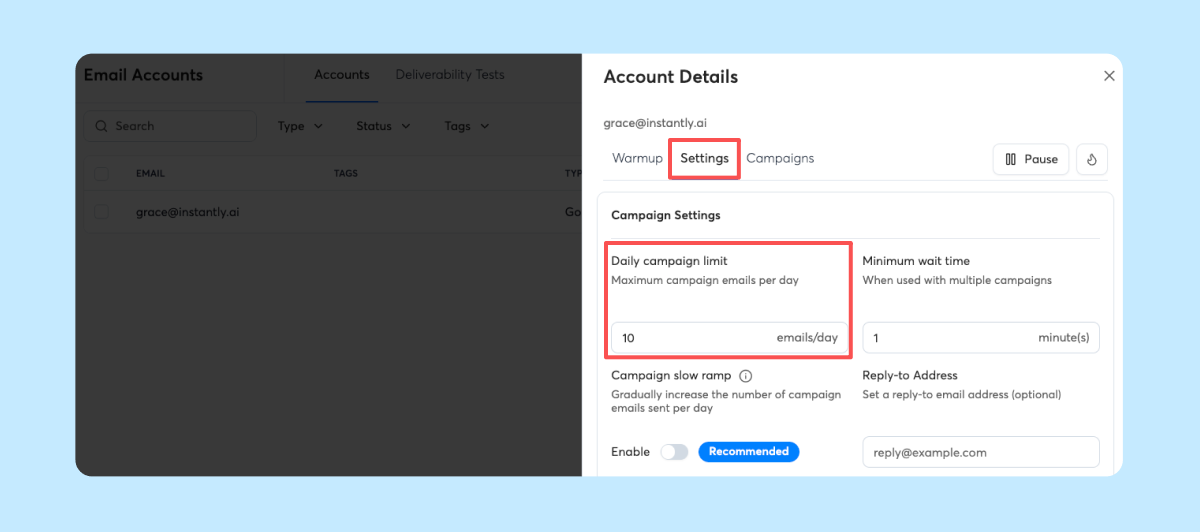
Yes, but only by adding more inboxes. Instantly AirMail has a strict limit of 20 campaign emails per inbox daily. That means 50 inboxes can send up to 1,000 emails per day, while 100 inboxes can send up to 2,000.
This image shows Adjust daily campaign limits for AirMail mailboxes as needed, up to the maximum of 20 emails per account per day.
Since each domain supports a maximum of five inboxes, sending 2,000 emails daily would require at least 20 domains and 100 inboxes.
There's also the cost to consider. Those 100 inboxes would cost $400 per month, plus $300 annually for domains.
And that's before paying for Instantly Outbound. The $47/month Growth plan allows only 5,000 campaign emails monthly. To send more, you'd need a higher plan, such as Hypergrowth at $97/month, which includes 125,000 monthly emails.
So AirMail can handle higher sending volumes, but not from a small number of inboxes. You'll need additional mailboxes, domains, and an Outbound plan with enough monthly sending capacity. Follow-up emails also count toward your campaign limits.
Top Pros of Instantly AirMail
Quick mailbox setup with automatic SPF, DKIM, and DMARC configuration.
Included premium warmup with automatic enrollment for every AirMail inbox.
Easy Instantly integration without manual SMTP connections or API keys.
Convenient bulk setup with CSV domain uploads and up to five inboxes per domain.
Behavior-based sender grouping through pods organized by sending patterns, volume, and domain behavior.
Built-in mailbox monitoring with daily sends, Health Score, and seven-day warmup data.
Top Cons of Instantly AirMail
Strict daily sending cap of 20 campaign emails per inbox, including follow-ups.
Additional sending costs of $15 per domain annually and an Outbound plan starting at $47/month, beyond the $4 monthly inbox fee.
No third-party sending support for Smartlead, Salesforge, or other sequencers.
Restricted recipient types because emails to personal Gmail, Yahoo, and Outlook.com addresses are dropped.
Limited domain extensions with only .com and .org available.
Long recommended warmup period of three weeks before starting campaigns.
No standalone mailbox access outside Instantly.
Who Should Use Instantly AirMail and Who Should Look Elsewhere?
Instantly AirMail makes sense if you already use Instantly for cold email and want your sending inboxes managed in the same platform. However, its daily sending cap and platform restrictions won't suit everyone.
Who Should Use Instantly AirMail?
Existing Instantly users who want to purchase inboxes without connecting external SMTP accounts.
B2B sales teams sending cold emails to business addresses rather than personal Gmail or Yahoo accounts.
Agencies managing multiple inboxes that need CSV domain uploads, automatic DNS setup, and mailbox monitoring.
Low-volume senders who can work within the 20-campaign-email daily limit per inbox.
Users who need built-in warmup without purchasing a separate warmup service.
Who Should Look Elsewhere?
High-volume senders who don't want to purchase 50 inboxes just to send 1,000 campaign emails daily.
Users of Smartlead or Salesforge who need SMTP inboxes that work outside Instantly.
Businesses contacting personal email addresses because AirMail drops emails sent to Gmail, Yahoo, and Outlook.com.
Users needing more domain extensions than the supported .com and .org options.
Businesses wanting standalone mailbox access without depending on an active Instantly Outbound subscription.
If you're already running campaigns in Instantly, AirMail can be a practical choice. If you need to use your mailboxes across different sending tools, you'll need a provider that supports external SMTP connections.
Best Instantly AirMail Alternative – Mailforge
Instantly AirMail works well if you want to keep your sending inboxes inside Instantly. But its 20-email daily limit and Instantly-only access may not fit your cold email setup.
If you want more flexibility and control over your mailboxes, Mailforge may be a better alternative.
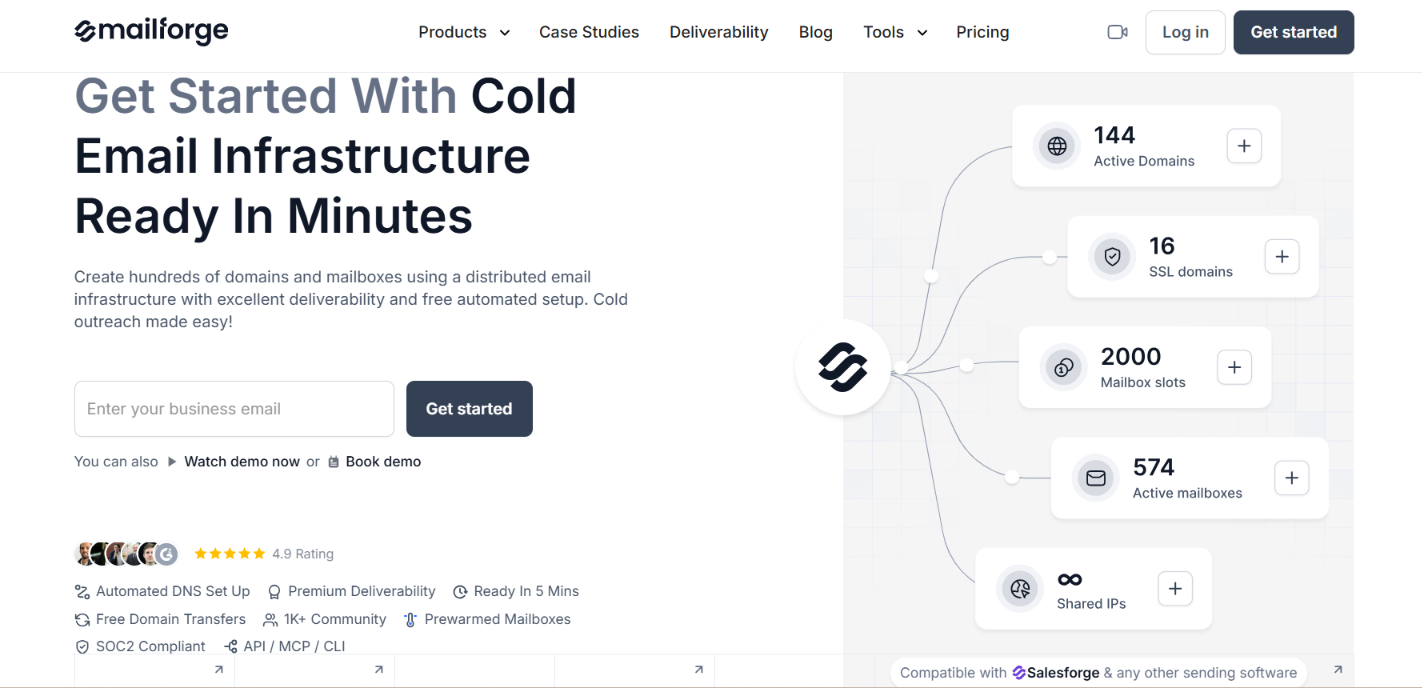
This image shows the Mailforge homepage
Mailforge provides shared email infrastructure for cold outreach. You can create mailboxes, manage domains, and connect your accounts to different sending platforms.
Here's what you get with Mailforge.
Flexible sending tool support lets you connect mailboxes to Instantly, Smartlead, Salesforge, and other SMTP-compatible tools.
Lower mailbox pricing starts at $3 per mailbox monthly, compared with AirMail's $4.
Automatic DNS setup configures SPF, DKIM, and DMARC for your sending domains.
This image shows the Free Automated Set Up by Mailforge
Bulk mailbox management lets you create and manage multiple domains and mailboxes from one dashboard.
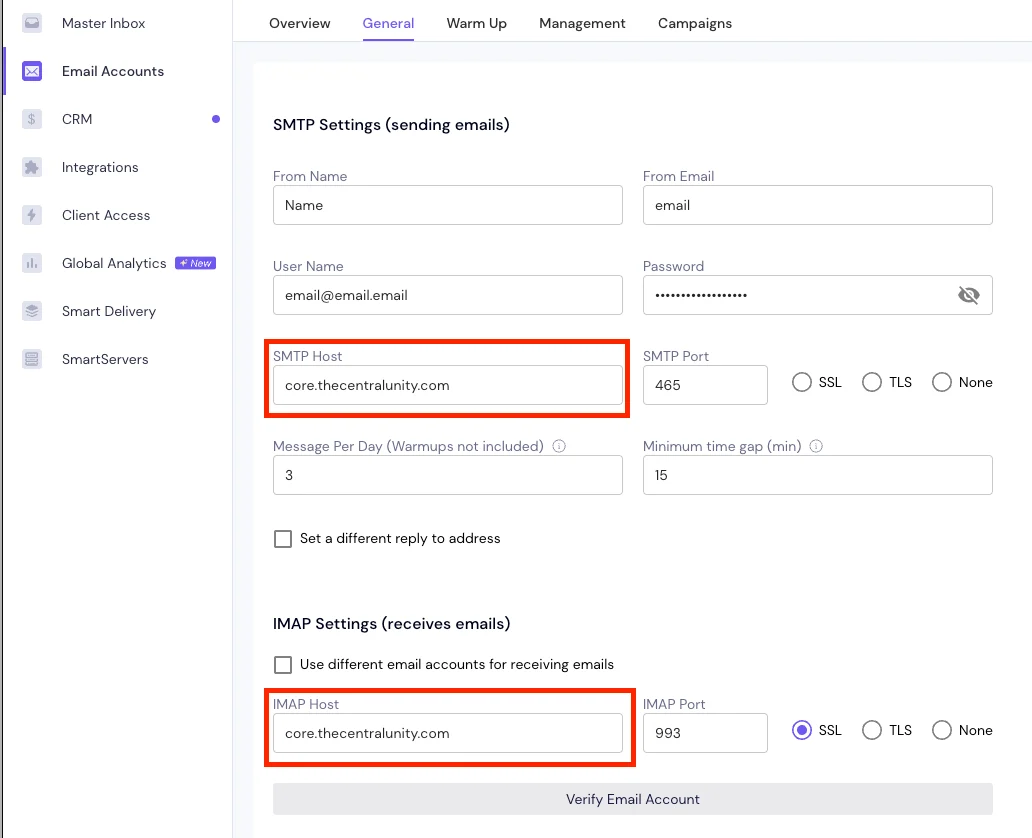
SMTP and IMAP access gives you the credentials needed to connect mailboxes to external sending tools.
This image shows the SMTP and IMAP access
Domain forwarding and SSL/domain masking support secondary domain redirects and branded tracking configurations.
No stated 20-email daily restriction unlike AirMail, although Mailforge does not guarantee unlimited sending.
Mailforge requires a separate sending tool, and warmup isn't included in its mailbox pricing. It also has a minimum purchase of 10 mailbox slots.
If you want to keep using Instantly for campaigns without being tied to AirMail inboxes, Mailforge gives you that option. You can connect Mailforge mailboxes to Instantly now and use them with another sending tool later.
Personalized Outbound Strategy
Get The Right Outbound Strategy In Minutes
Enter your email to get a custom plan & stack recommendation for your
business
It's being carefully crafted by AI
Please check your mailbox in 5 minutes
Conclusion
Instantly AirMail is ideal if you plan to run all your cold email campaigns inside Instantly and don't mind its sending restrictions.
But if you're planning to increase your sending volume or switch outreach platforms later, AirMail's 20-email daily cap and Instantly-only access become real limitations.
That's why I'd choose Mailforge for a setup that isn't tied to one sending tool.
You can manage your mailboxes separately and connect them to Instantly, Smartlead, Salesforge, or another compatible platform without rebuilding your email infrastructure.
Get started with Mailforge if you want more control over where and how you run your cold email campaigns.