
Personalized Outbound Strategy
Get The Right Outbound Strategy In Minutes
Enter your email to get a custom plan & stack recommendation for your business
It's being carefully crafted by AI
Please check your mailbox in 5 minutes

I’ve seen teams get three months into using Mission Inbox and realize the costs don’t quite work the way they expected.
The platform itself is solid. You get isolated servers, dedicated IPs you own, a Pre-send Shield that catches risky emails before they go out, and separate lanes for cold, transactional, and compliance traffic.
Where things start to get complicated is the pricing. The base plan is $199 for 30 mailboxes, which comes out to about $6.60 per mailbox. But once you go over 10,000 sends, you’re paying another $1 for every extra 1,000 emails.
And if your team needs API access, you’ll need to upgrade to the $599 plan.
None of this is hidden. But as your sending volume grows, the costs can add up quickly, which is the opposite of what most teams want from their email infrastructure.
So here are five alternatives that handle pricing differently, plus what each one actually costs to run.
Each tool on this list solves at least one of Mission Inbox’s biggest pain points. But that doesn’t mean every tool will be the right fit for your team.
Here’s how I ranked them, based on the reasons teams usually start looking for a Mission Inbox alternative.
Mission Inbox starts at $199 per month for 30 mailboxes, which comes to about $6.60 per mailbox before sending. Every alternative here comes in cheaper:
Mission Inbox includes 10,000 sends and 20 credits, then charges about $1 per 1,000 after that. Mailreef also adds $0.001 per send. The other three price around mailboxes and do not meter sending the same way.
Mission Inbox puts API sending behind its $599 Pro plan. Every alternative includes it on every plan, and Maildoso includes it even for a single mailbox. If you provision programmatically, that API gate can matter more than the sending gap.
Mission Inbox is SMTP and API infrastructure, so you create or bring accounts instead of buying provider mailboxes directly.
Mission Inbox gives you two or three dedicated IPs, plus a Pre-send Shield that checks mail before it goes out. Infraforge and Mailreef also use dedicated IPs; Inframail runs on Microsoft’s infrastructure, and Maildoso rotates across hundreds of IPs.
Dedicated means the reputation is yours to protect until it burns. Rotation means you never hold one IP long enough for that to become the whole problem.
Mission Inbox offers refunds within two days of renewal. Maildoso offers a 30-day guarantee and a 300-mailbox trial; Mailreef’s Agency Flex can be canceled at any time; and Inframail and Infraforge both offer month-to-month plans.
Best for: Teams that want dedicated cold email infrastructure without a credits system getting in the way of sending.
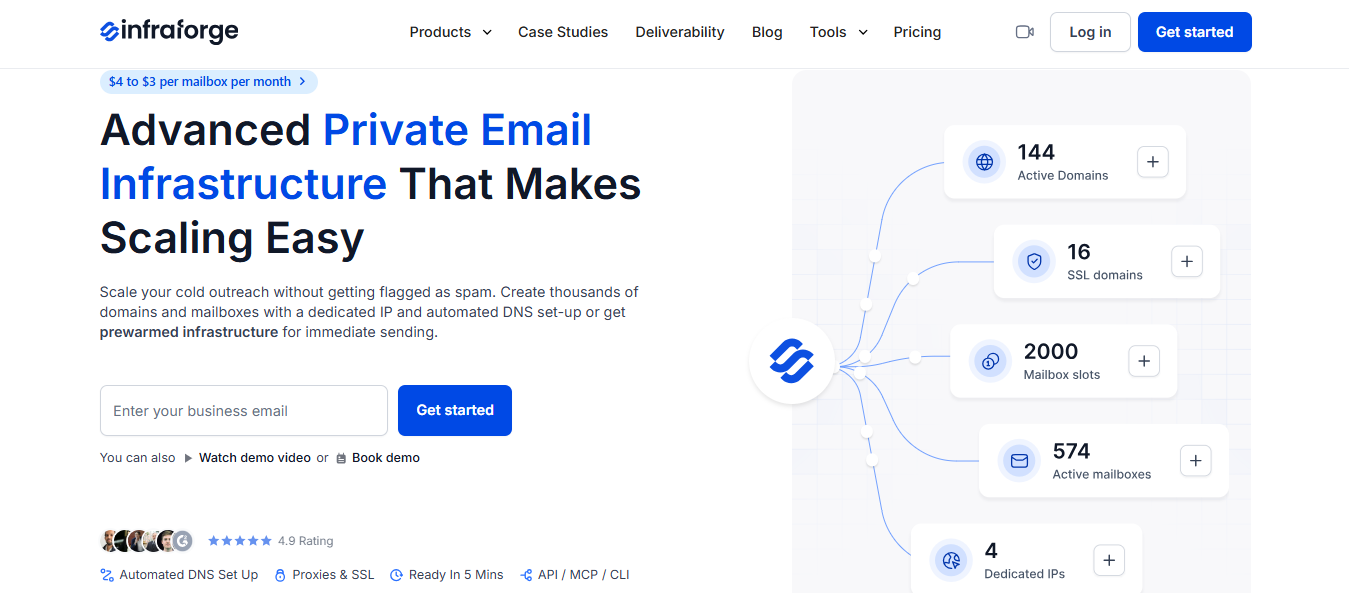
Infraforge is my top pick as a Mission Inbox alternative, mostly because the pricing is much easier to predict.
Mission Inbox charges $199 per month for 30 mailboxes, 10,000 sends, and 20 credits, then adds about $1 for each additional 1,000 sends. Infraforge charges by mailbox slot and stops there. Your bill does not change based on how much you send.
The two platforms are also built for slightly different jobs. Mission Inbox is an SMTP and API infrastructure that lets you create or import accounts and separates cold, transactional, and compliance traffic into distinct lanes.
That setup makes sense if invoices, OTPs, and campaigns all need to run from the same platform. Infraforge is more focused: cold sequences only, on dedicated servers with a dedicated IP, using mailboxes they set up and host.
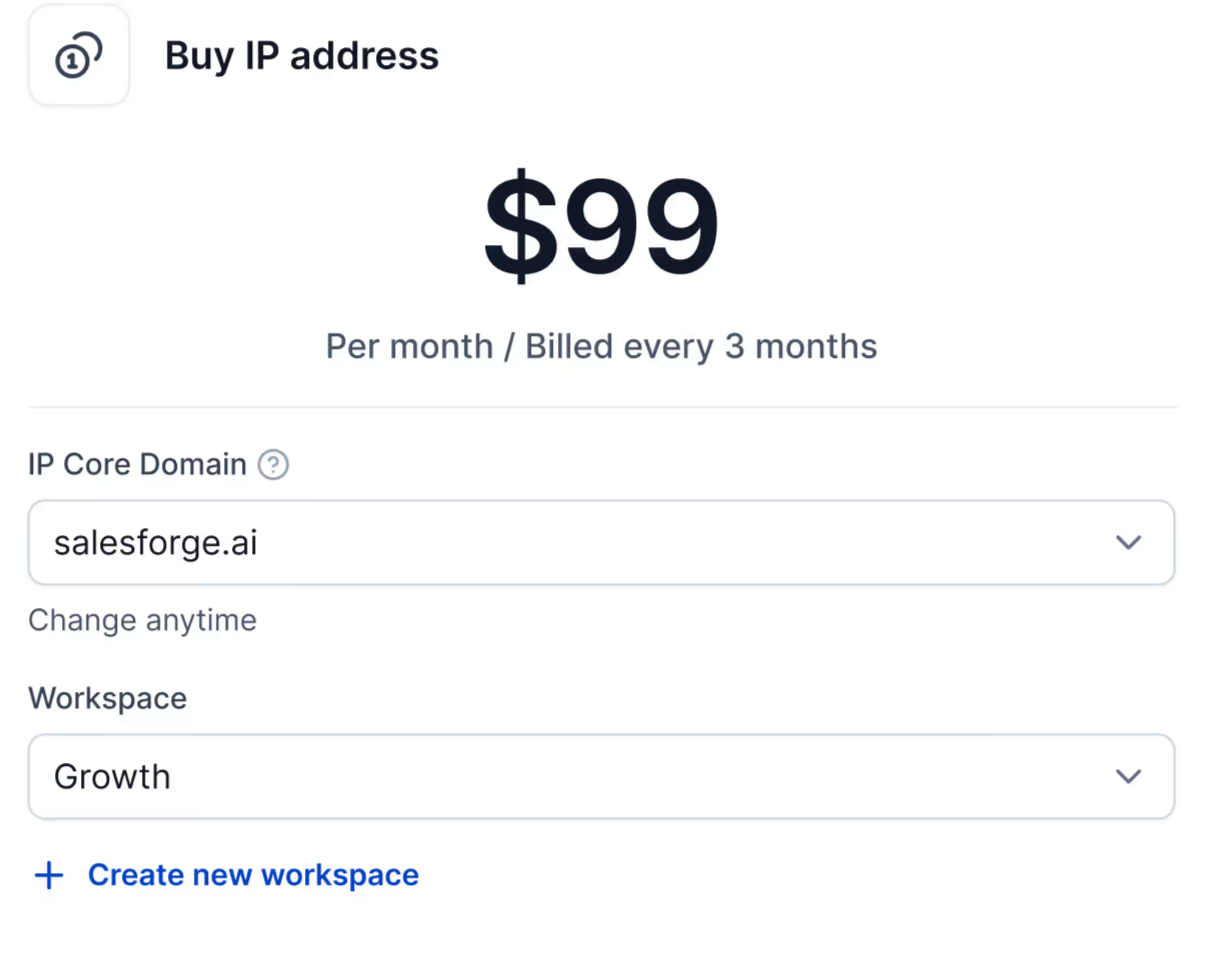
Credits and send overages mean your bill goes up when your campaigns are working. The more you send, the more you pay. That has always felt backward to me. Isn’t sending more supposed to be the goal?
Slots solve that. You pay for the mailbox capacity you need, not for every extra email you send.
Setup takes about five minutes per domain, with DMARC, SPF, DKIM, and custom tracking handled for you. Once you have more than a few domains, bulk DNS updates make the process easier to manage.
Infraforge connects directly with Salesforge and exports to Smartlead, Instantly, ReachInbox, and FirstQuadrant.
Choose Mission Inbox if transactional and compliance mail need to live on the same platform as your outreach. Choose Infraforge if cold email is the whole job and you want your bill to stay predictable.
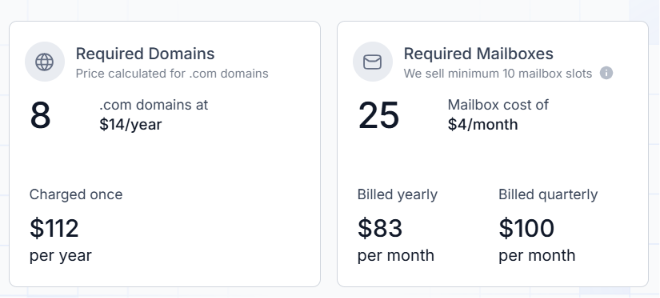
Infraforge costs $4 down to $3 per mailbox, depending on volume, with a minimum of 10 slots. DNS setup, hosting, API access, and support are included.
Mission Inbox starts at $199 per month for 30 mailboxes, 10,000 sends, 20 credits, and 2-3 dedicated IPs. Extra mailboxes cost about $1.75 to $3 each, and anything beyond the included sending volume is around $1 per 1,000 sends.
At 30 mailboxes, Infraforge costs about $100 per month with no send cap. Mission Inbox starts at $199, plus any overage charges.
Best for: Teams that want server-level control over the entire delivery stack, not just mailbox access.
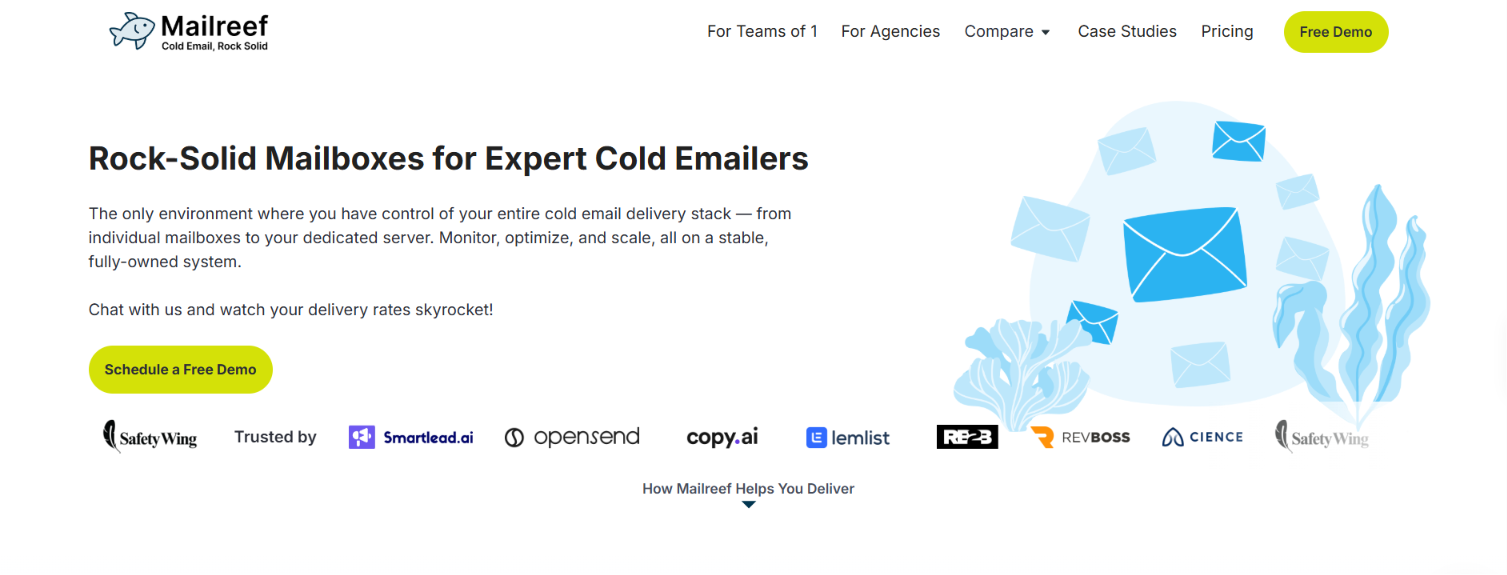
Mailreef gives you the sending server itself, not just the mailboxes. You get a dedicated mail server, your own IP, and room for 150+ mailboxes. That gives you more control over the parts that actually affect deliverability.
Mission Inbox uses a similar setup, which is why I see this more as a pricing and access comparison than a major architecture difference.
Sending 100k emails across 100 mailboxes costs $349 on Mailreef, compared with $429-$499 on Mission Inbox. Mailreef also includes API access, while Mission Inbox charges an extra $300 a month for it.
What I like even more than the price is that Mailreef removes many of the limits providers usually impose.
There is no daily send cap or mailbox limit; SMTP and IMAP are available on every mailbox, and you can buy domains directly on the platform, with SPF, DKIM, and DMARC set up automatically.
Mailreef Review 2026: Is It Worth It Past 20 Inboxes?
If you create and retire mailboxes on a schedule, the API is what really matters. Mailreef includes it on every plan, along with Zapier, so you can build mailbox creation directly into your own systems.
Mission Inbox charges $300 a month just to unlock that access, which is more than the difference in sending costs.
Choose Mission Inbox if the API surcharge does not affect you. Choose Mailreef if you want automated mailbox creation and API access included from the start.
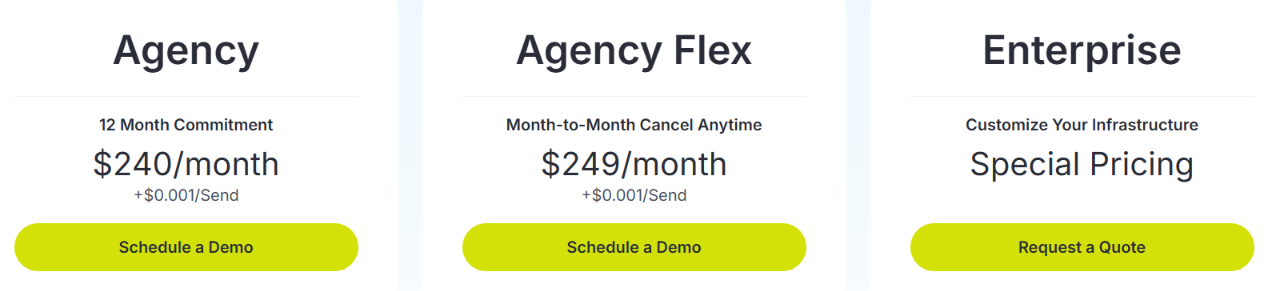
Mailreef lists three plans, but each requires a demo rather than a self-serve signup.
Every plan includes a dedicated server and IP, 150+ mailboxes per server, one-click domain and mailbox creation, automatic SPF/DKIM/DMARC setup, monitoring, API access, and live support.
At 100k emails across 100 mailboxes, Mailreef comes out to $349 a month, compared with $429 to $499 on Mission Inbox.
Best for: Agencies managing a lot of inboxes, where per-inbox pricing starts to eat up the budget.
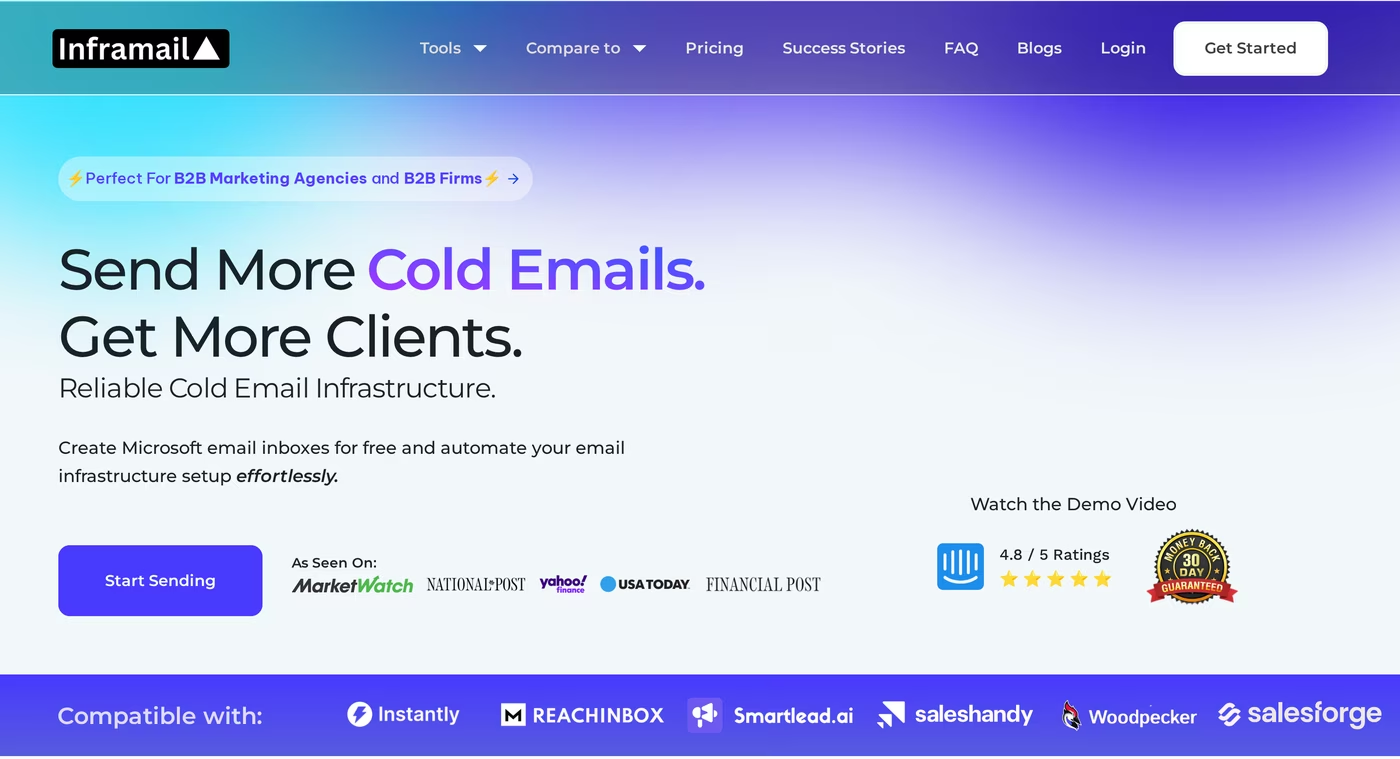
Inframail charges one flat monthly rate for unlimited inboxes. Most providers, including Mission Inbox, charge per inbox, so your bill increases each time you add another inbox.
At 250 inboxes, Inframail is $129 a month compared with $929 on Mission Inbox. At 350 inboxes, it is still $129 compared with $1,300.
The infrastructure runs on Microsoft’s cloud platform with dedicated IPs, which Inframail says helps it get through Google and Outlook filters.
It claims 98%+ deliverability across MailReach, GlockApps, and Inboxally, although it does not explain the methodology behind that number.
Two features stand out because I have not often seen them packaged this way:
Inframail says those delisting requests succeed 68.3% of the time.
7 Best Inframail Alternatives To Build Solid Email Infrastructure
Per-inbox pricing can work against you when you scale the right way: more mailboxes, lower send volume per mailbox. Inframail removes that ceiling with a flat rate, so adding inboxes becomes a capacity decision, rather than a budget problem.
Domains are purchased on the platform and become ready as inboxes in about 3 minutes, with SPF, DKIM, and DMARC handled for you. Exports work with Instantly, Smartlead, and ReachInbox.
Choose Mission Inbox if you need white-label infrastructure, which Inframail does not offer. Choose Inframail if your inbox count is growing and per-inbox pricing is the line item that hurts the most.
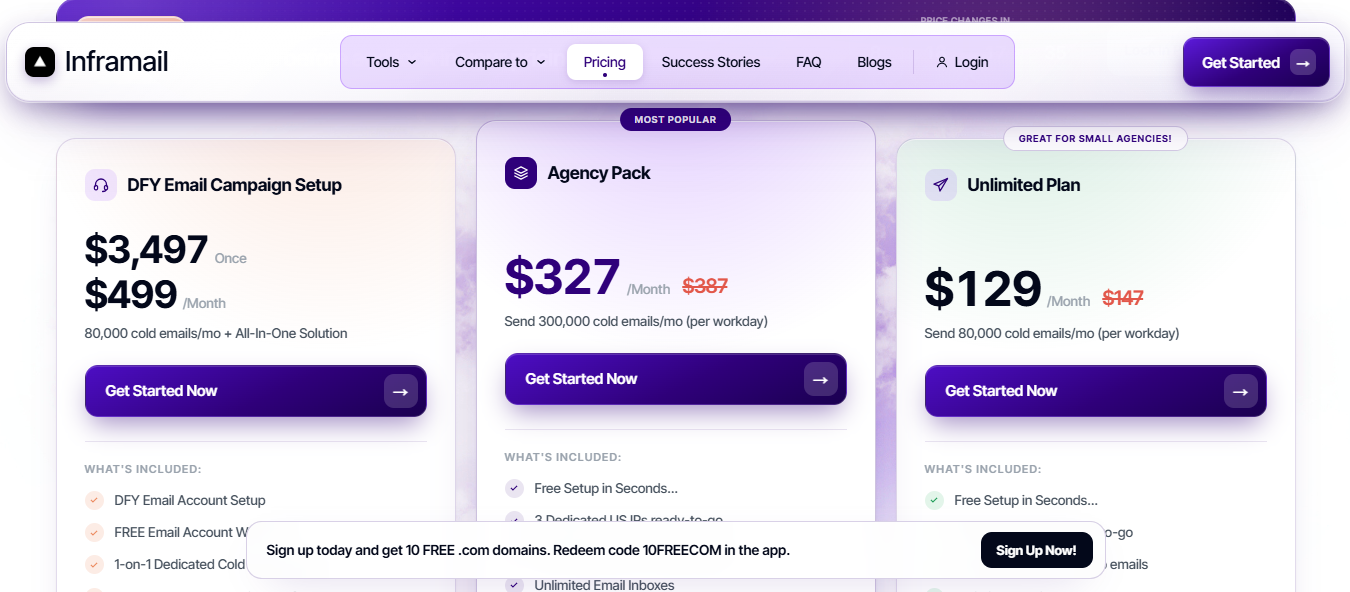
Inframail has three self-serve plans, with about 30% off if you choose annual billing.
All three plans include unlimited inboxes, unlimited domain setups per day, API access, priority support, and a deliverability consultant.
At 250 inboxes, Inframail costs $129 a month compared with $929 on Mission Inbox.
Best for: Email teams that want real Google and Microsoft accounts instead of SMTP infrastructure they have to configure themselves.
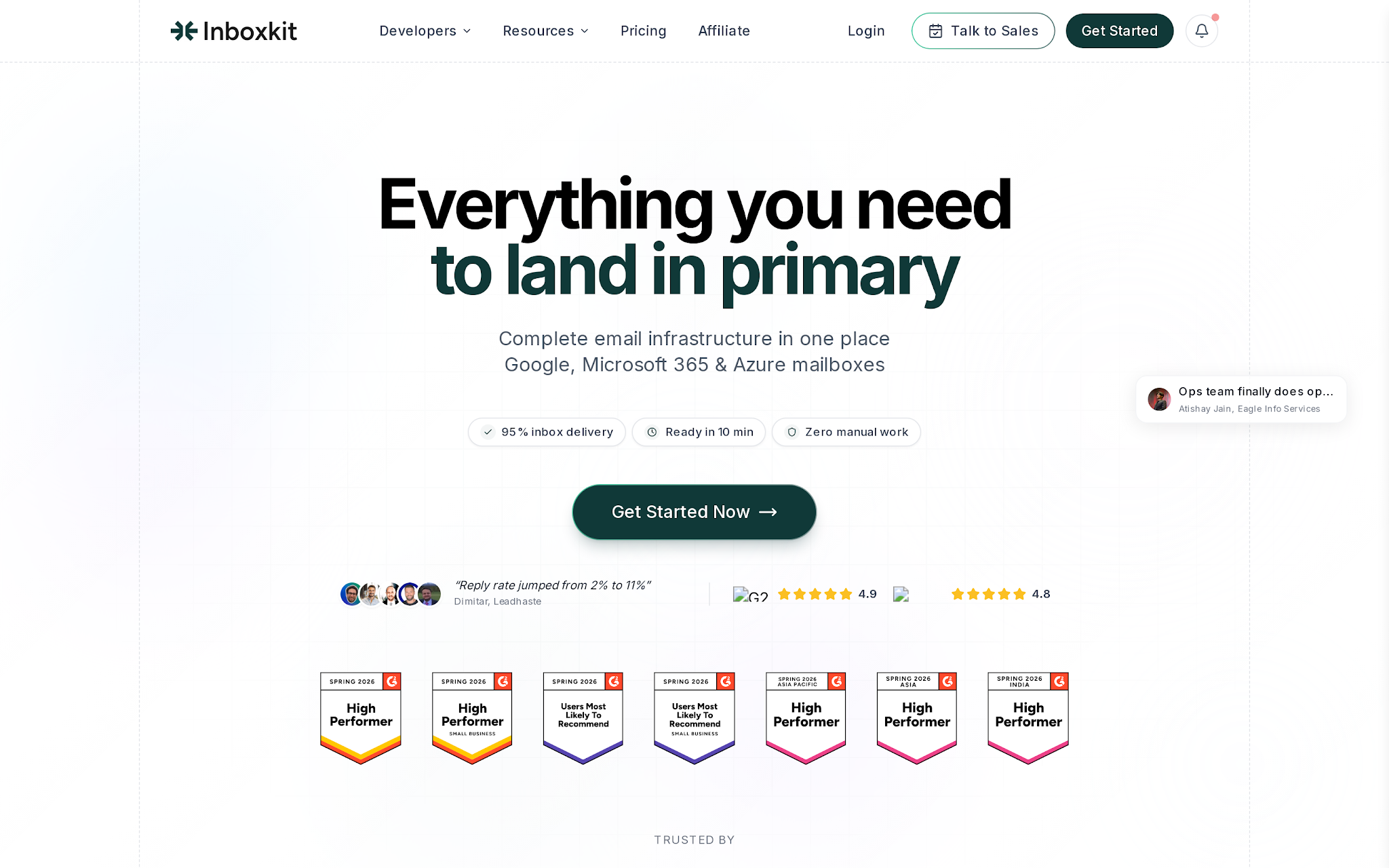
InboxKit and Mission Inbox share the same core idea: owning your infrastructure with a deliverability layer is better than relying on resold inboxes.
The difference is what you actually get.
Mission Inbox is an SMTP and API infrastructure where you bring or create the accounts. InboxKit sells real Google Workspace, Microsoft 365, and Azure accounts on dedicated US IPs, so your emails come from real provider accounts.
That difference decides which tool fits your use case. Mission Inbox separates cold, transactional, and compliance mail into different lanes and offers a RESTful API plus SDKs in six languages, so it feels more like a developer product.
InboxKit is focused on email only, with 24+ sequencer integrations and no transactional setup.
The entry price is the main advantage here. InboxKit starts at $39 a month for 10 mailboxes, while Mission Inbox starts at $199 for 30 inboxes, 10,000 sends, 20 credits, and 2 to 3 dedicated IPs.
At $39 instead of $199, InboxKit lets you test the setup on one client before putting real budget behind it. The pricing is published and based on mailbox count, so scaling is straightforward, rather than trying to predict how credits and overages will add up.
I see the two monitoring approaches as complementary, not directly competitive. Mission Inbox’s Pre-send Shield checks each email before it goes out. InfraGuard keeps watching the infrastructure after setup.
One is preventive. The other is ongoing.
Choose Mission Inbox if you need transactional and compliance mail on the same platform, or if you are building against an API. Choose InboxKit if you only need email and want real provider accounts behind it.
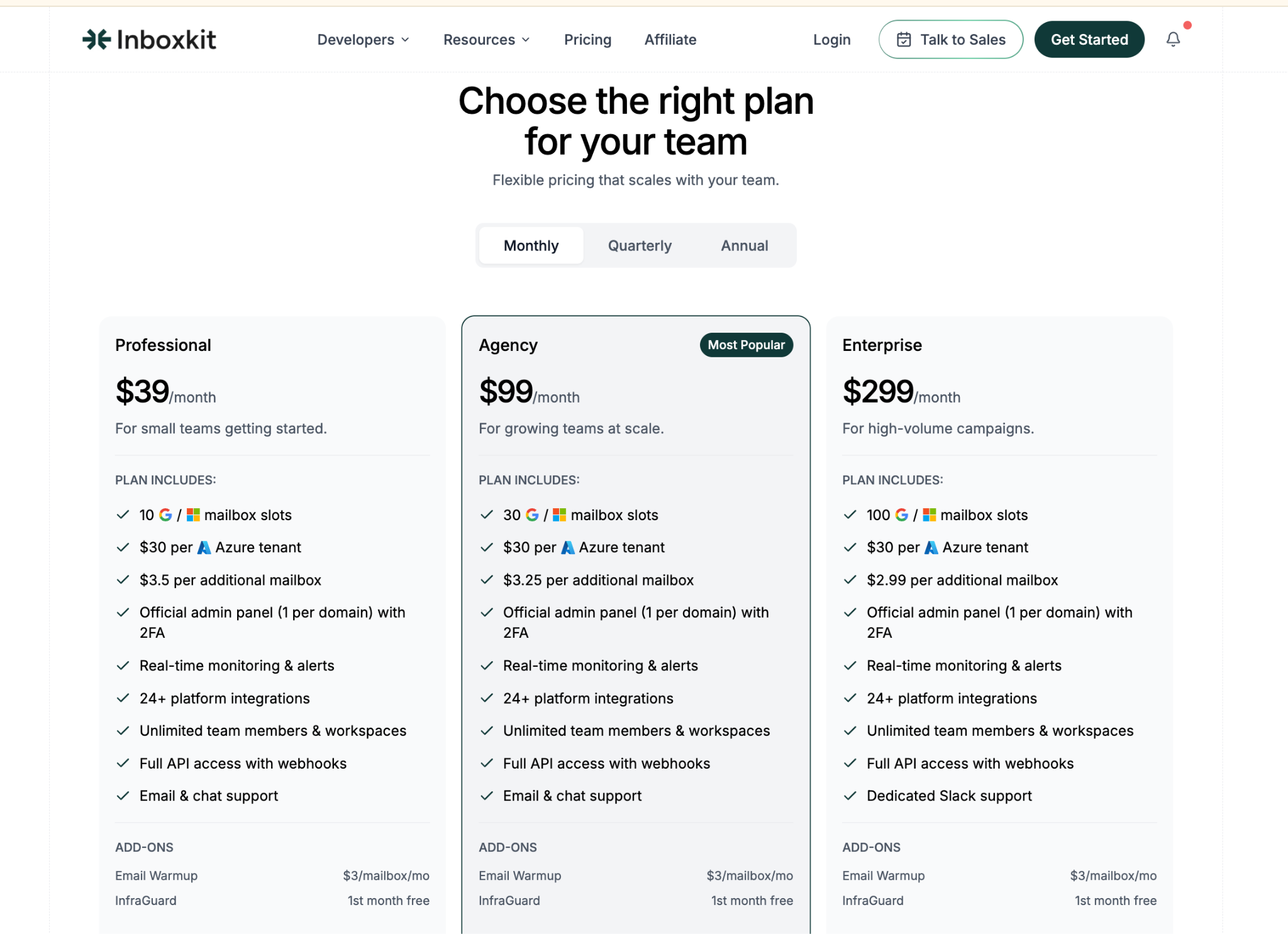
InboxKit uses published per-mailbox pricing, so the costs are easy to map out.
Mission Inbox starts at $199 per month for 30 inboxes, 10,000 sends, 20 credits, and 2 to 3 dedicated IPs. Sends beyond the included volume cost about $1 per 1,000, scaling up to 30M a month, and extra mailboxes run roughly $1.75 to $3 each.
Best for: Teams that would rather run many low-cost mailboxes than rely on a few expensive ones tied to dedicated IPs.
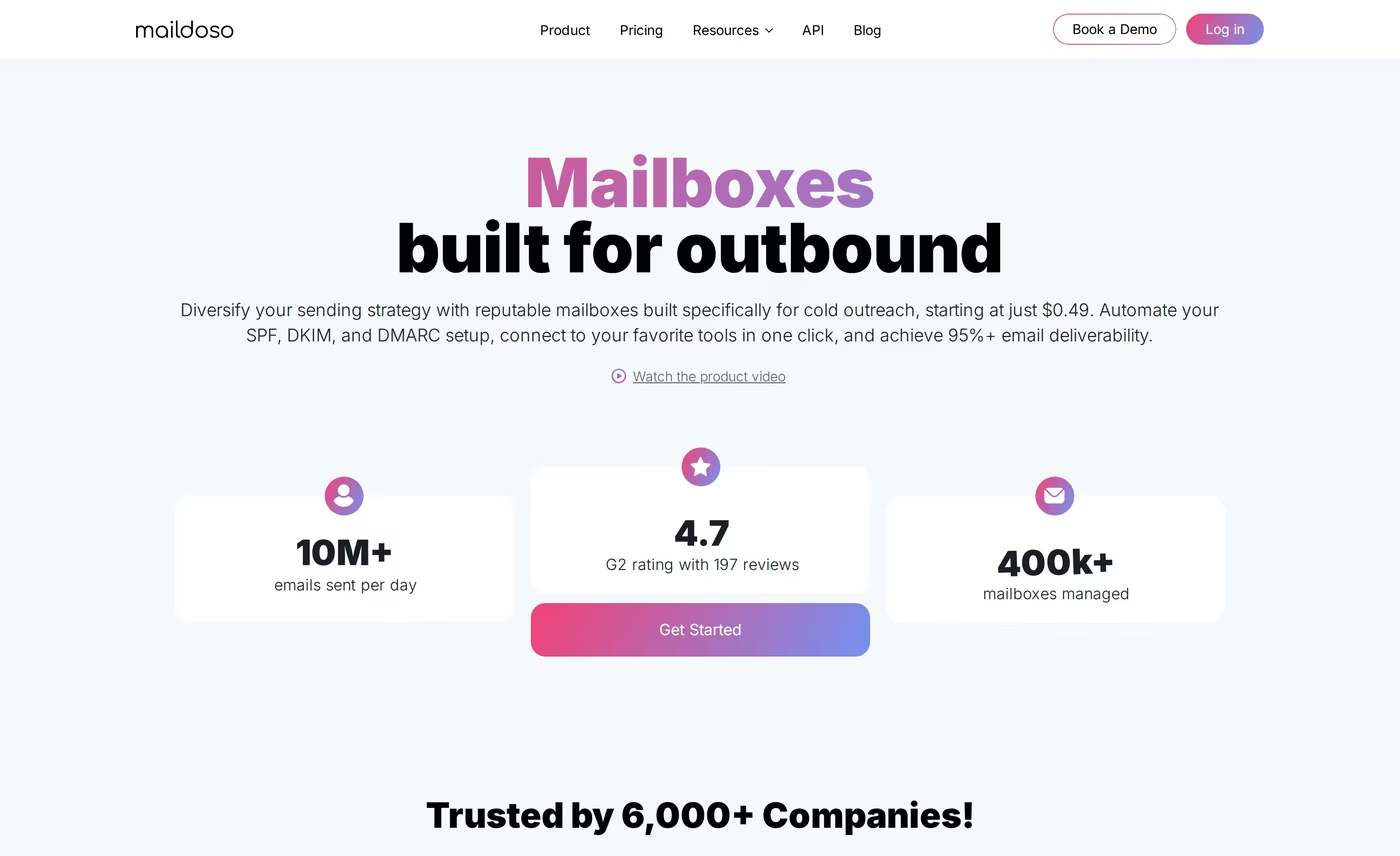
Maildoso and Mission Inbox take very different views on deliverability. Mission Inbox gives you dedicated IPs that you own, with two or three included on the starter plan. Maildoso, on the other hand, rotates your sending across hundreds of IPs and automatically swaps out any that get blacklisted.
Honestly, the case for rotation is stronger than I expected. A dedicated IP is great until it gets burned. Then you have to replace it. Rotation handles that problem in the background.
Maildoso takes a similar approach with mailboxes by resting each one every two weeks to clear provider flags. They call it self-healing.
The bigger difference is the mailbox cost. Mission Inbox starts at $199 a month for 30 mailboxes, which is about $6.60 each before you even count sends.
Mission Inbox only unlocks API sending on its $599 Pro plan. Maildoso includes full API access on every plan, even if you start with a single mailbox. It also includes an MCP server if you handle provisioning through an AI assistant.
Maildoso is clear about the trade-offs. It does not offer Microsoft 365, Outlook, or Azure, and it does not yet have a built-in warmup tool. They recommend 15 emails per mailbox per day, so volume comes from adding more mailboxes, not pushing harder on each one.
Choose Mission Inbox if you need transactional and compliance lanes or want IPs you fully control. Choose Maildoso if per-mailbox cost is what is stopping you from scaling.
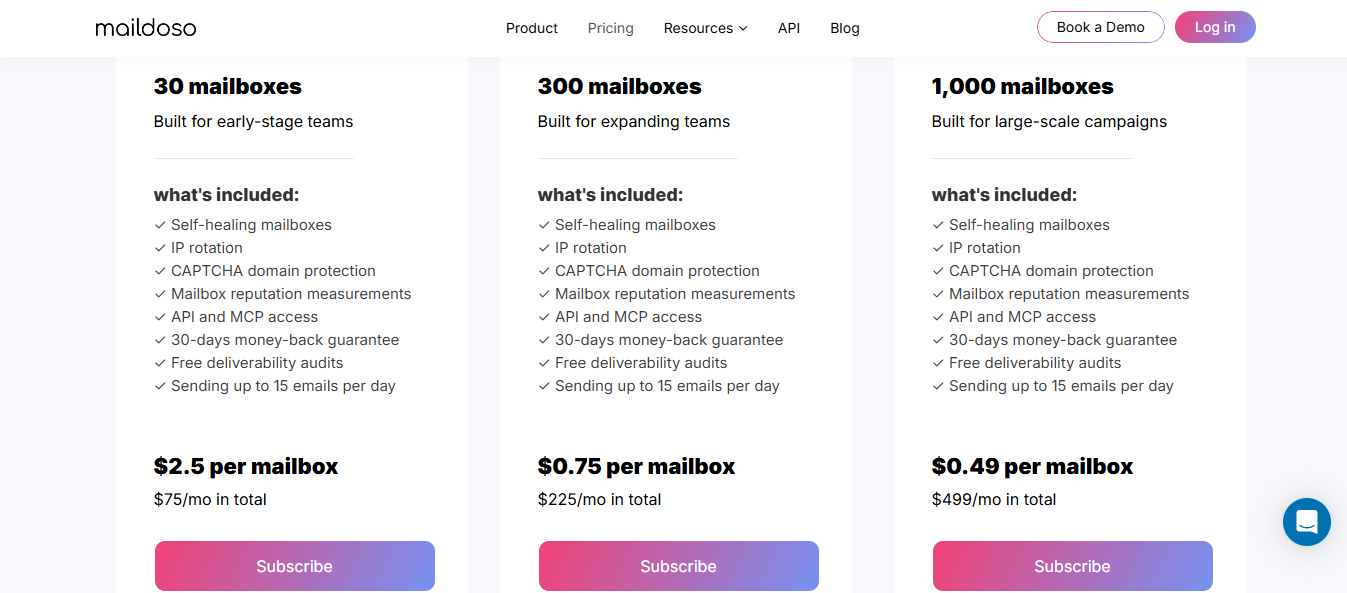
Maildoso prices its plans in ranges and does not explain exactly what moves you from one end to the other, so I would assume volume affects the final price.
Mission Inbox starts at $199 a month for 30 mailboxes and 2 to 3 dedicated IPs, which works out to about $6.60 to $20 per mailbox, depending on the plan.
The Pro plan costs $599 for the same 30 mailboxes, and any sends beyond your limit are charged extra per 1,000.
Enter your email to get a custom plan & stack recommendation for your business
Please check your mailbox in 5 minutes

Start with your bill and work backward.
If your monthly cost goes up with sending volume and you want that to stop, Infraforge is the best place to start. It prices by slot and does not meter sends, which is why it ranks first on this list.
If the total cost is the bigger issue, Inframail gives you unlimited inboxes for $129 a month, while Maildoso offers SMTP mailboxes starting at $0.49.
If API access is the problem and you do not want to upgrade just to unlock it, Mailreef includes API access on every plan and provides the underlying sending server as well.
And if you want real Google and Microsoft accounts instead of infrastructure you configure yourself, InboxKit starts at $39.
Most teams leave Mission Inbox because the costs scale in the wrong direction. If that is your problem too, I would start with Infraforge.