
Personalized Outbound Strategy
Get The Right Outbound Strategy In Minutes
Enter your email to get a custom plan & stack recommendation for your business
It's being carefully crafted by AI
Please check your mailbox in 5 minutes

OpenMail is making a clear bet on agentic email. Rather than connecting an AI agent to an existing Gmail or Outlook account, it gives each agent its own inbox.
That is what I wanted to explore more closely. Each agent gets a dedicated email address, APIs for sending and receiving messages, real-time delivery through webhooks or WebSockets, email threading, and attachment parsing. The Pro plan starts at €9 per month and includes 10 inboxes and 10,000 emails.
The problem is that there is very little independent evidence of how OpenMail performs outside its own documentation. Its G2 profile currently has no reviews, leaving no meaningful customer feedback on reliability, deliverability, support, or the everyday experience of managing agent inboxes.
So I took a closer look at what OpenMail offers for the price, how its infrastructure and deliverability work, and where its limitations begin to show.
Here is what I found and what you should know before deciding whether OpenMail is the right fit.
OpenMail gives AI agents the email layer they need to operate independently. Each agent can have its own address, receive replies in real time, keep conversations threaded, and process attachments.
But it is built for agent email, not specifically for cold outreach infrastructure. That difference becomes clearer when you compare it with Infraforge.
OpenMail is a strong fit when an AI agent needs to manage its own inbox and respond to incoming emails. It includes APIs, threading, attachment parsing, sender rules, webhooks, and WebSockets.
What it does not provide is infrastructure built specifically for cold outreach. Infraforge fills that gap with dedicated IPs, automated DNS setup, sender rotation, intelligent sending limits, warm-up, and deliverability monitoring.
So the difference is clear. OpenMail is built around the agent's inbox. Infraforge is built around cold outreach infrastructure.
Independent feedback on OpenMail is still very limited, which makes it difficult to judge the product from customer reviews alone.
On G2 and TrustPilot, OpenMail currently has zero reviews. Its profile explicitly says the product has not been reviewed yet, so there is no G2 feedback on reliability, deliverability, support, or day-to-day use.
SourceForge has one verified user review, giving OpenMail an overall 5/5 rating. The reviewer used it daily for less than six months and liked how it helped give an OpenClaw agent email access. They also rated support 5/5 and mentioned getting fast help through Discord. The main drawback was onboarding, which they found a little tricky because of the number of integrations available.

There are also a few useful mentions on Reddit. One developer said OpenMail, AgentMail, and Hostinger Agentic Mail had been helpful for workflows because dedicated agent inboxes made them easier to manage.

Other Reddit discussions focus more on the wider problem OpenMail solves, particularly threading, real-time inbound email, and avoiding the work involved in maintaining email infrastructure yourself. However, some prominent OpenMail threads were started by the company's founders, so I would not count those as independent customer reviews.
The feedback available so far is positive, but the sample is far too small to draw strong conclusions.
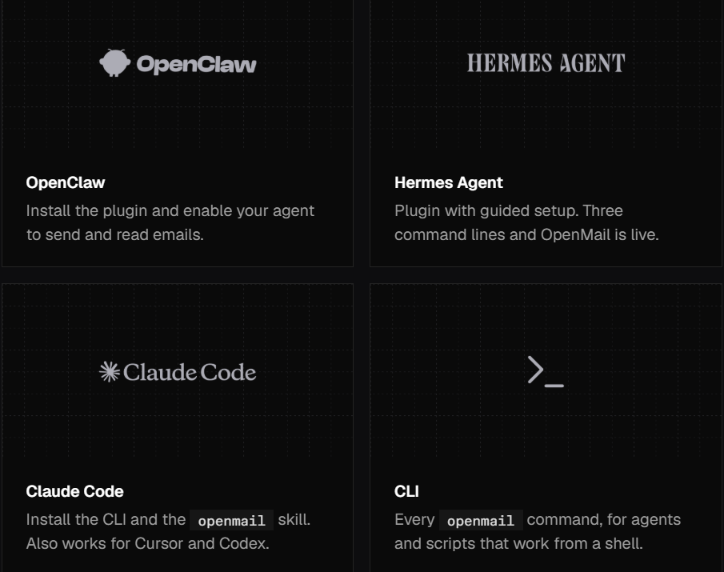
OpenMail acts as the email layer between your AI agent and the people or services it needs to talk to. Instead of tying the agent to a human inbox, you give it its own address and connect that inbox to the agent’s workflow.
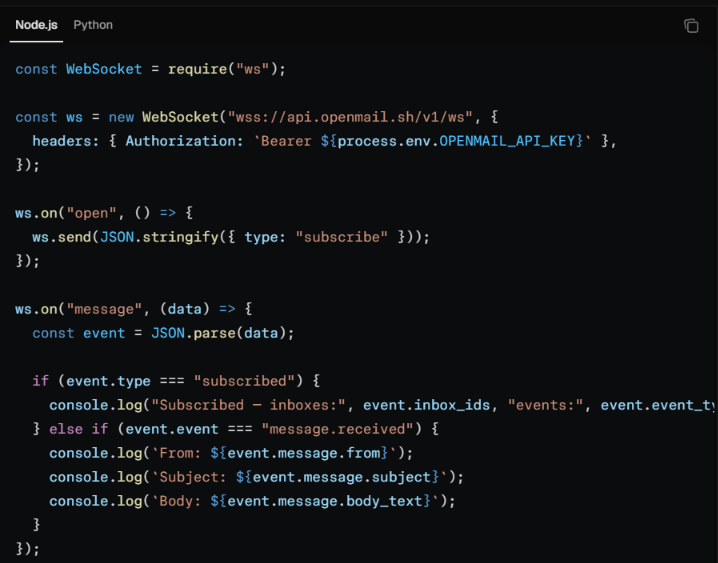
For deliverability, OpenMail handles several of the technical steps that normally need to be set up before you start sending. It automatically configures SPF, DKIM, and DMARC, and says its inboxes are pre-warmed. It also tracks sending reputation over time, so you do not have to manage everything yourself.
OpenMail uses shared sending IPs on its standard plans, while dedicated sending IPs are available on the Enterprise plan. It also includes a suppression list as part of its sending and reputation setup.
OpenMail does claim that emails can reach the primary inbox from day one. Even so, I would not treat that as guaranteed deliverability. There is still too little independent user feedback to say how well its inbox placement holds up as sending volume grows.
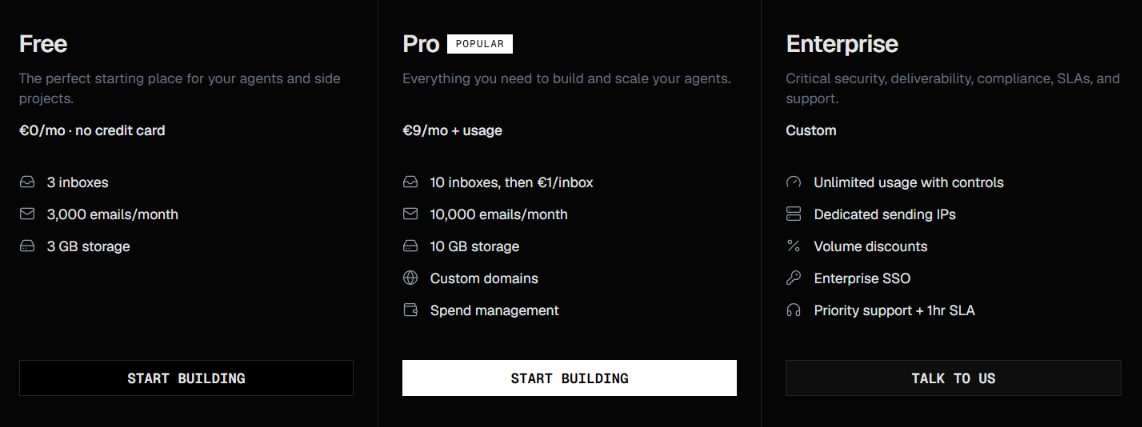
OpenMail offers three plans: Free, Pro, and Enterprise. The Free plan is enough to test OpenMail with a few agents, while Pro gives you more inboxes, higher email volume, and the option to use your own domain. Enterprise is aimed at teams that need dedicated sending IPs, higher volumes, and stronger support.
The key thing to know about Pro is that it uses usage-based pricing. After you use what is included, the extra charges are €1 per inbox per month, €0.001 for each additional email, and €0.10 per GB of storage above the included 10 GB.
There is also a difference in sending limits. Free accounts can send up to 100 emails per day, while Pro and Enterprise do not have a daily sending cap. Custom domains are available on Pro, and dedicated sending IPs are only included with Enterprise.
So, the €9 Pro price is just the starting point. If you have more agent inboxes or send more than 10,000 emails per month, your final bill will increase based on usage.
OpenMail is a strong fit if email plays an active role in your AI agent’s workflow, especially if the agent needs to receive and respond to messages rather than just send them. Each agent gets its own inbox and can manage complete email conversations.
Ultimately, the decision depends on what you need the inbox to do. OpenMail works best when your agent needs to manage email as a two-way conversation, not just send messages.
OpenMail is built around giving AI agents their own inboxes, but not every team needs the same type of email setup. Some need a similar agent-native inbox, some mainly need a developer-friendly way to send emails, while others need infrastructure built specifically for cold outreach. That is why these three alternatives make sense for different reasons.
Best for: Scaling cold outreach with private email infrastructure
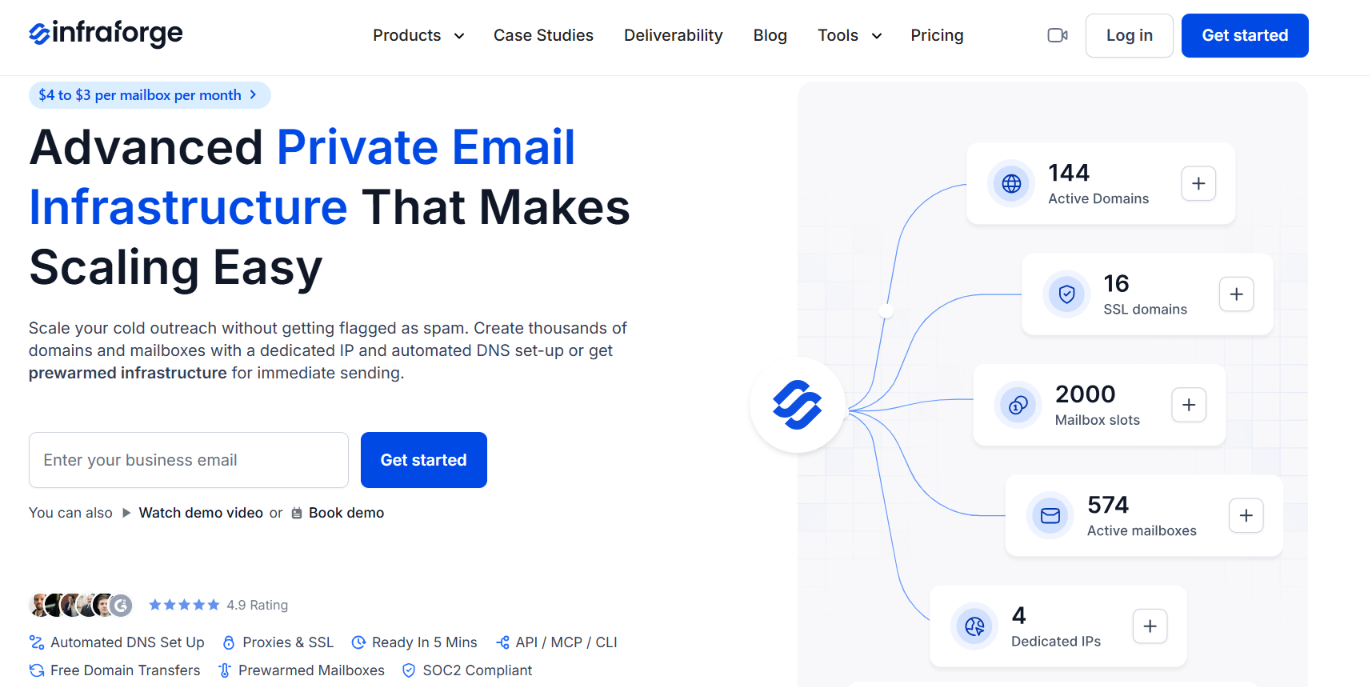
If your main goal is cold outreach, Infraforge is the more relevant option. It is built specifically for running outbound email across multiple domains and mailboxes, with dedicated IP infrastructure behind it.
A lot of the technical setup is handled for you. Infraforge supports automated SPF, DKIM, and DMARC setup, pre-warmed mailboxes, sender rotation, smart sending limits, and deliverability monitoring.
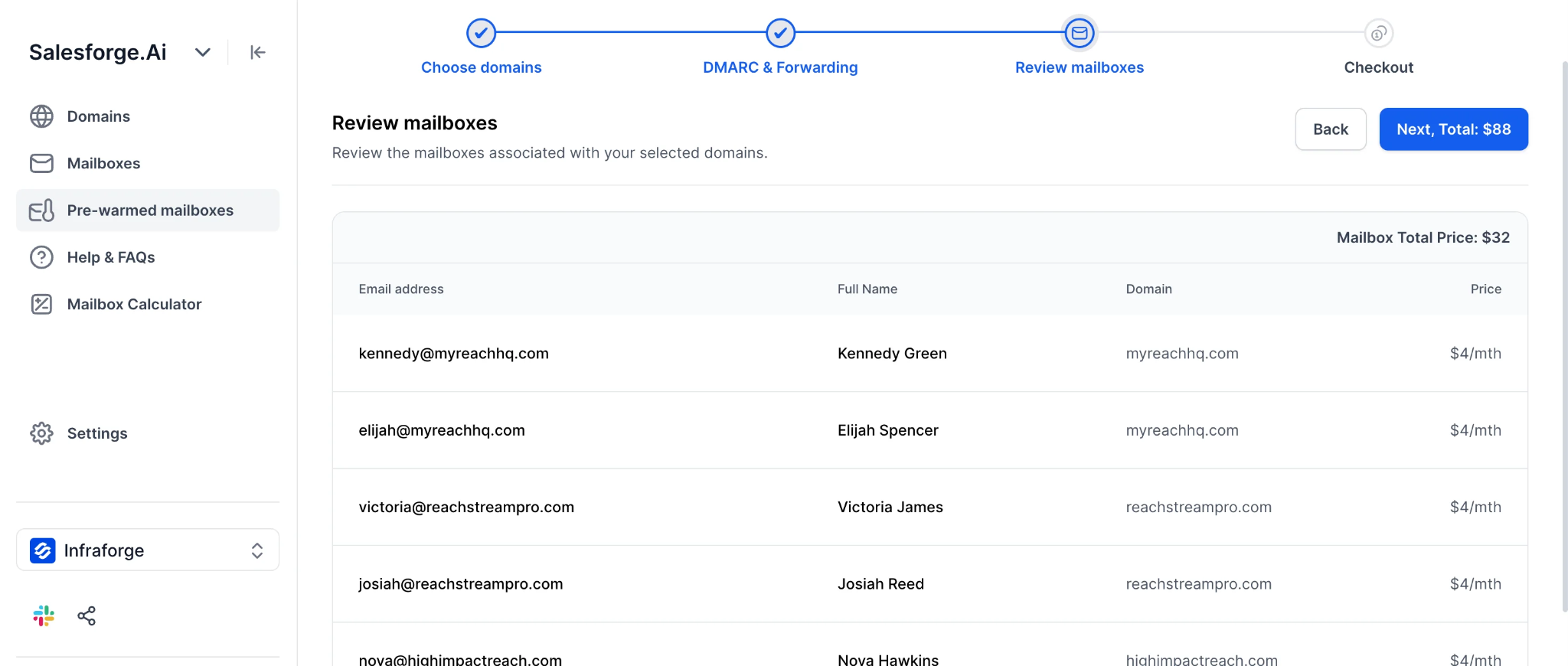
You can also use it with Salesforge or other sending tools. Pricing starts at $4 per mailbox per month and can go down to $3 per mailbox as you scale.
Infraforge is worth considering instead of OpenMail when cold email infrastructure is your main priority. It gives you dedicated IPs, automated DNS setup, pre-warmed mailboxes, sender rotation, and deliverability monitoring for scaling outbound campaigns.
OpenMail is better suited to AI agents that need their own inboxes to receive replies and manage ongoing conversations. If you are primarily building infrastructure for cold outreach at scale, Infraforge is the more relevant option.
Best for: Giving AI agents dedicated inboxes with developer-friendly SDKs
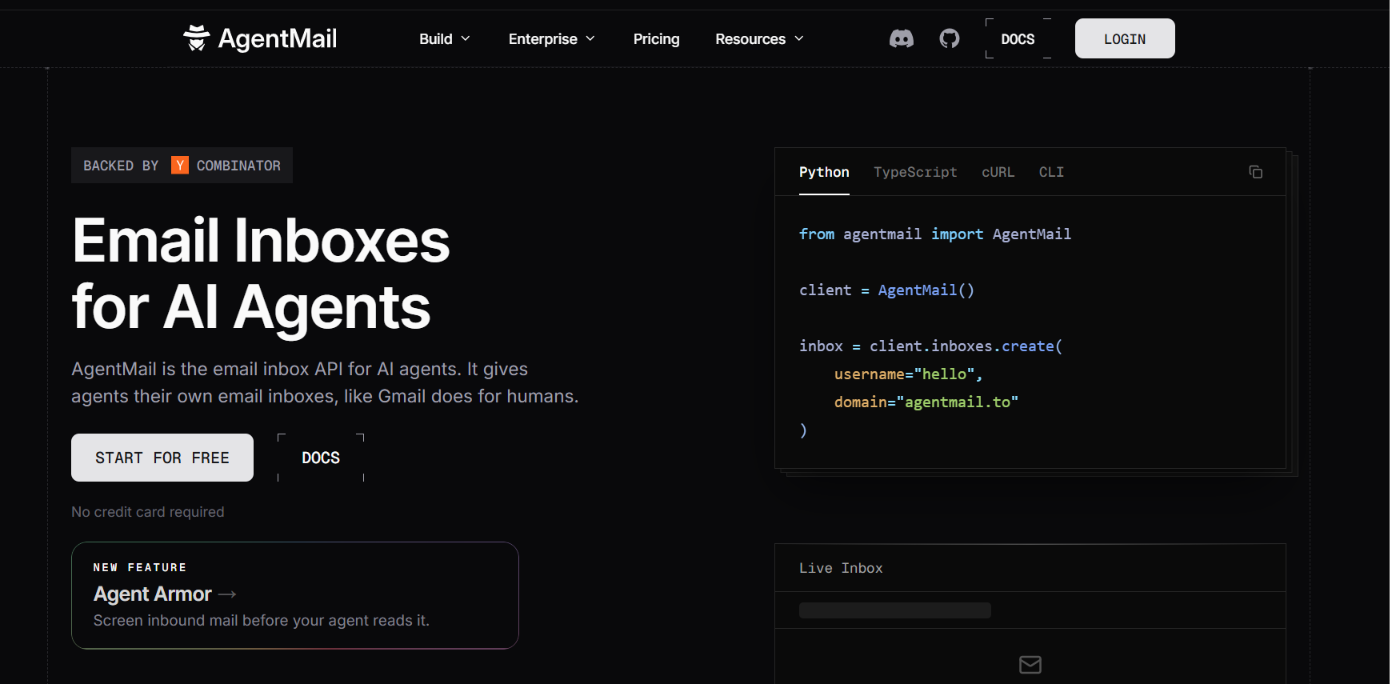
AgentMail is the closest alternative on this list because it solves much of the same problem as OpenMail. It gives AI agents their own inboxes and supports threads, replies, attachments, real-time events, custom domains, multi-tenancy, SDKs, and MCP.
Its Free plan includes 3 inboxes, 3,000 emails per month, and 3 GB of storage. The Developer plan costs $20 per month and includes 10 inboxes, 10,000 emails, 10 GB of storage, and 10 custom domains.
AgentMail makes more sense if you want an agent-inbox alternative with official SDKs and SOC 2 compliance. OpenMail has the lower entry price for custom-domain use, with Pro starting at €9 per month, while AgentMail's Developer plan starts at $20 per month.
The underlying use case, however, is very similar. Both are designed around giving AI agents real inboxes rather than simply providing an outbound sending API.
Best for: Sending transactional and marketing emails through developer APIs

Resend is primarily a developer email platform for sending transactional and marketing emails at scale. It provides a REST API, SMTP relay, official SDKs, webhooks, React Email, tracking, and deliverability tools.
Its Free plan includes 3,000 emails per month with a 100-email daily limit. Pro starts at $20 per month for 50,000 emails, with additional emails costing $0.90 per 1,000.
Resend is the better fit when your application mainly needs to send transactional or marketing email and you want strong developer tooling around that workflow.
OpenMail becomes more relevant when email itself is part of the agent's workflow. It gives each agent a dedicated inbox, preserves two-way thread context, parses attachments, and pushes incoming messages to the agent in real time.
If your priority is two-way email for AI agents, OpenMail and AgentMail are the closest match. If the priority is cold outreach infrastructure and deliverability control, Infraforge is the more relevant alternative. If you mainly need to send application, transactional, or marketing emails, Resend is the better fit.
Enter your email to get a custom plan & stack recommendation for your business
Please check your mailbox in 5 minutes

OpenMail is a good option if you need to give AI agents their own inboxes and let them handle email conversations without relying on a human inbox. Its €9 Pro plan keeps the starting cost low, and you get two-way email, real-time replies, threading, attachment parsing, and managed email authentication.
But OpenMail is not built specifically around cold outreach. If your main goal is to scale cold email across multiple domains and mailboxes, Infraforge is a better fit. It gives you private email infrastructure with dedicated IPs, automated DNS setup, pre-warmed mailboxes, and deliverability monitoring.
If that is closer to what you need, try Infraforge to build and manage your cold email infrastructure in one place.