
Personalized Outbound Strategy
Get The Right Outbound Strategy In Minutes
Enter your email to get a custom plan & stack recommendation for your business
It's being carefully crafted by AI
Please check your mailbox in 5 minutes

What if you could replace your worst-performing 10% of cold email inboxes every seven days without doing it yourself?
That's one of the things Peeker AI lets you do.
It checks inbox health, finds burned accounts, and replaces them automatically. Google Workspace inboxes start at $3.50 each, with the price dropping to $2.80 when you buy 1,000 or more.
So, if you're running 1,000 inboxes, you're looking at $2,800 at the listed rate. That also gets you automatic DNS setup, inbox health tracking, and replacements when accounts burn out.
But I'd still want to know how well those replacements work during active campaigns, especially since Peeker AI has no user reviews on G2 or Trustpilot.
In this Peeker AI review, I'll look at what you get for the price, how the inbox replacement works, and what you should know before buying.
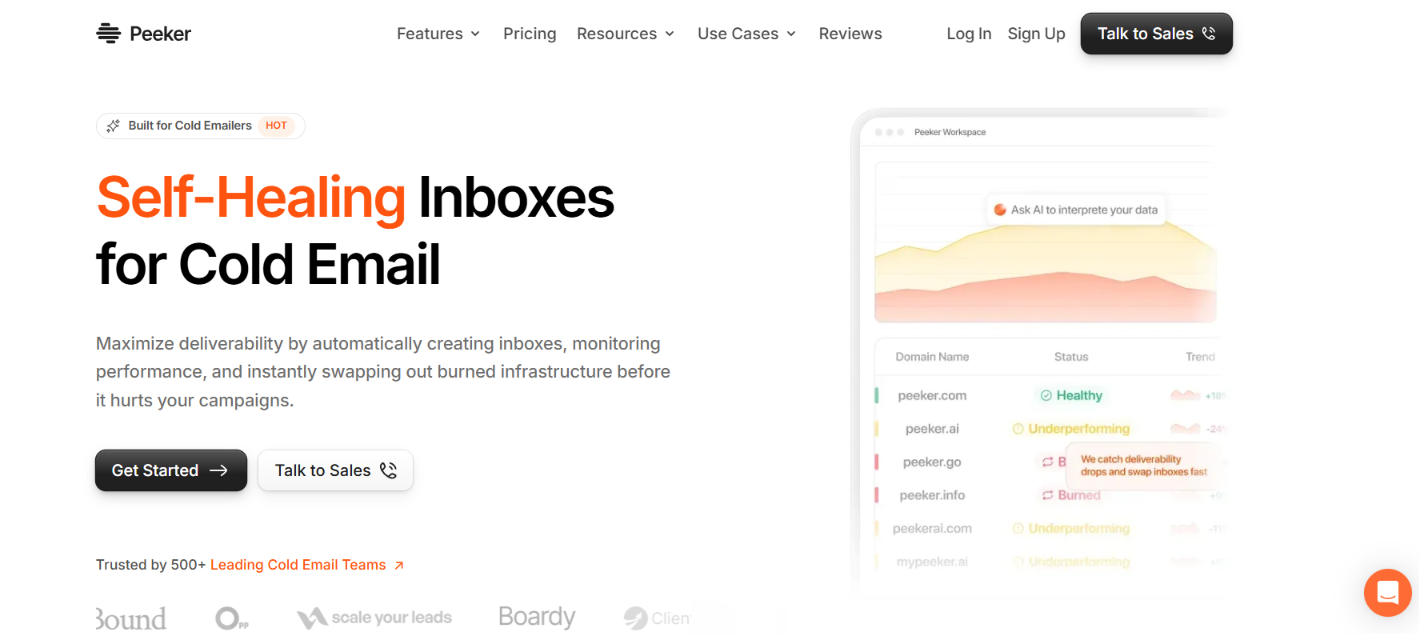
Peeker AI gives you Google Workspace and Microsoft Azure inboxes for cold email. It handles SPF, DKIM, and DMARC setup and delivers the inboxes to your sequencer with warm-up settings configured.
Peeker also monitors the inboxes after setup. It tracks inbox health, detects burned inboxes, swaps them for healthier ones, and handles reconnects when an inbox disconnects. You can set swaps based on reply rate, bounce rate, or warm-up score.
Peeker also gives the example of automatically replacing the bottom 10% of inboxes every seven days.
What Peeker does not publicly list is full domain and mailbox ownership, bulk DNS updates, or pre-warmed mailboxes for purchase. Primeforge includes these, along with Google Workspace and Microsoft 365 mailboxes. Here’s how they compare:
Peeker is stronger on automation. It watches inbox health, replaces burned inboxes, and reconnects accounts when something breaks.
Primeforge gives you more to manage yourself. You own the domains and mailboxes, can make bulk DNS changes, edit mailbox settings, check detailed mailbox analytics, and buy pre-warmed mailboxes.
Peeker starts with inbox setup, then keeps monitoring those inboxes after they are connected to your sending tool.
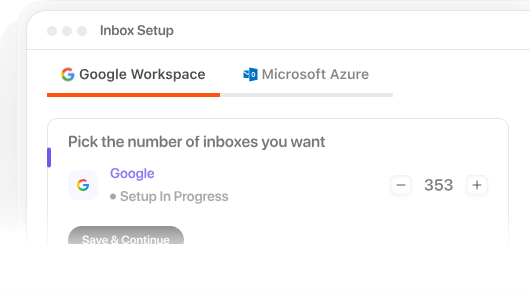
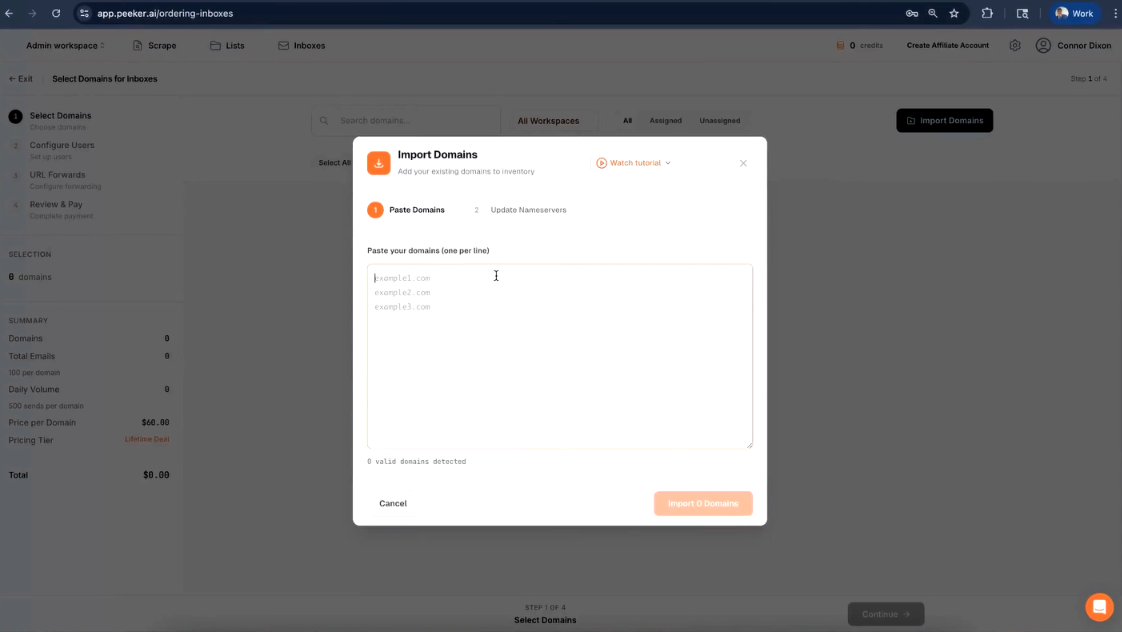
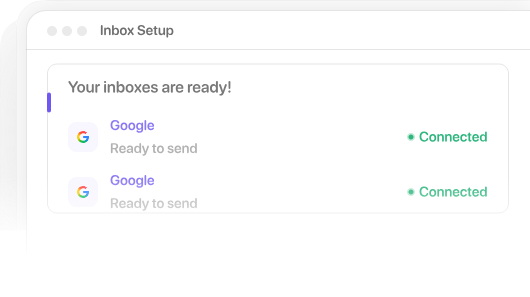
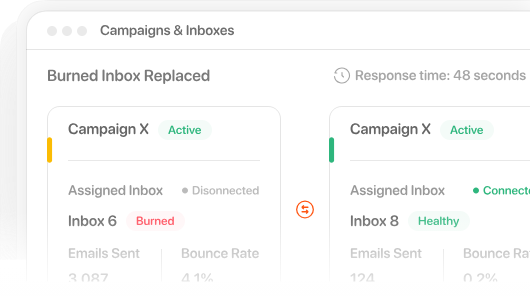
After setup, Peeker keeps monitoring them and handles swaps or reconnects when something goes wrong.
The main features to look at are deliverability analytics, burn detection, inbox replacement, and automatic reconnects.
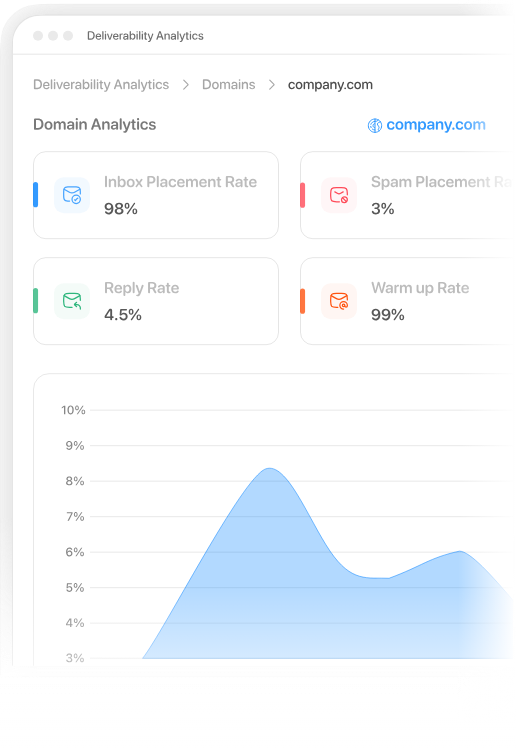
Peeker tracks inbox health, spam placement risk, and performance by inbox and campaign. You can also compare connected inboxes to see which ones are performing worse than the rest. This helps you catch a drop in performance before an inbox is completely burned.
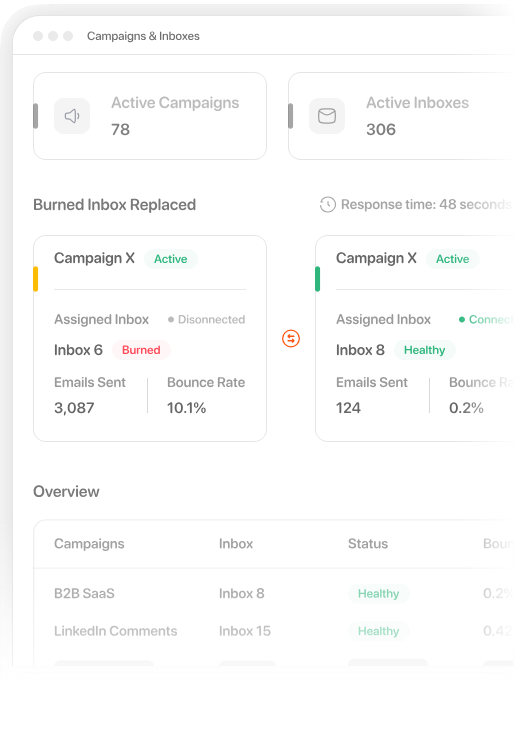
Peeker watches for signs that an inbox is starting to burn. When it finds a problem, you can get an alert by email or webhook. If the inbox is burned, Peeker can automatically swap it for a healthy one.
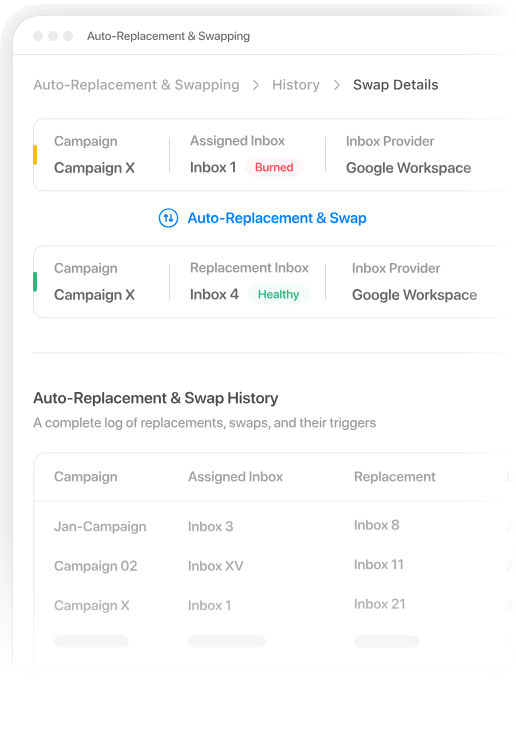
You do not have to wait until an inbox is fully burned to replace it. Peeker can swap inboxes when reply rate, bounce rate, or warm-up score drops. You can also set a schedule, such as replacing the bottom 10% of your inboxes every seven days.
The bottom 10% every seven days is an example Peeker gives, not a fixed replacement rule.
Inboxes can disconnect because of DNS issues, authentication changes, provider restrictions, or expired OAuth connections.
Peeker detects these disconnects and tries to reconnect the inbox automatically. If it cannot fix the problem, its support team can step in.
Peeker’s self-healing system is useful because it does not wait for you to manually decide which inbox should be removed. It can replace inboxes based on reply rate, bounce rate, or warm-up score. You can also set scheduled replacements, such as removing the bottom-performing inboxes every seven days. The schedule is configurable, so the bottom 10% example is not a fixed Peeker rule.
I like that Peeker uses specific signals instead of treating every drop in performance the same way. A burned inbox can be removed from active sending, while a disconnected inbox goes through a reconnect process instead.
The limitation is that these signals do not always tell you why performance dropped. A low reply rate, for example, can come from poor targeting or weak copy rather than an inbox problem. Replacing that inbox would not fix the actual cause.
So I would use Peeker’s self-healing feature to reduce manual inbox checks, but I would not rely on it as the only measure of deliverability.
Peeker prices Google Workspace inboxes by volume.
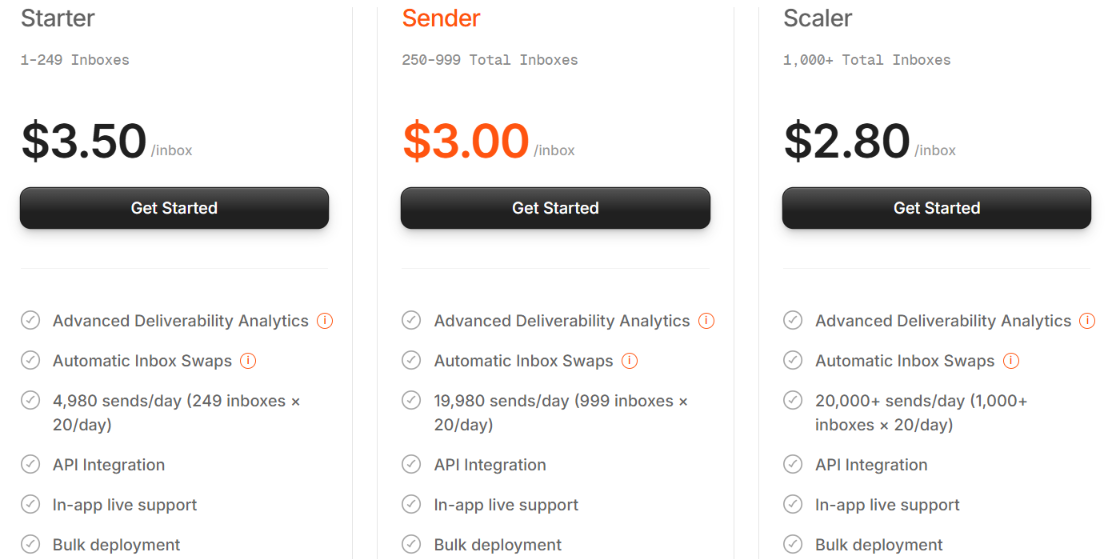
All three tiers include deliverability analytics, automatic inbox swaps, API access, live support, bulk deployment, and US ISPs. Microsoft Azure is priced by domain instead.
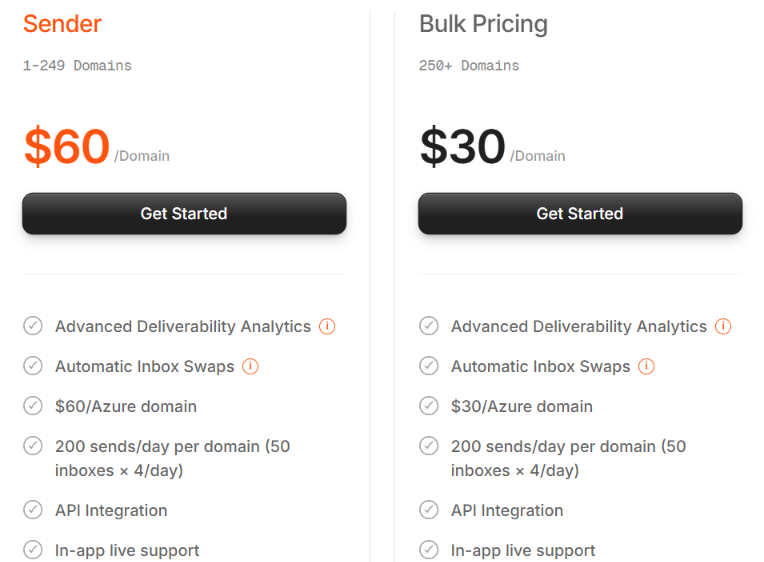
Each Azure domain supports 50 inboxes, and Peeker lists 200 sends per day per domain. The biggest price drop comes at 1,000 Google inboxes and 250 Azure domains, so Peeker is clearly priced more aggressively for larger setups.
Peeker AI is mainly useful for people managing a large number of cold email inboxes and looking to cut down the manual work of checking, replacing, and reconnecting them.
Peeker may be less useful if you have only a few inboxes or want more direct control over how your email infrastructure is managed.
Peeker AI focuses on finding weak inboxes and replacing them automatically. But that may not be what you need from your email setup. If you want to own your domains and mailboxes and manage them yourself, Primeforge is a better alternative.
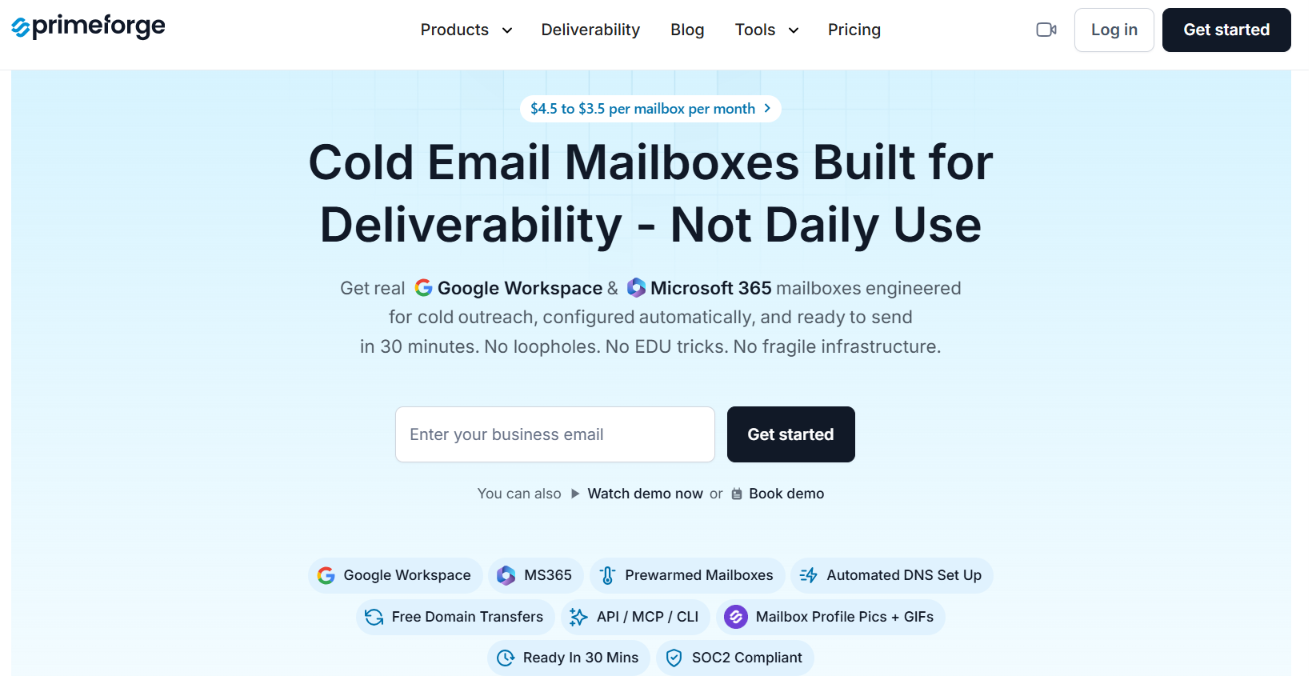
Primeforge gives you Google Workspace and Microsoft 365 mailboxes built for cold email. You keep full ownership of the domains and mailboxes.
Here is where Primeforge differs from Peeker.
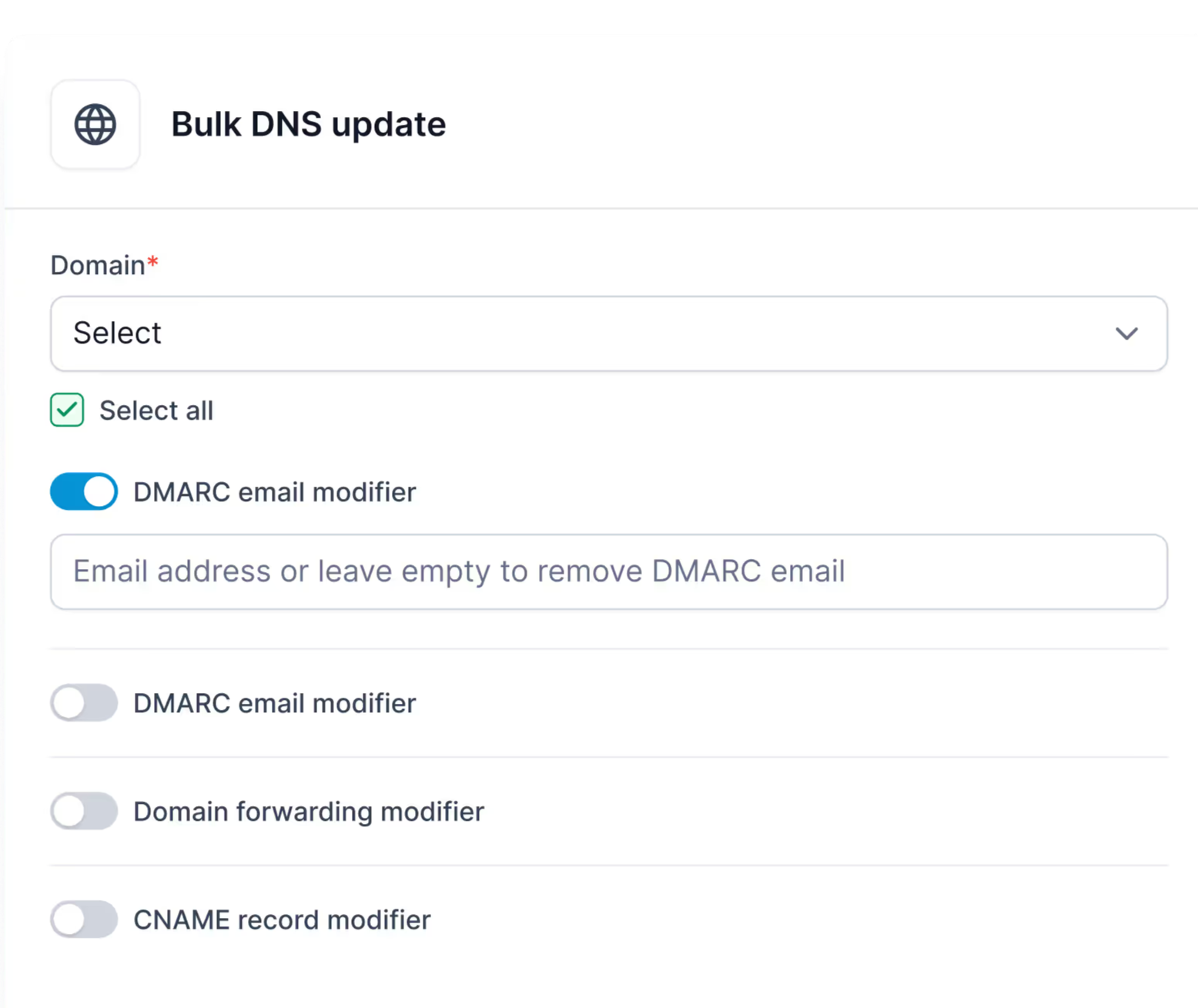
Peeker is the better option if you mainly want burned inboxes detected and replaced for you. Primeforge is the better alternative if you want to own the infrastructure and have more say over how your Google and Microsoft mailboxes are managed.
Enter your email to get a custom plan & stack recommendation for your business
Please check your mailbox in 5 minutes

Peeker AI is worth it if burned and disconnected inboxes are taking too much time to manage manually.
Its automatic swaps and reconnects can reduce that work, but burn detection is not always accurate. So Peeker is a better choice when automation matters more than hands-on infrastructure management.
If you want more control over the setup, Primeforge gives you more to work with. You get full domain and mailbox ownership, pre-warmed mailboxes, automated DNS setup, bulk DNS updates, and mailbox analytics.
Try Primeforge if you want Google Workspace and Microsoft 365 mailboxes with more control over how they are set up and managed.