
Personalized Outbound Strategy
Get The Right Outbound Strategy In Minutes
Enter your email to get a custom plan & stack recommendation for your business
It's being carefully crafted by AI
Please check your mailbox in 5 minutes

Warming a fresh SMTP setup can delay a cold email campaign before you send a single email at scale. Start too fast, and you can hurt the reputation of a new IP before it has built enough sending history.
Pre-warmed SMTP servers are meant to cut down that waiting period. But paying for something labelled “pre-warmed” does not mean you can immediately send at any volume you want. The age of the infrastructure, its previous sending activity, and how you increase volume after getting access still matter.
So I looked at 5 pre-warmed SMTP server providers in 2026, their pricing, what you get for the money, sending limits, and the warm-up work that may still be required after purchase.
A good pre-warmed SMTP setup should give you more than an old domain or a mailbox that has exchanged a few warm-up emails. The sending history, IP setup, and usable volume matter much more.
Here are the things I would compare.
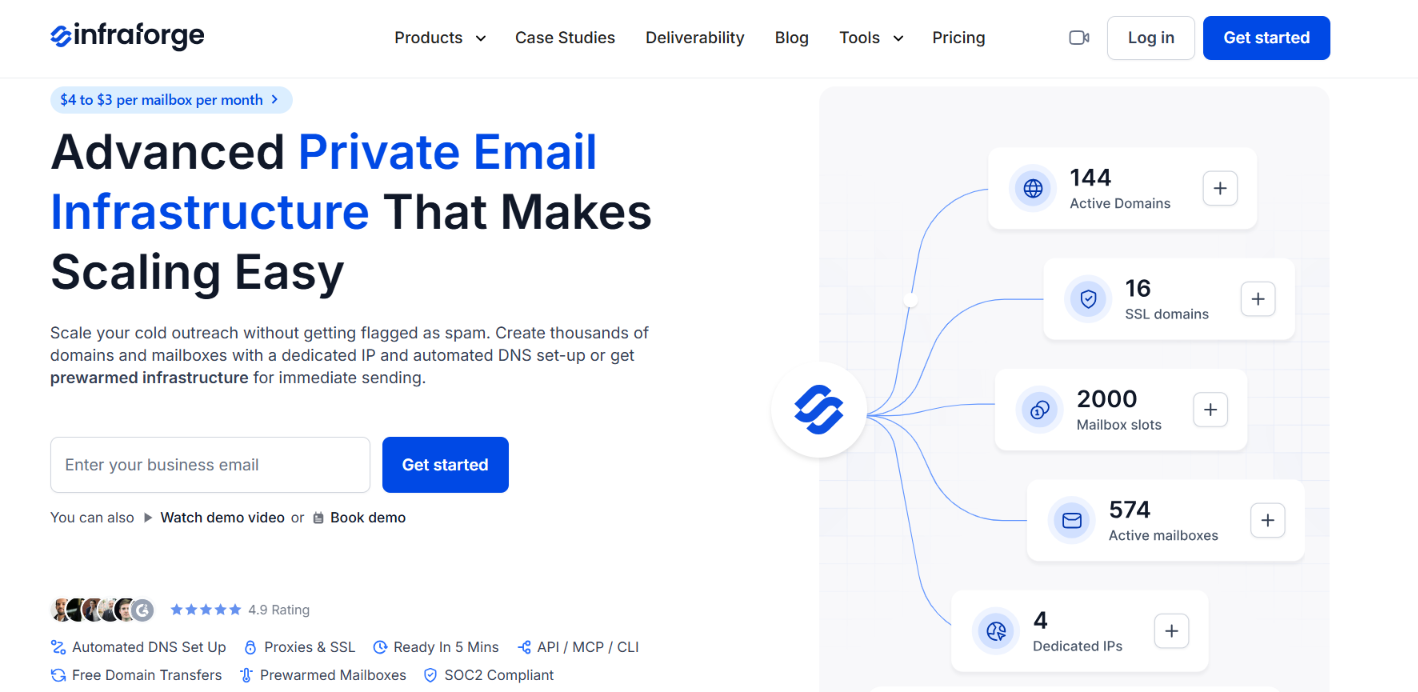
Infraforge provides private email infrastructure for cold outreach. You get dedicated sending infrastructure instead of running your mailboxes on a shared IP pool, which gives you more control over your sender reputation.
You can manage domains and mailboxes in Infraforge and connect them to Salesforge or other sending software. Each mailbox can also be exported with its SMTP and IMAP host, ports, email, and password, so you are not limited to sending from inside Infraforge.
You also get control over the infrastructure itself. Infraforge supports multiple IPs, bulk DNS changes, SSL and domain masking, separate workspaces, and an API.
Infraforge offers pre-warmed domains and mailboxes for buyers who do not want to spend around two weeks warming new mailboxes before starting outreach. The mailboxes have already gone through the gradual warm-up process and are ready to use after purchase.
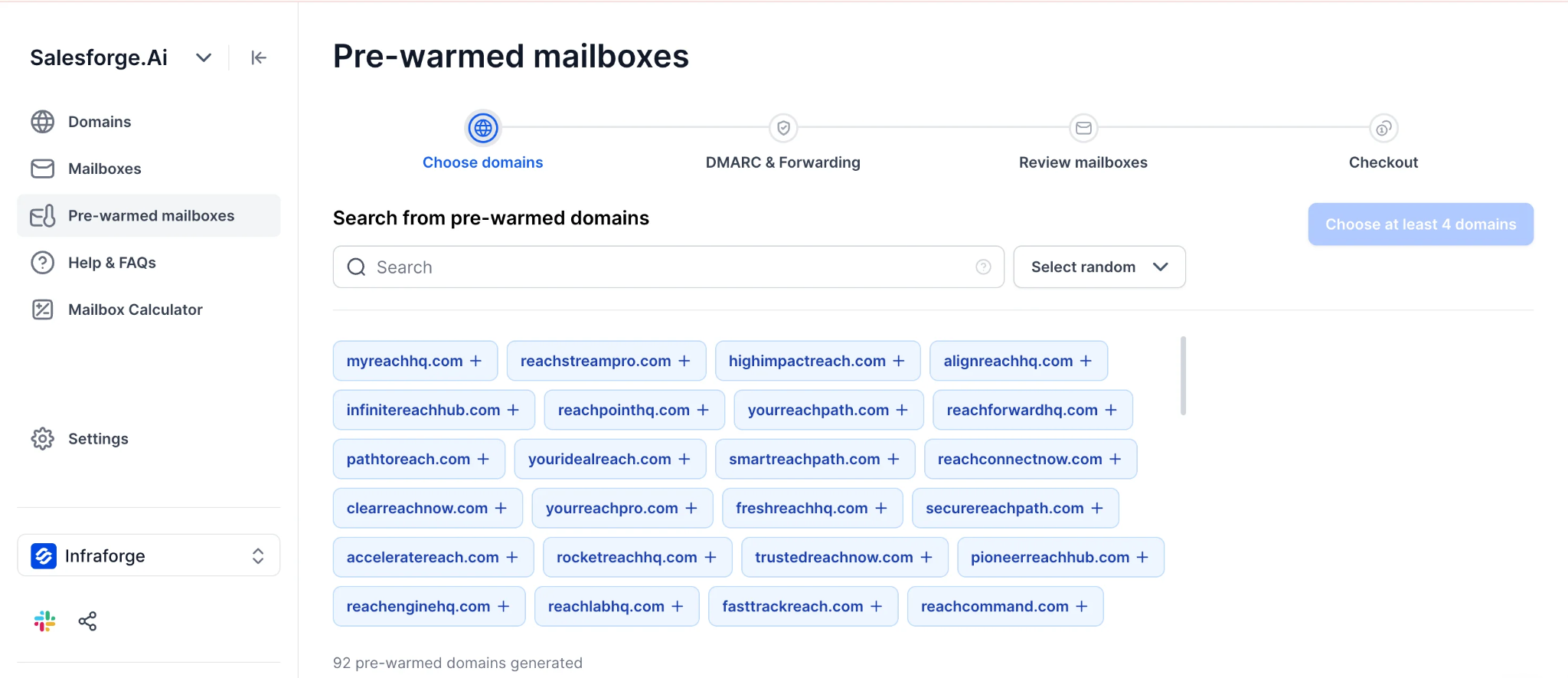
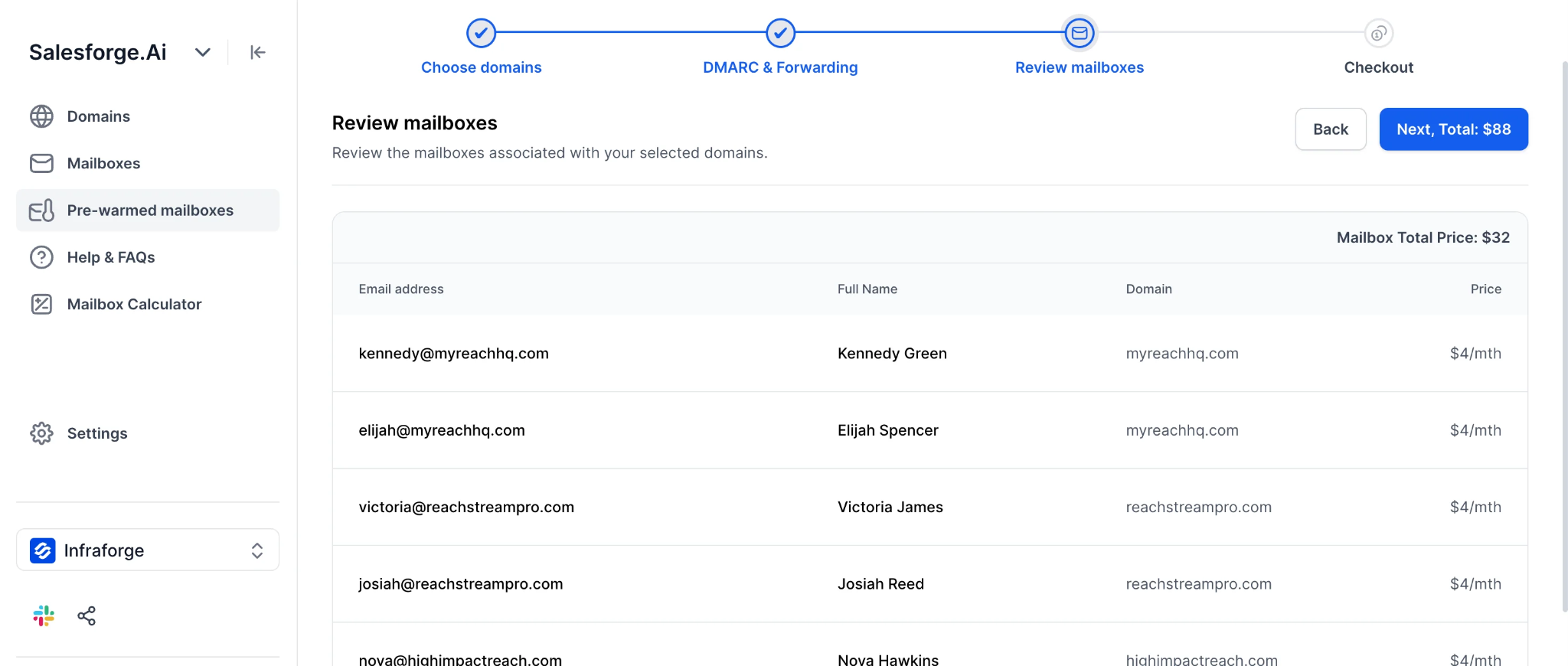
You select the domains, add DMARC and domain forwarding, and Infraforge generates the pre-warmed mailboxes for you. One limitation is that these mailboxes come with default names, so you do not get full control over the mailbox names.
The important distinction is that Infraforge confirms its domains and mailboxes are pre-warmed. It does not state that the dedicated server or IP itself is pre-warmed.
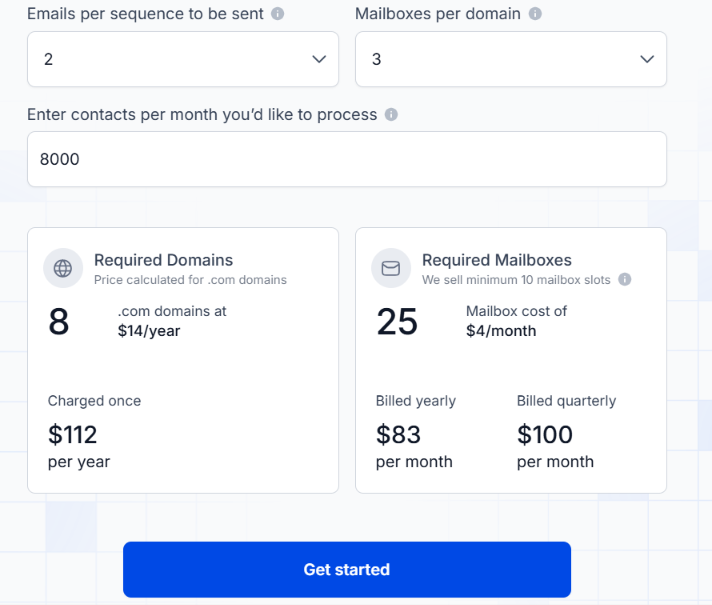
Pre-warmed domains cost $14 each, with at least four required. The setup uses two pre-warmed mailboxes per domain, priced at $4 per mailbox.
However, Infraforge still requires at least 10 mailbox slots. If you want all 10 to be pre-warmed, you would need five domains with two mailboxes each. That puts the setup at $70 for five domains plus $40 per month for 10 mailbox slots.
Additional dedicated IPs cost $99 per IP per month, billed quarterly.
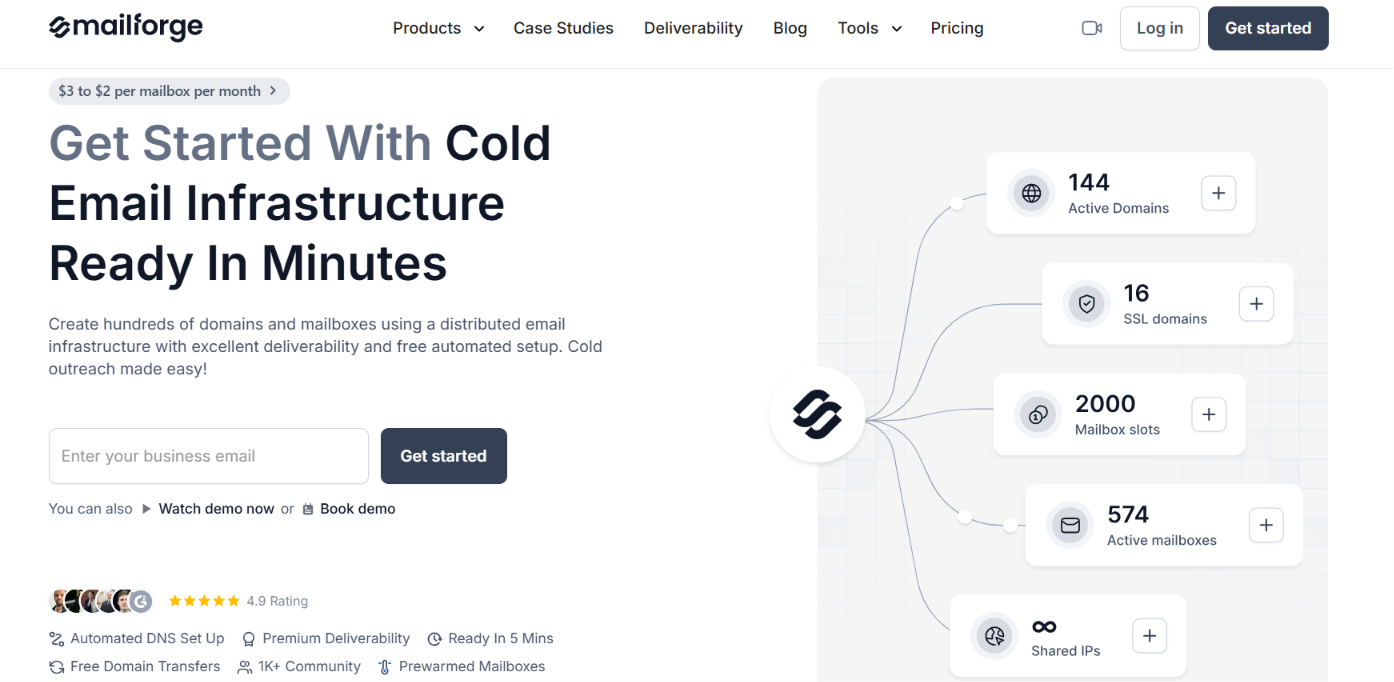
Mailforge is a cold email infrastructure provider that gives you domains and mailboxes with SMTP and IMAP access on shared infrastructure. It handles SPF, DKIM, and DMARC automatically, and you can connect the mailboxes to Salesforge or other cold email sending tools.
The SMTP infrastructure runs on a shared IP pool, so you are not buying your own dedicated SMTP server or dedicated IP. You can either create fresh infrastructure or select pre-warmed domains and mailboxes that have already gone through the initial warm-up period.
This makes Mailforge a good option if you want pre-warmed SMTP mailboxes without setting up and warming new email infrastructure first.
Mailforge prepares the infrastructure before making it available for purchase. The domains are registered, mailboxes are created, authentication is configured, and the mailboxes exchange emails through a warm-up network to build sending history.
When buying, you can search through the pre-warmed domains currently available in Mailforge and select the ones you want. Each pre-warmed domain comes with two pre-warmed mailboxes.
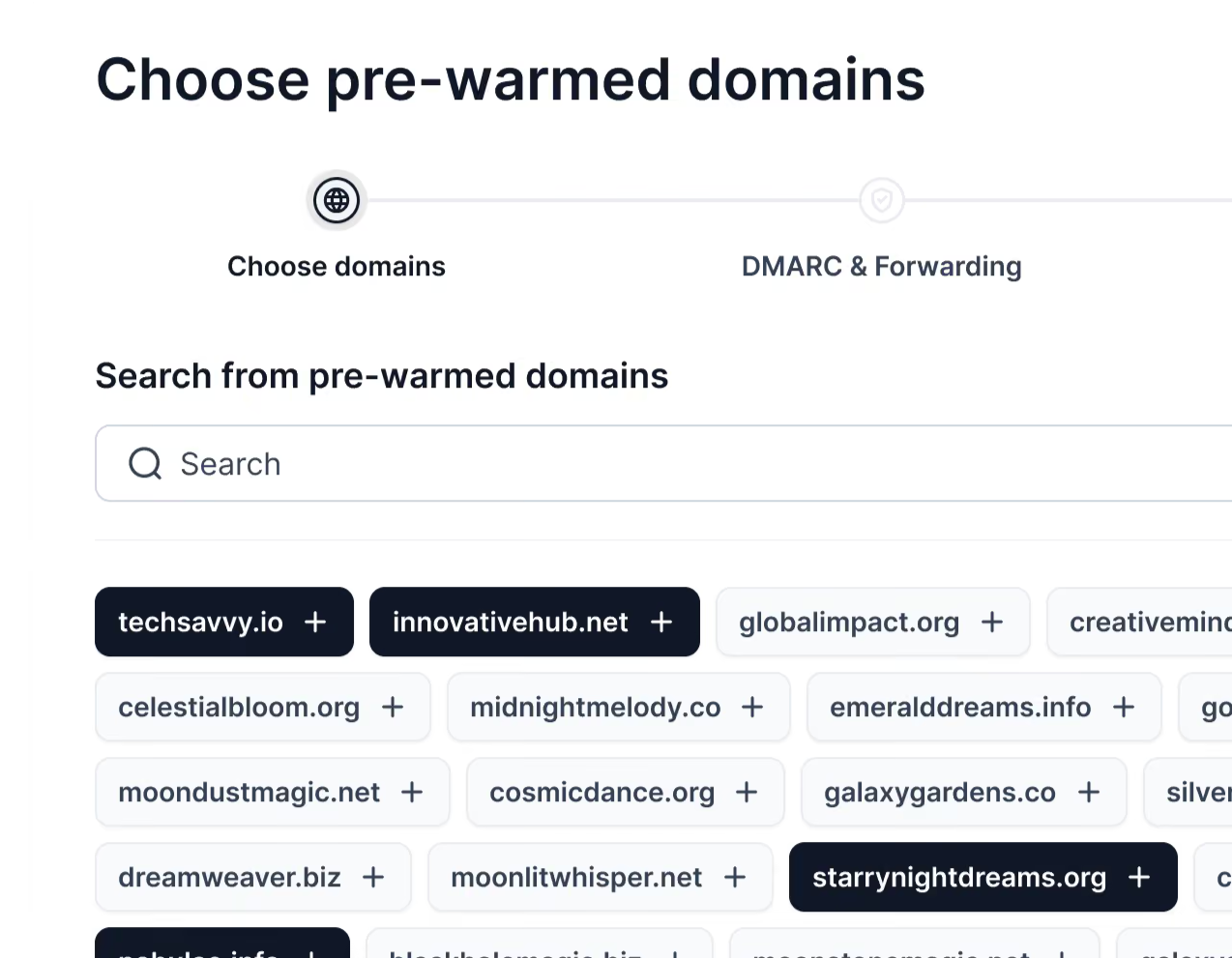
The price is $14 per pre-warmed domain, with a minimum purchase of four domains. That gives you four domains and eight pre-warmed mailboxes.
There is no separate pre-warming fee. Each pre-warmed mailbox uses a regular Mailforge mailbox slot at $3 per month.
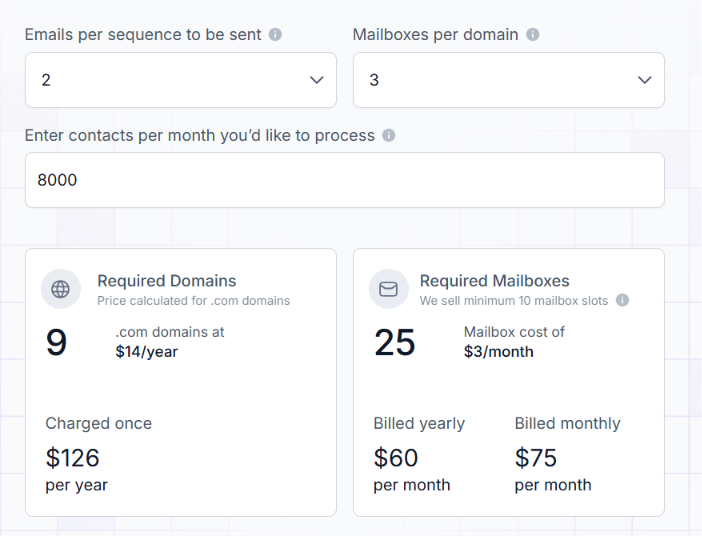
Pre-warmed domains cost $14 each, with a minimum purchase of four. Each domain comes with two pre-warmed mailboxes.
So, the minimum purchase gives you 4 pre-warmed domains and 8 pre-warmed mailboxes for $56, plus $24 per month for the eight $3 mailbox slots. There is no additional pre-warming charge.
Mailforge is best suited to buyers who want pre-warmed SMTP mailboxes and are comfortable using shared IP infrastructure rather than having their own dedicated SMTP server and IP.

Mailreef is a cold email infrastructure provider that gives you your own dedicated mail server and dedicated IP. You can bring your own domains or buy them through Mailreef, create the mailboxes you need, and connect them to Smartlead or Instantly for sending.
The setup is handled from one place. Mailreef creates SPF, DKIM, and DMARC, monitors the server and mailboxes, and gives you API access. Each server supports at least 150 mailboxes, while the server and IP are not shared with other Mailreef customers.
Mailreef also offers a Day One Campaigns option where the server, domains, and mailboxes are already pre-warmed before you start using them.
Mailreef offers pre-warmed infrastructure at three levels, the mail server, domains, and mailboxes. This lets you start with a server Mailreef has already pre-warmed instead of receiving a new server and warming it yourself.
The server also comes with a dedicated IP, so your sending reputation is not tied to other customers using the same server or IP. One detail Mailreef does not publish is how long its pre-warmed server, domains, and mailboxes have been warming.
So, you know the infrastructure is pre-warmed, but there is no stated warm-up age to compare with other providers.
Once you start sending, Mailreef recommends a maximum of three mailboxes per domain, 50 emails per mailbox, and a 1:1 ratio of cold emails to warm-up emails.
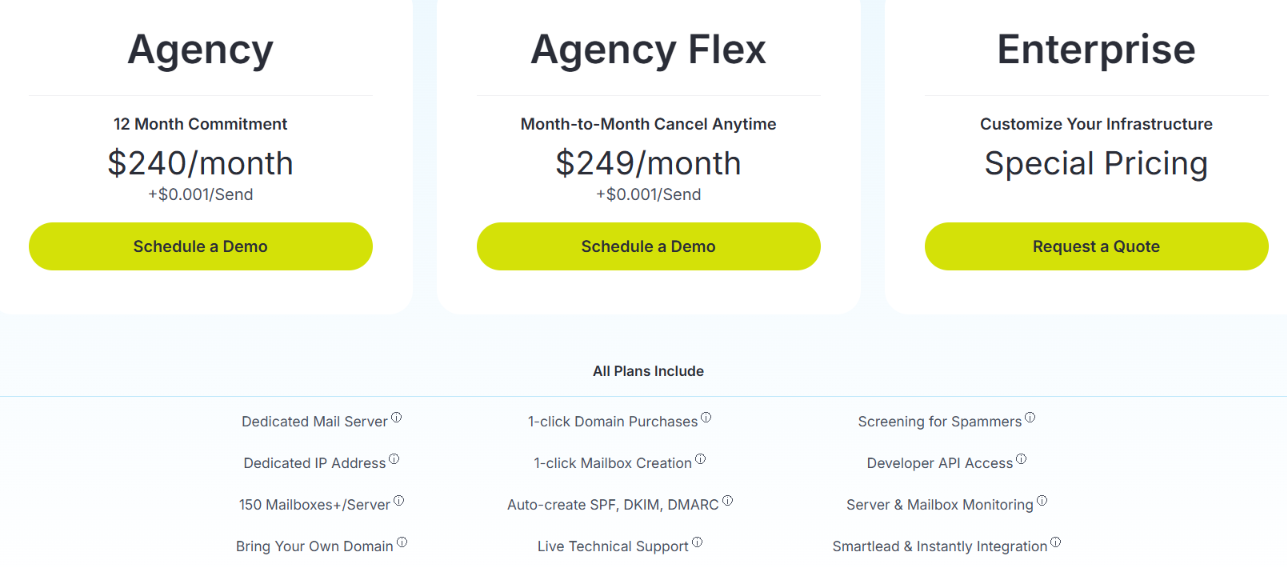
Mailreef's Agency plan costs $240 per month with a 12-month commitment, plus $0.001 per send. The Agency Flex plan costs $249 per month, plus $0.001 per send, and can be cancelled month to month. Enterprise pricing is custom.
All plans include a dedicated mail server, dedicated IP, 150+ mailboxes per server, domain and mailbox creation, automated SPF, DKIM, and DMARC, server and mailbox monitoring, API access, and Smartlead and Instantly integrations.
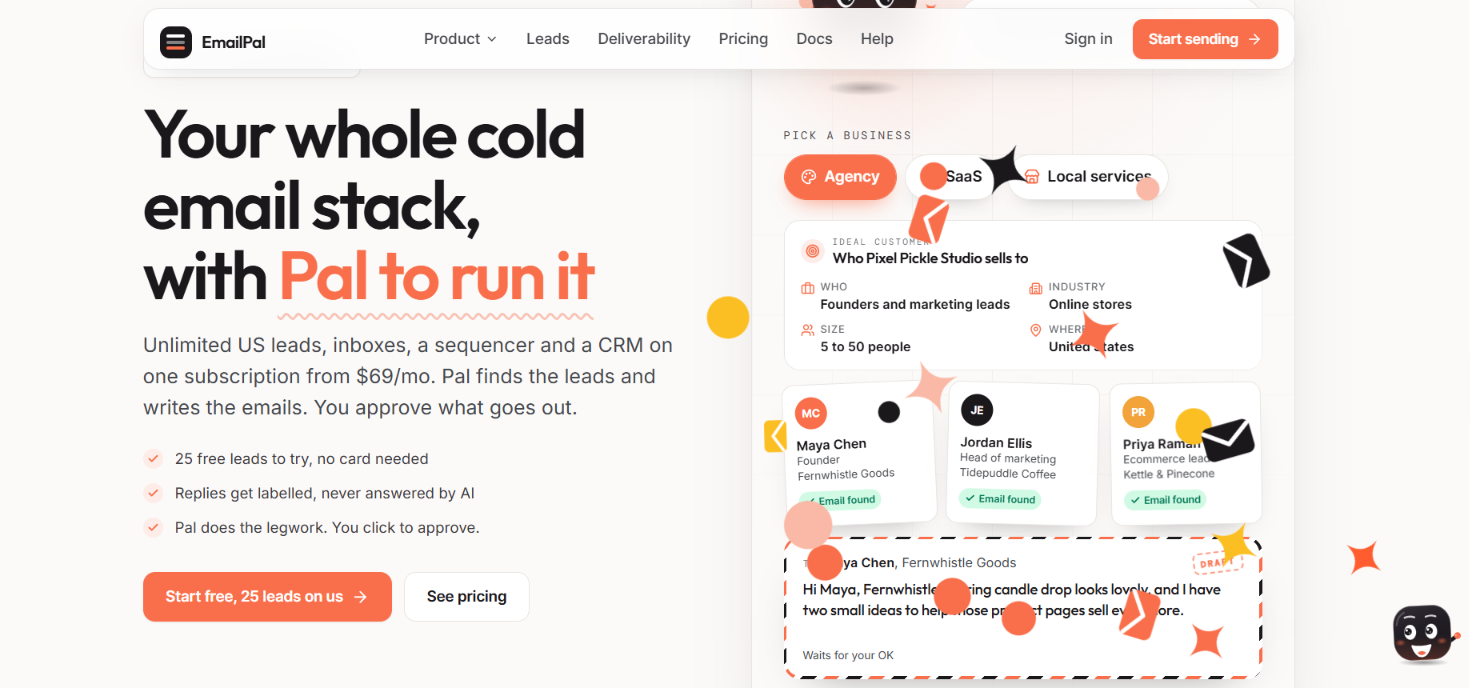
EmailPal is a cold email platform with its own hosted SMTP/IMAP mailboxes. You can use them inside EmailPal or connect them to a sending tool such as Smartlead or Instantly.
Its pre-warmed option is useful if you do not want to start with a fresh mailbox. EmailPal prepares the domain and mailbox first, warms the inbox, and then adds it to its available inventory.
The important part is that you are buying access to a pre-warmed SMTP mailbox, not a pre-warmed dedicated server. The mailbox already has sending history when you get it.
EmailPal uses domains that are at least 90 days old, and each mailbox is warmed before it is listed.
Before claiming one, you can check its recent placement data. EmailPal measures how its warming emails are landing, so you have some history to look at instead of relying only on the word “pre-warmed.”
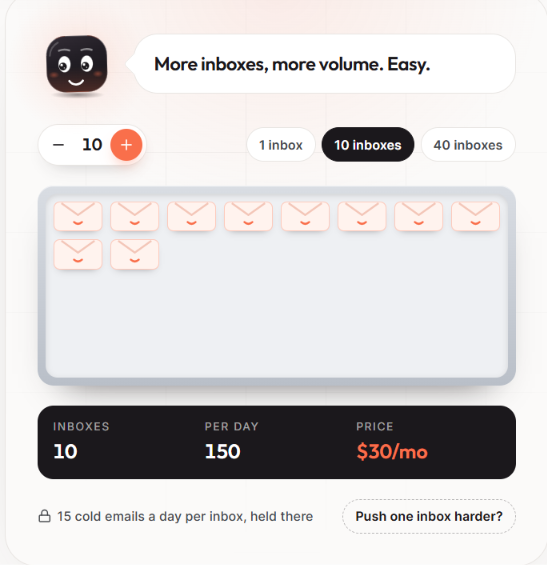
Once claimed, the inbox can send up to 15 cold emails per day. Warming keeps running in the background while you use it.
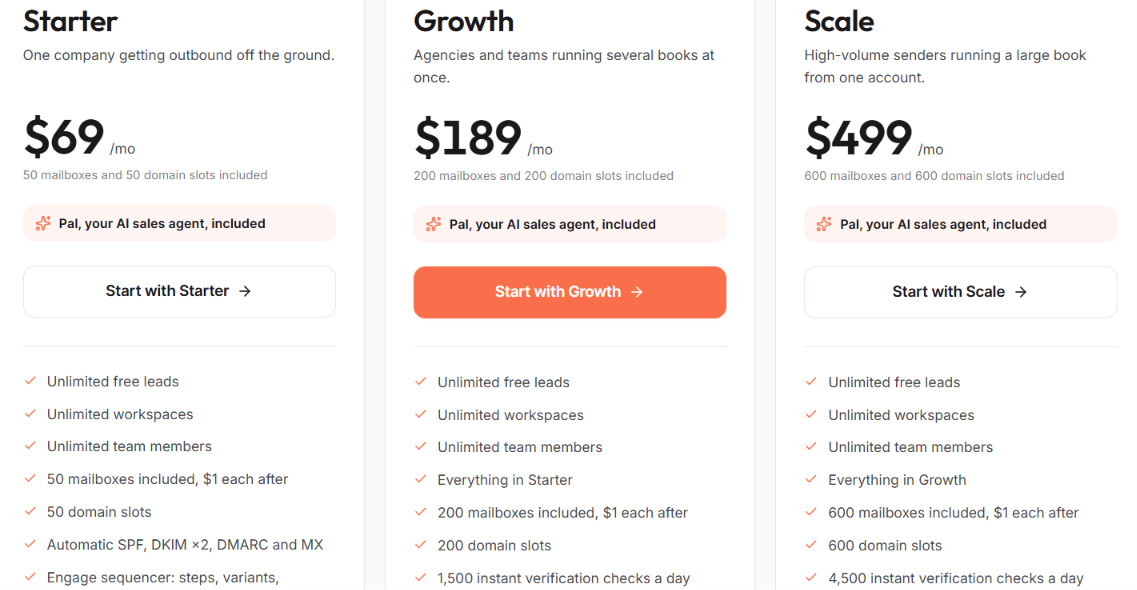
EmailPal starts at $69 per month. Pre-warmed inboxes cost an extra $3 per inbox per month, with ongoing warming included and a 90-day minimum term.
For example, 10 pre-warmed inboxes add $30 per month and support up to 150 cold emails per day.
EmailPal works best if you want pre-warmed SMTP inboxes with placement data, rather than a dedicated pre-warmed SMTP server.
IPwarmup.com gives you a pre-warmed SMTP server with a dedicated IP and an aged sending domain. The IP and domain are assigned to your setup and are not shared with another sender.
You can create email accounts on the server, connect your own sending domains, and use the SMTP credentials with Smartlead, Instantly, MailWizz, or another sending tool. Unlike providers that charge for every pre-warmed mailbox, IPwarmup.com charges for the SMTP server and lets you create multiple accounts on it.
That makes the setup useful when you need many sending addresses but do not want to buy each pre-warmed inbox separately.
IPwarmup.com does the warming before giving you the server. It sends thousands of warm-up emails through the SMTP and generates opens, clicks, replies, and not-spam actions to build sending history.
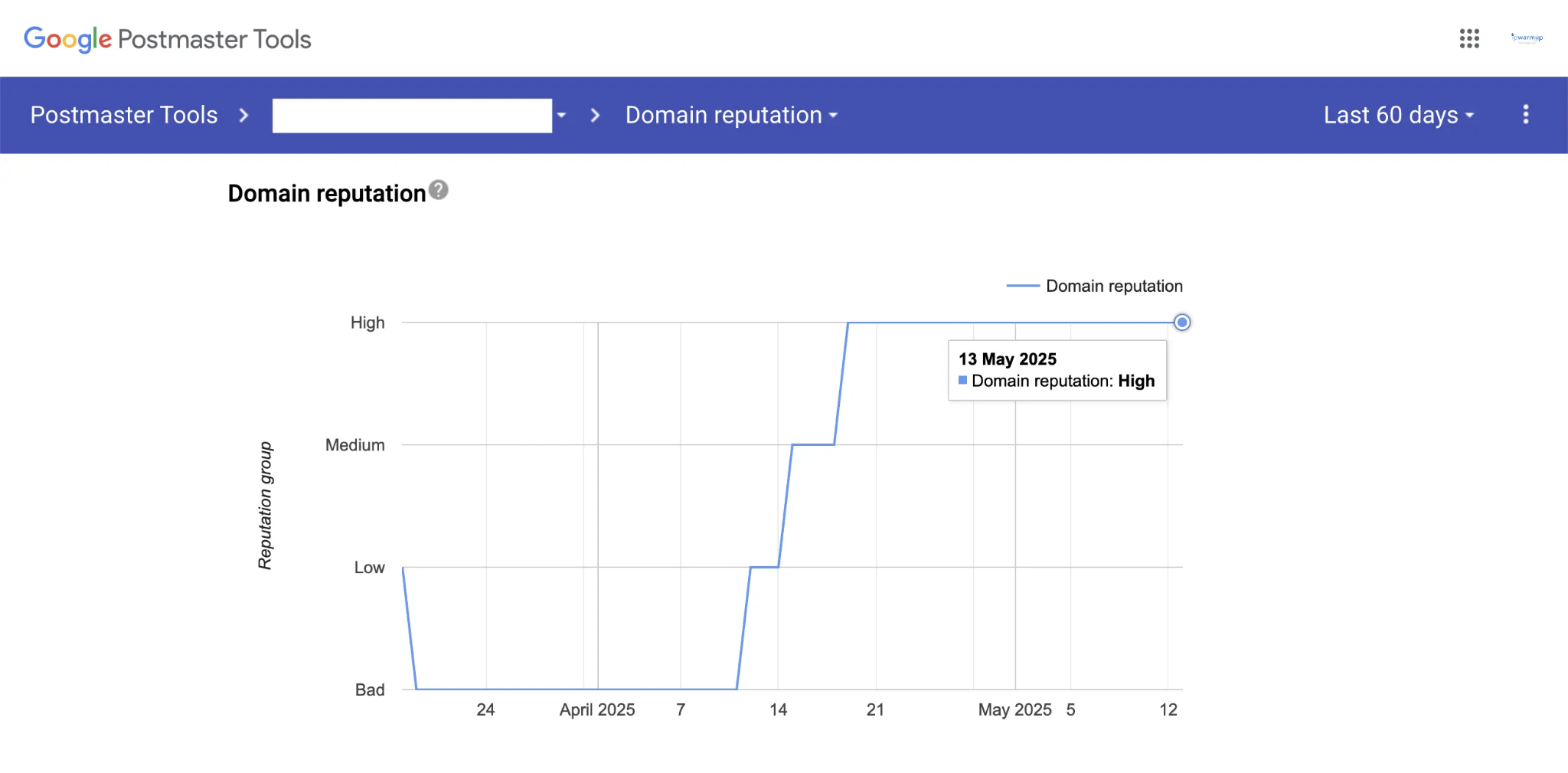
The server also comes with a dedicated IP and an aged domain that already has sending history. So you are not starting with a new IP and domain and then spending the first few weeks warming them yourself.
Ongoing warm-up is included in the listed plans. IPwarmup.com says its SMTP warming is mainly done against Google, and it does not guarantee a specific inbox rate once you start sending your own campaigns.
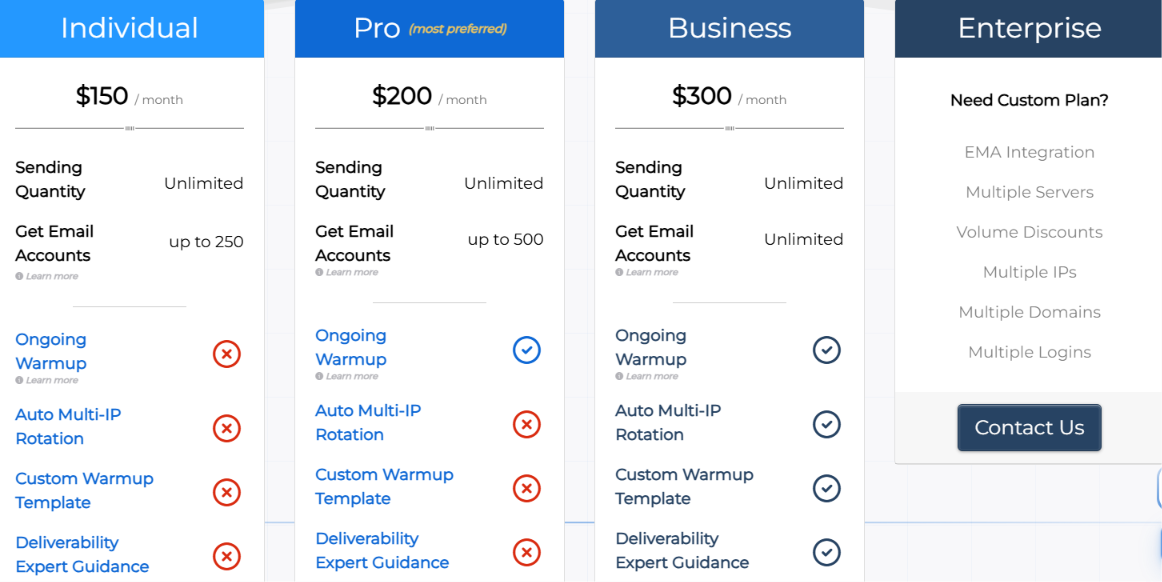
The Individual plan costs $150 per month and includes one dedicated IP, a domain, ongoing warm-up, and up to 250 email accounts.
Pro costs $200 per month for up to 500 accounts, while Business costs $300 per month with unlimited accounts. All three plans list unlimited sending.
The main pricing advantage appears when you need a lot of sending accounts, since you are paying for the SMTP setup rather than paying a separate monthly price for every mailbox.
Your choice should come down to the type of sending setup you need and how much control you want over the infrastructure.
Enter your email to get a custom plan & stack recommendation for your business
Please check your mailbox in 5 minutes

Pre-warmed SMTP infrastructure is worth it if you want to start cold outreach sooner without warming every new domain and mailbox from scratch.
It still needs to be used carefully. Pre-warming gives you a head start, but your sending volume, lead quality, and email engagement will still affect deliverability.
For cold outreach, Infraforge is my top pick if you want private infrastructure instead of a shared setup. You get dedicated IPs, private SMTP infrastructure, and the option to use pre-warmed domains and mailboxes.
If you want more control over your cold email infrastructure while still having pre-warmed options, check out Infraforge.