
Personalized Outbound Strategy
Get The Right Outbound Strategy In Minutes
Enter your email to get a custom plan & stack recommendation for your business
It's being carefully crafted by AI
Please check your mailbox in 5 minutes

If you are sending 10,000 cold emails a day, losing a batch of warmed inboxes can put a large part of your outreach on hold.
That is the problem one Premium Inboxes user reported. After their inboxes were removed, they said the replacement accounts needed another two to three weeks of warm-up. They later reported a domain reputation problem with the new setup as well.
Premium Inboxes disputed the deliverability issue and said its checks showed the accounts were healthy.
Still, the experience raises an important question if you plan to use Premium Inboxes at scale.
Are you simply getting Google and Microsoft inboxes, or are you getting a setup you can actually depend on for 10,000 emails a day?
That is what I’ll find out in this Premium Inboxes review.
Premium Inboxes handles most of the setup needed before you start cold email outreach. You bring your domains, choose Google Workspace or Microsoft 365 inboxes, and Premium Inboxes handles inbox creation, SPF, DKIM, DMARC, sequencer upload, and starts the warm-up process.
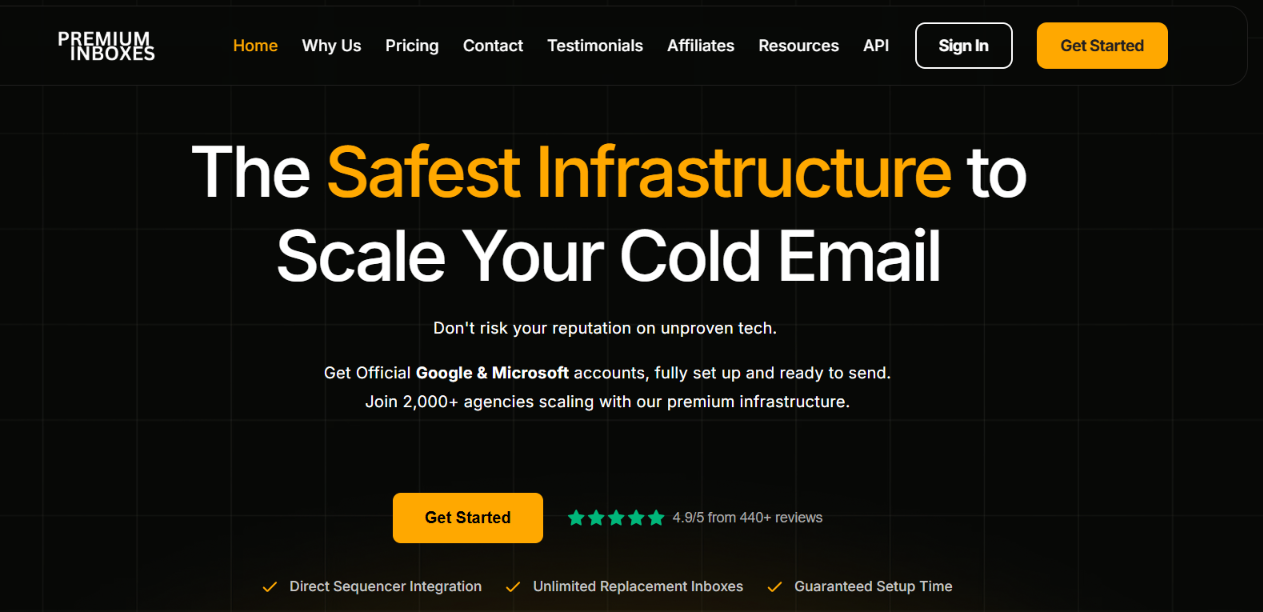
You also get API access on every plan and unlimited replacement inboxes. The Growth plan adds a real-time health dashboard and 24-hour health checks, while Enterprise adds active monitoring, a dedicated account manager, and a dedicated Slack channel.
What you do not get on the standard inbox plans is the option to buy domains directly from Premium Inboxes. You bring your own domains. Bulk DNS updates, detailed mailbox analytics, and individual mailbox controls are also not listed as part of the standard plans.
That is one of the main differences when you compare it with Primeforge. Primeforge also provides Google Workspace and Microsoft 365 mailboxes, but lets you buy or connect domains and gives you more tools to manage the setup yourself.
The biggest difference is how much you can manage yourself. Premium Inboxes takes a more done-for-you approach, while Primeforge gives you more direct tools for managing domains, DNS, individual mailboxes, and mailbox performance.
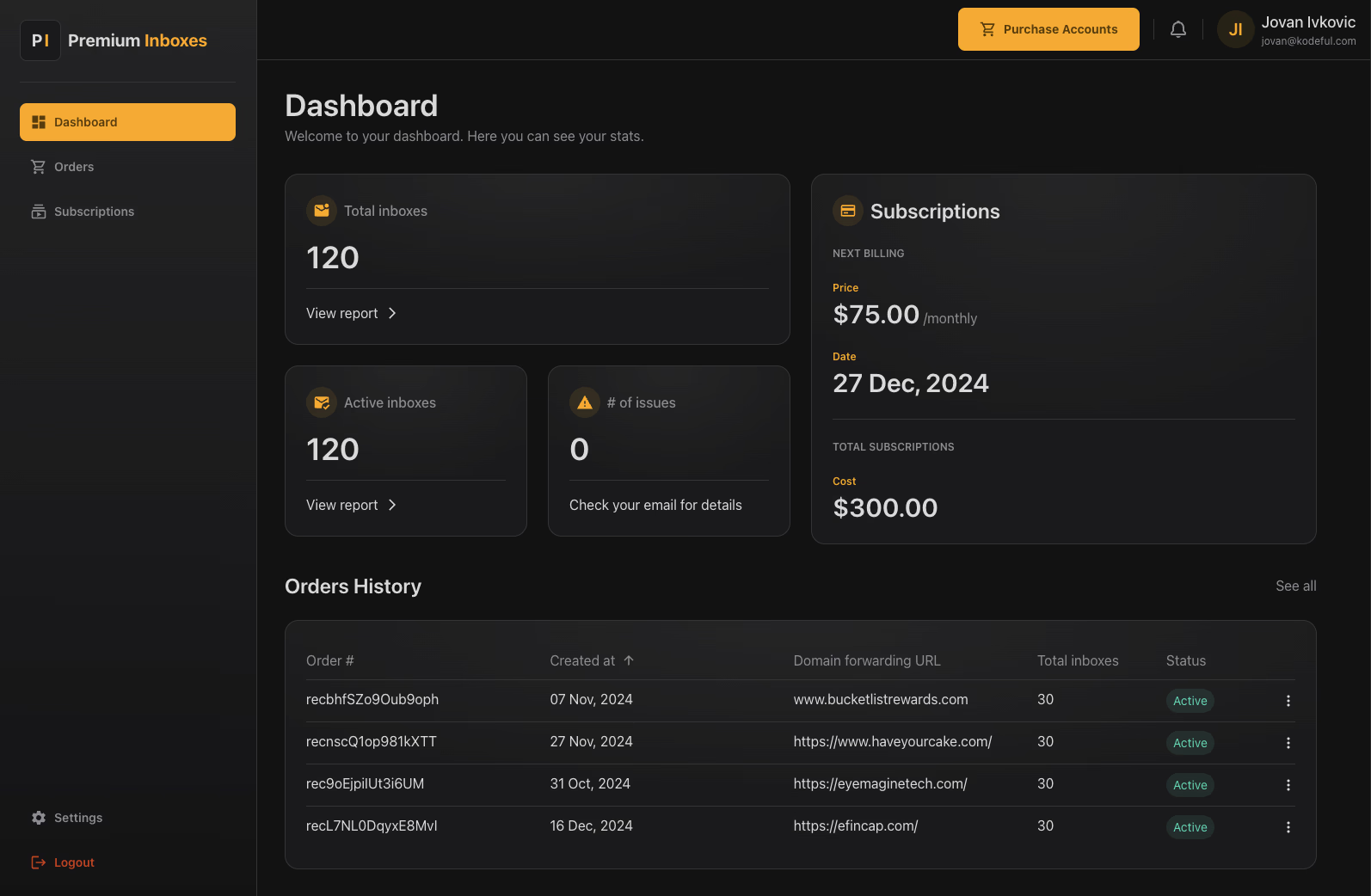
Premium Inboxes offers a done-for-you setup. You choose your inboxes, provide your domains, and its team handles the technical setup. Here is how it works.
You first choose between official Google Workspace and Microsoft 365 Business inboxes. You can also split your inboxes between Google and Microsoft.
Premium Inboxes does not sell or provide domains as part of its standard inbox service. You buy your domains separately, list them in the intake form, and give Premium Inboxes access. Plan for roughly one domain for every three inboxes. Your domains remain in your own account.
Its team creates the inboxes and manually configures and verifies SPF, DKIM, and DMARC. The done-for-you setup can also include profile photos and forwarding rules.
Once the setup is complete, Premium Inboxes uploads the accounts directly to your sequencer and starts the warm-up process. Smartlead and Instantly are listed as examples. If you do not have a sending platform, you can get the account details in a CSV instead.
The dashboard and monitoring you get depend on your plan.
Start Up includes a real-time dashboard. Growth adds a real-time health dashboard and 24-hour health checks and alerts. Enterprise adds 24-hour active monitoring, a dedicated account manager, and a dedicated Slack channel.
Premium Inboxes also includes API access with every plan. You can use the API to create client workspaces, place and track orders, manage subscriptions, and manage email accounts.
Premium Inboxes is mainly focused on removing the work of setting up and managing large numbers of Google Workspace and Microsoft 365 inboxes.
Here are the main features you get:
Yes, Premium Inboxes can give you enough inboxes to build a setup for 10,000 cold emails a day. But you should not send 10,000 emails from a small number of inboxes. You need to spread that volume across many inboxes and domains.
For example, using a conservative scenario of 15 cold emails per inbox per day, you would need around 667 inboxes to send 10,000 emails.
Premium Inboxes recommends roughly one domain for every three inboxes. So, 667 inboxes would need around 223 domains.
That size would put you on the Growth plan, which covers 250 to 1,249 inboxes at $3 per inbox per month. For 667 inboxes, that works out to around $2,001 per month, before the cost of your domains.
The Growth plan also gives you a real-time health dashboard, 24-hour health checks and alerts, and unlimited replacement inboxes.
So, the bigger question is whether you are comfortable managing the cost, domains, and health of more than 600 inboxes to maintain that sending volume.
Premium Inboxes has a 5.0/5 TrustScore on Trustpilot. It is not listed on G2 or Capterra. Most of the feedback is positive. Users often talk about fast inbox setup, quick support, and not having to handle the technical setup themselves.
For example, one user had 210 inboxes set up with a 50/50 Google and Microsoft split. They said the order was completed in four hours and the inboxes were added to Smartlead for warm-up.
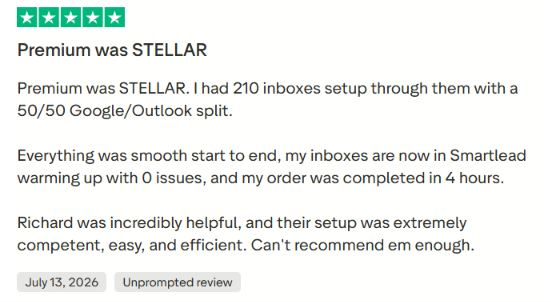
Another user said they had used Premium Inboxes across hundreds of domains and usually had them set up within hours.
There are some negative experiences too.
One user said their inboxes were removed after a payment failed. They then received new inboxes that needed another two to three weeks of warm-up and later reported a domain reputation problem. Premium Inboxes disputed the deliverability issue and said its checks found the inboxes healthy.
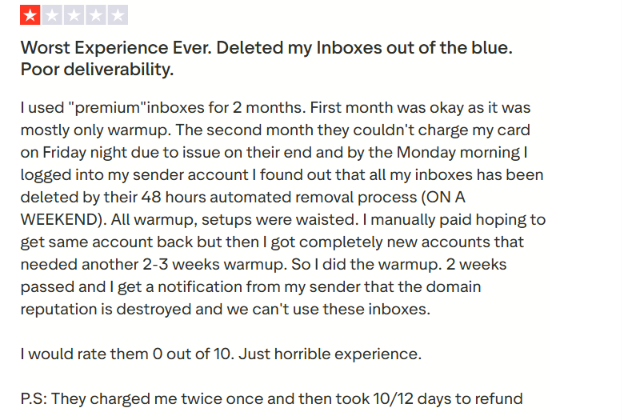
Another user said only five of nine inboxes were moved to Instantly and complained about support. Premium Inboxes responded that all nine inboxes were ready, but the other four could not be uploaded because the user's Instantly plan had reached its limit.
Overall, most users are positive about the speed of setup and support, but the negative reviews show that billing, account removal, and sequencer limits can still create issues during setup or ongoing outreach.
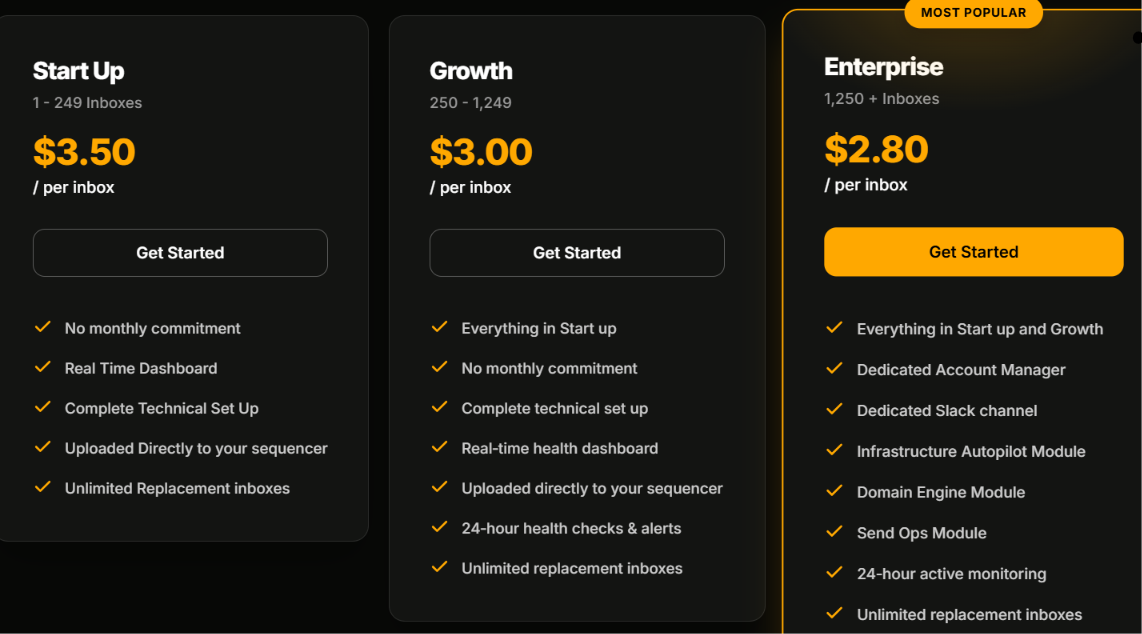
Premium Inboxes charges per inbox, with the price dropping as you buy more inboxes.
You can also choose annual billing to save 20%.
One cost you need to add separately is your domains. Premium Inboxes does not include domains in the inbox price. You buy your own domains and Premium Inboxes handles the DNS and inbox setup.
For example, 300 inboxes would cost $900 per month on the Growth plan, before domain costs.
The Operations Tier works differently. The $7,500 monthly fee does not include inboxes. It is for teams that want Premium Inboxes to actively manage and monitor their email infrastructure for them.
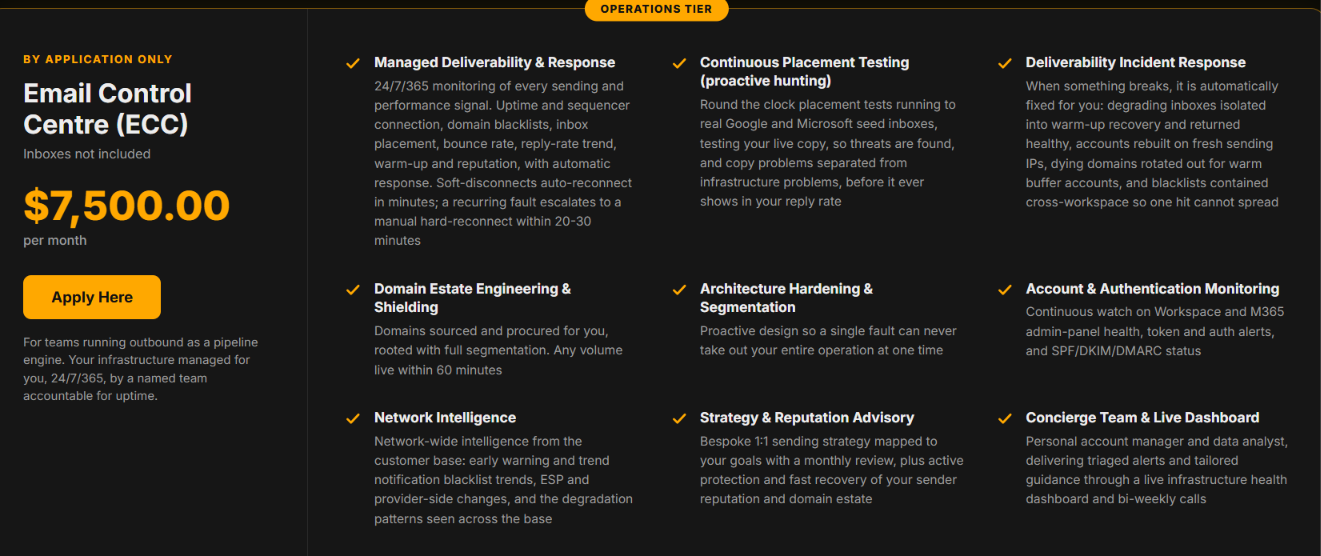
Premium Inboxes makes the most sense if you want Google Workspace or Microsoft 365 inboxes for cold email without doing most of the technical setup yourself.
Overall, Premium Inboxes is a better fit when you want someone else to handle most of the work needed to get your Google or Microsoft inboxes ready for cold email.
If you would rather buy your domains and mailboxes together and manage more of the setup yourself, it makes sense to compare other options.
Primeforge is a good Premium Inboxes alternative if you want Google Workspace and Microsoft 365 mailboxes for cold email, but also want to manage your domains and mailboxes from the same platform.
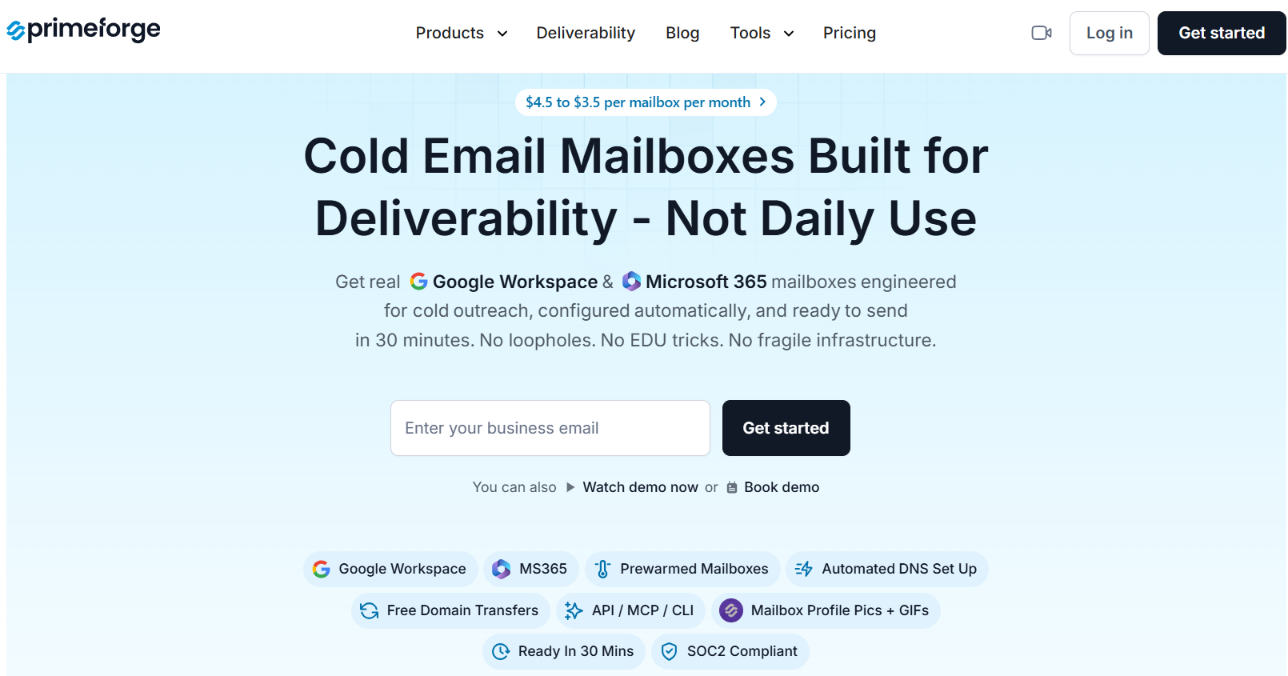
Premium Inboxes requires you to buy your domains elsewhere and bring them to the platform. Primeforge lets you buy domains inside Primeforge or connect domains you already own.
That is not the only difference. Primeforge also gives you tools to manage the infrastructure after your mailboxes are created.
With Primeforge, you can:
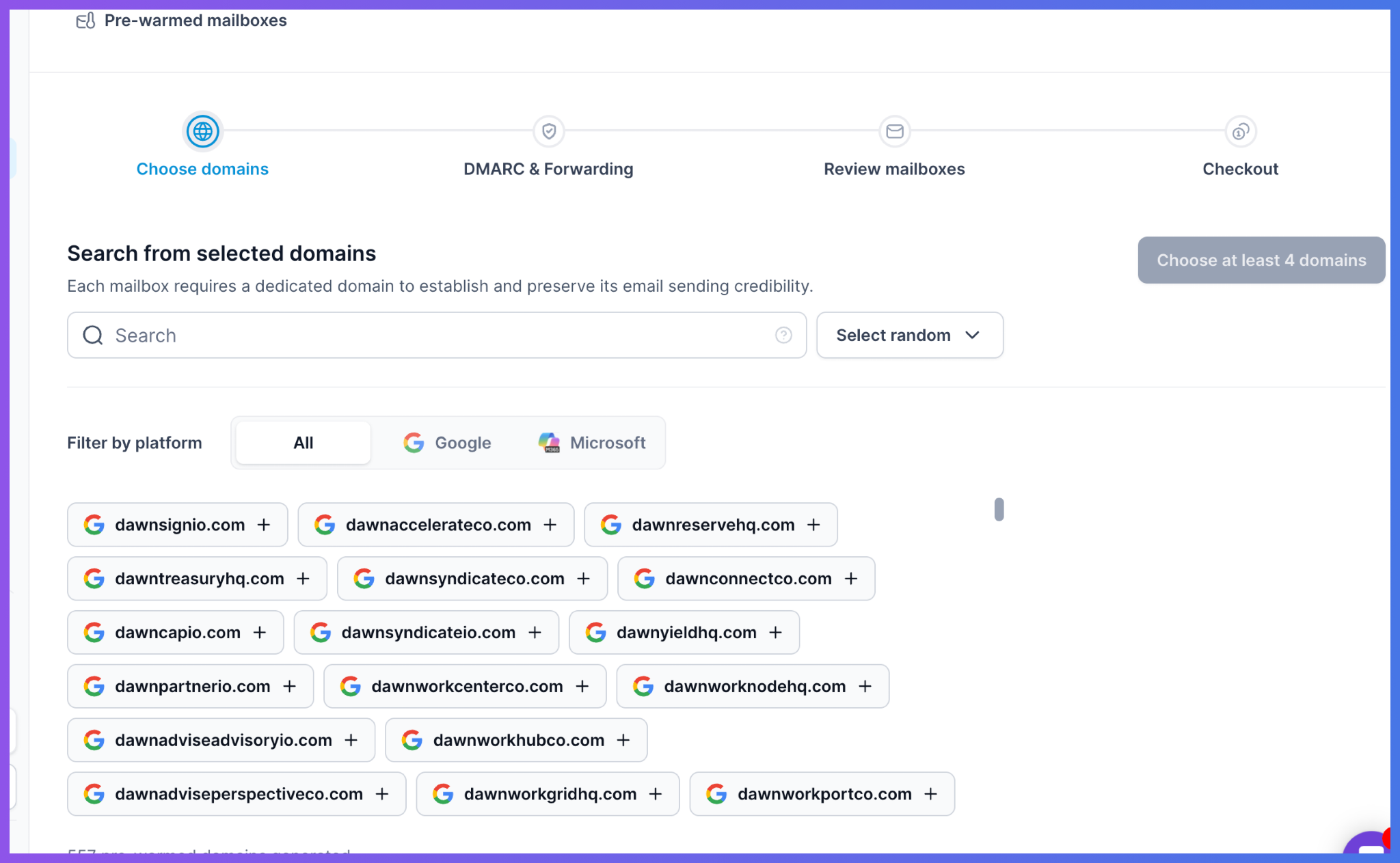
Primeforge also handles SPF, DKIM, and DMARC automatically and works with the sending tool you already use.
So, Premium Inboxes makes sense if you mainly want your Google or Microsoft inboxes set up for you. But if you also want to buy domains, edit your mailboxes, update DNS in bulk, check mailbox performance, and manage more of your cold email infrastructure in one place, Primeforge is the stronger alternative to consider.
Enter your email to get a custom plan & stack recommendation for your business
Please check your mailbox in 5 minutes

Yes. Premium Inboxes is worth considering if you need hundreds of Google or Microsoft inboxes for a large cold email setup. With enough inboxes, you can build a setup for sending 10,000 emails a day.
It handles the inbox setup, SPF, DKIM, DMARC, sequencer upload, and warm-up. You also get unlimited replacement inboxes, with more monitoring on the Growth and Enterprise plans.
The main downside is that you still need to buy your domains elsewhere and bring them to Premium Inboxes.
If you want to buy domains and mailboxes in one place, manage DNS in bulk, check mailbox performance, or buy pre-warmed mailboxes, Primeforge is worth a look.
So, for a large cold email setup where you want to manage more of your domains and mailboxes yourself, get started with Primeforge.