If you have tried running cold email through SendGrid, you may already know this message:
"Your account has been suspended."
It is a frustrating message to get, especially when you are in the middle of a campaign.
SendGrid mainly handles transactional and permission-based marketing emails, such as receipts, password resets, and newsletters.
Its policies require recipients to opt in, so cold email does not meet SendGrid's sending requirements. There is also the issue of sending reputation. With shared IPs, your reputation can be affected by other senders. Dedicated IPs give you more control, but they come at an additional cost.
If you are sending cold email, you need infrastructure that supports cold outreach and gives you more control over your sending reputation.
I tested seven SendGrid alternatives to see which ones make sense for cold email.
TL;DR: The 7 Best SendGrid Alternatives for Cold Email
Infraforge (Best Overall): Infraforge provides private cold email infrastructure where every mailbox gets a dedicated IP you control, along with automated DNS and prewarmed options.
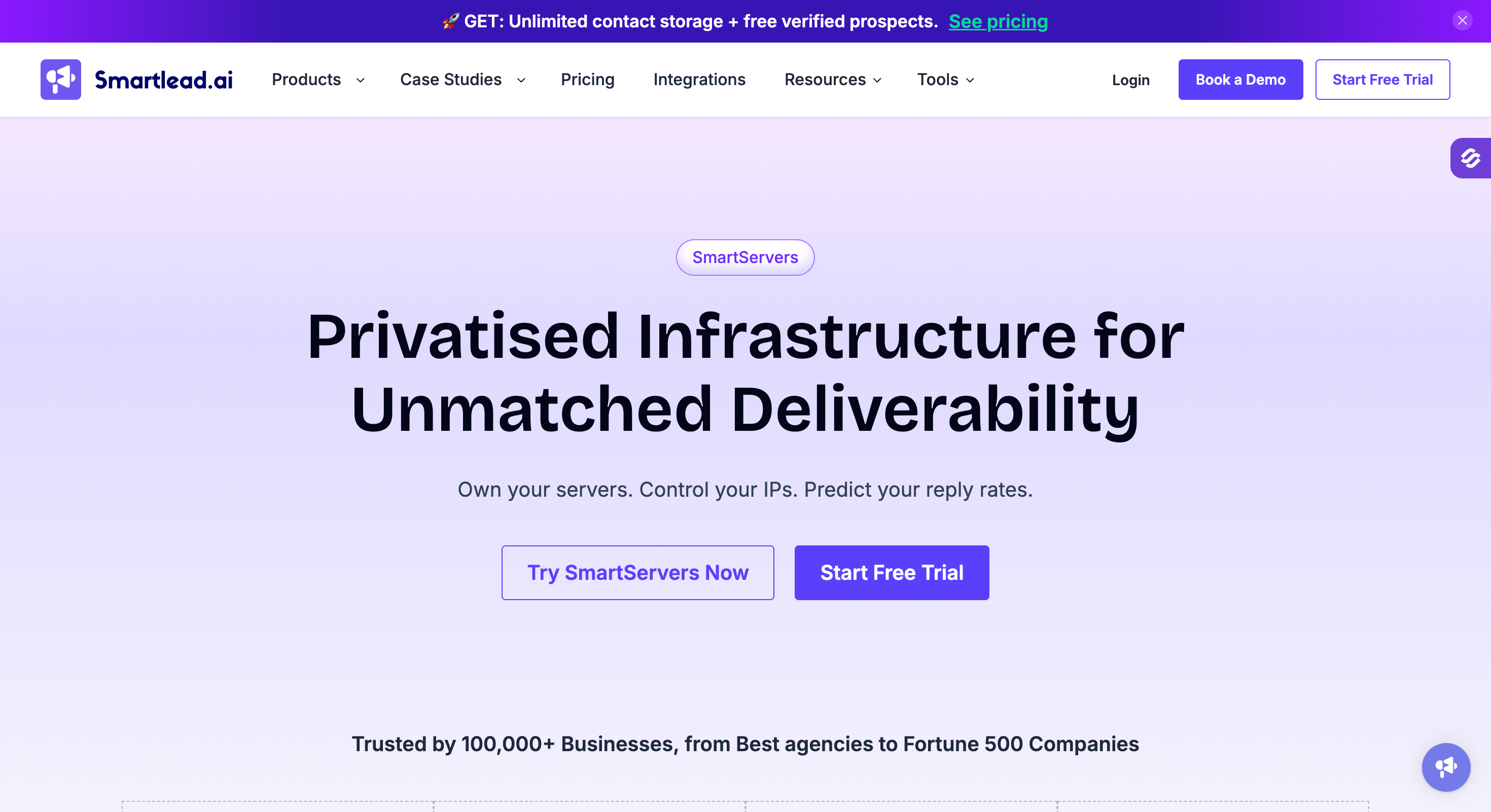
Smartserver by Smartlead (Best combined pick): Smartserver by Smartlead runs campaigns on dedicated servers and IP pools through SmartInfra, with IP rotation and warm-up managed within the platform.
Agencies and teams that want dedicated-IP control at scale
Senders who want mainstream Google/Microsoft inboxes
Dedicated servers and IPs plus the sending platform in one tool
High-volume teams wanting managed dedicated servers
Microsoft-first senders wanting flat-rate inboxes
Pricing
$33/month for 10 mailbox slots (billed annually); about $3 to $4/mailbox
$4.50/mailbox/month (billed annually); ~$3.50 at volume
$32.50/month (billed annually), Base plan
$240/month (billed annually) + $0.001/send
$129/month, Unlimited plan (annual rate not confirmed)
Dedicated IP
Dedicated IP per mailbox, you control it; extra IPs $99/IP/month
Sends on Google / Microsoft US IPs (provider IPs)
Via SmartServers: dedicated server + IP ($39/server/month)
Dedicated server + dedicated IP per customer
1 dedicated US IP (3 on Agency Pack)
Mailbox type
Private infrastructure mailboxes on your domains
Real Google Workspace + Microsoft 365
Dedicated servers; you connect mailboxes (or add SmartSenders)
Server-based mailboxes (150+ per server)
Microsoft 365 / Outlook only
Automated DNS (SPF, DKIM, DMARC)
Automated for every domain
Automated
Handled by your mailbox provider
Auto-created
Automated
Cold email permitted
Purpose-built for cold outreach
Built for cold outreach
Built for cold outreach
Built for cold email
Built for cold email
API access
Full API + Forge MCP server
API access
API on Pro and above
Developer API
API on both plans
Why SendGrid Breaks Down for Cold Email Deliverability
Before the alternatives, it helps to be clear about what you are actually replacing, because SendGrid is not a bad product.
It is a good product pointed at a different job.
SendGrid (now Twilio SendGrid, after the 2019 acquisition) is a transactional and marketing email platform. As an email service provider, it is built to deliver the mail your users expect: order confirmations, password resets, shipping updates, and opt-in newsletters, not cold outreach. For that work, it is reliable and well integrated.
Cold email is a different motion, and SendGrid's own policy treats it that way. Its sending rules prohibit sending bulk emails and bar sending to addresses pulled from the internet or social media. Read literally, most cold outreach violates those terms.
That is why so many cold senders get suspended without a clear path to appeal.
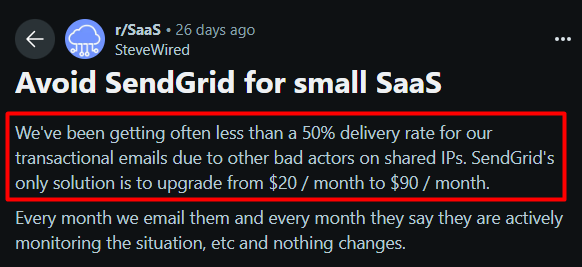
Then there is the infrastructure itself. On the entry plans you send from a shared IP pool, so your inbox placement rides on the behavior of strangers. When one of them gets a shared IP listed on Spamhaus, your clean domain pays for it.
Lower tiers also lean on ticket support only, including the free plan, and users often report slow response times.
A dedicated IP fixes that, but on SendGrid it is a paid add-on, about $30/month per extra IP, stacked on a Pro plan that starts at $89.95/month.
What I looked for in a cold-email-ready alternative
After watching the same failures repeat, I set a short, non-negotiable bar for every tool on this list:
A dedicated IP you control, or at least a clear, isolated sending reputation, so other senders cannot tank your deliverability or damage your sender reputation. If you want the deeper logic here, this breakdown of shared vs dedicated email IPs is worth a read.
Automated SPF, DKIM, and DMARC setup, because manual DNS across dozens of domains is where mistakes happen.
Cold email actually permitted, in writing, so you are not one complaint away from a closed account.
Built-in or easy warm-up and monitoring, since a cold IP with no reputation lands in spam on day one. This includes options for pre-warmed mailboxes to start sending sooner.
Prewarmed mailboxes to reduce warm-up time and improve initial deliverability.
Predictable, transparent pricing with no support paywall mid-crisis, especially when you need customer support fast during deliverability issues.
Most general email services miss at least two of these. The seven below clear the bar in different ways.
Here they are, starting with Infraforge as the Best Overall pick.
1. Infraforge: Dedicated IPs Built for Cold Email (Best Overall)
Infraforge is private cold email infrastructure. Where SendGrid is a general email API that tolerates marketing mail, Infraforge is built only for outbound, by a team that runs cold email itself. That focus is the reason it leads this list.
The core difference is the IP. Every mailbox you create gets a dedicated IP, so your sending reputation is yours alone. No shared pool, no inheriting someone else's spam complaints.
It is part of the Forge Stack, alongside Mailforge, Primeforge, Warmforge, Salesforge, and Leadsforge.
Those are separate subscriptions under one login, so you can add what you need without re-uploading data between them.
Who it is built for: agencies and outbound teams sending real volume, managing many domains, and unwilling to gamble inbox placement on a shared pool.
Core Features
Dedicated IP per mailbox. Your reputation is isolated by design. You can add more dedicated IPs for $99/IP/month and route sends across them with multi-IP provisioning.
Automated DNS setup. DMARC, SPF, DKIM, and custom domain tracking are configured for every domain you add, following current standards. If you have ever been burned by DMARC failing when SPF and DKIM pass, this removes that whole class of error.
Prewarmed infrastructure. Buy prewarmed domains and mailboxes and start sending sooner, or warm fresh ones with built-in automated warm-up.
Sender rotation and smart sending limits. Volume is distributed to protect deliverability instead of spiking a single mailbox.
Bulk DNS updates and workspaces. Change records across many domains at once, and organize domains and mailboxes per client.
Five-minute setup. Your first domain and mailbox can be live in about five minutes with the technical work automated.
MCP CLI. Command-line interface support for managing mailboxes, domains, and sending operations efficiently.
Integrations. Connect Infraforge with other tools and platforms to streamline workflows and enhance email marketing campaigns.
Pros and Cons
✅ Pros
❌ Cons
Dedicated IP assigned to each mailbox, providing fully isolated sender reputation
No free trial, requiring commitment before live testing
Automated DNS setup, warm-up, and monitoring managed from a single platform
Value improves significantly at scale but is less compelling for small mailbox deployments
Purpose-built specifically for cold outreach use cases
Assumes users have a basic understanding of email deliverability concepts
Integrated within the Forge Stack ecosystem under a single login
Dedicated infrastructure places more operational responsibility on the user than fully managed inbox solutions
Pricing (Annual)
Plan / Item
Cost
Mailbox Slots (10 Minimum)
$40/month for 10 slots when billed annually, approximately $4 per mailbox.
Additional Dedicated IP
$99 per IP per month.
Domain Registration
$14/year per domain.
SSL + Domain Masking
SSL: $2/domain/month
Domain Masking: $6/month
Masterbox (Centralized Inbox)
$7/workspace/month (annual billing).
There is no free trial, but you can sign up and explore the app before adding paid domains and mailboxes, and your subscription includes both the automated DNS setup and ongoing hosting.
What Users Say
Infraforge holds 4.8/5 on G2 across 51 reviews and 4.0/5 on Trustpilot across 6 reviews (verified June 2026; re-confirm at publish). The praise centers on the dedicated IPs and the time saved on setup.
"The dedicated IPs are a nice bonus too; we're not stuck worrying about someone else's bad sending habits messing up our deliverability, and our emails are actually hitting inboxes now instead of spam." (G2 reviewer)
"Infraforge quickly helped to solve a challenge regarding email deliverability. What I like about Infraforge is its ease of use and quality of support." (Silver L., CEO, G2)
A balanced note from the same review set, worth quoting because it is fair:
"The documentation could go a bit deeper for more advanced scenarios, and we did run into minor hiccups with DNS settings." (G2 reviewer)
Infraforge vs SendGrid
Feature
Infraforge
SendGrid
Built For
Cold email outreach
Transactional and marketing email
Cold Email Allowed
Yes
No, prohibited under platform policy
Dedicated IP
Included per mailbox
Paid add-on on the Pro plan ($89.95/month)
DNS Setup
Automated
Manual setup or paid onboarding assistance
Warm-Up
Built in
Not included
Risk
Sender reputation isolated per mailbox
Shared reputation pools with potential suspension risk for cold outreach activity
2. Primeforge: Real Google and Microsoft Mailboxes (Best Mainstream Inboxes)
If you want to send cold emails from legitimate Google Workspace or Microsoft 365 accounts, Primeforge is the right option. It is the Forge Stack sibling built specifically for cold outreach.
Unlike Infraforge, Primeforge does not give you a dedicated IP that you control. Your emails are sent through Google’s or Microsoft’s infrastructure, so you benefit from their established sender reputation.
Primeforge handles SPF, DKIM, DMARC, and custom domain tracking automatically. You can choose fresh or pre-warmed mailboxes and connect them to Salesforge or other sending platforms.
It also provides API, MCP, and CLI access for mailbox management. You get genuine Google and Microsoft accounts without EDU tricks or fragile workarounds.
Who it is built for: teams that specifically want Google Workspace or Microsoft 365 inboxes for cold outreach, without the EDU tricks or fragile workarounds some resellers use.
Now, let’s learn about the key features of Primeforge.
Core Features
Real Google Workspace and Microsoft 365 mailboxes, not loopholes or repurposed accounts.
US IP addresses and mailbox profile setup out of the box.
Automated SPF, DKIM, and DMARC, with mailboxes ready in about 30 minutes.
Forge Stack fit: warm with Warmforge, send through Salesforge, all under one login as separate subscriptions.
Pros and Cons
✅ Pros
❌ Cons
Real Google Workspace and Microsoft 365 inboxes hosted on US-based IP infrastructure
Per-mailbox pricing is higher than shared SMTP alternatives
Mainstream-provider deliverability and sender trust
Automated DNS configuration with fast provisioning
Integrated with the Forge Stack ecosystem through a single login
Pricing (Annual)
Plan
Cost
Google or Microsoft Mailboxes
$4.50 per mailbox per month when billed annually, with volume discounts available down to approximately $3.50 per mailbox.
Annual billing adds two months free (about 17% off), and domains are $14/year, with a 10-slot minimum.
Primeforge vs SendGrid
Feature
Primeforge
SendGrid
Built For
Cold email using real inbox infrastructure
Transactional and marketing email delivery
Cold Email Allowed
Yes
No
IP Model
Google Workspace and Microsoft 365 US-based IPs
Shared IP pool by default, with dedicated IP available as a paid add-on
Mailbox Legitimacy
Real Google Workspace and Microsoft 365 mailboxes
N/A — SendGrid is the sending platform rather than the mailbox provider
Setup
Approximately 30 minutes with automated setup and DNS configuration
Self-serve API and manual configuration
3. Smartserver by Smartlead — A Dedicated Infrastructure Inside a Sending Platform
Smartlead, just like Salesforge, that gives you both, the sending infrastructure and a place to send from.
SmartServers, Smartlead's privatised SmartInfra product allows you to own your servers and control your IPs.
Instead of routing your cold email through a shared pool, SmartServers puts your campaigns on dedicated servers with dedicated IP pools, then runs the sending, rotation, and warmup on top of the same platform.
That matters for a SendGrid replacement. SendGrid hands you a shared pool by default and a single dedicated IP as a paid add-on, with no isolation between your sending and anyone else's.
SmartInfra is built the opposite way: every sequence is isolated in a single-tenant cluster, so one campaign cannot drag down another, and your reputation is yours to build.
Who it's built for
SmartInfra is aimed at high-volume senders, enterprises, and agencies that cannot afford deliverability surprises and want control over the sending environment, not just the sequencer sitting on top of it.
If you are sending at real scale and want dedicated IPs without standing up separate infrastructure and stitching it to a sending tool, this is the case for Smartlead.
Core Features
Dedicated servers and IP pools. Every sequence routes through dedicated IP pools on servers you control, not a shared pool you share with strangers.
Single-tenant clusters. Each sequence is isolated in its own cluster, removing cross-domain interference between your campaigns and, for agencies, between clients.
Multi-server routing. Traffic spreads across multiple servers, so no single campaign carries your whole reputation, with auto-scaling to match throughput and a failover-ready setup.
Reputation management and monitoring. Continuous IP reputation management plus real-time blacklist monitoring with auto-alerts, so you adjust before a listing becomes downtime.
US and EU server grid. Siloed servers across both regions at a stated 99.98% uptime.
Ultra-premium AI warmup pools. A private, invite-only network of aged mailboxes to build domain reputation and inbox placement.
Agency client isolation. Agencies can assign dedicated servers to individual clients, keeping each client's infrastructure fully separate.
Built-in sending layer. Because SmartInfra lives inside Smartlead, you also get unlimited connected mailboxes with rotation, multi-step sequences, a unified inbox, and the API in one login.
Pros and Cons
✅ Pros
❌ Cons
Dedicated servers and IP pools under your control instead of a shared sending pool
SmartServers is an add-on billed per server on top of a Smartlead subscription
Single-tenant infrastructure isolates every sequence and client environment
Dedicated infrastructure is typically excessive for teams running only a small number of mailboxes
Real-time blacklist monitoring with automatic alerts across US and EU infrastructure
Warm-up and infrastructure capabilities are tied to higher tiers and add-ons, increasing total cost
Infrastructure and sending platform managed through a single login
Relatively newer dedicated-infrastructure offering compared with specialized infrastructure providers
Pricing (SmartServers + platform)
Plan / Item
Cost
SmartServers (Pro)
$39/server/month. Includes dedicated IPs, enhanced deliverability, fully customizable server settings, and 24/7 priority support.
Smartlead Platform (Required)
$32.50, $78.30, $144.50, or $314.60 per month (billed annually), depending on plan. The Unlimited Prime plan includes 3 SmartServers at no additional charge.
Free Trial
14-day free trial with no credit card required. SmartServers also offers a separate "Try For Free" option.
SmartServers is priced per server per month, so your total is the platform plan plus however many servers you run. The top Unlimited Prime tier bundles three SmartServers, which softens the cost if you are already on it.
What users say
Smartlead carries 4.6/5 on G2 across 306 reviews (82% five-star) but a rougher 3.4/5 on Trustpilot across 85 reviews.
"The platform is robust VS other platforms (Instantly). Deliverability is better. Support is better." (G2 reviewer)
"Overall they have a solid software, the issue was the support was a bit slow and there were some lags." (Trustpilot reviewer)
Smartserver by Smartlead vs SendGrid
Plan / Item
Cost
SmartServers (Pro)
$39/server/month. Includes dedicated IPs, enhanced deliverability, fully customizable server settings, and 24/7 priority support.
Smartlead Platform (Required)
$32.50, $78.30, $144.50, or $314.60 per month (billed annually), depending on plan. The Unlimited Prime plan includes 3 SmartServers at no additional charge.
Free Trial
14-day free trial with no credit card required. SmartServers also offers a separate "Try For Free" option.
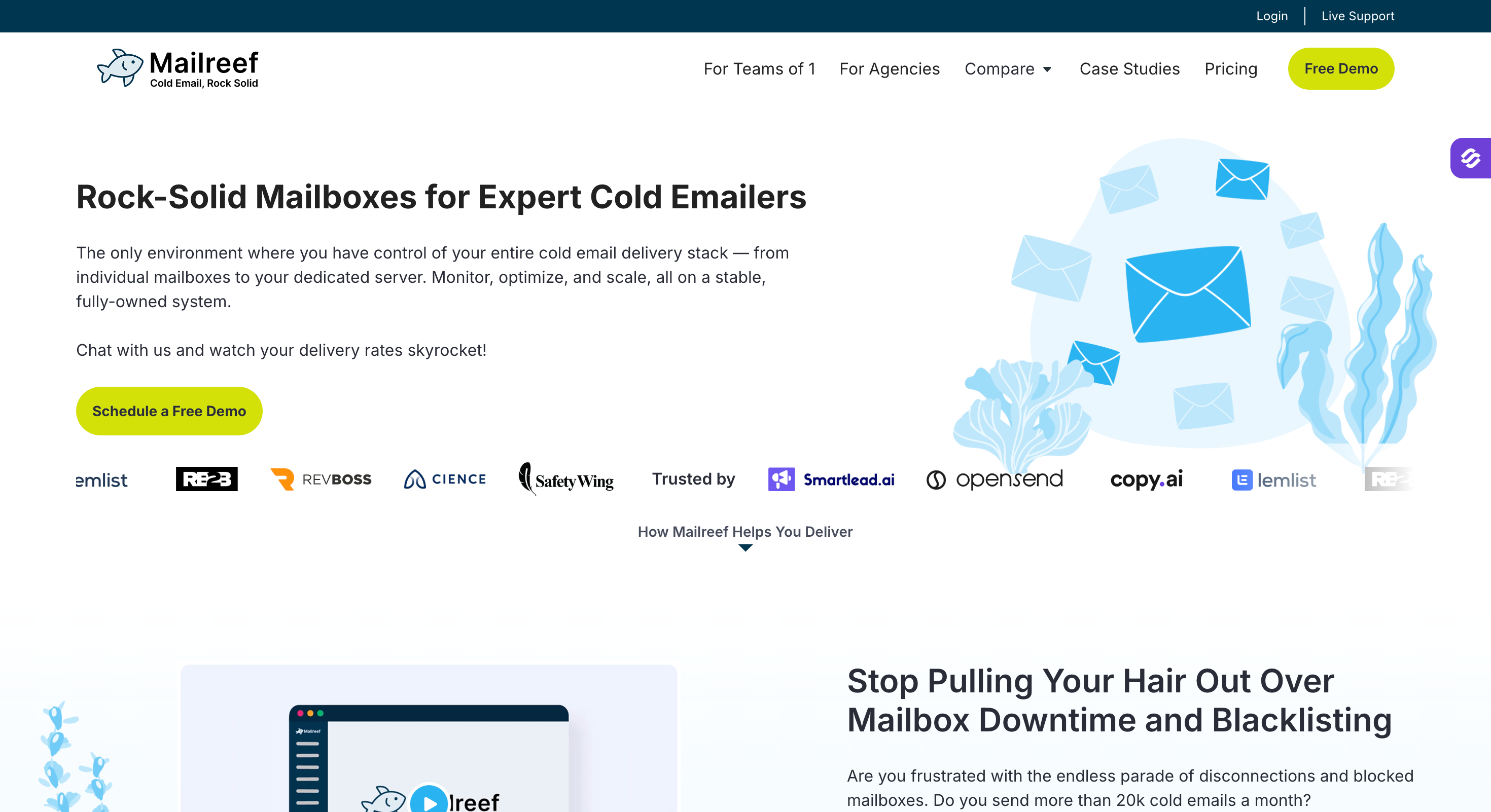
Mailreef provides a complete dedicated mail server instead of giving you access to shared email infrastructure. It is designed for agencies and sales organizations that send cold emails at higher volumes.
Each customer gets a dedicated server and IP address. You can create new domains and mailboxes from the platform and connect domains you already own.
Mailreef handles SPF, DKIM, and DMARC configuration for the domains. It also supports a developer API and native integrations with sending platforms such as Smartlead and Instantly.
The dedicated setup gives you more control over your sending infrastructure. Your server does not share resources or an IP address with other customers.
Mailreef also provides live deliverability support through chat. You can speak with a deliverability specialist when you need help diagnosing sending or inbox placement issues.
Mailreef does not include ongoing mailbox warmup, so you need a separate warmup service if you want one.
Who it is built for: agencies and teams sending at real scale who want managed dedicated infrastructure and live deliverability help, and who can clear an approval step before sending.
Now, let’s learn about the key features of Mailreef
Core Features
Dedicated server and dedicated IP per customer, with 150+ mailboxes per server.
One-click domain and mailbox creation, plus bring-your-own-domain.
Auto-created SPF, DKIM, and DMARC on every domain.
Live delivery consulting by chat, which is rare at this layer.
Spammer screening on new customers, which is part of how it protects the shared reputation of its network.
Developer API and native links into Smartlead and Instantly.
Pros and Cons
✅ Pros
❌ Cons
Truly isolated infrastructure with a dedicated server, not just a dedicated IP
Premium pricing structure, with per-send costs that can become significant at scale
Live consulting and onboarding support included
Requires a 2–3 day approval process before sending can begin
Automated DNS setup and one-click provisioning
No built-in long-term warm-up system; requires a separate warm-up solution
Designed specifically for high-volume cold email operations
Server-based pricing is relatively expensive for deployments under roughly 150 mailboxes
Pricing (Annual)
Plan
Cost
Agency (Annual, 12-Month Commitment)
$240/month when billed annually, plus $0.001 per email sent.
Agency Flex (Monthly)
$249/month, plus $0.001 per email sent.
Note the per-send fee. At high volume it is small per message but real in aggregate, so model it into your total cost.
Mailreef vs SendGrid
Feature
Mailreef
SendGrid
Built For
Cold email at scale
Transactional and marketing email
Cold Email Allowed
Yes
No
IP Model
Dedicated server and dedicated IP infrastructure
Shared IP pool by default, with dedicated IP available as a paid add-on
Support
Live deliverability consulting and onboarding guidance
Advanced support is restricted or paywalled on lower-tier plans
Onboarding
Application process with manual screening and approval
Self-serve signup and setup
5. Inframail: Flat-Rate Dedicated IP for Microsoft (Best for Outlook Senders)
Inframail provides cold email infrastructure built around Microsoft 365. It is designed for agencies and businesses that want to use Outlook mailboxes for outbound campaigns.
You can purchase domains through the platform and create Microsoft email inboxes from the same setup. Inframail automates the email infrastructure configuration, including SPF, DKIM, and DMARC.
The platform also provides dedicated US IP addresses. You can connect the mailboxes to sending platforms such as Instantly, Smartlead, Woodpecker, Saleshandy, Salesforge, and ReachInbox.
Inframail uses Microsoft cloud infrastructure and provides monitoring for IP and domain health. It can also submit delisting requests when an IP or domain gets listed.
Another useful feature is its API. Agencies can automate domain and mailbox setup instead of creating every inbox manually.
Inframail is focused on Microsoft 365. Google Workspace is not available as a mailbox option.
Who it is built for: Microsoft-first senders and agencies running 50+ Outlook inboxes who want predictable, flat pricing and a dedicated IP without managing servers.
Now, let’s learn about the key features of Inframail.
Core Features
Dedicated US IP, one on the Unlimited plan and three on Agency Pack, so your reputation is isolated from other senders.
Unlimited inboxes on a flat fee, with unlimited domain setups per day (10 free domains on Unlimited, 20 on Agency Pack).
Automated SPF, DKIM, and DMARC on every domain.
API access on both plans and native export to Instantly, Smartlead, and ReachInbox.
Deliverability monitoring plus a redirect-hiding feature for links.
Important note: Inframail is Microsoft 365 only. There is no Google Workspace option, so you cannot diversify across providers inside one account. Volume is also capped (80,000 emails/month on Unlimited, 300,000 on Agency Pack), and warm-up is not built in.
Pros and Cons
✅ Pros
❌ Cons
Dedicated US IP with a flat and predictable pricing model
Microsoft 365 only, with no Google Workspace option available
Unlimited inboxes, driving the effective per-inbox cost close to zero at scale
Monthly email volume limits apply on each plan
Automated DNS configuration and fast provisioning process
No built-in warm-up functionality; requires external tools such as Instantly or Smartlead
API access and simple export workflows for popular sequencers
Limited independent third-party reviews and community validation compared with larger competitors
Pricing (Annual)
Plan
Cost
Unlimited
$129/month. Includes 1 dedicated US IP, 80,000 emails per month, and 10 free domains.
Agency Pack
$327/month. Includes 3 dedicated US IPs, 300,000 emails per month, and 20 free domains.
Inframail vs SendGrid
Feature
Inframail
SendGrid
Built For
Microsoft-based cold email outreach
Transactional and marketing email
Cold Email Allowed
Yes
No
Dedicated IP
Included (1–3 dedicated IPs depending on plan)
Available only as a paid add-on
Inboxes
Unlimited inboxes with flat-rate pricing
Usage-based pricing tied to email volume
Provider Choice
Microsoft 365 only
N/A — SendGrid is the sending platform rather than the mailbox provider
6. Winnr: Budget SMTP With a Real API (Best for Builders)
Winnr provides SMTP mailboxes built for cold email. It gives developers and agencies more control over mailbox and domain management through its API.
The platform handles DKIM, SPF, and DMARC configuration for the mailboxes. You can use shared IPs or dedicated IPs depending on the setup you choose.
Winnr also supports pre-warmed mailboxes. These mailboxes come with an existing warming history, so you can start sending without creating a completely new mailbox from scratch.
The API lets you manage domains, users, and inboxes programmatically. You can also create users in bulk and provision their SMTP and IMAP access.
Winnr connects with popular sales and outreach platforms such as Smartlead, Snov.io, Apollo, Instantly, Outreach, Saleshandy, Salesloft, and EmailBison.
It also includes built-in email warming with automated ramp-up and analytics. You can enable warming for individual mailboxes and monitor their progress from the platform.
Who it is built for: sales teams, agencies, and builders who want the lowest per-mailbox cost with real SMTP infrastructure and full API control, and who use a sequencer like Smartlead or Instantly for sending.
Now, let’s learn about the key features of Winnr.
Core Features
Owns its Simple Mail Transfer Protocol infrastructure, so it is not dependent on reseller Workspace accounts.
50 fully authenticated accounts for $69/month, around $1.38 per mailbox, with 100% passing SPF, DKIM, and DMARC.
Full REST API plus an MCP server, so domains, mailboxes, and DNS are all programmable. A real API is uncommon at this price.
Dedicated IPs as an add-on at $20/month on the Enterprise plan, for advanced senders managing multiple mail streams or separating transactional and bulk emails.
Domains from $1 to $10 one-time, or bring your own free, and a 90% deliverability guarantee.
Remember, Winnr is shared-IP by default, and dedicated IPs are a paid add-on on its higher Enterprise tier. Warm-up is now built in at no extra cost, which was not always true, so confirm it is active on your plan.
Pros and Cons
✅ Pros
❌ Cons
Among the lowest per-mailbox costs for teams running their own SMTP infrastructure
Shared IPs by default; dedicated IPs require an upgrade to Enterprise
Full REST API and MCP support with monthly billing and no long-term lock-in
Dedicated IP access is restricted to the higher-priced Enterprise tier
Fast setup process backed by a 90% deliverability guarantee
SMTP-only solution with no native Google Workspace or Microsoft 365 inboxes
Free trial available with no credit card required
Limited independent third-party reviews and long-term market validation
Winnr bills monthly with no annual contract, which is why the figures above are monthly.
Winnr vs SendGrid
Feature
Winnr
SendGrid
Built for
Cold email SMTP
Transactional + marketing
Cold email allowed
Yes, legitimate senders only
No
Dedicated IP
Add-on on Enterprise (+$20/month)
Add-on on Pro
API
Full REST API + MCP
Yes
Billing
Monthly, no lock-in
Monthly or annual
7. Litemail: Pre-Warmed Mailboxes With Dedicated IPs (Best Ready-to-Send Option)
Litemail provides Google Workspace and Microsoft 365 mailboxes for cold email campaigns. You can choose between fresh and pre-warmed inboxes based on your outreach requirements.
The setup is automated. Litemail handles DNS configuration and provides full admin access to the accounts. It also supports US and EU IP addresses.
You can connect the mailboxes to outreach platforms through OAuth. Litemail supports tools such as Instantly, Smartlead, Pipl.ai, and Prospi.io.
Pre-warmed mailboxes are one of Litemail's main features. Instead of starting with a new inbox, you can use a mailbox that already has sending history.
The platform also lets you manage domains and mailboxes from one dashboard. It supports domain management through services such as Cloudflare, GoDaddy, and Porkbun.
Litemail also provides separate setups for agencies, SaaS companies, and recruiters that need multiple mailboxes for outbound campaigns.
Who it is built for: teams that want mainstream Google or Microsoft mailboxes delivered ready to send, with geographic IP options, and without standing up infrastructure.
Now, let’s learn about the key features of Litemail.
Core Features
Dedicated US and EU IP on every inbox, included in the per-inbox price, with no shared-pool exposure (vendor's stated model; worth confirming for your use case).
Real Google Workspace and Microsoft 365 accounts on your domains, with full admin access.
Pre-warmed inboxes with 4 to 12 weeks of sending history, or fresh inboxes delivered fast.
Automated SPF, DKIM, and DMARC, a low 5-inbox entry tier, cancel anytime.
Works with Instantly, Smartlead, Lemlist, Saleshandy, and Apollo over OAuth.
Pros and Cons
✅ Pros
❌ Cons
Dedicated US + EU IP per inbox, included
Pricing is inconsistent across its own pages
Real Google/Microsoft accounts with full admin access
Independent reviews are scarce
Pre-warmed history available; ready to send
Some deliverability complaints in user reports
Low 5-inbox starter tier, cancel anytime
API access limited to larger plans
Pricing (Per Inbox)
Plan
Cost
Pre-warmed Starter
$39/month for 5 inboxes plus 1 domain (about $7.80/inbox); drops to ~$4.99/inbox on the Scale plan
Fresh Starter
$37/month for 10 inboxes (about $3.70/inbox); drops to ~$2.85/inbox on the Scale plan
Litemail bills monthly with no annual option.
What Users Say
Litemail holds 4.4/5 on Trustpilot across about 11 reviews and is not listed on G2.
With 100,000+ mailboxes claimed, that thin independent footprint is the main caution. Reports are mixed, including a critical one:
"Most of their inboxes got banned and we are filing for a chargeback." (Trustpilot reviewer)
Litemail vs SendGrid
Feature
Litemail
SendGrid
Built for
Cold email mailboxes
Transactional + marketing
Cold email allowed
Yes
No
Dedicated IP
US + EU per inbox (stated)
Paid add-on
Mailboxes
Real Google + Microsoft
N/A (it is the sender)
Setup
Delivered ready, pre-warm option
Self-serve API
Final Verdict
People do not leave SendGrid because it is a weak product.
They leave because they were never its customer in the first place. SendGrid sells transactional and marketing delivery, and cold outreach quietly breaks its rules, its shared IPs, and its support model all at once.
So the real fork is not SendGrid versus one tool. It is whether you keep renting a shared reputation or start owning one. Rent it, and a stranger's spam complaint is always one morning away from your pipeline. Own it, and your deliverability finally tracks your own behavior.
That is why Infraforge leads this list. A dedicated IP per mailbox, automated SPF, DKIM, and DMARC, built-in warm-up, and real-time monitoring give you the isolation cold email actually requires, with the rest of the Forge Stack a login away when you need lead data, warm-up, or a sequencer.
No. SendGrid is built for transactional and marketing mail, but it is not a transactional email service provider for cold outreach, and its sending policy prohibits unsolicited email and addresses scraped from the internet. Cold senders routinely get suspended, so a purpose-built cold email tool with a dedicated IP is the safer path.
2) Which SendGrid alternative gives you a dedicated IP for cold email?
Infraforge assigns a dedicated IP to every mailbox and lets you add more for $99/IP/month. Mailreef, Inframail, and Litemail also provide dedicated IPs, and Winnr offers them as an add-on on its Enterprise tier.
3) How much does cold email infrastructure cost compared to SendGrid?
Infraforge starts at $33/month for 10 mailbox slots (billed annually), around $2.50/mailbox at scale. SendGrid's Pro plan starts at $89.95/month and includes one dedicated IP, while its cheaper plans send from shared IPs, with a dedicated IP about $30/month extra. Those shared IPs are riskier for cold sending and can hurt reliable email delivery.
4) Do I need a separate tool to send campaigns?
Often yes. Infrastructure tools like Infraforge, Inframail, and Winnr supply the mailboxes and IPs, while a sequencer like Smartlead or Salesforge runs the campaigns, rotation, and replies. A sequencer can sit on top of the same platform only when a provider supports both infrastructure and sending, but most tools here separate those layers.
5) What is the difference between Infraforge and Mailforge?
Infraforge gives you dedicated IPs and private infrastructure for full control of your sending reputation. Mailforge uses a shared IP pool at a lower cost. Both are part of the Forge Stack, as separate subscriptions under one login, so you can pick the model that fits your volume.
6) Can I use real Google or Microsoft mailboxes for cold email instead?
Yes. Primeforge and Litemail both provision real Google Workspace and Microsoft 365 mailboxes built for cold outreach. Primeforge runs on Google's and Microsoft's trusted IPs, while Litemail adds a dedicated US and EU IP to each inbox. Both are fair options if you prefer mainstream-provider mailboxes.
7) Does SendGrid suspend accounts for cold email?
It can, and many users report it. Because cold outreach falls outside SendGrid's acceptable use policy, accounts sending it risk suspension with little warning. Tools that permit cold email in writing remove that risk.




.webp)