Apollo.io is still a strong starting point for outbound teams.
It gives you prospecting, contact data, enrichment, email sequencing, analytics, and basic workflow automation in one place. That is why many teams use it when they are building their first outbound motion.
But modern GTM teams now need more than a lead database and a sequencer.
They need cleaner data, better enrichment logic, stronger deliverability control, AI-assisted prospecting, CRM-safe workflows, and tools that can plug into AI agents, MCP servers, APIs, and custom outbound systems.
That is where Apollo often starts to feel broad, but not opinionated or deep enough in the layers that matter most.
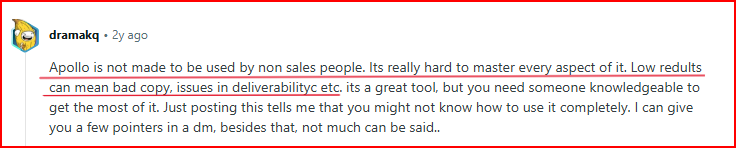
This image shows the Apollo review by user saying that it's hard to get best results in every aspect
Some teams struggle with data accuracy for narrow ICPs. Others need better inbox placement, deeper sales engagement workflows, or more flexible automation as they scale.
So this list is not just about tools that replace Apollo’s database.
It covers Apollo.io alternatives that can help you improve:
Lead data accuracy
Enrichment and verification
AI-driven prospecting
Cold email deliverability
Sales engagement workflows
CRM and API integrations
GTM automation at scale
If Apollo is useful but no longer deep enough for your outbound process, these alternatives are worth looking at.
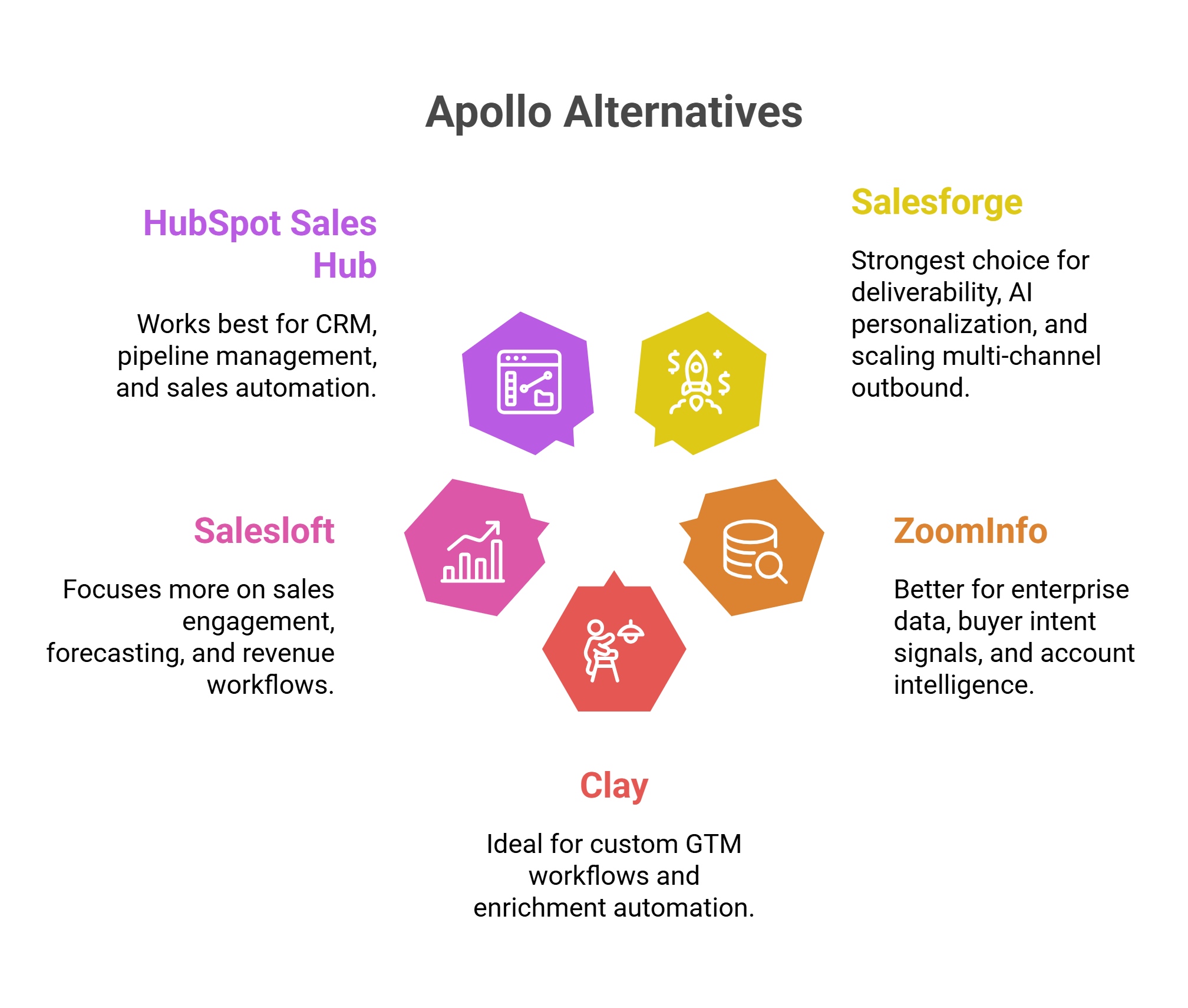
Salesforge is the strongest choice for deliverability, AI personalization, MCP Server, and scaling multi-channel outbound.
ZoomInfo is better for enterprise data, buyer intent signals, and account intelligence.
Clay is ideal for custom GTM workflows and enrichment automation.
Salesloft focuses more on enterprise-side sales engagement, forecasting, and revenue workflows.
HubSpot Sales Hub works best for CRM, pipeline management, and sales automation.
Why Teams Look for Apollo.io Alternatives
While researching Apollo.io user experiences, these were some of the most common issues teams talked about:
Contact data was not always accurate or updated
This image shows the Apollo drawback data accuracy
Deliverability and reply rates were inconsistent
Some teams struggled to scale outreach smoothly because of sending limits
Managing different parts of the outbound workflow became difficult over time
Teams spent too much time fixing workflows and optimizing campaigns manually
That is why many teams eventually start looking for alternatives that are stronger in areas like outreach automation, deliverability, sales engagement, CRM workflows, and outbound execution.
How I Evaluated These Apollo.io Alternatives
I did not compare these tools only by database size, feature count, or pricing.
Apollo already covers many basic outbound needs. So I focused on where modern GTM teams usually need more depth:
AI and agentic workflow depth
MCP, API, and integration flexibility
Lead data accuracy for narrow ICPs
Enrichment and verification depth
Deliverability control and mailbox scaling
Personalization touchpoints
Channel coverage
CRM-safe workflow automation
Reporting at the mailbox, sequence, and pipeline levels
Total cost at scale
The goal was not to find tools that copy Apollo feature-for-feature.
The goal was to find tools that solve the specific gaps teams usually face once Apollo starts feeling too broad.
5 Best Apollo Alternatives For GTM Teams
Platform
Deliverability
Prospecting & Data
Outreach
CRM & Pipeline
AI & Automation
Starting Pricing
Salesforge
Built-in warm-up and mailbox rotation
Limited compared to data-first tools
LinkedIn + email outreach
CRM integrations
AI SDR + AI personalization
Starts at $40/month
ZoomInfo
Moderate
Deep B2B database and buyer intent signals
Workflow-based outreach
CRM enrichment workflows
AI account intelligence
Custom pricing
Clay
Depends on setup
150+ enrichment providers
Sequencers + workflow automation
CRM enrichment automation
AI research agents
Starts at $167/month
Salesloft
Moderate
Limited prospecting focus
Advanced sales engagement
Strong deal and forecasting workflows
AI revenue workflows
Custom pricing
HubSpot
Moderate
Basic lead management
Sales automation workflows
Full CRM platform
AI-guided selling
Starts at $15/month per seat
1. Salesforge
Salesforge is an all-in-one cold outreach platform built for teams running outbound across email and LinkedIn.
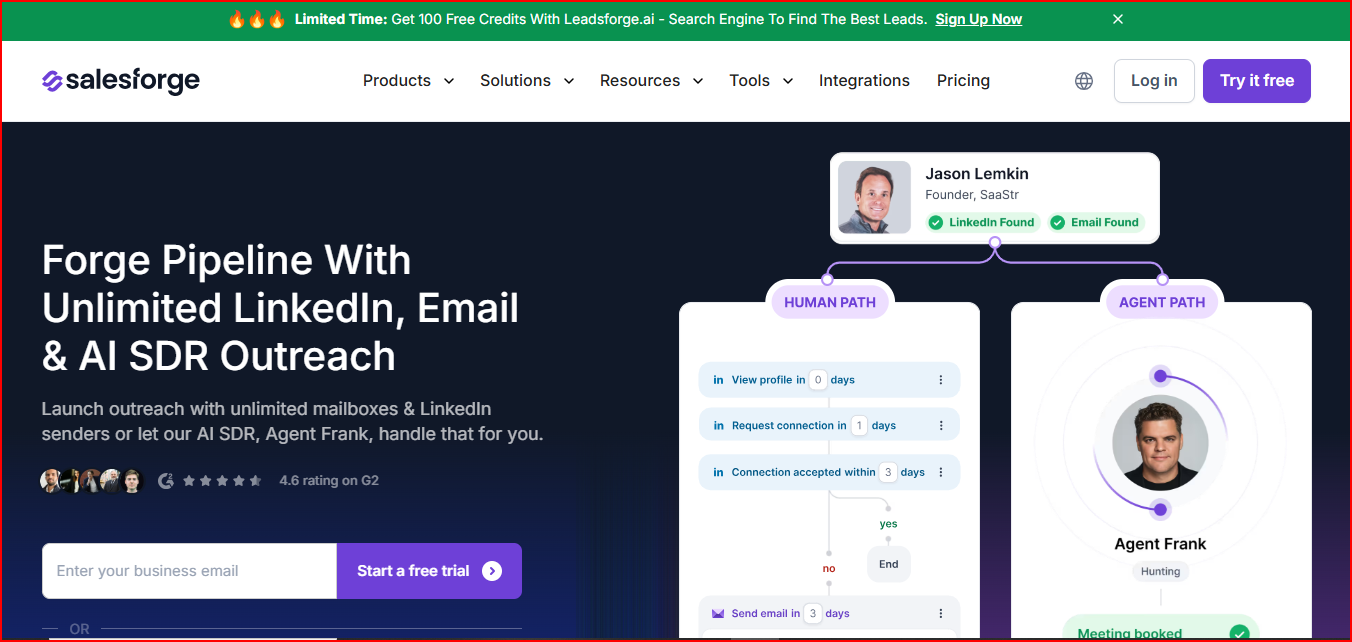
This image shows the Salesforge - All in one Multichannel outreach platform
It combines outreach, AI personalization, deliverability workflows, reply management, and AI SDR automation inside one platform.
Compared to Apollo.io, Salesforge puts a much stronger focus on deliverability, AI personalization, and scaling multi-channel outreach.
One of the biggest strengths of Salesforge is its built-in deliverability workflow.
It includes unlimited warm-up powered by Warmforge, smart mailbox rotation, and support for unlimited mailbox scaling on higher plans.
It also supports LinkedIn and email outreach together inside the same workflow, which makes managing outbound campaigns much easier for growing teams.
Another important feature is Agent Frank, Salesforge’s AI SDR. It can automate prospecting, personalized outreach, follow-ups, and meeting booking workflows.
The platform also includes Primebox™ for managing replies across LinkedIn and email from one inbox.
Salesforge also connects with CRM and workflow tools like Salesforce, HubSpot, Slack, Clay, Zapier, and APIs.
Salesforge pricing is flexible depending on whether you want basic outbound workflows, larger multi-channel campaigns, or AI SDR automation.
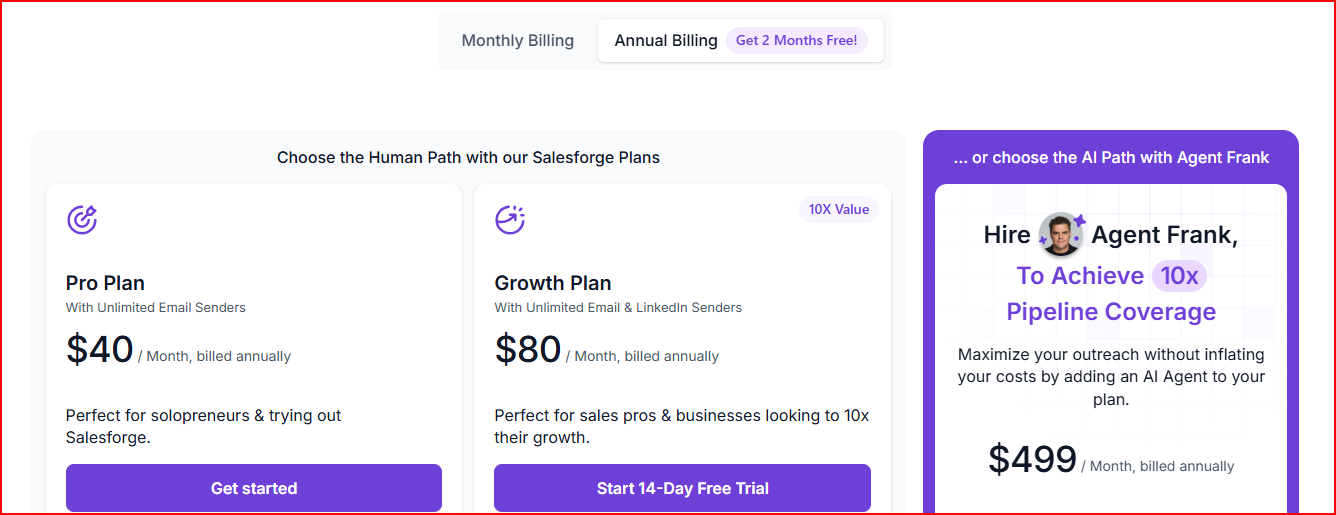
This image shows the Salesforge pricing
Pro Plan ($40/month): Includes 1 LinkedIn sender, unlimited mailbox connections, warm-up, Primebox™, and 5,000 emails/month
Growth Plan ($80/month): Includes unlimited LinkedIn senders, unlimited mailbox connections, API access, A/B testing, Primebox AI, and 50,000 emails/month
Agent Frank ($499/month): Includes AI SDR workflows for prospecting, personalized outreach, follow-ups, and meeting booking
Overall, the pricing structure is more flexible for teams that want to scale outbound gradually instead of moving to expensive enterprise sales platforms early.
Pros
Helps teams improve inbox placement while scaling outbound
Makes multi-channel outreach easier to manage from one workflow.
Supports the MCP server to manage campaigns via Claude.
This image shows the Salesforge user satisfaction with its multichannel outreach and AI personalization
Reduces the need for multiple deliverability and outreach tools
AI personalization helps outreach feel less generic at higher volume
Easier to scale outbound operations without adding mailbox limits
Helps larger outbound teams manage replies and workflows more efficiently
Cons
Best suited for outbound execution, not full CRM or pipeline management
Not as strong as ZoomInfo or Clay for large-scale raw data enrichment
Best For
Scaling LinkedIn + cold email outreach together
Improving deliverability and inbox placement
Managing high-volume outbound across multiple mailboxes
Running AI SDR workflows for prospecting and follow-ups
Managing outreach and deliverability in one platform
Overall, Salesforge is best for outbound-focused workflows that need stronger deliverability and scalable multi-channel outreach.
2. ZoomInfo
ZoomInfo is an AI-powered go-to-market platform focused heavily on B2B data, account intelligence, enrichment, buyer intent signals, and sales automation workflows.
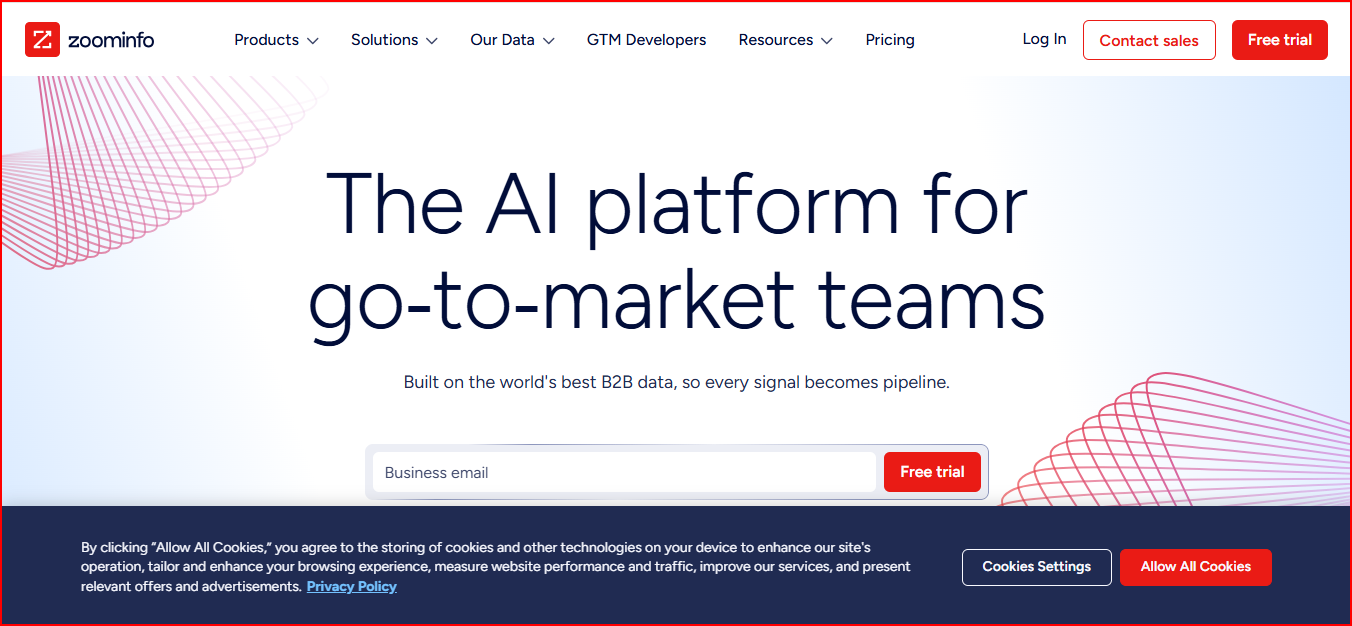
This image shows the ZoomInfo - AI-powered go-to-market platform
It helps teams find prospects, enrich CRM data, identify buying signals, and prioritize accounts more efficiently.
Compared to Apollo.io, ZoomInfo puts a much stronger focus on data depth, buyer intent signals, and enterprise-level account intelligence.
ZoomInfo’s main strength is account intelligence. It gives teams contact data, company data, buyer intent, technographics, funding signals, org changes, and account-level insights.
ZoomInfo also includes AI-powered workflows through tools like Copilot and GTM Studio.
These help with account prioritization, AI-generated outreach, automated enrichment, account summaries, and workflow automation across CRM and sales tools.
The platform also supports CRM enrichment and connects with tools like Salesforce, HubSpot, Outreach, Salesloft, Slack, Gong, Marketo, and APIs.
Key Features
B2B contact and company database
Buyer intent signals
AI-powered GTM workflows
AI-generated outreach and account summaries
CRM enrichment and data cleansing
Technographic and firmographic data
Buying group insights
Workflow automation
Account prioritization and alerts
Chrome extension and mobile app
CRM and sales tool integrations
Advanced reporting and analytics
Pricing
ZoomInfo does not publicly list fixed pricing on its website. Pricing depends on:
features and products selected
number of licenses
credit usage
integrations and workflow needs
Main packages include:
Professional
Copilot Advanced
Copilot Enterprise
Higher plans include deeper AI workflows, buyer intent signals, automation, advanced analytics, custom integrations, and dedicated onboarding support.
Overall, ZoomInfo pricing is more enterprise-focused and may not be the best fit for smaller outbound teams looking for simple or low-cost outreach tools.
Pros
Helps teams prioritize higher-intent accounts more effectively
Stronger fit for enterprise prospecting and account-based workflows
Reduces manual research with AI-driven account insights and signals
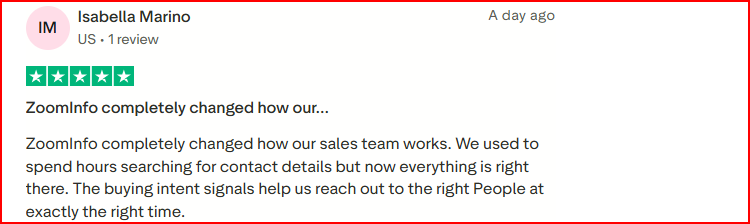
This image shows how Zoominfo shows reduce manual research and shows buying intent signals to reach right people
Makes CRM enrichment and data management easier at scale
Better visibility into buying signals, org changes, and account activity
Works well for larger GTM workflows across sales and marketing
Cons
Pricing can become expensive for smaller teams
Credit-based pricing may limit heavy export usage
Advanced workflows and features are mainly available on higher plans
Best For
Enterprise prospecting and account-based outreach
Teams heavily focused on buyer intent and account intelligence
Managing CRM enrichment and large GTM datasets
Prioritizing high-fit accounts using AI signals
Larger outbound and RevOps workflows
Sales and marketing teams working from shared GTM data
Overall, ZoomInfo is best for data-heavy GTM workflows that need deeper account intelligence, enrichment, and buyer intent visibility.
3. Clay
Clay is a GTM workflow platform that helps teams enrich data, research accounts, automate workflows, and manage outbound operations using AI, signals, and multiple data providers.
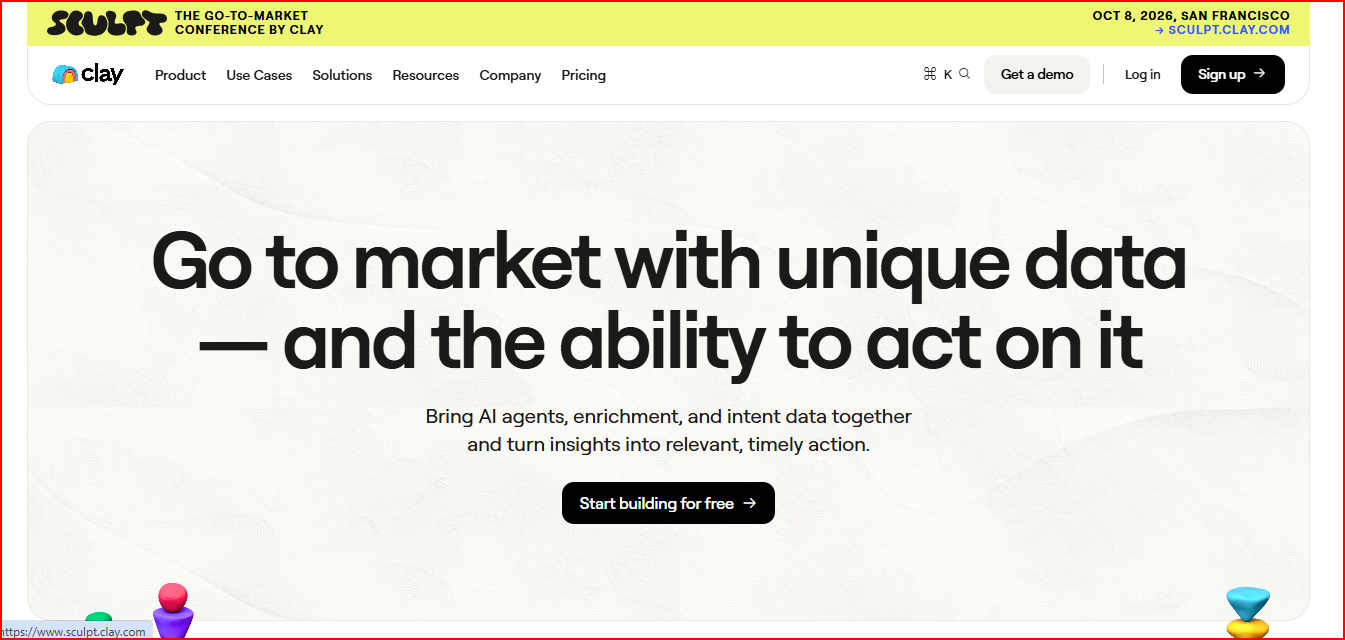
This image shows the Clay - GTM workflow platform
Compared to Apollo.io, Clay puts a much stronger focus on workflow flexibility, enrichment depth, and custom GTM automation.
One of the biggest strengths of Clay is its multi-provider enrichment system.
Instead of relying on one database, Clay combines 150+ data providers using waterfall enrichment workflows to improve coverage and data quality.
Clay also includes AI agents called Claygents that can research companies and people, generate custom data points, and automate enrichment workflows.
Another important feature is Sculptor, which helps teams build workflows using natural language prompts.
The platform also supports CRM enrichment, inbound routing, outbound workflows, TAM sourcing, territory planning, intent signals, and workflow automation from one place.
Clay connects with CRMs, APIs, email tools, ad platforms, and data warehouses, which makes it highly flexible for custom GTM operations.
Key Features
Multi-provider enrichment with 150+ providers
Claygents AI research agents
Intent signals and trigger tracking
CRM enrichment workflows
Native sequencer and outreach automation
Sculptor AI workflow builder
TAM sourcing and territory planning
AI formatting and conditional workflows
Ads audience syncing
HTTP API integrations
CRM and workflow integrations
Pricing
Clay offers both free and paid plans with usage-based pricing around actions and data credits.
This image shows the Clay pricing
Main plans include:
Free Plan: Includes 6,000 actions/year and basic enrichment workflows
Launch Plan ($167/month): Includes phone enrichment, signals tracking, larger workflows, and outbound campaign support
Growth Plan ($446/month): Includes CRM sync, webhook automation, web intent signals, API integrations, and priority support
Enterprise Plan: Custom pricing for large-scale GTM systems and advanced governance features
Overall, Clay pricing is more suitable for teams that want flexible data enrichment and workflow automation, not simple fixed-seat outbound pricing.
Pros
Helps teams build highly customized outbound workflows
Improves enrichment coverage using multiple data providers together
This image shows the Clay improves data enrichment using multiple sources
Reduces manual research with AI-powered enrichment workflows
Makes CRM enrichment and workflow automation easier at scale
Gives more flexibility than traditional outbound platforms
Works well for advanced outbound and RevOps workflows
Cons
Complex for simple outbound workflows
become expensive at larger scale
Requires more setup compared to plug-and-play outreach tools
Best For
Building custom outbound and GTM workflows
Multi-provider enrichment and signal-based prospecting
CRM enrichment and workflow automation
AI-powered account research
Advanced RevOps and GTM operations
Large-scale enrichment workflows
Overall, Clay is best for flexible GTM workflows that need deeper enrichment, AI research, and workflow automation.
4. Salesloft
Salesloft is a revenue orchestration and sales engagement platform built for managing pipeline creation, buyer engagement, deal execution, forecasting, and revenue workflows from one system.
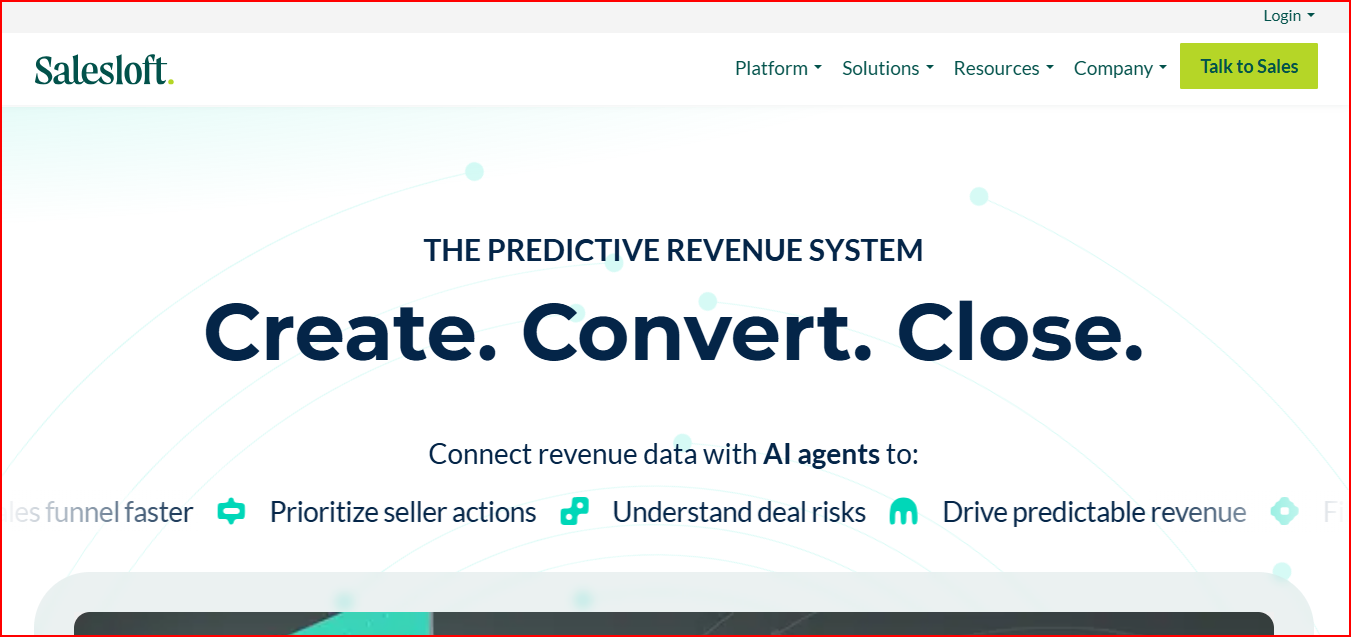
This image shows the Salesloft - Revenue orchestration and sales engagement platform
Compared to Apollo.io, Salesloft puts a much stronger focus on sales engagement depth, revenue workflows, deal management, and forecasting.
One of the biggest strengths of Salesloft is how deeply it focuses on the full revenue workflow after prospecting starts.
The platform includes Cadence for pipeline building, Rhythm for action prioritization, Conversations for buyer insights, Deals for opportunity management, Forecast for revenue forecasting, and Analytics for revenue visibility.
Salesloft also includes AI-powered workflows and AI agents that help teams prioritize seller actions, identify deal risks, manage buyer engagement, and automate revenue workflows.
Another important part of the platform is its Revenue Orchestration Platform, which combines sales engagement, conversation intelligence, forecasting, deal management, and analytics into one workflow.
The platform also connects with CRM systems, dialers, conferencing tools, calendars, email tools, and revenue workflows through its integrations marketplace.
Key Features
Cadence sales engagement workflows
Rhythm action prioritization
Conversation intelligence
Deal management workflows
Revenue forecasting
Revenue analytics and reporting
AI-powered seller workflows
AI agents for revenue orchestration
Pipeline dashboards and forecasting
Coaching and performance workflows
CRM and revenue workflow integrations
Pricing
Salesloft pricing is not publicly listed.
Pricing depends on:
selected products and capabilities
number of users
integrations and workflow requirements
onboarding and enterprise support needs
Overall, Salesloft pricing is more enterprise-focused and designed for revenue teams managing larger sales workflows and deal operations.
Pros
Helps teams manage pipeline and deal workflows more efficiently
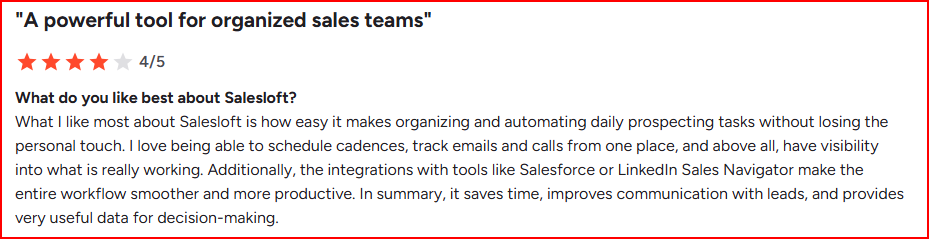
This image shows Salesloft make teams organization and management easy
Gives better visibility into buyer engagement and deal risks
Makes sales engagement and forecasting more connected
Reduces workflow switching across revenue operations
Helps managers track pipeline performance and seller activity better
Cons
Pricing is not publicly transparent
Works better for revenue orchestration than simple prospecting workflows
Best For
Managing complex sales engagement workflows
Pipeline management and deal execution
Revenue forecasting and analytics
Conversation intelligence and seller coaching
Enterprise revenue operations
Structured multi-stage sales workflows
Overall, Salesloft is best for revenue-focused sales workflows that need deeper engagement, forecasting, and deal visibility.
5. HubSpot Sales Hub
HubSpot Sales Hub is an AI-powered sales platform built for managing lead generation, sales automation, pipeline management, deal tracking, forecasting, and customer workflows inside one CRM-driven system.
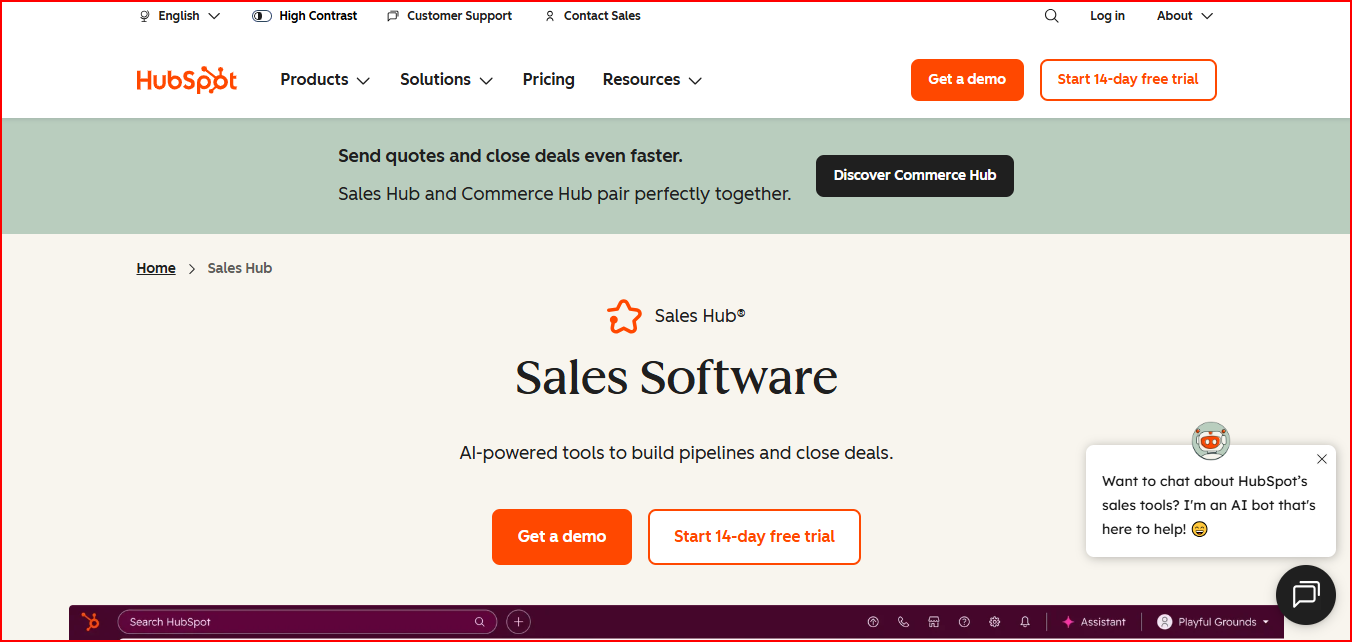
This image shows the HubSpot Sales Hub - AI-powered sales platform
Compared to Apollo.io, HubSpot Sales Hub puts a much stronger focus on CRM-based sales workflows, pipeline management, and sales automation inside one connected customer platform.
One of the biggest strengths of HubSpot Sales Hub is how tightly everything works inside the CRM.
The platform combines lead management, outreach automation, meeting scheduling, deal pipelines, forecasting, analytics, conversation intelligence, and AI-guided selling inside one workflow.
HubSpot also includes AI-powered tools like Breeze Prospecting Agent, AI-guided selling, deal scoring, conversation intelligence, and automated follow-up workflows to help teams manage leads and deals more efficiently.
Another important advantage is how easy the platform is to use compared to more complex enterprise sales systems.
Teams can manage outreach, pipelines, reporting, meetings, and customer activity without needing multiple disconnected tools.
The platform also connects with HubSpot CRM, Commerce Hub, email tools, calendars, calling workflows, analytics, and automation systems from one platform.
Key Features
AI-powered lead management
Sales automation workflows
Breeze Prospecting Agent
Deal pipelines and deal scoring
AI-guided selling workflows
Forecasting and analytics
Conversation intelligence
Meeting scheduling
Call tracking and power dialer
Email templates and outreach workflows
CRM-based sales workflows
Reporting and dashboards
Pricing
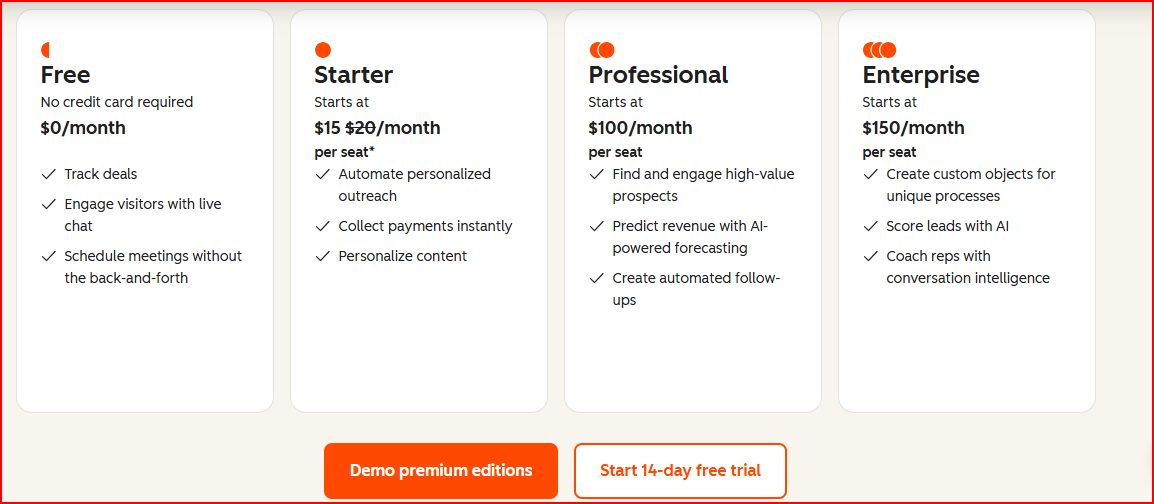
HubSpot Sales Hub offers both free and paid plans with per-seat pricing.
This image shows the HubSpot Sales Hub pricing
Main plans include:
Free Plan ($0/month)
Starter Plan ($15/month per seat)
Professional Plan ($100/month per seat)
Enterprise Plan ($150/month per seat)
Higher plans include AI forecasting, advanced automation, lead scoring, conversation intelligence, custom objects, and deeper reporting workflows.
Overall, HubSpot Sales Hub pricing is more scalable for teams that want CRM, sales automation, and pipeline management inside one platform without moving to heavy enterprise sales systems early.
Pros
Makes CRM and sales workflows easier to manage in one system
Reduces the need for multiple separate sales tools
Helps teams manage pipelines, deals, and follow-ups more efficiently
Easier to use compared to many enterprise sales platforms
AI workflows help prioritize leads and automate repetitive tasks
This image shows the HubSpot Sales Hub provides personalization and still automates follow-ups
Works well for growing sales teams scaling processes gradually
Cons
Advanced AI and automation features require higher plans
Per-seat pricing can increase costs as teams grow
Less focused on deep outbound prospecting compared to data-first platforms
Best For
CRM-based sales and pipeline management
Managing deals, forecasting, and follow-ups in one platform
Sales automation and lead management workflows
Growing sales teams scaling structured processes
Teams wanting easier CRM and sales workflow management
Combining CRM, outreach, and reporting together
Overall, HubSpot Sales Hub is best for CRM-driven sales workflows that need strong pipeline management, automation, and ease of use.
Personalized Outbound Strategy
Get The Right Outbound Strategy In Minutes
Enter your email to get a custom plan & stack recommendation for your
business
It's being carefully crafted by AI
Please check your mailbox in 5 minutes
Which Apollo.io Alternative Should You Choose?
The best alternative depends on what you want to improve most in your workflow.
Salesforge is best for deliverability, AI personalization, and scaling LinkedIn + cold email outreach.
ZoomInfo is better for buyer intent data, account intelligence, and enterprise prospecting.
Clay is best for custom enrichment, AI research, and GTM workflow automation.
Salesloft is stronger for sales engagement, forecasting, and pipeline workflows.
HubSpot Sales Hub is better for CRM, pipeline management, and sales automation.