
Personalized Outbound Strategy
Get The Right Outbound Strategy In Minutes
Enter your email to get a custom plan & stack recommendation for your business
It's being carefully crafted by AI
Please check your mailbox in 5 minutes

Sending 1 million cold emails a month is not just “more volume.”
It’s ~33,000 emails every single day.
At safe limits, one inbox can send only 25–50 emails/day.
That means you need hundreds of inboxes and dozens of domains working together.
If you try to reach this number with a normal setup, it's disastrous:
So the real question is not how to send more emails.
It’s:
How do you build an infrastructure that can handle 1 million emails/month safely?
I’ve built this kind of cold email infrastructure myself.
In one setup, I worked with ~80 domains and ~800 inboxes.
At one point, we scaled too fast and started seeing inboxes hit spam within days.
That’s exactly why structure matters at this level.
In this guide, I’ll break down how to set it up step by step.
Start with Infraforge - set up and manage your cold email infrastructure at scale in minutes.
When you try to jump from low volume to high volume, nothing breaks instantly.
It breaks slowly… and then all at once.
At first, everything looks fine.
And soon, most of your emails are going to spam.
This happens because you’re putting too much load on too little setup.
Email providers don’t see your intention.
They only see patterns.
And when all your emails come from a small number of inboxes and domains, it signals spam behavior.
So your deliverability drops.
Cold email doesn’t break because of your copy.
It breaks because your sending reputation is not distributed.
To fix this, you don’t need better emails.
You need better distribution.
And that starts with understanding what 1 million emails/month actually requires.
Even with the right setup, some inboxes will still burn over time.
That’s normal at this scale and needs ongoing replacement.
Let’s make this simple.
1,000,000 emails per month
= ~33,000 emails per day
Now apply safe sending limits:
So to send 33,000 emails/day, you need roughly:
And this is not a one-time setup.
Each inbox needs:
So you’re not just sending emails.
You’re managing a network of inboxes and domains.
From what I’ve seen, most issues start when:
That’s the shift most people miss.
Once you understand this, the next question becomes clear:
How do you actually structure all of this without breaking deliverability?
Now you know what 1 million emails/month needs:
hundreds of inboxes and dozens of domains.
But just having them is not enough.
If you don’t structure them properly,
you’ll still face the same problems, spam, low replies, and burned domains.
So the real question is:
How do you organize all these inboxes and domains so they work together safely?
It follows a simple structure:
Each layer has a clear role.
And more importantly, they depend on each other:
So even with a large setup, things can still fail if it’s not structured well.
Scaling works only when your infrastructure is connected and balanced.
Now that the structure is clear,
I’ll walk you through how to build this step by step.
A lot of setups fail not because of strategy, but because of small mistakes early on.
These mistakes seem small at first, but at scale, they directly affect deliverability and overall performance.
Now you understand the numbers and the structure.
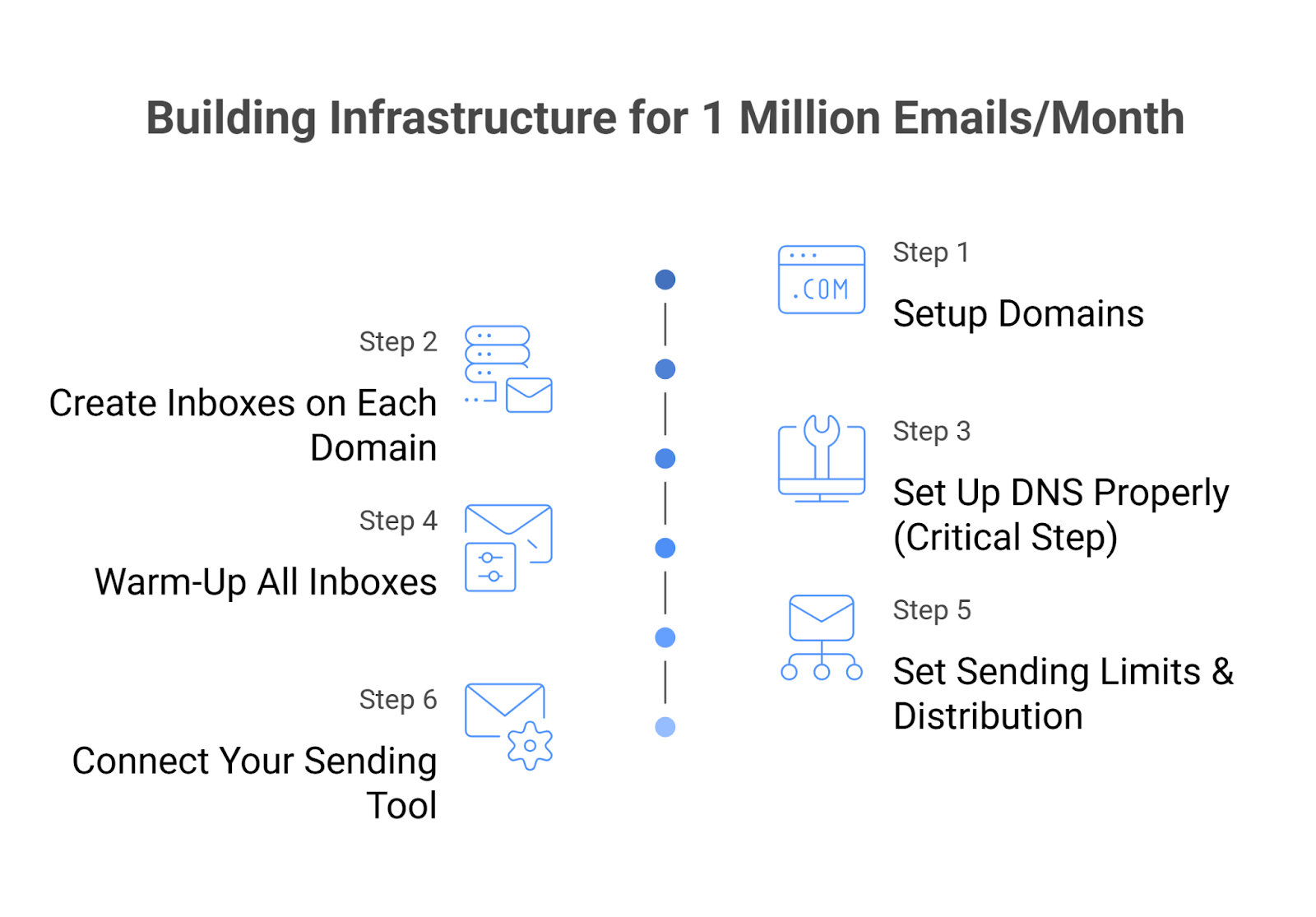
Let’s build this step by step, the same way I’ve done it.
Everything starts here.
You should never use your main domain for cold email.
Always create separate domains.
For 1M emails/month, you’ll need:
Keep them:
Domains hold your reputation.
More domains = better distribution.
Now you add sending capacity.
Example:
100 domains × 10 inboxes = 1000 inboxes
Each inbox has a sending limit.
More inboxes = more safe volume.
For every domain, configure:
Also:
This is what builds trust with email providers
Without DNS, your emails won’t be trusted, even if everything else is perfect.
Do not skip this.
New inboxes sending high volume = instant spam signals.
Warming up new inboxes makes your sending look natural.
Now control how emails go out:
This is what protects your reputation long-term.
Now plug everything into your sending platform.
Make sure it supports:
At this point, your system is ready.
But here’s the truth most people realize next:
Setting this up once is hard.
Managing it every day at this scale is even harder.
Let’s look at where things start breaking in real usage.
You now know what it takes to reach 1 million emails/month.
But knowing the setup and actually building it are two very different things.
Setting up:
This alone takes time and careful execution.
And once everything is set up, running it daily becomes the bigger task.
At this scale, you’re managing hundreds of inboxes, not just a few.
And this is not a one-time task.
It keeps happening every single day.
You’ll start noticing things like:
Now you’re not just sending emails anymore.
You’re handling both setup and ongoing maintenance of a large system.
The hard part is not just building this setup.
It’s building it right and keeping it stable at scale.
This is where most teams slow down.
Not because the approach is wrong, but because doing all of this manually becomes too much.
This is where most teams start looking for a better way to manage everything without doing it all manually.
At this point, the problem is clear.
It’s not just about sending emails.
It’s about setting up and managing everything together without breaking it.
Infraforge helps handle this setup in a more structured way.
Since Infraforge is part of our stack, I’ll keep this practical and show where it helps and where manual setups still make sense.
Infraforge is a cold email infrastructure platform that lets you set up and manage domains, inboxes, and deliverability in one place, with dedicated IPs for each domain.
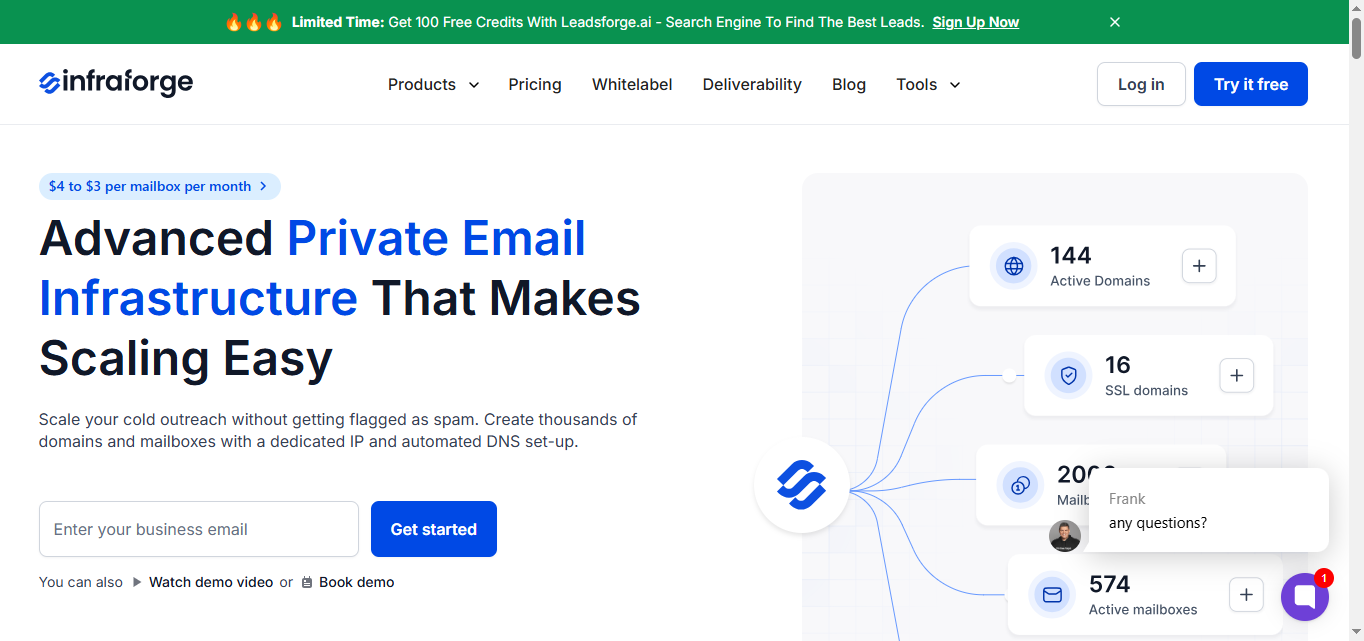
Your infrastructure is ready in minutes instead of days.
You can create domains and inboxes in bulk, and all the technical parts like SPF, DKIM, and DMARC are set up automatically.
Mailboxes are hosted and maintained, and you can choose pre-warmed domains and inboxes to get started right away.
So instead of managing hundreds of moving parts across different tools, you control everything from one place.
This becomes important at scale.
Because when you’re dealing with hundreds of inboxes, even small issues like a missing DNS record, DNS misconfiguration, or a drop in inbox activity can affect deliverability.
Infraforge reduces this risk with automated DNS setup, real-time deliverability monitoring, and alerts, so you can spot issues early and fix them before they impact your campaigns.
It also supports bulk DNS updates, smart sending limits, and built-in domain and inbox rotation to keep sending balanced as you scale.
It also keeps things predictable from a cost perspective.
Domains are around $14 per year each.
Mailboxes are around $3–$4 per month.
So, for example:
These costs can vary based on providers and region, but this gives a rough benchmark for planning.
This includes DNS setup, hosting, maintenance, and access to their API.
You also have optional add-ons if you need more control, like SSL and domain masking, dedicated IPs, or a master inbox view to monitor all emails in one place.
Infraforge felt more complete when I needed everything in one place.
Not just setting up domains and inboxes, but also managing and scaling them.
And most of it was handled with automated setup, so it took less effort.
Enter your email to get a custom plan & stack recommendation for your business
Please check your mailbox in 5 minutes

Reaching 1 million emails per month is not about pushing more volume.
It’s about building the right setup:
Once that is in place, scaling becomes predictable.
But the real difference comes from how you handle it.
You can set everything up manually and manage it step by step.
Or you can use a more structured system that handles most of it for you.
Tools like Infraforge are built exactly for this.
Instead of spending time setting up and managing everything.
You get infrastructure that is ready in minutes, with automated DNS, built-in warm-up, and dedicated IPs for each domain.
So you can focus on running campaigns, not fixing infrastructure.
If you don’t want to manage hundreds of inboxes and domains manually,
Infraforge is the simplest way I’ve seen to handle this setup without breaking deliverability.