Have you ever warmed up inboxes properly, increased sending slowly, and still watched reply rates collapse once campaigns started scaling?
I started noticing this while scaling warmed inboxes across multiple cold email campaigns.
Some inboxes stayed stable after increasing sending volume, while others suddenly started landing in spam even though the warmup was still active and daily sending limits were controlled.
The confusing part was that most warmup dashboards still showed inboxes as healthy.
A few Gmail inboxes stopped reaching primary tabs after sending volume increased.
Some Outlook inboxes completely lost placement within days.
The strange part was that the warmup process looked almost identical across all accounts.
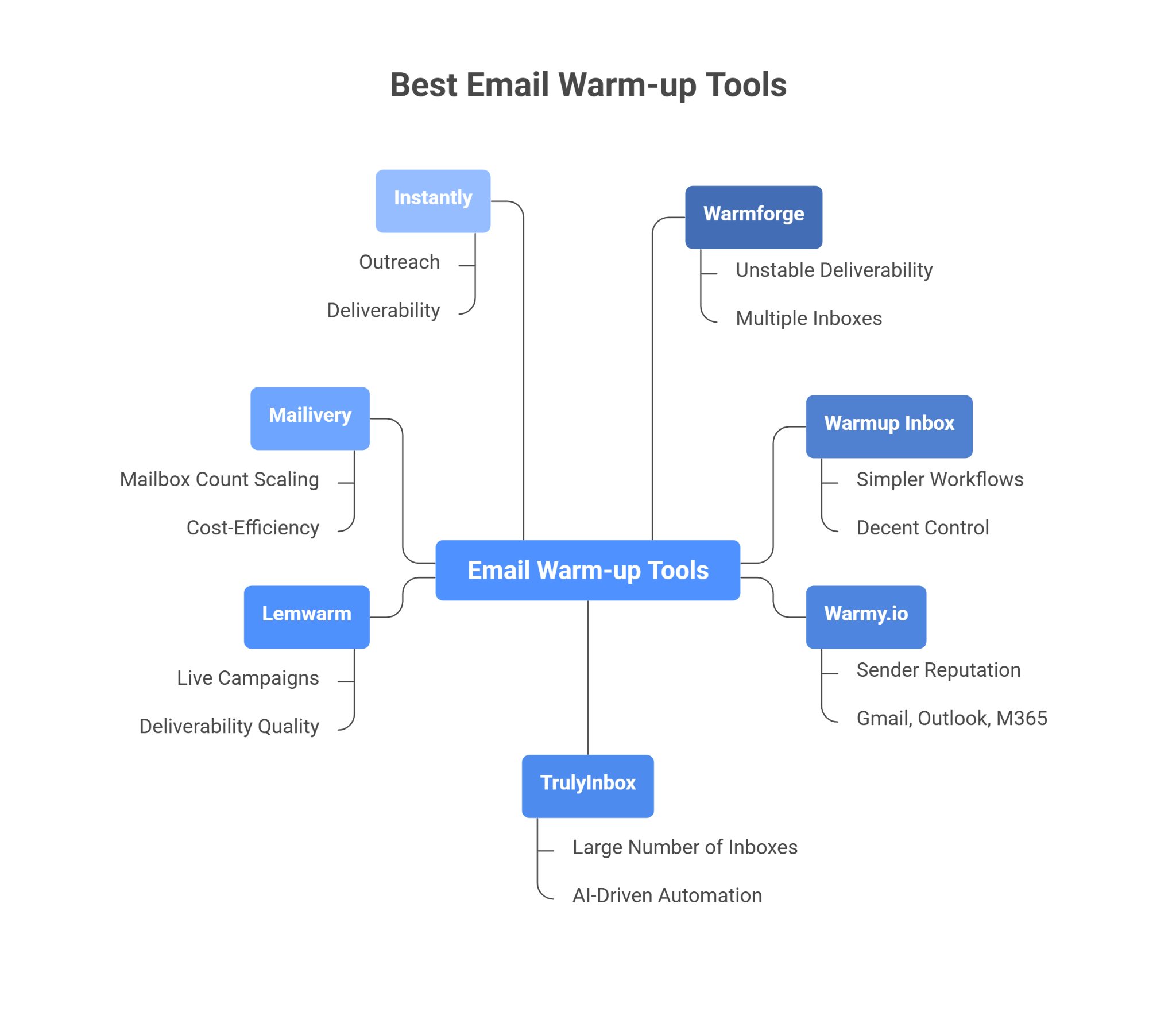
After testing different email warmup tools across real cold email workflows, one thing became very clear.
Some tools only automate warmup activity, while others do a much better job at maintaining inbox placement and inbox reputation during scaling.
In this guide, you will find:
Email warmup tools that maintain better inbox placement
Platforms that scale more safely across multiple inboxes
Warmup features, pricing, and limitations
Tools that work better for Gmail and Outlook
And which warmup tools fit different outbound workflows best in 2026
By the end, you should have a much clearer idea of which email warmup tool actually fits your cold email setup and scaling goals.
Warmforge works best once deliverability and inbox placement start becoming unstable across multiple inboxes and domains.
Warmup Inbox is better for simpler warmup workflows with decent control and a lower starting cost.
Warmy.io fits better for teams that heavily monitor sender reputation across Gmail, Outlook, and Microsoft 365.
TrulyInbox is stronger for managing large numbers of inboxes with AI-driven warmup automation.
Lemwarm works well for teams actively controlling deliverability quality during live campaigns.
Mailivery becomes much more cost-efficient once mailbox count starts scaling heavily.
Instantly fits better when outreach, warmup, and deliverability need to stay inside one workflow.
How I Evaluated These Email Warmup Tools
I did not compare these tools based on feature lists alone.
I mainly focused on how the warmup actually performed once cold email campaigns started scaling across multiple inboxes.
Here are the main things I looked at while testing these email warmup tools:
Inbox placement stability during live campaign sending
Gmail vs Outlook placement changes after ramp-up
Warm up network quality and mailbox authenticity
Ability to detect deliverability drops before replies fall
Blacklist, DNS, SPF, DKIM, DMARC, and MX monitoring
Mailbox-level health visibility
Scaling cost across 10, 50, and 100 inboxes
API/integration support for outbound stacks
Compatibility with sending tools and multi-inbox workflows
Whether warmup insights help you take action, not just view scores
I also focused heavily on real outbound usage instead of isolated warmup testing because many tools behave very differently once campaigns start running at higher volume.
7 Best Email Warmup Tools Comparison Table
Tool
Deliverability Monitoring
Inbox Placement Visibility
Blacklist Monitoring
Warmup Personalization
Starting Pricing
Best Suited For
Warmforge
Advanced
Yes
Yes
AI multilingual warmup
$9/mailbox slot/month
Scaling inboxes while maintaining deliverability
Warmup Inbox
Moderate
Basic
Limited
ESP + language warmup
$15/inbox
Simple warmup with more control settings
Warmy.io
Advanced
Yes
Reputation monitoring
AI + topic-based warmup
Custom pricing
Monitoring sender reputation across providers
TrulyInbox
Advanced
ESP-level placement tracking
Yes
AI industry-based warmup
Free plan available
Managing many inboxes together
lemwarm
Strong
Limited
Deliverability alerts
Real template warmup
$24/email
Controlling deliverability during active campaigns
Mailivery
Moderate
Spam analytics
70+ blacklist checks
AI-generated content
$29/month
Agencies scaling many inboxes
Instantly
Moderate
Deliverability dashboard
Basic
Read emulation + slow ramp
$47/month
Outreach + warmup in one workflow
1. Warmforge
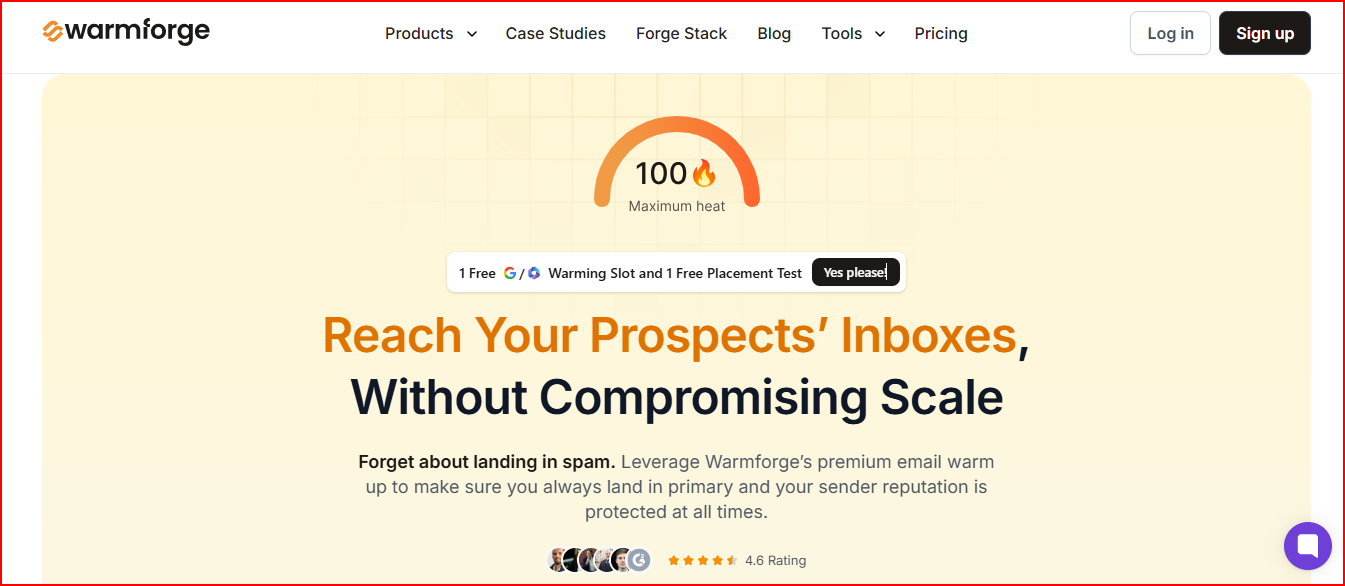
Warmforge is one of the strongest email warmup tools for teams where deliverability becomes difficult to maintain after scaling cold email across multiple inboxes and domains.
This image shows the Warmforge - Best email warmup and deliverability tool
Instead of only warming inboxes, Warmforge helps maintain inbox placement, sender reputation, and mailbox health while campaigns continue scaling at higher sending volume.
DNS & MX monitoring to track mailbox configuration health
Ongoing deliverability tracking for mailbox performance
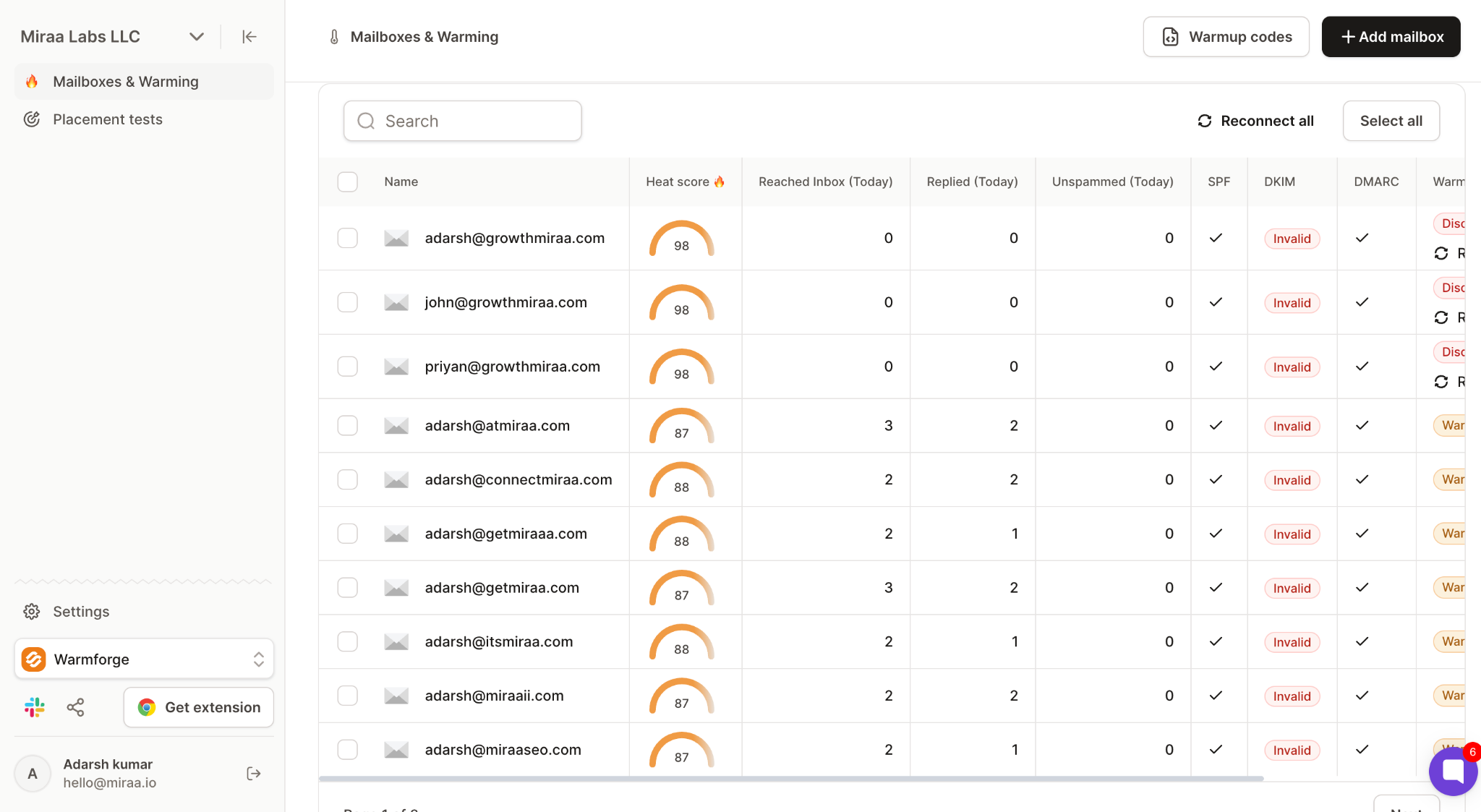
Heat Score™ monitoring to understand overall mailbox health
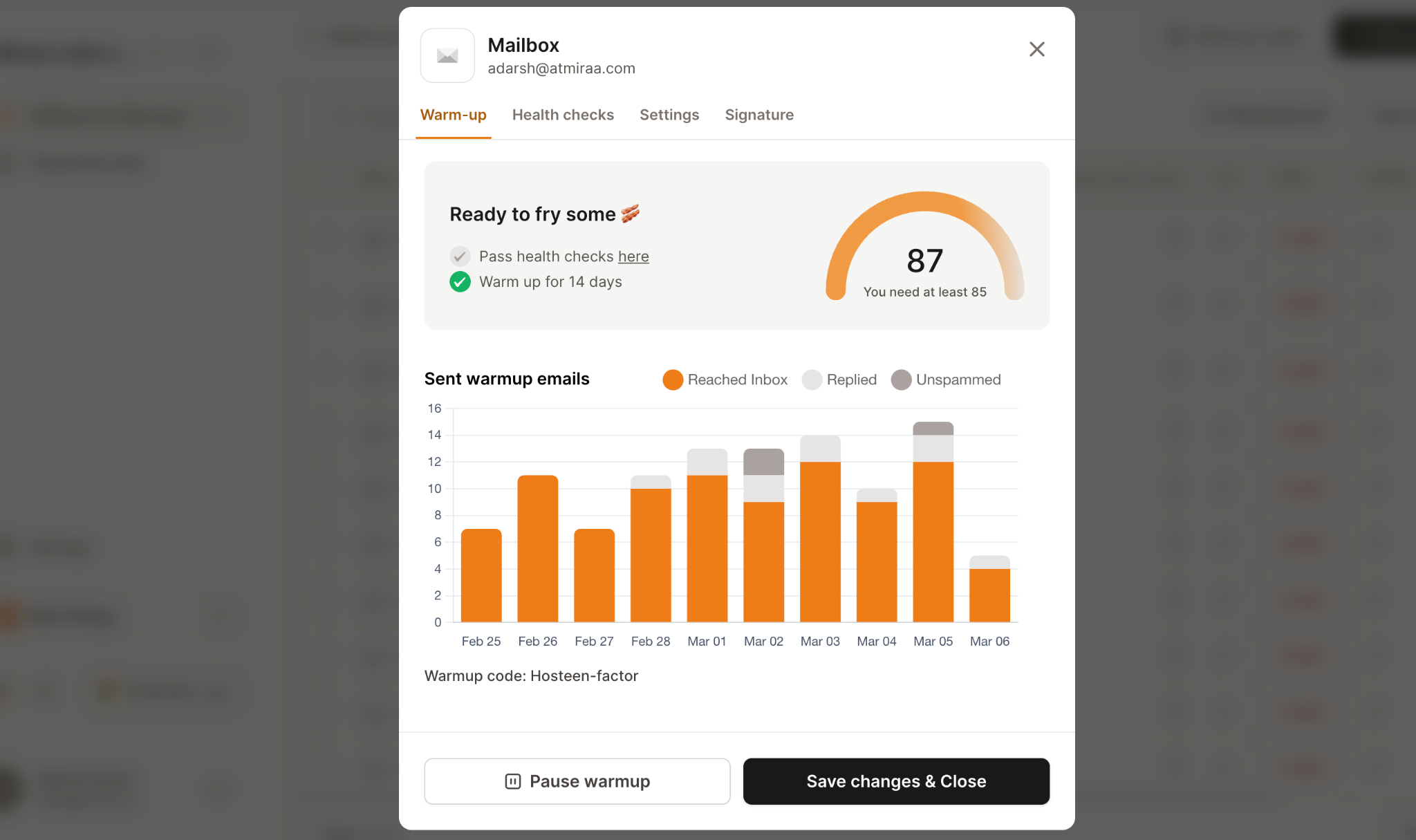
The Heat Score™ system becomes especially useful once multiple inboxes are active. It helps show whether inboxes are healthy enough to safely continue scaling outreach.
This image shows the Email warmup report in Warmforge
Warmforge also uses a premium warmup pool built with aged Google Workspace and Microsoft 365 inboxes.
The platform also uses multilingual warmup activity instead of mixed-quality warmup networks.
So if the main goal is maintaining strong deliverability and healthier mailbox reputation while scaling outbound campaigns, Warmforge fits much better than tools focused only on basic inbox warmup.
Warmforge Pricing
Warmforge pricing is based on mailbox slots.
Email Warmup
$9 per mailbox slot/month billed yearly
1 free placement test included per month
AI email warmup included
Mailbox health checks included
Placement Test Plans
Pro Plan: 100 tests/month - $39/month
Growth Plan: Unlimited tests - $169/month
Warmforge also includes unlimited warmup slots for users already using Salesforge.
Warmforge pricing also feels more flexible for scaling because you pay based on mailbox slots instead of larger bundled plans.
That makes it easier to add more inboxes without paying for unnecessary features or higher fixed pricing tiers.
What I Liked About Warmforge
Placement testing and warmup inside the same workflow reduces tool switching
Heat Score™ makes it easier to understand when inboxes are ready to scale
“The dashboard is interactive, showing heat score and warming status. I noticed quite an improvement in the deliverability and campaign scores. Highly recommend if you want to improve your deliverability score and avoid landing in spam folder.”- Sawera Amir, Trustpilot.
Blacklist, DNS, and mailbox monitoring help catch deliverability issues earlier
This image shows the Warmforge user talking how helpful its deliverability checks
Managing larger inbox setups feels much easier from one dashboard
Stronger visibility into mailbox reputation while scaling outreach
Premium warmup pool quality works for long-term sender reputation management
What I Felt Limited About Warmforge
Placement testing costs can increase for larger mailbox setups
The platform is more deliverability-focused than beginner-focused
Teams looking for only simple warmup automation may not need all the monitoring features
You manage multiple inboxes across Gmail or Outlook
You want placement testing and warmup inside the same workflow
You need better visibility into mailbox reputation and deliverability health
You want clearer signals before increasing sending volume further
Deliverability monitoring matters as much as warmup itself
My Verdict on Warmforge
The biggest difference was that Warmforge helps improve email deliverability beyond basic warmup activity.
Placement tests, blacklist monitoring, DNS checks, and mailbox health tracking make it easier to catch issues early before inboxes start landing in spam or losing reputation during scaling.
That ultimately helps emails land in the inbox more consistently.
Personalized Outbound Strategy
Get The Right Outbound Strategy In Minutes
Enter your email to get a custom plan & stack recommendation for your
business
It's being carefully crafted by AI
Please check your mailbox in 5 minutes
2. Warmup Inbox
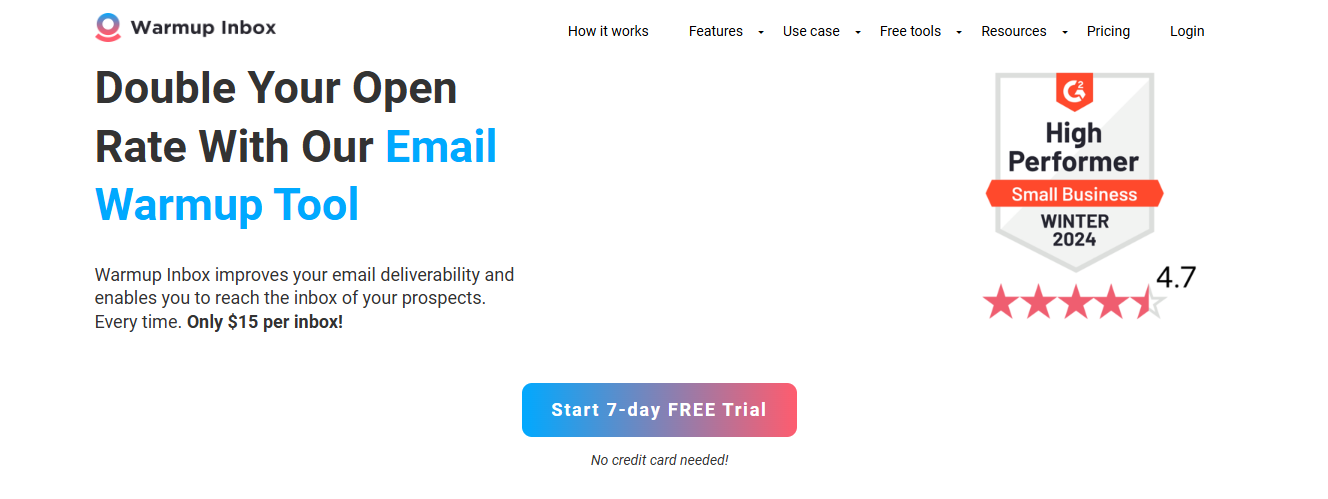
Warmup Inbox works best for users who want a simple email warmup tool with more control over warmup behavior and sender reputation management.
This image shows the Warmup Inbox homepage
It automatically sends and replies to emails through a large network of real inboxes to create natural email activity and gradually improve inbox trust with providers like Gmail and Outlook.
Warmup Inbox also supports Gmail, Outlook, Zoho, SendGrid, and other providers.
The biggest advantage is that the platform keeps the workflow simple while still giving decent control over how warmup behaves across different inbox setups.
Warmup Inbox Pricing
Warmup Inbox pricing is based per inbox and mainly scales around warmup volume and customization controls.
This image shows the Warmup Inbox pricing
Basic - $15/month per inbox: 75 warmup emails/day with spam monitoring and reputation checks
Pro - $49/month per inbox: Adds ESP-specific warmup, language warmup, and advanced warmup controls
Max - $79/month per inbox: Higher warmup volume with technical setup checks and unlimited API access
Pro Bundle - 5 Pro inboxes for $37/month each with inbox rotation included
The Basic plan is cheap enough for safely warming a few inboxes without much upfront cost.
But scaling 50 inboxes on a $15–$49 per-mailbox model becomes noticeably more expensive than shared-volume platforms like TrulyInbox or Mailivery.
What I Liked About Warmup Inbox
Warmup controls feel more customizable than most basic warmup tools
ESP-specific warmup helps for Gmail, Outlook, Zoho, and SendGrid setups
This image shows the Warmup Inbox provides ESP specific warmup
Spam and promotions monitoring helps catch placement problems earlier
Language warmup is useful for multilingual outreach
Dashboard stays clean and easy to manage even with multiple inboxes
What I Felt Limited About Warmup Inbox
Advanced deliverability monitoring is limited
Larger inbox setups can become expensive
Mailbox health tracking is not very deep
Not ideal for heavy infrastructure management
Best For
Use Warmup Inbox if:
You want a simple warmup workflow
Sender reputation is the main focus
You need more control over warmup behavior
You manage Gmail, Outlook, Zoho, or SendGrid inboxes
You do not need advanced deliverability infrastructure tools
My Verdict on Warmup Inbox
Warmup Inbox keeps the warmup process simple while still giving decent control over sender reputation and placement monitoring.
It works well for smaller setups, but deeper deliverability monitoring is more limited compared to advanced platforms.
3. Warmy.io
Warmy.io is an email warmup platform suited for teams managing deliverability across multiple mailbox providers like Gmail, Outlook, Yahoo, G Suite, and MS365.
This image shows the Warmy.io - Email warmup tool for multiple mailbox providers
It warms-up domains and IPs through networks of real business and consumer mailboxes.
It also separates warmup workflows for B2B and B2C outreach, which is useful for Gmail, Outlook, G Suite, MS365, and Yahoo deliverability.
It lets you:
Warm up domains and IPs automatically
Use AI-generated personalized warmup emails
Monitor spam rate and inbox placement
Track Google Postmaster metrics
Monitor domain and IP reputation
Use topic-based and language-based warmup
Track mailbox temperature and Health Score
Receive deliverability insights and alerts
The platform gives much more visibility into sender reputation and deliverability health compared to simpler warmup tools.
Warmy.io Pricing
Warmy.io does not publicly list exact pricing. The platform mainly uses custom and volume-based plans depending on mailbox count, deliverability needs, and outreach type.
It offers:
B2B sender plans
B2C sender plans
custom deliverability plans with dedicated support
All plans also include Google Postmaster integration and deliverability monitoring.
The pricing fits better for teams that need deliverability support and reputation monitoring beyond simple inbox warmup.
What I Liked About Warmy.io
Much better visibility into sender reputation across different mailbox providers
Google Postmaster integration makes reputation tracking easier
Separate B2B and B2C warmup flows are useful for mixed outreach setups
Topic-based warmup helps warmup activity feel closer to real outreach
What I Felt Limited About Warmy.io
Pricing is less transparent compared to simpler warmup tools
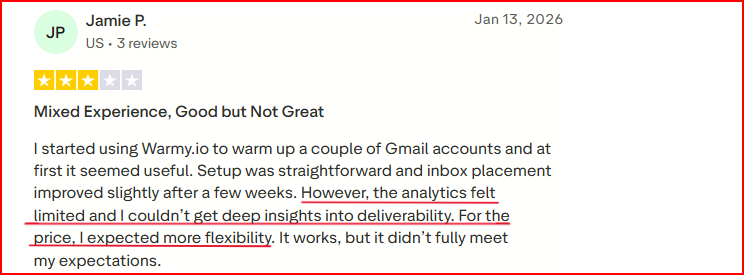
Limited Deliverability analytics
This image shows the Warmy limitation in deep deliverability analytics
Custom plans can make cost estimation harder early on
Heavier focus on deliverability data than lightweight warmup workflows
Best For
Use Warmy.io if:
You want deeper deliverability and reputation monitoring
Google Postmaster metrics matter heavily in your workflow
You manage both B2B and B2C outreach
You want AI-generated warmup activity
Sender reputation and spam monitoring are becoming serious concerns
You need more insight into domain and IP reputation
My Verdict on Warmy.io
Warmy.io gives much deeper reputation and provider-level tracking than most warmup tools.
The platform is stronger for deliverability-focused workflows, but pricing and monitoring depth may feel heavier for smaller teams.
4. TrulyInbox
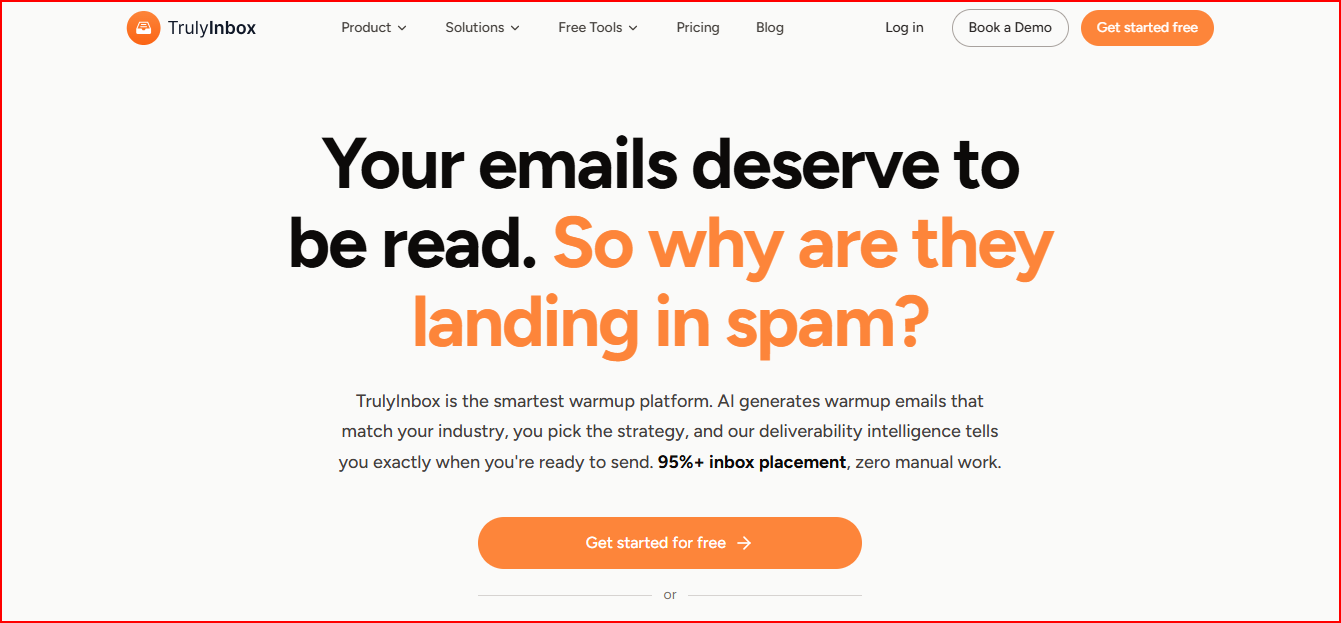
TrulyInbox is an AI-powered email warmup platform built for teams managing large numbers of inboxes with minimal manual work.
This image shows the TrulyInbox - AI Automated email warmup tool
It automates warmup using AI-generated emails that match your outreach style, industry, and language.
It also gives detailed deliverability tracking with outreach readiness indicators, deliverability scores, and ESP-level inbox placement breakdowns.
It lets you:
Warm up unlimited inboxes
Use AI-generated warmup emails
Choose progressive, random, or flat warmup strategies
Monitor deliverability scores and readiness indicators
Track Google and Microsoft inbox placement separately
TrulyInbox also supports Gmail, Outlook, Yahoo, Zoho, SendGrid, Amazon SES, Mailgun, Mailchimp, SMTP, and many other providers.
One of the biggest advantages is that the platform combines AI warmup, deliverability tracking, and outreach readiness monitoring together in one workflow.
TrulyInbox Pricing
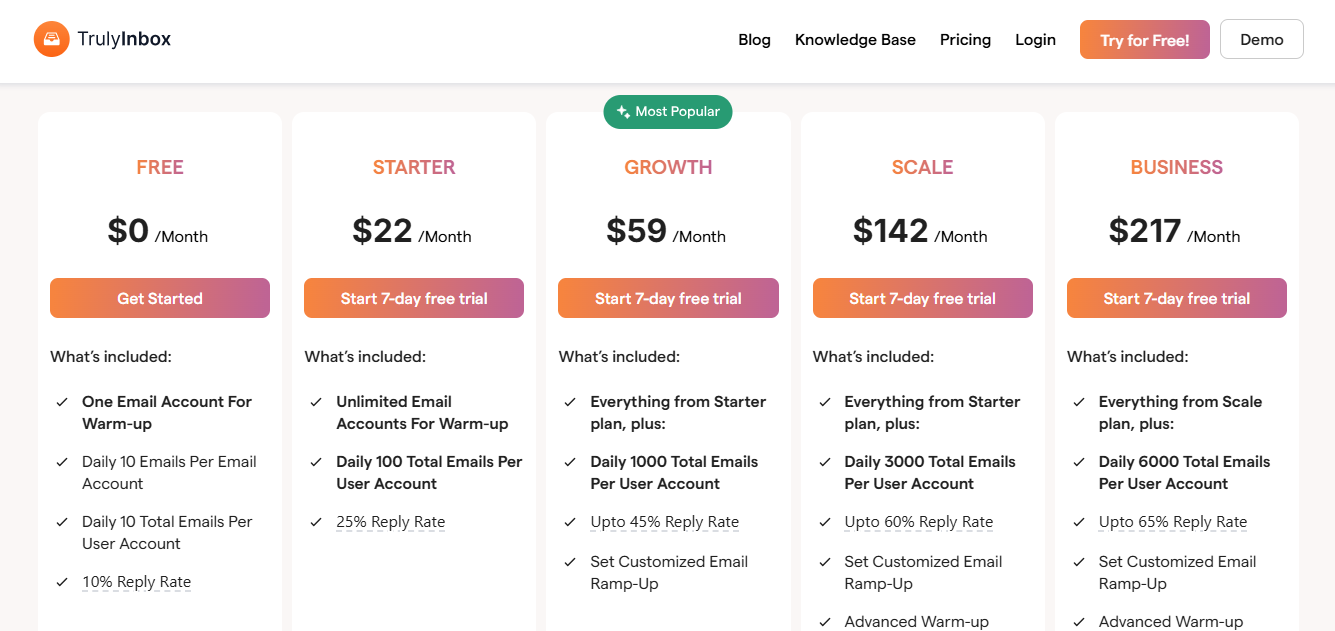
TrulyInbox pricing is based on warmup email volume instead of connected accounts.
This image shows the Trulyinbox pricing
Free Plan - 1 account with 10 warmup emails/day
Starter - $22/month for ~5 accounts and 200 emails/day
Growth - $59/month for ~50 accounts and 1,000 emails/day
Scale - $142/month for ~150 accounts and 3,000 emails/day
TrulyInbox pricing becomes very aggressive once many inboxes are involved because unlimited inboxes are included even on lower plans.
A 50–100 inbox setup costs significantly less here compared to tools charging separately for every mailbox connected.
What I Liked About TrulyInbox
Scaling many inboxes feels much easier because unlimited inbox connections are included
This image shows the User appreciating TrulyInbox’s unlimited emails for all plans offer
Outreach readiness indicators reduce guesswork before increasing sending volume
Managing large inbox setups from one dashboard saves a lot of manual work
ESP-level placement breakdowns give clearer visibility
What I Felt Limited About TrulyInbox
Smaller senders may not need all the scaling features
Deliverability reporting can feel heavier for beginners
Higher plans are more useful only when managing many inboxes
Teams wanting very lightweight warmup tools may prefer simpler options
Best For
Use TrulyInbox if:
You manage many inboxes across different providers
You want AI-generated warmup matched to real outreach
Outreach readiness tracking matters before scaling sending volume
You want unlimited inbox connections
You need better visibility into provider-level inbox placement
You want more automation with less manual warmup management
My Verdict on TrulyInbox
TrulyInbox makes large inbox management much easier with unlimited inbox connections and AI-driven warmup workflows.
TrulyInbox is more useful for scaling setups, while smaller senders may not need all the deliverability and readiness tracking features.
5. Lemwarm
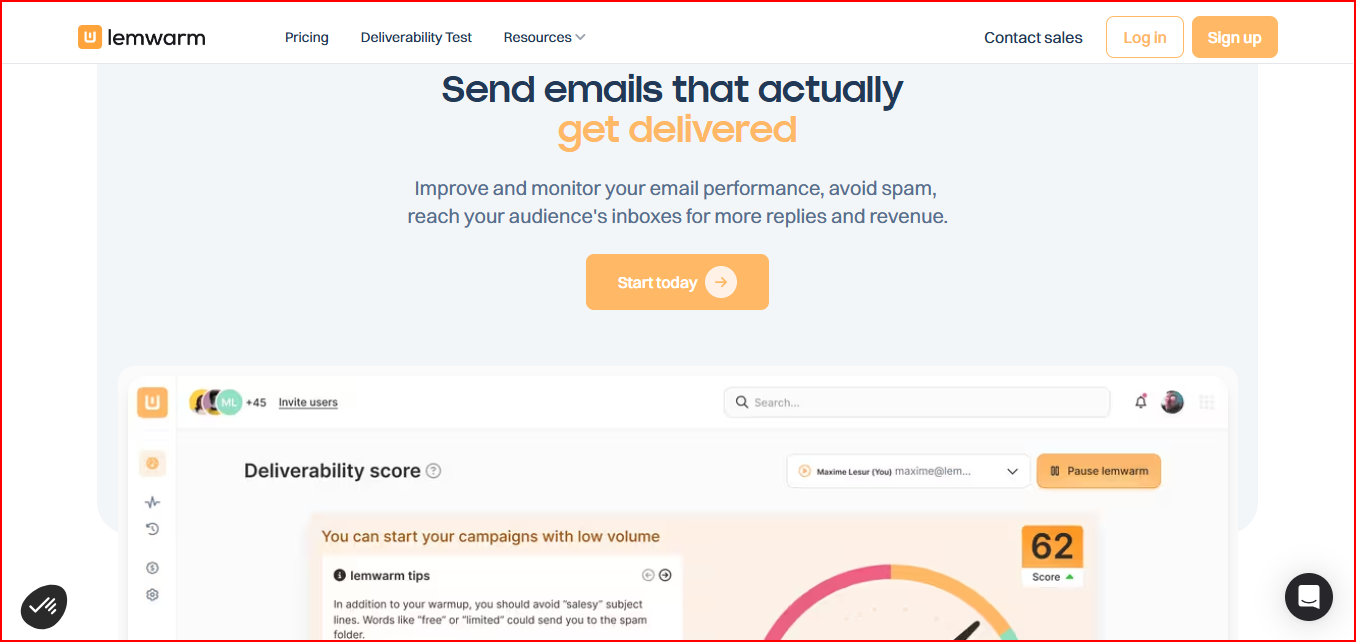
Lemwarm is an email warmup and deliverability tool suited for teams that want more control over warmup risk, sending behavior, and ongoing deliverability monitoring.
This image shows the Lemwarm - Email warmup tool by Lemlist
The platform gradually warms inboxes through a large network of healthy domains while also monitoring sender reputation, spam risks, technical setup issues, and sending behavior.
It lets you:
Warm up inboxes automatically
Monitor deliverability reports and spam risks
Check SPF, DKIM, DMARC, MX, and tracking domain setup
Warm up real email templates
Receive deliverability alerts and tips
Use personalized warmup emails
Use industry-based warmup networks
Lemwarm also uses human-like warmup emails and personalized replies to make warmup activity feel more natural.
The platform gives much more control over sending safety and warmup behavior compared to simpler automated warmup tools.
Lemwarm Pricing
Lemwarm pricing is based per email inbox.
This image shows the Lemwarm pricing
Essential - $29/month per email with automatic warmup, setup checks, and deliverability reports
Smart - $49/month per email with personalized warmup, real template warmup, and custom alerts
Custom - Custom pricing for larger teams
Lemwarm is also included free with active lemlist subscriptions.
Lemwarm pricing makes much more sense if Lemlist is already part of the stack since Lemwarm comes included with active Lemlist subscriptions.
Otherwise, paying around $40–$49 for each active mailbox becomes one of the costliest scaling models in this list.
What I Liked About Lemwarm
Gives much more control over sending risk and warmup behavior
Deliverability reports make sender issues easier to spot early
Warming real email templates makes warmup activity feel closer to actual outreach
Industry-based warmup pools feel more targeted
Technical setup checks help catch DNS and authentication problems
Works well for teams actively monitoring outreach quality and sender reputation
What I Felt Limited About Lemwarm
Pricing can become expensive across many inboxes
Larger setups may need more advanced centralized management
Some features are more useful only for active cold email teams
Simpler warmup users may not need all the monitoring features
Best For
Use Lemwarm if:
You want more control over warmup safety and sending behavior
You actively monitor deliverability and sender reputation
You want to warm real outreach templates
Technical setup monitoring matters in your workflow
You already use Lemlist for outreach
You want stronger deliverability reporting without moving into heavier infrastructure tools
Lemwarm fits best for outbound teams that care about controlling deliverability quality closely during ongoing campaigns.
My Verdict on Lemwarm
lemwarm gives strong control over warmup behavior, sending safety, and ongoing deliverability monitoring.
It works well for active cold email teams, but mailbox-based pricing can become expensive while scaling many inboxes.
6. Mailivery
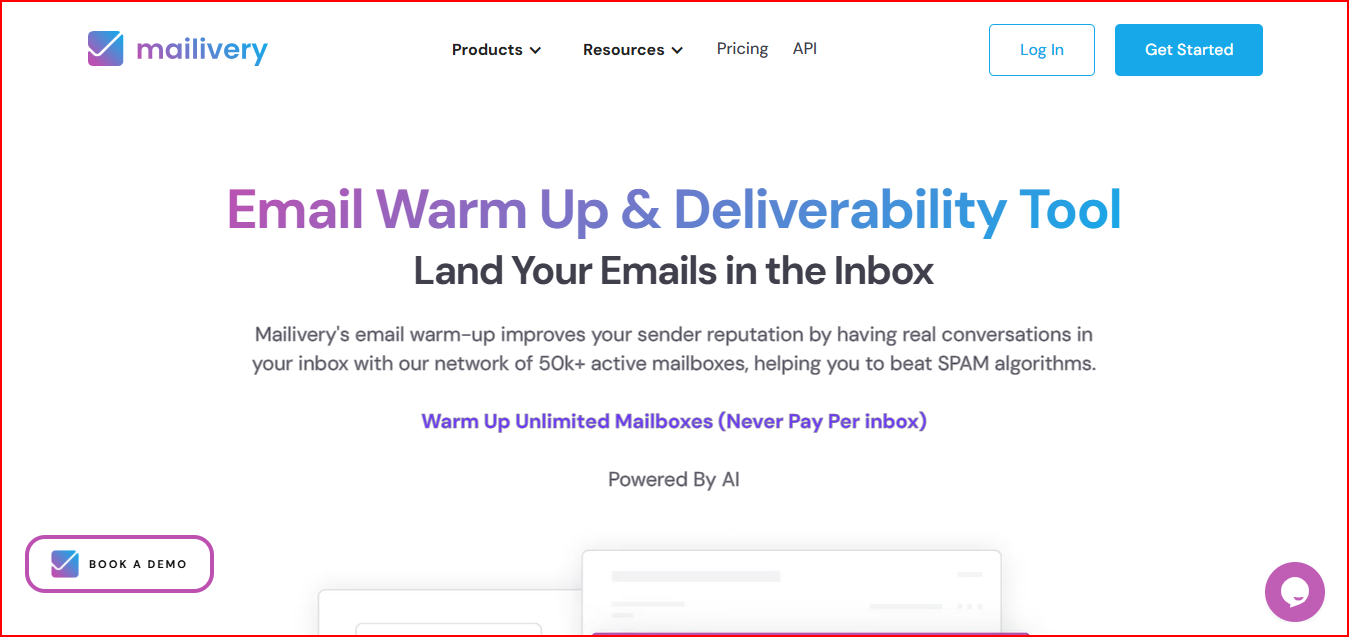
Mailivery is a stronger fit for agencies and larger outbound teams that need to warm many inboxes without mailbox-based pricing becoming expensive.
This image shows the Mailvery - AI Warmup Tool for agencies with cheap pricing
It uses AI-powered peer-to-peer warmup interactions across real mailboxes to improve sender reputation, inbox placement, and email engagement.
It also includes blacklist monitoring, spam analytics, email verification, and team management tools inside the same workflow.
It lets you:
Warm unlimited mailboxes
Monitor spam and reputation analytics
Track blacklist status across 70+ blacklists
Customize warmup timing and sending behavior
Manage teams and mailbox permissions
Access API and scalable warmup workflows
Use AI-generated warmup content
Monitor email health and spam rate dashboards
Mailivery also uses peer-to-peer interactions with real accounts instead of only automated bot activity.
The biggest advantage is that mailbox scaling becomes much cheaper because pricing is based on shared daily warmup volume instead of paying separately per inbox.
Mailivery Pricing
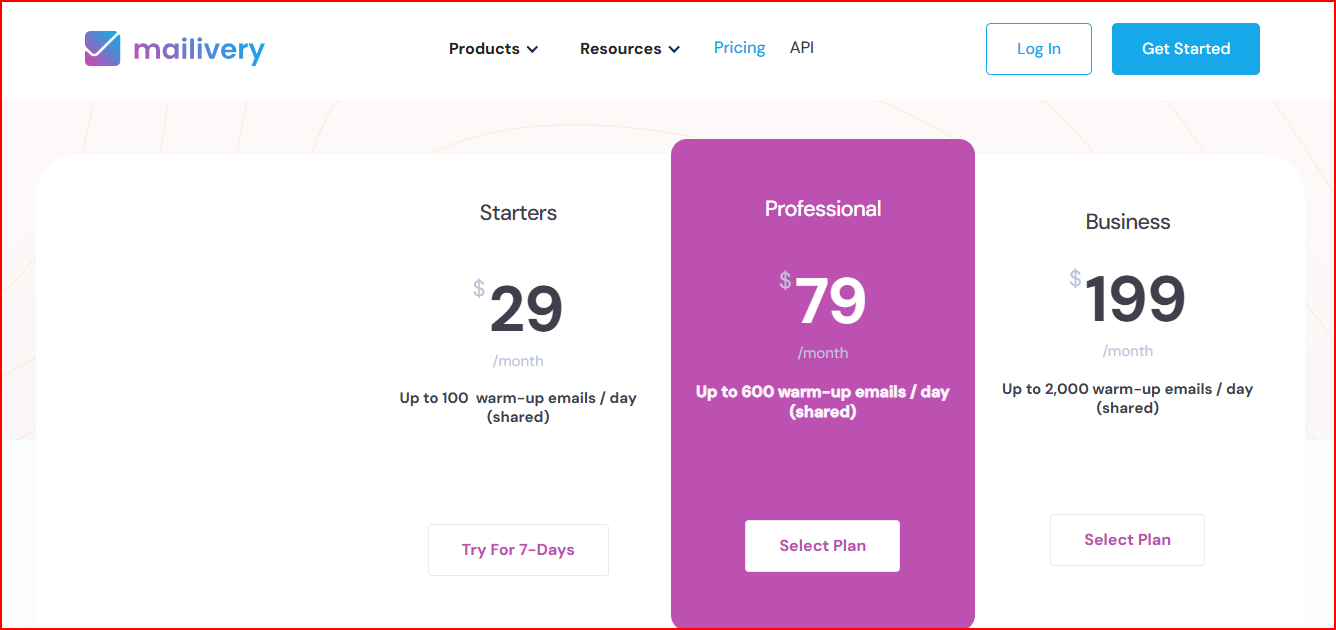
Mailivery pricing is based on shared daily warmup volume across unlimited mailboxes.
This image shows the Mailvery pricing
Starter - $29/month for 200 warmup emails/day
Professional - $79/month for 800 warmup emails/day
Business - $199/month for 2,500 warmup emails/day
All plans include:
Unlimited mailboxes
Blacklist monitoring
Spam analytics
Email verification
AI-generated warmup content
Team management features
Mailivery pricing is one of the most cost-efficient for agencies because mailbox count is basically irrelevant.
The shared warmup pool means adding more inboxes does not immediately increase pricing the way mailbox-based platforms do.
What I Liked About Mailivery
Unlimited mailbox support makes scaling much cheaper
Shared warmup volume works better for larger inbox setups
Blacklist monitoring across 70+ lists helps avoiding spam and adds better visibility
This image shows the Mailvery user liked its blacklist monitoring that helps in avoiding spam
Spam analytics and email health dashboards are useful while scaling outreach
API and team management features fit agencies and larger outbound teams better
Automated inbox cleaning keeps warmup activity out of the main inbox
What I Felt Limited About Mailvery
Smaller senders may not need volume-based scaling
Deliverability reporting is less detailed than some monitoring-heavy platforms
Daily warmup limits are shared across all inboxes
Advanced deliverability insights are more limited compared to deeper reputation platforms
Best For
Use Mailivery if:
You manage many inboxes and want lower warmup cost per mailbox
You want unlimited mailbox connections
Blacklist monitoring matters in your workflow
You need API access or team management
You want AI-powered warmup with shared warmup volume
You run agency or larger outbound setups
My Verdict on Mailivery
Mailivery is much more cost-efficient for warming large numbers of inboxes because pricing is not mailbox-based.
The scaling model works well for agencies and larger teams, but deliverability analytics are less detailed than monitoring-heavy platforms.
7. Instantly
Instantly is suited for teams that want email warmup directly connected with large-scale cold email outreach workflows.
This image shows the Instantly - Email outreach tool with built-in warmup
It combines unlimited email warmup, deliverability monitoring, inbox placement tracking, and outreach automation inside the same system.
It also includes slow ramp warmup, read emulation, spam protection controls, and deliverability scoring to help manage sending reputation while scaling campaigns.
It lets you:
Warm unlimited email accounts
Monitor inbox vs spam placement
Track deliverability scores
Use slow ramp warmup automation
Customize open rate, reply rate, and spam protection
Use read emulation for human-like activity
Monitor sending readiness
Manage outreach and warmup together
Instantly also uses a deliverability network with 1M+ real email accounts and a private headless browser network for warmup activity.
The biggest advantage is that warmup, outreach scaling, and deliverability tracking all run inside one workflow instead of needing separate tools.
Instantly Pricing
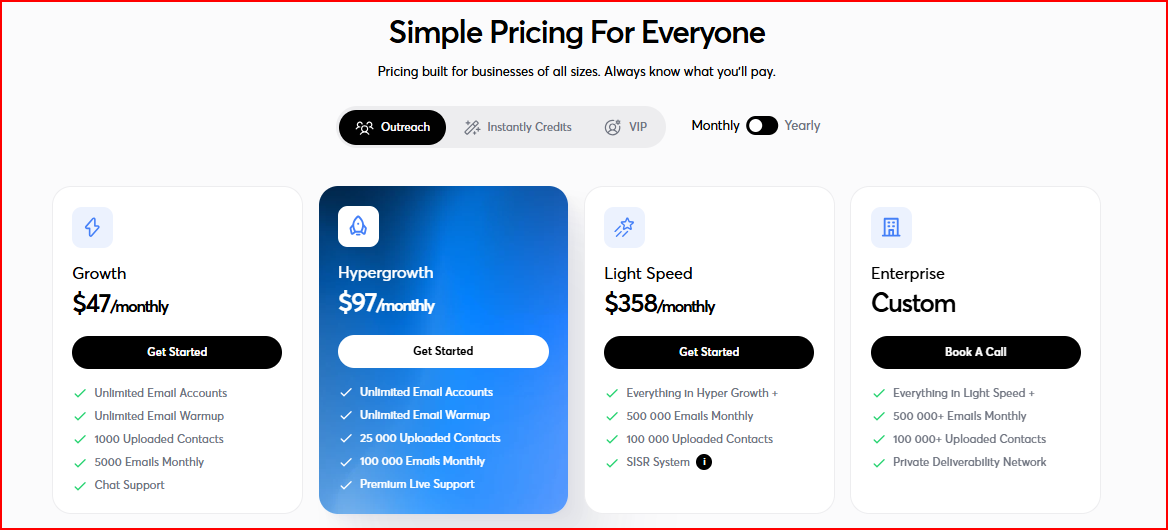
Instantly does not offer separate warmup pricing because warmup is included inside its full cold email outreach platform.
This image shows the Instantly pricing
Growth - $47/month with unlimited warmup and 5,000 outreach emails/month
Hypergrowth - $97/month with unlimited warmup and 100,000 outreach emails/month
Light Speed - $358/month with 500,000 outreach emails/month
Enterprise - Custom pricing for larger outbound setups
All plans also include unlimited email accounts and built-in deliverability tools.
Unlimited warmup becomes valuable only if the outreach platform itself is actively being used for sending and campaign management.
What I Liked About Instantly
Unlimited warmup accounts make scaling easier
Outreach and warmup inside one workflow reduce tool switching
Slow ramp automation feels safer for new inboxes
Read emulation makes warmup activity feel more natural
Works well for managing large outbound operations
Much easier to scale outreach volume from one system
What I Felt Limited About Instantly
Users only needing warmup may not need the full outreach platform
Deliverability controls are less detailed than dedicated monitoring platforms
Larger plans become expensive at very high sending volume
Some teams may prefer separate outreach and warmup tools
Best For
Use Instantly if:
You run large cold email outreach campaigns
You want outreach and warmup together in one platform
You manage many sending accounts
Scaling sending volume safely is a major priority
You want unlimited warmup accounts
You prefer simpler warmup activation and automation
Instantly fits best for outbound teams where warmup is closely tied to daily outreach operations and campaign scaling.
My Verdict on Instantly
Instantly works very well when warmup, outreach, and deliverability need to stay inside one workflow.
The automation and scaling are strong, but users only looking for standalone warmup may not need the full outreach platform.
Personalized Outbound Strategy
Get The Right Outbound Strategy In Minutes
Enter your email to get a custom plan & stack recommendation for your
business
It's being carefully crafted by AI
Please check your mailbox in 5 minutes
Which Email Warmup Tool Should You Choose?
The right email warmup tool mostly depends on what starts becoming difficult in your outbound workflow.
Warmforge is one of the strongest tools for teams struggling with deliverability and inbox placement while scaling cold email across multiple inboxes and domains.
Warmup Inbox makes more sense for simpler warmup workflows with decent customization and lower starting cost.
Warmy.io works better for teams heavily tracking sender reputation across Gmail, Outlook, and Microsoft 365.
TrulyInbox is much stronger for managing large numbers of inboxes with AI-driven warmup automation.
Lemwarm fits naturally for teams already using lemlist or actively monitoring deliverability quality during campaigns.
Mailivery becomes much more cost-efficient once mailbox count starts growing across agency or multi-client setups.
Instantly works better when warmup, outreach, sending, and deliverability all need to stay inside one platform.
If deliverability and inbox placement are already becoming difficult to maintain while scaling outbound, Warmforge is one of the stronger overall options here.