Most people searching for a Google Workspace reseller are asking the wrong question.
They think the decision is about getting cheaper Gmail inboxes. It is not. Once you are buying 30, 100, or 300 mailboxes for cold email, the real product is not the inbox. It is the infrastructure around it: admin control, domain separation, SPF/DKIM/DMARC, replacement terms, billing dependency, warmup discipline, and the ability to leave without losing the setup.
That is where reseller lists get risky.
A $2.50 Google Workspace inbox can be a good deal if you control the tenant, understand the offboarding path, and know exactly what happens when a mailbox burns. The same inbox becomes expensive if the reseller owns the admin layer, hides the billing relationship, or gives you no clean way to move domains later.
So this is not a normal “best Google Workspace reseller” list.
This is a cold email infrastructure shortlist. I am looking at these providers the way an outbound operator would: what happens at 30 inboxes, what breaks at 100, what becomes painful at 300, and whether the vendor is actually selling Google Workspace seats, Microsoft 365 inboxes, pre-warmed accounts, or a private infrastructure layer that solves a different problem entirely.
If you only need two founder inboxes, buy Google Workspace directly.
If you are building outbound infrastructure, start here.
Quick verdict: If you need two founder inboxes, buy Google Workspace directly or use a normal MSP. If you need 30, 100, or 300 inboxes for outbound, you are not just buying email accounts. You are buying risk distribution, control, warmup discipline, replacement terms, and offboarding rights.
Google Workspace reseller shortlist by operating model
Here’s the shortlist by use cases:
Infraforge, if you realize the real problem is not buying more Google seats. It is the control-first alternative for dedicated IPs, API access, bulk DNS, workspace separation, Masterbox, and white-label/reseller operations.
ColdInfra, if price is the forcing function for Google Workspace buying. At $2.50 per mailbox, 100 Google Workspace inboxes cost about $250/month before domains, warmup, and sending software. Verify admin ownership before scaling.
Mailzy, if you want simple Google-only procurement with clear pricing, 24-48 hour delivery, and fewer inflated deliverability claims. At 15+ inboxes, it sits at $3.50 per mailbox.
Primeforge, if you want Google Workspace and Microsoft 365 mailboxes connected to the Forge Stack. It is the better fit when Salesforge is the sending layer and ESP matching matters.
SlightEdge Inboxes, if you are an agency buying wholesale Google Workspace and Outlook inboxes in volume. Its tiering gets more interesting at 200+ inboxes.
Premium Inboxes, if you want Google Workspace or Microsoft 365 inboxes with a same-day setup claim, public standard/insured pricing, and a live order flow.
Diamond Mail, if pre-warmed US Google Workspace inboxes and ready-to-connect handoff matter more than the lowest mailbox price.
Important caveat: discounted inboxes and private infrastructure do not guarantee inbox placement, sender reputation, or compliance. Before buying, verify admin ownership, billing control, replacement terms, refund policy, and offboarding rights in writing.
That is the first filter. Then ask the harder question: who owns the admin account, DNS, billing relationship, warmup plan, replacement policy, and offboarding path?
That is where cheap inboxes get expensive.
How I evaluated Google Workspace resellers for cold email
I evaluated each Google Workspace reseller by whether it can support outbound infrastructure without hiding the operational risk.
A cold email operator needs more than a cheap inbox. The setup has to preserve domain control, authenticate correctly, ramp without obvious sending patterns, connect to the sending tool, and survive provider changes without taking the whole campaign down.
Admin and offboarding control: Do you get real mailbox access, clear admin rights, and a credible path to move or cancel without losing domains?
DNS and authentication ownership: Who controls SPF, DKIM, DMARC, MX, CNAME, tracking domains, forwarding, aliases, and catch-all records?
Warmup and ramp realism: Does the provider explain warmup, pre-warm, replacement, and pacing in a way that still respects sender reputation risk?
Provider concentration risk: Are you locked into Google only, or can you use Microsoft/private infrastructure when one lane gets noisy?
Cost at 30, 100, and 300 inboxes: A $1 difference per inbox is $100/month at 100 inboxes and $300/month at 300 inboxes, before domains, verification, and sending software.
Pricing and availability were checked on 2026-05-30. Treat every number as a buying filter, then verify again before purchase.
What most people miss about Google Workspace reseller inboxes
Most reseller comparisons stop at price. The price matters, but it is not the whole system.
A Google Workspace reseller is not the same as private infrastructure
Primeforge, ColdInfra, Diamond Mail, SlightEdge, Premium Inboxes, and Mailzy are in the Google Workspace or Google/MS365 inbox lane.
Infraforge is different. It is private cold email infrastructure for operators who need dedicated IPs, API access, bulk DNS operations, workspace separation, Masterbox, and white-label or reseller capability. That is not the same purchase as discounted Google seats.
That difference matters. Google Workspace is familiar. Private infrastructure gives you more control. The tradeoff is that you need more deliverability judgment.
Mailbox slots are not always active mailboxes
Some tools are priced by mailbox slots. If you buy 100 slots but only use 70 active inboxes, your effective cost per active sender is not the headline price. Ask whether paused, replaced, warming, or unused mailboxes still count against the bill.
Pre-warmed does not remove ramp risk
Pre-warmed means the mailbox has some history. It does not mean you can load 50 cold emails per inbox on day one.
Your list quality, bounce rate, tracking setup, copy, sending windows, and ramp schedule still decide whether the inbox survives. A pre-warmed inbox with a bad copy and a dirty list still burns.
The cheapest inbox is expensive if you cannot leave
At 100 inboxes, ColdInfra at $2.50/month costs about $250/month. Diamond Mail at $4.49/month costs about $449/month. That $199 difference matters.
But if the cheaper setup traps your domains, hides the super admin path, or makes account transfer impossible, the real cost shows up during migration.
Ask before paying:
Who owns the Workspace tenant?
Can you access or transfer the admin environment?
Can domains move out cleanly?
What happens if the reseller’s billing fails?
What is replaced: inbox, domain, workspace, or only credentials?
Google Workspace reseller comparison table
The largest table in this draft has 6 columns.
Provider
Best for
Pricing
Setup depth
Operator risk to verify
Avoid if
Infraforge
Control-first private infrastructure, not a Google reseller
$4-$3/mailbox; 200-mailbox example around $651/month; $99/IP add-on
Replacement scope, review claims, domain/admin control
You want Google-only simplicity
Diamond Mail
Pre-warmed US Google inboxes
$4.99 at 30-99; $4.49 at 100-299; custom 300+
US Google Workspace, DNS configured, individual access
Pre-warm proof, admin transfer, replacement scope
Lowest cost is the main goal
The 7 best Google Workspace resellers/providers for cold email infrastructure
1. Infraforge: Best control-first alternative to Google Workspace
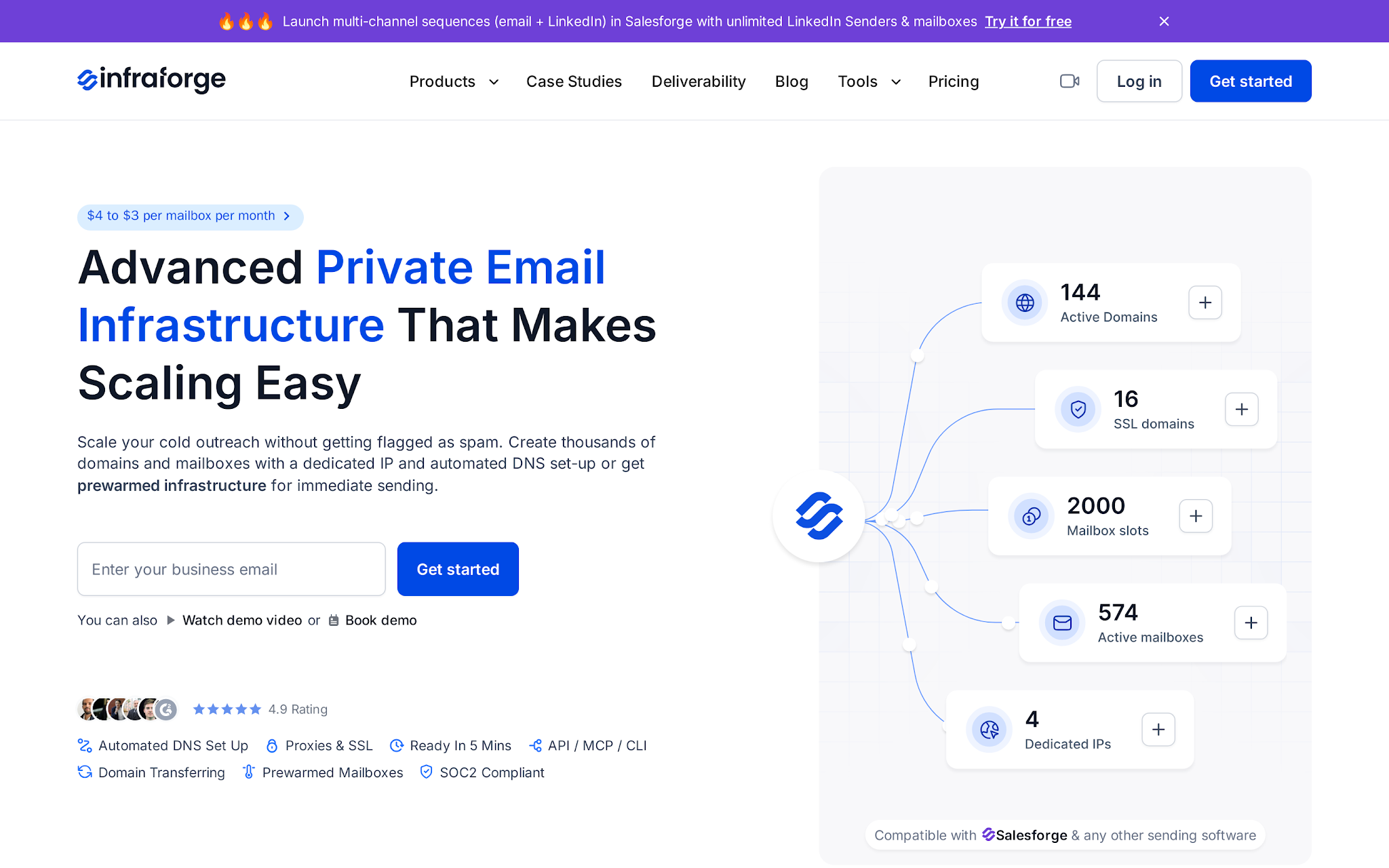
This image shows the Infraforge private infrastructure homepage
Infraforge belongs on this list because many buyers searching for a Google Workspace reseller are actually trying to solve a bigger infrastructure problem.
They want control. They want fewer shared patterns. They want an API, dedicated IPs, and a way to manage domains without living inside DNS records all weekend.
It is not a discounted Google Workspace reseller. It is the control-first alternative for teams that care more about infrastructure ownership than Gmail familiarity.
Key features
Dedicated IP option for private sending infrastructure
Automated SPF, DKIM, DMARC, and custom tracking setup
Bulk DNS updates across many domains
Domain transferring and multiple workspaces
Pre-warmed domains and mailboxes
Masterbox for viewing emails across workspace accounts
Infraforge API for programmatic scaling
SSL/domain masking and white-label/reseller option
Pricing
Infraforge pricing starts around $3-$4 per mailbox. It provides Dedicated IPs, Masterbox, workspace structure, SSL/domain masking, and other add-ons should be verified before modeling total cost.
Pros
Private infrastructure and dedicated IP options make sense when Google/MS365 mailbox identity is less important than control.
API access, multiple workspaces, and white-label infrastructure fit agencies that want to manage or resell the setup under one operating model.
Automated authentication and bulk DNS updates remove a real bottleneck when you are handling dozens of domains.
Infraforge gives operators an escape route when provider concentration risk matters more than Gmail familiarity.
Cons
Infraforge is built around private outbound infrastructure and dedicated IP environments rather than Google Workspace or Microsoft 365 mailbox licensing.
Dedicated IP infrastructure requires ongoing reputation management, including proper warmup, list quality control, and responsible sending practices.
Total costs depend on the infrastructure configuration selected, including workspaces, dedicated IPs, domain masking, SSL setup, and other optional services.
Infrastructure ownership provides greater control but also introduces more operational considerations than fully managed mailbox solutions.
Teams looking for employee email, collaboration tools, or office productivity software will need separate solutions alongside Infraforge.
Enter your email to get a custom plan & stack recommendation for your
business
It's being carefully crafted by AI
Please check your mailbox in 5 minutes
2. ColdInfra: Best for price-sensitive Google Workspace buying
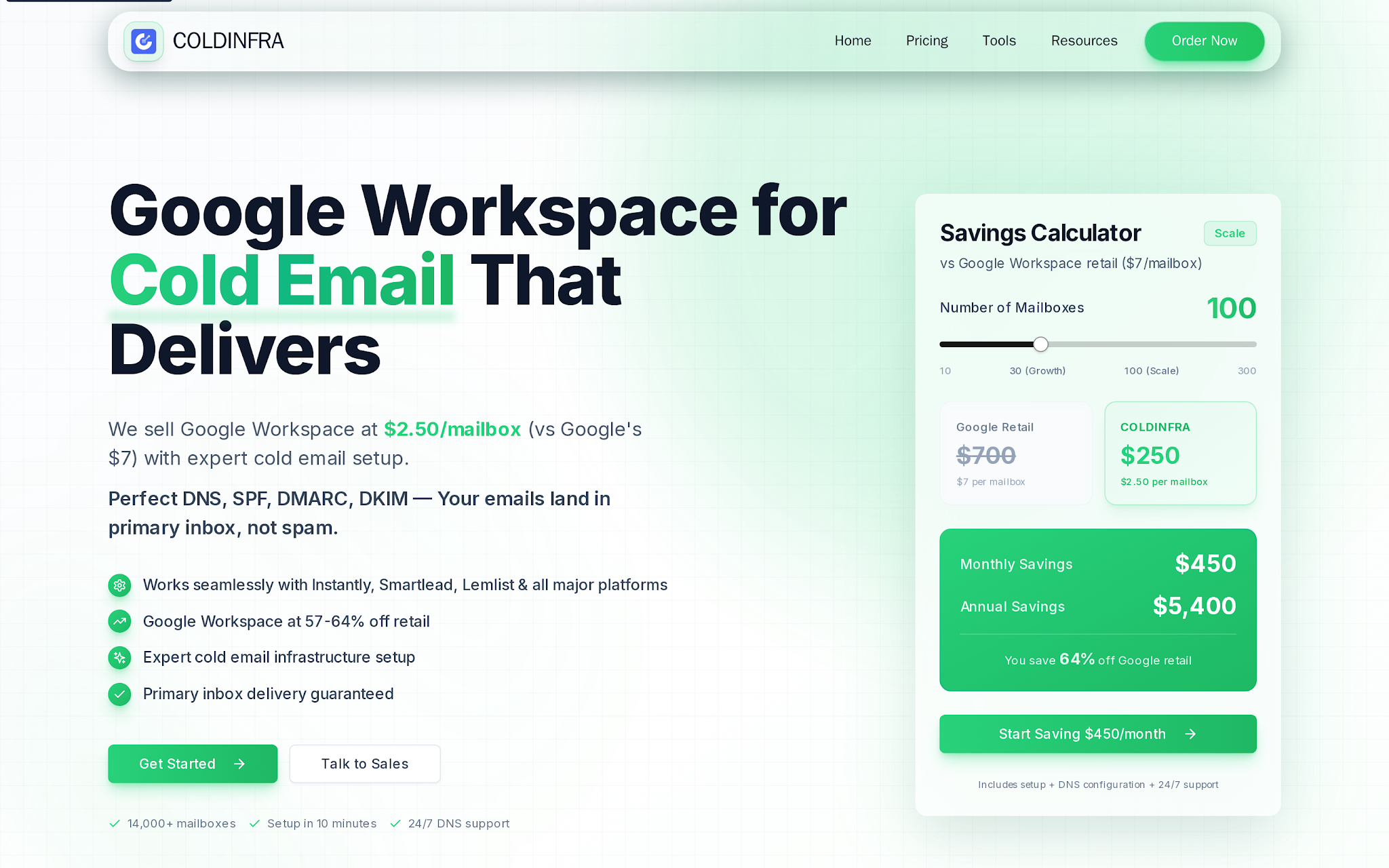
This image shows the ColdInfra Homepage
ColdInfra is the price pick.
The math is obvious once you use the right plan. ColdInfra’s public Growth plan puts 30 inboxes at about $84/month. Its Scale plan puts 100 inboxes at about $250/month before domains, warmup, verification, and sending software.
That price matters when you run outbound at volume.
But this is also where operators get sloppy. Cheap Google Workspace inboxes are only useful if the account model is clean, admin control is clear, and the offboarding path exists.
Use ColdInfra when budget matters and you are willing to verify the control layer yourself.
Key features
Google Workspace pricing that reaches $2.50 per mailbox on the 100-inbox Scale plan
DNS, SPF, DKIM, and DMARC setup
10-minute setup claim
24/7 DNS support positioning
Savings calculator by mailbox count
Works with Instantly, Smartlead, Lemlist, and other sending tools
30-day money-back claim
Public claims around 14,000+ mailboxes and 6,000+ active users
Pricing
ColdInfra's plans start at around $84/month for 30 inboxes and $250/month for 100 inboxes, equivalent to roughly $2.50–$2.80 per mailbox per month.
Pricing is based on mailbox capacity and outbound infrastructure requirements rather than traditional employee email licensing.
Pros
The 100-inbox Scale plan is the clearest cost advantage compared to others.
At 100 inboxes, the public price is about $199/month lower than Diamond Mail before other stack costs.
The offer is built around cold email setup, DNS, and outreach-tool use rather than normal employee email.
Cons
Deliverability outcomes depend on sending practices, list quality, domain reputation, and mailbox management.
Teams should verify account ownership, admin access, billing controls, and offboarding processes before scaling.
Focuses primarily on Google Workspace-based infrastructure rather than Microsoft 365 or private infrastructure environments.
Additional outbound tools and processes are still required for warmup, sequencing, monitoring, and campaign execution.
3. Mailzy: Best for clear Google-only mailbox purchasing
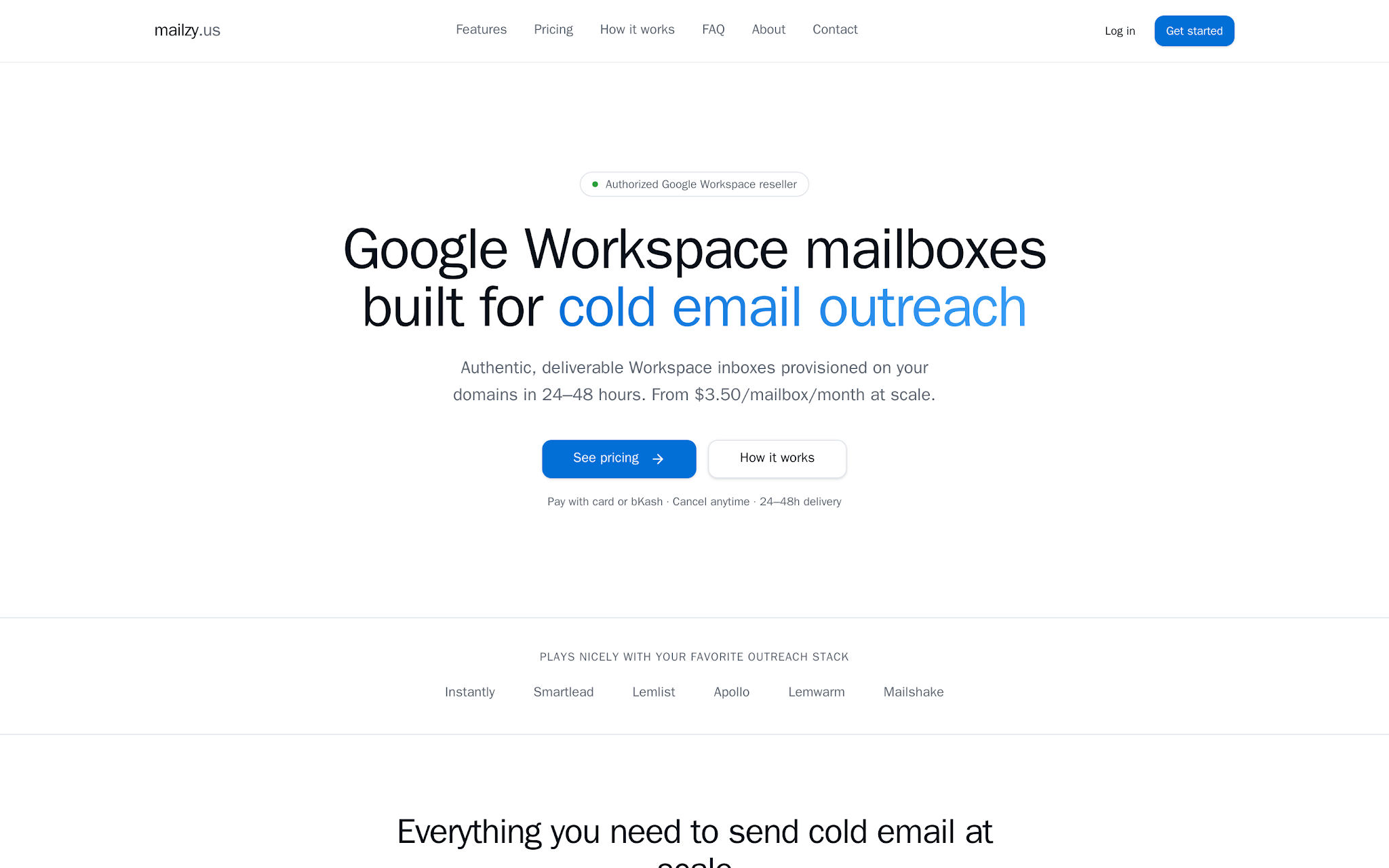
This image shows the Mailzy Google Workspace mailbox pricing and refund terms
Mailzy is the conservative Google-only pick.
It is not trying to be a private infrastructure system. It is not pitching a complex agency platform. It sells real Google Workspace mailboxes for cold email, delivered in 24-48 hours, with pricing that is easy to model.
That clarity has value.
If you are buying 15-100 Google inboxes and want a simpler procurement path, Mailzy deserves the shortlist.
If you need Microsoft fallback, white-label resale, or deep infrastructure monitoring, move up the stack.
Key features
Mailzy provides Gmail-based business inboxes for cold email teams.
Mailboxes are set up on customer-owned domains for cleaner sender separation.
Useful when teams need multiple Workspace inboxes created together instead of manually one by one.
Mailzy claims quick provisioning for new outbound infrastructure.
Built for outbound teams, not normal internal company email procurement.
Best fit when the buyer specifically wants Google Workspace, not Microsoft 365 or private infrastructure.
Confirm admin access, DNS ownership, replacement terms, and offboarding rights.
Pricing
Mailzy charges $4 per mailbox per month for smaller deployments and $3.50 per mailbox per month once you reach higher mailbox volumes.
This puts a 30-mailbox setup at roughly $105/month and a 100-mailbox setup at around $350/month.
Pricing scales based on the number of mailboxes purchased, making costs relatively predictable as outbound operations grow.
Pros
Mailzy’s offer is easy to evaluate because the pricing, delivery window, tool compatibility, and refund rule are visible.
The 15+ inbox tier is cheaper than Diamond Mail for 30-100 inboxes when pre-warmed US Google inboxes are not required.
Active pricing and a clear procurement path make it easier to buy today than providers with contact-only or paused flows.
Provisioning is built for cold email teams, with common outbound tools named in the setup path.
Cons
Limited to Google Workspace mailboxes and does not provide Microsoft 365 mailbox options.
Monitoring capabilities focus on mailbox health and deliverability indicators rather than full infrastructure management.
Refund eligibility is restricted, making it important to validate mailbox requirements and account setup before purchase.
Teams needing provider diversification or agency-focused infrastructure may require additional tools.
4. Primeforge: Best for Forge Stack teams that want Google Workspace and Microsoft 365 mailboxes
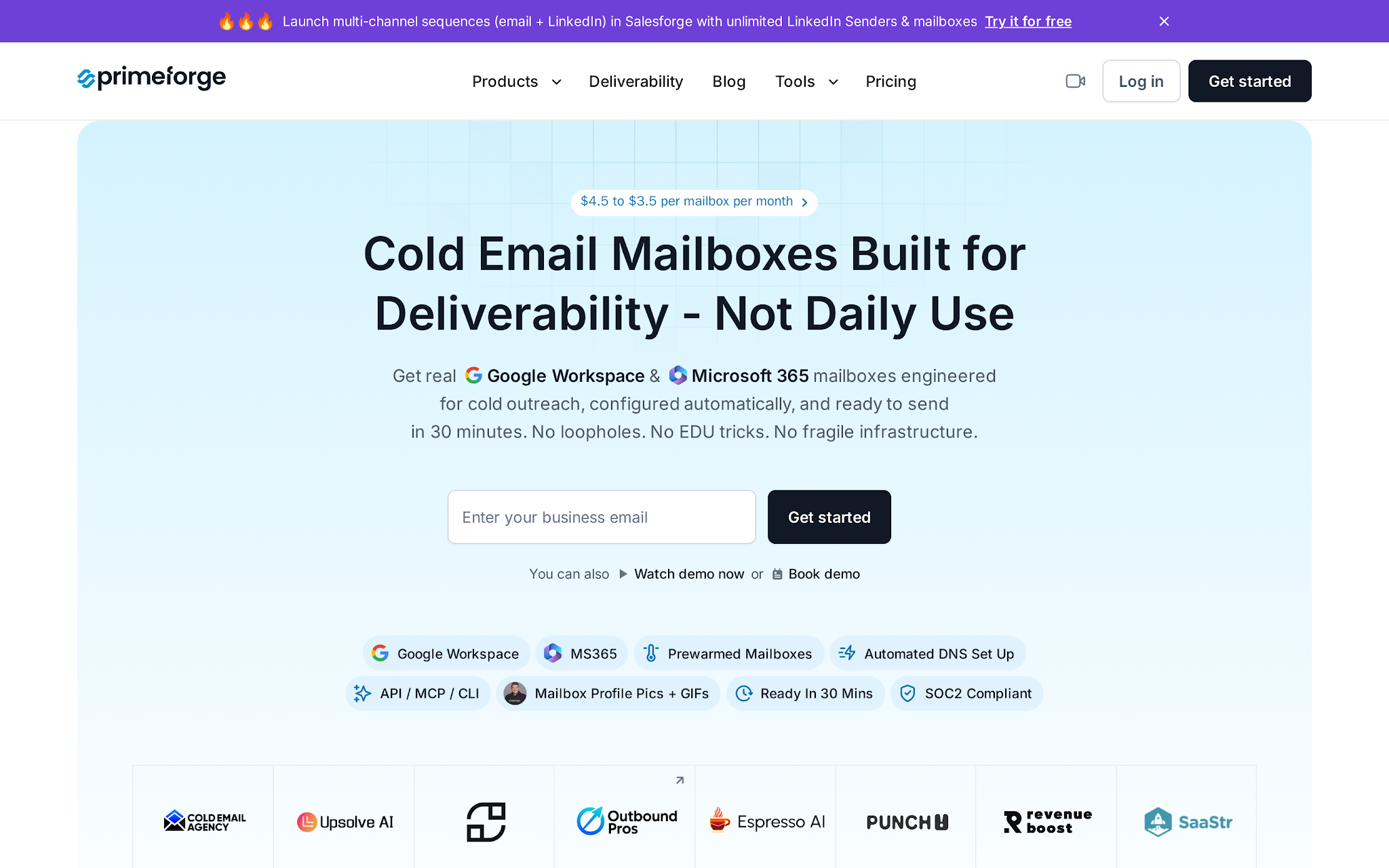
This image shows the Primeforge Google Workspace and Microsoft 365 mailbox homepage
Primeforge is the cleaner fit when you want real Google Workspace or Microsoft 365 inboxes and you expect to run outbound through Salesforge or another serious sequencer.
The point is ESP matching.
If your prospects live in Gmail, Google Workspace often behaves differently from a random SMTP stack. If your segment is Microsoft-heavy, MS365 deserves its own lane.
Primeforge sits between the mailbox purchase and the outbound workflow. It handles cold-outreach mailbox provisioning. Salesforge handles sequencing, personalization, replies, and execution through its Google Workspace integration.
Do not confuse the two.
Key features
Google Workspace and Microsoft 365 mailbox options
Cold outreach mailbox positioning, not daily internal email positioning
Automated DNS setup
Pre-warmed mailbox option
Mailbox profile pictures and GIF setup
API, MCP, and CLI access listed in the product surface
30-minute readiness claim
Fit with Salesforge and other sending tools
Pricing
Primeforge pricing ranges from approximately $3.50 to $4.50 per mailbox per month, depending on volume and plan selection.
The platform is designed around managed Google Workspace and Microsoft 365 mailbox provisioning, with deployments typically starting at 10 or more mailboxes.
Costs scale based on mailbox count, making it suitable for teams managing larger outbound operations without handling mailbox setup manually.
Pros
Primeforge fits operators who want Google/MS365 mailbox identity rather than private infrastructure.
Google Workspace and Microsoft 365 support gives the team an ESP-matching path instead of forcing every segment through Gmail.
Automated DNS and cold-outreach setup save time when you are creating inboxes in batches.
Cons
Built specifically for cold-outreach mailbox provisioning rather than employee email and collaboration use cases.
Total costs depend on active, warming, replacement, and reserve mailbox requirements.
The value of the platform is strongest when mailbox provisioning is part of a broader outbound workflow.
Mailbox provisioning alone does not replace warmup, deliverability management, list hygiene, or campaign operations.
5. SlightEdge Inboxes: Best for agencies buying wholesale Google and Outlook inboxes
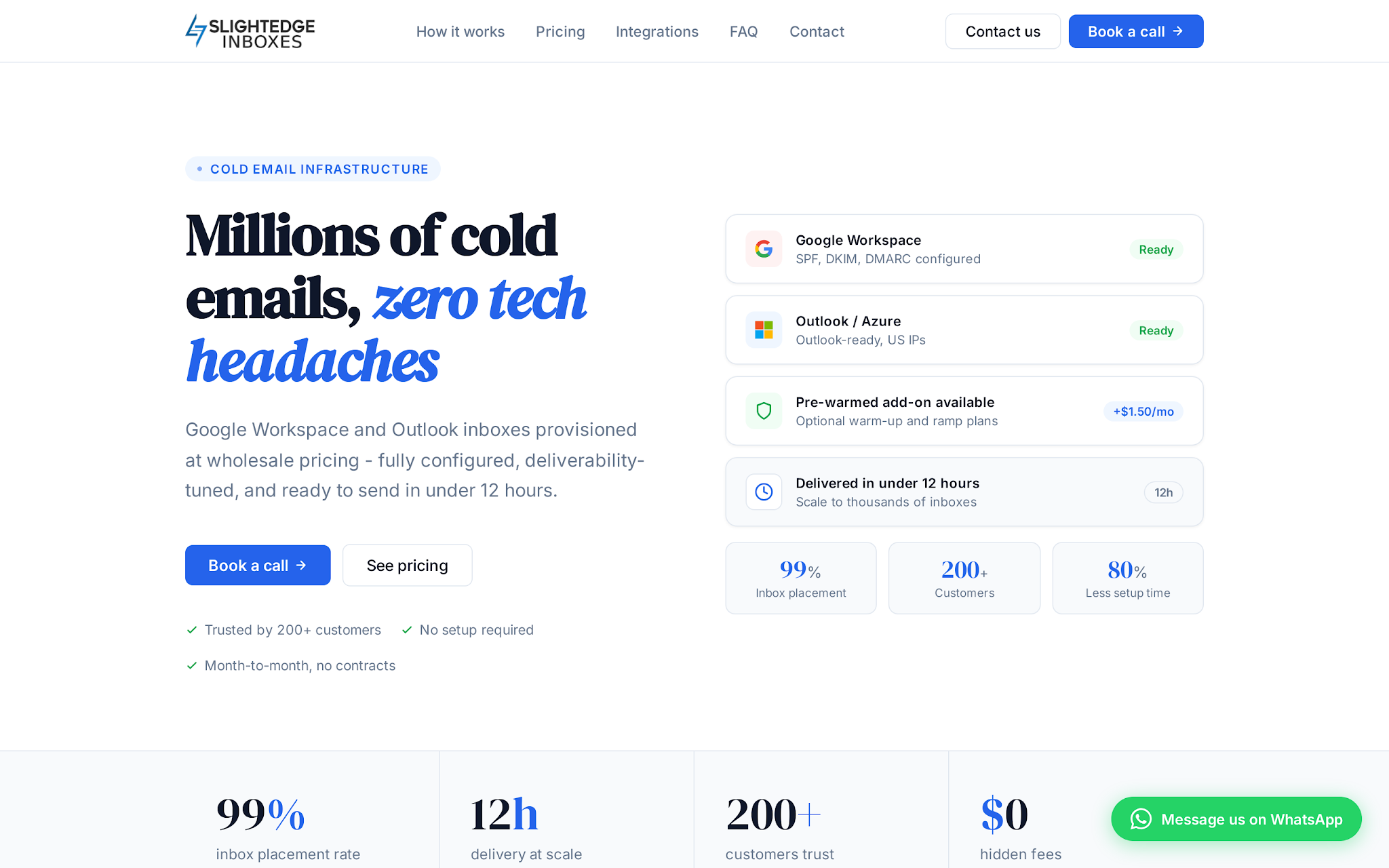
This image shows the SlightEdge homepage
SlightEdge Inboxes is a Google Workspace and Outlook inbox provider for agencies and outbound teams buying mailboxes in bulk.
SlightEdge Inboxes make more sense at agency scale than founder scale.
It is most relevant once mailbox volume gets serious.
A small team buying 10 inboxes may not need it. An agency buying 100-300 inboxes can use SlightEdge to manage larger procurement, client separation, and wholesale-style inbox buying.
Key features
Google Workspace and Outlook/MS365 inbox support
Done-for-you DNS and authentication setup
MX records, forwarding, catch-all, and aliases
12-hour delivery positioning
WhatsApp and email support
White-label agency program
Optional pre-warm and ramp plans
Volume discounts down to $2.80 per inbox at 1,250+
Pricing
SlightEdge pricing starts around $3.50/inbox/month for 1-199 inboxes, $3.25 for 200-499, $3 for 500-1,249, and $2.80 for 1,250+ on SlightEdge Inboxes.
The pre-warmed add-on is shown around +$1.50/inbox/month.
At 100 inboxes, base cost is about $350/month. At 300, it drops to about $975/month before add-ons.
Pros
Google and Outlook support plus white-label resale make SlightEdge more agency-shaped than a Google-only inbox supplier.
It suits agencies that do not want their procurement tied to the Forge ecosystem.
Mailbox count crosses 200, 500, and 1,250.
Forwarding, catch-all, aliases, MX, SPF, DKIM, and DMARC handled together reduce setup mistakes.
Cons
The platform is optimized for higher mailbox volumes, making some features less relevant for smaller teams.
Agencies should review domain ownership, credential management, and client offboarding processes before scaling.
Many of the platform's advantages become more meaningful at larger deployment sizes.
6. Diamond Mail: Best for pre-warmed US Google Workspace inboxes
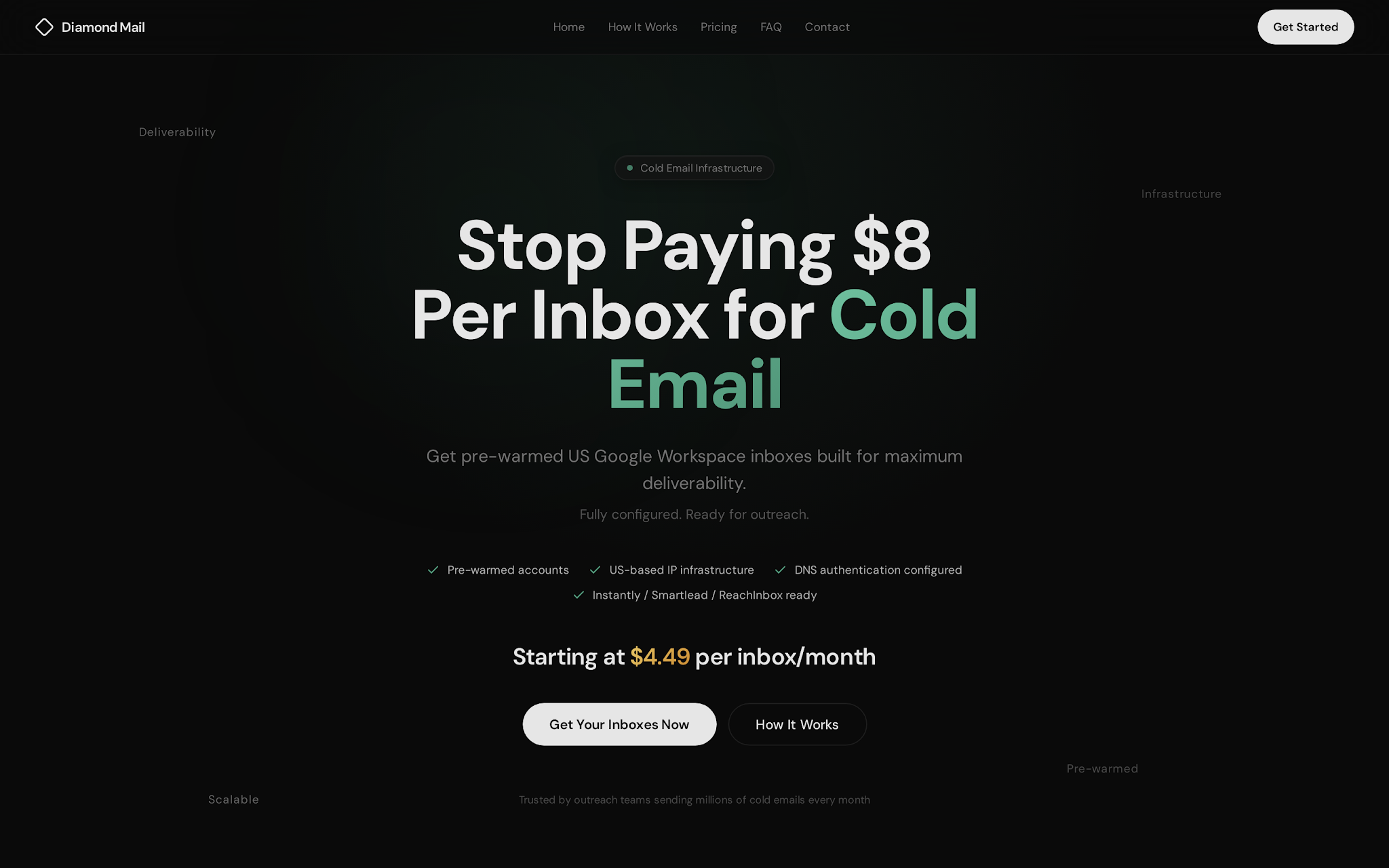
This image shows the Diamond Mail homepage
Diamond Mail is a higher-cost Google Workspace inbox option.
Diamond Mail is not the cheapest Google Workspace inbox provider in this list, and that is the point.
At 100 inboxes, Diamond Mail costs around $449/month at its $4.49/inbox tier. By comparison, ColdInfra comes in at about $250/month at $2.50/inbox, while Mailzy is around $350/month at $3.50/inbox.
So the reason to choose Diamond Mail should not be price. It should be the handoff.
Diamond Mail makes more sense if you specifically want pre-warmed US Google Workspace inboxes, a ready-to-connect setup, and individual inbox access without spending extra time on setup.
Choose it when speed, inbox readiness, and setup convenience matter more than getting the lowest possible mailbox cost.
Key features
US Google Workspace business inboxes
Pre-warmed inbox positioning
SPF, DKIM, DMARC, and MX configured
Individual inbox access
Instantly, Smartlead, and ReachInbox-ready handoff
Basic tier for 30-99 inboxes
Premium tier for 100-299 inboxes
Microsoft inbox and SMTP add-ons
Pricing
Diamond Mail lists $4.99/inbox/month for 30-99 inboxes, $4.49 for 100-299, and custom pricing for 300+.
It also has Microsoft inboxes at $0.99/month and SMTP accounts at $2.99/month as add-ons.
Pros
Pre-warmed US Google Workspace inboxes are the reason to pay more than the lowest per-mailbox options.
Ready-to-connect positioning for Smartlead, Instantly, and ReachInbox reduces handoff work for teams already using those sequencers.
The 30-299 inbox range is simple to model because Diamond Mail shows two public Google Workspace tiers before custom pricing.
The setup handoff saves time when nobody on the team owns authentication work.
Cons
Pricing is higher than several mailbox providers in the same category.
The value proposition depends heavily on the quality and effectiveness of the pre-warmed mailbox offering.
Large-scale deployments may require additional evaluation of replacement policies, warmup history, and recommended sending limits.
Teams needing agency workflows, white-label support, or broader provider diversification may need supplementary solutions.
7. Premium Inboxes: Best for same-day Google or Microsoft inbox deployment
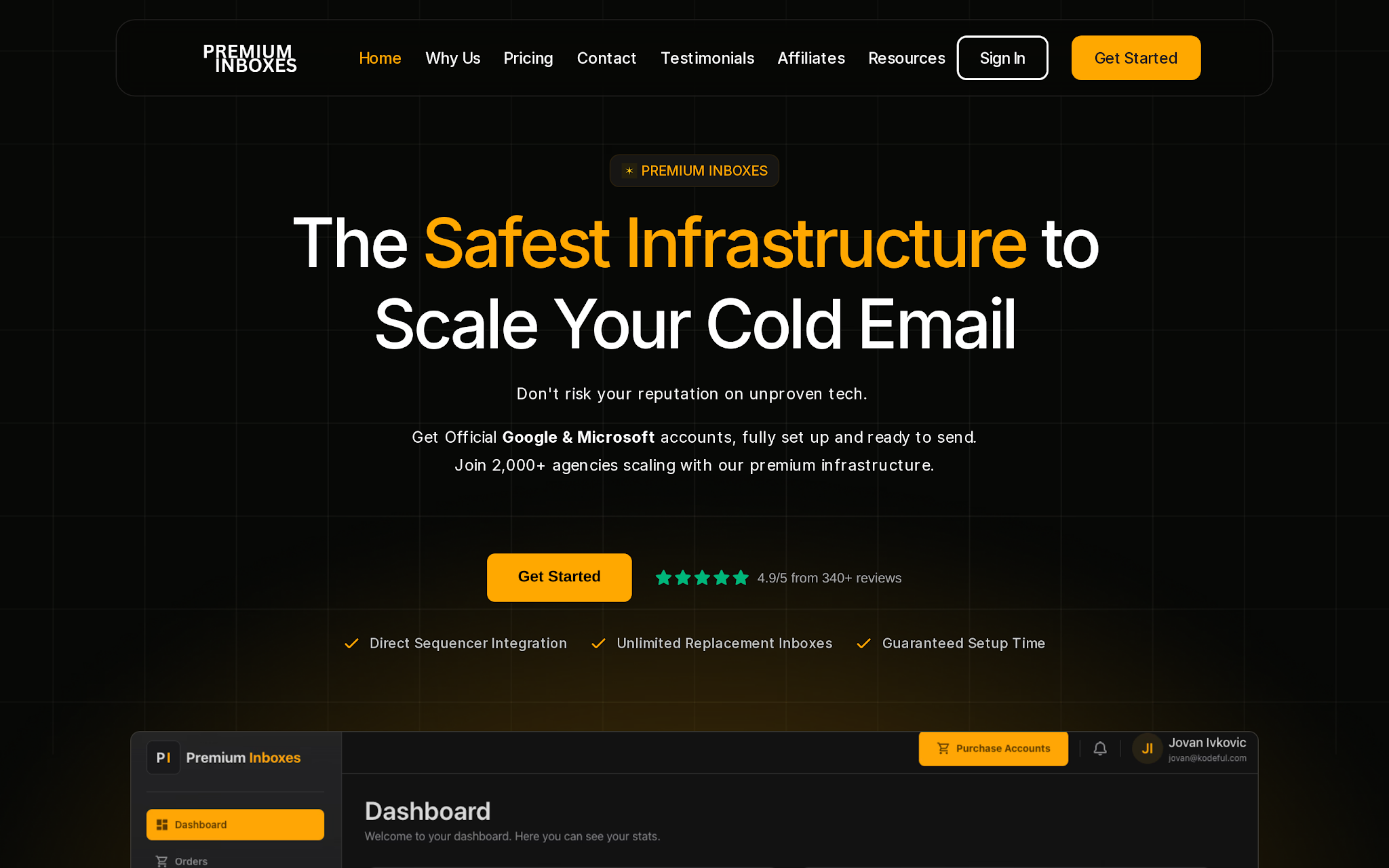
This image shows the Premium Inboxes homepage
Premium Inboxes is the replacement pick because it is buyable now and fits the intent cleanly.
It sells official Google Workspace and Microsoft 365 business inboxes for cold email, shows a public calculator, and routes buyers into a live order flow.
That matters.
A reseller that cannot accept new signups is market context. A reseller that can provision this week is shortlist material.
Premium Inboxes are strongest when same-day deployment, Google/Microsoft choice, sequencer upload, monitoring, and replacement support matter more than the absolute lowest mailbox price.
Key features
Official Google Workspace and Microsoft 365 business inbox positioning
Standard and insured inbox options
Calculator that maps daily cold email volume to inbox and domain count
DNS, SPF, DKIM, and DMARC setup
Sequencer upload support for tools including Instantly, Smartlead, Apollo, Lemlist, Reply.io, and Bison
Under-6-hour setup claim
Monitoring and replacement language on the insured tier
Public Trustpilot rating and review count displayed on the site
Pricing
Premium Inboxes starts at $3.50/inbox/month and insured pricing at $4.50/inbox/month.
Verify whether domains are included in your order, what the insured tier replaces, and how cancellation works before scaling.
Pros
Google Workspace and Microsoft 365 support gives the team a diversification path when prospect inbox mix or provider concentration risk matters.
Sequencer upload, DNS setup, and same-day deployment reduce the setup burden for teams that want inboxes live before the next campaign build.
The insured tier makes replacement and monitoring part of the buying discussion instead of burying it after purchase.
Cons
Infrastructure quality should be evaluated based on account access, licensing, replacement policies, and support processes.
Fast mailbox deployment does not eliminate the need for proper warmup and reputation management.
Total costs can vary depending on monitoring, replacement coverage, and infrastructure configuration choices.
Teams looking for a simple mailbox-only purchasing experience may find the additional infrastructure options unnecessary.
Cost math at 30 and 100 inboxes
Pricing only matters after you normalize the mailbox count. Here is the practical math from the public pricing signals above:
ColdInfra: 30 inboxes about $84/month; 100 inboxes about $250/month.
Mailzy: 30 inboxes about $105/month; 100 inboxes about $350/month.
SlightEdge: 30 inboxes about $105/month; 100 inboxes about $350/month; 300 inboxes about $975/month before add-ons.
Premium Inboxes: 30 standard inboxes about $105/month; 100 standard inboxes about $350/month; insured inboxes add about $1 per inbox.
Primeforge: 30 inboxes at $4.50 is about $135/month; 100 inboxes is about $450/month before billing-plan differences.
Diamond Mail: 30 inboxes about $149.70/month; 100 inboxes about $449/month.
Infraforge: Use the 200-mailbox example around $651/month as a private-infrastructure benchmark, then add dedicated IP and workspace add-ons where relevant.
Do not pick on price alone. Pick on the risk you are trying to remove.
If the risk is a cash burn, ColdInfra wins the spreadsheet. If the risk is unclear buying terms, Mailzy is easier to reason about. If the risk is Google concentration, Primeforge, SlightEdge, or Premium Inboxes give a Microsoft path.
If the risk is infrastructure control, Infraforge is the best tool here.
Where reseller inboxes fit in a Salesforge outbound stack
A reseller provides inboxes. Salesforge runs outbound. Keep those roles separate.
Salesforge connects Google Workspace inboxes through OAuth-based authentication and supports multiple inboxes for scalable sequences through the Salesforge Google Workspace integration.
The clean workflow is:
Buy secondary domains and inboxes through the provider that fits your control model.
Configure SPF, DKIM, DMARC, MX, and tracking domains.
Warm the inboxes before sending.
Connect Google Workspace inboxes to Salesforge.
Route sequences, replies, and personalization through Salesforge.
Use Warmforge or another monitoring layer to watch placement, heat, and burn risk.
Do not reverse the order. Most failed outbound systems do. They buy inboxes, upload contacts, push volume, and check deliverability after replies disappear. That is backwards.
Infrastructure first. Warmup second. Clean list third. Personalized copy fourth. Volume last.
Kobi Omenaka, cited in Salesforge’s bulk email guide after 100,000+ sends, gives the same operational lesson: shorter, tighter sequences beat bloated follow-up chains. See the Salesforge 1M+ emails guide.
Before buying 100 inboxes, ask these questions
Will I get super admin access?
Who controls billing?
Can I export or transfer the tenant?
Can domains move out cleanly?
Are domains included or separate?
What happens if reseller billing fails?
Are paused or warming mailboxes billable?
What exactly gets replaced if inboxes fail?
Is warmup included or only “warmup-ready”?
What is the recommended daily ramp by week?
Are SPF, DKIM, DMARC, MX, tracking, forwarding, aliases, and catch-all configured?
Can I use Microsoft 365 or private infrastructure if Google becomes a bottleneck?
Personalized Outbound Strategy
Get The Right Outbound Strategy In Minutes
Enter your email to get a custom plan & stack recommendation for your
business
It's being carefully crafted by AI
Please check your mailbox in 5 minutes
Final decision guide
Choose ColdInfra for the Lowest Mailbox Costs
Pick ColdInfra if your main goal is reducing mailbox costs and you are comfortable validating account ownership, billing controls, and offboarding processes before scaling.
Choose Mailzy for Simple Google Workspace Mailboxes
Pick Mailzy if you want straightforward Google Workspace mailbox purchasing, transparent pricing, and a simple provisioning process.
Choose Primeforge for Google and Microsoft Outbound Mailboxes
Pick Primeforge if you want to manage Google Workspace and Microsoft 365 mailboxes built specifically for cold outreach and outbound operations.
Choose Infraforge for Private Outbound Infrastructure
Pick Infraforge if dedicated IPs, infrastructure ownership, workspace management, API access, and greater control over deliverability are important to your outbound strategy.
Choose SlightEdge Inboxes for Agency-Scale Operations
Pick SlightEdge if you manage large mailbox volumes, support multiple clients, or need white-label infrastructure and agency-focused workflows.
Choose Diamond Mail for Pre-Warmed Google Workspace Inboxes
Pick Diamond Mail if you value pre-warmed US Google Workspace inboxes and a ready-to-connect setup more than the lowest possible mailbox cost.
Choose Premium Inboxes for Fast Deployment
Pick Premium Inboxes if you need Google Workspace or Microsoft 365 inboxes provisioned quickly with support for common outbound tools and infrastructure setup.
The best cold email infrastructure is not necessarily the cheapest option.
It is the setup you can understand, monitor, scale, transfer, and recover when something goes wrong.
Whether that means low-cost Google Workspace mailboxes, Microsoft diversification, pre-warmed inboxes, or fully private infrastructure depends on how your outbound operation is built.
Focus on the operational problem you are trying to solve first. The right infrastructure choice usually becomes obvious after that.