Choosing the right cold email infrastructure for an agency is about scale and stability.
Agencies need setups that can handle large sending volumes, protect domain reputation across multiple clients, and keep deliverability steady without constant fixes.
These are the real factors agencies evaluate before picking any provider.
In this guide, we break down the 5 Best Cold Email Infrastructure Providers for Agencies, Infraforge, Mailforge, Primeforge, Inframail, and Mailscale, so you can clearly compare how each one works and choose the setup that fits your agency best.
TL;DR
Infraforge is the best fit if you want private infrastructure, dedicated IPs, and full control.
Primeforge is for teams that want Google or Microsoft mailboxes built for cold outreach.
Mailforge is the simple and affordable shared-IP option for quick scaling.
Inframail works well for agencies that want unlimited Microsoft-backed inboxes with fast setup.
Mailscale is for creating large batches of inboxes in seconds while keeping costs low.
How We Evaluated the Best Cold Email Infrastructure Providers
To make this comparison genuinely useful for agencies, we focused on the factors that matter most in cold email infrastructure:
Ease of domain and mailbox management
Support for higher sending volumes
Stability of deliverability over time
Flexibility for scaling outreach
Clarity and predictability of pricing
Level of control available to the agency
Quality of the underlying sending infrastructure
Reliability of domain setup and configuration
Safety of the environment for cold email sending
These are the practical points agencies rely on when choosing the right infrastructure provider.
Quick Comparison Table of TopCold Email Infrastructure Providers:
Provider
Type of Infrastructure
Setup Speed
Domains & Inboxes
IP Setup
Key Strength
Pricing
Infraforge
Private cold email infrastructure
~5 minutes
Unlimited domains and mailboxes
Dedicated IPs
Full control, automated DNS, pre-warmed setup
Mailboxes start at $4/month (yearly)
Domains ~ $14/year
Add-ons for SSL, IPs, and masterbox
Primeforge
Google Workspace and Microsoft 365 mailboxes for cold email
~30 minutes
Google Workspace and Microsoft 365 mailboxes
US IP addresses
Brand-name deliverability with mailbox GIFs
Mailboxes start at $4.5/month (yearly)
Domains ~ $14/year
Mailforge
Shared and distributed cold email infrastructure
~5 minutes
Unlimited mailboxes
Shared IP pool
Fast, simple, and affordable for all team sizes
Mailboxes start at $3/month (yearly)
Domains ~ $14/year
Inframail
Microsoft-backed inbox infrastructure
2–5 minutes
Unlimited inboxes
Dedicated US IPs
Unlimited inboxes with very fast automation
Plans from $99/month or $249/month
Free domains and IPs included
Mailscale
Self-hosted cold email inbox generator
60 seconds
Create 50–1000 inboxes
Owned SMTP servers and IP pools
Very fast inbox generation with cost savings
Business plan $69/month for up to 50 inboxes
Domains ~ $10–$15/year
1. Infraforge
Infraforge is a private cold email infrastructure tool built for sending and scaling safely.
It gives you a dedicated IP for every mailbox, automated DNS setup, and a system that is made only for cold outreach. You can create new domains, set up mailboxes, and get the full technical setup done for you in minutes.
For agencies that need scale, Infraforge gives a clean and reliable way to run infrastructure.
Key features
Dedicated IPs for each mailbox, so every mailbox has its own clean sending path.
What makes it a good cold email infrastructure provider
Keeps each client and campaign deliverability isolated, so one mistake does not impact the rest of your agency setup.
Built for long-term outbound, allowing agencies to send consistently month after month without rebuilding or rotating infrastructure.
Scales cleanly as you add more domains and mailboxes, without adding extra operational work during client onboarding.
Reduces campaign launch delays, helping agencies go live faster when timelines are tight.
Makes deliverability issues visible early, so agencies can fix problems before inbox placement drops.
Overall, Infraforge works best for agencies running steady, high-volume outbound campaigns, where consistency matters more than quick inbox creation.
What could have been better
Dedicated IPs are billed separately, which adds to the monthly expense.
You must buy mailbox slots in groups of at least ten, even if you need fewer.
It requires a separate tool for sending, because it only provides infrastructure.
2. Mailforge
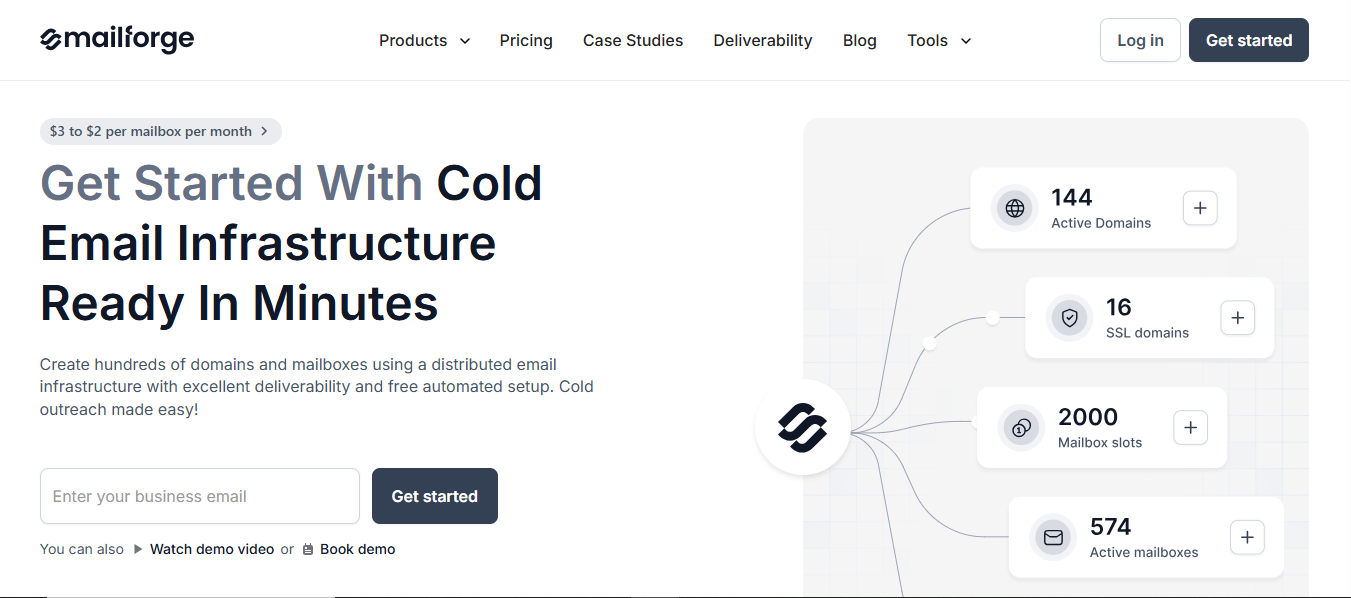
Mailforge is a distributed cold email infrastructure tool built to help teams set up domains and mailboxes quickly.
This image shows the Mailforge-Best Cold Email Infrastructure optimized for deliverability
It uses a shared IP system, comes with automated DNS setup, and is designed for sending cold outreach with good deliverability.
You can create hundreds of domains and mailboxes in minutes, and the setup guides you through everything step by step.
Because it’s simple, fast, and easy to manage, Mailforge works well for teams of any size, from solo operators to large companies, who want affordable cold email infrastructure.
Key features
Distributed email infrastructure with a shared IP pool.
Free automated DNS setup for DMARC, SPF, DKIM, and tracking.
Unlimited mailboxes that can be created in minutes.
Bulk DNS updates for making changes across all domains.
Multiple workspaces to keep accounts and projects organised.
Domain transferring for smooth domain movement between setups.
SSL and domain masking for secure and clean redirects.
Pricing
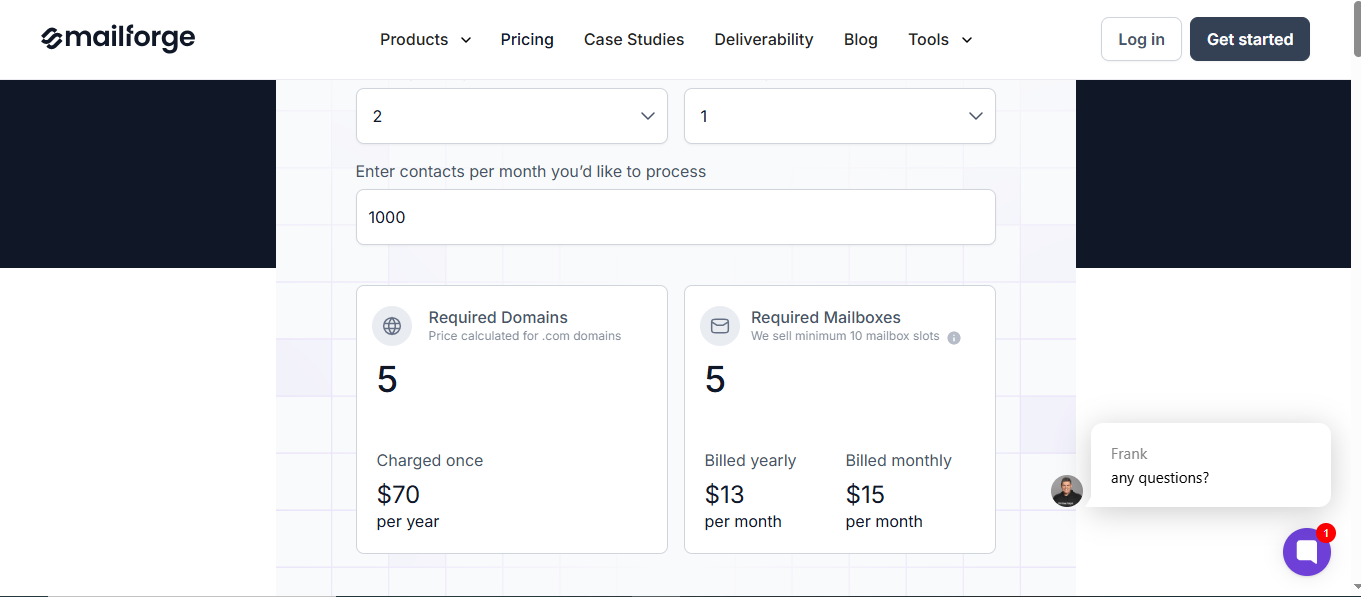
Mailforge keeps its pricing straightforward and slot-based, so you only pay for the mailbox slots you need. Here’s the full breakdown:
This image shows the Mailforge pricing
Mailbox slots cost $2.5 per mailbox per month( 10 slots cost $25) when billed yearly.
On monthly billing, 10 mailbox slots cost $30 per month ($3 per mailbox).
You need at least 10 mailbox slots to start.
Standard.com domains cost around $14 per year.
SSL and domain masking cost $2 per domain per month (monthly) or $6 per year.
Optional expert support is $500 for two 1-on-1 consulting sessions.
What makes it a good cold email infrastructure provider
Makes it easy to start and scale outbound quickly, since setup is fast and doesn’t require technical experience.
Uses shared infrastructure tuned for cold outreach, which lowers friction for teams that don’t want to manage private IPs early on.
Keeps outbound cost-efficient as inbox count grows, making it easier for agencies to scale without heavy upfront spend.
Works well for agencies that want to test, iterate, and expand outreach without rebuilding their setup each time.
Overall, Mailforge is best for agencies that want fast setup and affordable scaling without managing complex infrastructure.
What could have been better
Since it uses shared IPs, you don’t get the same level of sending control as a private IP setup.
Mailbox slots must be bought in groups of ten, even if you need fewer.
3. Primeforge
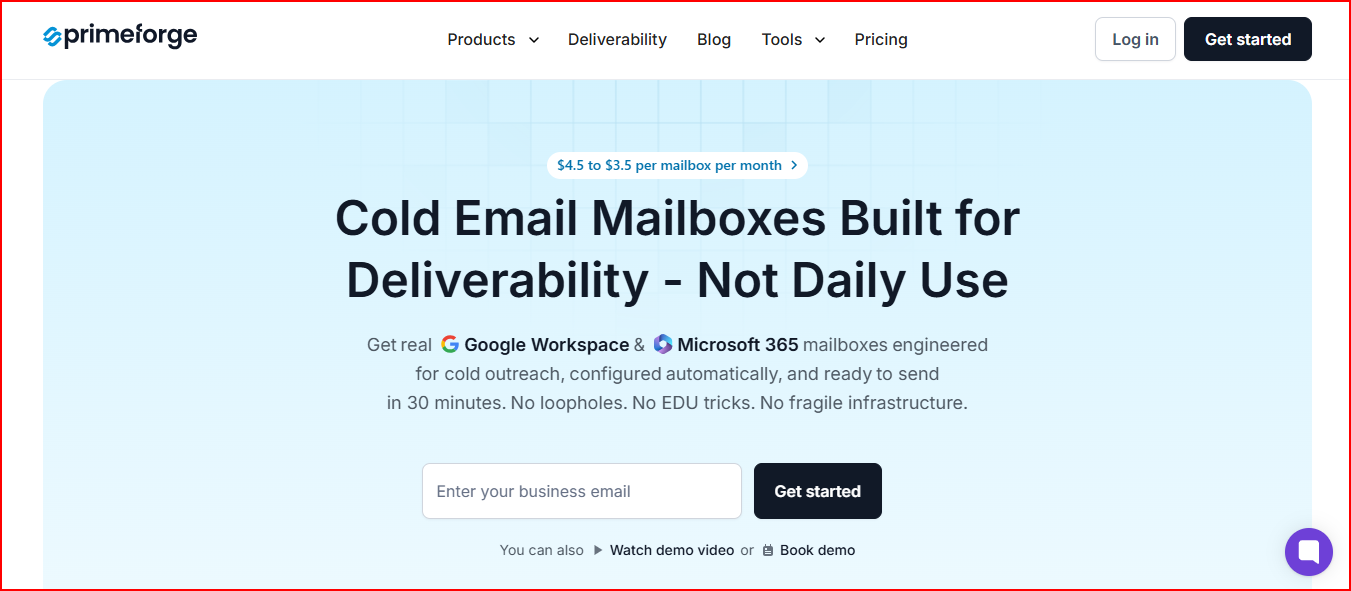
Primeforge is a cold email infrastructure tool that gives you Google Workspace and Microsoft 365 mailboxes made for cold outreach.
This image shows the Primeforge- Best Cold Email Infrastructure for Google Workspace and Microsoft 365 mailboxes
It uses US IP addresses, automated DNS setup, and simple onboarding so you can start sending with trusted mailbox providers.
You can set up domains, create mailboxes, and get everything ready for cold email in about 30 minutes.
For teams that want the deliverability benefits of Google and Microsoft mailboxes without dealing with long setup times, Primeforge offers an easy and reliable way to run cold email at scale.
Key features
Google Workspace and MS365 mailboxes with US IP addresses.
Automated DNS setup, including SPF, DKIM, DMARC, and domain tracking.
Mailbox profile pictures and GIFs for higher visibility in inboxes.
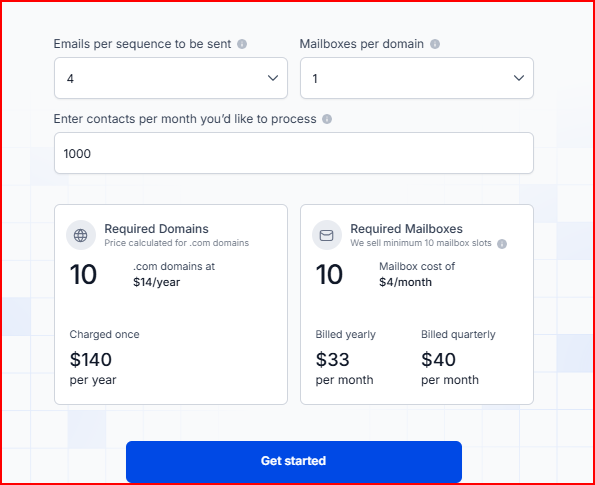
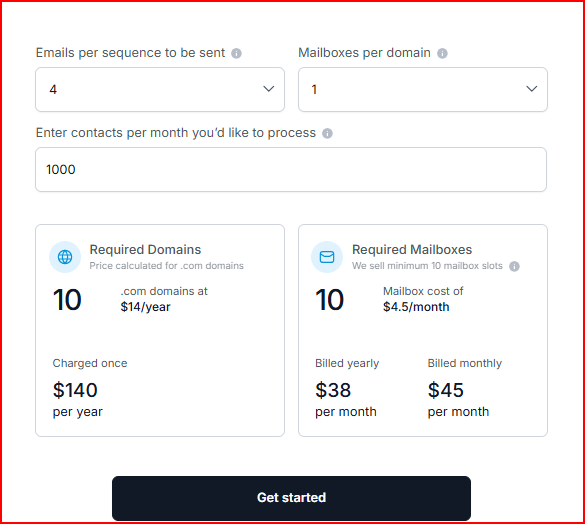
Primeforge uses a mailbox slot system similar to the other Forge tools. Here’s the pricing in a simple breakdown:
This image shows the Primeforge pricing
Mailbox slots cost $4.5 per mailbox per month when billed monthly
On monthly billing, 10 mailbox slots cost $38 per month.
You need at least 10 mailbox slots to get started.
Standard .com domains cost around $14 per year.
Optional expert consulting sessions cost $500 for two 1-on-1 calls.
Your subscription includes automated DNS setup, ongoing hosting and maintenance, customer support, and access to the Primeforge API.
What makes it a good cold email infrastructure provider
Uses Google Workspace and Microsoft 365 mailboxes, which match the providers most prospects already use, helping outreach feel more natural.
Makes it easier to align sender and recipient email providers, which reduces friction in inbox placement for cold outreach.
Allows agencies to scale branded mailboxes without handling long, manual Workspace or MS365 setup processes.
Works well when agencies want to diversify infrastructure, instead of relying on a single sending environment.
Helps teams run parallel outbound streams using trusted mailbox providers without rebuilding workflows.
Overall, Primeforge works best for agencies that want the trust and familiarity of Google and Microsoft mailboxes for cold outreach, where inbox credibility matters.
What could have been better
The setup time is longer than Mailforge’s instant setup.
Google Workspace and MS365 mailboxes cost more than shared IP setups.
4. Inframail
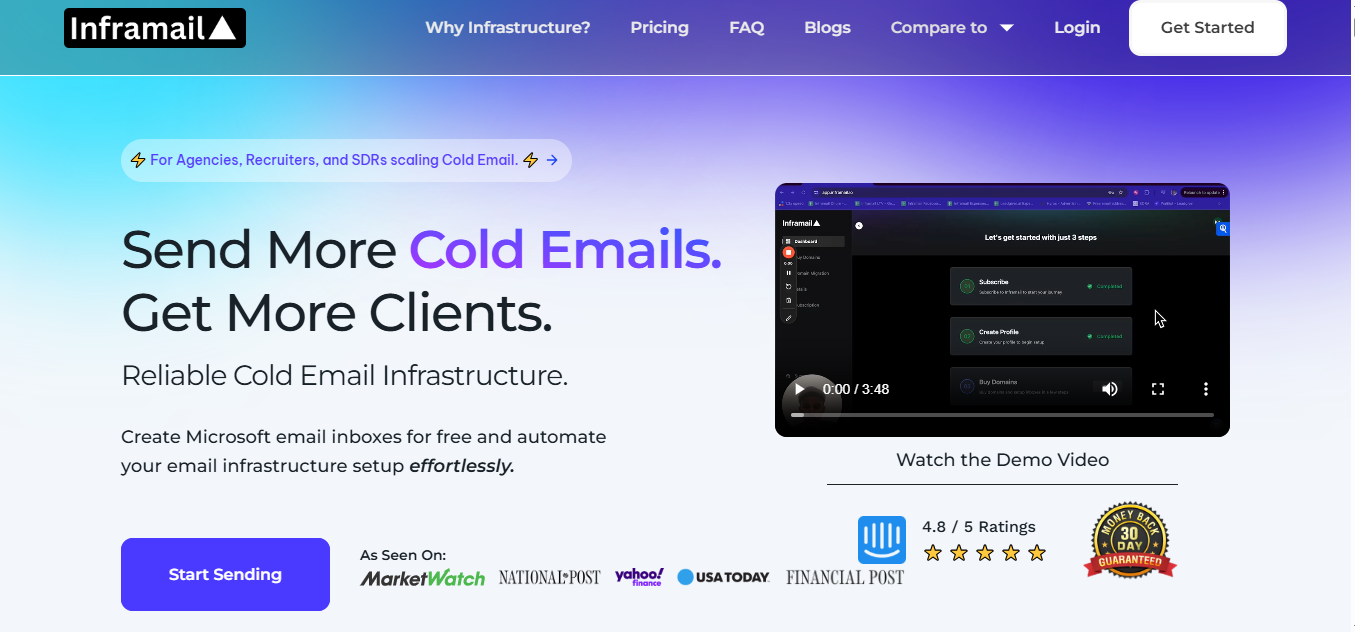
Inframail is an email infrastructure platform built to help B2B agencies and firms create Microsoft-based inboxes fast and run cold email outreach.
This image shows the Inframail:- Best Cold Email Infrastructure for Fast Setup
It lets you set up domains, create unlimited inboxes, and automate all the DNS records.
Key features
Microsoft-backed inbox infrastructure designed for cold email.
Unlimited email inboxes with no extra cost per inbox.
Automated setup for SPF, DKIM, DMARC, redirects, and forwarders.
Dedicated US IPs are included depending on the plan.
Phantom redirect feature to hide redirects from ESPs.
Real-time deliverability monitoring and health dashboard.
Auto-submit delistingrequests with a 68.3% success rate.
Dedicated infrastructure that doesn’t use shared hosting.
Pricing
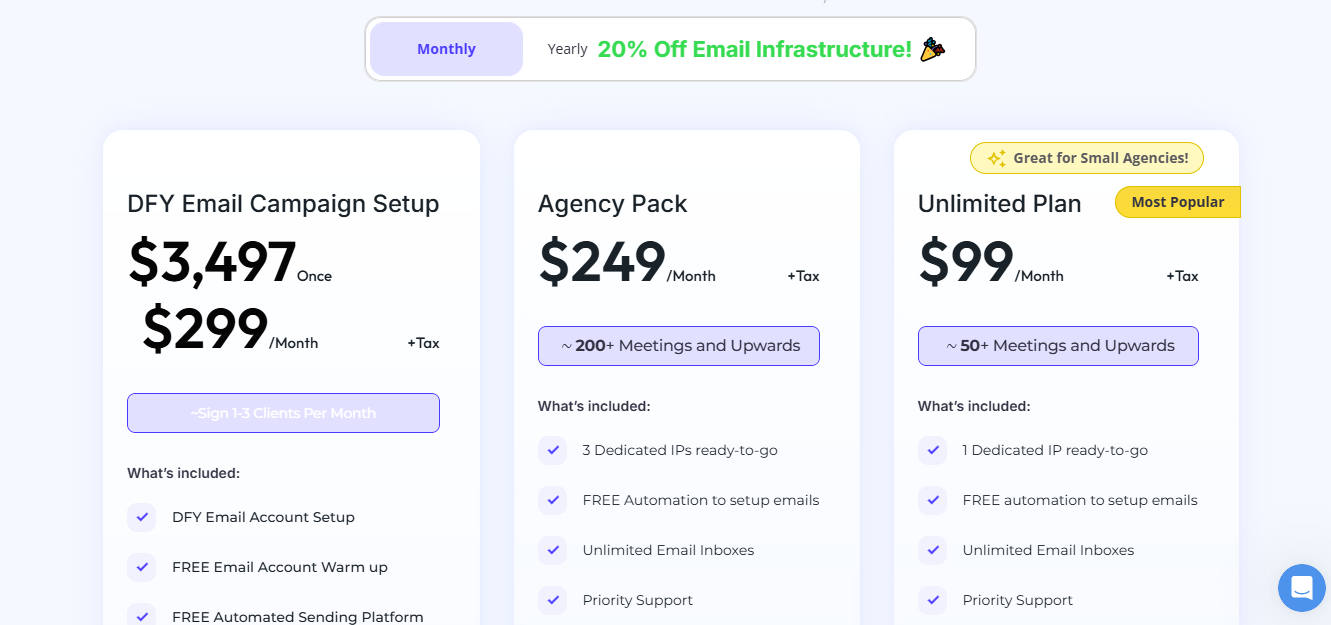
Inframail offers three main plans with different levels of infrastructure included. Here’s the simple breakdown:
This image shows the Inframail pricing
DFY Email Campaign Setup - $3,497 once or $299/month Includes full done-for-you setup, free warmup, automated sending platform, dedicated email coach, 2,500 contacts, support, and training.
Agency Pack - $249/month Comes with 20 free domains, 3 dedicated US IPs, unlimited inboxes, automation for setup, a deliverability consultant, priority support, and unlimited domain setups per day.
Unlimited Plan - $99/month Includes 20 free domains, 1 dedicated US IP, unlimited inboxes, automation for setup, priority support, and unlimited domain setups per day.
Domains are not included outside the free bundles in the plans. Email inboxes are included at no extra cost, and there is no additional charge per email sent.
What makes it a good cold email infrastructure provider
Removes inbox limits by offering unlimited inboxes at a flat price, which makes scaling predictable for agencies.
Makes outbound fast to launch, since domains and inboxes can be set up in minutes instead of days.
Keeps costs under control at high volume, especially for agencies that would otherwise pay per inbox with Microsoft or Google.
Fits agencies that rely on Microsoft-based sending and want to centralize everything in one place.
Inframail works best for agencies that want unlimited inboxes and fast setup, where speed and cost control matter
What could have been better
Domains are not included unless you choose a plan that offers free domains.
Advanced features like domain transfers cost extra.
Warm-up is still required for at least two weeks before sending.
Inbox creation relies heavily on Microsoft’s cloud, which may not suit all setups.
5. Mailscale
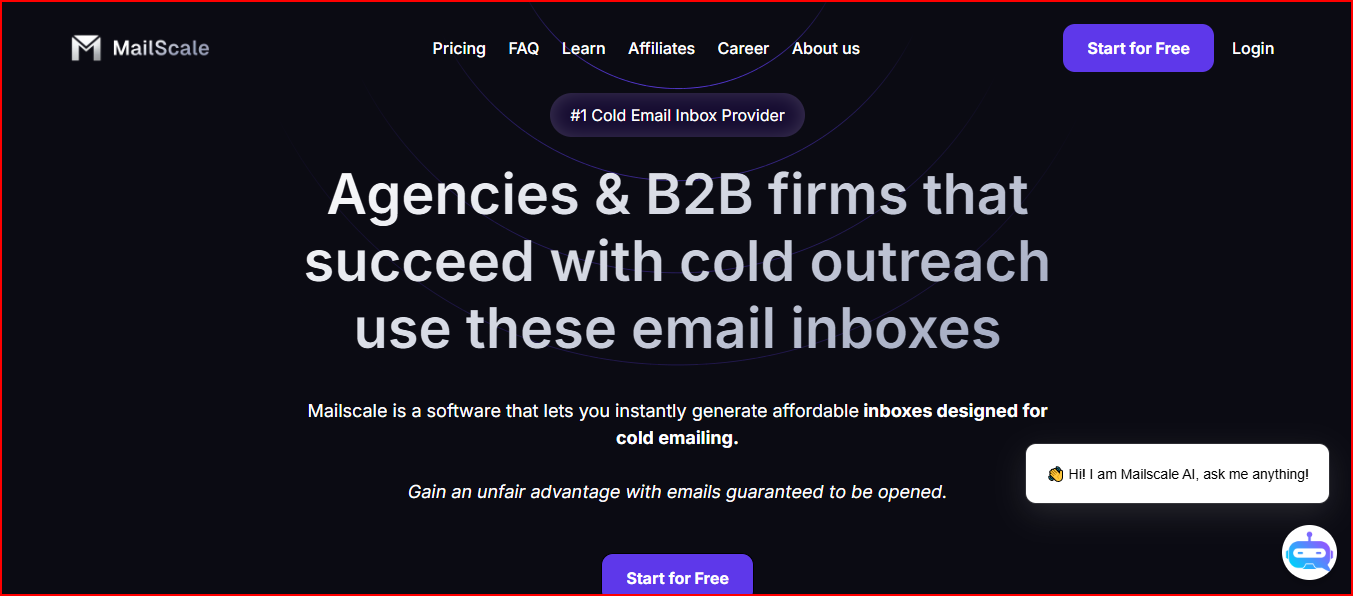
Mailscale is a cold email inbox provider that lets you create large numbers of email accounts in seconds for outreach.
This image shows the Mailscale- Best Cold Email Infrastructure for full outreach
It’s built for agencies and B2B teams that need many inboxes fast without the long setup that comes with Google or Outlook.
You can buy or add domains inside the platform, generate inboxes instantly, and plug them into any sending tool.
For teams that want to scale cold email while saving time and cost, Mailscale gives a simple way to get inboxes ready, improve reply rates, and lower the manual work that usually slows outreach down.
Key features
50 to 1,000 inboxes creation in under a minute, making large-scale setup fast and simple.
Automated Domain setup, including SPF, DKIM, DMARC, and forwarding, so no manual configuration is needed.
Lets you buy new domains or connect existing ones directly inside the platform.
Ready-to-use CSV file with inbox credentials for quick import into sending tools.
Works smoothly with popular cold email tools like Instantly, Smartlead, and Apollo.
Monitoring for blacklists, reputation, bounces, and spam signals, helping you stay informed.
Self-hosted infrastructure with its own SMTP servers and IP pools, built specifically for cold email.
Pricing
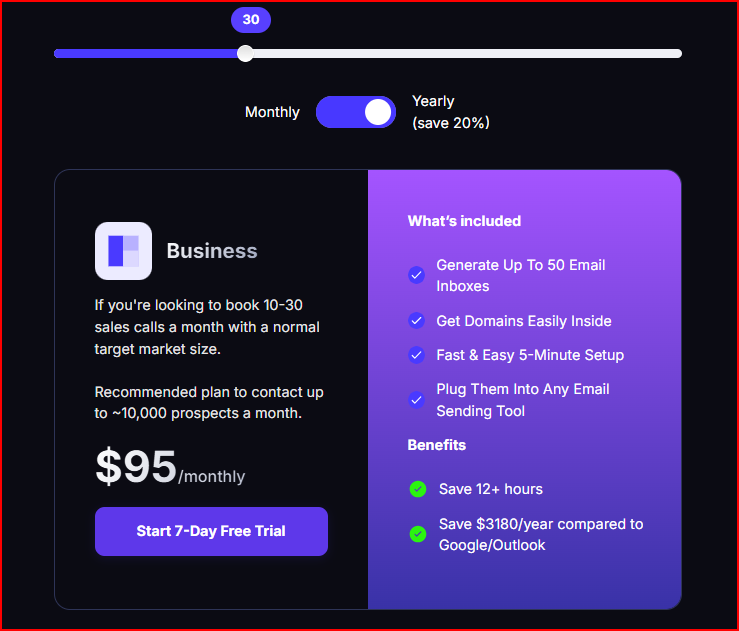
Mailscale’s pricing is based on how many inboxes you want to generate each month. The Business plan includes everything you need to start sending.
This image shows the Mailscale pricing
Business Plan - $69/month
Generate up to 50 email inboxes
Buy or add domains inside Mailscale
Fast 5-minute setup
Works with any email sending tool
Save 12+ hours of manual work
You can buy domains inside Mailscale for around $10–$15 per year, depending on the domain. You can upgrade plans anytime or bring your own domains if you prefer.
What makes it a good cold email infrastructure provider
Makes high-volume outbound possible by letting agencies create many inboxes quickly, instead of being limited by slow setup.
Campaigns can go live much faster because inboxes and domains are ready almost immediately.
Reduces guesswork around inbox setup, so teams can focus more on sending and testing instead of configuration.
Fits agencies that run large-volume outreach, where inbox count and speed matter more than deep infrastructure control.
Mailscale works best for agencies that scale cold email through inbox volume.
What could have been better
You still need to warm up inboxes for 1–2 weeks before campaigns.
Domains need to be purchased separately unless you bring your own.
You must use an external sending tool, as Mailscale does not send emails on its own.
Which Email Infrastructure Should You Pick?
If you only need a simple inbox setup, any provider here can get you started. But if you care about stable sending, clean domains, and scaling cold email safely, here’s what each one is built for:
Infraforge gives you private infrastructure with dedicated IPs, automated DNS, pre-warmed domains, and full control across all domains and mailboxes.
Primeforge is best when you want Google Workspace or Microsoft 365 mailboxes made for cold outreach with US IPs and easy bulk setup.
Mailforge keeps things simple and affordable with shared IPs, fast setup, and unlimited mailboxes for teams of any size.
Inframail is built for Microsoft-based sending with unlimited inboxes, quick setup, and dedicated IP options for agencies that scale fast.
Mailscale focuses on volume, letting you create 50 to 1,000 inboxes instantly with automated configuration and strong deliverability support.
If your goal is predictable sending and long-term stability, Infraforge gives you the strongest level of control with a setup built only for cold email.