Enter your email to get a custom plan & stack recommendation for your
business
It's being carefully crafted by AI
Please check your mailbox in 5 minutes
1. Infraforge
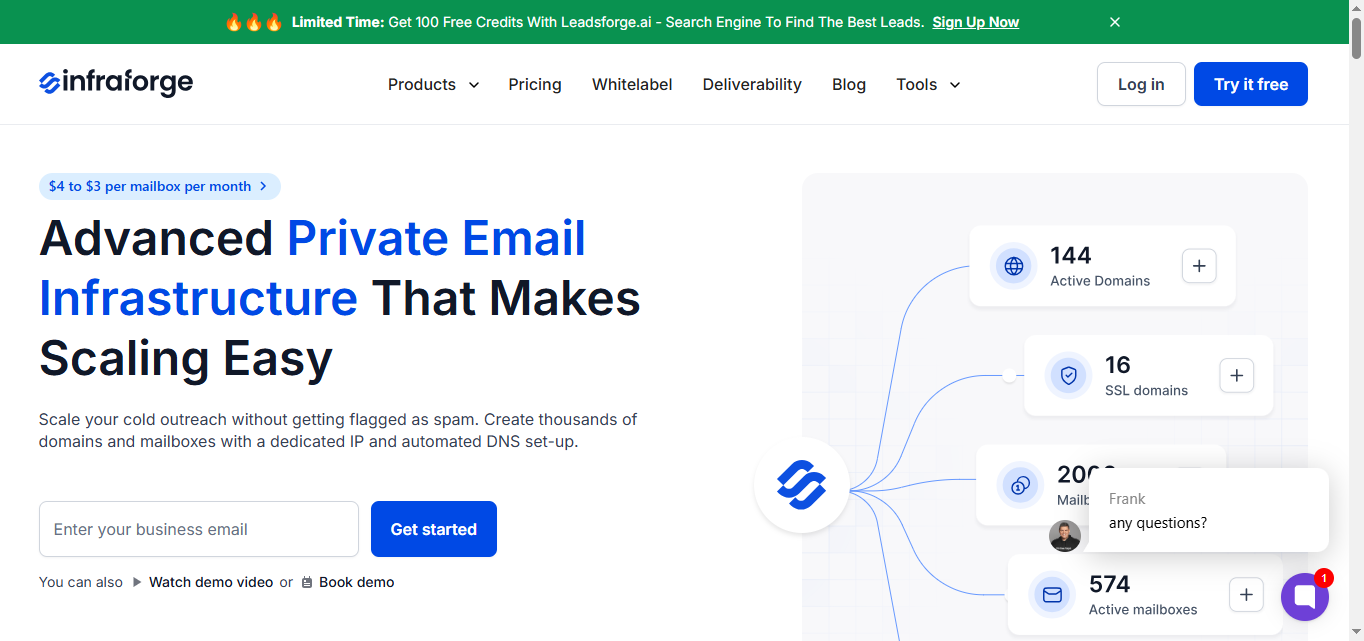
Infraforge is a private cold email infrastructure platform built to help teams scale outbound email with better control over deliverability.
This image shows the Infraforge homepage
Infraforge lets you create and manage your own domains and mailboxes on dedicated IPs.
This means your sending setup is isolated and built specifically for outbound email.
When you add a new domain, it automatically sets up DMARC, SPF, and DKIM. .
Pre-warmed domains and mailboxes reduce early ramp time.
That makes it easier to move into live sending faster.
Infraforge supports higher-volume cold outreach with sender rotation and controlled sending limits.
Real-time monitoring tracks domain and inbox health.
I connect Infraforge with Salesforge when launching multi-channel campaigns.
Warmforge handles warm-up across the same inbox pool.
This setup fits teams that want predictable deliverability built on infrastructure control, not engagement signals alone.
Key Features
Infraforge focuses on infrastructure and control. Key features include:
Automated DNS setup for DMARC, SPF, and DKIM
Ability to create and manage unlimited domains and mailboxes
Dedicated IPs for each mailbox
Pre-warmed domains and mailboxes for faster start
Bulk DNS updates and domain transferring
Multiple workspaces to keep setups organized
Works with any sending software, including Salesforge
Infraforge API for custom workflows
SSL and domain masking
Real-time deliverability monitoring and alerts
Pricing
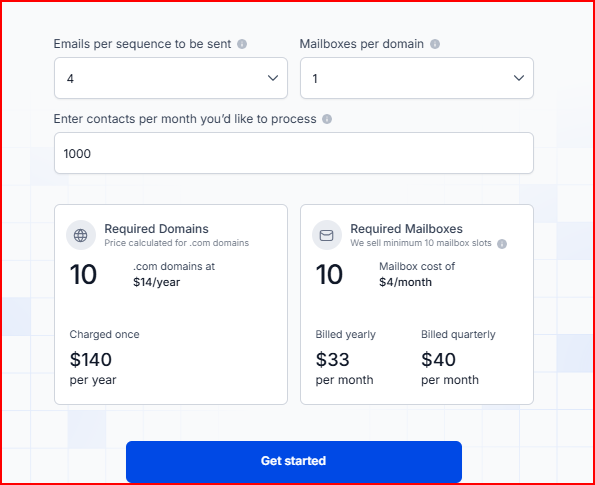
Infraforge pricing is based on domains and mailbox slots, so what you pay depends on how many inboxes you want to run.
This image shows the Infraforge pricing
Mailbox slots start at $4 per mailbox per month when billed yearly, with a minimum of 10 mailbox slots.
Domains are purchased separately, such as .com domains at $14 per year.
Your base subscription includes automated DNS setup, inbox hosting and maintenance, expert support, and access to the Infraforge API.
If you need more control, you can add:
Extra IP addresses at $99 per IP per month
SSL and domain masking at $2 per domain per month (billed quarterly) or $6 per domain per year (billed annually)
Masterbox at $7 per workspace per month (billed annually) or $9 per workspace per month (billed quarterly)
There is also an optional 1:1 expert consulting add-on priced at $500 for two sessions.
How Infraforge Improves Deliverability
Infraforge improves deliverability by focusing on how emails are sent, authenticated, and monitored at scale.
Keeps your sender reputation separate by using dedicated IPs, so inbox providers evaluate your emails without influence from other senders.
Prevents common authentication issues by automatically setting up DMARC, SPF, and DKIM the right way from the start.
Allows safer scaling of sending volume through pre-warmed domains, sender rotation, and smart sending limits.
Helps maintain more consistent inbox placement as the number of domains and mailboxes grows.
Makes deliverability problems easier to spot early through real-time monitoring and alerts.
Limitations
Some important capabilities like dedicated IPs, SSL, and domain masking are available only as paid add-ons, which increases the total cost as you scale.
You need to purchase a minimum of 10 mailbox slots to get started.
Infraforge focuses on infrastructure, meaning you still need separate tools for sending or campaign management.
2. Mailforge
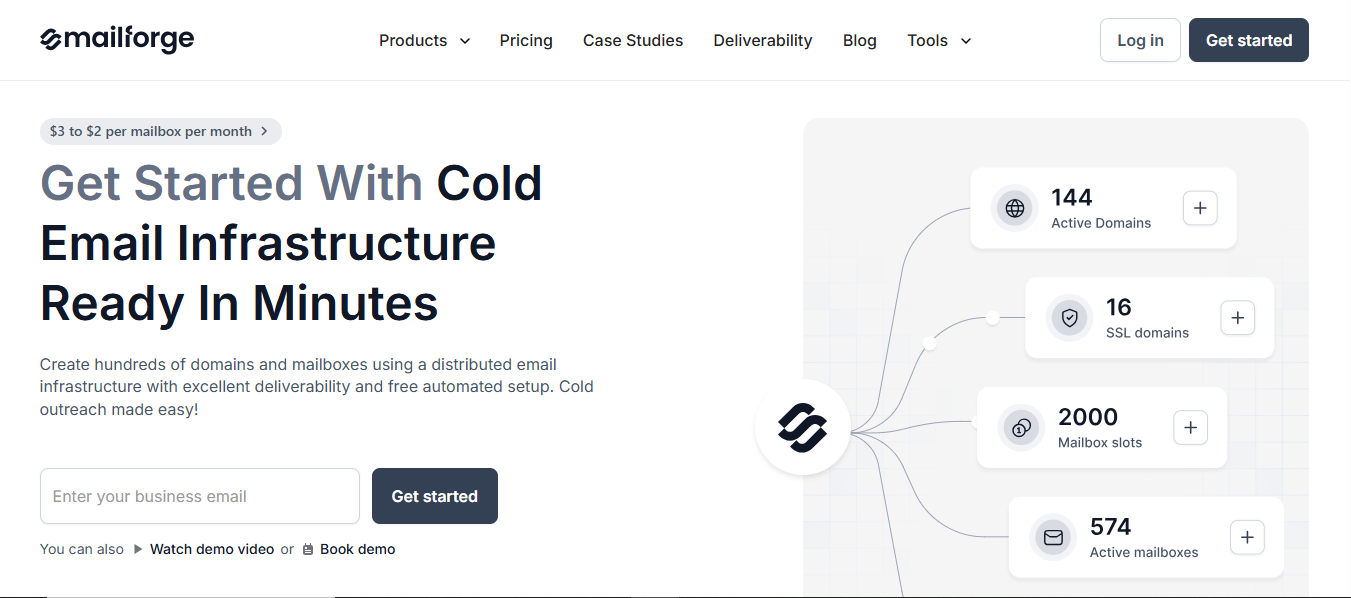
Mailforge is a distributed cold email infrastructure tool built to make outbound email setup simple and scalable.
This image shows the Mailforge homepage
It lets you create and manage domains and mailboxes using a shared IP infrastructure, similar to platforms like Gmail or Outlook, but designed specifically for cold outreach.
Mailforge handles the technical setup automatically. When you add a domain, it sets up DMARC, SPF, and DKIM, so you do not need to manage DNS records manually.
The platform is designed to support cold outreach at different stages.
Domains and mailboxes can be ready in about 5 minutes, and the setup process guides you step by step so you can calculate how many domains and mailboxes you need without causing deliverability issues.
Mailforge works with any sending software, including Salesforge, and is used by teams ranging from solo operators to large organizations.
Key Features
Mailforge focuses on simplicity and ease of setup. Key features include:
Automated DNS setup for DMARC, SPF, and DKIM
Ability to create and manage domains and mailboxes
Works with any sending software, including Salesforge
SSL and domain masking
Inbox hosting and maintenance included
Pricing
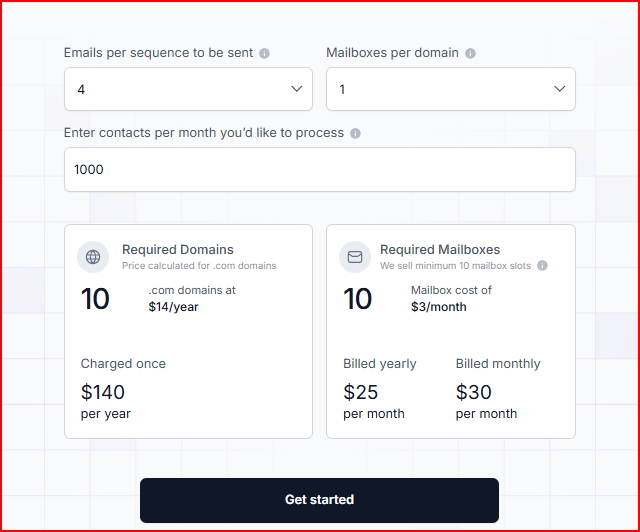
Mailforge pricing is based on domains and mailbox slots, similar to Infraforge, but with lower per-mailbox costs.
This image shows the Mailforge pricing
Mailbox slots start at $3 per mailbox per month when billed yearly
Mailbox slots cost $30 per month when billed monthly
Minimum requirement is 10 mailbox slots
Domains are purchased separately, such as .com domains at $14 per year
Your base subscription includes automated DNS setup, inbox hosting and maintenance, and expert customer support.
Add-ons:
SSL and domain masking:
$2 per domain per month (billed monthly)
$6 per domain per year (billed yearly)
Optional 1:1 expert consulting at $500 for two sessions
How Mailforge Improves Deliverability
Mailforge improves deliverability by focusing on proper setup and controlled scaling within a shared infrastructure.
Uses a distributed IP pool, spreading sending activity across a larger network
Ensures correct authentication through automatic DMARC, SPF, and DKIM setup
Helps avoid common setup mistakes that impact inbox placement
Guides users on how many domains and mailboxes to use to reduce deliverability issues
Designed specifically for cold outreach, rather than general email use
Limitations
Mailforge uses a shared IP setup, which offers less isolation compared to dedicated IP infrastructure.
Features like SSL and domain masking are available only as paid add-ons.
You need to purchase a minimum of 10 mailbox slots to get started.
Like Infraforge, it focuses on infrastructure, so you still need separate tools for sending or campaign management.
3. Inframail
Inframail is an email infrastructure provider focused on setting up and hosting Microsoft-based cold email inboxes at scale.
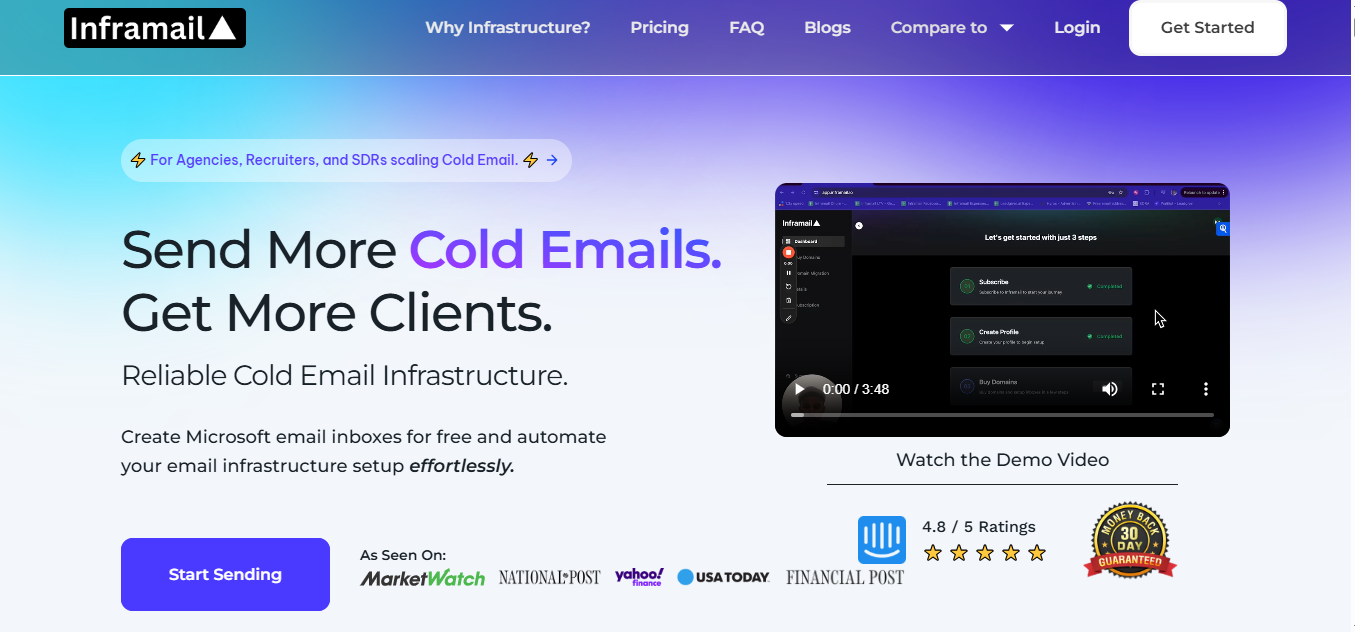
This image shows the Inframail homepage
Inframail lets you create multiple email inboxes in seconds using dedicated hosting built on Microsoft’s cloud.
Instead of paying per inbox like Google Workspace or Outlook, inboxes are included in the plan, and you only pay a flat monthly price.
The platform automates the entire setup process. SPF, DKIM, and DMARC records are added automatically, and inboxes can be created in just a few minutes.
Domains can be purchased directly from the platform or transferred from other registrars.
Inframail works as an inbox provider, similar to Google or Outlook. You connect it with sending tools like Instantly, Smartlead, or ReachInbox to run your cold email campaigns.
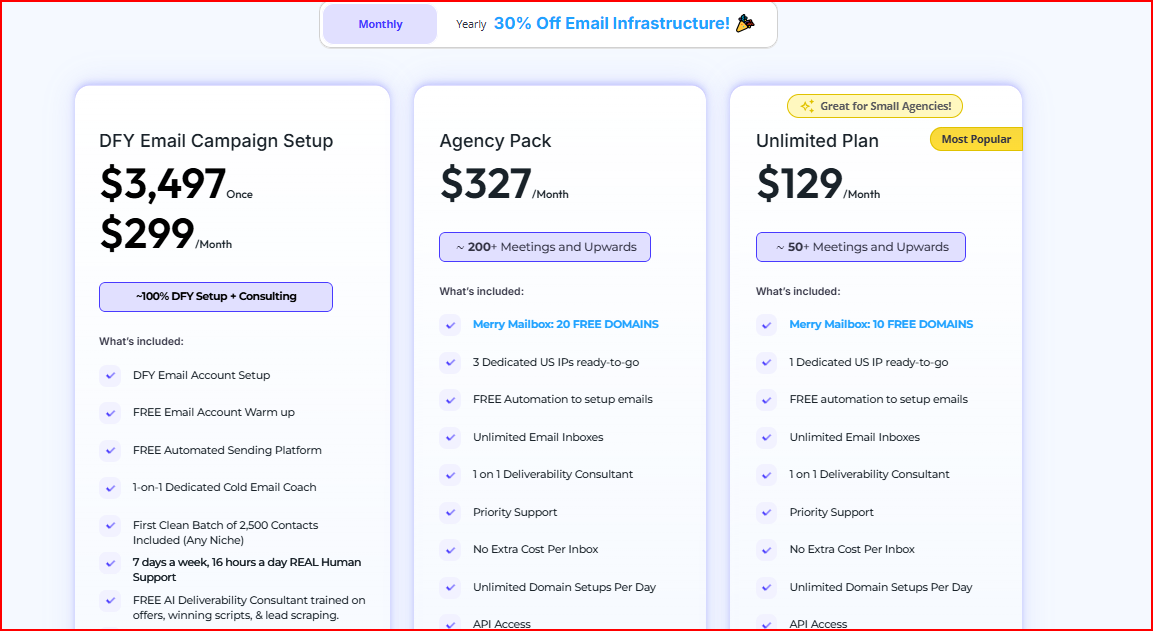
Inframail uses flat monthly pricing, with inbox hosting included, so you are not paying per inbox.
This image shows the Inframail pricing
Unlimited Plan – $129/month This plan includes unlimited inboxes, 1 dedicated US IP, automated setup, priority support, API access, and 10 free domains during promotions. It works well if you want to scale outreach without worrying about inbox limits.
Agency Pack – $327/month
This plan adds more scale with 3 dedicated US IPs, unlimited domain setups per day, priority support, API access, and 20 free domains during promotions.
It is built for agencies managing multiple clients or higher volumes.
Domains are not included by default and need to be purchased separately when promotions are not active.
How Inframail Improves Deliverability
Inframail improves deliverability by focusing on inbox hosting, authentication, and visibility at scale.
Uses Microsoft-backed infrastructure with reputable IPs, which is designed for professional inbox placement.
Automatically sets up SPF, DKIM, and DMARC, reducing common authentication and configuration issues.
Runs on dedicated hosting, so inbox reputation is impacted only by your own sending behavior.
Supports multiple IPs based on plan, helping reduce risk if one IP faces deliverability issues.
Provides real-time IP and domain health monitoring, including blacklist status and delisting support.
Makes it easier to scale by spreading sending across multiple inboxes and domains instead of relying on a single setup.
Limitations
Inframail is an inbox provider, not a sending tool, so you still need external platforms like Instantly or Smartlead to send campaigns.
Warm-up is still required for at least two weeks before full-scale sending.
Domains are not included by default and need to be purchased separately outside of promotions.
The platform focuses heavily on Microsoft inboxes, which may not fit teams looking for mixed provider setups.
Personalized Outbound Strategy
Get The Right Outbound Strategy In Minutes
Enter your email to get a custom plan & stack recommendation for your
business
It's being carefully crafted by AI
Please check your mailbox in 5 minutes
Conclusion
If you are looking beyond InboxAlly, it usually means you have already worked on engagement and now want more control over deliverability.
All three tools here solve that in different ways.
Infraforge makes sense when you want deeper control at the infrastructure level, with dedicated setups and closer monitoring as volume grows.
Mailforge fits teams that want a simpler, shared setup that is easier to start with and still built for cold outreach.
Inframail stands out if your priority is scaling Microsoft inboxes quickly with flat pricing and built-in inbox hosting.
If your priority is deliverability and better inbox placement as volume increases, Infraforge is a clear option to choose.
It focuses on infrastructure-level control and visibility, which helps manage sender reputation and keep inbox placement more stable as outreach scales.