Mailin gets attention for one reason first: the $1.20 mailbox price.
But a low number alone doesn’t explain what the platform actually does or whether it makes sense for cold email.
This review looks at Mailin as a complete setup, not just the pricing.
We break down how Mailin delivers mailboxes, how infrastructure and deliverability are handled, and where the platform fits as volume grows.
The goal is to help you understand what Mailin really offers and decide if it matches how you want to run cold email.
Use Infraforge and get dedicated IPs, automated DNS, and better control as you scale cold email.
Mailin is a cold email platform that gives you email mailboxes along with the setup and infrastructure needed to send cold emails.
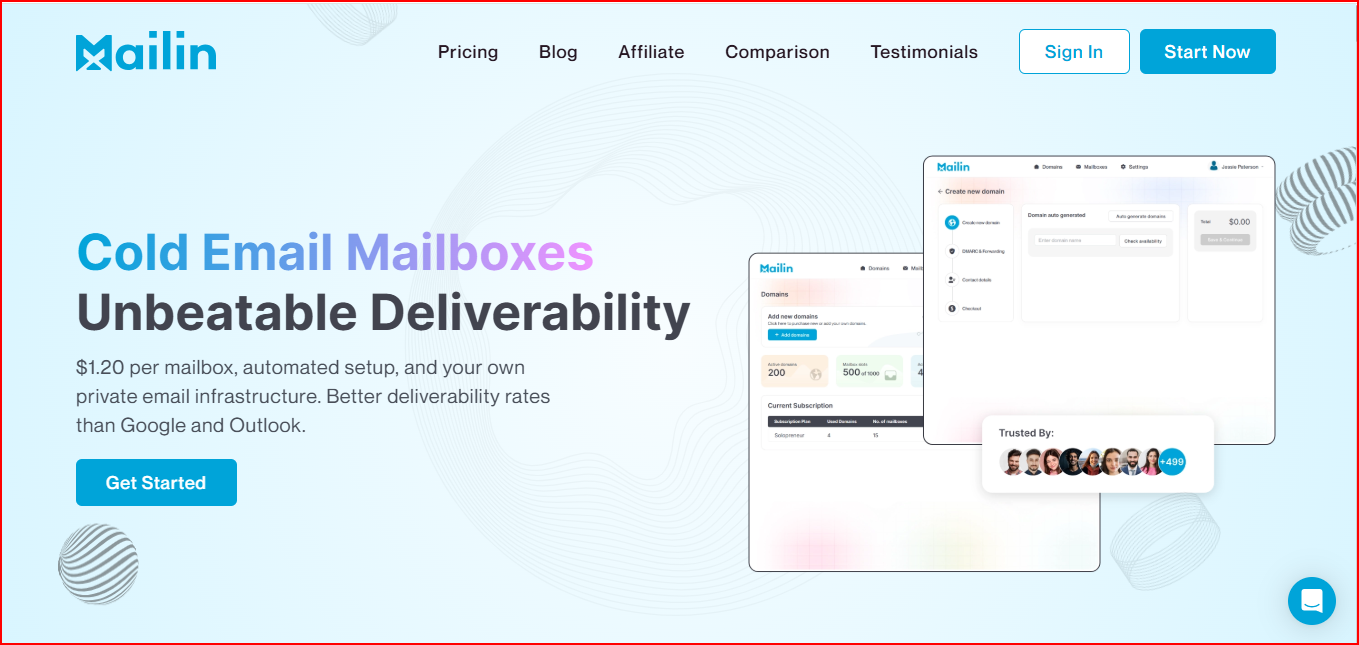
Instead of creating mailboxes on Google Workspace or Outlook and configuring everything yourself, Mailin handles that part for you.
With Mailin, the mailboxes are created for cold outreach and are set up on Mailin’s own servers and IPs.
The platform also takes care of DNS records like SPF, DKIM, and DMARC, so the mailboxes are ready to send.
Mailin also lets you use your own domains, move existing domains into the platform, and manage mailboxes through a dashboard or API.
As your sending volume grows, Mailin offers plans that support hundreds or even thousands of mailboxes.
Mailin sells cold email mailboxes inside fixed monthly plans.
These mailboxes are created for you and come with servers, IPs, and DNS setup already done.
Here’s what you get:
Mailin delivers mailboxes through an automated setup flow. Everything runs in the background.
Mailin adds new domains or transfers existing domains into the system.
Mailin creates the required number of mailboxes based on the plan.
Mailin sets up SPF, DKIM, DMARC, and other required DNS records.
Mailin connects the mailboxes to its servers and IPs included in the plan.
Mailin provides access through a dashboard or API to manage mailboxes and sending.
All the technical work stays hidden. What you see are mailboxes that are ready to use.
The $1.20 number applies only inside Mailin’s higher-volume plans. Mailin sells mailboxes as part of monthly plans, not as individual purchases.
When the total plan price is divided by the number of mailboxes included, the average cost per mailbox reaches this range.
On the Enterprise plan, Mailin also mentions the option to purchase additional mailboxes for $1 each.
You cannot buy a single mailbox for $1.20. Mailin does not offer pay-as-you-go or per-mailbox checkout pricing.
Mailboxes are available only through monthly plans.
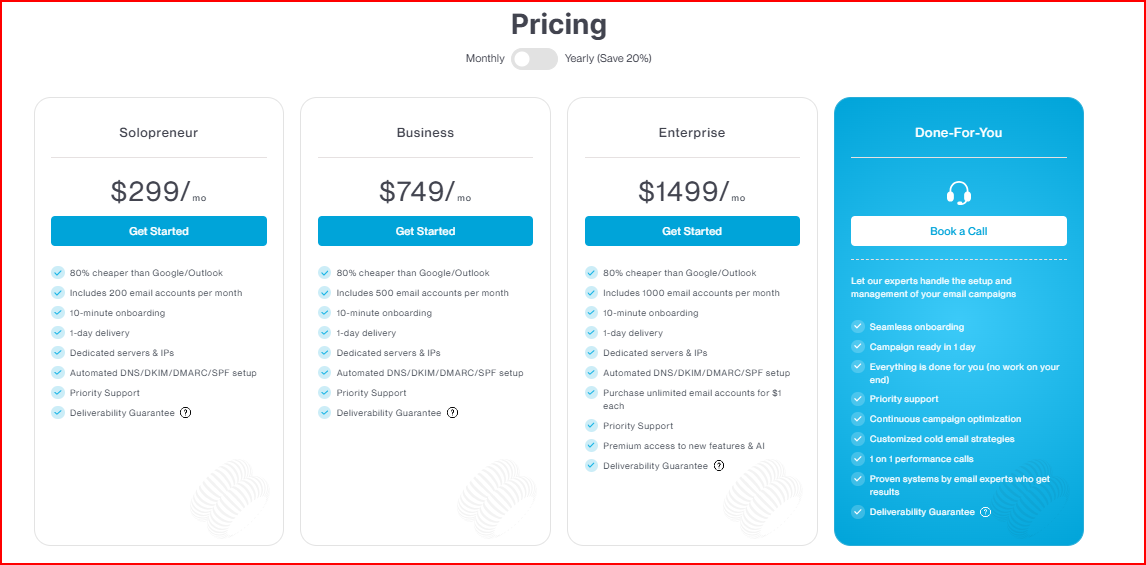
How mailbox pricing changes by plan
As plans include more mailboxes, the average price per mailbox goes down, which is why the lowest per-mailbox number is shown at higher plans.
While reviewing Mailin, it’s clear that domains play a central role in how the platform works.
Mailin lets you use your own domains or transfer existing ones into the platform.
Once a domain is added, it’s used to create mailboxes, and Mailin sets up the required DNS records so those mailboxes can send emails.
From that point on, the domain operates inside Mailin’s system, connected to its servers, IPs, and email infrastructure.
For cold email, domains are the sending identity. They decide:
Mailin handling these steps makes setup easier and faster, especially for teams that don’t want to manage DNS and infrastructure themselves.
Domains are closely tied to the platform’s infrastructure, which is an important detail to understand before scaling.
Mailin’s deliverability is based on its technical setup, while inbox results still depend on real sending behavior as volume grows.
Mailin’s deliverability messaging is tied to the initial technical setup.
The platform sets up SPF, DKIM, and DMARC, and connects mailboxes to dedicated servers and IPs as part of its private email infrastructure.
This gives mailboxes a ready-to-send foundation.
For users, this means the setup side of deliverability is handled inside the platform.
After setup, deliverability depends on factors that are not automatically managed by any platform, including:
Domain usage and IP behavior still matter after setup. Automated configuration does not remove the impact of how emails are sent over time.
Mailin prepares the infrastructure, but reputation still changes based on sending volume, patterns, and activity.
Scaling cold emails in Mailing is expensive with traditional providers and positions its plans as a way to send hundreds of thousands of emails per month by using many mailboxes at a lower cost.
The focus is on making high-volume sending more affordable and faster to set up.
In cold email, sending more emails is only one part of scaling. Even when mailbox limits and pricing allow higher volume, other parts still matter, such as:
These factors exist regardless of how cheap mailboxes are. Infrastructure can support volume, but reputation builds gradually and reacts to usage, not just mailbox count.
As teams scale using low-cost mailboxes, the first challenges usually show up around:
These are not issues unique to Mailin. They are common scaling points in cold email.
The platform makes it easier to add mailboxes, but operational complexity still increases as volume grows.
In simple terms, Mailin helps teams reach higher volumes faster. What still needs attention is how that volume is managed once scaling begins.
Mailin’s API lets teams manage mailboxes and sending directly, without using the dashboard
The API does not expose control over the underlying setup, like servers, IPs, or infrastructure configuration.
Those remain handled by Mailin as part of its managed system.
Mailin API scales hundreds or thousands of mailboxes without manual work.
As mailbox count grows, the API helps reduce operational effort, while the infrastructure itself stays fully managed inside Mailin.
In simple terms, Mailin’s API helps automate how you use the platform, not how the infrastructure itself is built or controlled.
Mailin is built for a certain level of scale, and knowing where that level starts and ends matters as cold email grows.
Mailin makes sense for teams that want a ready-made cold email setup without dealing with technical work. It fits well when the goal is to:
For many teams, this kind of setup is useful when they want everything handled in one place and don’t want to manage infrastructure themselves.
As sending volume grows, some teams start wanting more control and visibility over how domains, IPs, and infrastructure behave.
This often happens when:
At this stage, a fully managed setup can feel limiting, not because it stops working, but because it abstracts too much.
As teams compare Mailin with other setups, two alternatives often come up based on how infrastructure is handled, how pricing scales, and how much control teams want as volume grows: Infraforge and Mailforge.
Infraforge is a private cold email infrastructure platform that lets teams set up domains and mailboxes on dedicated IPs, with automated DNS and API access.
Infraforge focuses on infrastructure first. Instead of selling bundled mailbox plans, it allows teams to build and manage their own setup with more control.
Here is what it gives:
Infraforge is usually considered by teams that want more direct control over infrastructure, clearer separation between mailboxes and IPs, and flexibility as volume increases.
Mailforge is a distributed email infrastructure platform built for cold outreach using a shared IP setup, similar in concept to Gmail or Outlook but designed specifically for cold email.
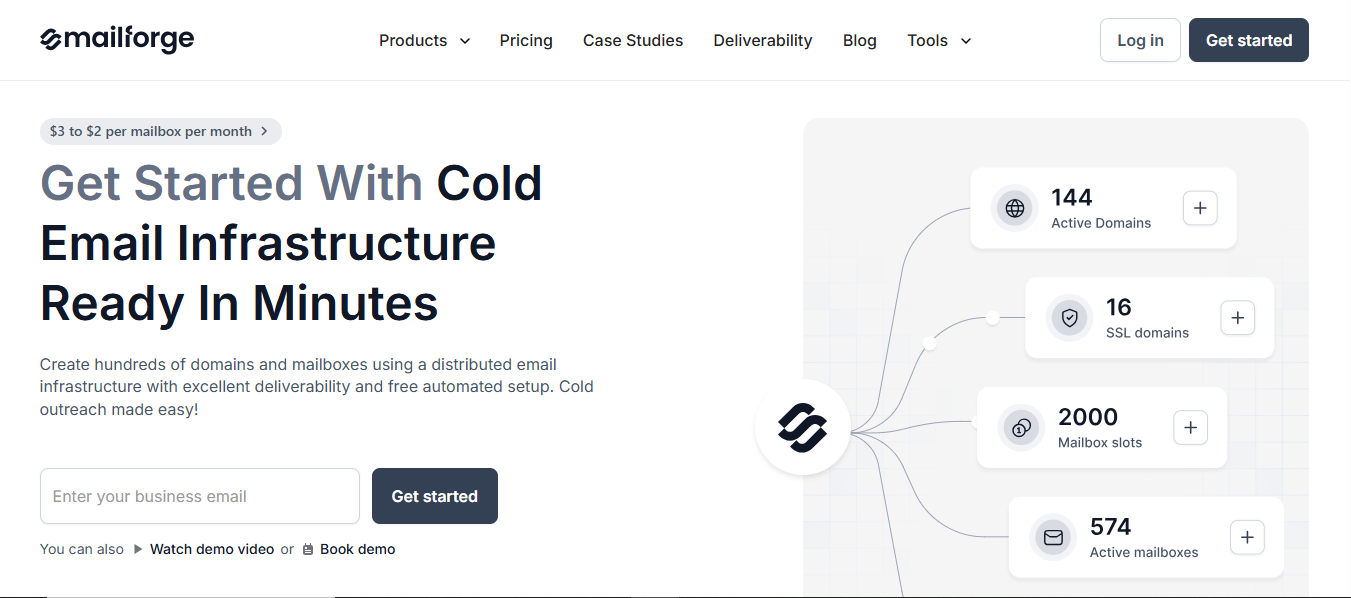
Mailforge focuses on simplicity and fast setup while keeping costs lower at scale.
Here is what it gives:
Mailforge is usually considered by teams that want a faster, simpler setup, are comfortable with shared infrastructure, and are scaling gradually rather than managing complex infrastructure.
Each option fits a different stage of cold email operations.
The right choice depends on how much control, flexibility, and infrastructure visibility a team needs as it scales.
Mailin works well when the goal is to get started quickly with a managed setup.
It bundles mailboxes, domains, DNS, and infrastructure into monthly plans, which makes it easy to start cold email without handling technical setup.
The $1.20 mailbox price works only at scale inside those plans, not as a standalone cost.
As teams compare Mailin with other options, two alternatives usually come up:
Among these, Infraforge stands out as a stronger long-term choice for scaling.
It is built specifically as a private email infrastructure layer, offering dedicated IPs, automated DNS, pre-warmed domains and mailboxes, sender rotation, monitoring, and API access.
By separating infrastructure from mailbox usage, it gives teams more visibility, flexibility, and control as sending volume increases.
Start with Infraforge and get a cold email on infrastructure that scales with you, with dedicated IPs, automated DNS, and full control as your volume grows.