Blog
Slicey Review 2026: Are Its Pre-Warmed Cold Email Inboxes Worth It?

Slicey Review 2026: Are Its Pre-Warmed Cold Email Inboxes Worth It?

Last Updated on: Nov 13, 2026
•
5 min read
Summarize with

Slicey charges $49/month for 100 new Microsoft 365 inboxes or $97/month for pre-warmed ones. That's an extra $48 per domain to skip the initial warm-up period.

But there's a bigger detail to consider. Despite getting 100 inboxes, Slicey's published sending limit is 200-500 emails per domain daily. And paying for pre-warmed inboxes doesn't guarantee better deliverability.

So, is skipping the warm-up period worth the extra cost, or are new inboxes enough for your cold outreach?

In this Slicey review, I'll examine its pre-warmed inboxes, sending limits, deliverability monitoring, pricing, and limitations to find out if it's worth paying for in 2026.

Table of Contents

TL;DR: Slicey Review

  • Slicey offers new and pre-warmed Microsoft 365 inboxes along with Google Workspace inboxes for cold outreach.
    ‍
  • New Microsoft domains cost $49/month, while pre-warmed domains cost $97/month. Both include 100 inboxes.
    ‍
  • Pre-warmed domains let you start sending from day one. New domains take around 14 days to warm up.
    ‍
  • Slicey handles inbox setup and email authentication. It also monitors deliverability and offers domain replacements.
    ‍
  • The main drawbacks are domain-level sending limits, expensive pre-warmed domains, and limited independent user reviews.
    ‍
  • Slicey is best for you if need large numbers of inboxes and want to start sending quickly.
    ‍
  • My Verdict: Pre-warmed inboxes are worth the extra cost if you need to send immediately. Otherwise, the cheaper new-domain option is the better deal.
    ‍
  • Best alternative: Primeforge offers per-mailbox pricing and pre-warmed options with a 10-mailbox minimum.

What Do You Actually Get With Slicey (And What You Don't)?

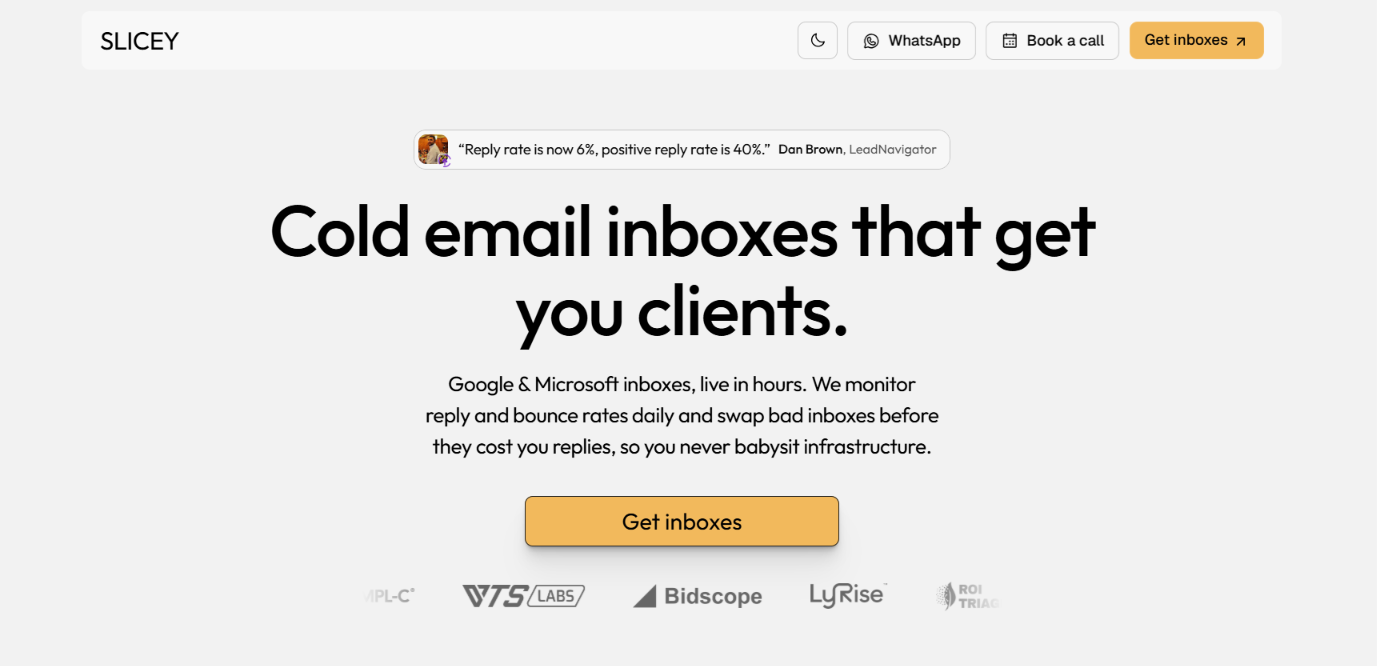
Slicey homepage
This image shows the Slicey homepage

Slicey gives you Google Workspace and Microsoft 365 inboxes for cold outreach. It handles the domain setup along with SPF, DKIM, DMARC, DNS records, and forwarding. For Microsoft 365, you get 100 inboxes per domain. New domains cost $49/month and reach full sending volume around day 15. Pre-warmed domains cost $97/month. They are aged for at least 5 months and can send at full volume from day one.

Slicey also monitors replies and bounces daily. If the infrastructure stops working as expected, Slicey can repair or swap it. You can also connect your inboxes to sending tools such as Smartlead and Instantly.

What you don't get:

  • Unlimited sending from each inbox.
    ‍
  • Guaranteed inbox placement.
    ‍
  • Guaranteed replies or meetings.
    ‍
  • A built-in lead database.

The biggest limit is sending volume. Slicey caps Microsoft sending at 200-500 emails per domain per day. That limit is shared across all 100 inboxes.

Slicey vs. Primeforge: Quick Comparison

Feature Slicey Primeforge
Providers Google Workspace + Microsoft 365 Google Workspace + Microsoft 365
Starting price $49/month for 100 MS365 inboxes $4.50/mailbox/month
Minimum 100 MS365 inboxes per domain 10 mailbox slots
Pre-warmed option Domains aged 5+ months Domains and mailboxes warmed for 3+ months
Pre-warmed price $97/domain/month From $9/mailbox/month add-on
DNS setup Automated Automated
Microsoft setup 100 inboxes per domain 1 tenant per domain
Monitoring Daily reply and bounce monitoring Mailbox analytics + blacklist checks
Sending limit 200-500/domain/day Based on provider limits
Management Dashboard + API Workspaces + bulk DNS + API

The biggest difference is how you pay. Slicey bundles 100 Microsoft inboxes under one domain. Primeforge charges per mailbox and starts at 10 slots.

Slicey makes more sense if you want 100 Microsoft inboxes from the start. Primeforge lets you choose your mailbox count instead of paying for a 100-inbox bundle.

How Much Cold Email Can You Actually Send With Slicey?

Getting 100 Microsoft inboxes does not mean each inbox can send hundreds of cold emails per day. Slicey sets the Microsoft sending limits across the whole domain:

Sending Level Microsoft 365 Google Workspace
Safe 200/domain/day 5/inbox/day
Balanced 300/domain/day 10/inbox/day
Aggressive 500/domain/day 15/inbox/day
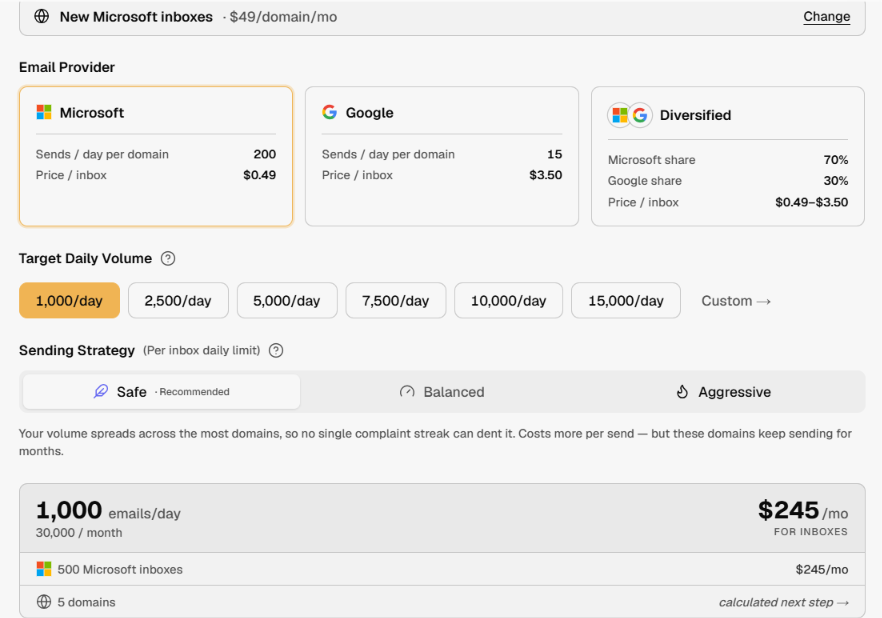
Setup example for 1000 emails per day
This image shows the Setup example for 1000 emails per day

With Microsoft 365, your 100 inboxes share the 200-500 emails per day limit. Google Workspace is different. Its limits are per inbox. For example, the Balanced level allows 10 emails per inbox each day. So don't judge Slicey's sending capacity from the number of inboxes alone. 

How Do Slicey's Pre-Warmed Inboxes Work?

Slicey's pre-warmed Microsoft domains are at least 5 months old. The inboxes have already been warmed before you get them.

Each domain comes with 100 Microsoft 365 inboxes and costs $97/month. You can start sending from day one. New Microsoft domains also come with 100 inboxes. They cost $49/month, but you have to wait around 14 days before starting cold outreach.

So the extra $48/month mainly pays for one thing: you don't have to wait 2 weeks before sending.

How Well Does Slicey Handle Inbox Warm-Up?

If you buy a new Microsoft domain, Slicey warms the inboxes for the first 14 days. You don't have to warm each inbox yourself. Slicey handles it for you. Cold outreach can then start around day 15.

Pre-warmed domains have already gone through this process. That is why you can start sending from them right away.

But pre-warmed inboxes still need to be used carefully. Starting with an older domain doesn't protect it from high bounce rates, spam complaints, or poor sending practices.

Top Features of Slicey

Slicey gives you a few ways to set up cold email inboxes. You can get new Microsoft inboxes, pay more for pre-warmed Microsoft inboxes, or use Google Workspace instead. 

Here are the main features that come with Slicey: 

Feature What It Does
Pre-warmed Microsoft inboxes Gives you 100 inboxes on a domain aged at least 5 months, with sending available from day one
New Microsoft inboxes Gives you 100 inboxes on a new domain and warms them for around 14 days before cold outreach starts
Google Workspace inboxes Lets you use Google inboxes for outreach, with Safe, Balanced, and Aggressive limits of 5, 10, or 15 emails per inbox per day
Automatic email authentication Sets up SPF, DKIM, and DMARC when your email setup is created
Daily sending checks Tracks reply and bounce rates each day so you can see when a domain starts having problems
Domain replacement Repairs or swaps infrastructure when a domain develops problems
Cold email tool connections Lets you use the inboxes with Smartlead, Instantly, EmailBison, and Plusvibe
Outfalcon Gives Slicey customers an email sequencer for running outreach campaigns

How Easy Is Slicey to Set Up?

Slicey is fairly easy to set up because you don't have to build the email setup yourself. You first choose the inboxes you want. For Microsoft 365, you can choose between new domains and pre-warmed domains.

Slicey then sets up the domains and creates the inboxes for you. It also handles SPF, DKIM, and DMARC, so you don't have to configure these records yourself. Once your inboxes are ready, you connect them to your cold email tool. Slicey works with Smartlead, Instantly, EmailBison, and Plusvibe. You can also use its Outfalcon email sequencer.

The only real wait comes with new Microsoft domains. They need around 14 days of warm-up before you start cold outreach. If you choose pre-warmed domains, you can start sending from day one.

What Happens When a Slicey Domain Burns?

If a domain develops problems, Slicey says it can repair or replace the setup. So you don't have to buy and set up a new domain yourself each time. This is useful if you have a lot of domains running at once. But swapping a domain won't fix a bad sending process. 

If you're sending too much or using poor lead lists, the replacement domain can run into the same problems.

Slicey Pricing in 2026

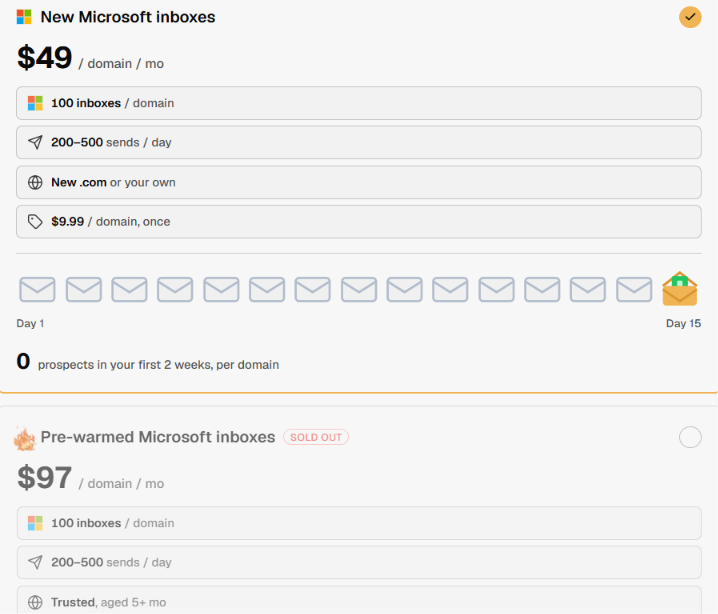
Slicey pricing
This image shows the Slicey pricing

Slicey charges by domain for Microsoft 365 and by inbox for Google Workspace. The price also changes if you choose pre-warmed Microsoft inboxes instead of new ones.

Here is the current pricing:

  • New Microsoft 365: $49 per domain each month for 100 inboxes. New inboxes need around 2 weeks of warm-up.
    ‍
  • Pre-warmed Microsoft 365: $97 per domain each month for 100 inboxes. The domains are aged 5+ months and can start sending from day one.
  • ‍
  • Google Workspace: $3.50 per inbox each month.
    ‍
  • 100+ new Microsoft domains: $25 per domain each month.
    ‍
  • 100+ pre-warmed domains: Custom pricing.
    ‍
  • New .com domain: $9.99 one-time fee if Slicey registers it for you.

Slicey lists no setup fee for its pre-warmed Microsoft option. Subscriptions are billed monthly, and you can cancel at any time. Your service continues until the end of the period you already paid for.

For Microsoft 365, the main choice is $49 for a new domain or $97 for a pre-warmed one. The extra $48 per month lets you skip the initial warm-up period.

Top Pros of Slicey

  • Pre-warmed Microsoft domains let you start sending without waiting through the 14-day warm-up.
    ‍
  • 100 Microsoft inboxes per domain give you a large batch of inboxes from one order.
    ‍
  • Built-in warm-up for new Microsoft inboxes handles the 14-day ramp before cold outreach starts.
    ‍
  • Daily reply and bounce checks help you spot domains that start having sending problems.
    ‍
  • Domain swaps give you a replacement option when a domain burns.
    ‍
  • Direct sequencer connections let you use the inboxes with Smartlead, Instantly, EmailBison, and Plusvibe.
    ‍
  • Volume pricing for 100+ new Microsoft domains cuts the price from $49 to $25 per domain each month.

Limitations of Slicey

  • Microsoft sending limits apply per domain, so 100 inboxes still share a limit of 200–500 emails per day.
    ‍
  • Pre-warmed Microsoft domains cost $97/month, almost twice the $49/month price of new domains.
    ‍
  • New Microsoft inboxes need around 14 days of warm-up before cold outreach starts.
    ‍
  • Google Workspace costs $3.50 per inbox, rather than using Slicey's 100-inbox Microsoft bundle.
    ‍
  • No built-in lead database, so you still need another source for finding prospects.
    ‍
  • Limited independent reviews, which makes it harder to judge Slicey from long-term customer feedback.

Who Should Use Slicey and Who Should Avoid It?

Slicey is better suited to senders who need 100 Microsoft inboxes per domain. The pre-warmed option is useful if you also want to skip the initial 2-week warm-up.

You should use Slicey if you:

  • Need 100 Microsoft inboxes per domain.
    ‍
  • Want pre-warmed domains so you can start sending sooner.
    ‍
  • Don't want to set up SPF, DKIM, and DMARC yourself.
    ‍
  • Manage many sending domains and want domain swaps when problems come up.
    ‍
  • Already use Smartlead, Instantly, EmailBison, or Plusvibe.

You should avoid Slicey if you:

  • Only need a small number of Microsoft inboxes.
    ‍
  • Need to send more than 200–500 emails per Microsoft domain each day.
    ‍
  • Don't want to pay $97/month for pre-warmed Microsoft domains.
    ‍
  • Need a dedicated inbox placement testing tool.
    ‍
  • Want plenty of independent customer reviews before choosing a provider.

The 100-inbox bundle is the main deciding point. If you need that many inboxes, Slicey gives you the setup under one domain. If you need 10, 20, or 50 inboxes instead, you still have to pay for the 100-inbox Microsoft package.

Best Slicey Alternative for Cold Email Infrastructure – Primeforge

Slicey's Microsoft setup starts with 100 inboxes per domain. If you don't need that many inboxes at once, Primeforge gives you more control over how many you buy.

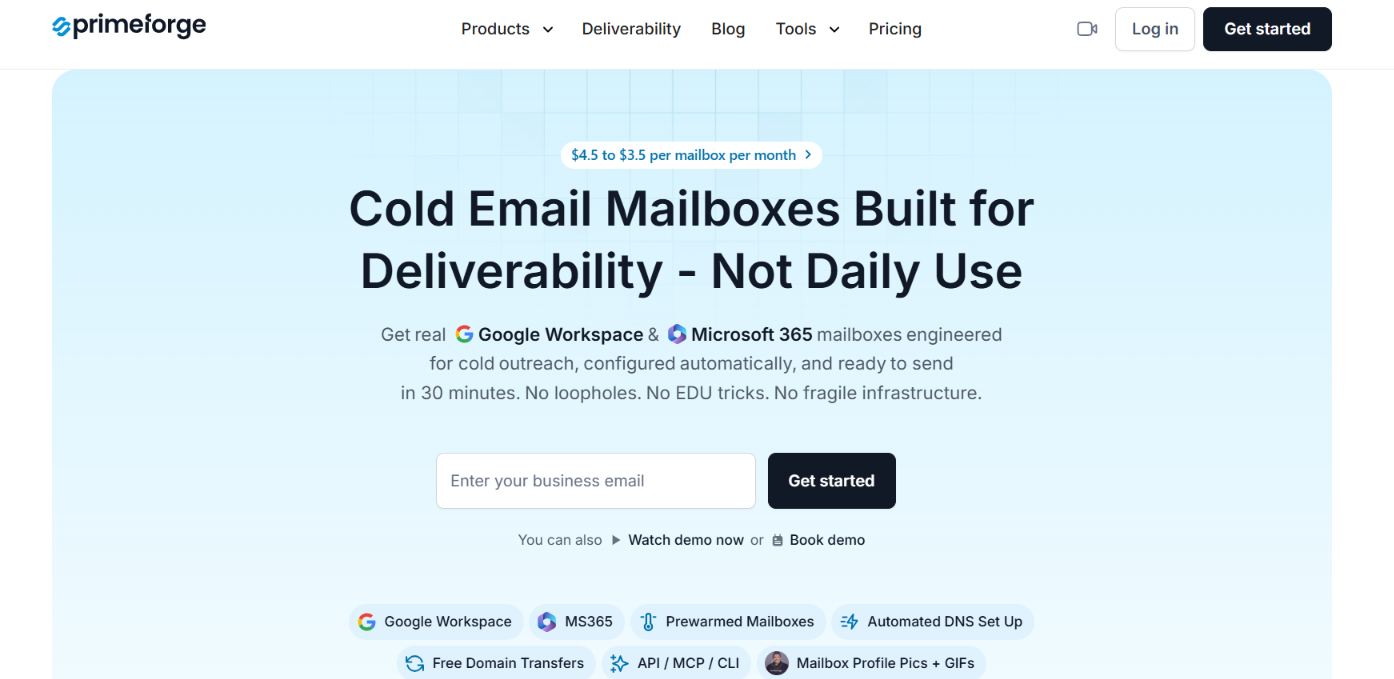
 Primeforge homepage
This image shows the Primeforge homepage

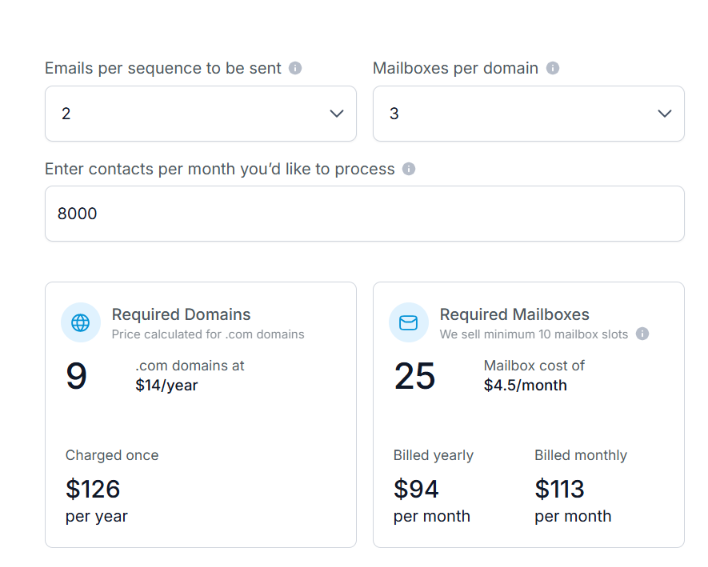
Primeforge starts at 10 mailbox slots. You can choose Google Workspace or Microsoft 365 mailboxes instead of committing to a 100-inbox Microsoft bundle. Mailboxes start at $4.50 per month. Compared with Slicey, Primeforge gives you:

  • 10-mailbox minimum instead of starting with 100 Microsoft inboxes.
    ‍
  • Per-mailbox pricing instead of paying for a 100-inbox domain package.
Primeforge pricing
This image shows the Primeforge pricing
  • Google Workspace and Microsoft 365 under the same setup.
    ‍
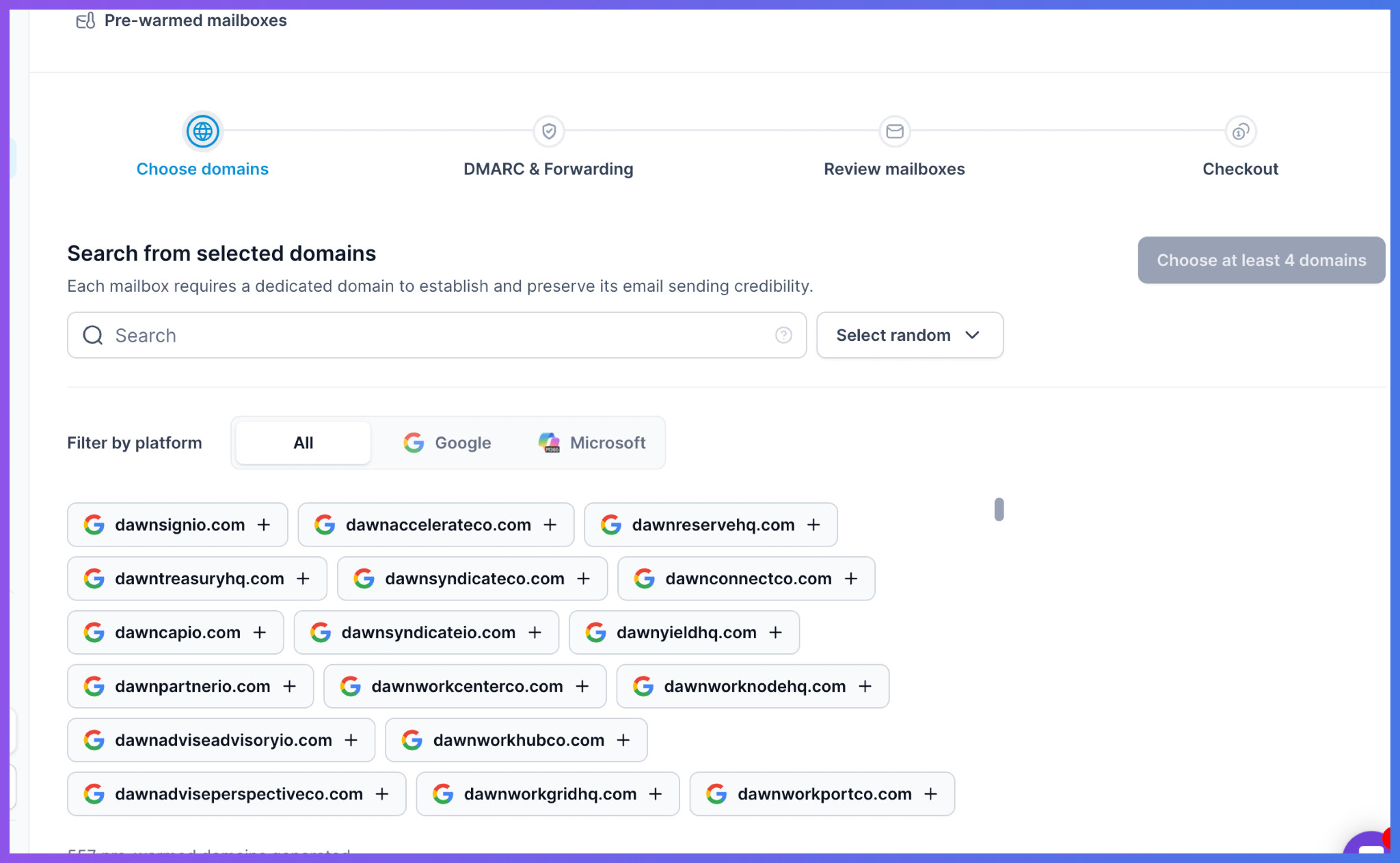
  • Pre-warmed mailboxes that have already been warmed for at least 3 months.
Pre-warmed mailboxes available on Primeforge
This image shows the Pre-warmed mailboxes available on Primeforge
  • Bulk DNS updates when you manage several domains.
    ‍
  • Multiple workspaces for keeping different projects separate.
    ‍
  • Mailbox-level analytics for replies, bounces, sending activity, and blacklist status.

If Slicey's 100-inbox Microsoft bundle is more than you need, Primeforge lets you start with 10 mailbox slots instead. 

Personalized Outbound Strategy

Get The Right Outbound Strategy In Minutes

Enter your email to get a custom plan & stack recommendation for your business

It's being carefully crafted by AI

Please check your mailbox in 5 minutes

Is Slicey Worth It in 2026?

Yes, Slicey is worth it if you want cold email inboxes set up for you and need a large Microsoft setup. The pre-warmed option is useful if you need to start sooner. The new-domain plan is the better pick if you can wait through the warm-up period.

The main issue is flexibility. Slicey works around large Microsoft bundles, so it may not suit you if you only need a small number of inboxes.

If that is the case, Primeforge is the better alternative. You can start with 10 mailbox slots, choose Google Workspace or Microsoft 365, and pay per mailbox.

Try Primeforge if you want more control over your cold email mailbox setup.

Scale outreach on private email infrastructure

Set up dedicated IPs, domains, and mailboxes.
Start with
4.7 rating on G2
Add as a preferred
source on Google