Summarize this article
Table of contents
Get insights delivered straight into your inbox every week!

SMTP Relay vs SMTP Server - Which Is Better for Cold Email Infrastructure?

If you’re comparing SMTP Relay vs SMTP Server, you’re not looking for definitions.

You’re trying to decide what’s safer for your cold email.

At some point, every outbound team hits this wall:

Deliverability drops.

Scaling gets risky.

IP reputation becomes fragile.

And then the question comes up:

Should you use an SMTP relay?

Or run your own SMTP server?

Both send emails.

But the level of control, risk, and scalability is very different.

Let’s break it down clearly so you know exactly what changes and what makes sense for your cold email setup.

Quick Comparison - SMTP Relay vs SMTP Server

Factor SMTP Relay SMTP Server
IP Ownership Shared or optional dedicated Fully dedicated
Control Level Limited Full control
Setup Difficulty Easy Technical
Suspension Risk Higher Lower (if managed well)
Maintenance Provider handles it You handle it
Cold Email Scaling Restricted Flexible but complex
Warm-up Control Limited Fully manual
Try Infraforge - scale your outreach in minutes with dedicated IPs and automatic infrastructure setup.

What Is an SMTP Relay?

An SMTP relay is a service that sends your emails through its own servers.

Instead of running your own email infrastructure, you connect your cold email tool to the relay using SMTP credentials.

The relay then delivers your emails to the recipient’s server.

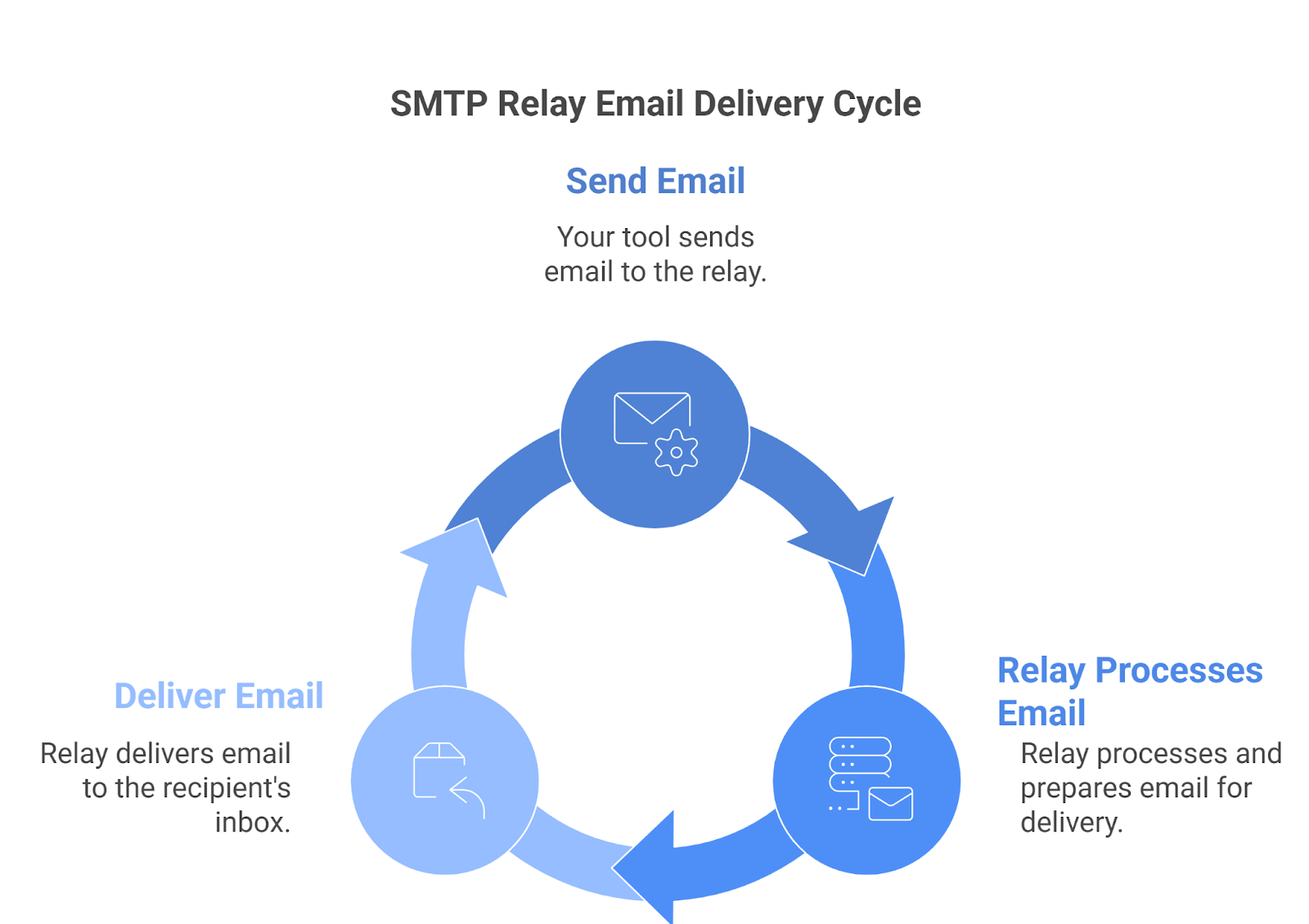
Simple flow:

Your tool → SMTP relay → Recipient inbox

SMTP Email Delivery Cycle
This image shows the SMTP Email Delivery Cycle

You connect to the relay using SMTP login details.

After that, the relay takes care of the sending part.

You do not:

  • Set up a mail server

  • Manage the sending IP

  • Control server-level settings

  • Handle low-level delivery rules

The relay does all of that.

You’re using their infrastructure.

For cold email, this is important because:

  • If the relay uses shared IPs, your reputation can be affected by other senders.
  • If they don’t like your sending behavior, they can limit or suspend your account.

So in simple words:

  • An SMTP relay makes sending easier.
  • But you don’t fully control the infrastructure.

Now, let’s see what that actually means for cold email.

What SMTP Relay Offers for Cold Email

When you use an SMTP relay for cold email, it becomes the infrastructure layer that actually sends and controls your emails.

  • It sends your cold emails through the relay provider’s mail servers.

  • Uses the provider’s IP address (shared or dedicated) as the sending source.

  • It connects your outreach tool to inbox providers like Gmail and Outlook.

  • Controls sending speed and applies automatic throttling rules.

  • Manages how emails are routed across different domains.

  • Handles bounce processing and delivery status updates.

  • Monitors bounce rates and spam complaints at the infrastructure level.

  • It applies its own compliance rules to your sending activity.

This is what you are technically using when you rely on an SMTP relay.

Limitations of Using SMTP Relay for Cold Email

As your cold email volume grows, these are the real challenges you deal with when using an SMTP relay:

  • Inbox placement drops when the shared IP reputation gets damaged by other senders.

  • Account suspension happens without warning when bounce rates or complaints cross provider limits.

  • IP reputation growth stays limited since you can't fully control warmup

  • Multi-domain setups still share infrastructure risk if the infrastructure is not fully isolated

  • Deliverability issues become harder to fix since infrastructure control is limited.

  • Long-term scaling feels unstable because provider policies change without notice.

SMTP relay feels easy at starting, but control and predictability become weaker as you scale.

What Is an SMTP Server?

An SMTP server is your own email sending server that you set up and control.

Instead of sending through someone else’s infrastructure, your cold emails are sent from your own server and IP address.

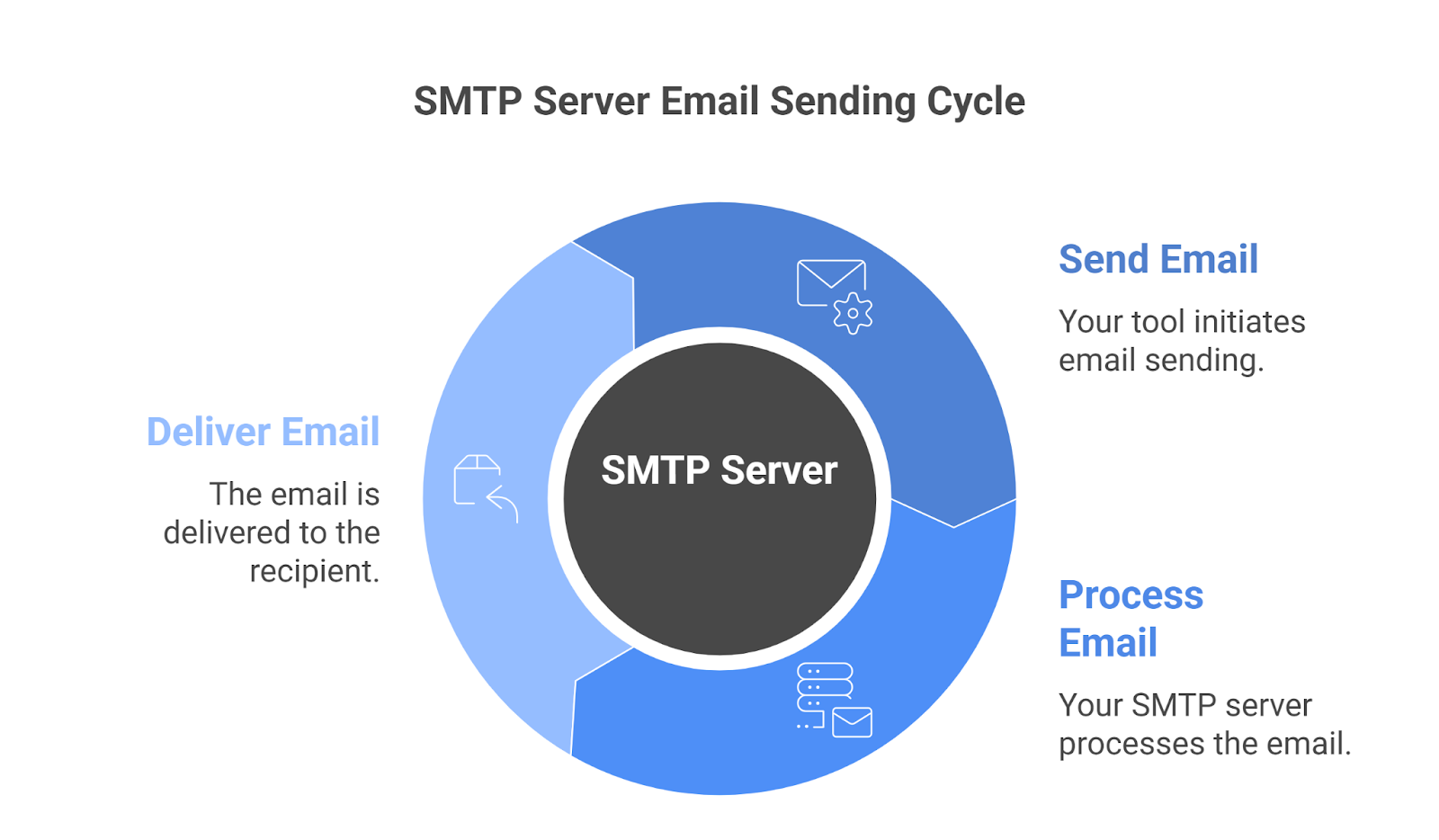
Simple flow:

Your tool → Your SMTP server → Recipient inbox

SMTP Server Email Sending Cycle
This image shows the SMTP Server Email Sending Cycle

You install and configure the SMTP server on a VPS or dedicated machine.

After setup, the server sends emails using your own IP address.

You should:

  • Set up the mail server

  • Manage the sending IP

  • Configure authentication (SPF, DKIM, DMARC)

  • Control server-level settings

  • Handle delivery rules and throttling

Everything runs on infrastructure that belongs to you.

For cold email, this is important because:

  • Your IP reputation is fully yours. No other sender can affect it.
  • But if something goes wrong, you are responsible for fixing it.

So in simple words:

  • An SMTP server gives you full control.
  • But it also gives you full responsibility.

Now, let’s see what that actually offers for cold email.

What SMTP Server Offers for Cold Email

When you use an SMTP server for cold email, the entire sending infrastructure is controlled by you.

  • Sends your cold emails through your own mail server.

  • Uses your own dedicated IP address as the sending source.

  • Connects your outreach tool directly to inbox providers like Gmail and Outlook.

  • Allows you to control sending speed and set your own throttling rules.

  • Let you decide how emails are routed across different domains.

  • Requires you to handle bounce processing and delivery responses.

  • Makes you responsible for monitoring bounce rates and spam complaints.

  • Gives you full control over authentication and server-level settings.

This is the environment you operate in when you run your own SMTP server for cold email.

Limitations of Using an SMTP Server for Cold Email

As your cold email volume grows, these are the real challenges you deal with when running your own SMTP server:

  • You should set up the SMTP sending system, which requires a lot of manual and technical effort
  • Inbox placement drops fast when IP warm-up is not handled properly.
  • One small configuration mistake leads to IP blacklisting.

  • Reputation damage takes real time and effort to fix because the IP belongs to you.

  • Every new domain requires separate infrastructure setup and management.

  • Bounce rates and spam complaints need daily monitoring to protect your IP.

  • Deliverability issues force you to troubleshoot at the server level.

  • Server security, updates, and maintenance become ongoing work.

  • Scaling too quickly without tight control damages the entire sending environment.

Running your own SMTP server gives you full control, but it also puts full responsibility on your side.

Why SMTP Relay and SMTP Server Are Not Enough for Scaling Cold Email

At low volume, both the SMTP relay and the SMTP server work.

At serious volume, the pressure shifts.

  • SMTP relay blocks aggressive scaling through provider rules.

  • Shared IP risk stays outside your control.

  • Suspension risk increases as campaigns grow.

On the other side:

  • SMTP server requires constant monitoring.

  • Every IP needs structured warm-up.

  • Every new domain needs manual setup.

  • Deliverability issues require technical troubleshooting.

One model limits control.

The other increases the technical burden.

Cold email at scale needs:

  • Dedicated IP ownership

  • Full isolation

  • Predictable scaling

  • Lower operational friction

Neither traditional SMTP relay nor raw SMTP server fully solves all of this.

This is why many outbound teams start looking for a setup that gives dedicated control without adding heavy operational work.

Infraforge - Dedicated SMTP Infrastructure Built for Cold Email

Infraforge is a private email infrastructure platform that provides dedicated SMTP servers and dedicated IP addresses designed specifically for cold outreach.

Instead of choosing between shared relay infrastructure and manually managing your own mail server, Infraforge gives you dedicated infrastructure that is already structured for scaling cold email.

Here’s what that looks like in practice:

It Provides You Dedicated IPs for an Isolated System

Each mailbox runs on its own dedicated IP, so your sending reputation stays fully isolated.

If one mailbox faces an issue, the rest of your infrastructure stays unaffected.

It Provides Multiple IPs When You Scale

As you add more domains and increase volume, multiple new IPs are provisioned automatically.

Sending load is distributed properly instead of relying on a single IP, and protects the overall reputation.

Let’s You Set Up Domains and Mailboxes Without Limits

Domains and mailboxes can be created in bulk as your outreach grows.

Scaling does not require repeating the manual server setup each time.

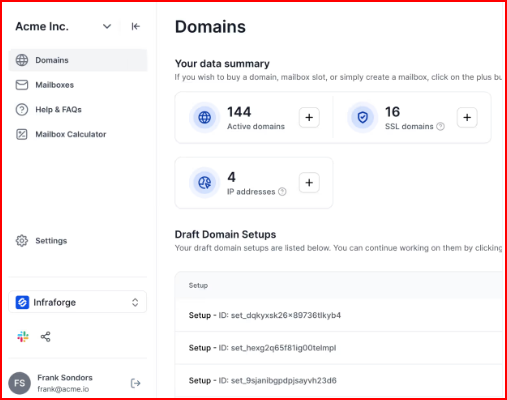
Set Up DNS Records Automatically to Avoid Manual Work

SPF, DKIM, and DMARC are configured automatically when a domain is added.

No manual DNS setup and no technical mistakes.

Infraforge DNS setup
This image shows the Infraforge DNS setup

Monitor Domains in Real Time to Catch Spam Early

Domain activity and deliverability signals are monitored continuously.

Issues can be identified early before they impact large campaigns.

No Manual Server Installation or Maintenance

Mail servers are provisioned and maintained in the background.

You don’t install, patch, or monitor server software yourself.

SMTP Relay vs SMTP Server vs Infraforge - What It Means for You

Factor SMTP Relay SMTP Server Infraforge
IP Ownership You may share the IP with other senders, unless you pay for dedicated You fully own and manage the IP yourself Each mailbox gets its own dedicated IP automatically
IP Reputation Control Your inbox rate can drop if other users damage the shared IP Your reputation depends entirely on how well you manage it Your reputation stays isolated per mailbox
DNS Setup Basic setup handled, but limited control You configure SPF, DKIM, DMARC and rDNS manually Authentication is set up automatically when you add a domain
Cold Email Readiness Mainly built for transactional or opt-in email Works only if you configure and warm everything correctly Structured specifically for cold outreach from the start
Scaling Domains Provider limits may slow you down Every new domain requires manual setup You can create domains and mailboxes in bulk easily
Multi-IP Scaling Limited flexibility You manage and distribute IPs yourself Multiple IPs are provisioned as you grow
Infrastructure Isolation Some shared layers may still exist Fully isolated, but fully your responsibility Fully isolated without manual server work
Maintenance Provider handles servers, but controls policies You monitor, patch, and troubleshoot everything Infrastructure is managed in the background
Risk at Scale Policy limits or suspension can stop campaigns Blacklisting hurts until you fix it manually Designed to reduce shared risk while keeping control
Setup Time Quick to start Technical and time-heavy Ready in minutes
Personalized Outbound Strategy

Get The Right Outbound Strategy In Minutes

Enter your email to get a custom plan & stack recommendation for your business

It's being carefully crafted by AI

Please check your mailbox in 5 minutes

Conclusion

If you’re sending small volumes and want something easy to plug in and use, SMTP relay is usually enough.

It removes technical work and lets you start quickly.

If you want full ownership and don’t mind handling server setup, IP warm-up, DNS configuration, and monitoring yourself, running your own SMTP server gives you that level of control.

But once cold email becomes a serious growth channel, the pressure changes.

Deliverability becomes sensitive. Scaling becomes structured.

And small infrastructure mistakes start affecting revenue.

At that point, you don’t just need something that sends emails.

You need infrastructure that stays isolated, predictable, and built specifically for outbound.

That’s where a dedicated infrastructure approach like Infraforge solves your problem.

With Infraforge, you get private IP ownership, automated authentication setup, structured scaling, and managed hosting, without running a mail server yourself.


Try Infraforge!  Run cold email at scale on isolated dedicated IPs with automatic setup