
Personalized Outbound Strategy
Get The Right Outbound Strategy In Minutes
Enter your email to get a custom plan & stack recommendation for your business
It's being carefully crafted by AI
Please check your mailbox in 5 minutes

If you’re searching for an SMTP2GO review for cold email, you’re probably not looking for a feature list.
You want to know if it actually works for outbound.
I tested SMTP2GO specifically with cold email in mind.
It promotes worldwide delivery, automatic SPF and DKIM handling, reporting, and 24/7 support. That sounds reliable.
But for cold email, the real concerns are different.
Is a hosted SMTP provider enough?
How much control do you actually get?
Is delivery reliability the same as cold email readiness?
In this review, I’ll share what I experienced using SMTP2GO for cold email, so you can decide if it truly fits your outbound setup.
Start with Infraforge and build your cold email setup on controlled infrastructure.
SMTP2GO is a hosted SMTP service provider used to send outgoing emails through its infrastructure.

Instead of running your own mail server, you connect your domain or app to SMTP2GO and send emails through its system.
It uses a multi-data center infrastructure. Even during a major internet outage, emails continue to be sent.
When you add your domain, SPF and DKIM are handled automatically. You don’t need to set them up manually.
Inside the dashboard, you can see sent emails, bounces, spam complaints, unsubscribe requests, and detailed reports.
You can also download the data.
It supports transactional emails, general emails from tools like Outlook, and marketing emails with a built-in unsubscribe link.
Enter your email to get a custom plan & stack recommendation for your business
Please check your mailbox in 5 minutes

Here are the main features SMTP2GO provides.
It runs on a redundant, multi-data center infrastructure, so emails continue sending even during a major internet outage.
You can see sent emails, bounces, spam complaints, unsubscribe requests, and track emails to the final destination with downloadable reports.
You get notified if there is a sudden increase in bounce rate or when your account is nearing its sending quota.
You can test emails against major spam filters and preview how they appear in major email software.
SPF and DKIM are handled automatically for your domain names without manual configuration.
You can send transactional emails, general emails from tools like Outlook, and marketing emails with a built-in unsubscribe link.
SMTP2GO provides an API that users describe as comprehensive and expandable upon request.
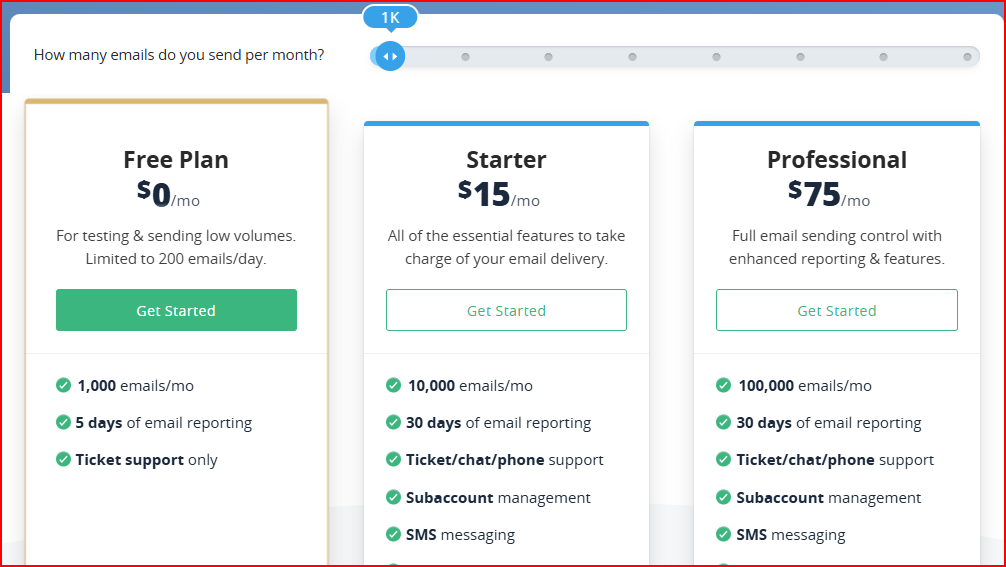
SMTP2GO structures its pricing in three plans with different sending limits.
When I tested SMTP2GO for cold email, I focused on what actually matters once campaigns start running.
What I got:
When I added a domain, SPF and DKIM were handled automatically.
I didn’t have to manually configure authentication records.
That removed a technical step and made setup easier.
What I got:
Once campaigns start running, I care about consistency.
SMTP2GO does not rely on a single location. Even during a major outage, emails continue sending.
It supports delivery continuity. However, there is no chance control the sending speed.
It drains out quickly. And I saw the same kind of complaints from other users aswell.
“I saw that the entire balance of the 1000 free email account was just draining at an extremely fast rate with the same exact copies of the same email containing the same video clip”- Greg Larsen, Trustpilot.
What I got:
If email bounce rates increase suddenly, I get alerted.
That gives visibility into sending health without constantly checking manually.
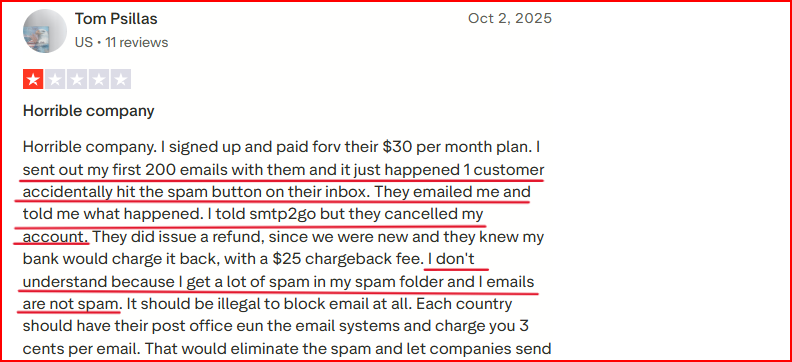
But it does not stop spam. I saw lots of users complaining about its spam.
What I got:
After sending, I can clearly see what happened.
Downloading data helped me review performance more closely.
But there are no domain-level or IP-level performance breakdowns beyond message tracking.
What I saw:
It does not do what it says here.
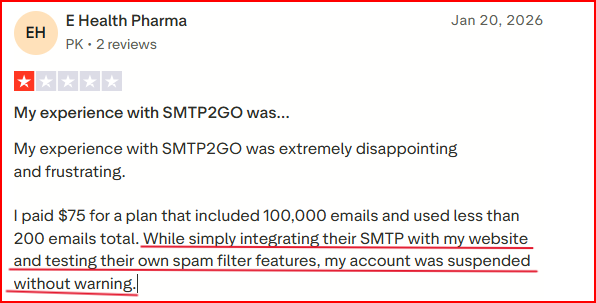
There are no tools for monitoring account risk or predefined warning controls to catch issues early.
I saw a user complaining about suspension without an alert.
When I looked at SMTP2GO, a few things became clearer to me that most reviews don’t explain directly.
SMTP2GO is built to send emails. It works as an outbound SMTP relay for transactional and marketing emails.
It is not built to manage cold email setups, domain strategy, or mailbox structure. It handles sending only.
You can test your email against spam filters and preview how it looks.
This checks the message content. It does not check long-term domain or IP reputation.
You can see sent emails, bounces, complaints, and delivery status.
The tracking is about individual emails.
It does not show server-level or infrastructure-level performance.
SMTP2GO does not host inboxes.
It is not a POP or IMAP server.
It sends emails. It does not store or manage incoming mail.
SMTP2GO scales based on how many emails you send per month.
Scaling improves by sending more emails, not by adding more domains, creating more mailboxes
From what I’ve seen, SMTP2GO fits teams and businesses that mainly need dependable outgoing email delivery.
It works well for:
The focus is on stable, high-volume outgoing email with monitoring and technical handling built in.
There are also cases where SMTP2GO may not be the right setup.
It may not fit for:
SMTP2GO focuses on sending emails reliably.
If your focus is cold emailing and you need control over domains and mailboxes, dedicated infrastructure tools like Infraforge helps you with that.
Infraforge is a dedicated cold email infrastructure tool built for teams that need control over domains, mailboxes, and reputation.
It lets you create unlimited domains and mailboxes with dedicated IPs, automatic setup, and real-time deliverability monitoring, so your cold email system is ready in minutes.
Here’s what Infraforge actually gives you at the infrastructure level.
When you add a domain, SPF, DKIM, and DMARC are set up automatically.
You need not to touch DNS records, and bulk DNS updates let you manage everything across all domains in one go.
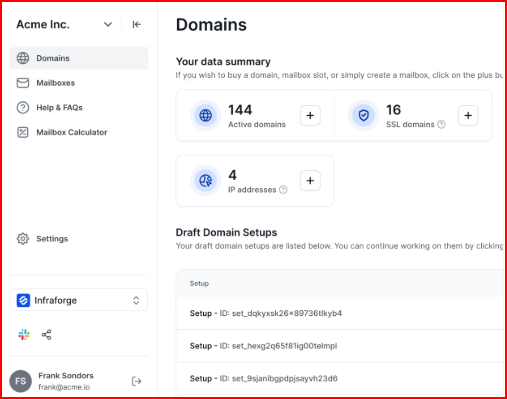
Every mailbox runs on its own dedicated IP.
So one mailbox’s performance doesn’t affect the others, reputation stays isolated.
You can create unlimited domains and mailboxes inside the same system.
At $3–$4 per mailbox per month, scaling your setup feels affordable and easy.
If you want, you can also use pre-warmed domains and mailboxes.
That means you can start sending immediately after setup without waiting weeks to build a sender reputation.
Infraforge monitors deliverability, DNS status, and blacklist status continuously.
It alerts if the system detects any issue so you can fix before it effects the deliverability.
And built-in sender rotation and smart sending limits to help keep your setup stable as you scale.
Enter your email to get a custom plan & stack recommendation for your business
Please check your mailbox in 5 minutes
SMTP2GO works well as an outgoing email delivery service.
It handles authentication, routing, tracking, and monitoring in a structured way.
However, cold email usually requires more than reliable sending.
SMTP2GO focuses on delivery.
It does not host mailboxes, provide dedicated IPs per mailbox, or structure domains for isolated reputation control.
So while it can be used for cold email, it is not built specifically as a cold email infrastructure system.
Infraforge works at the infrastructure level, giving you direct control over how your domains, mailboxes, and sending reputation are managed.
It provides dedicated IPs for each mailbox, allows unlimited domains and mailboxes, automates DNS setup, offers prewarmed infrastructure, monitors deliverability, and blacklist status in real time.
Get Infraforge! Take full control of your cold email setup and scale without limits in minutes.