

Personalized Outbound Strategy
Get The Right Outbound Strategy In Minutes
Enter your email to get a custom plan & stack recommendation for your business
It's being carefully crafted by AI
Please check your mailbox in 5 minutes
If you’re looking for tools to set up email infrastructure, chances are Zapmail is already on your list.
You might have seen what it offers: creating mailboxes, handling DNS setup, and getting everything ready for outreach without manual work. But seeing features and actually using a product are two different things.
So the real question is: Does it actually work the way it’s promised?
To answer that, I didn’t just look at the features. I went through 100+ user reviews, looked at how the product actually works, and tried to understand where Zapmail genuinely helps, and where it might not be the right fit.
In this review, I’ll walk you through:
No fluff. Just a clear, honest breakdown so you can decide if Zapmail is worth your time.
Zapmail is a popular email infrastructure tool that handles domains, DNS, and mailboxes in one place. You get a quick and simple setup with Google Workspace or Microsoft 365 mailboxes and no technical work. Pre-warmed inboxes help you get started faster, but they cost extra as a separate option. Plans start at $39/month for 10 mailboxes and extra mailboxes run $3.00 to $3.50 each. It exports mailboxes to 50+ sending tools. Deliverability testing is capped at 3 to 30 credits per month: spot checks rather than continuous tracking. Zapmail is built for ease and speed. It is not ideal if you need control, deliverability tracking, and flexibility as you scale.
Zapmail is an email infrastructure platform for outreach.

It helps you create and manage mailboxes using Google Workspace or Microsoft 365, while also handling domain setup and the technical configuration needed for sending emails.
Instead of setting everything up manually, Zapmail brings the entire process into one place and automates it.
It takes care of creating mailboxes, setting up domains, configuring DNS records like SPF, DKIM, and DMARC, and preparing everything so you can connect your mailboxes to outreach tools.
It also provides pre-warmed mailboxes, so you don’t have to wait before starting your campaigns.
Here’s how the process works step by step:
From what I noticed in how the product is structured, most of the setup and configuration is handled upfront, so once everything is connected, there is very little manual work needed.
Zapmail follows a subscription-based pricing model, where you pay monthly based on how many mailboxes you need.
The plans are structured around workspace limits, and you can always add more mailboxes on top of your plan.
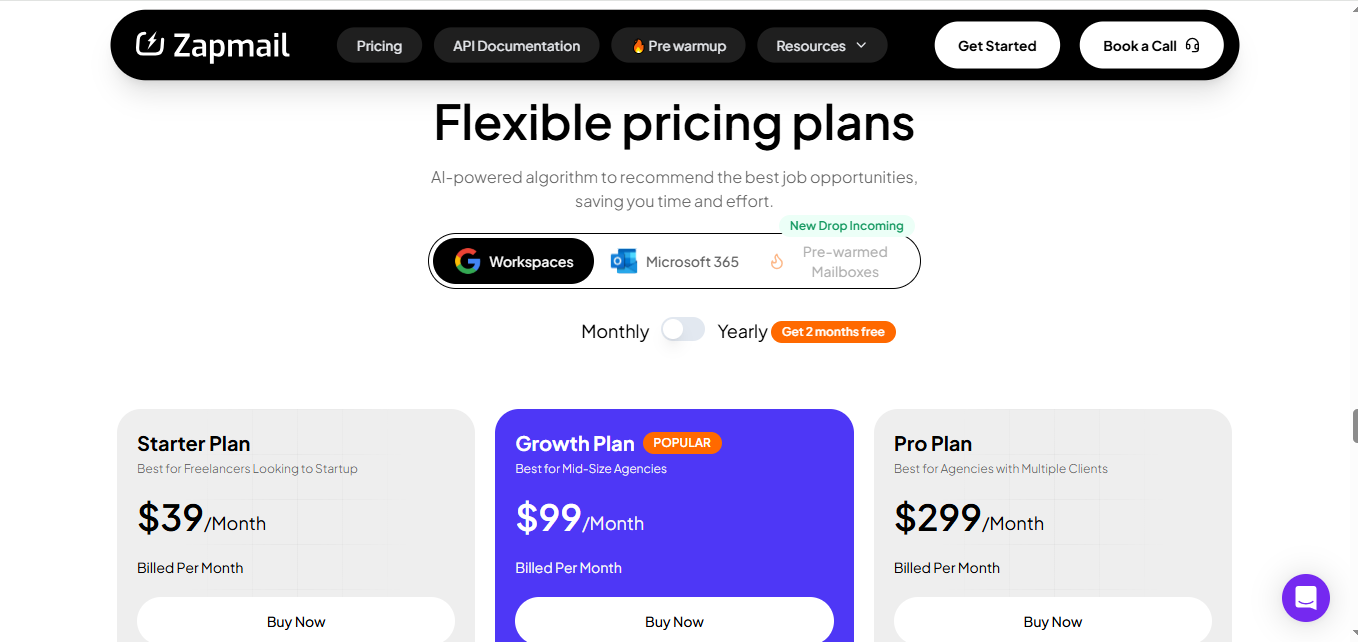
Here’s how the main plans are structured:
Across all plans, you get access to the same core features, and you can upgrade or add more mailboxes anytime depending on your needs.
Zapmail pricing is fine at a small scale. But since you pay per mailbox, the cost keeps increasing as you scale.
When I went through these reviews, I noticed two clear sides, what people really liked about Zapmail, and where they had concerns.




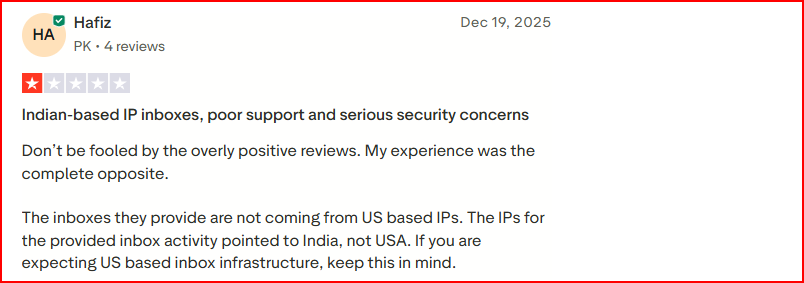


Here are the key pros and cons you should know before deciding if Zapmail is the right fit.
From what I’ve seen so far, Zapmail fits well for some use cases, but not for everyone.
If you need more control, flexibility, or plan to scale beyond a basic setup, this is where Zapmail can start to feel limited.
You can look at tools like Infraforge, which focus more on how your email infrastructure is set up and managed, rather than just giving you a ready-made setup.
Infraforge is a private email infrastructure tool built specifically for cold outreach. It lets you build your setup based on your sending needs instead of giving you a fixed system.

If you compare it directly with Zapmail, the difference shows up in the exact areas where Zapmail feels limited.
With Zapmail, one clear issue is that there is no built-in way to track deliverability. You send emails, but you don’t really know what’s happening after that.
Infraforge solves that with real-time deliverability monitoring and alerts, so you can actually see how your emails are performing and fix issues early.
Another gap is control.
Zapmail gives pre-warmed mailboxes, but Infraforge goes further by offering pre-warmed domains and mailboxes, so you can start sending without the usual warm-up delays and lets you:
More importantly, Infraforge runs on dedicated IP infrastructure, not shared setups. That means:
This is a direct difference from setups where infrastructure is shared.
Infraforge also handles the technical side automatically, just like Zapmail. It sets up SPF, DKIM, and DMARC, so you don’t need to manage DNS manually.
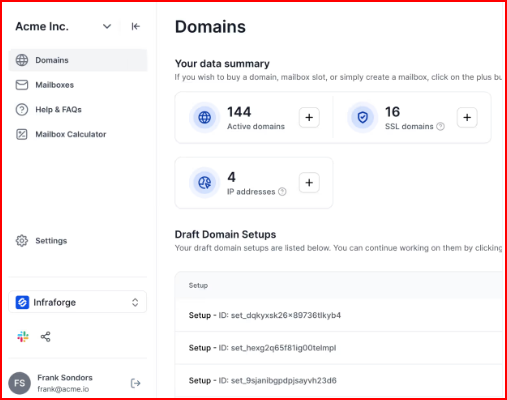
On top of that, Infraforge includes features that help manage infrastructure at scale:
Pricing is based on usage. Domains are around $14/year, and mailboxes are around $4/month, depending on how much you scale.
So if your setup is small and you just want to start quickly, Zapmail can work.
But if you care about knowing what’s happening with your emails, controlling your infrastructure, and scaling without limits, Infraforge is clearly built stronger for that.
Enter your email to get a custom plan & stack recommendation for your business
Please check your mailbox in 5 minutes

Zapmail does what it promises, it gives you a simple way to set up email infrastructure without manual work. You can create mailboxes, set up domains, and start sending without dealing with technical steps.
If your goal is to get started quickly and keep things simple, it works.
But at the same time, a few things start to matter as you go deeper.
There is no clear visibility into deliverability, control over how your infrastructure is structured is limited, and as you scale, both flexibility and cost become important factors.
If those things matter to you, tools like Infraforge take a different approach. Instead of just giving you a ready setup, it gives you dedicated infrastructure, real-time deliverability monitoring, and control over how your domains and mailboxes are structured as you scale.
So Zapmail can be a good starting point, but if you’re thinking beyond just setup and want more control over your outreach, Infraforge is worth considering.
Get started with Infraforge with great control, clear visibility, and scalable email infrastructure.
Yes, if you want a fast, done-for-you mailbox setup with automated DNS and a pre-warmed option. It is not the right fit if you need continuous deliverability monitoring, infrastructure control, or predictable costs at higher mailbox counts.
Zapmail starts at $39/month for 10 Google mailboxes on the Starter plan. Growth is $99/month for 30 mailboxes, and Pro is $299/month for 100 mailboxes. Extra mailboxes cost $3.00 to $3.50 each depending on your plan.
Yes, Zapmail supports both Google Workspace and Microsoft 365 mailboxes. Some older user reviews complained about Google-only support, but Microsoft 365 is now available. If ESP matching matters to you, Primeforge also offers both, with pre-warmed mailboxes ready in about 30 minutes.
Partly. Zapmail includes 3 to 30 free deliverability test credits per month depending on your plan, so you can run spot checks. There is no continuous real-time monitoring, which was a common complaint in the reviews I analyzed. Tools like Infraforge include live deliverability monitoring and alerts on every mailbox.
Zapmail has a published cancellation policy, but user reviews flagged no refunds once you pay. Check the cancellation policy on zapmail.ai before committing to a larger plan.
Infraforge is the strongest alternative if you want dedicated IPs, pre-warmed mailboxes, and real-time deliverability monitoring. It costs $4 to $3 per mailbox per month billed annually, and your first domain and mailbox are live in about 5 minutes. Start with Infraforge here.