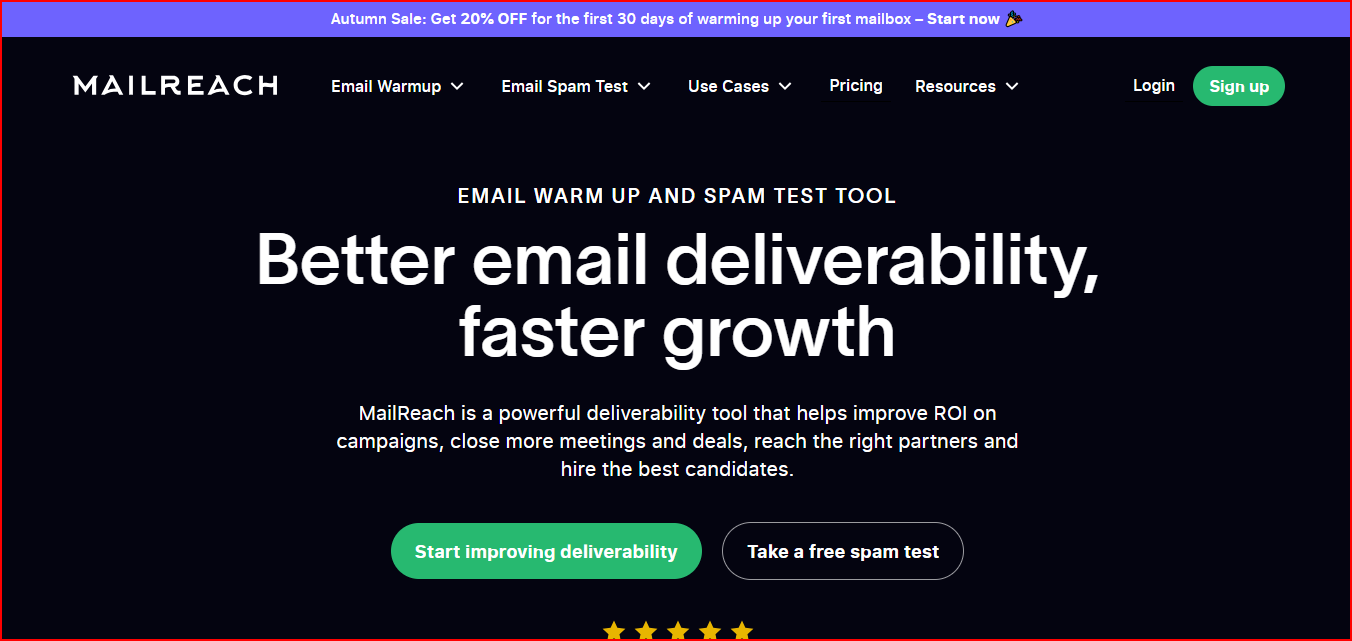
Saves time managing deliverability since warm-up, placement tests, DNS checks, and blacklist monitoring are in one place.
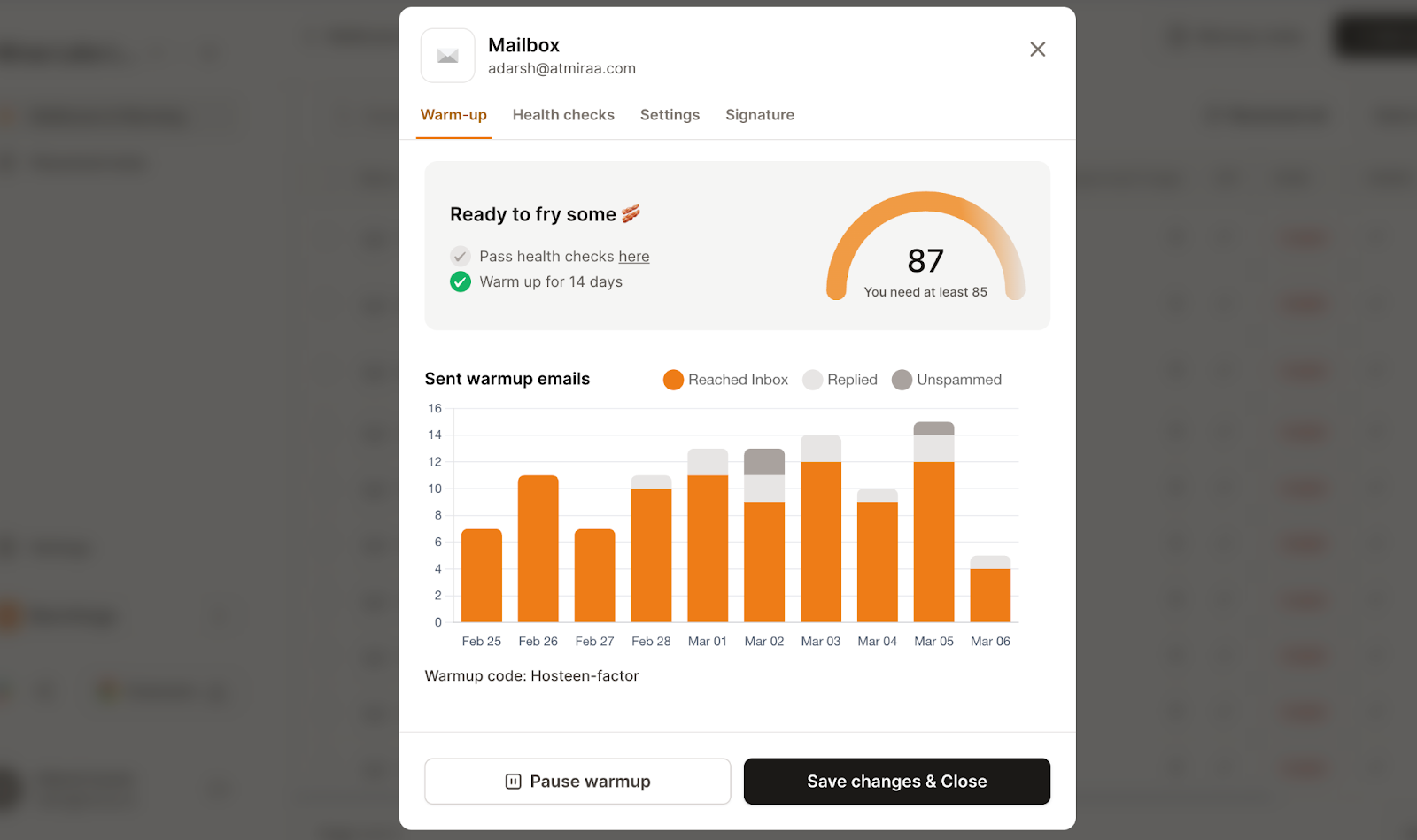
Helps you know when to scale outreach safely using the Mailbox Heat Score™ indicator and improve deliverability.
“The dashboard is interactive, showing heat score and warming status. I noticed quite an improvement in the deliverability and campaign scores. Highly recommend if you want to improve your deliverability score and avoid landing in spam folder.”- Sawera Amir, Trustpilot
Maintains consistent warm-up quality with a premium warm-up pool included by default.
Cons
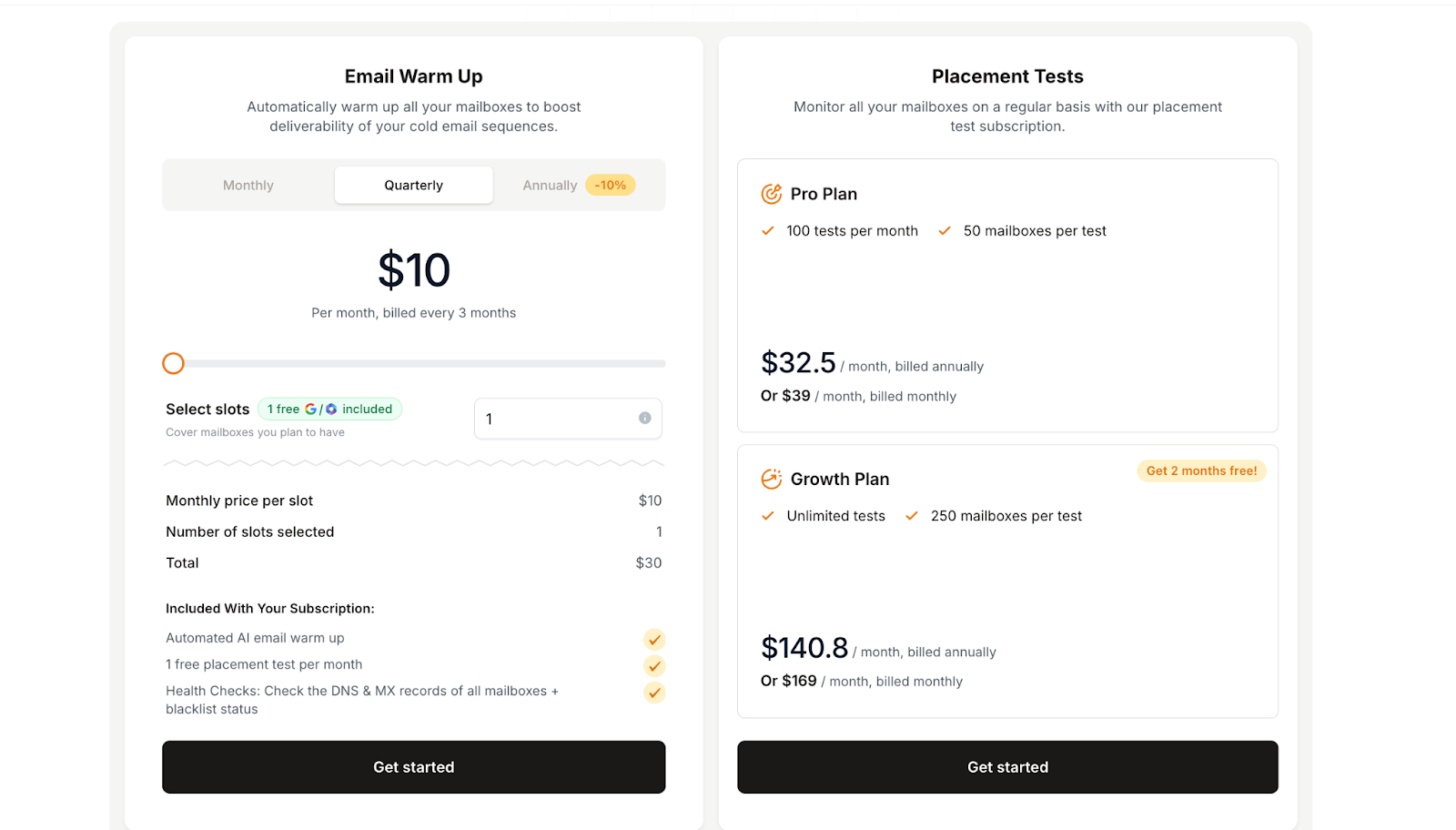
Works only with Google Workspace and Microsoft 365 mailboxes.
Advanced placement testing requires a separate paid plan.
Personalized Outbound Strategy
Get The Right Outbound Strategy In Minutes
Enter your email to get a custom plan & stack recommendation for your
business
It's being carefully crafted by AI
Please check your mailbox in 5 minutes
2. Mailivery
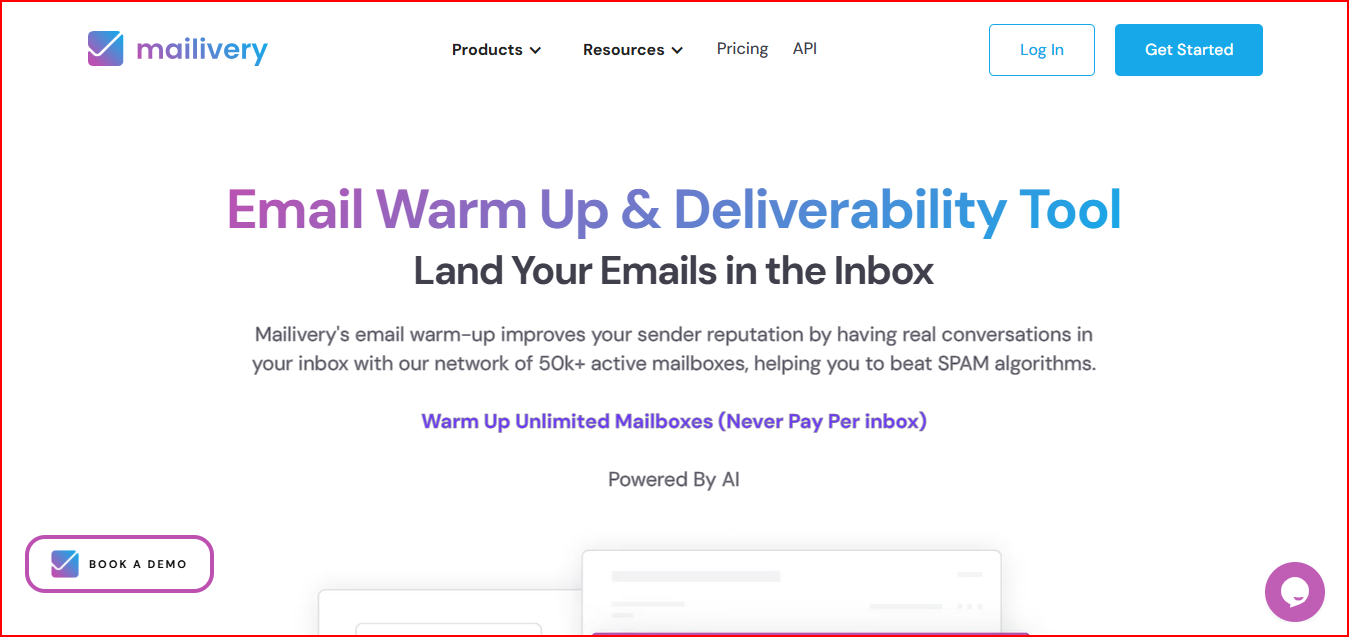
Mailivery is an email warm-up and deliverability tool that helps improve sender reputation by creating real email interactions in your inbox.
This image shows the Mailvery- Email warmup and Deliverability tool
It connects to your mailbox and starts warm-up activity using AI and a peer-to-peer network of active email accounts.
These interactions include sending emails, opening them, moving them from spam to inbox, and replying to them.
Mailivery shows spam and reputation analytics, so you can see how many emails land in spam and track improvements over time.
It also monitors 70+ blacklists to check if your domain or IP gets flagged.
You can warm up unlimited mailboxes under one account.
This helps teams running outreach at scale.
Key Features
Warms up inboxes by creating real email conversations with active mailboxes.
Uses AI to send, open, and reply to warm-up emails behind the scenes.
Shows spam and reputation analytics so you can track deliverability improvements.
Monitors 70+ blacklists to detect domain or IP listing issues.
Lets you control warm-up volume and timing to match your sending limits.
Allows team management and shared dashboards for multiple users.
Offers API access for larger teams and platforms.
Pricing
Mailivery offers a 7-day free trial to test the warm-up system.
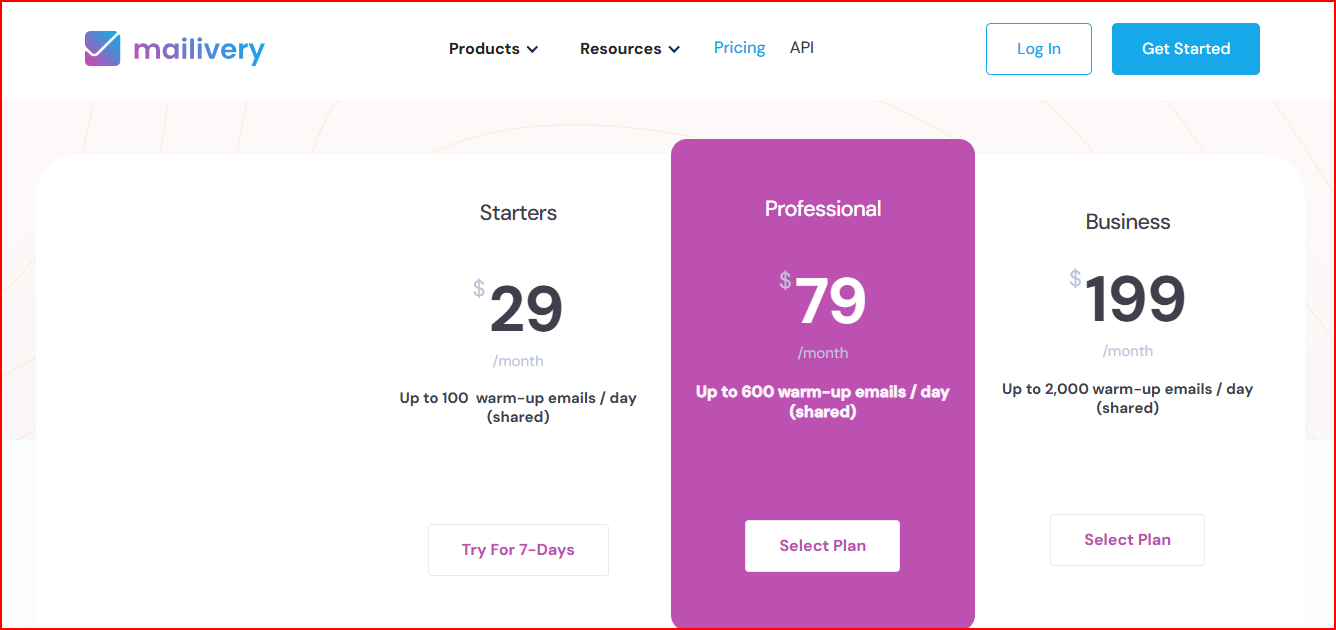
This image shows the Mailvery pricing
Plans are based on how many warm-up emails run each day.
All plans include unlimited mailboxes.
Starter – $29/month with up to 100 warm-up emails per day.
Professional – $79/month with up to 600 warm-up emails per day.
Business – $199/month with up to 2,000 warm-up emails per day.
Each plan also includes blacklist monitoring, email verification credits, and team access.
Pros
Improves sender reputation through real peer-to-peer email interactions.
Let's you warm up unlimited mailboxes under one account.
This image shows the Mailvery user feedback about its unlimited warmup
Shows spam placement analytics, helping you track deliverability improvements.
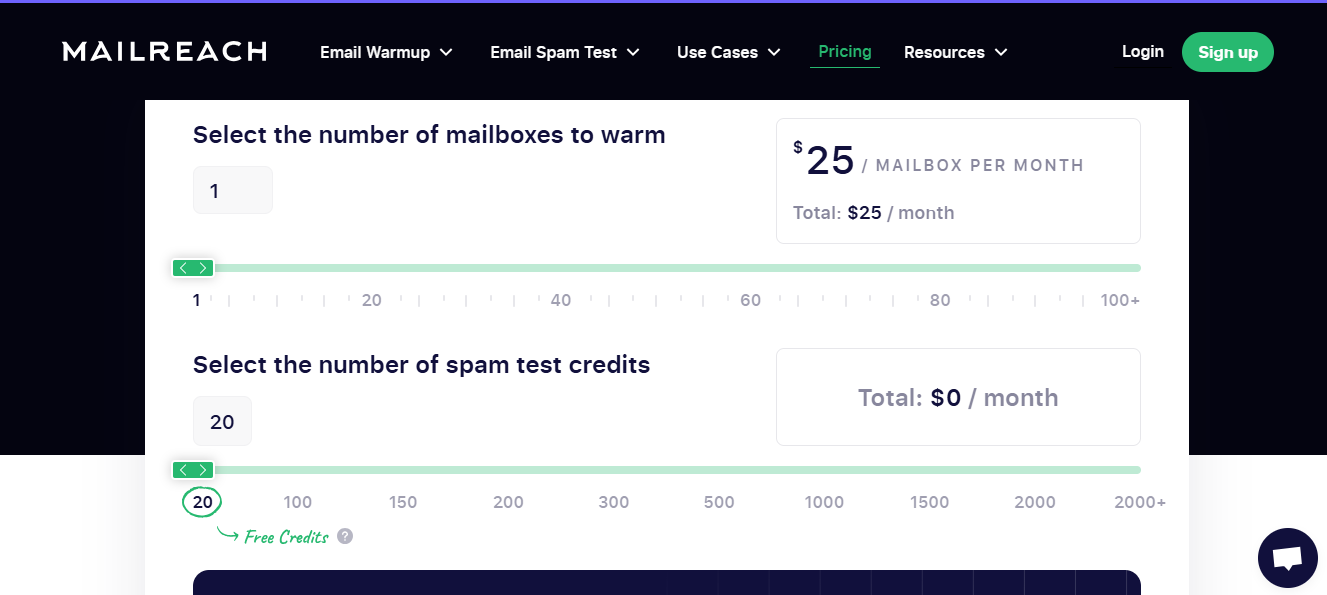
Pricing increases with each mailbox, since it is charged per mailbox.
Spam tests run on credits, so frequent testing may require buying additional credits.
Spam testing and warm-up are separate components, which can make deliverability monitoring less centralized.
Warm-up volume per mailbox is limited (around 100 warm-up emails per day).
Customization options are limited, and there is no chance to change email templates
This image shows the Mailreach user complaining about its customization limitations
4. Folderly
Folderly is an email deliverability platform that helps monitor inbox placement, detect spam issues, and improve sender reputation.
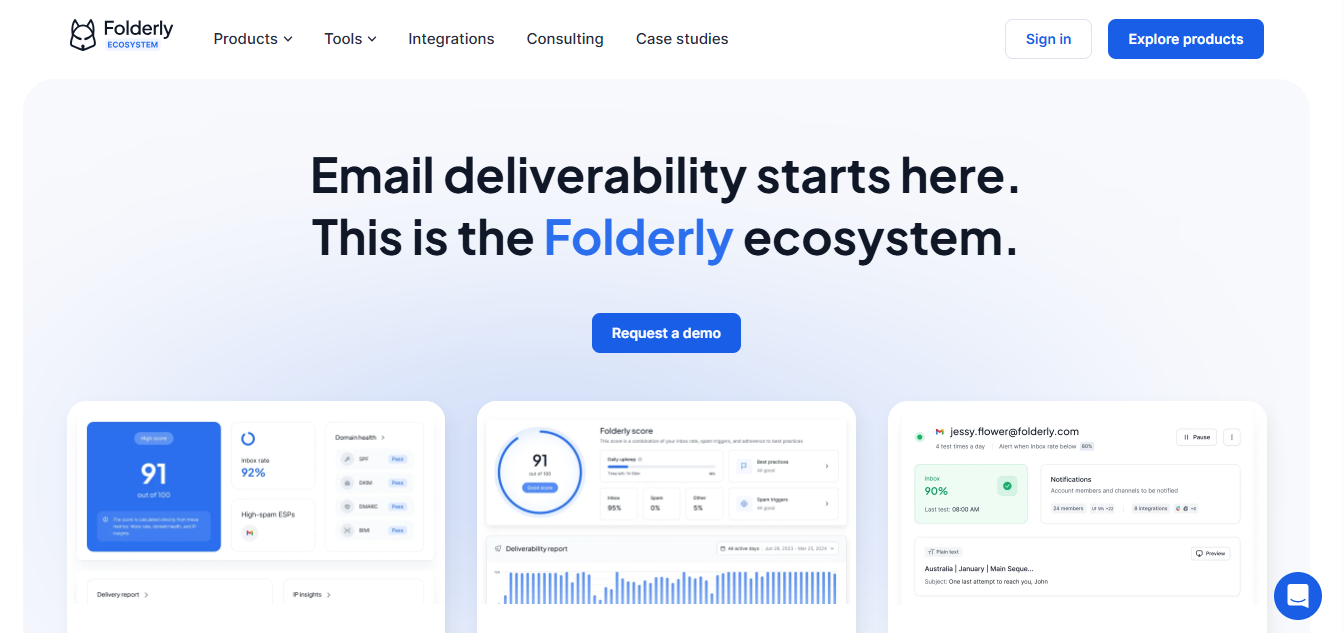
This image shows the Folderly Email Deliverability ecosystem
It analyzes your email setup before and during campaigns.
This includes checking DNS records, IP reputation, and inbox placement to identify issues that affect deliverability.
Folderly also runs automated email warm-up and daily monitoring.
This helps maintain sender reputation and improve inbox placement over time.
Folderly also detects technical and content-related spam triggers.
It analyzes things like spam words and configuration problems that may cause emails to land in spam.
Folderly also provides real-time alerts when emails start landing in spam.
This helps you identify and fix problems before campaigns are affected.
Key Features
Monitor inbox placement and email health daily to detect deliverability issues early.
Warm up domains, mailboxes, and IP addresses to build sender reputation.
Check DNS records, IP reputation, and email authentication settings.
Detect content-based spam triggers, including problematic words.
Receive real-time alerts when emails land in spam.
Get AI-driven insights and recommendations to improve deliverability.
Integrate with major email service providers using API or SMTP.
Pricing
Folderly pricing depends on the number of mailboxes you manage.
This image shows the Folderly pricing
1–9 mailboxes – about $96 per mailbox per month.
10–24 mailboxes – about $72 per mailbox per month.
25–99 mailboxes – about $56 per mailbox per month.
100+ mailboxes – custom pricing.
Pricing usually requires a minimum commitment, and discounts may apply for yearly plans.
Pros
Helps detect deliverability problems early through daily monitoring and alerts.
“Folderly helped us to reach out to more prospects. The tool alerts on delivery-related issues, which played a vital role on several occasions.” - Andrey Tabunschchik
Analyzes technical setup and email content to identify spam triggers.
Warm-up supports domains, mailboxes, and IP addresses.
Provides real-time insights into inbox placement and sender reputation.
Cons
Pricing is relatively high compared to many email warm-up tools.
Cost increases as the number of mailboxes grows.
Some features require consultation or demo-based onboarding.
5. InboxAlly
InboxAlly is an email deliverability tool that improves inbox placement by generating engagement with your emails.
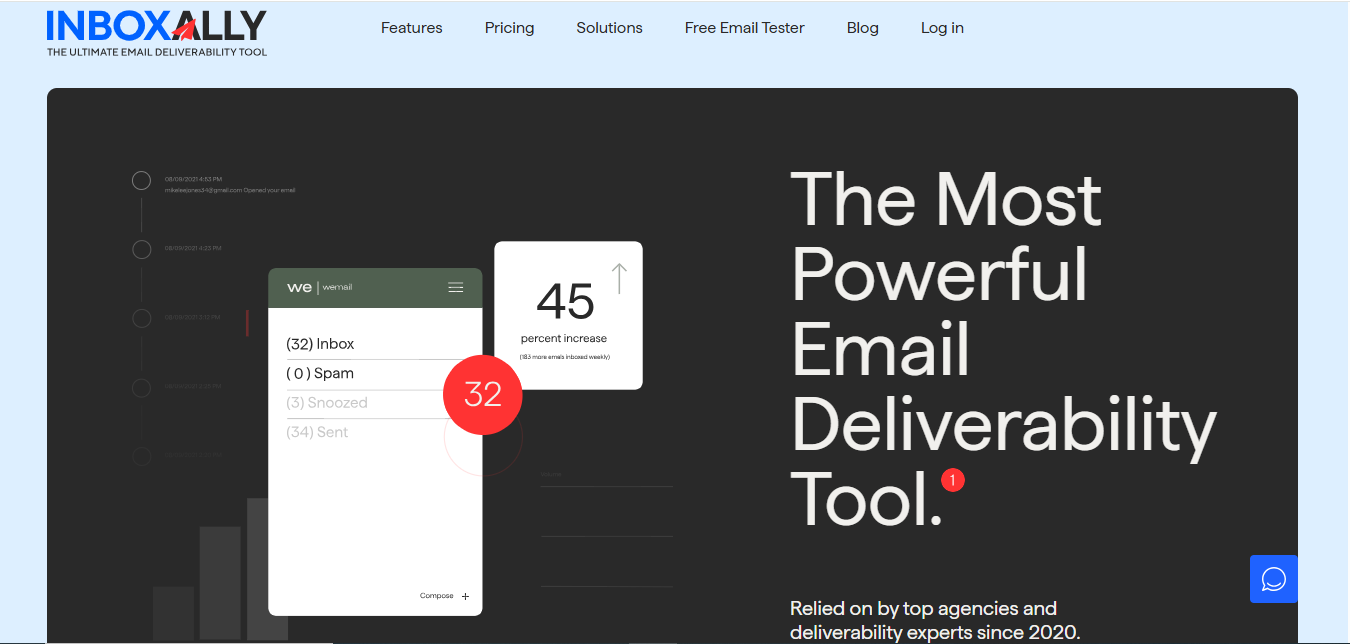
This image shows the InboxAlly- Email Deliverability tool
It works by sending your emails to a network of seed inboxes.
These inboxes open the emails, mark them as important, and move them from spam to the inbox when needed.
This engagement teaches email providers like Gmail or Yahoo that your emails are wanted.
Over time, this helps improve sender reputation and increases the chances of your emails reaching the inbox.
InboxAlly also lets you track engagement and deliverability progress in real time so you can see how your emails move out of spam.
Key Features
Improves deliverability by generating engagement with your emails using seed inboxes.
Helps move emails from spam to inbox, training email providers to trust your sender.
Tracks real-time engagement and inbox placement progress.
Allows you to manage multiple sender profiles for different domains or campaigns.
Works with any email sending platform or service.
Provides deliverability reports and progress tracking from a dashboard.
Pricing
InboxAlly offers a 10-day free trial.
Plans are based on how many seed inbox interactions run daily.
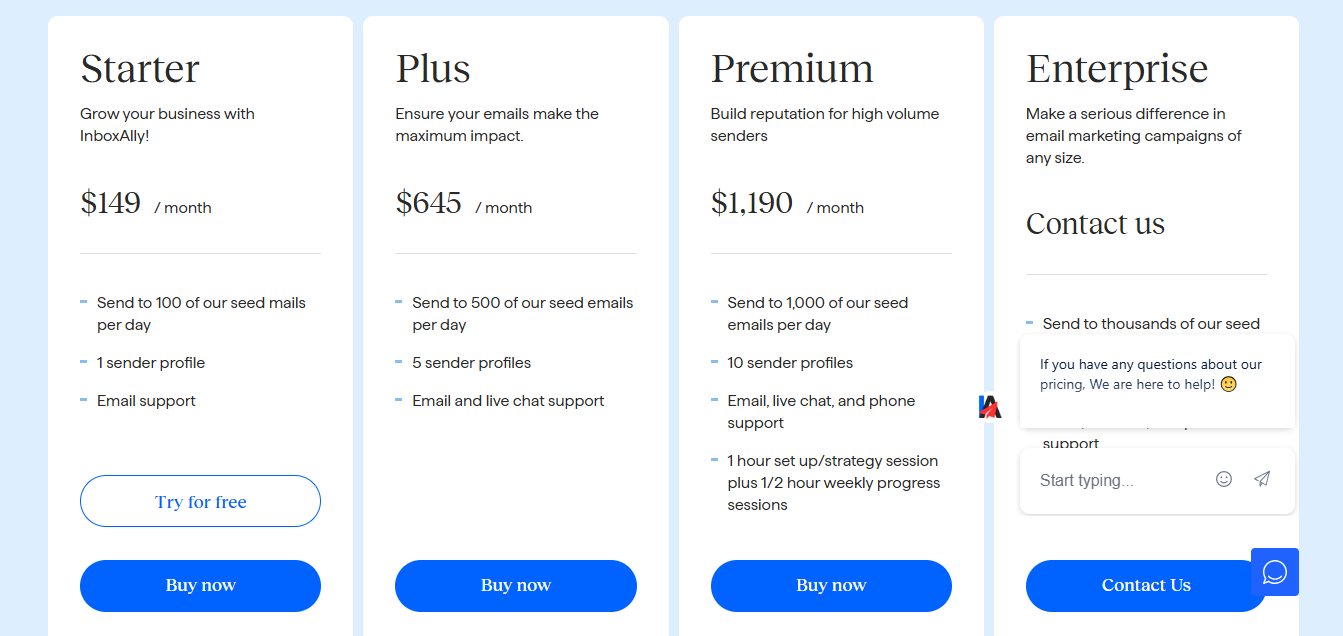
This image shows the InboxAlly pricing
Starter – $149/month Sends to 100 seed inboxes per day and supports 1 sender profile.
Plus – $645/month Sends to 500 seed inboxes per day with 5 sender profiles.
Premium – $1,190/month Sends to 1,000 seed inboxes per day with 10 sender profiles.
Some advanced monitoring and reporting features require paid plans.
7. Lemwarm
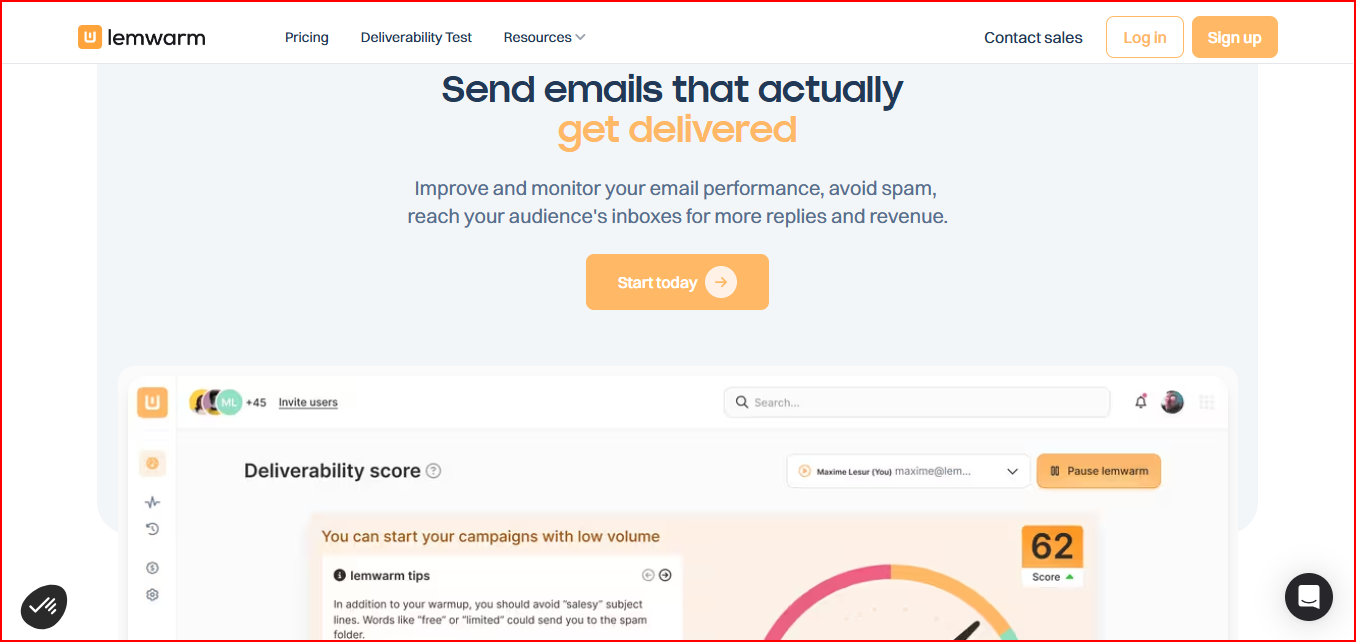
Lemwarm is an email warm-up tool that helps improve sender reputation by generating daily email interactions between inboxes.
This image shows the Email warmup tool for improving deliverability
It warms up your mailbox by sending and replying to emails through a network of healthy domains.
These interactions help show inbox providers that your mailbox is actively used.
Over time, this helps improve sender reputation and increases the chances of your emails landing in the inbox instead of spam.
Lemwarm also checks your technical email setup and provides deliverability reports to highlight potential issues affecting inbox placement.
Key Features
Automatically warms up mailboxes with daily email interactions to build sender reputation.
Uses a large network of healthy domains for warm-up activity.
Generates human-like warm-up emails to simulate real conversations.
Checks technical email setup to identify configuration issues.
Provides deliverability reports and alerts about potential problems.
Allows warming real email templates to test outreach emails.
Pricing
Lemwarm pricing is based on the number of email inboxes.
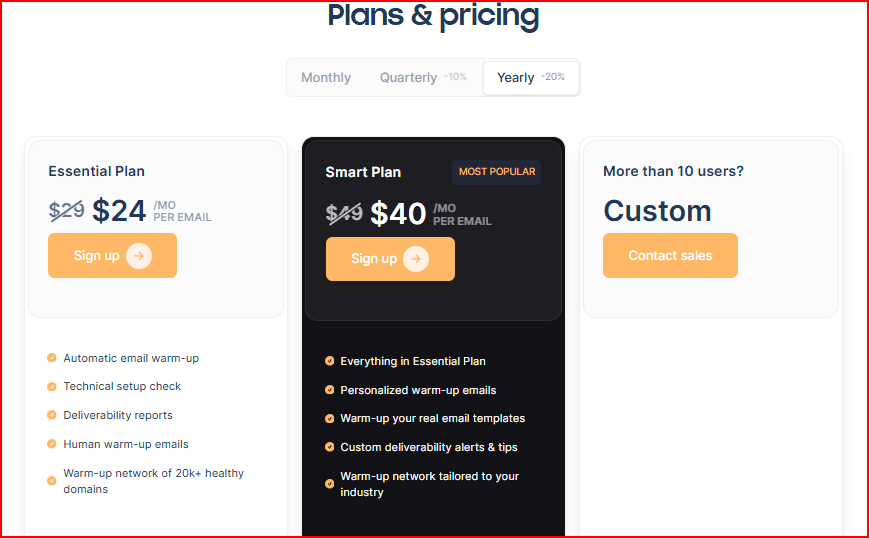
This image shows the Lemwarm pricing
Essential – $24/month per email Includes automatic warm-up, technical setup checks, deliverability reports, and access to the warm-up network.
Smart – $40/month per email Includes everything in Essential plus personalized warm-up emails, template warm-up, and custom deliverability alerts.
Custom plan Available for teams with more than 10 users.
Lemwarm is also available for free with an active Lemlist subscription.
Pros
Helps build sender reputation gradually through daily warm-up email interactions.
Improves inbox placement over time by generating human-like email conversations.
Helps detect technical setup problems early with deliverability reports and checks.
Allows you to warm up real campaign templates, which helps test outreach emails before scaling.
Cons
Primarily focused on warm-up, so it lacks deeper deliverability monitoring like blacklist or DNS health checks.
Higher deliverability controls and personalization features are limited to the Smart plan.
Does not provide full inbox placement testing, so you may need another tool to verify where emails land.
8. Warmy
Warmy is an email deliverability and warm-up tool that helps prepare your domains and IPs for email outreach.
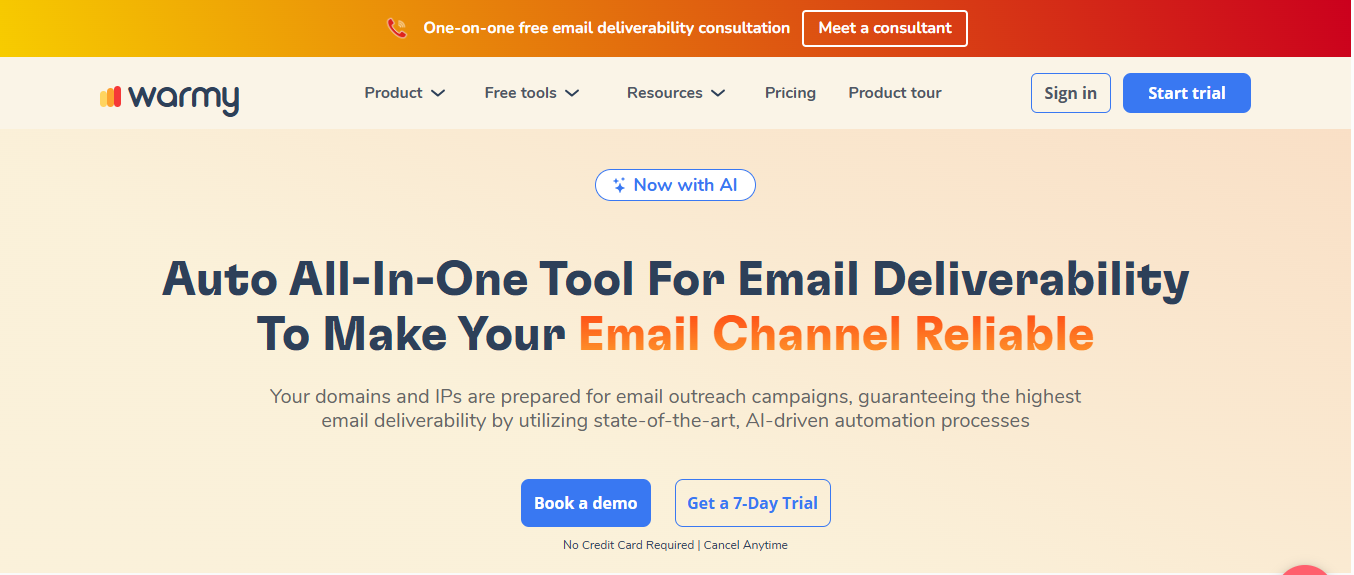
This image shows the Automated warmup tool
It automatically warms up mailboxes using AI-driven interactions.
These interactions help build sender reputation and improve the chances of emails landing in the inbox.
Warmy also provides deliverability insights and monitoring.
You can track where your emails land such as inbox, spam, or promotions and identify issues affecting deliverability.
Another useful capability is Google Postmaster integration, which helps monitor domain reputation and email performance.
Warmy also includes features like email verification and seed list testing, which help analyze deliverability and improve email configuration.
Key Features
Automatically warm up domains and mailboxes to build sender reputation.
Uses AI-driven automation to simulate natural email activity.
Provides deliverability monitoring and insights on inbox placement.
Integrates with Google Postmaster to track domain reputation.
Includes seed list testing to analyze where emails land.
Offers email verification tools to reduce sending issues.
Pricing
Warmy offers a 7-day free trial. Its pricing is publicly available.
Pricing is generally volume-based, depending on how many emails or domains you warm up.
B2B Sender Plan – Designed for warming domains targeting business inboxes like Google Workspace and Microsoft 365.
B2C Sender Plan – Focused on warming domains sending to consumer inboxes like Gmail or Yahoo.
Custom Plan – Tailored plans with dedicated deliverability support.
All plans include deliverability monitoring, Google Postmaster integration, and access to deliverability experts.
Pros
Helps improve inbox placement before launching campaigns by warming domains and IPs automatically.
Shows where your emails actually land (inbox, spam, or promotions), helping you fix deliverability issues early.
Helps monitor domain reputation through Google Postmaster data, giving clearer visibility into sender health.
Reduces manual deliverability troubleshooting by combining warm-up, monitoring, and verification in one system.
Cons
Requires consistent warm-up activity to maintain results, so stopping the process may reduce deliverability gains.
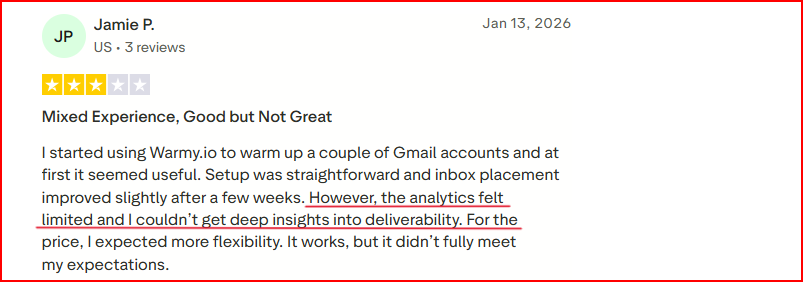
Limited deliverability insights; there are no deeper analytics to know deliverability.
This image showWarmy.io user disappointment with Deliverability analytics
Relies on seed inbox interactions, which may not fully reflect real campaign deliverability in every case.
9. GlockApps
GlockApps is an email deliverability testing tool that helps you check inbox placement, spam score, and sender reputation.
This image shows the Glock Apps - Email deliverability tools
It works by sending test emails to a network of seed inboxes across major providers.
After the test, it shows where your email lands such as inbox, spam, or promotions.
GlockApps also analyzes domain and IP reputation, blacklist status, and authentication records like SPF, DKIM, and DMARC.
This helps identify technical or content issues that may affect deliverability.
It also provides content analysis and spam filter checks, helping you understand if something in your email might trigger spam filters.
Key Features
Test inbox placement across major email providers to see where emails land.
Check spam score across different spam filters like Google or SpamAssassin.
Monitor domain and IP reputation across 50+ blocklists.
Analyze email content, links, images, and HTML structure for potential spam triggers.
Track authentication records like SPF, DKIM, and DMARC.
Set automatic tests and alerts to detect deliverability problems early.
Pricing
GlockApps offers a free plan with limited spam testing.
Paid plans depend on testing volume and monitoring needs.
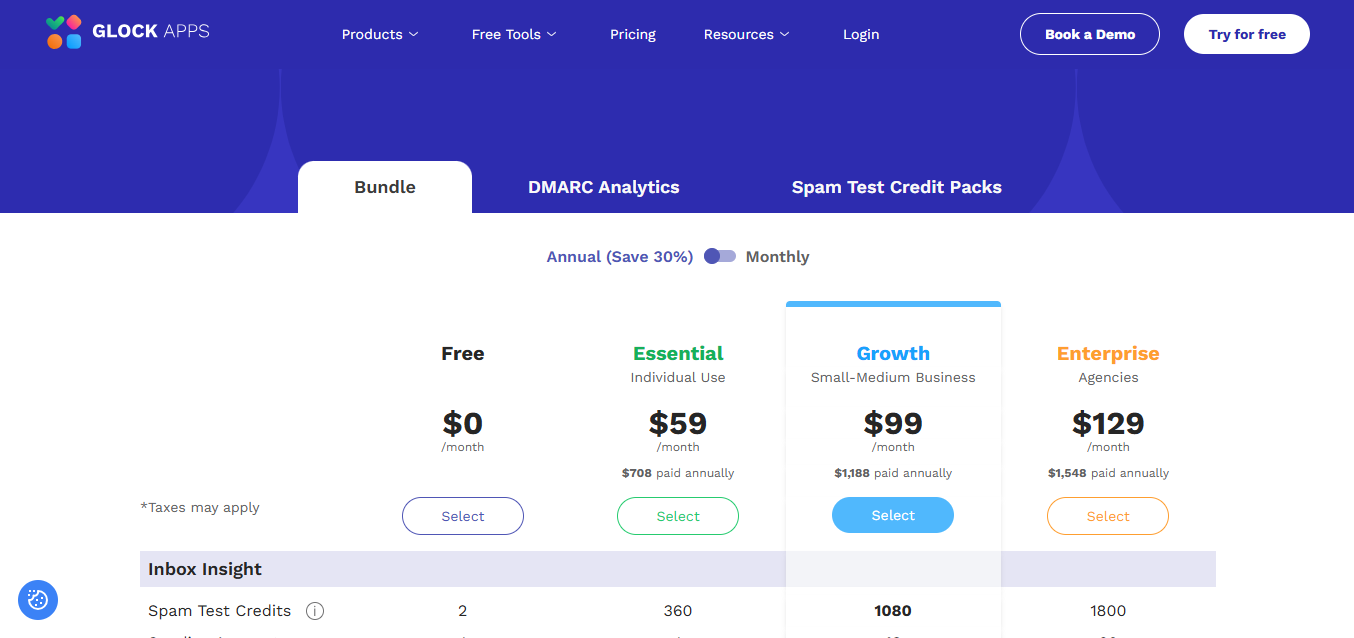
This image shows the GlockApps pricing
Essential – $59/month Includes spam testing credits and monitoring for one sending account.
Growth – $99/month Adds more spam testing credits and support for multiple sending accounts.
Enterprise – $129/month Includes higher test volumes, more users, and advanced monitoring features.
Pros
Shows exactly where emails land across major inbox providers before campaigns go live.
Helps detect spam filter triggers early, reducing the risk of emails going to spam.
Monitors domain and IP reputation, helping protect sender reputation.
Provides clear diagnostics on content, authentication, and blacklist issues affecting deliverability.
Cons
Focuses mainly on testing and diagnostics, not on actively improving deliverability.
Requires running tests regularly to monitor deliverability performance.
Spam testing credits can limit testing frequency depending on the plan.
10. TrulyInbox
TrulyInbox is an AI-powered email warm-up tool that helps improve deliverability by sending warm-up emails between real inboxes.
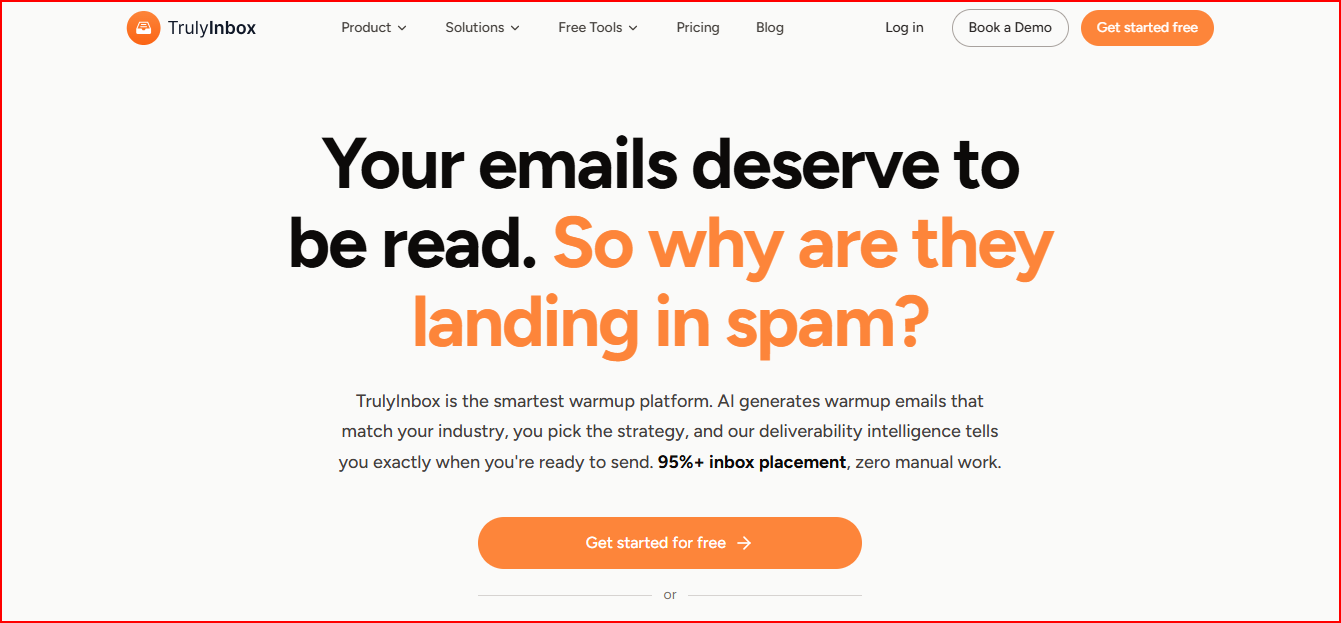
This image shows the TrulyInbox - Email warmup tool
It connects your email accounts and automatically starts sending warm-up emails that look like real conversations.
These interactions help build sender reputation and improve inbox placement.
TrulyInbox also tracks deliverability performance and mailbox health.
You can see metrics like deliverability score, ESP-level inbox placement, and authentication status.
Another notable difference is its volume-based pricing model.
Instead of charging per mailbox, it charges based on the number of warm-up emails sent daily.
Key Features
Automatically warms up inboxes using AI-generated email interactions.
Uses a large network of real accounts for warm-up activity.
Provides deliverability score and inbox placement insights across different email providers.
Monitors account health including SPF, DKIM, DMARC, and blacklist status.
Offers multiple warm-up strategies such as progressive, random, and flat ramp-up.
Supports unlimited email account connections under one plan.
Pricing
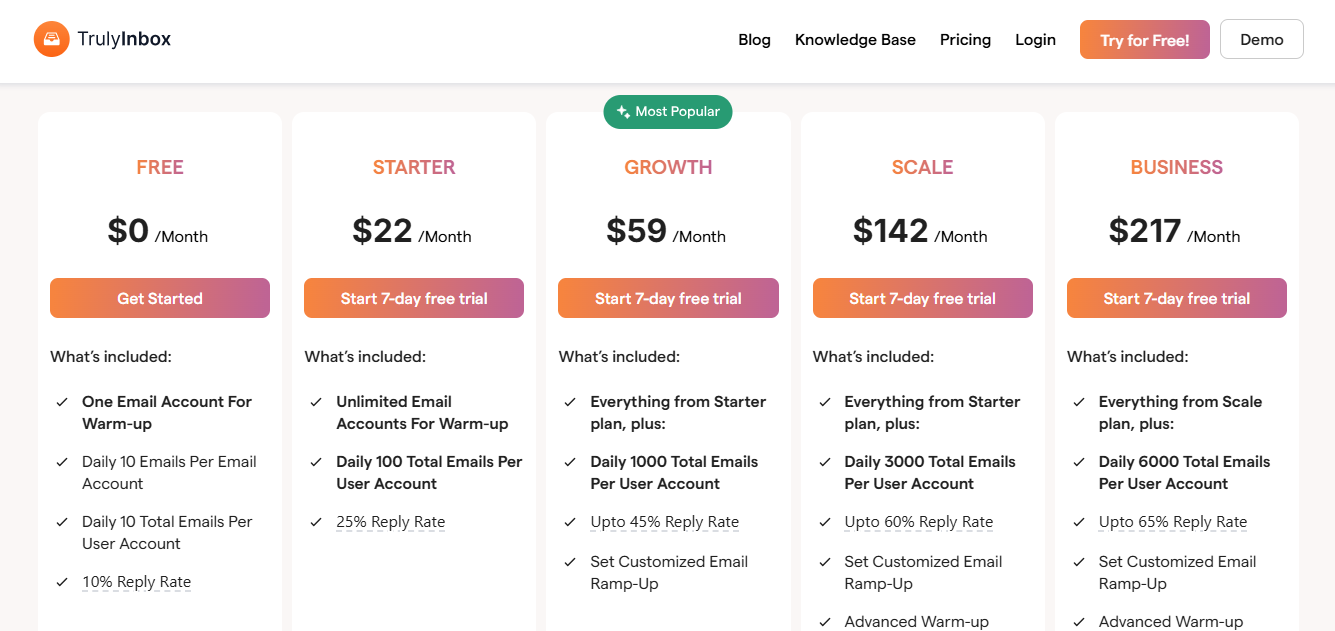
TrulyInbox uses per-email volume pricing instead of per-account pricing.
This image shows the TrulyInbox pricing
Free Plan – $0/month 10 warm-up emails per day for one account.
Starter – $22/month (annual) 200 warm-up emails per day with unlimited accounts.
Growth – $59/month (annual) 1,000 warm-up emails per day with additional analytics and customization.
Scale – $142/month (annual) 3,000 warm-up emails per day with advanced warm-up controls and team support.
Custom plans are also available for higher volumes.
Pros
Builds sender reputation through real engagement signals like opens, replies, and moving emails out of spam.
Keeps inboxes clean while warming up, because warm-up emails are organized in separate folders from real conversations.
Reduces manual warm-up work by running the entire warm-up process automatically after setup.
Improves deliverability gradually by interacting with real inbox networks, which makes the activity look natural to email providers.
Helps detect authentication issues early by checking DNS records like SPF, DKIM, and DMARC.
Cons
Charges per email account, which can increase costs when managing many inboxes.
Mainly focuses on warm-up automation, so it lacks deeper inbox placement testing or spam diagnostics.
Limited public user reviews available, making it harder to evaluate long-term reliability from community feedback.
Requires ongoing warm-up activity to maintain reputation, rather than being a one-time setup.
Does not include outreach automation, so you still need a separate tool to send cold email campaigns.
11. MailToaster
MailToaster is an email warm-up tool that helps build and repair sender reputation through automated email interactions.
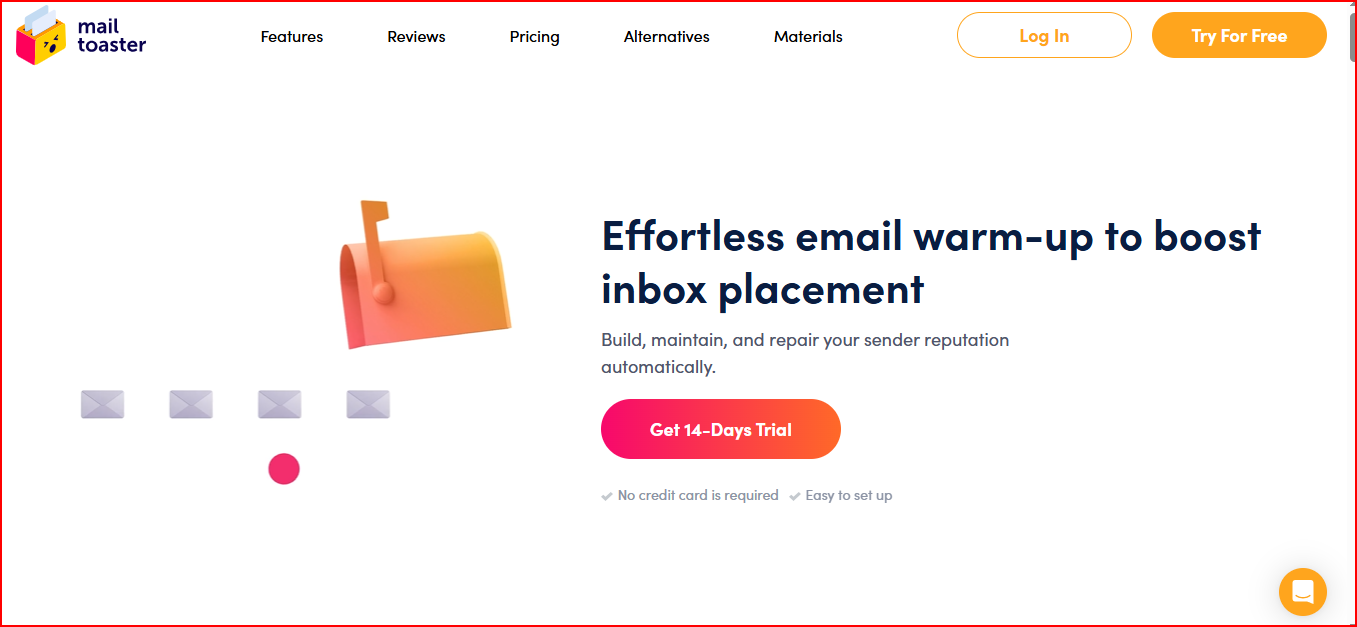
This image shows the MailToaster - Email warmup tool
After connecting your email account, it automatically starts warm-up activity with a network of real inboxes.
These interactions include opening emails, replying, marking messages as important, and moving them from spam to inbox.
This activity helps show email providers that your mailbox is actively used.
Over time, this helps improve inbox placement and allows you to scale outreach more safely.
MailToaster also checks email authentication records such as SPF, DKIM, and DMARC, helping detect setup issues that could affect deliverability.
Key Features
Automatically warms up inboxes through peer-to-peer interactions with real email accounts.
Generates AI-written warm-up emails or lets you use your own templates.
Provides different warm-up profiles such as building reputation for new accounts or maintaining existing reputation.
Checks DNS configuration including SPF, DKIM, and DMARC.
Tracks warm-up progress and deliverability reports from a dashboard.
Works with Gmail, Outlook, and other email providers.
Pricing
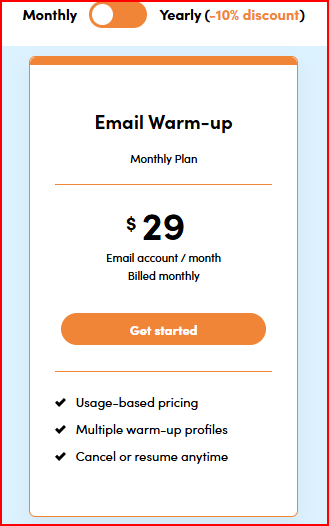
MailToaster uses per-email account pricing.
This image shows the MailToaster pricing
$29 per email account per month
Includes automated warm-up, deliverability monitoring, and DNS checks.
Offers a 14-day free trial with no credit card required.
Pros
Builds sender reputation through real engagement signals like opens, replies, and moving emails out of spam.
Keeps inboxes clean while warming up, because warm-up emails are organized in separate folders from real conversations.
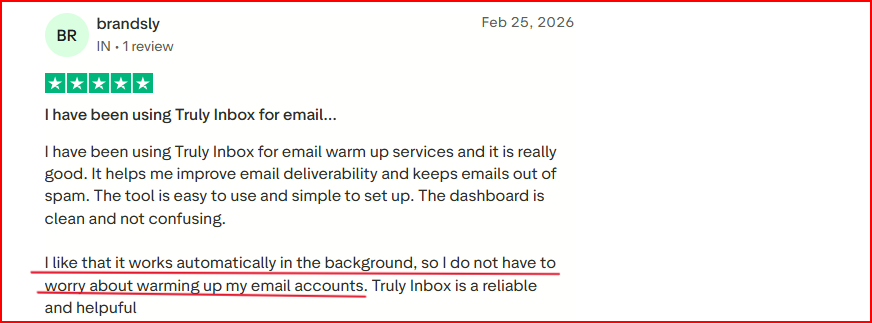
Reduces manual warm-up work by running the entire warm-up process automatically after setup.
This image shows the TrulyInbox user talking about how they like Automated warmup
Improves deliverability gradually by interacting with real inbox networks, which makes the activity look natural to email providers.
Helps detect authentication issues early by checking DNS records like SPF, DKIM, and DMARC.
Cons
Mainly focuses on warm-up automation, so it lacks deeper inbox placement testing or spam diagnostics.
Requires ongoing warm-up activity to maintain reputation, rather than being a one-time setup.
Best Practices to Improve Cold Email Deliverability
Improving cold email deliverability is not just about using the right tool.
It also depends on how well your email setup and sending habits are managed.
Here are a few simple practices that help keep your emails landing in the inbox.
Use separate domains for cold outreach instead of your main company domain.
Set up SPF, DKIM, and DMARC correctly to authenticate your emails.
Warm up every new mailbox before starting campaigns.
Increase sending volume gradually instead of sending large batches immediately.
Monitor blacklist status, bounce rates, and inbox placement regularly.
Managing all of this manually can take time, especially when you run outreach across multiple domains and mailboxes.
This is where tools like Infraforge can help.
It is a private cold email infrastructure for high volume outreach where you can create unlimited domains and mailboxes, each with dedicated IPs and automated DNS setup (SPF, DKIM, DMARC).
The entire infrastructure can be set up in minutes, so you don’t have to configure domains, authentication records, or sending environments manually.
It also monitors deliverability and domain health, helping you detect issues early before they affect your campaigns.
The platform also supports bulk DNS updates, sender rotation, and prewarmed mailboxes, so you can scale outreach safely without spending hours managing technical setup.
With Infraforge, you can get dedicated outreach mailboxes starting at just $4 to $3 per mailbox per month, making it easy to scale cold email infrastructure affordably.
Personalized Outbound Strategy
Get The Right Outbound Strategy In Minutes
Enter your email to get a custom plan & stack recommendation for your
business
It's being carefully crafted by AI
Please check your mailbox in 5 minutes
Conclusion
Each tool in this list focuses on a different part of email deliverability.
Tools like MailReach, Lemwarm, TrulyInbox, Warmy, and MailToaster mainly help with email warm-up, while Folderly and InboxAlly focus on diagnosing and fixing deliverability issues.
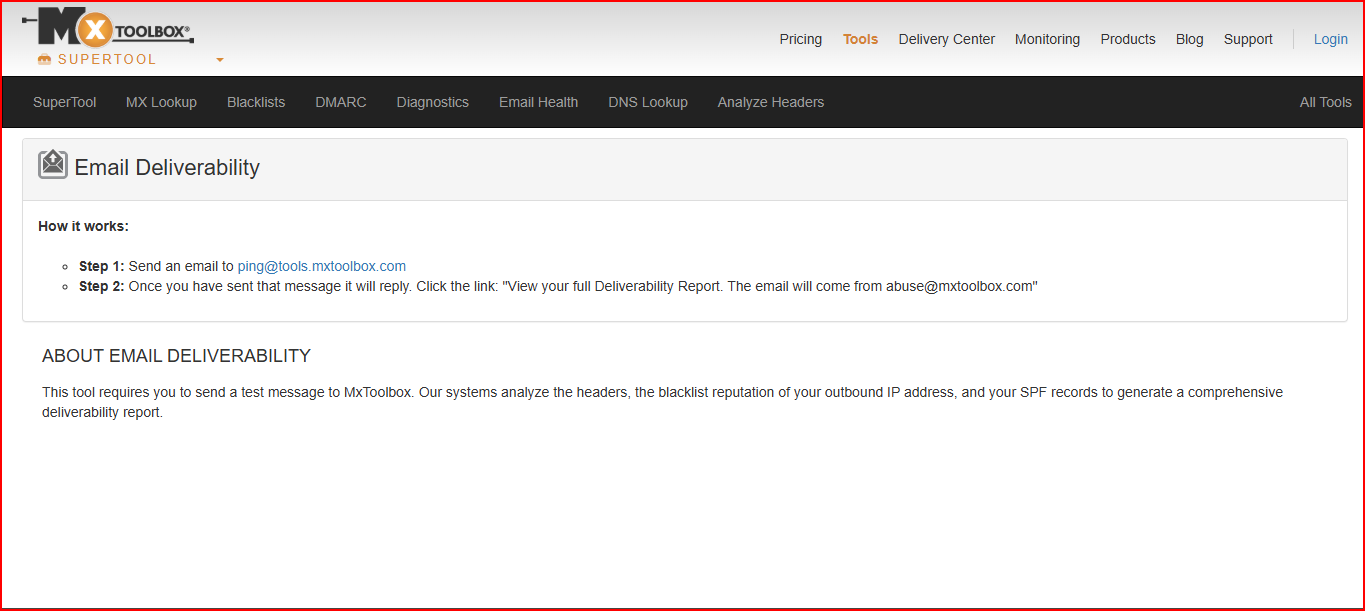
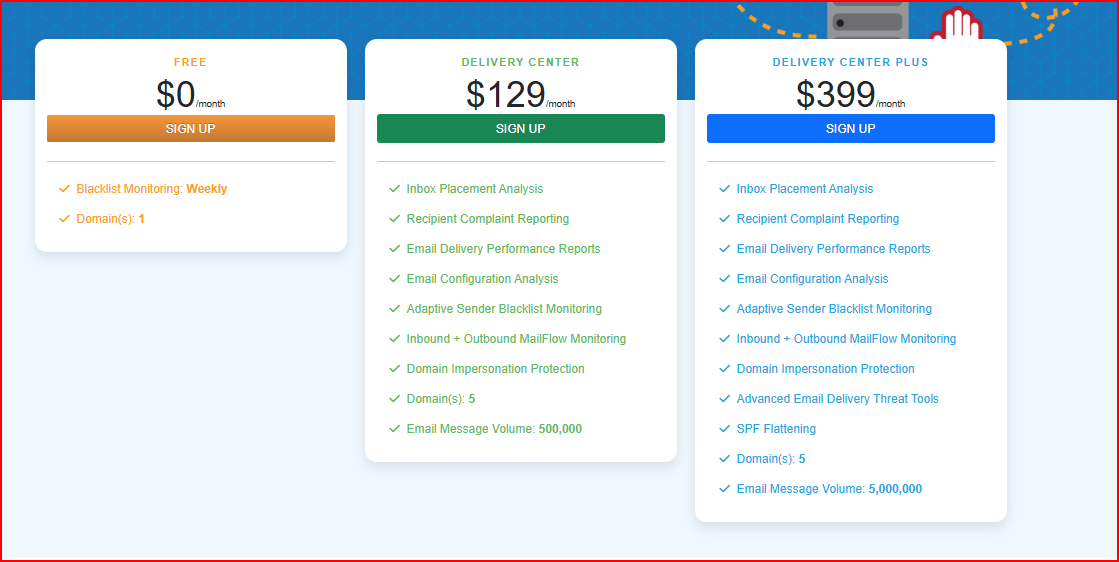
GlockApps and MXToolbox are useful for spam testing, blacklist checks, and technical diagnostics.
If your goal is to actively manage and improve deliverability, tools like Warmforge provide a more complete approach.
Warmforge helps manage warm-up, inbox placement testing, and sender reputation signals, making it easier to know when a mailbox is ready for outreach.
As campaigns scale, having the right infrastructure also becomes important.
Infraforge provides dedicated cold email infrastructure with automated DNS setup, unlimited domains and mailboxes, and built-in monitoring, all prepared in minutes.
Combining deliverability tools like Warmforge with stable infrastructure such as Infraforge, helps keep cold email campaigns consistent and landing in the inbox.