
Personalized Outbound Strategy
Get The Right Outbound Strategy In Minutes
Enter your email to get a custom plan & stack recommendation for your business
It's being carefully crafted by AI
Please check your mailbox in 5 minutes

Most teams choose ScaledMail to avoid managing their own cold email infrastructure. Its team configures your DNS, reviews your domains before setup, sells domains aged up to 180 days, and provides help through a dedicated Slack channel.
Look closer, though, and plenty of work still falls on you.
Warmup is not included. ScaledMail helps connect your chosen warmup tool, but you still need to select, pay for, and monitor it. That means managing a second subscription alongside a managed service.
You also cannot start small and move quickly. Every setup begins with an assessment before any mailbox is created, so you cannot test a small batch on the day you join.
Because ScaledMail’s team manages your DNS, you also depend on them whenever you need to change it.
That works well if you want a hands-on partner. But if you chose ScaledMail to save time and still spend it managing warmup or waiting, the five alternatives below solve those problems in different ways. I also explain what you give up with each.
ScaledMail combines real Google and Microsoft mailboxes with a team that handles setup. The alternatives below offer more control, include services ScaledMail leaves out, or both. Infraforge is my top choice for agencies that want each client on a separate, dedicated IP address.
These six criteria reflect the choices ScaledMail currently makes for you, helping you decide which ones you would rather control.
Google Workspace and Microsoft 365 accounts send through Google and Microsoft infrastructure. Private servers give you your own IP. Who you contact should guide this decision before price does.
Providers separate customers through dedicated tenants, IPs, or admin panels for each domain. The stronger the separation, the less another customer’s sending can affect your reputation.
A domain with years of history is not the same as a mailbox with sending history. I checked whether each provider warms its mailboxes, sells them pre-warmed, or leaves warmup to another paid tool.
Some teams want someone to configure DNS and troubleshoot problems. Others want to handle setup themselves and move faster. Paying for a model you will not use is a waste of money.
Published prices and low minimums let you calculate costs and test a setup immediately. Assessments and sales calls add another step before you can send.
Per-mailbox prices change based on volume, billing cycle, and mailbox type. I compared costs at scale, including options such as Azure tenants that support up to 100 mailboxes each.
Best for: Agencies that want every client on a separate dedicated IP with self-serve setup.
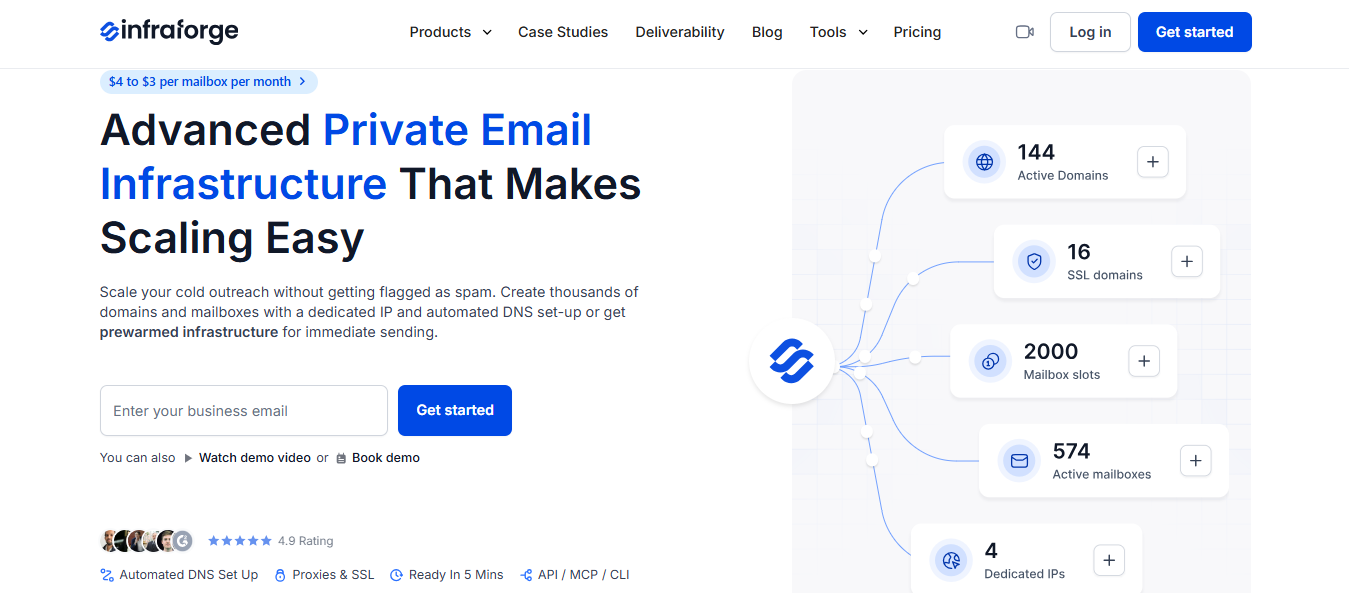
Infraforge provides private email infrastructure using dedicated servers and a dedicated IP address, rather than Google Workspace or Microsoft 365 accounts.
That is the first decision to make. If prospects need to see emails from Google or Outlook accounts, consider the provider-based options below. If you want a reputation shaped solely by what you send, Infraforge offers a more direct solution.
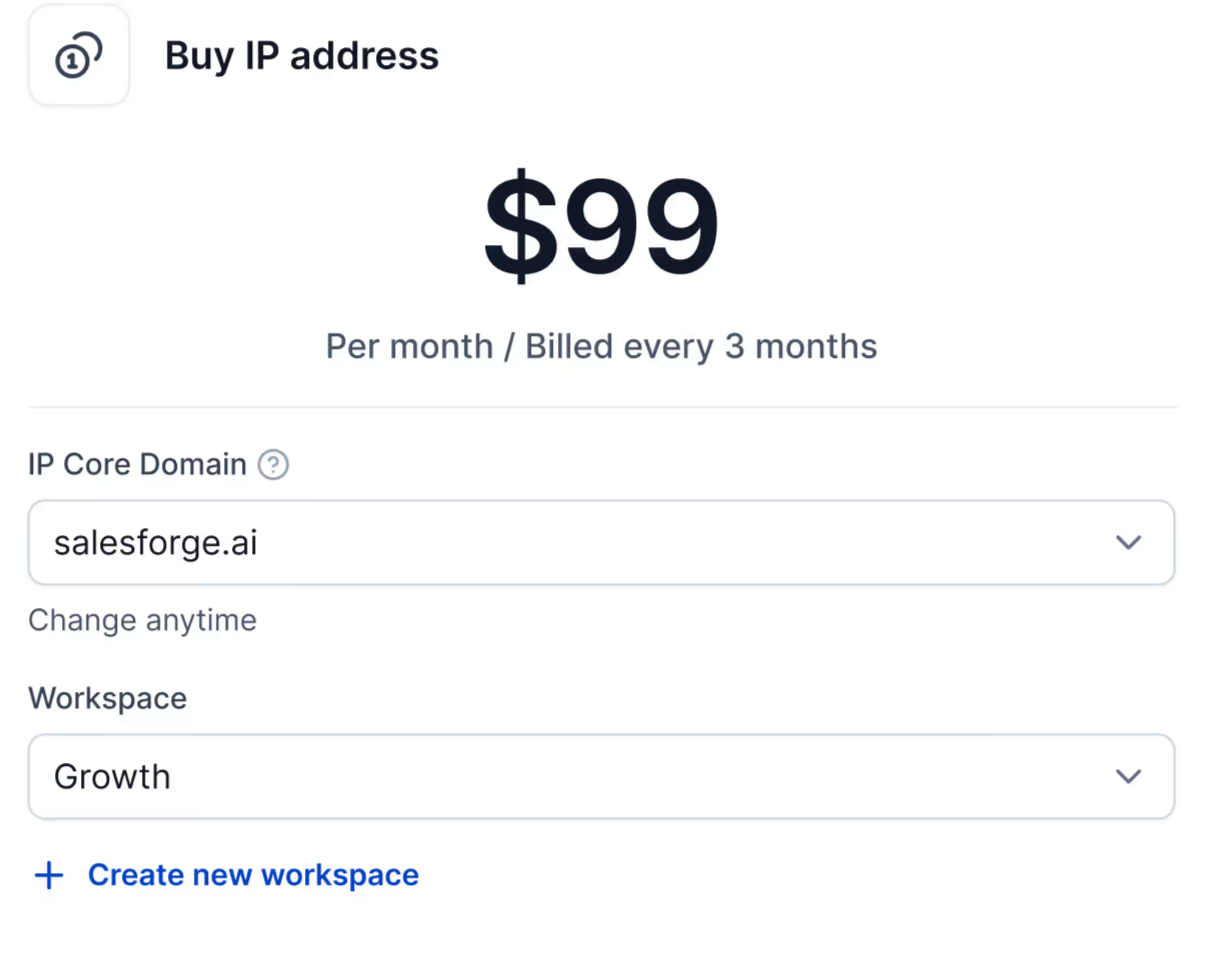
You can further strengthen that separation by buying a dedicated IP for each workspace, allowing an agency to provide each client with a unique sending address.
Setup is self-serve and takes about five minutes per domain. DMARC, SPF, DKIM, and custom tracking are configured automatically. You can also buy pre-warmed domains and mailboxes if you need to begin sending immediately.
If a mailbox burns, delete it and create another without paying extra. Infraforge charges for slots rather than individual mailboxes.
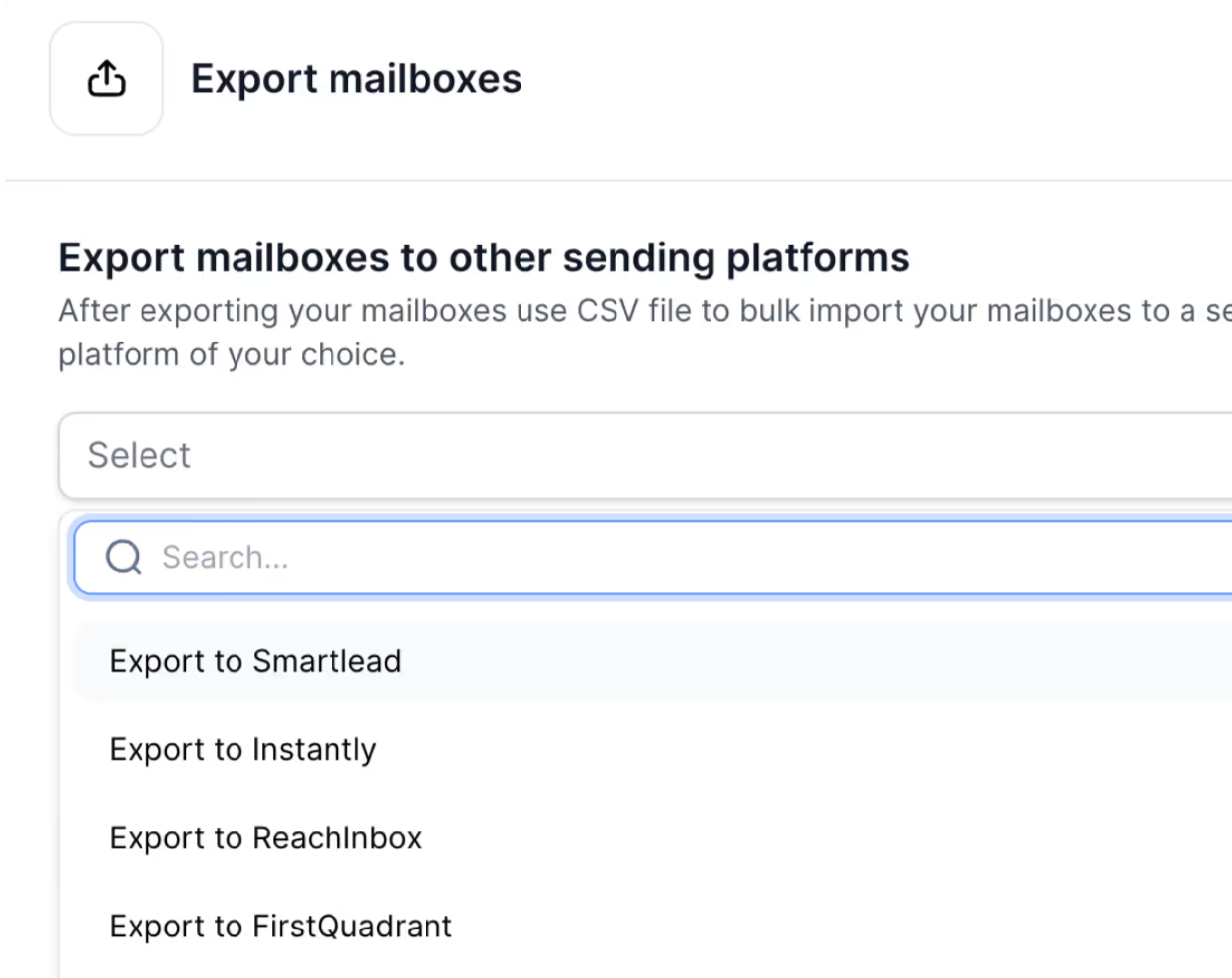
You can connect mailboxes directly to Salesforge or export them to Smartlead, Instantly, ReachInbox, and FirstQuadrant.
For agencies, the key question is whether one client’s poor campaign can hurt another client’s results. Infraforge lets every client use a separate workspace and IP address, preventing spillover.
There is no free trial because the product needs domains and mailboxes to work, but you can explore the app before purchasing.
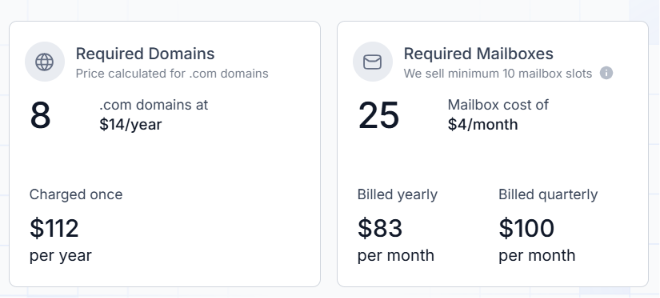
ScaledMail charges [per-inbox rate] per inbox, with discounts at $1,000 and $5,000 in monthly spending. There is no setup fee, and billing is monthly.
Enter your email to get a custom plan & stack recommendation for your business
Please check your mailbox in 5 minutes

Best for: Teams that want warmed mailboxes rather than only aged domains.
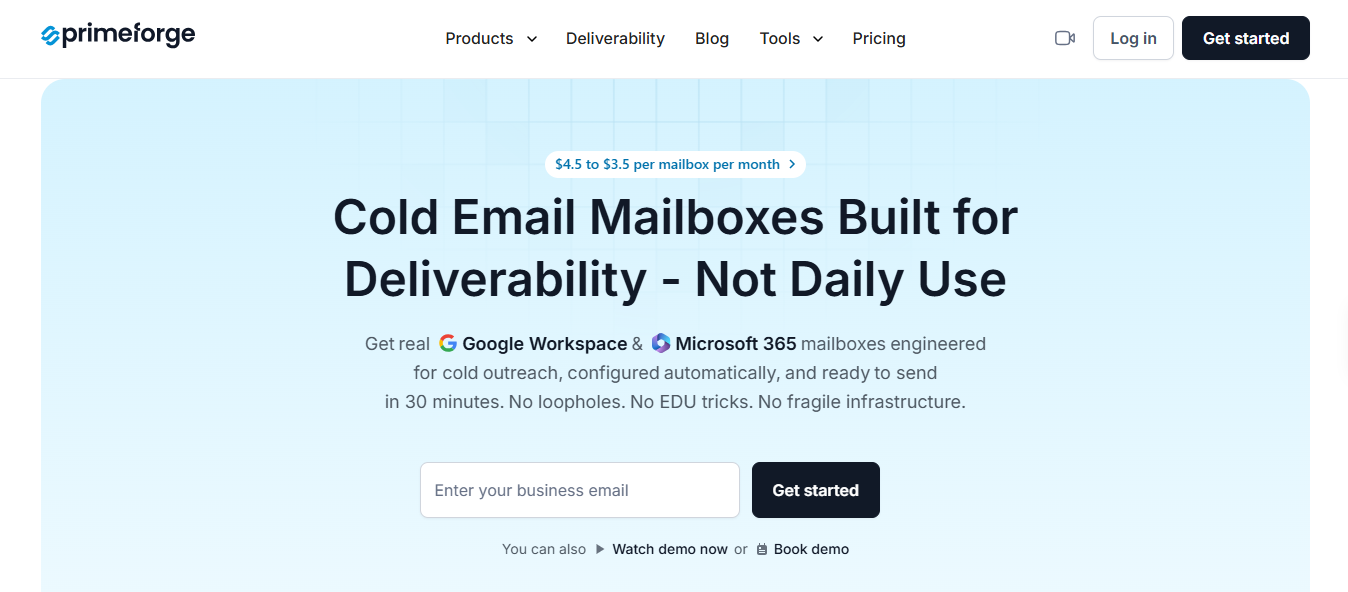
Primeforge sells Google Workspace and Microsoft 365 mailboxes with warmup included in the price. DNS is configured for you, and the complete setup takes about 30 minutes.
You can manage everything through your own tools. Primeforge provides an API, an MCP server for AI assistants, and a command-line interface, so you do not need its dashboard or support team to add mailboxes.
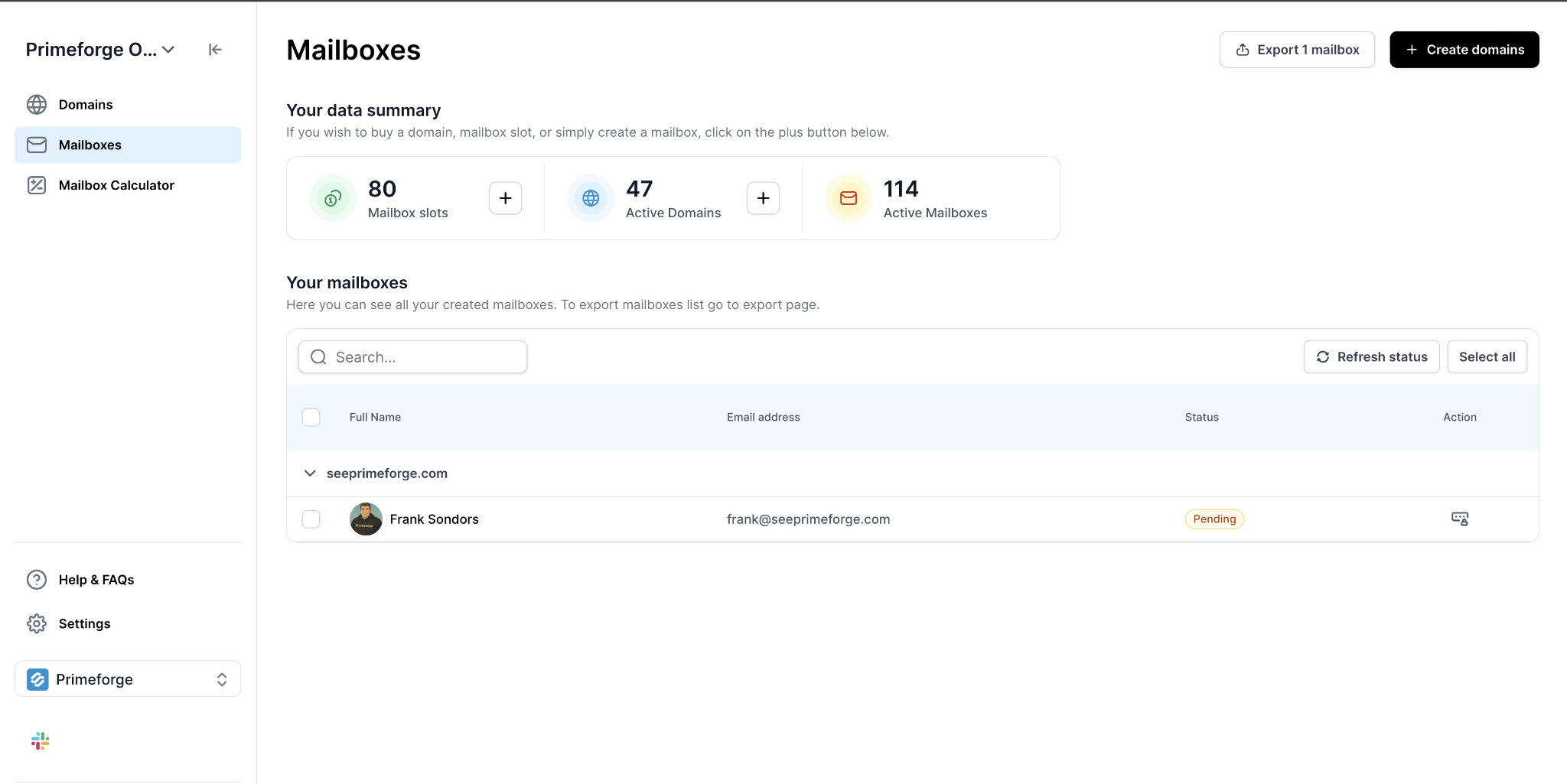
Mailboxes use stable US-based IPs, but those IPs are not dedicated to you. If owning your IP matters more than using Google or Microsoft accounts, Infraforge is the stronger option.
ScaledMail sells domains aged for 30, 90, or 180 days. An aged domain has history, but a new mailbox created on it does not. Primeforge warms the mailboxes before delivering them.
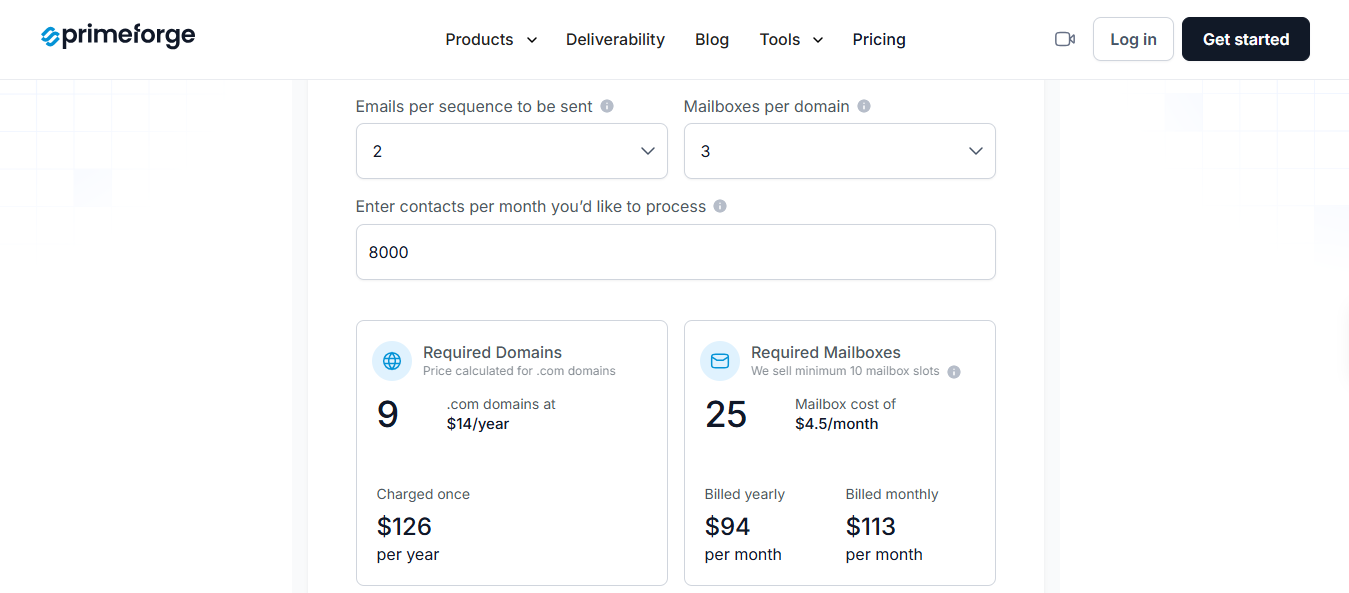
ScaledMail charges [per-inbox rate] per inbox, while warmup requires another paid tool.
Best for: Teams that want warmup included instead of paying for and managing another tool.
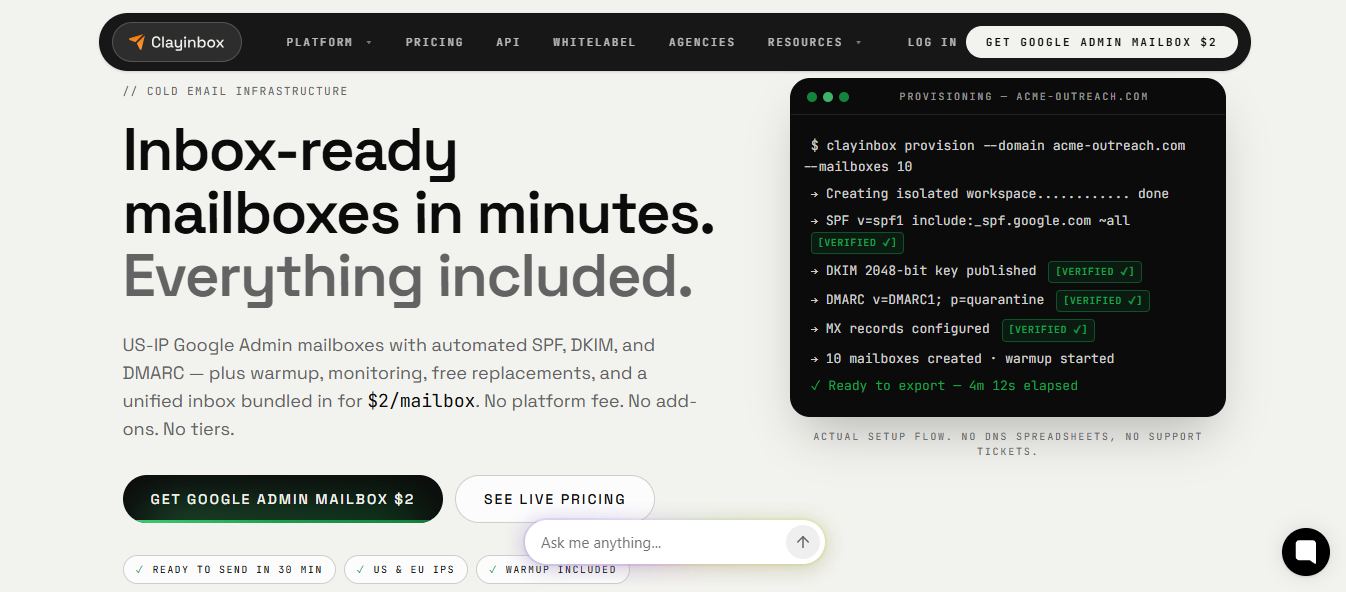
Clayinbox provides Google Workspace, Microsoft 365, Azure, and IMAP/SMTP mailboxes, with warmup included for each one. You also receive blacklist and DNS monitoring, unlimited placement tests, and weekly mailbox health reports.
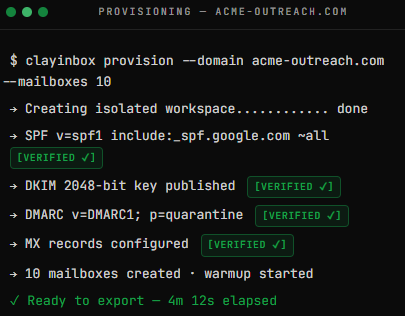
It handles much of the administrative work that slows teams as they grow. Its AI domain finder suggests sending domains, bulk identities create several senders at once, and custom tracking domains are included.
Replies from every mailbox appear in one master inbox. You can export mailboxes to your sequencer in one click or connect another tool through SMTP. Domains purchased through Clayinbox remain registered to you if you leave.
ScaledMail relies on a third-party warmup tool and only guides you on ratios during setup. That leaves you with another subscription to buy, connect, and monitor. Clayinbox starts warming every mailbox when you purchase it.
DNS verification can take up to 30 minutes, and support is provided via live chat rather than a dedicated Slack channel.
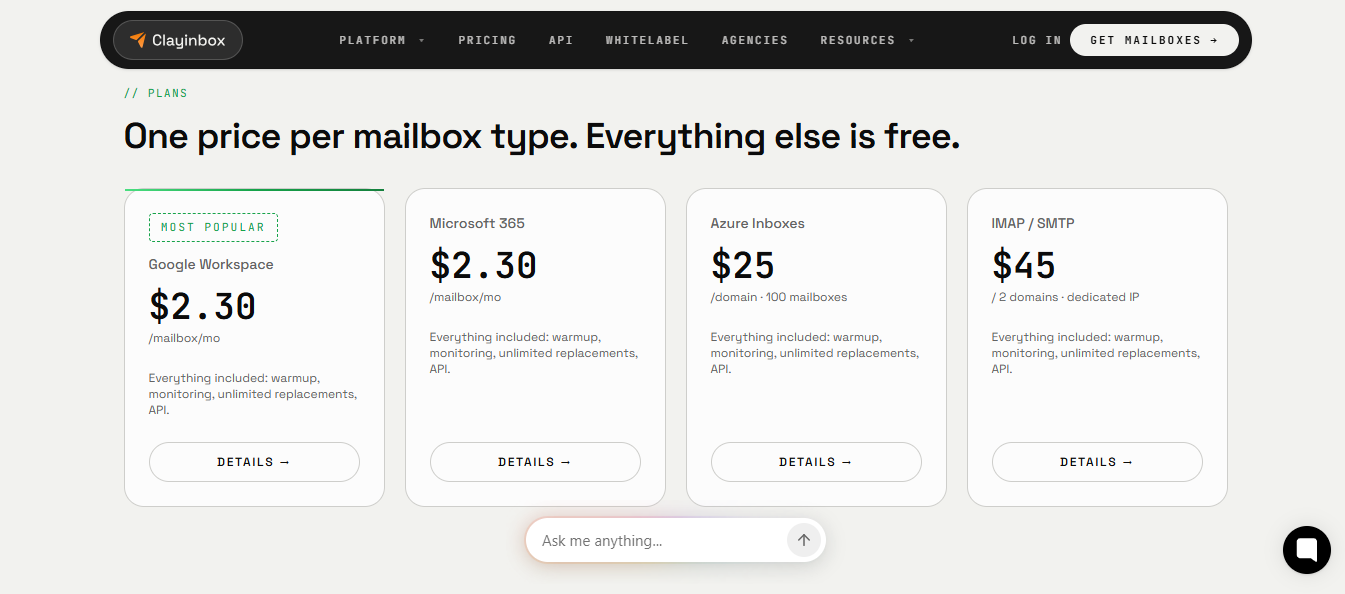
ScaledMail charges [per-inbox rate] per inbox, while its connected warmup tool costs extra.
Best for: Teams that want clear pricing and ordering without a sales conversation.
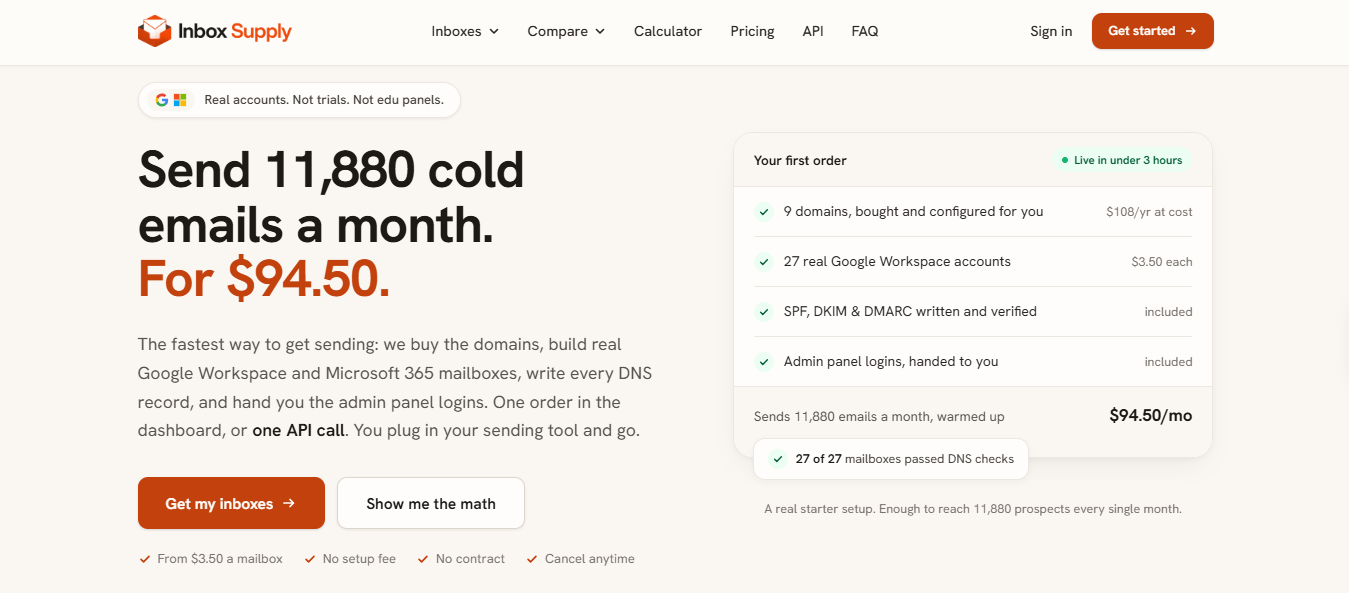
Inbox Supply runs most actions through its API. One request can buy domains, create mailboxes, configure and verify DNS, and queue an export to your sequencer. This allows scripts or AI agents such as Claude to manage the infrastructure.
Each domain includes three licensed Google or Microsoft users with SMTP, IMAP, and OAuth access, plus a 301 redirect and a sequencer-ready CSV. Support is available through email and a shared Slack channel.
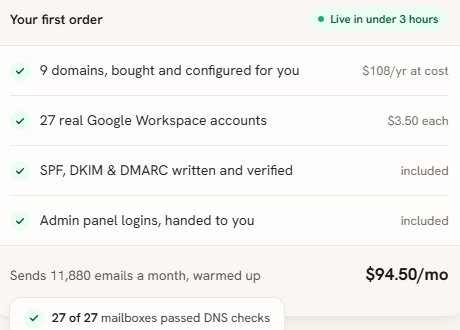
Keep two details in mind. Orders take up to three hours because Inbox Supply intentionally spaces out purchases and DNS changes. Warmup is also not included, so you need your own tool or the one built into your sequencer.
ScaledMail starts with an infrastructure assessment before provisioning anything. Inbox Supply publishes its complete pricing and lets you order through its dashboard or API without a discovery call.
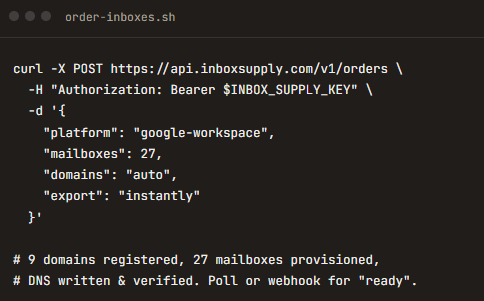
Mailboxes are billed for a full month without proration, so adding one late in the cycle still costs the full monthly price.
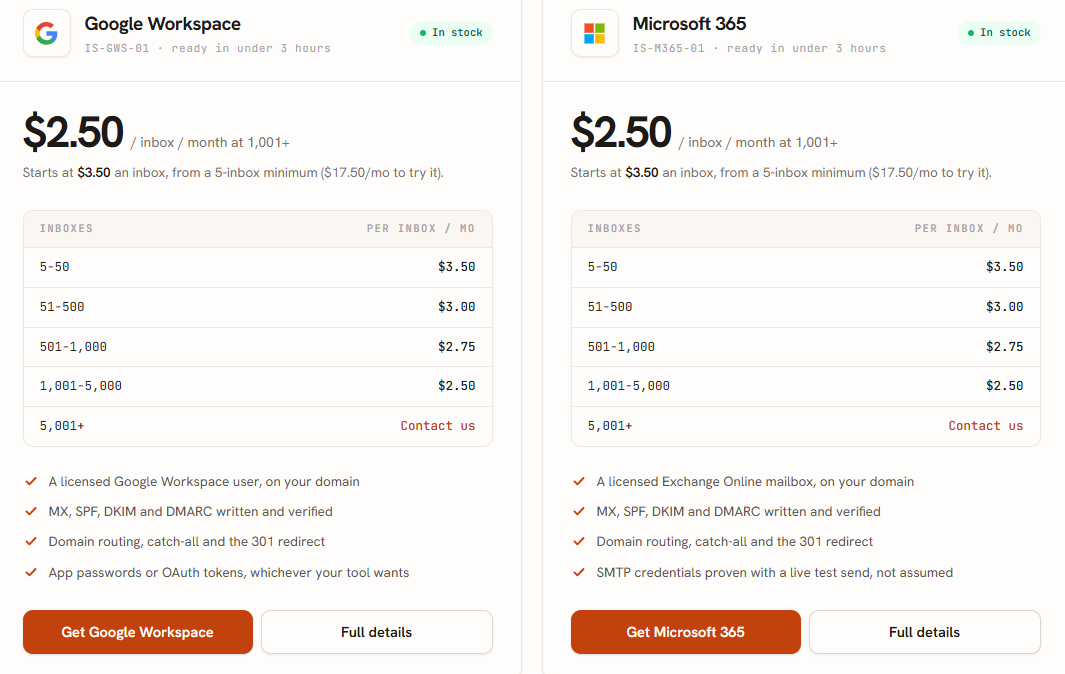
Google and Microsoft cost the same at each level. ScaledMail charges [per-inbox rate] per inbox, with discounts based on monthly spending rather than mailbox count.
Best for: Teams scaling to high mailbox counts through Azure with fully self-serve setup.
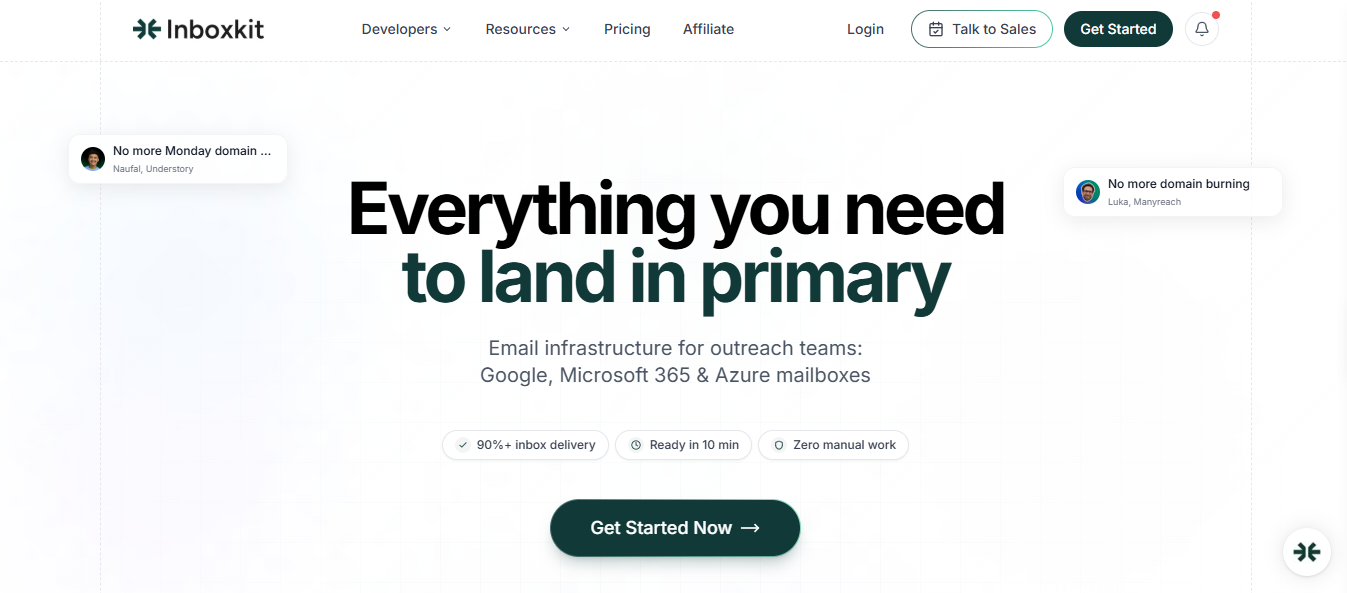
InboxKit offers real Google Workspace, Microsoft 365, and Azure mailboxes. Each includes 2FA and an official admin panel for every domain. Azure is worth considering for high-volume setups because one tenant supports up to 100 mailboxes.
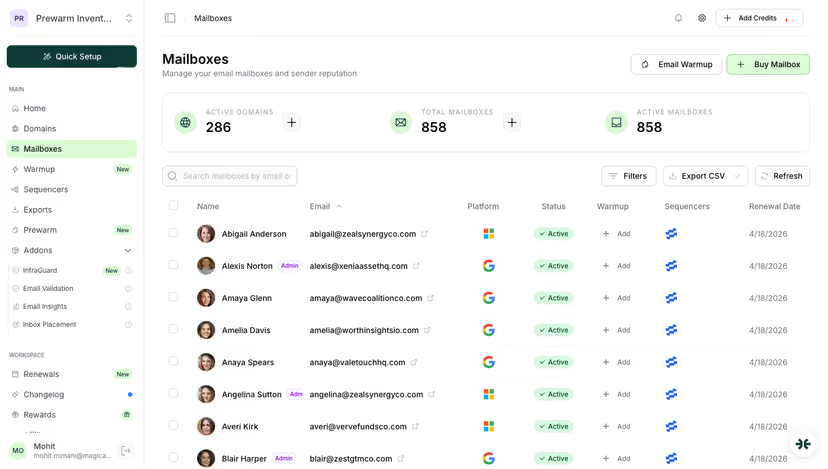
Everything is self-serve. Add funds to your wallet, buy mailboxes, and let each one renew on its own date rather than on a single shared billing cycle. Support is available through email and chat, but you do not get a dedicated account contact.
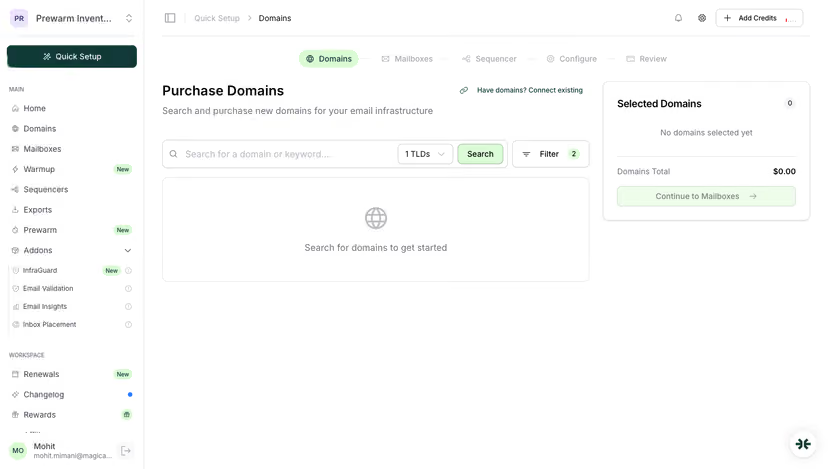
Include two extras when comparing prices. Real-time monitoring and alerts are included with each mailbox, but the broader InfraGuard monitoring suite is free for the first month only. Warmup also costs extra.
ScaledMail offers Google Workspace, Microsoft 365, and SMTP. InboxKit adds Azure tenants that support up to 100 mailboxes each. For teams scaling to hundreds of Microsoft mailboxes, this offers a low-cost way to expand.
You manage deliverability yourself. InboxKit provides monitoring tools, not a dedicated person to troubleshoot with you.
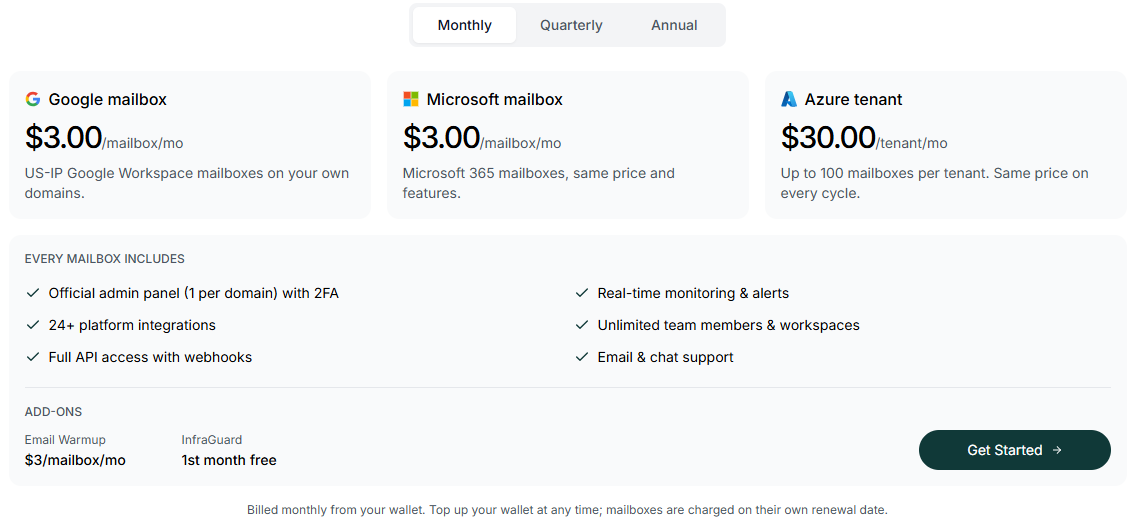
A full Azure tenant with 100 mailboxes costs $30 monthly before warmup. ScaledMail charges [per-inbox rate] per inbox and does not offer Azure.
Enter your email to get a custom plan & stack recommendation for your business
Please check your mailbox in 5 minutes
You considered ScaledMail to spend less time managing infrastructure. The best alternative is the one that removes the work you still handle.
Agencies managing several clients benefit most from Infraforge because each client can use a dedicated IP with self-serve setup. Teams scaling beyond a few hundred Microsoft mailboxes should consider InboxKit’s Azure tenants.
Teams tired of paying for another warmup tool can choose Clayinbox, which includes warmup, or Primeforge, which provides already-warmed mailboxes. Teams that want transparent pricing before speaking to anyone can order directly from Inbox Supply.
For most readers, Infraforge is my top choice. You get a sending reputation that belongs to you, control over setup, and no one to wait for before starting.