

Personalized Outbound Strategy
Get The Right Outbound Strategy In Minutes
Enter your email to get a custom plan & stack recommendation for your business
It's being carefully crafted by AI
Please check your mailbox in 5 minutes
If you're reading an InboxKit Review, you probably don't need another definition of cold email infrastructure.
You want to know whether InboxKit is worth using when your team needs real mailboxes, clean DNS setup, warmup, monitoring, and a cold email system that doesn't collapse the moment volume increases.
Here is the blunt answer.
InboxKit is a good fit if you want a managed panel for Google Workspace, Microsoft 365, or Azure-style mailboxes and you care more about setup speed than deep infrastructure ownership.
It is not the right fit if your real problem is infrastructure control.
At 30 mailboxes, mailbox creation is only the first layer. You still need send limits, warmup discipline, domain separation, monitoring, clean contact data, sequencing, reply handling, and someone who owns the feedback loop.
That is where the decision changes.
Use InboxKit when managed mailbox setup is the bottleneck. Use Primeforge when you specifically want Google Workspace or Microsoft 365 mailboxes built for cold outreach.
Use Infraforge when you want private cold email infrastructure with more control over the sending layer.
Yes, if your team wants 30 cold email mailboxes live quickly without manually touching every DNS record.
No, if you think 30 mailboxes will fix a weak outbound system.
That is the mistake most teams make. They buy inboxes and call it infrastructure. Then they wonder why replies drop, domains burn, and nobody knows whether the issue is the mailbox, the copy, the list, the domain, or the sending tool.
Here is the practical verdict:
Scale cold outreach with Infraforge’s private email infrastructure, dedicated IPs, automated DNS setup, and mailboxes from $3 per month.
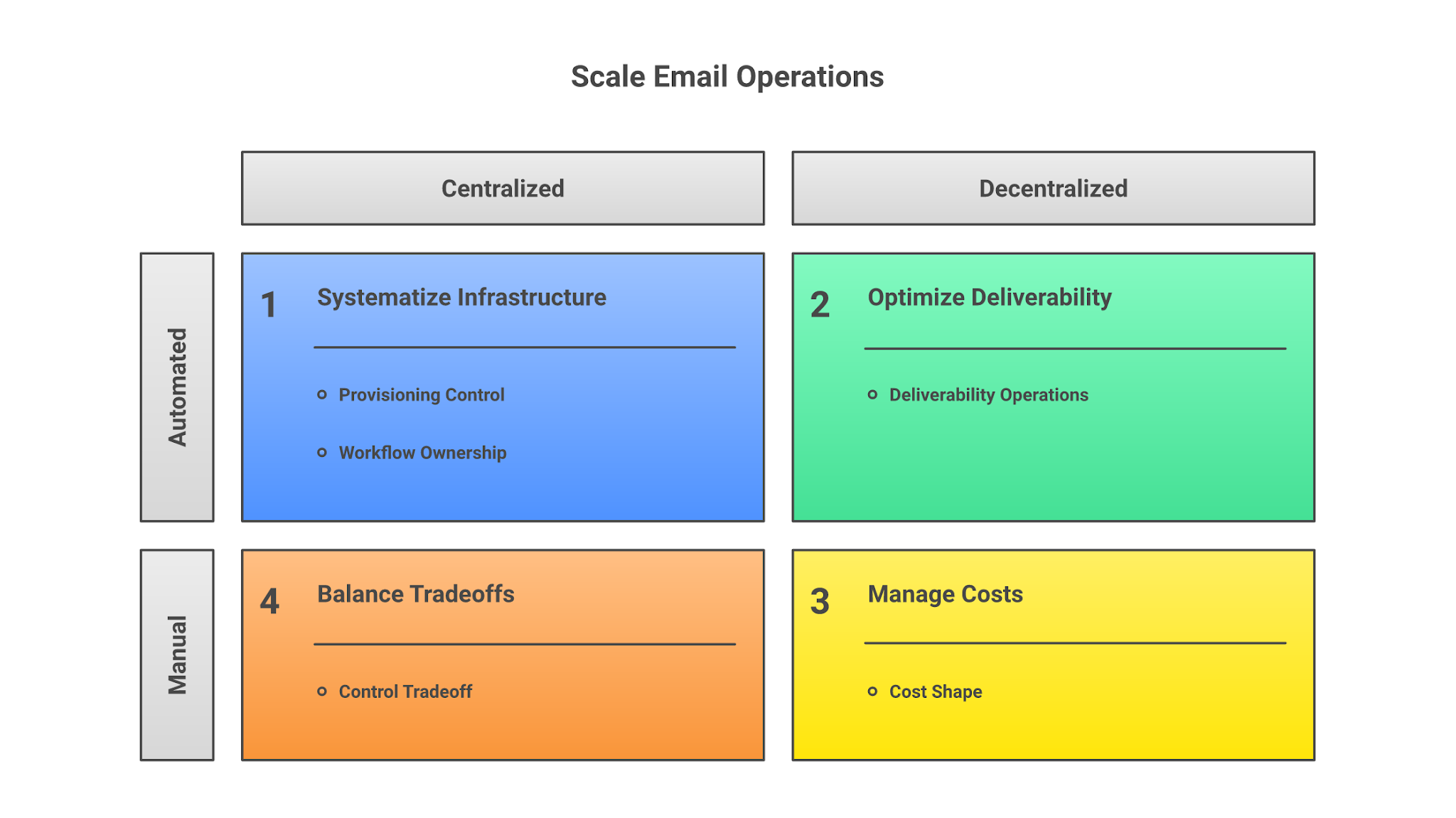
I evaluated InboxKit like an operator buying infrastructure for an outbound team, not like a buyer comparing homepage screenshots.
At 30 mailboxes, the tool has to do more than create accounts.
It has to reduce setup errors, make warmup and monitoring visible, keep costs predictable enough to plan, and avoid creating another disconnected workflow someone has to babysit.
5 Strong Cold Email Infrastructure Providers for AI Agents
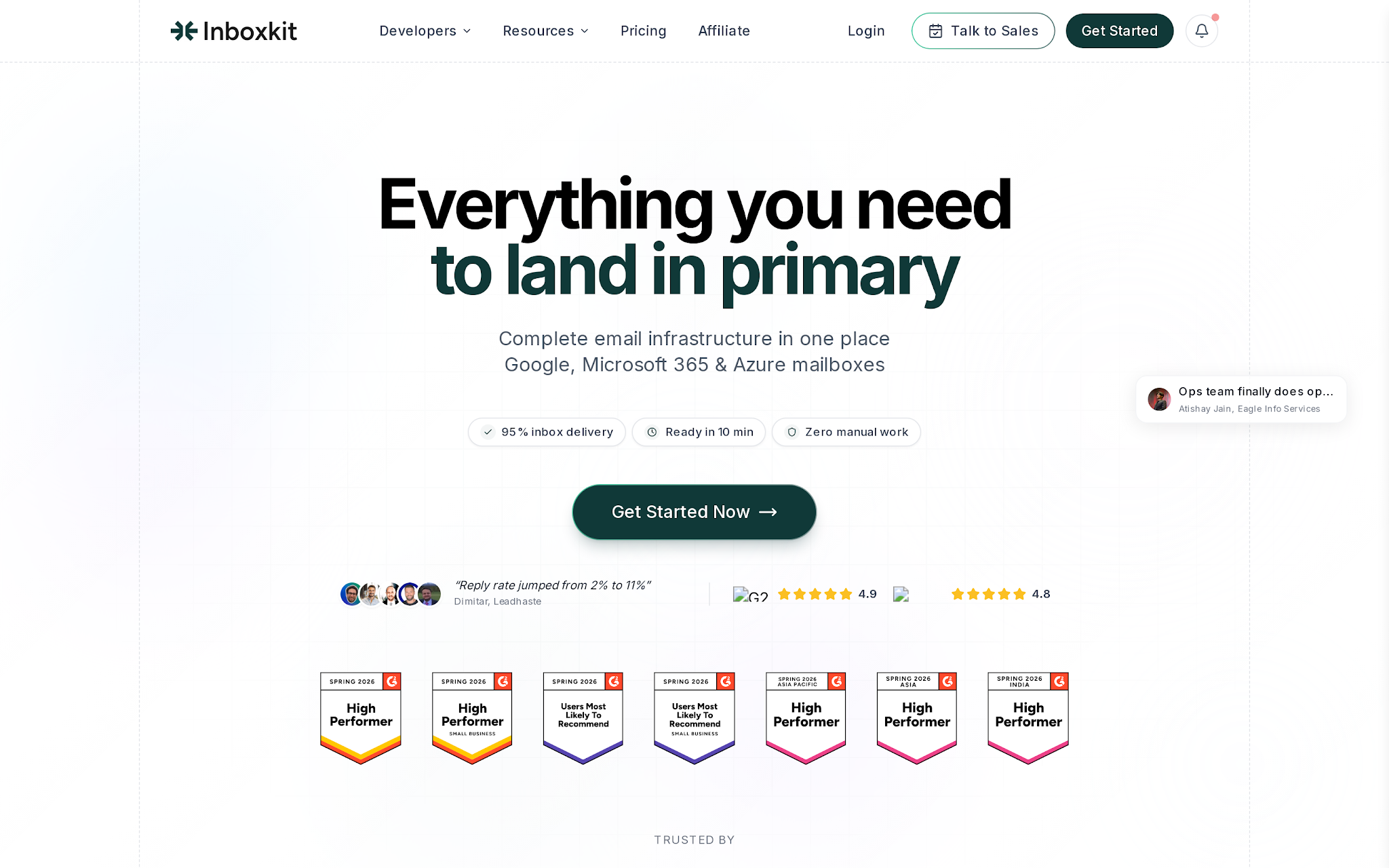
InboxKit is useful for teams that want to buy, configure, warm up, monitor, and connect mailboxes without setting up everything manually.
That matters because cold email infrastructure usually breaks in small operational areas. A DKIM record is wrong. A domain starts sending too early. A mailbox gets added to the wrong campaign. A blacklist warning is missed. The team thinks the campaign failed because of copy, when the real issue was the sending layer.
InboxKit reduces that setup and monitoring work.
For a 30-mailbox rollout, the workflow usually looks like this:
That makes InboxKit helpful for teams that want a simpler way to manage outbound mailboxes.
The important distinction is infrastructure depth. InboxKit is more focused on mailbox setup and management.
Infraforge is built for teams that want dedicated cold email infrastructure with private infrastructure, dedicated IP options, automated DNS setup, API access, multiple workspaces, and better control over the sending layer as they scale.
How to Host Your Own Email Server For Cold Outreach (And When Not To)
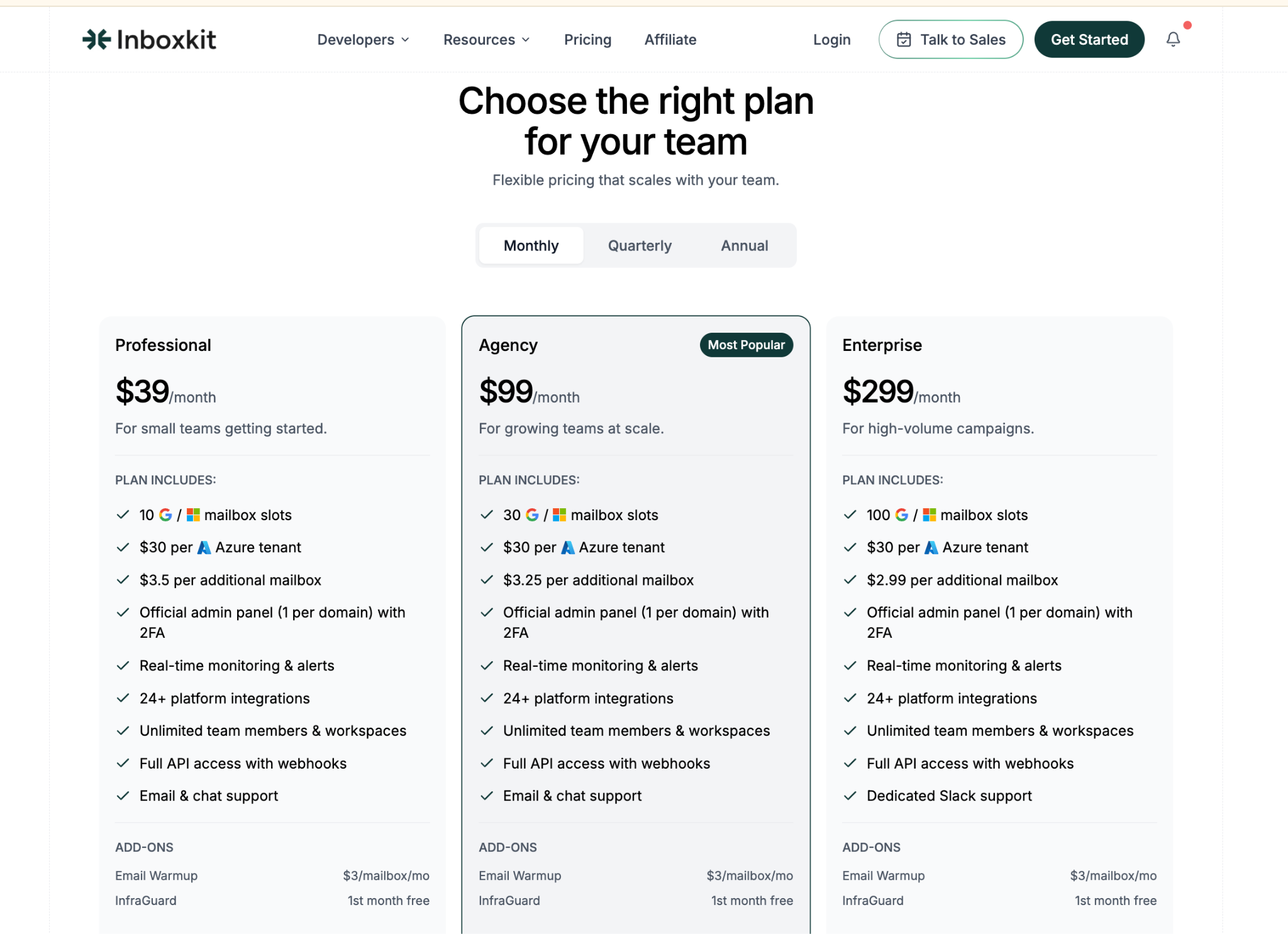
InboxKit starts at $39/month on the Professional plan with 10 mailbox slots. The
Agency plan costs $99/month and includes 30 mailbox slots, which is the most relevant plan for teams comparing 30-mailbox cold email setups.
The Enterprise plan costs $299/month and includes 100 mailbox slots.
Extra mailbox pricing goes down as you move up the plans. Professional charges $3.50 per additional mailbox, Agency charges $3.25 per additional mailbox, and Enterprise charges $2.99 per additional mailbox. InboxKit also charges $30 per Azure tenant.
For a 30-mailbox setup, the Agency plan is the practical starting point at $99/month.
Email warmup is an add-on at $3 per mailbox per month, so warming up all 30 mailboxes would add another $90/month. That puts the mailbox plan plus warmup at about $189/month before domains, sequencer costs, contact data, enrichment, and any other outbound tools.
The plans include an official admin panel with 2FA, real-time monitoring and alerts, 24+ integrations, unlimited team members and workspaces, API access with webhooks, and email/chat support. InfraGuard is listed as an add-on with the first month free.
The important point is that InboxKit pricing is not just the base plan card.
The base plan gives you mailbox capacity. Your real outbound cost depends on how many mailboxes you warm up, how many domains you use, what sequencer you connect, and what data you run alongside it.
Scale cold outreach with Infraforge’s private email infrastructure, dedicated IPs, automated DNS setup, and mailboxes from $3 per month.
InboxKit is strongest when the buyer has one clear pain: mailbox setup is taking too long and causing too many errors.
That is a legitimate problem.
A 30-mailbox rollout can involve multiple domains, multiple admin accounts, multiple records, user naming conventions, warmup settings, daily send limits, and handoff into a sequencer.
If this is handled across registrar tabs, DNS dashboards, spreadsheets, and Slack messages, the system becomes fragile before the first prospect sees an email.
InboxKit helps by putting the setup into a more contained workflow.
The strongest parts are:
That is the good version of InboxKit.
It makes a painful infrastructure task cleaner.
InboxKit starts to break when the buyer treats managed mailbox provisioning as infrastructure ownership.
Those are not the same thing.
A managed mailbox panel helps you create, organize, warm up, and monitor accounts.
Private infrastructure gives you deeper control over the sending environment, isolation model, domain masking, dedicated IP strategy, workspaces, and how risk is contained as volume increases.
That distinction matters once outbound becomes a serious channel.
InboxKit's main tradeoffs are:
Most teams get this wrong because mailboxes feel tangible.
You can count them. You can assign them. You can export them.
But the pipeline does not come from mailbox count. Pipeline comes from the system around the mailbox.
InboxKit and Infraforge solve adjacent problems, but they are not interchangeable.
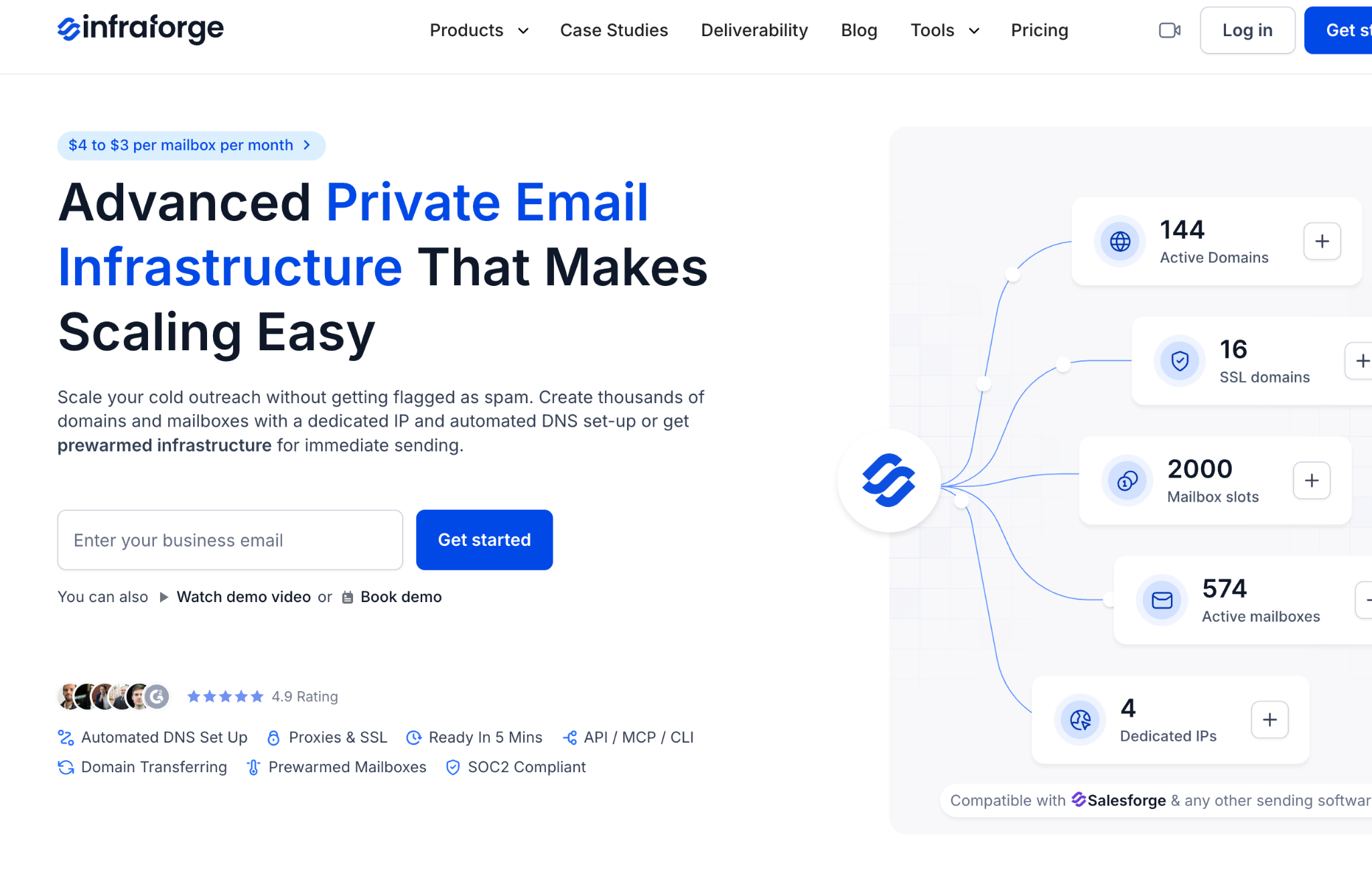
InboxKit is best understood as managed cold email mailbox infrastructure. It helps you provision and operate mailboxes from a cleaner control panel.
Infraforge is private cold email infrastructure for teams that want deeper control over the sending layer: dedicated IPs, SSL and domain masking, multiple workspaces, and infrastructure built to connect into outbound tools like Salesforge.
That difference changes the recommendation.
InboxKit wins when the setup task is the bottleneck.
Infraforge wins when control is the bottleneck.
Primeforge wins when the buyer specifically wants Google Workspace or Microsoft 365 mailboxes for cold outreach.
Salesforge wins when the actual pain is outbound execution: contacts, personalization, sequencing, replies, follow-ups, and pipeline motion.
Choose InboxKit if your team wants a managed mailbox setup workflow and already understands that infrastructure is only one part of outbound.
It makes sense for:
If your main pain is "we keep making mailbox and DNS mistakes," InboxKit is a reasonable answer.
That is a real pain.
Fix it.
Do not choose InboxKit if you expect 30 mailboxes to rescue a weak outbound motion.
It will not.
You should look elsewhere if:
Scale cold outreach with Infraforge’s private email infrastructure, dedicated IPs, automated DNS setup, and mailboxes from $3 per month.
A clean 30-mailbox rollout starts before anyone buys the mailboxes.
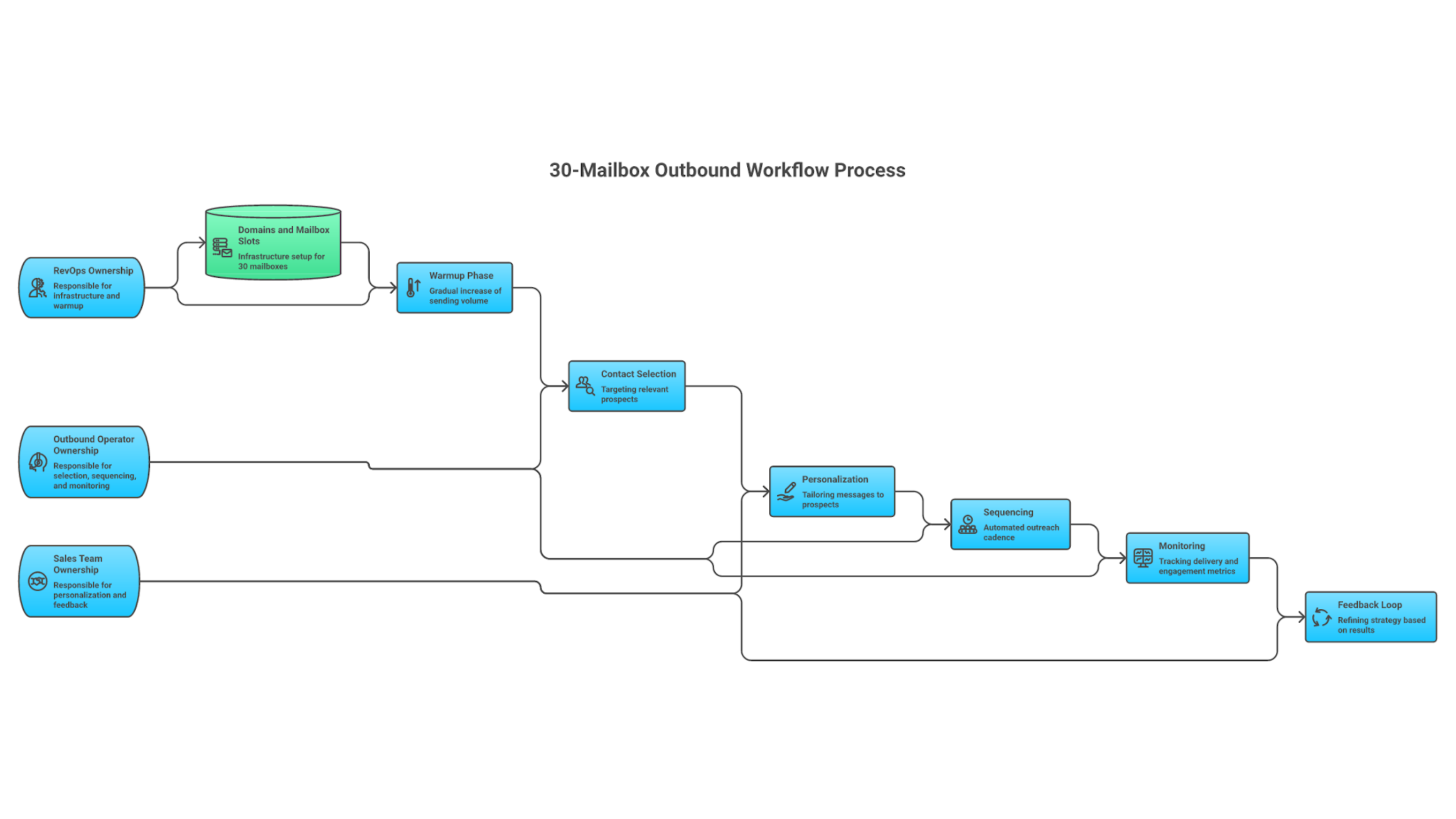
The operator defines the sending goal first. Then the infrastructure follows.
A practical workflow looks like this:
InboxKit can support the provisioning and monitoring parts of that workflow.
The Forge stack handles the broader system: Infraforge for private infrastructure, Primeforge for Google/Microsoft mailboxes, Warmforge for warmup and deliverability checks, Leadsforge for contact data, and Salesforge for execution, personalization, reply handling, and pipeline workflow.
Enter your email to get a custom plan & stack recommendation for your business
Please check your mailbox in 5 minutes

InboxKit is useful when your team wants managed mailbox infrastructure and setup convenience.
For a 30-mailbox rollout, that convenience is valuable. DNS automation, mailbox-slot management, warmup access, monitoring, and sequencer handoff can remove a lot of avoidable work.
But InboxKit is not private infrastructure ownership. It is not your sequencer. It is not your contact data layer. It is not your reply process. It does not decide when to throttle, when to pause, when to replace a domain, or when a campaign is ready to scale.
Use InboxKit when you want a managed mailbox setup.
Use Primeforge when you specifically want Google Workspace or Microsoft 365 mailboxes built for cold outreach.
Use Infraforge when you want private email infrastructure and deeper control over the sending layer.
And if the real problem is that your team is still stitching together contacts, copy, mailboxes, follow-ups, replies, and CRM updates by hand, Salesforge is the operating layer that turns that work into a repeatable outbound workflow.
The mailbox is not an asset.
The system around it is.
Scale cold outreach with Infraforge’s private email infrastructure, dedicated IPs, automated DNS setup, and mailboxes from $3 per month.