Blog
5 Best Mailreef Alternatives for Better Cold Email Infrastructure in 2026

5 Best Mailreef Alternatives for Better Cold Email Infrastructure in 2026

Last Updated on: Oct 01, 2026
•
5 min read
Summarize with

Mailreef gives cold email teams their own mail server and dedicated IP. Before signing up, ask these four questions because the answers will show whether it fits your team.

Do you need a full mail server for a few campaigns? Mailreef starts at $240 a month, requires a demo or quote, and locks you into an annual contract on its cheapest plan.

Why does your bill change each month? Mailreef charges $0.001 for every email you send on top of your plan.

Who warms up your mailboxes? Mailreef recommends sending one warmup email for every cold email, but you must find and pay for the warmup tool yourself.

What happens when one domain gets flagged? Mailreef puts 150 or more mailboxes on one server and IP, so one flagged domain can affect the others.

If that setup does not match how your team sends, consider the five tools below. Each handles at least one of these areas better than Mailreef, though each comes with trade-offs.

Table of Contents

TL;DR of the Best Mailreef Alternatives

All five providers run their own sending infrastructure, like Mailreef. The main differences are how quickly you can start, what you pay for, and how much deliverability work they handle.

Infraforge is my top choice for teams that want dedicated servers and IPs with room to start small and scale. 

Feature Infraforge (Best Overall) Mission Inbox Aerosend Inframail Maildoso
Starting price $4 to $3/mailbox/mo, 10-slot minimum $199/mo for 30 mailboxes $4/inbox, $2 past 150 $129/mo, unlimited inboxes SMTP from $0.49/mailbox, $25 minimum
Getting started ✅ Self-serve, about 5 minutes ⚠️ Not stated ⚠️ Not stated ✅ Self-serve, about 3 minutes ✅ Self-serve, mailboxes in 5 minutes
Server and IP model ✅ Dedicated servers, an IP per workspace ✅ Isolated servers, 2 to 3 dedicated IPs ✅ Dedicated server per 10 domains, aged IPs ✅ Dedicated US IPs on Microsoft's cloud ⚠️ Rotating IP pool, no dedicated IP
Mailbox types Private mailboxes on dedicated servers SMTP and API accounts Private infrastructure Microsoft-backed inboxes ✅ SMTP and Google Workspace
Per-send charges ✅ None ⚠️ About $1 per 1,000 past included sends ✅ None ⚠️ None, but monthly email cap by plan ✅ None
Warmup ✅ Pre-warmed domains and mailboxes available ✅ Warmup support included ✅ Included and managed ⚠️ Included on done-for-you plan only ❌ Not built in yet
Deliverability protection ✅ Sender rotation and smart sending limits ✅ Pre-send Shield scans every email ✅ Daily domain scoring, biweekly placement tests ✅ Blacklist dashboard, automatic delisting requests ✅ Automatic IP swap, two-week mailbox rest
Trial or refund ❌ No free trial, app open to explore ⚠️ Refund within 2 days of renewal ⚠️ Not stated ⚠️ Not stated ✅ 300 mailboxes free for 30 days, 30-day guarantee
API access ✅ Infraforge API ⚠️ Available, plan unclear ⚠️ Not stated ✅ On every plan ✅ API and MCP on every plan
Best for Starting small on dedicated infrastructure Checking every email before it sends Containing a bad domain to a small group Blacklist recovery with unlimited inboxes SMTP and Google Workspace together

How I Evaluated Each Mailreef Alternative

I compared each provider across six areas where Mailreef’s model is either strongest or weakest, making the differences easier to see.

1. How You Get Started

Some providers let you sign up and buy mailboxes within minutes. Others require a demo and sell plans designed for a full server. If you want to test one campaign first, the minimum commitment matters more than the headline price.

2. How Far One Bad Domain Reaches

When several domains share a single IP address, a domain receiving complaints can hurt the others. I checked how each provider limits that risk through smaller server groups, separate workspaces, or rotating IPs.

3. What Makes the Bill Go Up

Infrastructure may be priced per mailbox, per email, or through a flat plan with a sending cap. That pricing model determines whether a busy month costs more than a quiet one.

4. Who Runs Warmup

New domains and IPs need warmup before sending at scale. Some providers include it, others sell pre-warmed setups, and some leave it to your own tool.

5. What Happens After a Blacklisting

Most senders eventually appear on a blacklist. The difference is whether you discover it through a dashboard or falling reply rates, and whether the provider handles delisting and replacement.

6. Whether You Can Test Before Committing

A free trial, refund window, or monthly plan lets you test inbox placement with your list before committing. An annual contract does not.

The 5 Best Mailreef Alternatives in 2026

1. Infraforge

Best for: Teams that want dedicated servers and IPs without a sales call or high monthly minimum. 

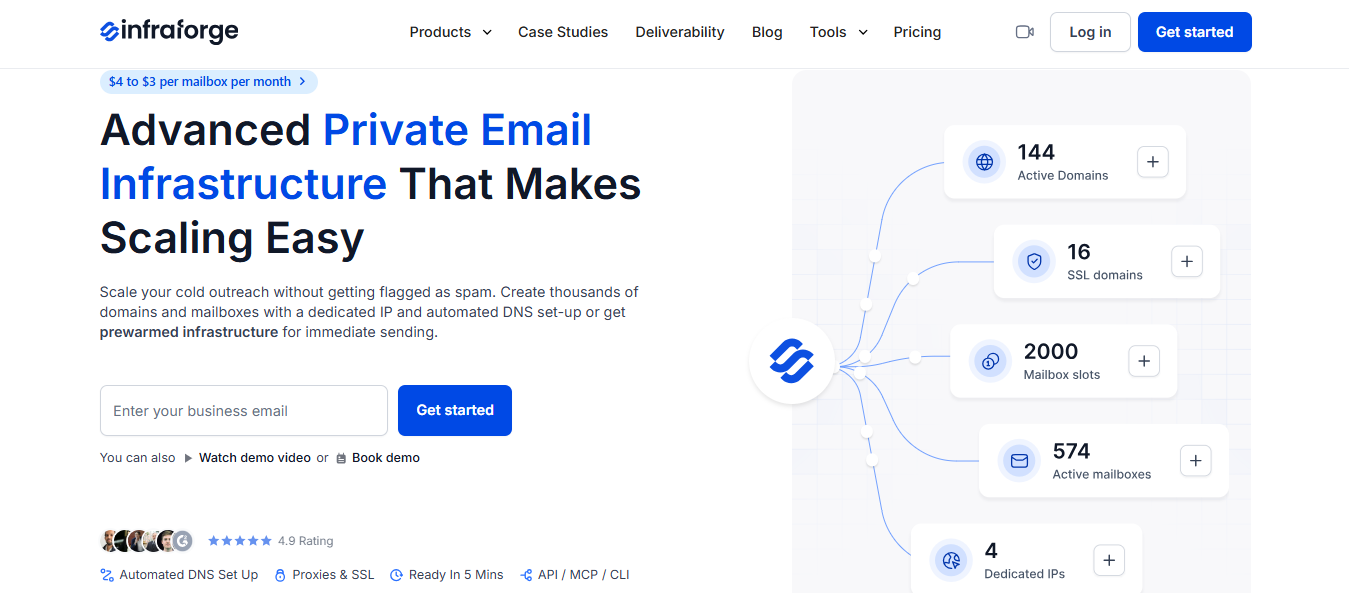
Infraforge Homepage
This image shows the Infraforge Homepage

Infraforge provides dedicated servers and an IP address through a self-serve setup. There is no demo to book. Sign up, buy at least 10 mailbox slots, and launch your first domain and mailbox in about five minutes. DMARC, SPF, DKIM, and custom tracking are configured for you.

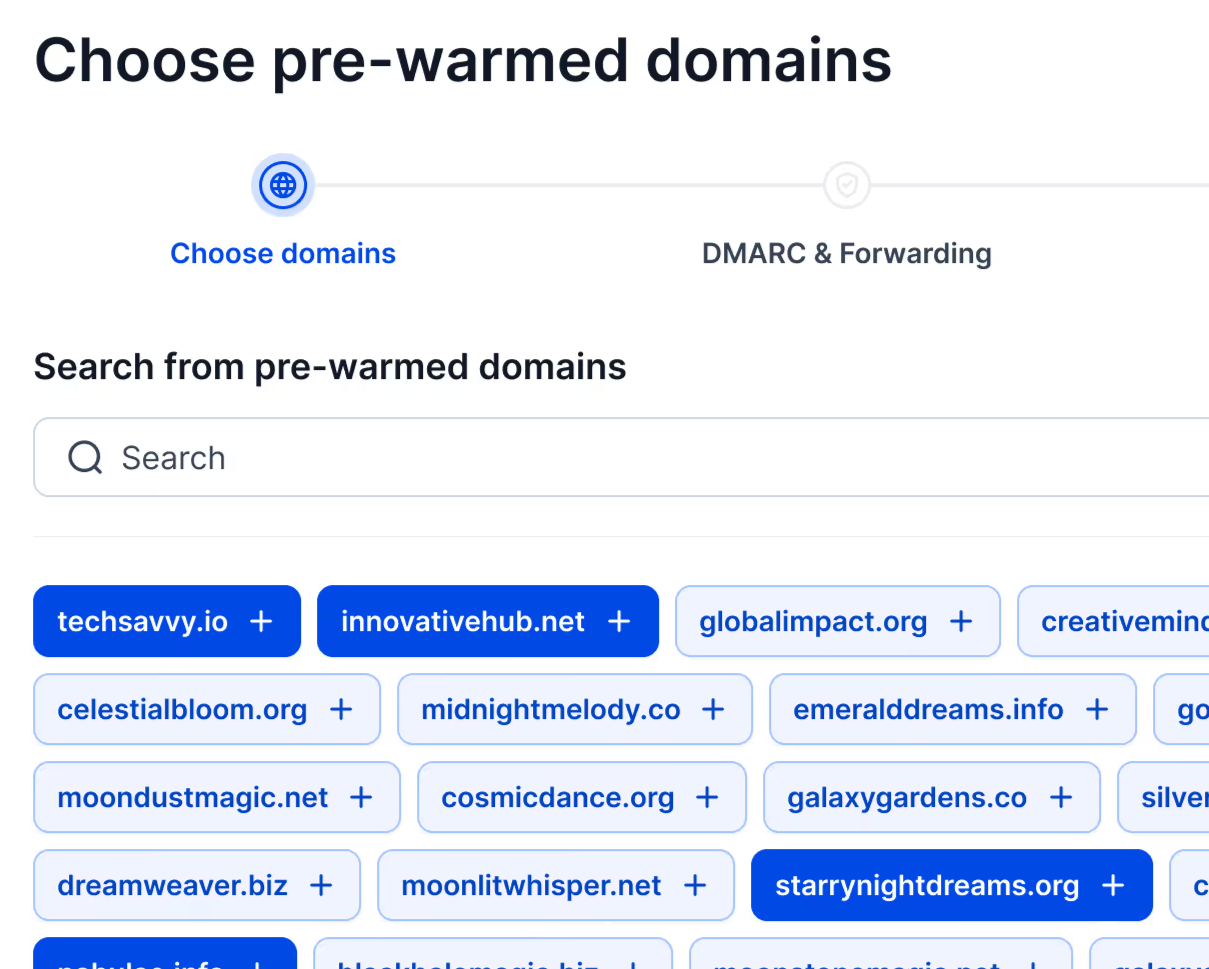
If you do not want to wait for warmup, Infraforge offers pre-warmed domains and mailboxes, letting a new setup send the same day.

Pre-Warmed Domains in Infraforge
This image shows the Pre-Warmed Domains in Infraforge

Agencies can separate clients. Each workspace can use its own IP, and you can move domains and mailboxes between workspaces as clients change. Masterbox brings every reply from a workspace into one inbox.

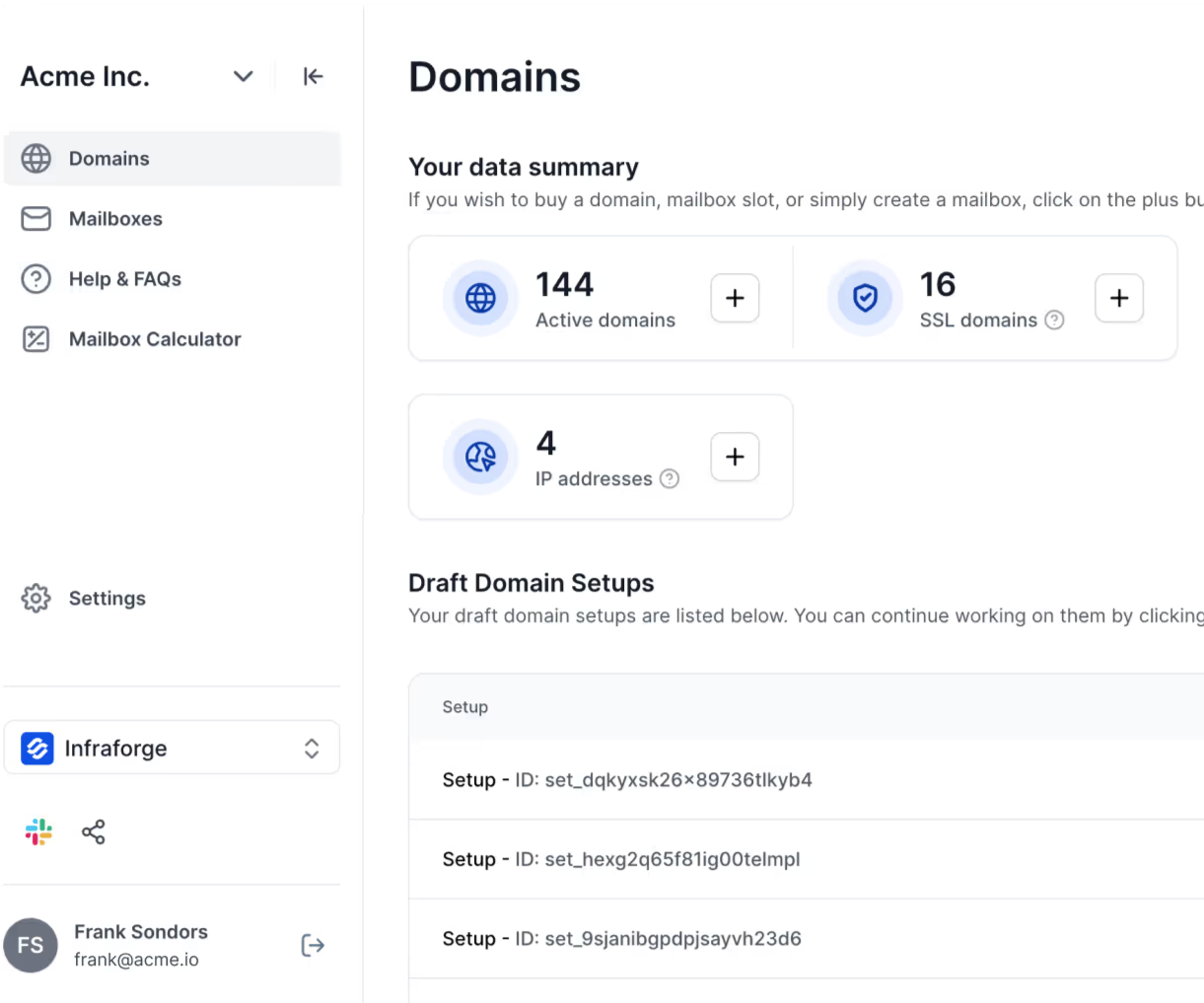
You also retain control of your domains. You can edit DNS records as you would with any registrar, make bulk updates across domains, and transfer them in or out when needed.

Infraforge domains dashboard
This image shows the Infraforge domains dashboard

Why Infraforge Is Better for Teams That Want to Start Small

Every Mailreef plan begins with a demo and a monthly price designed for a full server. Infraforge lets you begin with a few mailboxes, test one campaign, and add capacity when the results support it. 

  • Self-serve signup: Start without a demo or sales call.
    ‍
  • 10-slot minimum: Test dedicated infrastructure without buying a full server.
    ‍
  • Pre-warmed domains and mailboxes: Send on the day you set up.
    ‍
  • One IP per workspace: Keep each client’s reputation separate.
    ‍
  • Slots instead of mailboxes: Replace a burned mailbox without paying for another slot.

There is no free trial because the product needs domains and mailboxes to work, but you can explore the app before buying. 

Infraforge vs Mailreef

Feature Infraforge Mailreef
Starting price $4 to $3 per slot, 10-slot minimum $240/mo on a 12-month commitment, or $249/mo monthly
Getting started Self-serve, about 5 minutes per domain Demo call or quote request
Server and IP Dedicated servers, an IP per workspace available Dedicated server and IP, 150+ mailboxes per server
Mailbox type Private mailboxes on dedicated servers SMTP and IMAP mailboxes
Per-send charge None $0.001 per email
Recommended sends per mailbox Not stated 50 a day
Warmup Pre-warmed domains and mailboxes available Not included, 1:1 warmup ratio recommended
Deliverability tools Sender rotation, smart sending limits, bulk DNS updates Server and mailbox monitoring, spammer screening
Trial or refund No free trial Not stated
API Infraforge API Developer API and Zapier

Pricing

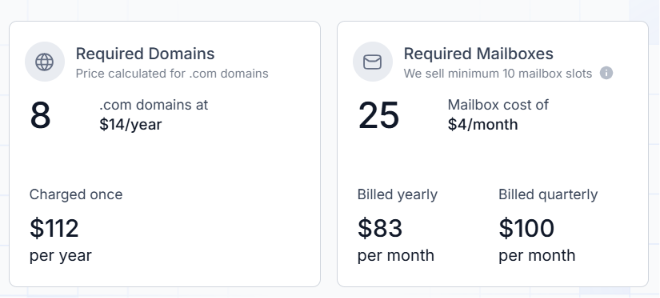
Infraforge pricing
This image shows the Infraforge pricing
  • Mailboxes: $4 down to $3 each by volume, minimum 10 slots
    ‍
  • 25 mailboxes across 8 domains: $83 a month billed yearly, $100 quarterly
    ‍
  • Domains: $14 per .com per year
    ‍
  • Extra IPs: $99 a month each
    ‍
  • SSL and domain masking: $2 per domain
    ‍
  • Masterbox: $7 per workspace

Mailreef’s cheapest plan costs $240 a month with a 12-month commitment or $249 month-to-month, plus $0.001 per email. Ten Infraforge slots cost about $40 a month with quarterly billing and no per-send fee. 

Personalized Outbound Strategy

Get The Right Outbound Strategy In Minutes

Enter your email to get a custom plan & stack recommendation for your business

It's being carefully crafted by AI

Please check your mailbox in 5 minutes

2. Mission Inbox

Best for: Teams sending cold, transactional, and compliance emails that want every message checked before it leaves. 

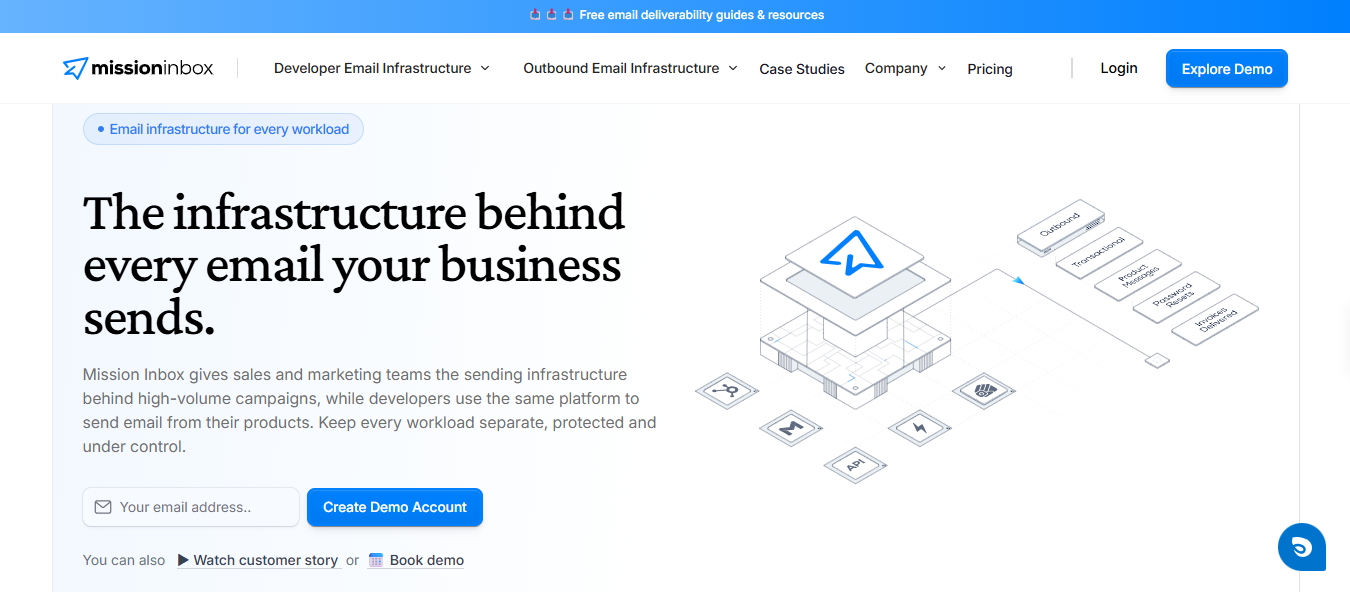
Mission Inbox Homepage
This image shows the Mission Inbox Homepage

Mission Inbox runs your email on isolated servers with dedicated IPs. It separates cold, transactional, and compliance messages into different lanes. If your product sends password resets and invoices alongside outreach, a poor cold campaign cannot harm emails customers are waiting for.

Its standout feature is the Pre-send Shield. It checks each email for spam triggers, weak structure, and broken DNS before sending, then blocks messages likely to land in spam. Most tools warn you after an email goes out. Mission Inbox catches the problem first.

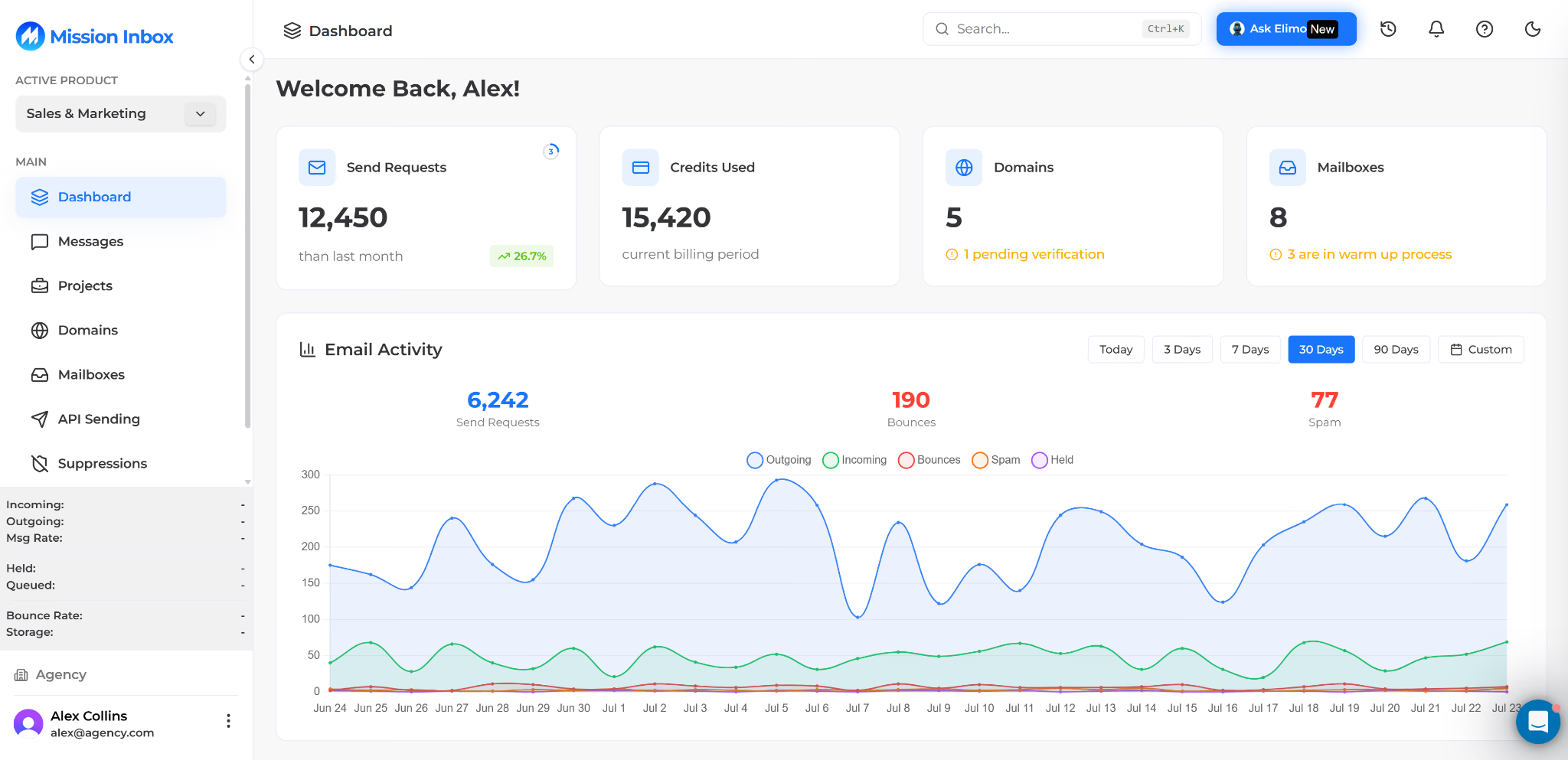
Mission Inbox Dashboard
This image shows the Mission Inbox Dashboard

It is designed for developers, offering a RESTful API, SDKs in six languages, and webhooks. Before buying, confirm which plan includes API access and note that refunds only cover the two days after renewal.

Why Mission Inbox Is Better for Catching Bad Emails Before They Send

Mailreef monitors your server and mailboxes. Mission Inbox also checks each email, stopping spammy templates or broken DNS records before they damage your reputation 

  • Pre-send Shield: Checks every email for spam triggers, structure, and DNS.
    ‍
  • Separate lanes: Keeps cold, transactional, and compliance emails apart.
    ‍
  • Dedicated IPs on isolated servers: Includes two to three on the starter plan.
    ‍
  • Developer tools: REST API, SDKs in six languages, and webhooks.

Each plan includes a fixed number of sends, with added charges beyond that amount. If you send heavily, calculate your monthly volume before choosing a plan. Mission Inbox has a 4.4/5 Trustpilot rating based on 10 reviews. 

Mission Inbox vs Mailreef

Feature Mission Inbox Mailreef
Starting price $199/mo for 30 mailboxes $240/mo on a 12-month commitment, or $249/mo monthly
Getting started Not stated Demo call or quote request
Server and IP Isolated servers, 2 to 3 dedicated IPs Dedicated server and IP, 150+ mailboxes per server
Mailbox type SMTP and API accounts, cold, transactional, and compliance lanes SMTP and IMAP mailboxes
Per-send charge 10,000 sends included, about $1 per 1,000 after $0.001 per email
Recommended sends per mailbox Not stated 50 a day
Warmup Warmup support included Not included, 1:1 warmup ratio recommended
Deliverability tools Pre-send Shield scans every email before sending Server and mailbox monitoring, spammer screening
Trial or refund Refund within 2 days of renewal Not stated
API REST API, SDKs in 6 languages, plan unclear Developer API and Zapier

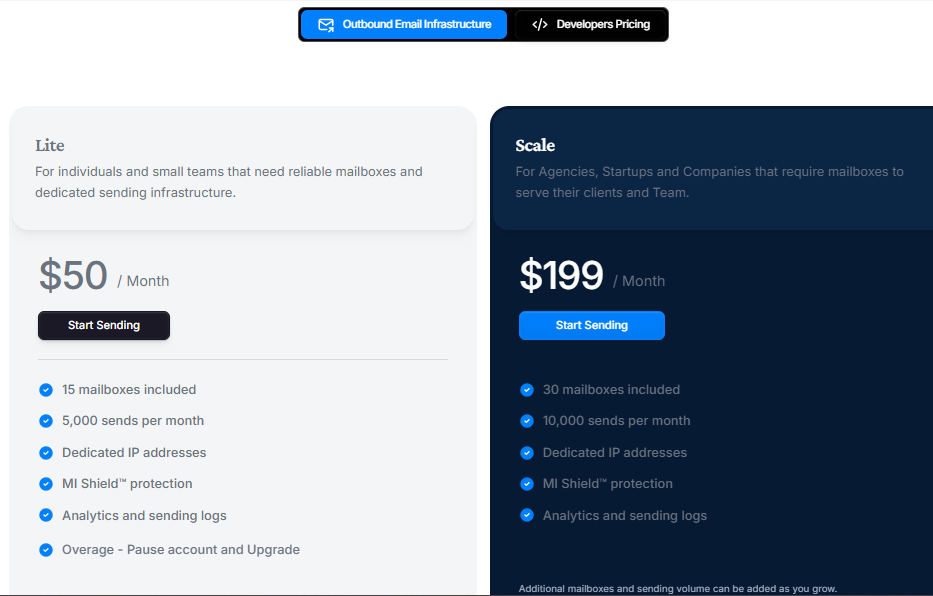
Pricing

Mission Inbox Pricing
This image shows the Mission Inbox Pricing
  • Starter: $199 a month, 30 mailboxes, 10,000 sends, 20 credits, 2 to 3 dedicated IPs
    ‍
  • Pro: $599 a month
    ‍
  • Extra sends: About $1 per 1,000 
    ‍
  • Extra mailboxes: About $1.75 to $3 each 
    ‍
  • Refunds: Within 2 days of renewal 

For 100,000 monthly emails across 100 mailboxes, Mission Inbox costs $429 to $499 compared with Mailreef’s $349. 

3. Aerosend

Best for: Teams that want a bad domain contained within a small group and warmup managed by the provider. 

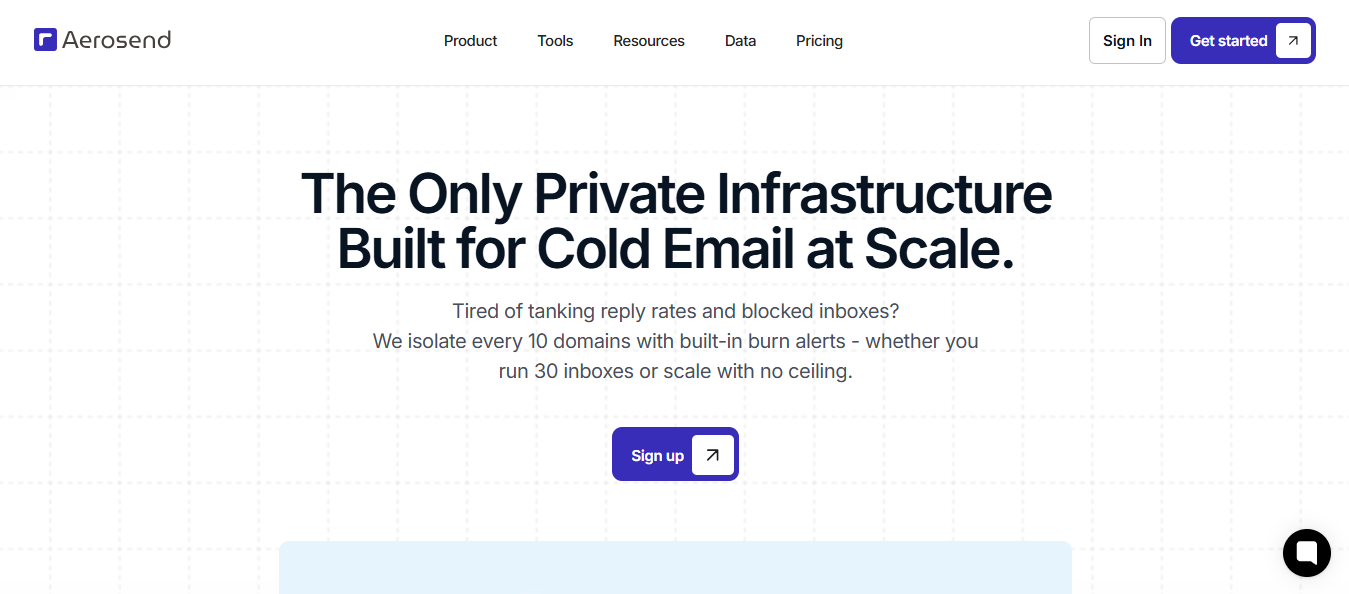
Aerosend homepage
This image shows the Aerosend homepage

Aerosend builds private sending infrastructure on aged IPs. These IPs already have sending history, so you are not starting from zero while waiting for inbox providers to trust them.

It also works as a managed service. Aerosend handles warmup, checks every domain daily, runs inbox placement tests every two weeks, and alerts you when a domain goes bad so you can replace it.

Plan your inbox count around a lower sending rate. Aerosend limits each inbox to 20 to 25 emails daily, so reaching the same volume requires more inboxes than providers with higher limits.

Why Aerosend Is Better for Limiting the Damage From One Bad Domain

When many domains share a server and IP address, one domain receiving spam complaints can hurt the others. Mailreef places at least 150 mailboxes on one server. Aerosend puts every 10 domains on a dedicated server, keeping problems within that group. 

  • One server per 10 domains: A bad domain affects no more than nine others.
    ‍
  • Aged IPs: Start with an existing sending history.
    ‍
  • Warmup included: No separate tool to set up or purchase.
    ‍
  • One-click replacement: Replace a burned domain as soon as it is flagged.

Aerosend vs Mailreef

Feature Aerosend Mailreef
Starting price $4 per inbox, $2 past 150 $240/mo on a 12-month commitment, or $249/mo monthly
Getting started Not stated Demo call or quote request
Server and IP Dedicated server per 10 domains, aged IPs Dedicated server and IP, 150+ mailboxes per server
Mailbox type Private infrastructure SMTP and IMAP mailboxes
Per-send charge None $0.001 per email
Recommended sends per mailbox 20 to 25 a day 50 a day
Warmup Included and managed Not included, 1:1 warmup ratio recommended
Deliverability tools Daily domain scoring, biweekly placement tests, burn detection Server and mailbox monitoring, spammer screening
Trial or refund Not stated Not stated
API Not stated Developer API and Zapier

Pricing

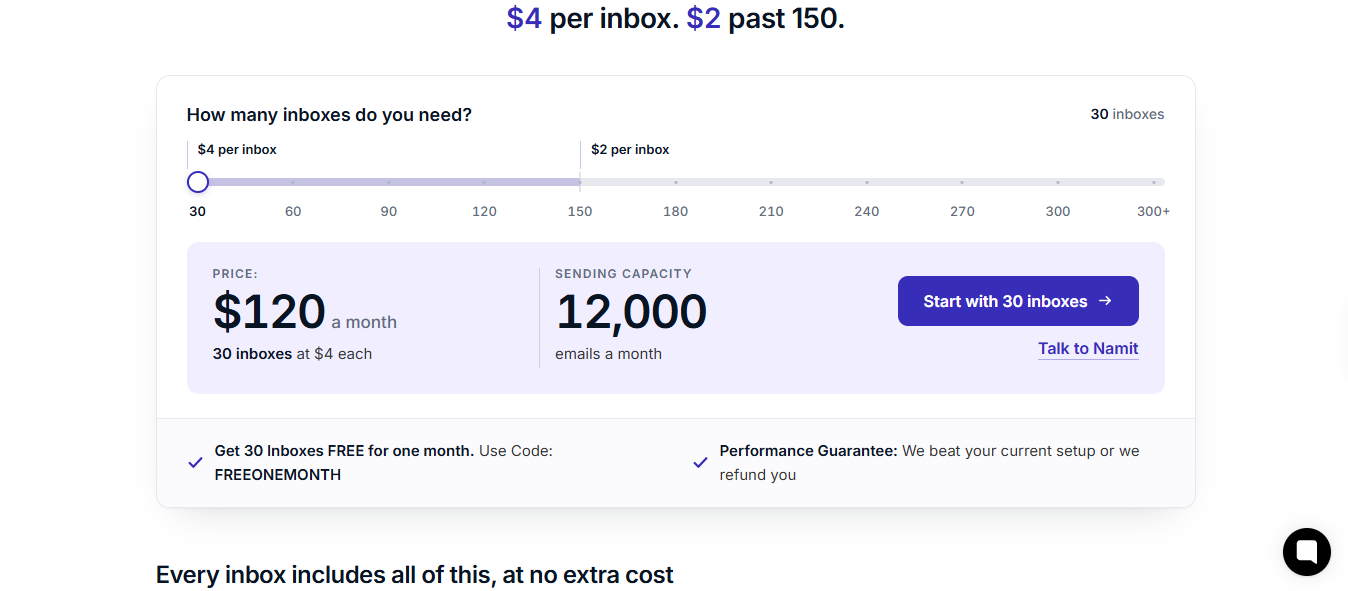
Aerosend pricing page
This image shows the Aerosend pricing page
  • Per inbox: $4, dropping to $2 after 150 inboxes
    ‍
  • 30 inboxes: $120 a month
    ‍
  • 200 inboxes: About $700 a month
    ‍
  • Included: Warmup, placement testing, and burn detection

Aerosend’s limit of 20 to 25 daily emails per inbox is half Mailreef’s recommended 50. 

Sending 100,000 emails a month requires about 200 Aerosend inboxes, costing roughly $700 versus Mailreef’s $349. 

The difference includes warmup you would otherwise manage separately. 

4. Inframail

Best for: Teams that want managed blacklist recovery and unlimited inboxes under one plan. 

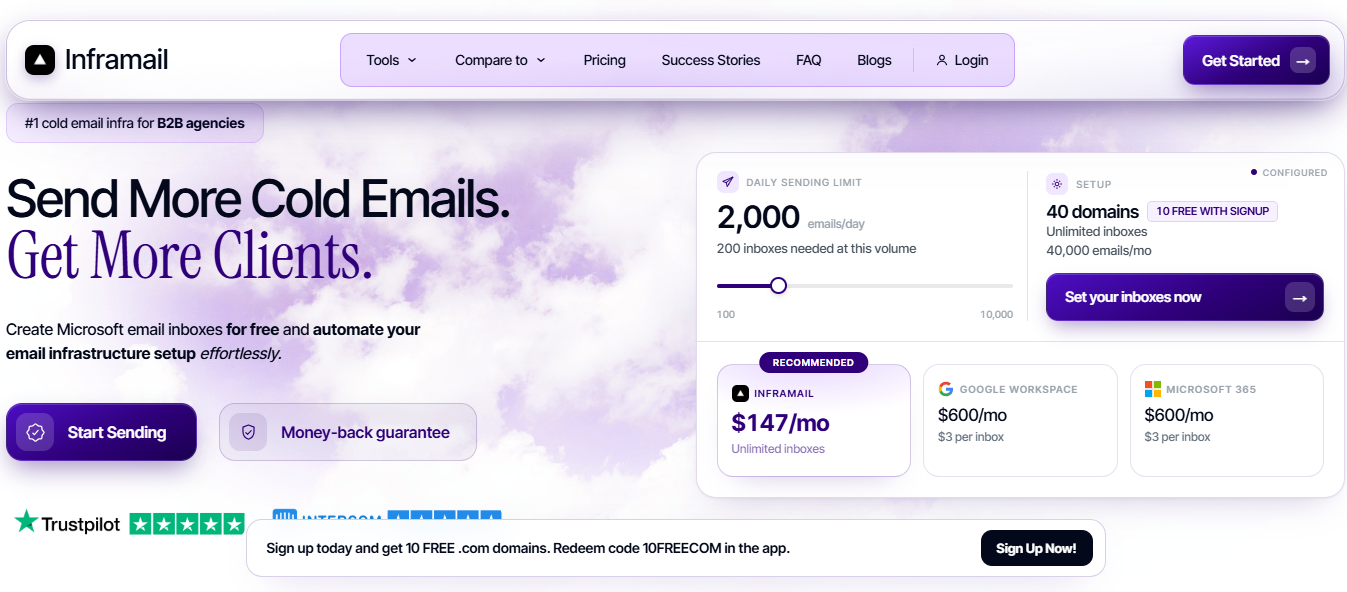
Inframail homepage
This image shows the Inframail homepage

Inframail runs on Microsoft’s cloud platform using dedicated US IPs, and every plan allows unlimited inboxes. Moving from a new domain to active inboxes takes about three minutes, and you can export them directly to Instantly, Smartlead, or ReachInbox.

Every self-serve plan includes a one-on-one deliverability consultant. For a more hands-off option, its done-for-you plan covers account setup, warmup, and campaign building with a dedicated coach.

Inframail claims deliverability of at least 98%, measured through MailReach, GlockApps, and Inboxally. It does not explain its testing process, so run your own placement test during the first week.

Why Inframail Is Better for Recovering From a Blacklist

Removing a domain from blacklists usually means submitting requests manually, one list at a time. Inframail shows every listed domain in its dashboard and submits requests for you. Mailreef monitors servers and mailboxes but does not mention automatic delisting. 

  • Automatic delisting requests: Inframail reports a 68.3% success rate.
    ‍
  • IP and domain health dashboard: View every blacklisted domain in one place.
    ‍
  • Phantom redirect: Hides domain redirects from inbox providers.
    ‍
  • Unlimited inboxes and domain setups: Replace listed domains without hitting a limit.
    ‍
  • API and deliverability consultant: Included with both self-serve plans.

Unlike Mailreef, each plan limits monthly sending volume. Choose your plan based on email volume rather than the number of inboxes. 

Inframail vs Mailreef

Feature Inframail Mailreef
Starting price $129/mo, unlimited inboxes $240/mo on a 12-month commitment, or $249/mo monthly
Getting started Self-serve, about 3 minutes Demo call or quote request
Server and IP Dedicated US IPs on Microsoft's cloud, 1 to 3 by plan Dedicated server and IP, 150+ mailboxes per server
Mailbox type Microsoft-backed inboxes SMTP and IMAP mailboxes
Per-send charge None, but 80,000 or 300,000 emails a month by plan $0.001 per email
Recommended sends per mailbox Not stated 50 a day
Warmup Included on the done-for-you plan only Not included, 1:1 warmup ratio recommended
Deliverability tools Blacklist dashboard, automatic delisting requests, Phantom redirect Server and mailbox monitoring, spammer screening
Trial or refund Not stated Not stated
API On every plan Developer API and Zapier

Pricing

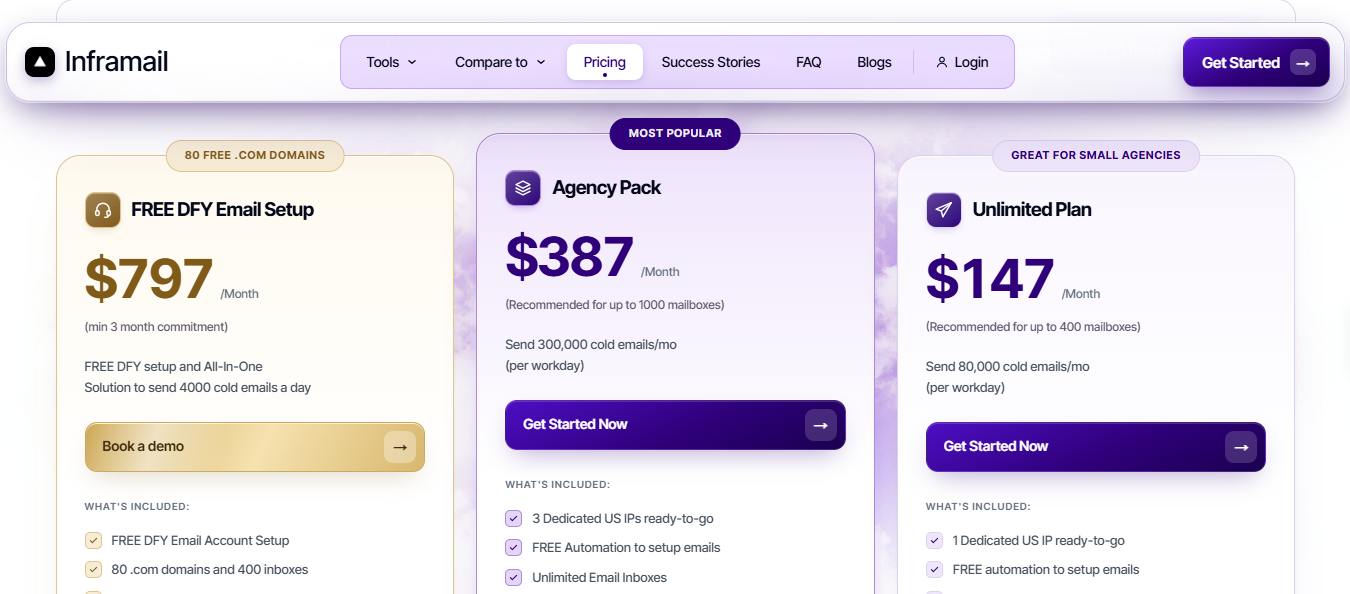
Inframail pricing
This image shows the Inframail pricing
  • Unlimited: $129 a month, or $90.30 billed yearly. 80,000 emails a month, 1 dedicated US IP
    ‍
  • Agency Pack: $327 a month, or $228.90 billed yearly. 300,000 emails a month, 3 dedicated US IPs
    ‍
  • Done-for-you: $3,497 once, then $499 a month or $349.30 billed yearly
    ‍
  • Every plan: Unlimited inboxes, unlimited domain setups, API access, and a deliverability consultant 

For 100,000 emails a month, you need the Agency Pack at $327 monthly or $228.90 billed yearly, compared with Mailreef’s $349. The Unlimited plan caps sending at 80,000. 

5. Maildoso

Best for: Teams that want SMTP and Google Workspace mailboxes from one provider. 

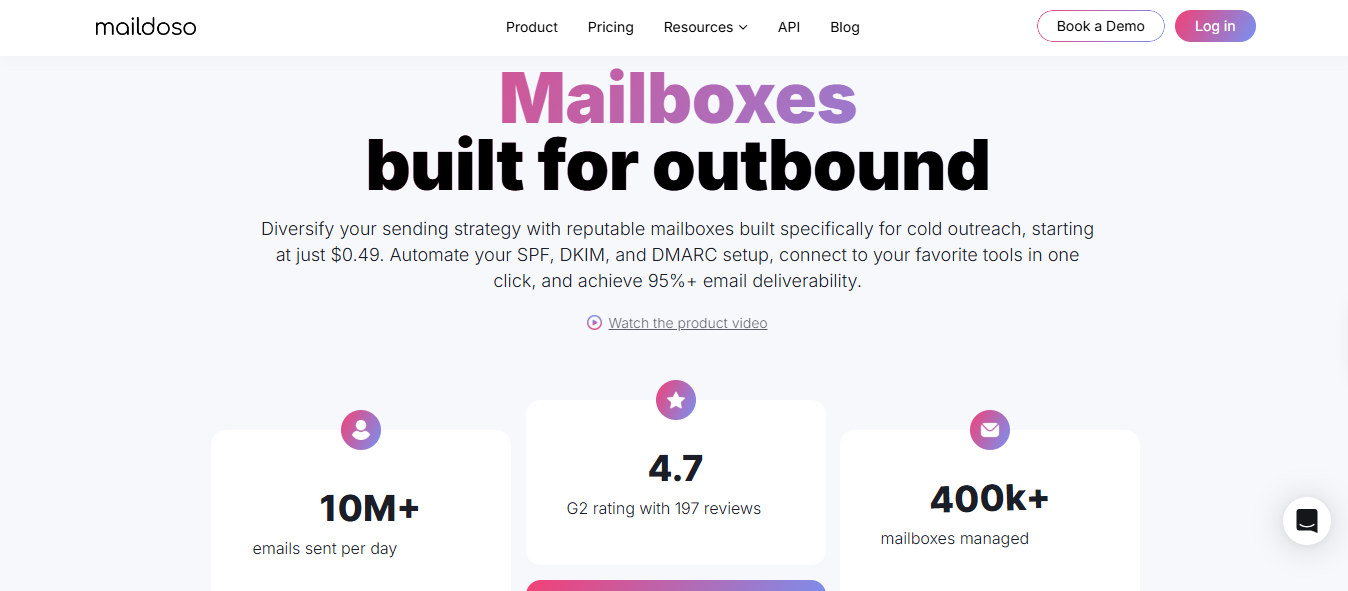
Maildoso homepage
This image shows the Maildoso homepage

Maildoso sells SMTP mailboxes and Google Workspace accounts through the same account. This lets you combine lower-cost SMTP volume with a smaller group of Google mailboxes.

Its SMTP mailboxes send through a rotating pool of IPs. If an IP becomes blacklisted, Maildoso replaces it automatically, so you do not need to wait for support to move you. The trade-off is that you do not own a dedicated IP.

Maildoso also rests every mailbox for a set period every two weeks to clear provider flags. Before buying, note that it recommends 15 daily emails per mailbox, does not offer Microsoft 365 or Azure, and has not added warmup yet.

Why Maildoso Is Better for Running SMTP and Google Workspace Together

Google Workspace mailboxes cost more but use Google’s infrastructure. SMTP mailboxes are cheaper and better suited to volume. Mailreef only sells SMTP and IMAP mailboxes. Maildoso lets you use both options without adding another provider. 

  • SMTP and Google Workspace in one account: One dashboard and one bill.
    ‍
  • Automatic IP replacement: Replaces blacklisted IPs without a support ticket.
    ‍
  • Scheduled mailbox reset: Clears provider flags every two weeks.
    ‍
  • Inbox placement checks: Shows where your emails land.
    ‍
  • Free trial: Test 300 SMTP mailboxes for 30 days.

Maildoso vs Mailreef

Feature Maildoso Mailreef
Starting price SMTP from $0.49, $25 minimum; Google from $2.70, $40 minimum $240/mo on a 12-month commitment, or $249/mo monthly
Getting started Self-serve, mailboxes in about 5 minutes Demo call or quote request
Server and IP Rotating IP pool, no dedicated IP Dedicated server and IP, 150+ mailboxes per server
Mailbox type SMTP and Google Workspace SMTP and IMAP mailboxes
Per-send charge None $0.001 per email
Recommended sends per mailbox 15 a day 50 a day
Warmup Not built in yet Not included, 1:1 warmup ratio recommended
Deliverability tools Automatic IP swap, two-week mailbox rest, placement checks Server and mailbox monitoring, spammer screening
Trial or refund 300 mailboxes free for 30 days, 30-day guarantee Not stated
API API and MCP on every plan Developer API and Zapier

Pricing

Maildoso pricing
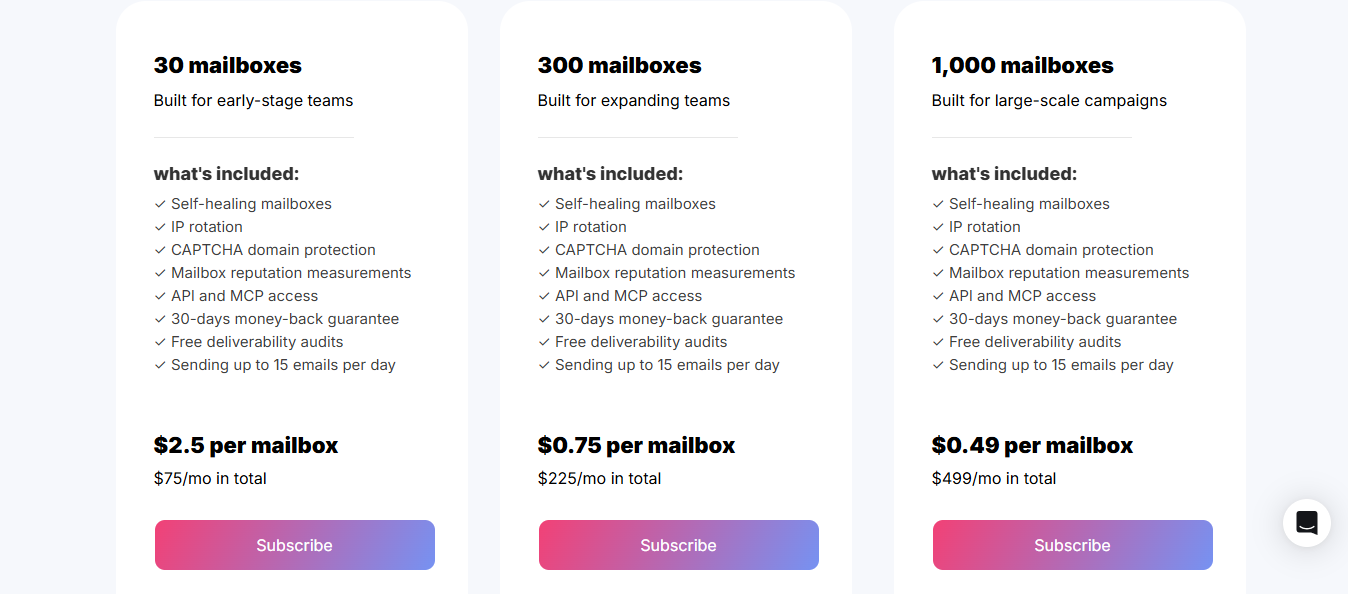
This image shows the Maildoso pricing
  • SMTP mailboxes: $0.49 to $2.50 each, $25 minimum
    ‍
  • Google Workspace: $2.70 to $4.00 each, $40 minimum
    ‍
  • Microsoft 365 and Azure: Not offered 
    ‍
  • Guarantee: 30 days

Maildoso orders start at $25. Mailreef’s lowest plan costs $240 per month with a 12-month commitment, or $249 per month with a 12-month commitment, plus $0.001 per send. Because Maildoso recommends 15 daily emails per mailbox, you may need more mailboxes for the same volume. Compare both using your actual daily sending needs. 

Personalized Outbound Strategy

Get The Right Outbound Strategy In Minutes

Enter your email to get a custom plan & stack recommendation for your business

It's being carefully crafted by AI

Please check your mailbox in 5 minutes

Conclusion: Which is the Best Mailreef Alternative

I recommend Infraforge for most teams moving away from Mailreef. You still get dedicated servers and IPs, but you can sign up without a demo, begin with 10 mailbox slots, and avoid per-email charges.

You also do not need to switch everything immediately. Move one campaign to Infraforge, compare its inbox placement and replies with Mailreef for two weeks, and migrate the rest once the results hold.

Some teams need a more specialized option. Aerosend handles warmup and domain monitoring. Mission Inbox checks every email before sending, making it useful for teams that also send product emails. Inframail manages blacklist delisting requests, while Maildoso combines SMTP and Google Workspace in one account.

Scale outreach on private email infrastructure

Set up dedicated IPs, domains, and mailboxes.
Start with
4.7 rating on G2
Add as a preferred
source on Google