Are you looking at Infraboxes and trying to understand how it works once you actually start using it?
Infraboxes is built for teams managing 20 to 200+ mailboxes, with pricing based on the number of inboxes and infrastructure designed around inbox placement.
To understand how this works in a real setup, we tested Infraboxes with 30 SMTP mailboxes.
In this Infraforge review, we walk through how Infraboxes is structured at this level.
That includes how mailboxes and domains are set up, how DNS and warmup are handled, what kind of control you get over individual inboxes, and how pricing works for 30 mailboxes.
It will help you understand how Infraboxes works in a real-world setup and decide whether it fits the way you plan to run cold outreach.
Key Takeaways
Infraboxes works well if you want a simple setup for cold outreach and don’t want to manage technical details yourself.
Infraboxes handles domains, DNS, warmup, and deliverability monitoring for you, but that means you have less manual control over how things run.
Pricing in Infraboxes is based per mailbox (e.g., ~$3.5 per mailbox at 30 inboxes), making it easy to plan costs as you add more.
Infraboxes is a good choice if you want the platform to handle setup and deliverability for you, without manual changes.
Infraforge is the best alternative when you want more control and flexibility as you scale your cold outreach.
Infraforge offers dedicated IPs, pre-warmed domains and mailboxes, bulk DNS updates, API access, and multiple workspaces, which help when your outreach setup gets larger or more complex.
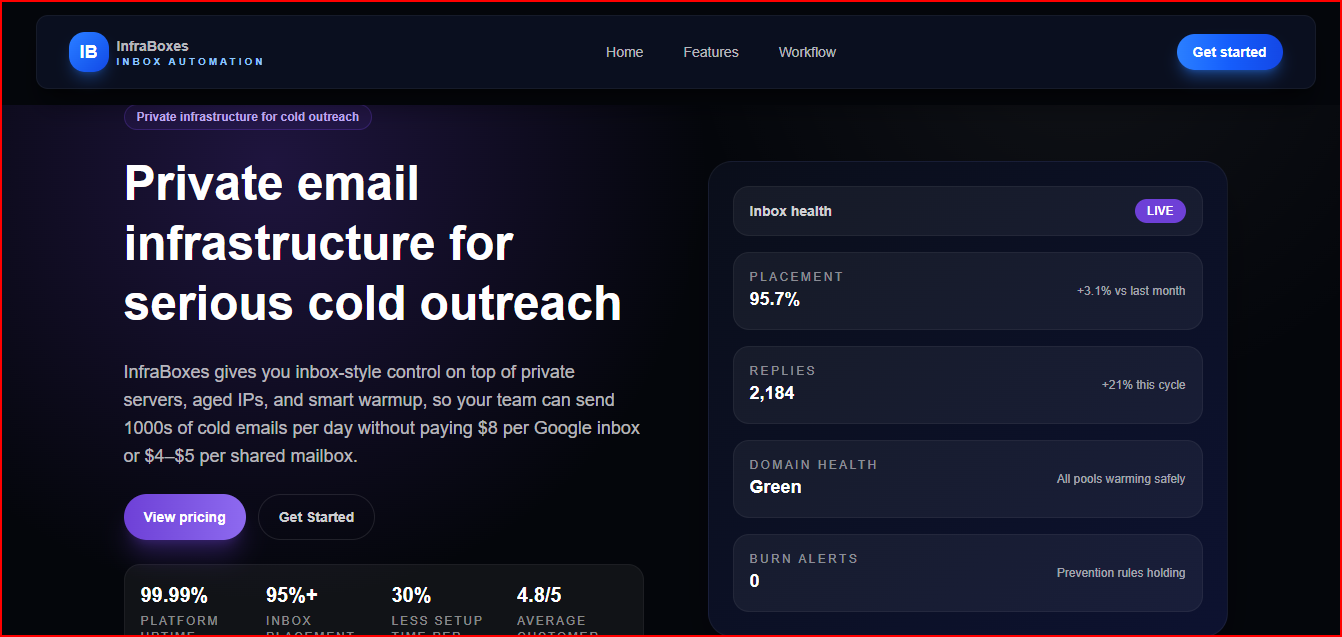
This image shows the Infraboxes cold email infrastructure
It’s useful when you’re working with many inboxes at the same time. Instead of setting up domains, DNS, warmup, and sending rules by yourself, Infraboxes takes care of that setup for you.
Emails are sent through private servers and aged IPs, and warmup is included from the start.
This helps mailboxes get ready before sending and keeps them monitored as sending volume grows.
Infraboxes also handles domain and DNS setup automatically, including SPF, DKIM, and DMARC, so everything stays in one place and needs less manual work.
Why Teams Choose Infraboxes When Scaling Cold Outreach
Here’s why teams use it when scaling cold outreach:
Built for many inboxes Infraboxes is designed for teams managing 20 to 200+ mailboxes, which fits agencies and outbound teams sending at scale.
Per-mailbox pricing keeps costs clear You pay per mailbox, not per seat. This makes it easier to plan costs as you add more inboxes.
Infrastructure made for cold email Emails are sent through private servers and aged IPs, with warmup included, instead of using regular inbox setups.
Less manual setup as you scale Domains and DNS are handled automatically, including SPF, DKIM, and DMARC, so adding more domains does not increase setup work.
Warmup and monitoring are already included Mailboxes are prepared before sending and monitored as volume grows, which helps teams stay consistent while scaling.
In short, teams use Infraboxes for scaling because it keeps pricing simple, setup manageable, and infrastructure focused on cold outreach, even as the number of inboxes grows.
Domain and Mailbox Management Experience
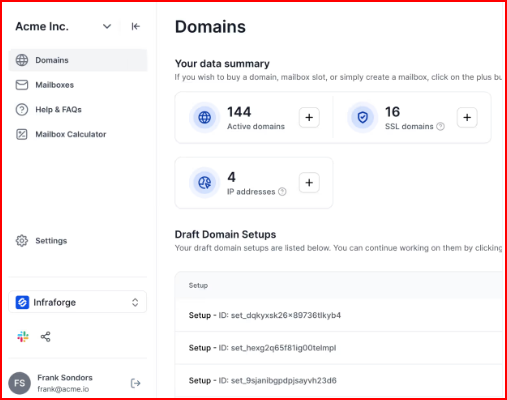
Domains and mailboxes are managed directly inside Infraboxes. All setup and control stays within the platform.
Domain Management
When domains are added in Infraboxes:
Domains are added inside the platform without using external tools
Mailboxes are monitored as sending volume increases
Each mailbox can be managed individually, and mailboxes can be grouped by client, market, or campaign
Mailbox handling stays structured and predictable. Control is available at the mailbox level, while mailbox behavior follows the platform’s rules.
Overall, Infraboxes keeps domain and mailbox management clean and predictable, but it expects you to work within its setup rather than customizing everything yourself.
Warmup, Protection, and Deliverability Controls
Infraboxes manages warmup and deliverability automatically, so mailboxes don’t start sending too much, too fast.
Warmup
For every mailbox in Infraboxes:
Warmup starts automatically, so new mailboxes don’t send full volume on day one
Sending volume increases slowly over time, which avoids sudden spikes that can hurt inbox placement
Warmup runs on aged IPs, not fresh infrastructure
You don’t control warmup steps or speed. The platform follows its own warmup flow.
Protection
Infraboxes includes built-in protection to avoid domain or mailbox burn:
Burn alerts trigger when reply activity or bounce types show risk
Sending volume is slowed automatically when risk appears, instead of continuing at the same pace
Monitoring runs continuously while you send
Protection behavior follows preset rules and can’t be customized manually.
Deliverability Controls
During active sending:
Emails are sent through private servers with isolated stacks, so domains don’t affect each other
Auto-throttling adjusts volume as sending increases, instead of pushing all mailboxes equally
Bounce filtering removes unhealthy sends before they cause more damage
Overall, Infraboxes keeps sending gradual, controlled, and monitored, without requiring manual deliverability setup.
Infraboxes Pricing Breakdown
Infraboxes pricing is based onhow many mailboxes you run. This makes costs easier to understand when you scale cold outreach.
This image shows the Infraboxes pricing
Here’s how pricing works:
9–15 mailboxes: $4.5 per mailbox per month
30–100 mailboxes: $3.5 per mailbox per month
100–300 mailboxes: $3 per mailbox per month
300–500 mailboxes: $2.8 per mailbox per month
500–1,000 mailboxes: $2.5 per mailbox per month
1,000+ mailboxes: $2.3 per mailbox per month
Each mailbox includes: private infrastructure, automatic SPF/DKIM/DMARC setup, built-in warmup, deliverability monitoring, burn alerts, and inbox-level controls.
Where Infraboxes Fit Best
Infraboxes fit best for teams that already know they need to run cold outreach with many mailboxes and want the infrastructure part handled in one place.
It works well for:
Agencies and outbound teams managing 20 to 200+ mailboxes
Teams that prefer per-mailbox pricing instead of seat-based inbox costs
Setups where domain, DNS, warmup, and monitoring should be handled automatically
Cold outreach workflows that need isolated stacks
Teams that want clear structure and control at the mailbox level without manual setup
Infraboxes fit people who want cold outreach to run like a process, not a constant setup task, and who are comfortable letting the platform manage the infrastructure side for them.
Limitations of Infraboxes
Infraboxes is designed to keep cold email infrastructure simple and controlled. Because of that design, there are a few limits you should know before using it.
No domain transferring between setups Domains follow the platform’s structure. You can’t move domains freely between different infrastructure groups or configurations.
System-controlled domain grouping Domains are placed into isolated groups by the platform. You don’t choose how domains are grouped or move domains between infrastructure stacks.
Limited infrastructure visibility IPs, servers, and routing are fully managed by Infraboxes. You don’t see or control these details directly.
Fixed protection rules Burn alerts, throttling, and volume slowdowns follow preset logic. You can view alerts, but you can’t adjust how or when the system reacts.
No sending or campaign management Infraboxes handle infrastructure only. You still need a separate cold email tool to create sequences, send emails, and manage replies.
Infraforge: Best Infraboxes Alternative for Advanced Email Infrastructure With More Control
Infraforge is a cold email infrastructure platform made for teams that want more control when scaling outreach.
It helps you set up domains and mailboxes with dedicated IPs, with DNS handled automatically.
Things like SPF, DKIM, and DMARC are set for you, so you don’t need to do manual setup.
This image shows the Infraforge auto DNS setup
Infraforge also offers pre-warmed domains and mailboxes, which means you can start sending sooner instead of waiting for warmup to finish.
It supports bulk actions, APIs, and multiple workspaces, which is useful for teams and agencies managing many inboxes.
Infraboxes vs Infraforge: Key Differences
Factor
Infraboxes
Infraforge
Core focus
Email infrastructure with guided setup
Advanced private email infrastructure with deeper control
Mailbox types
Private SMTP and Google mailboxes
Private mailboxes with dedicated IPs
Warmup
Automatic warmup for every mailbox
Automatic warmup with optional pre-warmed mailboxes
IP control
IPs managed by Infraboxes using isolated stacks
Dedicated IPs provided per setup
DNS setup
Automatic SPF, DKIM, and DMARC
Automatic SPF, DKIM, and DMARC with bulk DNS updates
Domain grouping
System-controlled isolated stacks
More flexible domain handling
Deliverability visibility
Inbox placement, replies, bounce types, domain health,
and burn alerts tracked inside the platform
Real-time deliverability monitoring with alerts,
reputation tracking, dashboards, and API access
Infraforge is for teams that want more flexibility and faster setup, while still keeping deliverability in focus.
Conclusion
Infraboxes is good for teams that want a simple and guided setup for cold outreach. It works well when you are running many mailboxes and want domains, DNS, warmup, and deliverability controls handled for you in one place.
At the same time, Infraboxes limits how much control you have. Warmup rules, domain grouping, IP handling, and protection logic are all system-managed.
You can see what’s happening, but you don’t change how these parts work.
Infraforge becomes a strong option. Infraforge gives you more control over infrastructure, including dedicated IPs, pre-warmed domains and mailboxes, bulk DNS updates, API access, and multiple workspaces for teams or agencies.
It’s built for users who want to move faster, customize more, and plug infrastructure deeper into their outbound workflows.