
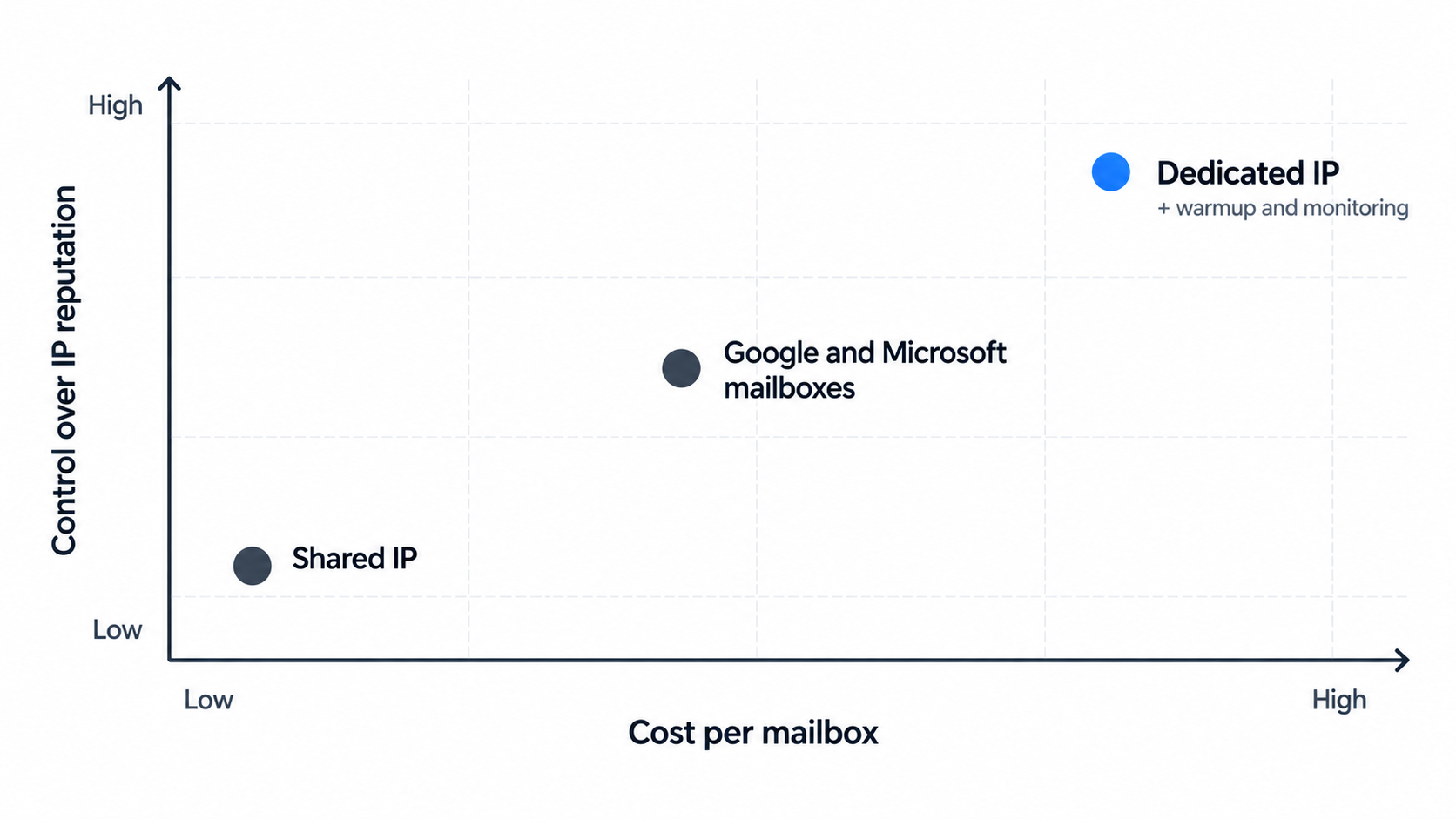
The shared vs dedicated IP debate usually gets framed as cheap versus good. In my experience, that's the wrong frame.
A shared IP isn't bad infrastructure; it's infrastructure where other senders' habits affect your reputation. A dedicated IP isn't automatically better; it's infrastructure where only your habits count, for better and for worse. The real question is what you pay for each, and how much control you're ready to take on.
This guide looks at the trade-off from the dedicated side: what each option costs at real outreach volumes, how many IPs you actually need, what running your own IP involves day to day, and the signs that it's time to switch.
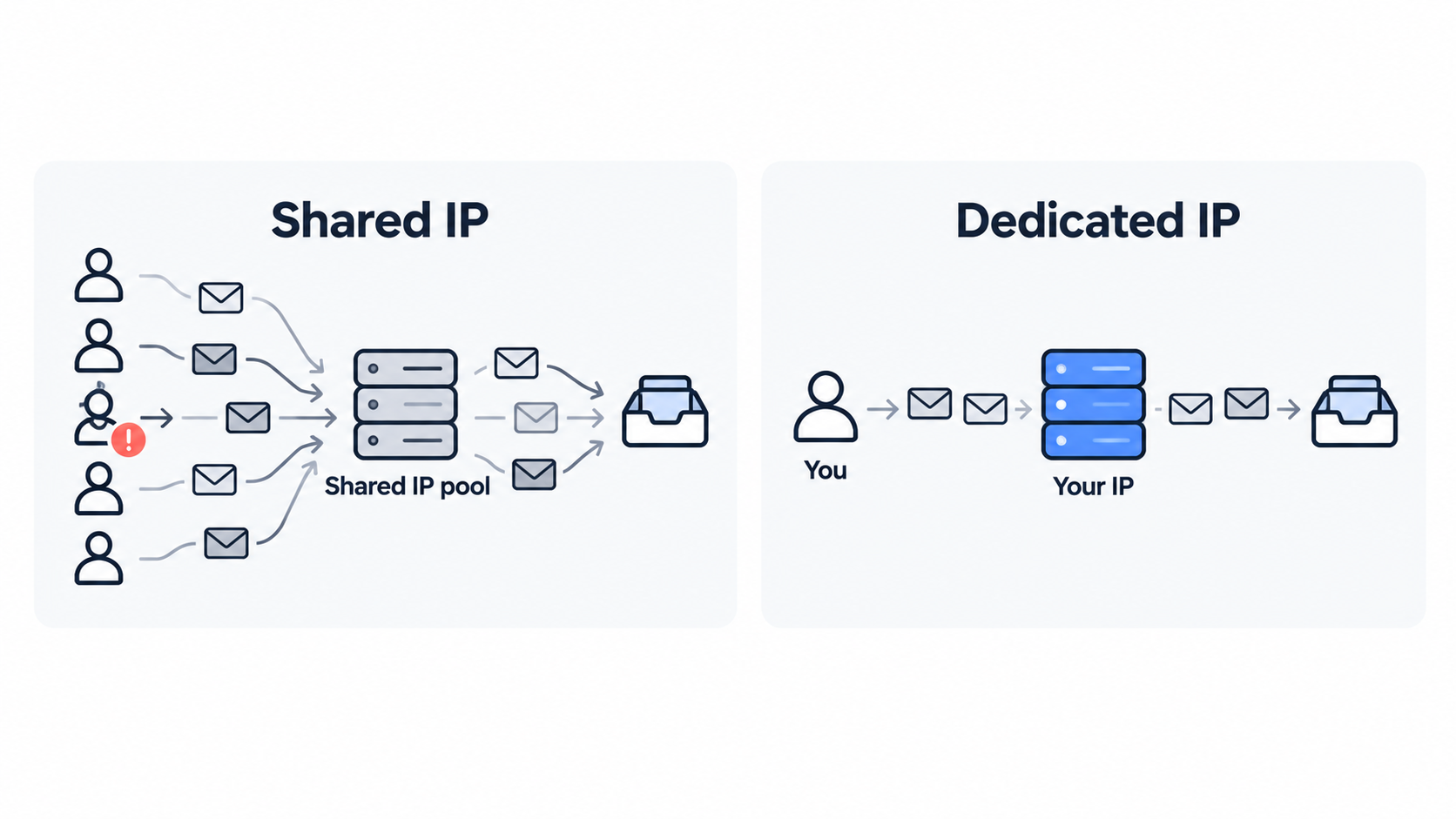
The difference comes down to who else's sending affects your reputation.
An IP address is the server address your email is sent from. Inbox providers score that address based on the mail coming from it: how much, how consistently, and how recipients react.
Domain reputation sits alongside IP reputation and matters just as much for cold email, since inbox providers judge both. This explainer on IP reputation vs domain reputation covers how the two interact. If you're still deciding which model fits your team, this Salesforge guide to shared vs dedicated IP for cold email walks through the decision itself.
For cold outreach, the price gap between shared and dedicated is smaller than newsletter platforms would suggest.
Email marketing platforms often charge a large premium for a dedicated IP because their customers send hundreds of thousands of emails from one account. Cold outreach infrastructure works differently: you pay per mailbox, and the IP model is built into the price. Here's how the three Forge Stack options compare at common team sizes, using list prices billed annually:
Per-mailbox prices drop at volume, so larger teams sit at the lower end of each range. Domains are charged separately, at the same rate whichever option you choose. If you're not sure how many mailboxes you need, this guide on how many mailboxes you need for outreach covers the sizing.
A dedicated IP gives you three things a shared pool can't: isolation, visibility and segmentation.
No other sender can damage your IP's reputation. On a shared pool, a sender with a bad list can drag down placement for everyone on it until the provider acts. On a dedicated IP, if placement drops, the cause is in your own sending, which makes it far easier to find.
This guide on avoiding blacklists with dedicated IPs covers how isolation helps when something goes wrong.
Microsoft's Smart Network Data Services (SNDS) shows complaint rates, spam trap hits and filtering status, but only for IPs you own. On a shared pool you can't register the IPs, so you can't see Microsoft's view of them. Note that Google's Postmaster Tools v2 has retired its separate IP reputation dashboard, so SNDS and blocklist checks are now the main IP-level signals.
With several dedicated IPs, you can split workloads so one campaign or client can't affect another. Agencies use this to keep a risky client away from the rest, and in-house teams use it to separate a new market test from their core outbound.
This guide on allocating IP pools for campaigns shows how to structure it.
The price on the pricing page isn't the whole cost; the rest is the work of looking after the IP.
None of this is hard, but it's real time. If nobody on the team will own it, a shared pool is usually the better choice until someone can.
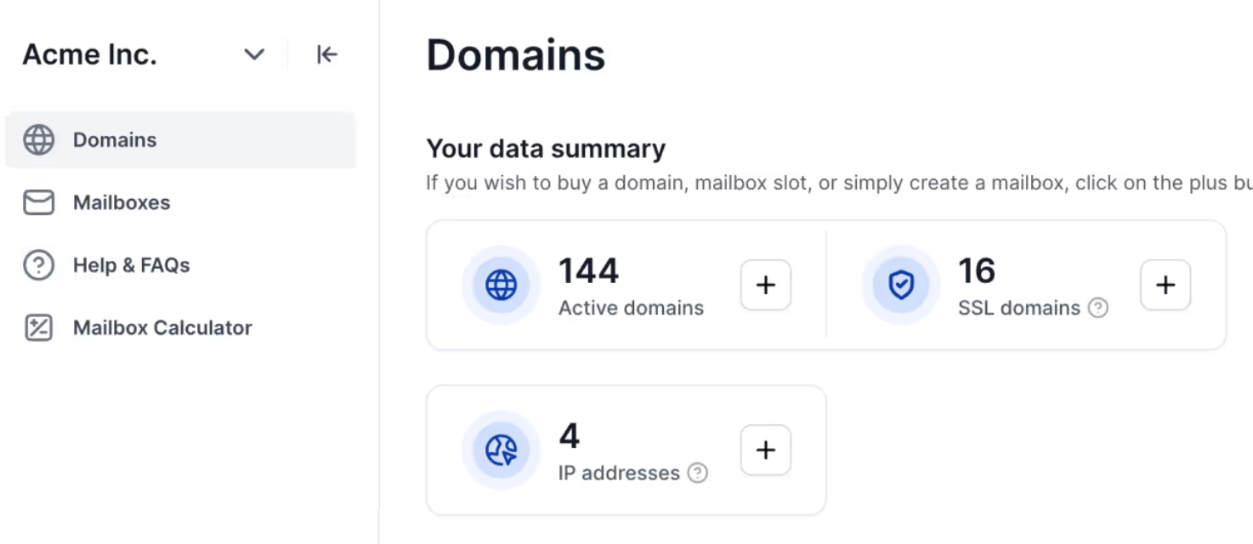
Start with as few IPs as your segmentation needs, not as many as you can afford.
Every IP needs enough steady volume to build and keep its own reputation, so spreading a small sending program across many IPs leaves each one too quiet. I'd add IPs for a reason, not by default:
If you rotate sending across IPs, do it deliberately rather than randomly. This guide on rotating IPs for high-volume campaigns explains when rotation helps and when it hurts.
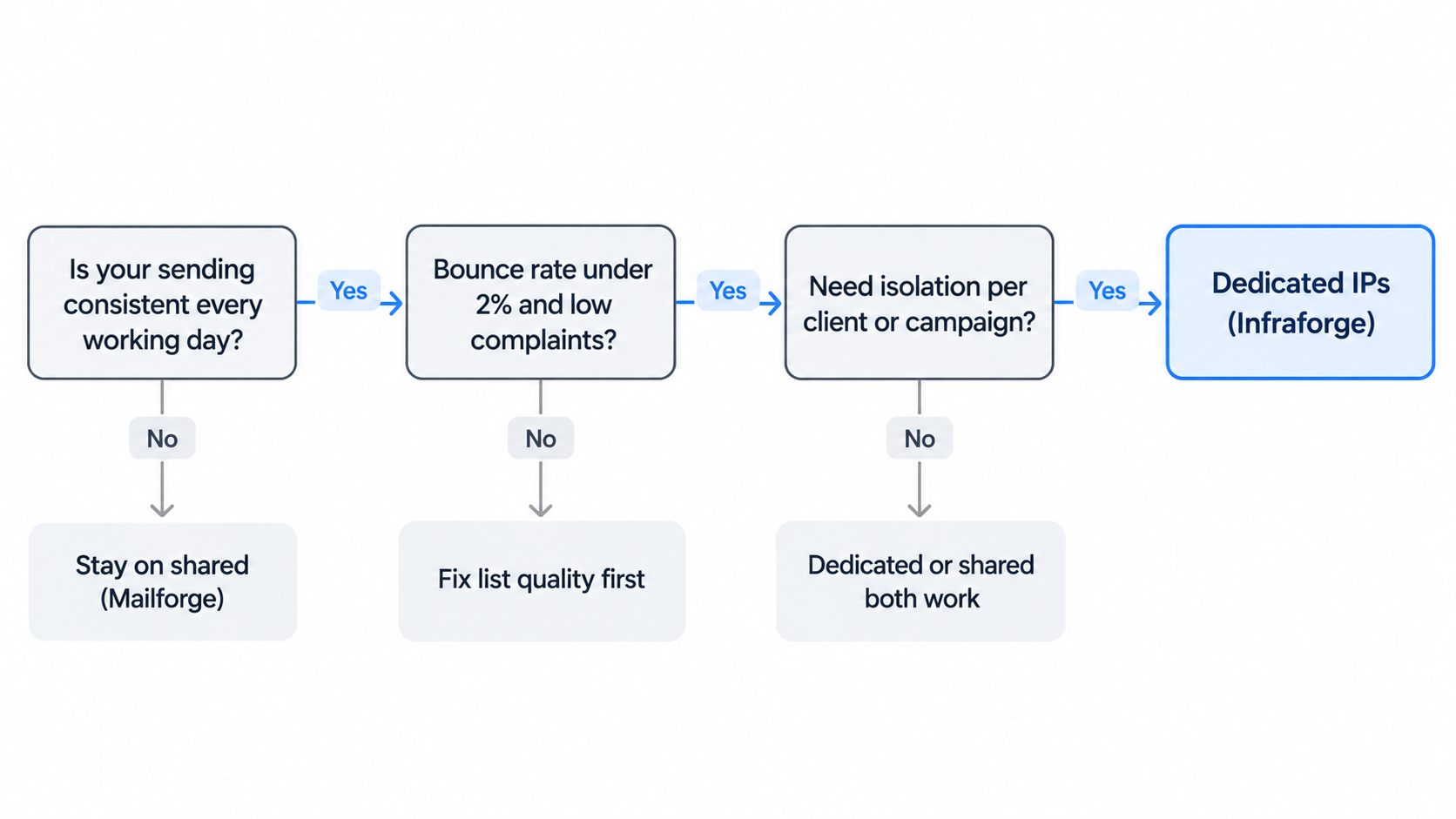
Shared infrastructure is the better choice more often than people admit.
Mailforge is built for exactly this: shared infrastructure designed for cold outreach rather than everyday business email, with mailboxes distributed across a pool used by 10,000+ businesses.
Move when your sending is consistent and clean enough that isolation helps you instead of exposing you.
Moving doesn't mean starting from scratch. Keep sending from your shared mailboxes while the new dedicated ones warm up (these best practices for warming new domains apply), then shift volume over gradually. This guide on scaling cold email without hurting reputation covers the ramp.
There's a third option that sidesteps the IP question entirely.
Google Workspace and Microsoft 365 mailboxes send from the providers' own IPs, which Google and Microsoft manage. You don't choose or warm an IP, and mail travels the way normal business email does. Primeforge provides these mailboxes with ESP matching, so you send from the same provider your prospect uses.
The teams I see doing best combine options rather than picking one: Primeforge for provider-matched sending, plus Infraforge or Mailforge for additional volume. All three run under one login, so you can move between them as your needs change. This walkthrough of cold email infrastructure setup shows how a mixed setup fits together.
Infraforge is private email infrastructure built around dedicated IPs, for teams that want full control without building servers themselves.
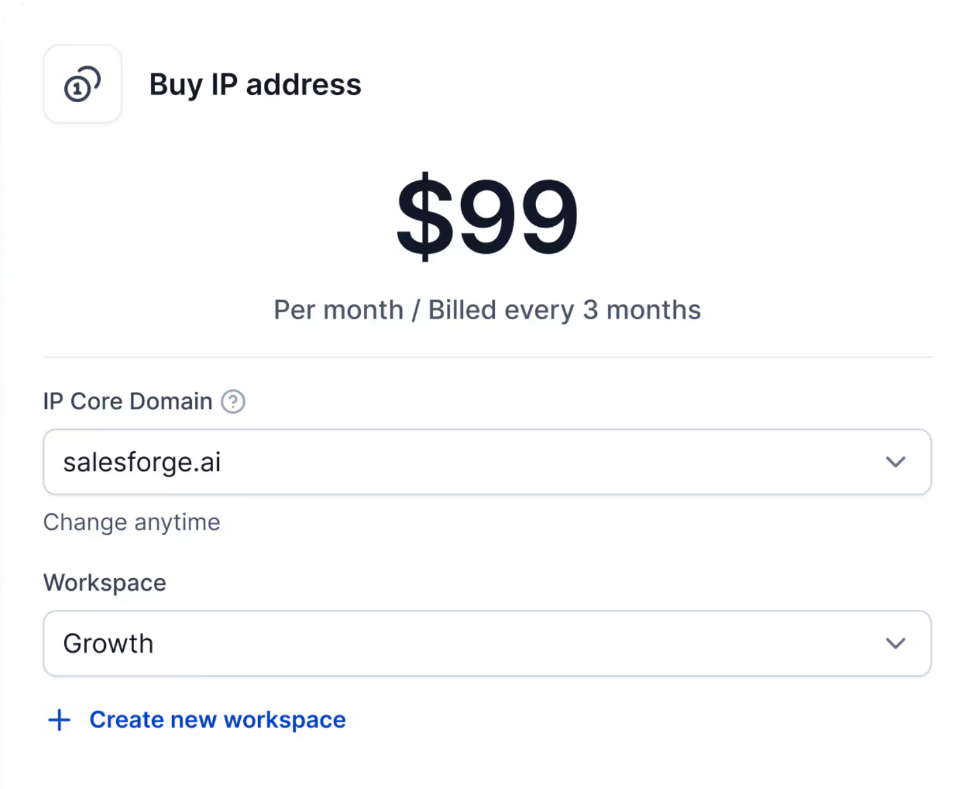
Pricing: $4 to $3 per mailbox per month billed annually, dropping at volume, with custom pricing for enterprise volume. Additional dedicated IPs are $99 per IP per month, billed quarterly. Your first domain and mailbox are live in about 5 minutes.
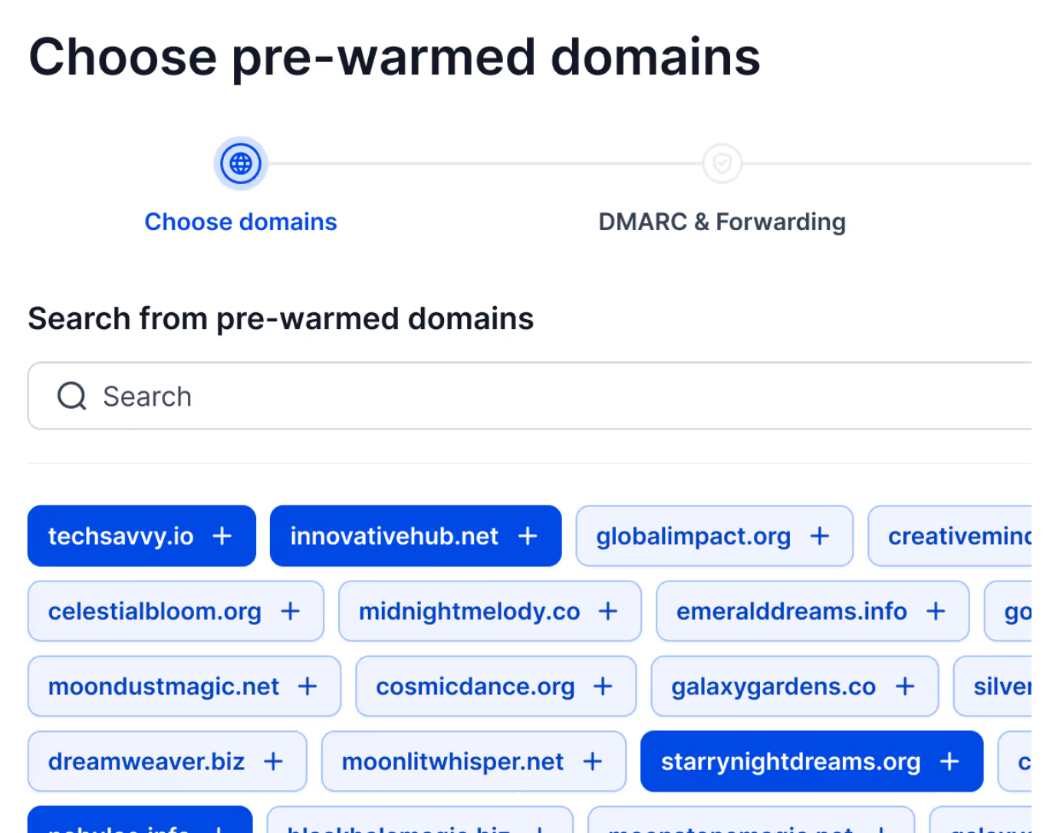
Infraforge sits alongside Mailforge for shared infrastructure and Primeforge for Google and Microsoft mailboxes, all under one login. Every mailbox still needs ongoing warmup, which Warmforge provides free with unlimited slots on every Salesforge plan. You can run outreach with your own team, hand it to Agent Frank, Salesforge's AI SDR, or bring in a certified Forge Expert agency. Agencies comparing providers can see how Infraforge stacks up in this roundup of cold email infrastructure for agencies.
Choose the IP model that matches how you send today, and plan the move before you need it.
A shared IP is the sensible default when your volume is new, irregular or untested. A dedicated IP earns its slightly higher price once your sending is consistent and clean, because then isolation, SNDS visibility and the ability to separate clients start paying for themselves. The real extra cost isn't the dollar or so per mailbox; it's the warmup and monitoring you take on, which pre-warmed mailboxes and real-time monitoring in Infraforge cut down.
Infraforge, Mailforge and Primeforge give you all three models under one login, Warmforge keeps every mailbox warm, and with Leadsforge, Salesforge and Agent Frank, the whole outbound stack sits under one roof.
Quick answers to the questions I hear most about dedicated and shared IPs for outreach.
A shared IP sends mail for many senders, so its reputation reflects everyone's behavior. A dedicated IP sends mail only for you, so its reputation reflects only your sending, and you're responsible for building and protecting it.
Only once your sending is consistent and clean, a dedicated IP isolates you from other senders and gives you IP-level visibility, but it also exposes every mistake you make. If your volume is new, irregular or untested, a shared IP is usually the safer start.
With Infraforge, mailboxes on dedicated IP infrastructure cost $4 to $3 per mailbox per month billed annually, and additional dedicated IPs are $99 per IP per month billed quarterly. Shared-IP mailboxes on Mailforge cost $3 to $2 per mailbox per month.
Yes. A new dedicated IP has no sending history, so plan for two to four weeks of gradually increasing volume, or start with pre-warmed mailboxes that are ready to send from day one.
As few as your segmentation needs. Each IP needs steady volume to keep its own reputation, so add IPs to separate clients or programs, or to keep a warm spare, rather than spreading a small sending program across many IPs.
It can. On a shared pool, other senders' complaints and bounces affect the pool's reputation. Good shared infrastructure providers manage this actively, but you have no direct control over it.
Neither in the usual sense. They send from Google's and Microsoft's own IPs, which the providers manage. You don't choose or warm the IP, which is why mailboxes like Primeforge's are a third option alongside shared and dedicated IPs.
Yes. Keep sending from your shared mailboxes while new dedicated ones warm up, then move volume across gradually. With the Forge Stack, Mailforge, Infraforge and Primeforge run under one login, so there's no tool migration.