
For anyone running cold email, landing in the spam folder is a nightmare. Your campaigns keep running, emails show up as delivered in your reports, but replies dry up and meetings stop coming in. And you might not even realise that your prospects aren't seeing your emails.
However, changing your subject lines or rewriting your copy isn't always the answer. That's because inbox providers look at several signals, including your domain reputation, email authentication, sending patterns, and recipient engagement, to decide where your emails land.
In this guide, I'll walk you through 13 tactics to avoid spam filters, from setting up your domain and managing your sending to writing emails and monitoring performance as you scale.
Let's get into it.
Modern spam filters weigh your sending history and recipient engagement far more heavily than keyword lists, so most of what actually works is technical rather than editorial.
Spam filters are automated scoring systems. They assess your email before they get to your copy, which is why your words matter less than most people expect.
Providers like Gmail, Outlook, and Yahoo collect signals about who you are, how you've sent in the past, and how people respond to you.
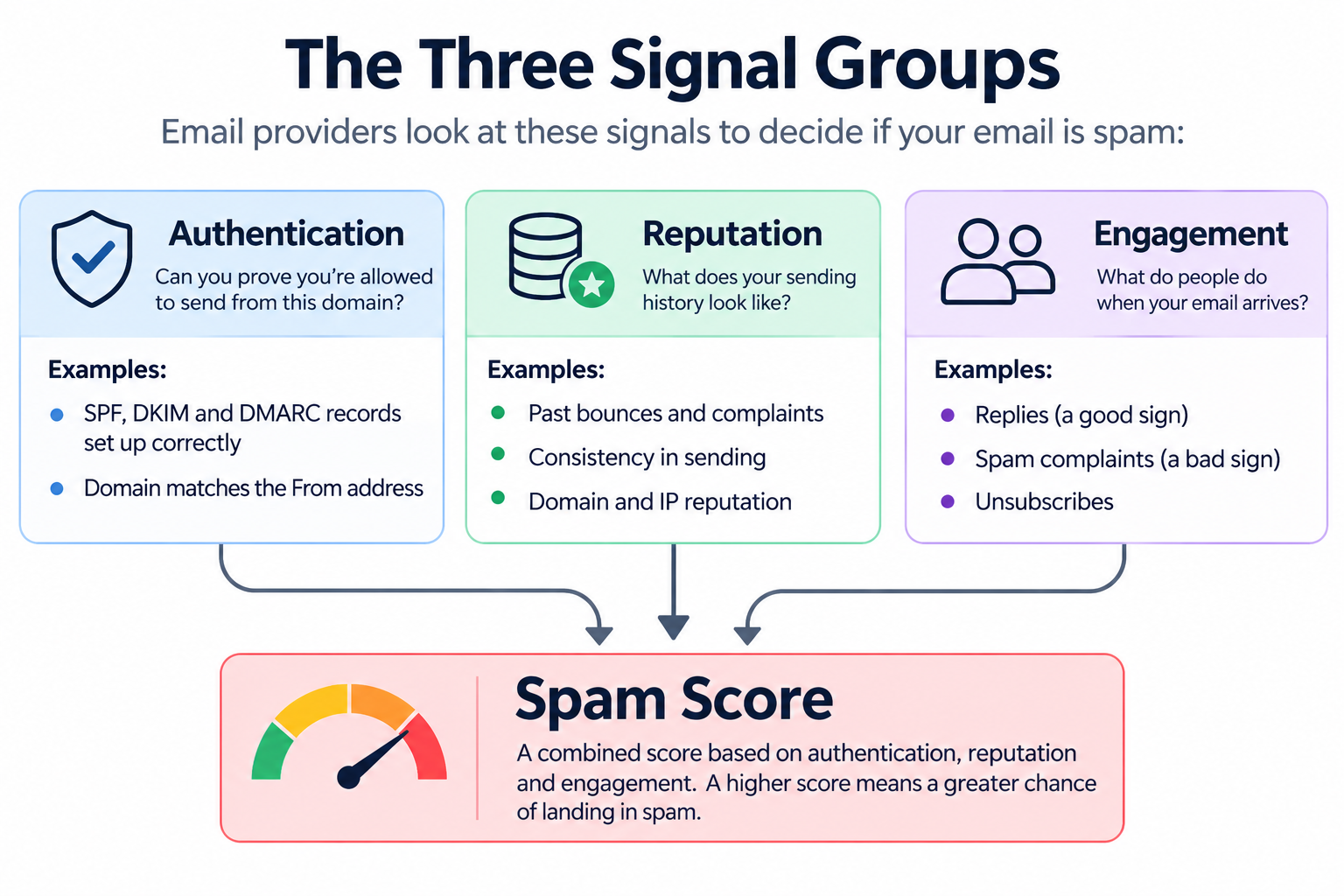
Those signals fall into three groups:
Your copy only affects the third group, and providers weigh it last. That's why rewriting a subject line rarely fixes the problem, and why the tactics below start with your setup.
Everything here happens before you contact anyone. These steps matter most, because mistakes you make now affect every campaign you run afterwards.
The first way to avoid spam filters costs about ten dollars and takes an afternoon. Buy a domain you'll use only for cold outreach, and keep your primary company domain out of it.
Some recipients will mark you as spam no matter how good your email is. That's normal for cold outreach. What matters is which domain takes the damage.
If you send from your primary domain, every complaint hits the domain carrying your invoices, contracts, support tickets, and customer conversations, and recovering a damaged primary domain takes months.
Here's how to set one up:
The next way to keep your emails out of spam is the only pass-or-fail item on this list. SPF, DKIM, and DMARC are three DNS records that prove your email is really coming from you, and Google and Yahoo now require them from bulk senders.
Here's what each one does:
Three things to get right:
Then verify it. A DNS typo stays invisible until it costs you a campaign, so send a test message and confirm all three pass on the same email. You can run a free email deliverability test to check them in one go.
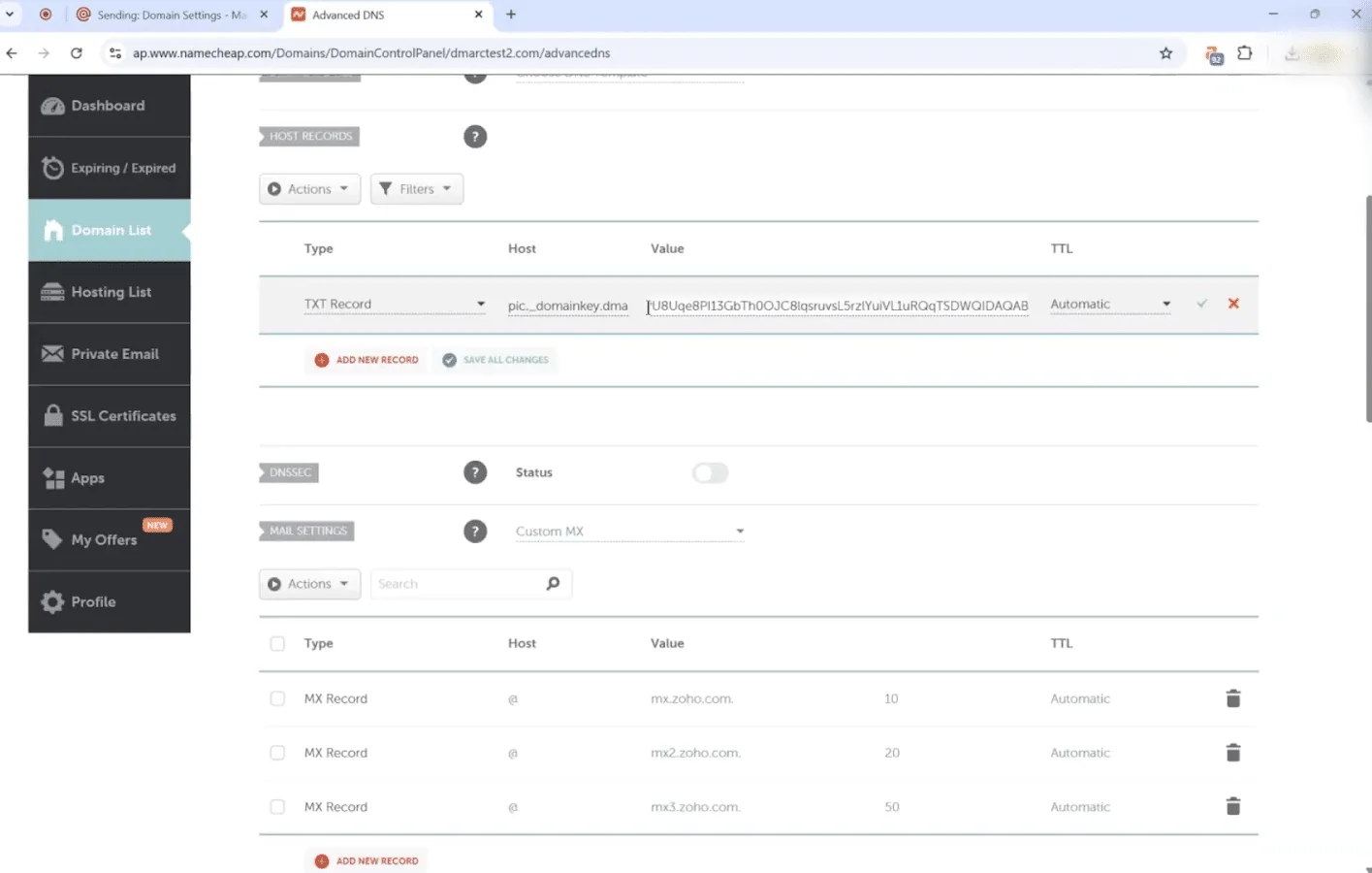
If you'd rather not touch DNS, managed infrastructure configures these records at setup.
Another strategy you can use to avoid the spam folder takes five minutes and catches two problems people miss.
Your MX records handle incoming mail rather than outgoing, which is why they get forgotten. Your campaign sends fine while your replies disappear, because there's nowhere for them to land, and it looks like poor performance rather than a setup error. Confirm your MX records resolve, then send yourself a test and check you can receive it.
Your blacklist status is the second check. Blacklists are public lists of domains and IPs flagged for spam activity, and providers check them when deciding how to treat your mail. New domains sometimes get listed because of a previous owner, so check during setup rather than after. If you're already seeing hard rejections, 550 5.7.1 errors usually mean a block rather than a filter.
The next tactic that protects your inbox placement is the one people skip most often.
A new domain doesn't have a clean record. It has no record, and providers treat those differently. A new mailbox sending 200 cold emails on its first day looks the same as a mailbox created for spam, because providers have no history to tell them otherwise.
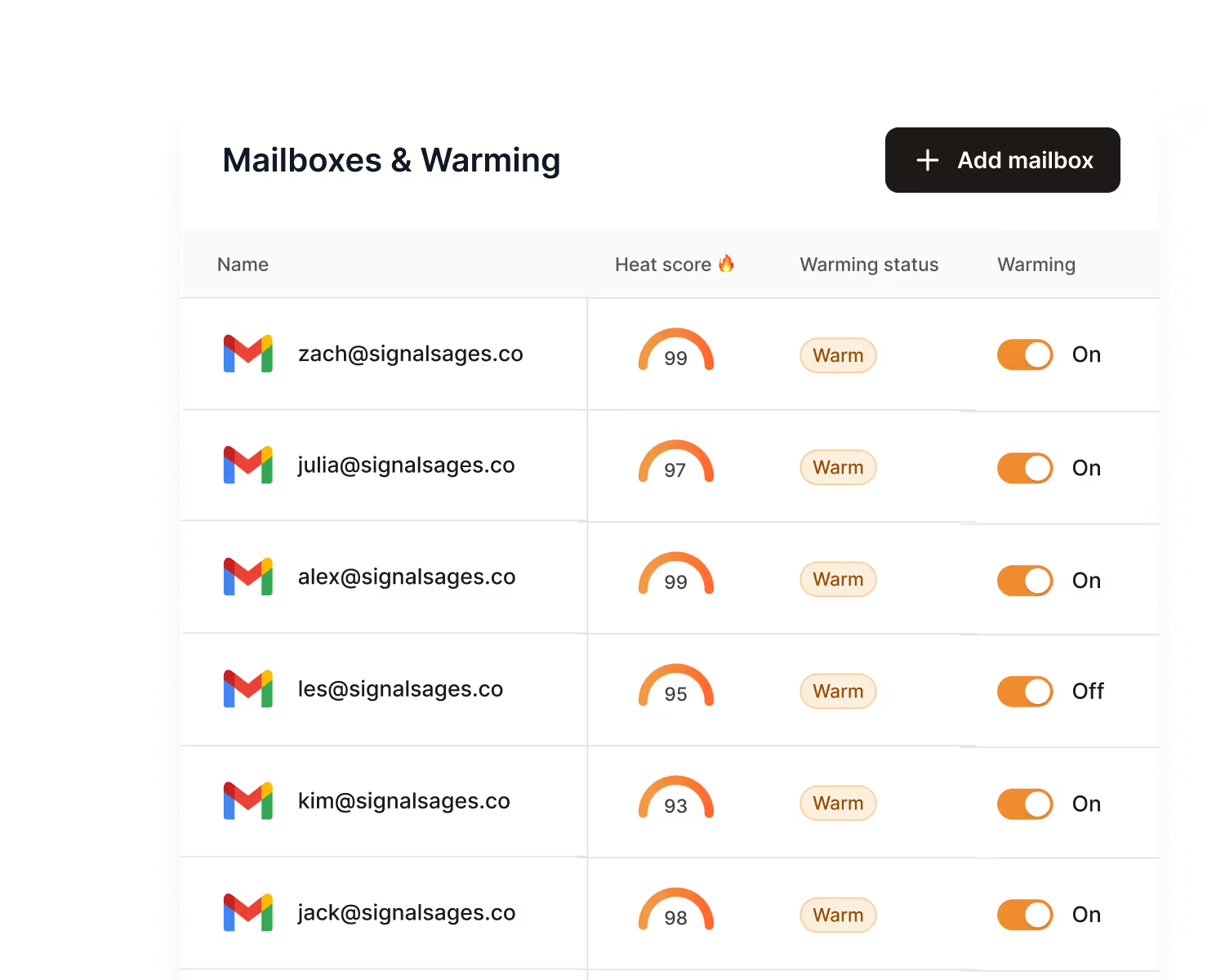
Warmup solves this by circulating small volumes of mail between real mailboxes that open and reply to each other. That builds the sending history a new mailbox has no other way to get.
How to do it:
If you'd rather skip the waiting, pre-warmed mailboxes come with that history already built.
With your foundation set, the next four tactics cover how you send. Most domains fail here, because the setup was fine and the pace wasn't.
The next way to stop your emails going to spam is to send fewer than you want to, and the number that matters is per mailbox rather than per campaign.
Published recommendations run from about 20 to 50 emails per day per mailbox for a new setup. I'd start at the lower end. A slower start costs you time, but sending too fast costs you the domain.
Your setup should look like this:
How email volume affects deliverability is worth reading here, because the relationship is less direct than people expect.
Another tactic that keeps you out of spam filters is a disciplined ramp, and this is where most people lose the domain they just spent weeks building.
Raise volume by around 20% every few days, and only while your engagement holds. Google's guidance for bulk senders asks for gradual, consistent increases rather than sharp ones. The condition matters more than the percentage, so if bounces are climbing or replies are thinning, hold where you are.
Two things to watch for:
It's also worth knowing your provider's own ceilings, since Microsoft 365 limits are enforced separately from anything a spam filter decides.
The next strategy for avoiding spam filters is a decision rather than a habit. Your infrastructure is the mailboxes, servers, and IPs your email leaves from, and the question is whether that IP is shared or yours alone.
On a shared IP, your mail goes out alongside other senders and the reputation is pooled. At low volume that usually helps you, because you inherit established history instead of building it from nothing. The trade-off is that another sender behaving badly on your pool affects your placement.
A dedicated IP carries only your sending, so your reputation reflects only you. That isolation pays off once your volume is high enough to sustain its own reputation, though a new dedicated IP has no history and needs warming like any new asset.
Most people searching for how to avoid spam filters don't need a dedicated IP yet. Picking the right cold email inboxes now saves you a migration later.
The next way to avoid the spam folder has the fastest payback on this list. Invalid addresses cause hard bounces, and providers read a high bounce rate as proof you didn't build your list carefully.
Your targets are straightforward. Under 1% is healthy, 2% to 5% is a warning, and above 5% you should stop sequences and investigate. The difference between hard bounces and soft ones matters, because a hard bounce means the address doesn't exist and should be removed immediately.
Verification catches dead addresses.
Strip these out as well:
Buying or scraping lists is the fastest way to undo everything else here. Purchased lists carry spam traps, which are addresses planted specifically to catch senders who didn't collect their contacts themselves. Hitting one damages your domain immediately, and no amount of warmup repairs it.
Lists also decay faster than people expect, so one verified three months ago isn't verified today. Run it again before you use it, and you can clean it quickly with a free email verifier.
Now your copy starts to matter. These five tactics carry real weight once your foundation is solid.
The next tactic for avoiding spam filters is relevance, which affects deliverability as much as it affects reply rates. Replies protect your reputation and complaints damage it, and relevance decides which one you get.
An email saying you help companies increase revenue could have been sent to anyone. Recipients ignore it, so you get no replies, and identical copy sent to thousands is a pattern providers detect easily.
Anchor each first email to something specific and true about that company:
Each of those answers the reader's first question, which is why you're emailing them specifically.
Another way to keep your emails out of spam is to clean up the language filters score against. Modern filters don't reject on a single banned word, but a cluster of them from a domain with no history will hurt you.
Formatting matters too, and it's easier to fix:
Your email subject lines deserve the most attention, since that's the first thing both the filter and the reader assess.
The next tactic is quick to apply. Every link gives a filter another domain to assess, and a poor reputation on any of them reflects on you.
Another strategy you can use to improve inbox placement is one people resist, so it's worth testing before you dismiss it.
Open tracking embeds an invisible image in your email, and link tracking rewrites your URLs to route through a tracking domain. Both add elements filters associate with bulk marketing rather than personal email, and a shared tracking domain means you inherit other senders' reputation on every link.
Open rates are also unreliable now. Some privacy features pre-load images and inflate your numbers, while others block them and deflate them, so you're taking a deliverability risk for data you can't trust.
Turn open tracking off on cold campaigns and judge performance on replies instead. If you need tracking for attribution, run it on a custom tracking domain on your own sending domain, then test placement afterwards to see what it cost you.
The last copy tactic reduces spam complaints, which are the most damaging signal you can get. Someone who wants out will either tell you or report you, so make telling you the easier option.
A cold email doesn't need a marketing-style unsubscribe block. A short closing line inviting them to reply if they'd rather not hear from you does the job and reads naturally. Adding a List-Unsubscribe header lets providers show a native unsubscribe option, which gives people a path that avoids the spam button.
Then act on it immediately, because a second email after an opt-out request is the fastest route to a complaint.
The tactics so far get you sending safely. This section covers how you confirm it's working.
Before any campaign goes out, run the actual email through a spam checker. It catches missing authentication records, broken HTML, and risky phrasing in one pass, which is cheaper than finding out from your reply rate.
Once you're live, open rates can't tell you where you landed. An inflated or blocked open rate says nothing about whether you reached the primary inbox, the promotions tab, or spam. The only way to know is to test directly.
An inbox placement test sends to seed mailboxes across providers and reports where each one landed. That gives you a provider-by-provider view your campaign reports don't show. If Gmail is filtering you but Outlook isn't, that narrows the cause immediately.
Run one before launching on a new domain, after major copy changes, after adding or removing tracking, and whenever replies drop without explanation.
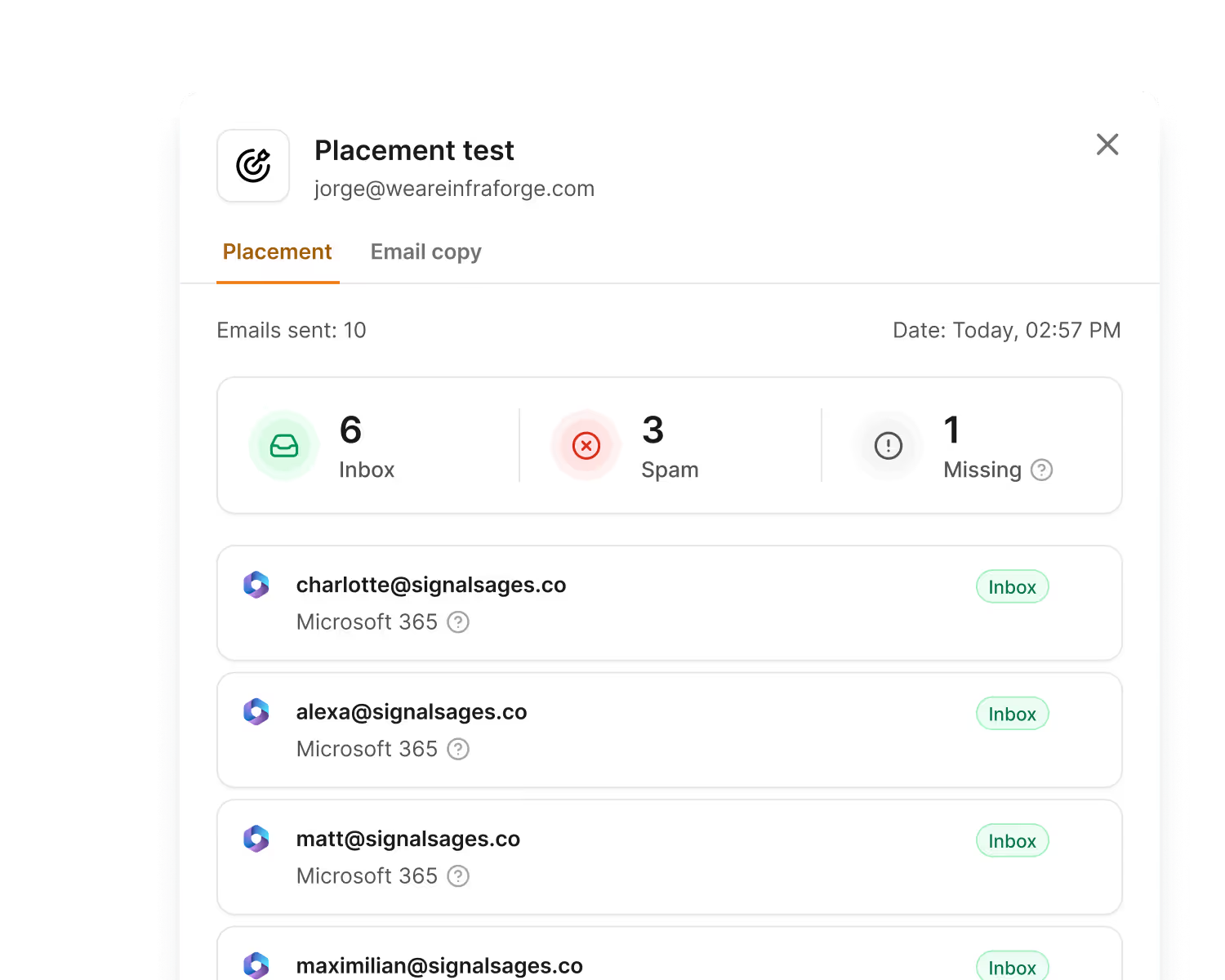
Then build a weekly review around these numbers:
A monthly email deliverability check across all of these catches problems while they're still small.
Compliance and deliverability overlap. The rules providers enforce technically are often the same ones regulators enforce legally.
Google and Yahoo both publish bulk sender requirements, and the core set is short. Authenticate with SPF and DKIM, publish a DMARC record, handle one-click unsubscribe, and keep your reported spam rate below 0.3%. Google treats that as a ceiling rather than a target, so under 0.1% is where you want to sit.
The full bulk sender guidelines are the clearest public statement of what providers expect.
In the US, CAN-SPAM covers commercial email including cold outreach. It requires accurate headers, a subject line that matches the content, a working opt-out, opt-outs honoured promptly, and a valid physical postal address.
If you're emailing contacts in the EU or UK, GDPR works differently, because it asks for a lawful basis for processing someone's data. Legitimate interest can apply to B2B outreach when your email is genuinely relevant to the person's job, though you need to document that reasoning and honour deletion requests.
The specifics of GDPR cold email are worth reading before you send into those markets.
If you're reading this after placement has already dropped, work through these in order rather than changing everything at once.
Recovery usually takes two to four weeks of consistent, careful sending. If your IP is the problem rather than your domain, the steps to fix IP reputation run on a similar timeline.
Avoiding spam filters comes down to a few basics done consistently. Set up your sending domain properly, warm it up before you send, start at a low daily volume, verify your list before every campaign, and test where your emails are actually landing.
None of that is complicated on its own. The difficulty is that warm-up, placement testing, and monitoring are ongoing tasks rather than one-time setup, so most teams end up running three or four tools to cover them.
Salesforge brings those together with your sequences, and warm-up and monthly inbox placement testing are included rather than charged as add-ons.
If your replies have dropped and you're not sure where your emails are going, start by checking. You can start for free and connect one mailbox to see your current placement.
Because copy is only one of three signals providers weigh, and it's the one they assess last. If your SPF, DKIM, or DMARC records are failing, or your domain has no sending history, your email is scored before the wording matters. Check your authentication and warmup status before rewriting anything.
Start at 20 to 25 per mailbox per day for a new setup, then raise volume by around 20% every few days while bounces stay under 1%. The limit that matters is per mailbox, not per campaign, so add mailboxes rather than pushing one harder.
Two weeks is the minimum before any cold sending, and three to five weeks is safer when the domain is newly registered. Keep warmup running after your campaigns go live, since it supplies the positive engagement cold email doesn't generate on its own.
No. They're a requirement rather than a solution, because passing authentication only proves you're allowed to send from your domain. You can authenticate perfectly and still land in spam through a stale list, volume spikes, or a high complaint rate.
Google asks bulk senders to keep reported spam below 0.3%, and treats that as a ceiling rather than a target. Aim to stay under 0.1%, and if you cross 0.3% expect filtering to worsen quickly until you cut volume and tighten targeting.
It raises your risk rather than guaranteeing it. Tracking pixels and rewritten links add elements filters associate with bulk mail, and a shared tracking domain means you inherit other senders' reputation. Turn it off on cold campaigns and judge performance on replies.
The fundamentals are the same for both, which means authentication, warmup, low volume, and a clean list. The difference shows up in testing, since Gmail weighs engagement more heavily while Outlook is stricter on authentication and IP reputation. Run a placement test to see which one is filtering you, because the fix differs.